The dark web search engine ecosystem continues to evolve as more users look for ways to explore hidden services on the Tor network. Unlike traditional search engines such as Google or Bing, dark web search engines are designed to index .onion websites, deep web resources, and Tor hidden services that cannot be accessed through standard browsers.
In 2026, interest in Tor search engines, onion search engines, and deep web search tools has grown significantly as researchers, cybersecurity professionals, and privacy-focused users look for better ways to discover hidden websites. These specialized platforms act as gateways to the dark web and deep web, helping users search for forums, directories, marketplaces, and other onion services that are not visible on the surface web.
However, the dark web lacks a single dominant search platform. Instead, multiple tools, including Ahmia, Torch, Haystak, Not Evil, and other onion search engines, attempt to crawl and index parts of the Tor network. Each search engine works differently, and many users rely on several of them to find active .onion links, hidden websites, and updated dark web resources in 2026.
The dark web isn’t the internet, but darker. It’s a separate slice of the web that lives on anonymity networks (most commonly Tor) and uses addresses like .onion that normal browsers and search engines don’t index. That’s why people rely on dark web search engines and specialized tools that can catalog onion sites and make them searchable.
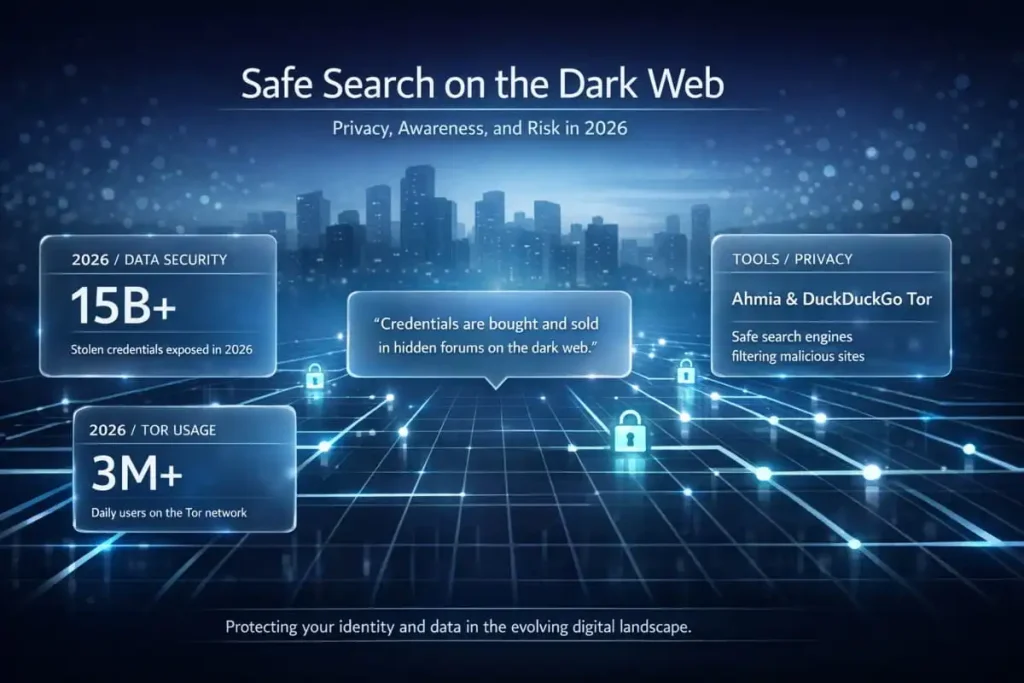
But searching the dark web unthinkingly is risky. Even if your intent is legitimate security research, breach response, journalism, or academic study, one wrong click can lead to malware, scams, or illegal content. In 2026, with ongoing credential leaks and active underground marketplaces, the need for safer discovery tools and better operational security matters more than ever.
In this guide, we will explore the best dark web search engines in 2026, explain how Tor search engines work, and show how users can safely search the deep web and onion sites using specialized search tools designed for the hidden internet.
What a Dark Web Search Engine Actually Does
On the surface web, Google and other engines crawl public pages by following links. Onion sites don’t work the same way: they’re intentionally harder to discover, can disappear quickly, and often aren’t well linked to each other. Dark web search engines, therefore, use a mix of Tor-based crawlers and user submissions to index content. The result is typically slower, less complete, and more volatile than what you’re used to on the normal web.
You’ll generally see three types of discovery tools:
Types of Onion Search Tools
Full-text onion search engines
These platforms crawl and index onion pages, allowing users to search hidden services by keyword. They work similarly to traditional search engines but are built specifically for the Tor network. Popular examples often mentioned in this category include Ahmia, Torch, and Haystak.
Directories and curated link lists
Unlike search engines, these are usually human-maintained collections of onion links organized by category. Some also apply light vetting to help users avoid dead links, scams, or low-quality sites. Common examples include Dark Web Links and Hidden Wiki-style directories.
Security-focused indexes and APIs
Some onion discovery tools are designed primarily for researchers, analysts, and cybersecurity workflows rather than casual browsing. These services may offer structured data, API access, and features useful for monitoring, automation, and threat intelligence. A commonly referenced example in this space is DarkSearch.
Why Safe Searching is a Bigger Deal in 2026
Two realities collide on the dark web:
- There is legitimate use: activists, journalists, whistleblowers, and privacy-focused services operate there because anonymity is sometimes necessary.
- There is also heavy abuse: malware delivery, scams, illicit marketplaces, and stolen data trading are common.
That’s why “safe dark web search” isn’t about making things comfortable; it’s about reducing exposure. Some search engines try to filter out the worst categories of content (for example, blocking known abuse material). Others are deliberately uncensored and leave all filtering to the user.
For cybersecurity teams, this matters because Deep Web Scanning and dark web reconnaissance can help detect credential exposure, leaks, or threat chatter earlier in the incident lifecycle, without needing to manually browse unknown forums.
Before you search the dark web check if your data is already there.
Most people searching for dark web tools don’t realize their email, passwords, or personal data may already be circulating on the same networks they’re about to explore. A free DeXpose scan checks dark web markets, stealer malware logs, and breach databases in seconds no account required.
Run Your Free Dark Web Report →
Onion Search Engines: How They Work and Which Ones Are Active in 2026
An onion search engine is a search tool built specifically to crawl and index .onion addresses, the encrypted, anonymized URLs that only resolve inside the Tor network. Unlike surface web search engines, which follow publicly linked pages across standard domains, onion search engines use Tor-based crawlers that route discovery requests through the same anonymizing infrastructure as the sites they index. The result is a fundamentally different search experience: slower, less comprehensive, and more volatile than Google, but the only mechanism capable of surfacing hidden services that exist entirely off the public internet.
The term “onion” refers to Tor’s layered encryption model, where each relay in the network peels back one layer of encryption, like an onion, until the request reaches its destination with no traceable origin. Onion addresses are 56-character strings that end in .onion and are generated from public cryptographic keys rather than registered with any domain authority. This means an onion search engine cannot rely on WHOIS records, DNS infrastructure, or link graphs from the surface web. It must build its index from scratch using seed lists, user submissions, and active crawling through Tor exit and relay nodes.
The practical limitations are significant. Most onion search engines index only a fraction of active .onion sites at any given time. Sites go offline without notice, rotate their addresses as a security measure, or block crawlers entirely. Index freshness is a persistent problem. A result that appeared active last week may 404 today. This is why experienced researchers use multiple onion search engines rather than relying on a single tool, cross-referencing results to verify that a site is genuinely live before attempting to access it.
In 2026, the most consistently active onion search engines include Ahmia, which filters illegal content and maintains one of the cleaner indexes; Torch, one of the oldest and largest Tor search engines by claimed index size; Haystak, which offers both free and paid tiers with deeper coverage; and Not Evil, which focuses on non-commercial hidden services. Excavator and Candle serve more specialized use cases, covered in their own sections below.
For anyone researching onion search engines from a security perspective, tracking where stolen credentials surface, which forums are active, or which markets have emerged since a breach, a manual search is only part of the picture. DeXpose continuously monitors onion infrastructure, surfacing exposure across dark web sources without requiring direct Tor access. See how the dark web monitoring service tracks hidden services automatically.
Best Dark Web Search Engines (Tor Onion Search Tools)
A practical way to think about dark web search engines is in terms of two dimensions:
1) Filtering vs. uncensored results
- Filtering-first tools aim to reduce accidental exposure to harmful or illegal content. Ahmia is highlighted as a safety-oriented option, including policies around blocking abusive material.
- Unfiltered tools prioritize coverage and breadth, but place the risk burden on you. Tools like Torch and Haystak are often discussed in that “bigger index, more risk” bucket.
2) Convenience vs. research workflows
- Some tools are designed for simple searching (clean interface, basic results).
- Others support power users (advanced operators, APIs, premium tiers, or security-team usage).
Also note the distinction raised about DuckDuckGo: using DuckDuckGo inside Tor can be privacy-friendly, but it’s not the same thing as a crawler that indexes onion sites. For dark web monitoring for business, this matters. DuckDuckGo may function more as a private search gateway than a true onion index, which limits its usefulness for tracking threats, leaks, or brand exposure across the dark web.
Safety Practices That Actually Reduce Risk
No search engine can make the dark web safe. The safer outcome comes from how you browse.
Here are habits that consistently reduce risk (without getting into anything illicit):
- Use the Tor Browser and keep it updated. Onion content is built for Tor; your browser security posture matters.
- Avoid downloads and scripts when possible. Many dark web threats arrive via booby-trapped files or aggressive scripting.
- Never reuse personal credentials and don’t log into real accounts. Treat dark web exploration as a separate activity, not something you mix with your primary identity.
- Prefer filtered engines for general exploration. If you don’t explicitly need uncensored results, filtering reduces accidental exposure.
- Treat every link as untrusted. Even well-known lists can contain poisoned links or impersonations.
If your goal is legitimate security work (threat intel, breach response, auditing exposure), a safer pattern is to rely on structured search tools and monitoring, then escalate only when you have a clear, legal need and a controlled environment.
Below is a quick comparison of the most widely used Tor search engines, ranked by safety, coverage, and use case.
| Search Engine | Filters Illegal Content | Index Size | Best For | Risk Level |
|---|---|---|---|---|
| Ahmia | Yes | Medium | Safe research, beginners, OSINT | Low |
| DuckDuckGo (Onion) | Yes | Surface web only | Private general searching on Tor | Low |
| Torch | No | Very Large | Broad discovery, maximum coverage | High |
| Haystak | Partial | Large | Advanced queries, investigators, automation | Medium |
| Not Evil | Yes (community-moderated) | Medium | Clean results without ads or tracking | Low–Medium |
| DarkSearch | Partial | Medium | Security teams, SOC monitoring, APIs | Low–Medium |
| DeepSearch | Yes | Small | Precision research, low-noise results | Low |
| OnionLand | No | Large (multi-network) | Mixed clearnet + dark web research | Medium |
| DarkWebLinks | Curated only | N/A (directory) | Discovering trusted onion services | Low |
| Hidden Wiki | Minimal | N/A (directory) | Initial navigation (use with caution) | Medium |
| Grams (Historical) | No | N/A | Darknet market search (legacy) | High |
Deep Web Search Engines: What They Actually Index and Why It Matters
A deep web search engine is a tool designed to retrieve content from parts of the internet that standard search engines like Google or Bing do not index. The deep web is not the same as the dark web, a distinction that matters both technically and practically. The deep web refers to any web content that is protected by an access barrier: login pages, paywalls, private databases, government records, academic repositories, and corporate intranets. Google’s crawlers cannot follow a login form or authenticate into a private system, so this content remains invisible to conventional search. Deep web search engines, by contrast, are built to query these sources directly, either through API access, structured database queries, or specialized crawling protocols.
The confusion between the deep web and the dark web is widespread and consistently exploited by low-quality content. To be direct: your Gmail inbox is the deep web. Your bank account dashboard is on the deep web. The Netflix library your subscription unlocks is the deep web. None of it is accessible via a Google search, and none of it is sinister. The dark web is a specific, small subset of the deep web that operates on anonymizing networks like Tor and requires specialized software to access. The two terms are not interchangeable, and a deep web search engine is not the same as a Tor search engine.
Where deep web search engines become relevant to security and threat intelligence is in their ability to surface content from breach repositories, paste sites, forum archives, and data aggregators that sit outside Google’s index but are not on Tor. This middle layer, accessible via standard browsers but not crawlable by conventional search, is where significant volumes of leaked credential data, exposed API keys, and compromised personal records first appear before migrating deeper into dark web markets. Monitoring this layer is a core function of enterprise threat intelligence platforms.
For individuals and organizations concerned about data exposure, the practical takeaway is this: a single scan of publicly indexed sources is not sufficient. Leaked data moves quickly from paste sites and breach forums into dark web markets and stealer log repositories, often within hours of an initial dump. DeXpose’s email data breach scan checks exposure across both the indexed breach layer and dark web sources simultaneously, providing a more complete picture than a surface-level search alone.
Top Dark Web Search Engines in 2026
Not every dark web search engine is worth your time. Most are outdated, poorly maintained, or return results so stale they’re functionally useless. The ones listed here are the exceptions, tools that have demonstrated consistent availability, maintained active indexes, and earned genuine trust from the security research and privacy communities. Whether you’re a cybersecurity professional tracking threat actor infrastructure or a privacy-conscious user trying to understand what exists beyond the surface web, these are the tools that actually deliver.
One important caveat before diving in: no dark web search engine offers complete coverage. The Tor network is deliberately resistant to indexing — sites move, go offline, and rotate addresses constantly. Treat any result as a starting point for verification, not a guarantee of availability. With that understood, here are the six most reliable dark web search engines active in 2026.
Ahmia, Best Dark Web Search Engine for Safe, Filtered Results
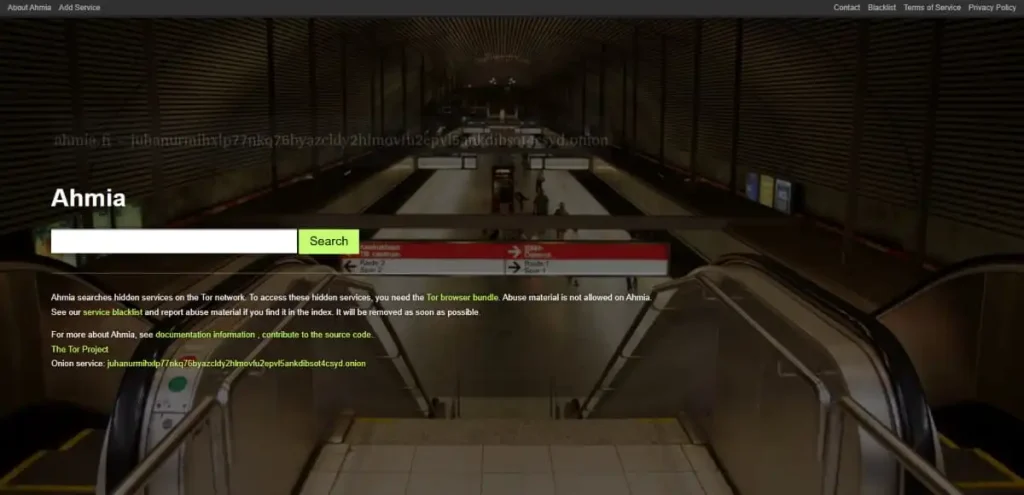
Ahmia is widely considered the safest starting point for dark web searching in 2026. Unlike most onion search engines that index whatever their crawlers find, Ahmia is filtered by design; it actively removes known illicit and harmful content from its results, reducing the risk of accidental exposure to illegal material while browsing the Tor network.
That filtering is not superficial. Ahmia maintains a strict content policy that blocks categories including child sexual abuse material from appearing in search results entirely, making it the preferred dark web search engine for researchers, journalists, security analysts, and anyone who needs onion discovery capability without the exposure risk that comes with unfiltered tools like Torch or Excavator.
Ahmia is also one of the only dark web search engines accessible via a standard browser. It’s the clearnet portal at Ahmia.fi allows users to run onion searches without launching Tor first, a meaningful operational advantage for analysts who want to query dark web indexes from a standard research environment before switching to Tor for direct site access.
Why Ahmia is safer than most Tor search engines
Ahmia’s safety advantage comes from two things:
- Filtered index: Results are actively moderated. Illegal content categories are blocked at the index level, not just filtered from display, meaning the underlying data is cleaner, not just the interface.
- No user tracking: Ahmia does not build behavioral profiles or log search histories as commercial search engines do. Searches are treated as independent queries, consistent with the Tor network’s anonymity model.
A practical workflow for dark web monitoring is using Ahmia’s clearnet portal to run initial discovery queries, searching a company name, domain, or executive to check whether they appear on indexed onion pages, before opening relevant results inside Tor for deeper investigation. This approach keeps the exploratory phase in a standard browser and limits direct Tor exposure to verified targets only.
What to keep in mind
Ahmia’s safety-first approach creates real coverage tradeoffs:
- Smaller index than unfiltered engines: Because Ahmia intentionally excludes certain content categories, its index is narrower than those of Torch or Excavator. Queries that return thin results on Ahmia may return significantly more on unfiltered alternatives.
- Limited coverage of private communities: Deeply private forums and hidden communities that have not submitted themselves for indexing are often not included. Ahmia’s index reflects what its crawler has reached, plus voluntary submissions, not a comprehensive map of active onion infrastructure.
For most legitimate research and discovery tasks, finding onion resources related to a topic, checking whether an organization appears on dark web pages, or exploring the Tor ecosystem without unnecessary risk, Ahmia is the right first stop. For broader, unfiltered coverage, use it alongside Torch or Haystak as a secondary pass.
2026 status: Active. Clearnet and onion access are both operational.
Official onion address: juhanurmihxlp77nkq76byazcldy2hlmovfu2epvl5ankdibsot4csyd.onion
Clearnet portal: ahmia.fi
DuckDuckGo Onion
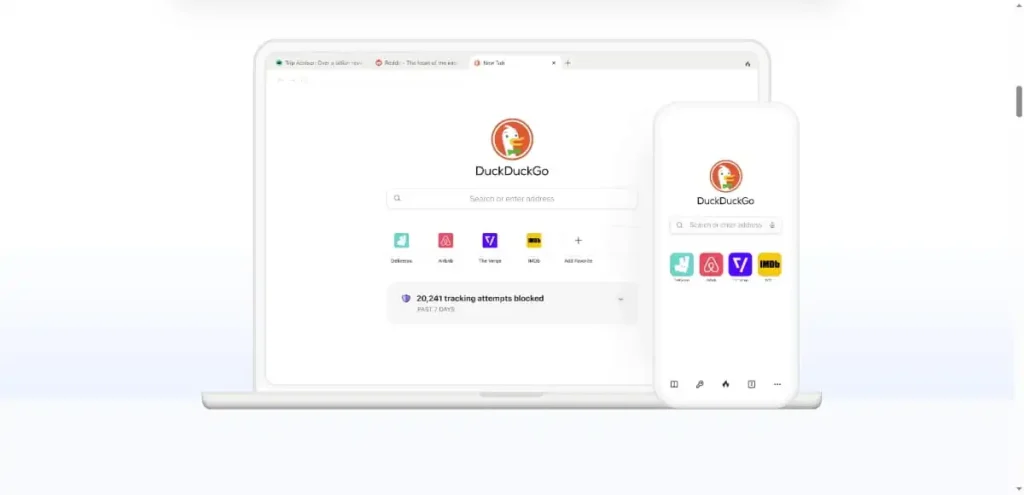
DuckDuckGo operates an official .onion version of its privacy-focused search engine, verified and maintained by the DuckDuckGo team directly. It is worth clarifying upfront what this tool is and is not: DuckDuckGo’s onion service indexes the surface web, not the dark web. It does not crawl .onion sites or return results from the Tor network. Its place on this list is as the most reliable, trustworthy default search interface for Tor browser users who need to search the open web privately before moving to specialized dark web tools.
That distinction matters because DuckDuckGo’s onion service solves a specific and common problem: Tor users need a search engine that works reliably inside the browser, does not track queries, and is not itself a potential phishing or impersonation risk. On all three counts, DuckDuckGo’s official onion address delivers in a way that many unofficial or poorly maintained alternatives do not.
Why DuckDuckGo Is the Right Default for Tor Users
DuckDuckGo’s practical advantage comes from two things:
- No query tracking: Searches made through the onion address are not tied to an IP address, device fingerprint, or user profile, consistent with Tor’s anonymity model.
- Official, verified address: The onion address is published and maintained directly by DuckDuckGo, eliminating the impersonation risk associated with using unverified onion addresses found in third-party directories.
A practical workflow for brand protection monitoring is to use DuckDuckGo’s onion service to run clearnet searches from inside Tor, checking how a brand appears in public search results without exposing the query to standard tracking infrastructure, before switching to dedicated dark web tools for onion-specific discovery.
What to keep in mind
DuckDuckGo’s onion service has clear scope limitations:
- Surface web only: It does not index .onion sites. For dark web search, a dedicated tool from this list is required.
- Not a dark web search engine in the traditional sense: Users expecting onion results will find only standard web pages served privately over Tor.
For Tor newcomers and privacy-focused researchers who need a trustworthy starting point in the browser, DuckDuckGo’s onion service is the most reliable option. For dark web discovery specifically, treat it as the launching pad before moving to Ahmia, Torch, or Haystak.
Official onion address: duckduckgogg42xjoc72x3sjasowoarfbgcmvfimaftt6twagswzczad.onion
Verified via DuckDuckGo’s official help documentation.
DeepSearch, Best Dark Web Search Engine for Signal Quality Over Volume
DeepSearch takes a fundamentally different approach to large, unfiltered dark web search engines like Torch or Excavator. Where those tools prioritize index size and raw coverage, DeepSearch prioritizes accuracy, relevance, and signal quality, actively filtering out spam-heavy pages, link farms, and low-quality mirrors before they reach results. For researchers and analysts who already know what they are looking for, that precision is worth more than volume.
The comparison holds up practically: Torch returns thousands of loosely related results that require significant triage. DeepSearch returns fewer results, but the ones it surfaces are more likely to be directly relevant to the query. For time-sensitive investigations, tracking a suspected breach, validating a specific claim, or monitoring a keyword across dark web forums, that difference in signal-to-noise ratio has real operational value.
Why DeepSearch stands apart for research-focused use
DeepSearch’s quality advantage comes from two things:
- Active noise filtering: Spam pages, link farms, duplicate mirrors, and obvious junk are excluded at the index level. Queries return a curated set of results rather than an undifferentiated crawl dump.
- Open source architecture: DeepSearch’s crawler, indexing logic, and ranking approach are publicly inspectable. There is no black box determining what appears in results and no hidden commercial agenda shaping the index. For security professionals and researchers who need to trust their tools, that transparency is a meaningful differentiator.
A practical workflow for MSP partners conducting client threat research is to run DeepSearch queries against specific client domain strings, executive names, or known credential patterns as a precision pass, using the results to surface targeted forum references, leak mentions, and credential dump appearances rather than broad keyword matches that require manual triage. Cross-reference with Torch or Haystak as a secondary pass to ensure broader coverage.
The open-source design also creates an additional use case for advanced researchers: DeepSearch can be self-hosted and tuned to specific research requirements, allowing teams to run a customized crawler focused on particular dark web infrastructure rather than relying on a shared public index.
What to keep in mind
DeepSearch’s precision-first approach creates coverage tradeoffs:
- Smaller index than broad crawlers: The aggressive filtering that improves signal quality also reduces total index size. Queries that return few results on DeepSearch may yield significantly more results on Torch or Excavator.
- Potential false negatives: Filtering that excludes junk occasionally excludes legitimate results that the classifier misidentifies. For high-stakes investigations, treat a null result on DeepSearch as inconclusive rather than definitive.
- Index freshness lag: Newly emerged dark web sites may not appear until the next crawl cycle. For monitoring recently surfaced infrastructure, a broader, unfiltered engine provides better coverage of new additions.
For high-stakes investigations, DeepSearch works best as part of a multi-engine workflow: a primary pass for precision, and a secondary pass on Torch or Haystak to catch anything the filtering excluded.
Who DeepSearch is built for
DeepSearch is the right tool when you already have a clear objective. Analysts investigating a specific breach, researchers tracking a named threat actor, and cybersecurity professionals who want to understand how dark web crawling and indexing actually work will get more from DeepSearch than from a broader tool. For exploratory discovery, finding what exists on a topic without a specific target, Ahmia or Haystak serve that use case better.
For organizations that need continuous dark web coverage beyond what periodic manual searches across multiple engines can provide, DeXpose’s dark web monitoring platform automates the signal-quality problem at scale, continuously indexing dark web sources and delivering structured alerts when specific identifiers appear, without requiring manual query runs across individual search engines.
2026 status: Active. Clearnet and Tor access are both available.
Official onion address: Available via the DeepSearch clearnet portal.
Torch
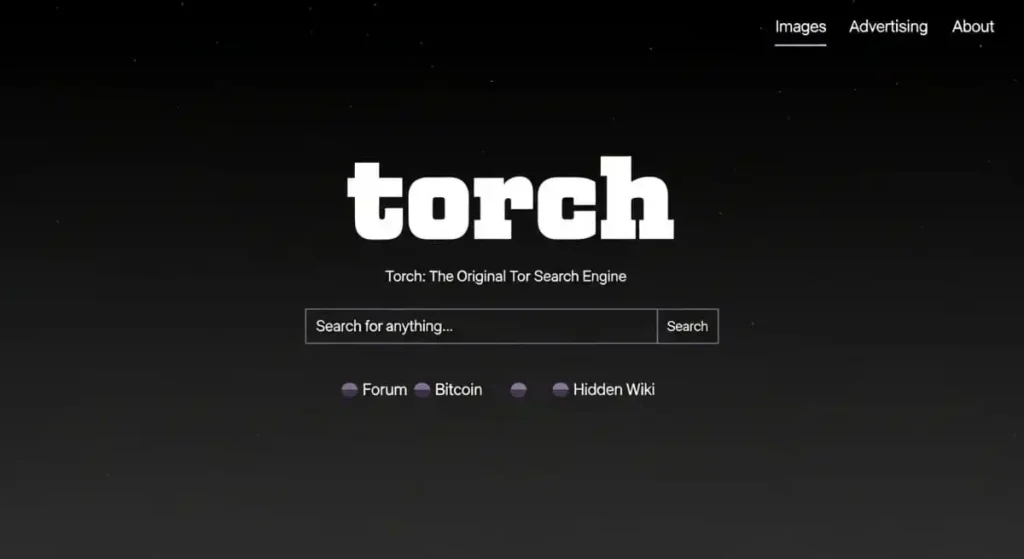
Torch is one of the oldest continuously operating dark web search engines, having run since the mid-1990s. Where tools like Ahmia prioritize safety through filtering, Torch takes the opposite philosophy, a broad, unfiltered index that crawls as much of the Tor network as its infrastructure allows. For researchers who need raw coverage rather than curated results, that scope is Torch’s primary value.
Torch claims one of the largest onion indexes available, with millions of pages catalogued across forums, markets, and hidden services. The interface is deliberately minimal, with a search box, results, and little else. There is no content filtering, no editorial policy beyond Tor’s own infrastructure, and no restrictions on what the crawler indexes. That makes results significantly noisier than Ahmia, but it also means Torch surfaces content that filtered engines deliberately exclude.
Why Torch is the Deepest Unfiltered Option
Torch’s coverage advantage comes from two things:
- No content restrictions: The crawler indexes broadly, which means more results per query and a higher chance of surfacing newly emerged sites.
- Long-running index: Years of continuous crawling mean Torch has historical depth that newer tools simply haven’t had time to build.
A practical workflow for dark web monitoring is using Torch when Ahmia returns too few results for a specific query, particularly when tracking newly surfaced forums, credential dumps, or dark web infrastructure that filtered engines haven’t yet catalogued. The noise level is higher, but so is the coverage.
What to keep in mind
Torch’s unfiltered approach creates real tradeoffs:
- No content filtering: Results can include illegal, disturbing, or irrelevant content without warning. Triage is required.
- Variable freshness: Index quality varies by crawl cycle. A result that appears active may have moved or gone offline since it was last indexed.
For broad discovery tasks, finding what exists on a topic rather than verifying a specific site, Torch remains one of the most thorough starting points available in 2026.
Official onion address:xmh57jrknzkhv6y3ls3ubitzfqnkrwxhopf5aygthi7d6rplyvk3noyd.onion
You can also access the clearnet portal: torchsearch.net
DarkSearch
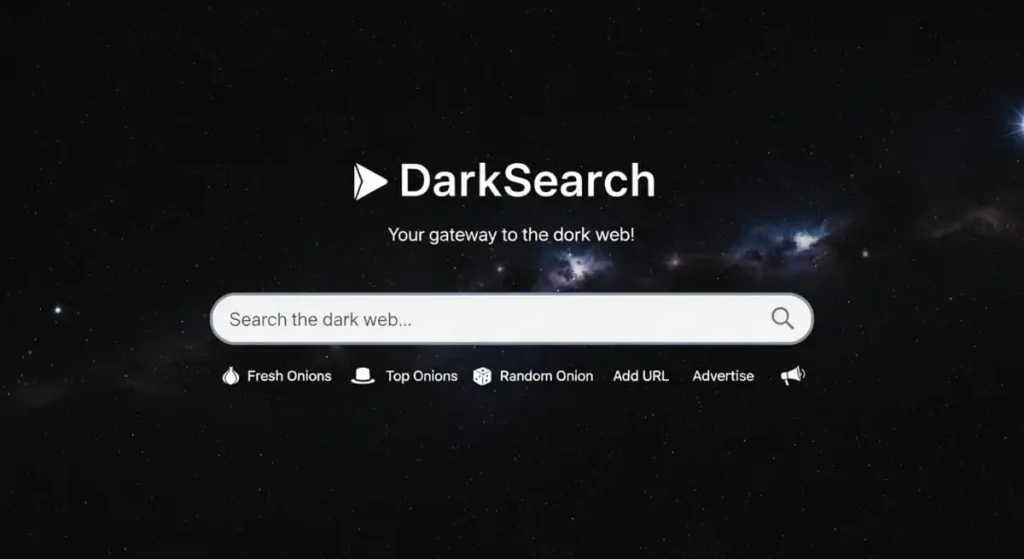
DarkSearch is built with cybersecurity teams in mind rather than casual browsing. Unlike most dark web search engines that focus purely on manual searching, DarkSearch emphasizes automation, integration, and continuous monitoring, making it especially useful for organizations that want visibility into dark web activity without constantly visiting risky onion sites.
Built for Automation and Monitoring
One of DarkSearch’s biggest differentiators is its public API. This allows analysts and developers to integrate a dark web scan free directly into their own tools, scripts, or security platforms. Instead of manually searching every day, teams can automate queries and receive results programmatically.
This is particularly valuable for companies that want to scan for: continuously
- Leaked credentials
- Database dumps
- Mentions of company names, brands, or domains
- Early indicators of data exposure
DarkSearch effectively turns dark web searching into a background process, rather than a manual task.
How Darksearch Handles Content
DarkSearch uses a hybrid approach to indexing:
- Automated crawling of onion sites for broad coverage
- User and community reporting to flag illegal or malicious content
Rather than being fully unfiltered like Torch or tightly filtered like Ahmia, Dark Web Scan sits in the middle. The goal is to keep results useful and relevant, while reducing obvious abuse and low-quality listings.
Privacy Stance
Privacy is a core part of DarkSearch’s positioning:
- Searches can be performed anonymously
- Queries are not stored for tracking or profiling
- API access does not require personal user data beyond an API key
This makes it suitable for sensitive security workflows where query confidentiality matters.
User Experience
The web interface itself is simple and functional, similar to other onion search engines. Results may include basic metadata, such as a short snippet or page context. The real strength, however, isn’t the UI; it’s what you can do outside the browser with the API.
Real-world Security Use Cases
For threat intelligence and security operations teams, DarkSearch can be a force multiplier. For example:
- Alert when your company name appears in new dark web listings
- Monitor for leaked credentials tied to your domain
- Feed dark web findings into SIEM or SOAR platforms
Speed matters here. In real incidents, there’s often a very short window between stolen credentials appearing for sale on the dark web email scan and them being actively abused. Early detection through automated search can buy critical response time.
Access and availability
DarkSearch operates from its public site (darksearch.io) and has also offered an onion service. Because onion addresses can change, it’s best to verify the current official link directly from their site.
DarkSearch is a power-user tool. It’s ideal for organizations, SOC teams, and security researchers who need automation and continuous visibility into dark web activity. For casual exploration, it may be overkill, but for structured monitoring and threat intel, it’s one of the most practical options available.
Haystak
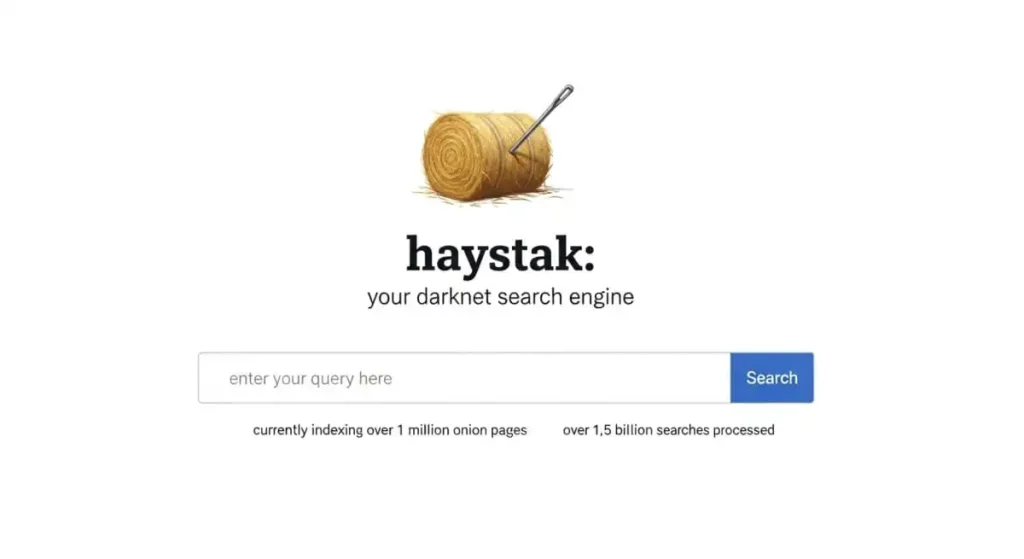
Haystak is one of the few dark web search engines that operate a meaningful distinction between a free and a paid tier, and the difference is substantial enough to matter for serious research. The free version provides keyword search across a large onion index; the paid tier unlocks Boolean operators, date filtering, and deeper result pages, making Haystak a genuinely professional-grade tool rather than a casual discovery engine.
The crawler covers a significant portion of the active Tor network. Unlike Torch, Haystak applies some degree of result organization, reducing the raw noise of unfiltered crawling without restricting coverage to the extent that Ahmia does. It occupies a practical middle ground: broader than Ahmia, more structured than Torch.
Why Haystak Is Worth Considering for Professional Use
Haystak’s research advantage comes from two things:
- Advanced search operators (paid): Boolean logic, phrase matching, and date filters allow repeatable, structured queries rather than one-off keyword searches.
- Tiered access model: The free tier is genuinely useful for spot checks; the paid tier scales to professional threat intelligence workflows without requiring proprietary infrastructure.
A practical workflow for supply chain monitoring is running periodic Haystak queries against vendor names, domain strings, and executive names to detect whether supplier data is surfacing on dark web forums, using date filters in the paid tier to catch new appearances since the last check.
What to keep in mind
Haystak’s model has practical limitations:
- Onion-only access: Unlike Ahmia, Haystak does not offer a clearnet portal. Access requires a running Tor browser.
- Paid tier required for full value: The free version is limited enough that, for regular research use, the paid upgrade is effectively necessary.
For organizations and analysts who need structured, repeatable dark web queries rather than one-time searches, Haystak is the most professional-grade publicly available onion search tool in 2026.
Official onion address:haystak5njsmn2hqkewecpaxetahtwhsbsa64jom2k22z5afxhnpxfid.onion
OnionLand
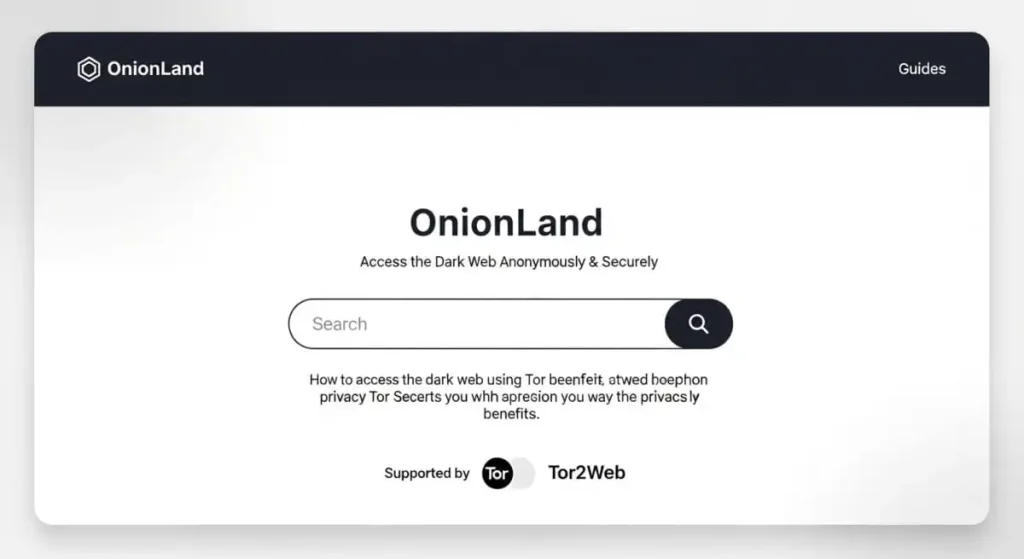
OnionLand takes a different approach from most onion search engines by operating across multiple networks at once. Instead of limiting itself strictly to Tor onion services, it allows users to search the dark web and clearnet content together or separately from a single interface. This makes it one of the more versatile and user-friendly options on the list.
When OnionLand is useful
OnionLand shines when research spans both worlds. For example:
- investigating a topic that discusses onion forums and public websites
- Comparing surface-web reporting with dark web chatter
- discovering onion resources related to a known clearnet site
You can view mixed results or toggle to onion-only searches, depending on what you’re trying to accomplish.
Safety and Privacy Tradeoffs
The convenience comes with important caveats.
To deliver its richer interface, OnionLand relies on JavaScript and active web features. Tor Browser turns off scripts by default at higher security levels, so using OnionLand fully may require lowering those protections. Doing so can increase the risk of browser fingerprinting or exploitation, especially if scripts are enabled broadly.
OnionLand is also more transparent about collecting limited analytics to support features like suggestions and UI improvements, including data protection services. While it claims not to track users beyond what’s necessary, this still represents a privacy tradeoff compared to minimalist, script-free engines
If you choose to use OnionLand:
- enable scripts only for OnionLand itself, not globally
- Keep Tor Browser fully updated
- never enter personal or identifying information
- Turn off scripts again once you’re done
It’s also worth noting that OnionLand does minimal content filtering, so you should assume results may include risky or malicious links.
OnionLand offers a Google-like search experience that bridges the dark web and clearnet, which can be genuinely useful for research. However, it asks you to trade some privacy and security for usability. Used carefully and intentionally, it can be a helpful tool, but it’s not ideal for users who prioritize maximum anonymity above all else.
I can now merge all sections into one final, polished blog post with an intro, comparison table, and conclusion ready for publishing.
DarkWebLinks: A Curated Directory of Trusted Onion Links
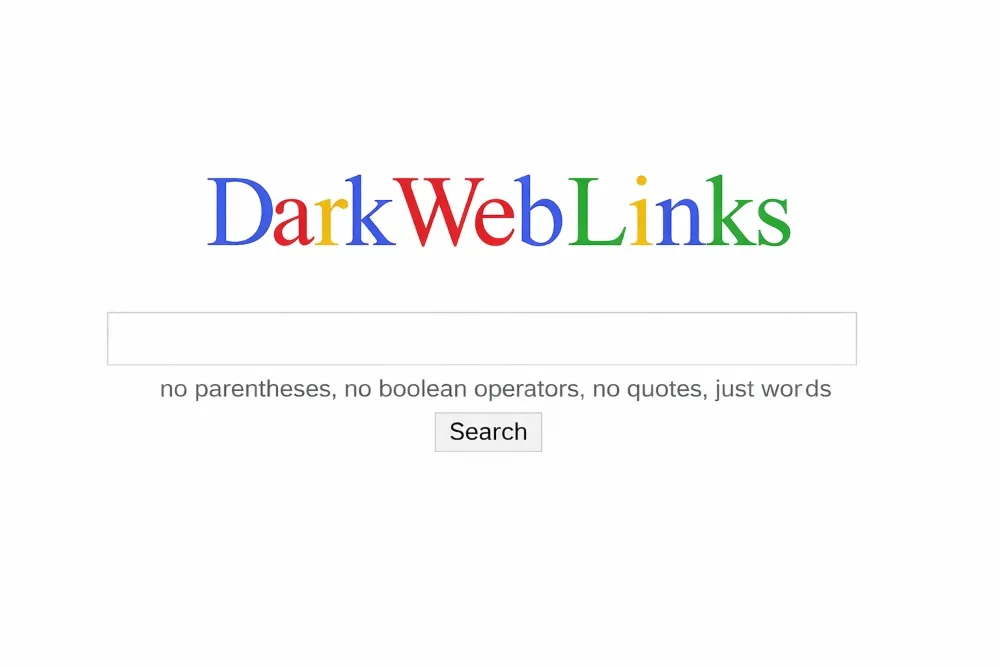
DarkWebLinks is not one of the best dark web search engines. Instead, it functions as a curated directory, a structured list of well-known onion sites organized by category. If you’re familiar with the Hidden Wiki concept, DarkWebLinks follows a similar model, but with a stronger emphasis on accuracy, reputation, and up-to-date v3 onion addresses.
Why Directories Still Matter on the Dark Web
One of the biggest challenges on the dark web is link volatility. Onion services frequently change addresses, disappear, or get impersonated by scam clones. A maintained directory like DarkWebLinks helps reduce that friction and supports client data protection by:
- Listing currently working v3 onion URLs
- Organizing sites into clear categories (markets, forums, email providers, whistleblowing platforms, etc.)
- Excluding many obvious scams and dead links
Rather than searching unthinkingly, users can start from a known set of destinations.
Safety Benefits (With Realistic Expectations)
Directories are inherently safer than open search engines, especially for newcomers, because you’re not exposed to random or misleading results. DarkWebLinks aims to avoid listing extreme illegal content (such as abuse material) and may flag or exclude known scam sites.
That said, “curated” does not mean “safe” in an absolute sense. Many listed sites may still involve illicit activity, and visiting them carries risk. The key advantage is intentional navigation: you know which category you’re entering and what kind of site you’re clicking.
How People Use Darkweblinks in Practice
DarkWebLinks is often used as a starting map, not a complete solution. For example:
- Journalists may use it to locate established hacking or whistleblower forums.
- Researchers may rely on it to avoid fake or phishing copies of well-known sites
- Newcomers may explore categories gradually instead of typing risky keywords into a search engine.
Once you understand the landscape, search engines can be used for deeper, more targeted discovery.
Important Cautions
Even directories can become outdated or impersonated. Always:
- Verify you’re using a legitimate DarkWebLinks address
- cross-check onion URLs when possible
- maintain strict OPSEC (no real emails, no reused credentials, no downloads unless necessary)
A listing is a starting point, not a safety guarantee.
DarkWebLinks and directories like it act as guidebooks for the dark web. They won’t show everything, but they provide a more controlled, informed way to begin exploration. Used alongside search engines, they help you understand the terrain first, then dig deeper with purpose rather than guesswork.
Not Evil: Community-Moderated Dark Web Search (No Ads, No Tracking)
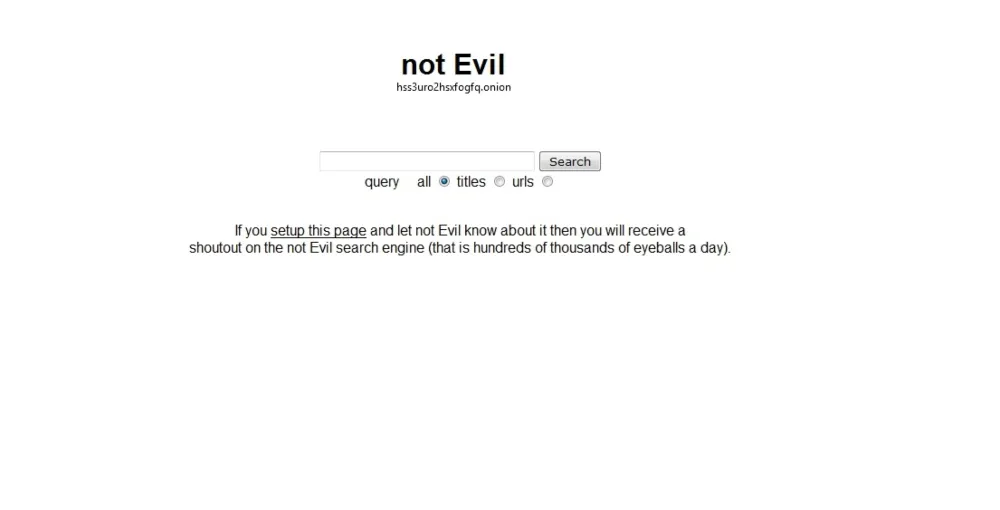
Not Evil is a dark web search engine with a deliberately narrow editorial scope: it focuses on non-commercial hidden services and filters out marketplace listings, leaving a cleaner index of forums, information resources, privacy-focused platforms, and community-driven onion sites. The name is a direct nod to Google’s former “don’t be evil” principle, and the philosophy carries through. Not Evil is built around the idea that dark web search can serve legitimate purposes without indexing the commercial and illicit infrastructure that dominates much of the network.
For researchers studying dark web communities, censorship-resistant publishing platforms, and activist infrastructure rather than markets and credential dumps, Not Evil’s narrow scope is an advantage rather than a limitation. Queries return results with a higher signal-to-noise ratio for non-commercial use cases precisely because the noise has been editorially removed.
Why Not Evil Works Well for Community and Forum Research
Not Evil’s research advantage comes from two things:
- Non-commercial filtering: Marketplace listings, vendor pages, and commercial onion services are excluded, leaving forum threads, information sites, and community resources more visible in results.
- Consistent editorial focus: The engine’s narrow mandate means the index remains coherent over time rather than expanding indiscriminately.
A practical workflow for threat actor research is to use Not Evil to surface forum discussions, community posts, and information-sharing threads related to a target topic, then cross-reference those results against Torch or Haystak for marketplace and credential-related activity on the same subject.
What to keep in mind
Not Evil’s editorial approach creates real coverage gaps:
- No marketplace coverage: If you need to track dark web market activity, stolen data listings, or credential dumps, Not Evil will not surface them. A broader tool is required.
- Smaller index overall: The filtering that improves result quality also reduces total coverage relative to unfiltered alternatives.
For researchers whose work focuses on dark web communities, hidden journalism platforms, and non-commercial onion infrastructure, Not Evil remains one of the cleaner and more consistently maintained options available.
Official onion address: hss3uro2hsxfogfq.onion
The Hidden Wiki: A Longstanding Dark Web Directory
The Hidden Wiki is one of the oldest and most well-known directories on the dark web. Rather than functioning as a search engine, it serves as a curated list of onion services, organized by category, to help users navigate the otherwise opaque Tor ecosystem.
For many people, the Hidden Wiki acts as an entry point providing links to forums, services, and informational resources that would be difficult to discover through search alone. Its longevity has made it widely referenced, but that doesn’t automatically make it safe.
Important Safety Considerations
Because the Hidden Wiki is community-maintained, link quality can vary over time. Some listings may be outdated, misleading, or point to scam or illegal content. The directory does not consistently filter results to the same standard as safety-focused search engines.
When using the Hidden Wiki:
- approach every link with caution
- avoid interacting with unknown services
- never download files or provide personal information
- Leave immediately if you encounter clearly illicit material.
The Hidden Wiki can be useful as a navigation aid, but it should be treated as a map, not a guarantee. Pair it with good operational security and safer discovery tools, and rely on judgment rather than curiosity when deciding what to click.
Grams: A Former Darknet Market Search Engine
Grams was once a well-known search engine on the dark web, focused primarily on darknet marketplaces, including platforms similar to the original Silk Road. Its goal was to make searching across multiple markets easier, and it gained attention for attempting to integrate closely with cryptocurrency-based ecosystems, particularly Bitcoin.
At its peak, Grams functioned as a specialized discovery tool helping users locate listings and vendors across different markets rather than serving as a general-purpose dark web search engine.
Current Status and Relevance
Today, Grams’ availability and functionality are inconsistent, reflecting a broader trend: darknet market infrastructure is highly volatile. Markets frequently shut down, rebrand, or disappear due to law enforcement action, exit scams, or internal failures, and search engines tied closely to them tend to follow the same pattern.
Important Perspective
Grams is best understood as a historical example of how dark web search evolved alongside darknet marketplaces. It highlights how tightly linked discovery tools and underground economies once were and why modern security-focused or research-oriented search engines now emphasize caution, monitoring, and legality rather than market aggregation.
Grams played a significant role in early darknet market search, but it is no longer a reliable or recommended tool today.
Tordex
Tordex is a dark web search engine designed to help users find and explore .onion websites on the Tor network. Unlike traditional search engines such as Google or Bing, Tordex focuses specifically on indexing Tor hidden services, enabling users to search for onion sites by keyword.
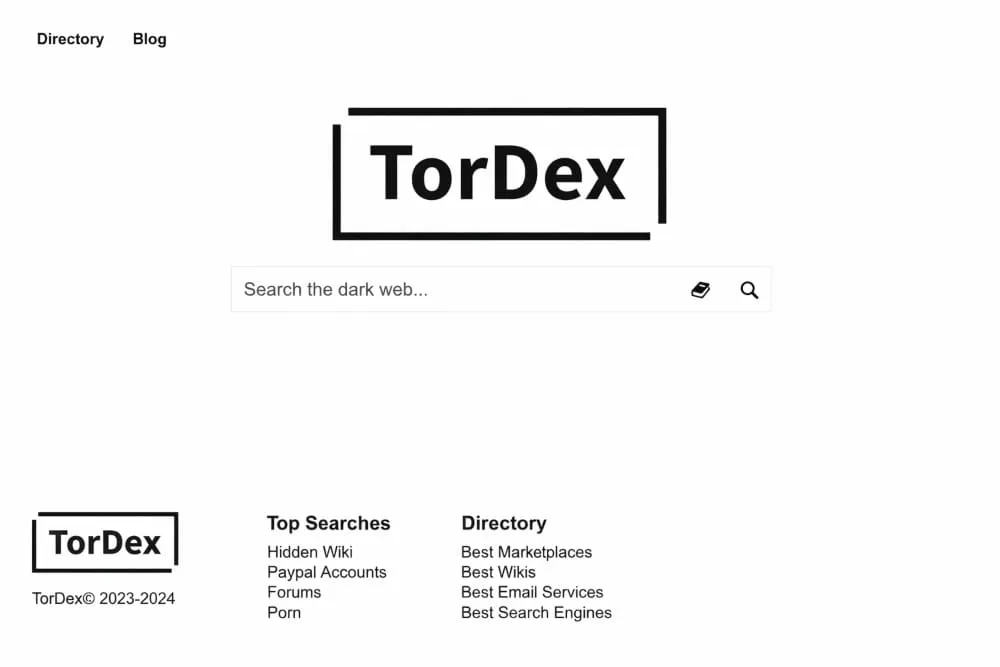
Tordex is often described as a Tor-based search engine that indexes dark web pages. It helps users discover different types of onion services, including forums, blogs, marketplaces, and other hidden websites operating on the Tor network.
Key features of the Tordex dark web search engine include:
- Keyword-based search for .onion websites
- Indexing of various Tor hidden services
- A simple interface designed for dark web navigation
- Access to sites that are not visible on traditional search engines
The Tordex onion address in 2026 is commonly referenced as:
http://tordex7iie3f5ye.onion
This onion link can only be accessed through the Tor Browser, which connects users to the Tor network and enables access to .onion domains that are not available on the regular internet.
How Tordex Works
Like other onion search engines, Tordex crawls and indexes pages on the Tor network. When users enter a search query, the engine returns links to onion services related to the keywords.
Because the dark web is constantly changing, some indexed pages may become inactive or unavailable, which is common across most dark web search tools.
How to Access the Tordex Onion Address
To use Tordex safely, follow these basic steps:
- Download and install the Tor Browser from the official Tor Project website.
- Launch the browser and connect to the Tor network.
- Copy and paste the Tordex onion link into the address bar.
- Start searching for onion services using keywords.
Regular browsers such as Chrome, Safari, or Edge cannot open .onion addresses, so the Tor Browser is required.
Excavator Dark Web Search Engine
Excavator is a lightweight dark web search engine positioned as an unfiltered alternative to more curated tools. It does not apply Ahmia’s content restrictions or Not Evil’s editorial focus; the crawler indexes broadly across the Tor network and returns results without significant curation, making it useful for discovering newly emerged dark web infrastructure that more established engines have not yet catalogued.
The interface is minimal to the point of being sparse, which reflects Excavator’s design philosophy: provide access to a wide crawl, return results, and leave triage to the researcher. For security professionals tracking the emergence of new forums, markets, and credential-sharing communities, that raw coverage is the point. Excavator surfaces content at the edges of the indexed dark web that filtered tools deliberately exclude or have not yet reached.
Why is an Excavator useful for Advanced Threat Research
Excavator’s research advantage comes from two things:
- Unfiltered broad crawl: Results include content that curated engines exclude, increasing the chance of surfacing newly active or obscure onion infrastructure.
- Lightweight architecture: Minimal overhead means faster query response relative to more feature-heavy tools, which matters during active investigation workflows.
A practical workflow for dark web exposure monitoring is to run Excavator queries against specific domain strings, email patterns, or organization names as a secondary pass after Ahmia and Haystak, specifically to catch results that filtered engines may have excluded from their indexes.
What to keep in mind
Excavator’s unfiltered approach requires more analyst investment:
- High noise level: Results require significant manual triage. An excavator does not differentiate between high-value and irrelevant results.
- No clearnet access: Tor browser required. No surface web portal is available.
- Index freshness varies: Like all dark web crawlers, Excavator’s index reflects its last crawl cycle and may not reflect sites that have moved or gone offline recently.
Best used as a third-pass discovery tool in a multi-engine research workflow rather than a primary source.
Official onion address:2fd6cemt4gmccflhm6imvdfvli3nf7zn6rfrwpsy7uhxrgbypvwf5fad.onion
Candle Dark Web Search Engine
Candle is a dark web search engine designed to help users find .onion websites on the Tor network. Unlike traditional search engines such as Google or Bing, Candle focuses on indexing Tor hidden services, enabling users to search for websites accessible only through the Tor Browser.
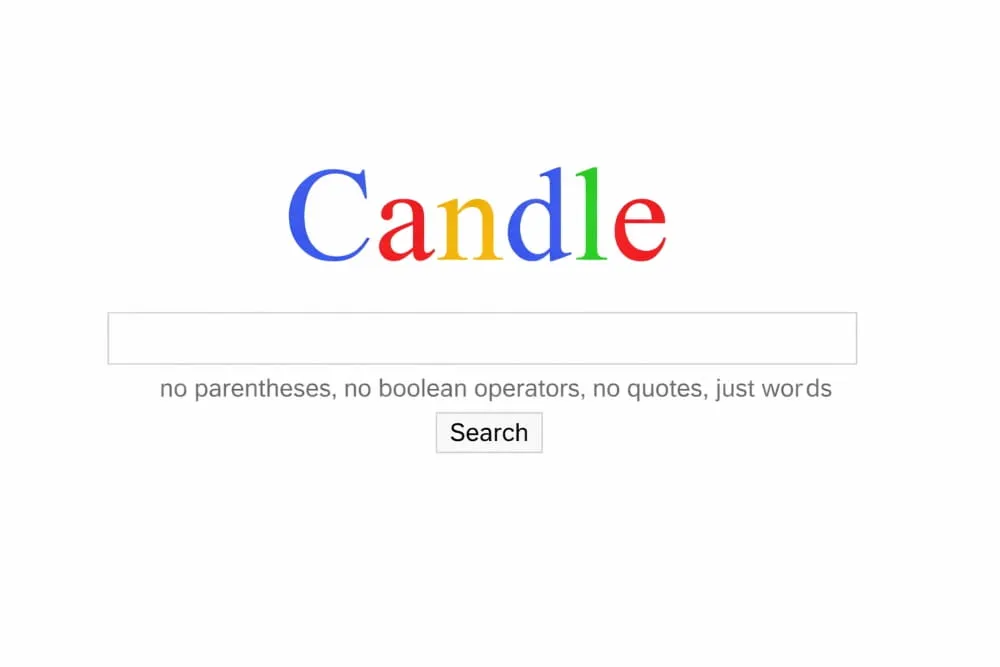
The Candle dark web search engine works similarly to other onion search tools by crawling and indexing pages within the Tor network. When users enter a keyword, Candle returns a list of .onion links related to the search query.
Candle is known for its minimalistic interface, which resembles early internet search engines. This simple design makes it easy to search for onion websites without unnecessary features or tracking.
Features of Candle Search Engine
Some commonly mentioned features of the Candle onion search engine include:
- Keyword-based search for .onion websites
- A lightweight and simple search interface
- Indexing of various Tor hidden services
- Access to websites not indexed by traditional search engines
Because the dark web changes frequently, some results returned by Candle may lead to inactive or temporary onion sites, which is common across most Tor search engines.
How to Access Candle
To use the Candle dark web search engine, users must connect to the Tor network. This can be done by following these steps:
- Download and install the Tor Browser from the official Tor Project website.
- Launch the browser and connect to the Tor network.
- Enter the Candle onion search engine link in the address bar.
- Start searching for onion websites using keywords.
Standard web browsers such as Chrome, Edge, or Safari cannot open .onion domains, so the Tor Browser is required.
Safety Considerations
When using any dark web search engine, including Candle, it is important to browse carefully. Some onion websites may contain scams, malware, or misleading information. Always verify links and avoid downloading files from unknown sources.
Dark Web Statistics and Data (2026)
Numbers put the dark web in context. The network is smaller than its reputation suggests, its daily user base is larger than most people expect, and the volume of stolen data circulating across it has reached a scale that makes passive exposure, credentials, email addresses, and financial records surfacing in breach dumps without the owner’s knowledge the rule rather than the exception. The figures below draw on Tor Project metrics, cybersecurity research, and threat intelligence reporting, all current as of 2026.
How Big Is the Dark Web?
The dark web is consistently overstated in size. The Tor network, which hosts the majority of dark web infrastructure, indexes between 55,000 and 65,000 active .onion addresses at any given time, according to estimates from the Tor Project’s metrics and independent security researchers. That number sounds large until it is placed against the surface web, which Google alone has indexed over 400 billion pages from more than 200 million active websites.
By proportion, the dark web represents roughly 0.01% of total internet content. The deep web, private databases, authenticated portals, corporate intranets, email inboxes, financial dashboards, and anything else behind a login, accounts for an estimated 90–95% of all internet content. The dark web is a small, specific subset of that hidden layer, not the vast shadow internet it is often portrayed as.
What makes it disproportionately significant is not its size. It is the concentration of activity: credential markets, ransomware infrastructure, data dump repositories, and threat actor communications operating in a space specifically engineered to resist monitoring and attribution.
Daily Tor Network Usage
The Tor Project publishes direct relay usage metrics, making daily user estimates for this network more reliable than for most anonymity tools. As of 2025–2026, the Tor network processes connections from approximately 2 to 2.5 million daily users, with peaks driven by censorship events, political crises, and high-profile data breach disclosures that prompt users to verify their own exposure.
That user base is geographically concentrated in specific regions. The United States, Germany, Russia, France, and India consistently rank among the top countries by Tor relay connections. A significant share of Tor usage in countries with restrictive internet access, Iran, China, Belarus, is driven by censorship circumvention rather than dark web browsing specifically, which means the 2–2.5 million figure includes a broad range of use cases beyond onion site access.
The network is supported by approximately 7,000 volunteer-operated relays as of 2026, including guard nodes, middle relays, and exit nodes that route traffic anonymously across multiple jurisdictions before it reaches its destination.
What Onion Sites Actually Host
Research into the content distribution of .onion sites consistently produces results that contradict the assumption that the dark web is predominantly criminal. A 2023 study by the University of Surrey, one of the most cited analyses of Tor hidden service content, found that approximately 55% of active onion sites hosted legal content, privacy tools, censorship-resistant publishing platforms, academic resources, and communication infrastructure for journalists and activists operating under authoritarian governments.
The remaining share includes illicit marketplaces, credential trading forums, ransomware infrastructure, and other criminal use cases. That distribution does not minimize the threat posed by the illegal portion; the harm caused by credential markets and ransomware infrastructure is significant and well documented. But it does explain why tools like Ahmia apply content filtering rather than treating all dark web content as inherently harmful: a substantial portion of what exists on the Tor network serves legitimate privacy and security purposes.
Current active .onion infrastructure in 2026 includes:
- Credential and data markets, forums and marketplaces trading stolen account credentials, financial data, and personal records from breach dumps
- Ransomware group infrastructure, leak sites, negotiation portals, and victim communication channels operated by active ransomware groups
- Stealer log repositories, aggregated output from infostealer malware campaigns, organized by geography, industry, and data type
- Whistleblowing platforms, SecureDrop instances operated by news organizations and NGOs
- Privacy communication tools, encrypted messaging services and anonymous publishing platforms
- Forum communities, discussion boards covering cybersecurity, privacy, and a wide range of other topics
Stolen Credentials and Data Exposure at Scale
The cybersecurity statistics most directly relevant to this page’s audience are not about Tor relay counts; they are about the volume of personal data circulating on dark web markets and what that means for individual and organizational exposure.
Key figures from threat intelligence research and breach analysis current to 2026:
- Over 24 billion username and password combinations were estimated to be in circulation on dark web forums and markets as of 2024, according to Digital Shadows (now ReliaQuest) research, a figure that has continued to grow as infostealer malware campaigns produce new credential dumps at scale.
- Infostealer malware, tools like RedLine, Raccoon, and Vidar that silently harvest saved passwords, session cookies, and autofill data from infected devices, generated hundreds of millions of new credential records in 2024 and 2025 alone. These logs are sold on dark web markets within hours of collection.
- The average time between a credential being stolen and first use in an account takeover attack is estimated at under 12 hours for high-value targets, according to threat intelligence reporting from SpyCloud and similar platforms.
- Ransomware groups published data from over 5,000 confirmed victims on dark web leak sites in 2024, according to tracking by NCC Group and Recorded Future, representing a record year for ransomware data exposure.
- Identity fraud enabled by dark web credential trading costs individuals and organizations an estimated $10+ billion annually in the United States alone, according to FTC and identity theft research figures.
The practical implication of these numbers is straightforward: the question for most individuals and organizations is not whether their data exists on the dark web, at the scale of billions of circulating records, exposure is statistically likely, but whether they know about it. The average data breach goes undetected by the victim for over 200 days, according to IBM’s annual Cost of a Data Breach report, by which point credentials have typically already been sold, reused in credential stuffing attacks, and packaged into larger identity fraud operations.
A free DeXpose dark web report checks your email against active dark web markets, stealer log repositories, and breach databases, giving you the earliest possible signal rather than waiting until exposure has compounded.
Why These Numbers Matter for Dark Web Search
The statistics above explain why the dark web search engine ecosystem exists as it does. A network of 55,000–65,000 onion sites, accessible only through Tor, with no central index and a user base of 2+ million daily connections, creates a genuine discovery problem. Tor search engines solve a navigation problem for that network, but only partially, with partial indexes, variable freshness, and no ability to alert users when their own data surfaces in that environment.
For security researchers and threat intelligence analysts, the combination of tools covered in this guide, Ahmia for filtered discovery, Torch and Excavator for broader unfiltered coverage, and Haystak for structured repeatable queries, represents the manual layer of dark web visibility. For organizations that need continuous, automated coverage rather than periodic manual searches, that manual layer is where dark web monitoring platforms begin.
Safety Tips for Using Dark Web Search Engines
Dark web search engines reduce accidental exposure to harmful content. They do not eliminate the risk. The Tor network contains a high concentration of scams, phishing infrastructure, malware delivery pages, and impersonation sites that no search engine, however well-maintained its filters, can fully protect you from. The tools covered in this guide are reliable starting points. What happens after you click a result depends entirely on the practices below.
These are not optional precautions for cautious users. They are the baseline for anyone accessing the dark web for any reason.
Use the Tor Browser, and Keep It Updated
Tor Browser is the only browser designed specifically for anonymous access to the Tor network. It comes preconfigured with the security settings, routing infrastructure, and fingerprinting protections required for dark web browsing. Using any other browser, Chrome with a VPN, Brave’s private window, or any third-party “dark web browser” app, provides meaningfully weaker anonymity and should not be treated as a substitute.
Keeping Tor Browser updated is not optional. Updates contain security patches for actively exploited vulnerabilities. An outdated Tor Browser is a known attack surface.
Stronger isolation practices for higher-risk research:
- Dedicated device or virtual machine: Keep dark web activity completely isolated from your main operating system and personal accounts.
- Tails OS: A privacy-focused operating system that runs from a USB drive, routes all traffic through Tor by default, and leaves no trace on the host machine after shutdown. For sensitive research, Tails is the professional standard.
- Whonix: A desktop OS designed for advanced anonymity, running inside a virtual machine with all traffic routed through Tor at the system level rather than the browser level.
For organizations monitoring dark web activity as part of a threat intelligence workflow, direct Tor access introduces operational security risks that automated monitoring platforms are specifically designed to avoid.
Consider a VPN, But Understand What It Does and Does Not Do
Tor already hides your IP address from the sites you visit by routing traffic through a chain of volunteer-operated relays. A VPN is not required for basic Tor anonymity. The reason some users add one is to hide the fact that they are using Tor at all from their internet service provider, their network administrator, or a monitored connection that specifically logs Tor traffic.
This configuration, connecting to a VPN before launching Tor, known as Tor-over-VPN, has genuine use cases in restrictive network environments. It also has real tradeoffs.
What a VPN adds in a Tor-over-VPN setup:
- Your ISP sees VPN traffic rather than Tor traffic, obscuring the fact that you are using Tor.
- Useful in environments where Tor usage itself is monitored, flagged, or blocked.
What to keep in mind:
- You are trusting the VPN provider: A no-logs VPN claim is only as reliable as the provider’s infrastructure and jurisdiction. Your ISP cannot see your Tor traffic, but the VPN provider theoretically can see that you connected.
- Speed impact is significant: Tor is already slower than standard browsing. Adding a VPN layer compounds that latency.
- A VPN does not add anonymity to Tor: Once traffic enters the Tor network, a VPN provides no additional protection against the tracking risks inherent in .onion sites themselves.
If you choose to use a VPN with Tor, select a provider with a verified no-logs policy, a jurisdiction outside mandatory data retention regimes, and no history of cooperating with data requests.
Stick to Established Onion Sites and Verified Directories
Randomly following onion links is one of the fastest ways to encounter phishing pages, malware, or content you don’t intend to access. The dark web has no equivalent of Google’s SafeSearch, no domain reputation system, and no authority that vets whether a site is what it claims to be. A convincing-looking onion site can be a clone, a phishing page, or an entirely fabricated impersonation of a legitimate service, and there is no visual indicator to distinguish it from the real thing.
Practical rules for link verification:
- Start with established, curated sources, the search engines covered in this guide, the Hidden Wiki, and verified onion directories, rather than links found in forums, social media, or unverified third-party lists.
- Cross-reference any onion address across at least two independent sources before trusting it. If only one source lists a given address, treat it with suspicion.
- Treat every first visit to an unfamiliar onion site as potentially hostile until proven otherwise.
Scam operators on the dark web specifically target users who are new enough to trust an address without verifying it. Phishing clones of well-known dark web services are common, frequently listed in unofficial directories, and designed to capture credentials or deliver malware on the first visit.
Verify Onion Addresses Character by Character
Onion addresses are 56-character strings of randomized alphanumeric characters. There is no domain registrar, no WHOIS lookup, and no certificate authority that can confirm an onion address belongs to the service it claims to represent. The address itself is the only identifier, and a single incorrect character leads to a completely different server.
Typosquatting is a documented and active threat on the Tor network. Attackers register onion addresses that differ from legitimate services by 1 or 2 characters, set up convincing clones, and wait for users who mistype or copy-paste imprecisely.
Address verification practices:
- Always copy and paste onion addresses from verified sources. Never type them manually.
- After pasting, read the full address in the browser bar character by character against your trusted source before loading the page.
- If a site looks different from how you expect, a different layout, a different language, requests for credentials you were not expecting to provide, close it immediately.
The complexity of onion addresses is not a usability flaw. It is a deliberate feature of the cryptographic addressing system. Treat that complexity as the security mechanism it is.
Set Tor Browser to “Safest” and Disable Scripts by Default
JavaScript is the primary attack surface for browser-based exploits on the dark web. Malicious scripts can attempt to de-anonymize users, fingerprint browsers, deliver payloads, or redirect traffic to controlled infrastructure, all without any visible indication that anything has happened. Tor Browser’s “Safest” security level disables JavaScript across all sites by default, which eliminates the most common class of browser-based attacks at the cost of some site functionality.
How to set Tor Browser security level:
Navigate to the Shield icon in the toolbar → Security Settings → set to Safest. This disables JavaScript, certain fonts, and some media types site-wide.
When scripts can be selectively enabled:
- The site is one you have independently verified as legitimate
- The specific functionality you need requires JavaScript and cannot be accessed otherwise
- You understand that enabling scripts on that page reintroduces browser fingerprinting and exploit risk for that session
The default position should always be scripts disabled. Enabling JavaScript should require a deliberate, case-by-case decision, not a one-time setting change that applies to all browsing.
Do Not Download Files From the Dark Web
Files distributed through dark websites, PDFs, images, archives, documents, and executables are a primary delivery mechanism for malware, ransomware, and hidden tracking infrastructure. Unlike the surface web, there is no reputation system, no malware scanning on download, and no platform policy enforcing safe distribution. A file that appears to be a research document or a data sample may contain an exploit that activates when it is opened.
If downloading is unavoidable for legitimate research:
- Open the file on an isolated, network-disconnected device or inside a sandboxed virtual machine.
- Disable all network access before opening the file to prevent any callback or beacon to attacker-controlled infrastructure.
- Treat the device or VM as compromised after opening an unknown file, and do not reconnect it to sensitive networks.
The safer alternative for organizations that need to monitor dark web content, leaked documents, credential dumps, and breach data is a monitoring platform that processes that content in isolated infrastructure before delivering structured alerts. DeXpose’s free dark web report surfaces breach exposure without requiring any direct file access or Tor browsing.
Never Enter Personal Information on Dark Websites
Personal information entered on dark web platforms, names, email addresses, passwords, and payment details should be treated as immediately compromised. Even sites that appear legitimate may be phishing clones, honeypots operated by threat actors, or legitimate services that have themselves been compromised. There is no consumer protection, no dispute process for fraud, and no recovery mechanism for credentials or payment data lost on the dark web.
Information that should never be entered on any dark website:
- Real name or identity documents
- Personal or work email addresses
- Passwords, particularly any password reused on surface web accounts
- Home address or physical location
- Payment card details or financial account credentials
- Phone numbers
Do not log into personal accounts while Tor Browser is active, even on surface web sites accessed through Tor. The session isolation that protects anonymity on .onion sites does not prevent sites from identifying you the moment you authenticate with a known account.
Cross-Verify Everything, Dark Web Information Is Unreliable by Default
The dark web lacks fact-checking infrastructure, editorial standards, and accountability mechanisms for false claims. Fake data leak announcements, fabricated breach disclosures, and misinformation about organizations and individuals are common, sometimes deliberately circulated to manipulate markets, damage reputations, or generate ransom pressure even when no actual breach has occurred.
Verification practice for research findings:
- Never act on a single dark web source. Cross-reference claims across multiple independent sources before treating them as credible.
- For breach claims involving organizations, verify against official disclosure channels, regulatory filings, and corroborating security reporting before concluding a breach is real.
- Treat the absence of corroboration as a strong signal of fabrication. Genuine breach data is typically visible across multiple forums and sources within hours of an initial dump.
For security teams assessing whether a dark web claim about their organization is legitimate, automated monitoring that tracks mentions across multiple sources simultaneously provides a more reliable signal than manual one-off searches.
Stay Within Legal Boundaries
Accessing the dark web is legal in most jurisdictions. Interacting with illegal content, regardless of intent, framing, or research purpose, is not. The legal boundary is not defined by what you were looking for when you found something. It is defined by what you accessed, downloaded, or interacted with.
If you encounter illegal content:
- Close the page immediately without downloading, saving, or interacting with any element.
- Do not investigate, document, or attempt to report it yourself unless you are operating under a specific legal framework that permits this, or unless law enforcement agencies have established channels for this purpose.
- Clear your browser session and document the time and circumstances if you believe the encounter may require disclosure.
Law enforcement agencies actively monitor portions of the dark web, operate honeypot sites, and use correlation attacks to de-anonymize users who interact with illegal infrastructure. The Tor network provides strong anonymity against passive surveillance. It does not make illegal activity safe or undetectable.
The Safety Mindset That Actually Matters
Technical precautions, Tor Browser, VPNs, script blocking, and isolated devices reduce your attack surface. They do not eliminate it. The dark web is an environment where every default assumption about trust, legitimacy, and accountability that applies to the surface web is absent. The single most important security control is the decision about whether to click at all.
For most individuals and organizations, the exposure risk from the dark web does not require direct access to manage. If your concern is whether your email, credentials, or company data has surfaced on dark web markets or breach databases, a monitoring platform can surface that information without the risks of direct Tor browsing.
Run a free DeXpose dark web report and see your current exposure, no Tor browser required.
Best Uncensored Search Engines in 2026
Most people searching for uncensored search engines are not looking for anything extreme. They want results that have not been filtered through behavioral profiling, stripped of inconvenient content, or shaped by years of tracked search history, building a picture of who the algorithm thinks they are. That is a reasonable thing to want, and in 2026, there are legitimate tools built specifically to deliver it.
The Word “uncensored” is imprecise in this context and should be clarified before the list. No search engine operating legally is completely without moderation; all of them comply with applicable laws, remove content under court orders, and apply some form of abuse prevention. What separates the tools below from Google or Bing is not a total absence of rules. It is the absence of the other layer: the personalization engine, the behavioral profile, the filter bubble built from years of logged queries. These engines do not know who you are, do not track what you have searched before, and do not adjust results based on what they think you want to see. That is the meaningful definition of uncensored Search in 2026.
1. Brave Search, Most Independent Index
Brave Search is the strongest option for users who want genuine search independence, not just privacy promises. Unlike DuckDuckGo or Startpage, which source results from Bing or Google under the hood, Brave Search operates its own independent crawler and index. That distinction matters: an engine built on Bing’s index is still shaped by Bing’s ranking decisions, however private the interface. Brave’s own index means its results reflect its own ranking model, not a licensed version of someone else’s.
Brave Search does not build user profiles, track search history, or personalize results based on past behavior. The ranking is based solely on the query, not on who is asking it.
Why Brave Search leads the list for independence:
- Own crawler and index: Results are not sourced from Google or Bing, making Brave genuinely independent rather than privately proxied.
- No profiling: Zero behavioral tracking, zero personalized result adjustment, zero search history retention.
A practical use case: researchers and analysts who need neutral search results, uncontaminated by their own browsing history or institutional IP address associations, consistently find Brave Search more reliable for comparative research than personalized mainstream engines.
What to keep in mind:
- Younger index: Brave’s crawler has less historical depth than Google or Bing. Niche or older content may return thinner results.
- Fallback to third-party results: For queries where its own index is insufficient, Brave Search can optionally supplement with anonymous Bing results, a transparency point worth knowing.
For users whose priority is a search engine that runs on its own infrastructure and does not rely on Google or Bing for its results, Brave Search is the strongest choice in 2026.
2. DuckDuckGo, Best for Privacy With Mainstream Usability
DuckDuckGo remains the most widely used privacy-focused search engine and the most practical starting point for users moving away from Google. It does not track searches, does not build personal search histories, and does not serve results shaped by behavioral profiling. For most users, the transition from Google to DuckDuckGo is the least disruptive privacy upgrade available; the interface is familiar, results are comprehensive, and the privacy protections are immediate with no configuration required.
DuckDuckGo sources a significant portion of its results from Bing, supplemented by its own crawler and over 400 additional sources. It is more accurately described as a privacy layer over existing indexes than a fully independent search engine. Still, for the majority of use cases, that distinction is less important than the privacy guarantee itself.
Why DuckDuckGo works for most users:
- No tracking, no profiling: Searches are not logged against a user identity. Each query is treated as independent.
- Mainstream result quality: Because it draws from established indexes, result quality for everyday queries is consistently high.
What to keep in mind:
- Not a fully independent index: Results are substantially Bing-sourced, meaning Bing’s underlying ranking decisions influence what appears.
- US-centric result bias: Some international users find result coverage thinner outside English-language queries.
For users who want to stop being tracked without sacrificing result quality, DuckDuckGo remains the most practical default in 2026.
3. Mojeek, Truly Independent, Built for Search Neutrality
Mojeek is the least well-known engine on this list and arguably the most principled. It operates its own crawler, index, and ranking algorithm, built entirely in-house without using results from Google, Bing, or any other major provider. For users who want a search engine that is genuinely independent of the major platforms at every layer of the stack, Mojeek is the only mainstream option that delivers it.
The trade-off is the result volume. Mojeek’s index, while growing, is smaller than Google’s by orders of magnitude. For niche queries, obscure topics, or recently published content, results can be thinner than users accustomed to Google will expect. But for informational queries, research tasks, and general browsing, Mojeek’s coverage is sufficient, and its neutrality is unmatched.
Why Mojeek stands apart for independence:
- Fully independent stack: No Google. No Bing. No licensed third-party index. Every result comes from Mojeek’s own crawl.
- No tracking, no profiling: Results are based solely on the query, with no behavioral or historical weighting applied.
What to keep in mind:
- Smaller index: Mojeek will return fewer results than Google or Bing for the same query, particularly for niche or recent content.
- Different ranking model: Results may feel less polished than users expect from major engines; the ranking reflects Mojeek’s own signals rather than years of Google optimization.
For users who want to ensure their search activity supports independent web infrastructure rather than diverting traffic to Bing- or Google-derived engines, Mojeek is the most consistent choice.
4. Startpage, Best for Google-Quality Results Without Google Tracking
Startpage occupies a specific and useful niche: it delivers Google search results while stripping out everything Google uses to track and profile users. Startpage acts as a privacy proxy; it submits your query to Google on your behalf, returns the results, and does not pass your IP address, location, or search history to Google in a way that ties back to your identity. The results are Google-quality. The tracking is absent.
This makes Startpage the most practical option for users who want to keep using Google’s search results but are no longer willing to fund Google’s data collection through their search behavior. It is not an independent engine; Startpage is explicitly built on Google’s index. However, its Anonymous View feature, which lets users open any result page through a Startpage proxy, extends the privacy layer beyond the Search results themselves.
Why Startpage works for users who need Google-quality results:
- Google results, privately: Result quality matches what Google returns directly, because it is Google’s index, served without the tracking layer.
- Anonymous View: Opens linked pages through a Startpage proxy, preventing the destination site from receiving your IP address or browser fingerprint.
What to keep in mind:
- Not independent: Startpage is entirely dependent on Google’s index and ranking decisions. It is a privacy wrapper, not an alternative search platform.
- Google policy dependency: Any changes to Google’s API terms or licensing arrangements directly affect Startpage’s service.
For users whose primary frustration is Google’s data collection rather than Google’s results, Startpage is the cleanest solution available in 2026.
What About Uncensored Dark Web Search Engines?
Searches for “uncensored dark web search engine” or “uncensored Tor search engine” are looking for a specific type of tool: onion search engines that index .onion sites without content filtering. That is a different category from the privacy-focused surface web engines above, and it carries a meaningfully different risk profile.
The dark web search engines covered earlier in this guide, Ahmia, Torch, Haystak, Not Evil, and Excavator, each take different positions on filtering. Ahmia actively removes illegal content. Torch and Excavator do not. The distinction between “uncensored” and “unfiltered” matters here: an unfiltered dark web search engine does not mean a trustworthy one. The Tor network hosts a high concentration of scams, phishing infrastructure, malware-delivery pages, and impersonation sites. An engine that indexes all of it without restriction surfaces that risk alongside legitimate results.
For security professionals and researchers whose work requires dark web search coverage, the more reliable approach is automated monitoring rather than manual query-by-query searching. DeXpose’s dark web monitoring platform continuously tracks exposure across dark web markets, forums, stealer logs, and credential databases, without requiring direct access to unfiltered Tor infrastructure.
Dark Web Search Engines: Which One Should You Use?
Choosing the right dark web search engine depends on your experience level and your objective. Different tools offer different levels of filtering, coverage, and security. Some prioritize safety and curated results, while others provide large, uncensored indexes of onion sites.
Choosing the best dark web search engine depends entirely on your experience level and objective. Using the wrong tool can increase exposure to scams, illegal content, or operational risk.
Below is a practical, role-based breakdown to help you choose the right engine safely and effectively.
| User Type | Recommended Search Engine | Key Features | Why It’s Recommended | Risk Level |
|---|---|---|---|---|
| Beginners (Safety First) | Ahmia, DuckDuckGo (Onion Service) | Content filtering, privacy protection, easy interface | Filters harmful content and provides familiar search experience | Low |
| Researchers & Journalists | Not Evil, DeepSearch | Community moderation, precise search results | Cleaner results with less spam and better investigative relevance | Low–Medium |
| Security Teams & SOC Analysts | DarkSearch, Haystak Pro | API access, threat intelligence tools, advanced queries | Useful for breach monitoring, automation, and dark web intelligence gathering | Medium |
| Advanced Users & Power Researchers | Torch | One of the largest dark web indexes, uncensored search | Maximum coverage when other search engines miss results | High |
| Explorers Looking for Known Onion Sites | DarkWebLinks, Hidden Wiki | Curated directories of onion services | Structured discovery and faster access to known sites | Medium |
Final Thoughts
The dark web doesn’t have to be a forbidden zone. With the right tools, discipline, and precautions, it can be explored safely and purposefully, whether for threat intelligence, exposure checks, or security research.
Tools like Ahmia and DuckDuckGo’s onion service prioritize safety, privacy, and client information security. Veterans like Torch and Haystak provide deep coverage when used carefully. Precision tools and directories help cut through noise. The difference is knowing when and how to use each.
Knowledge is power. Understanding which search engines to trust and how attackers think makes all the difference.
Ready to Strengthen Your Defenses?
The threats of 2026 demand more than awareness; they demand readiness.
If you want to validate your security posture, uncover hidden exposure, or understand what attackers already know about your organization, DeXpose can help. Our penetration testing engagements routinely include dark web reconnaissance to identify real-world risk before it turns into a breach.
If exposed data is out there, we’ll find it and help you close the gap.
Frequently Asked Questions (FAQ)
What is the best search engine on the dark web?
There isn’t a single best option for everyone; it depends on your goal. Ahmia is often recommended for safer browsing because it filters illegal content and follows strict moderation practices. Torch offers one of the largest and oldest indexes, making it useful for broad discovery, but it is completely unfiltered and requires caution. DuckDuckGo’s onion service is best for private, general web searches while using Tor, even though it doesn’t index onion sites. Many professionals use multiple tools together to get balanced coverage.
Can Google search the dark web or take me there?
No. Google cannot index or access the dark web. Dark websites use .onion addresses and require the Tor Browser, which Google’s crawlers do not support. Google only indexes the surface web. To access the dark web, you must use Tor and rely on dark web search engines or directories to discover onion links.
Is it illegal to use dark web search engines?
In most countries, simply using Tor or dark web search engines is legal. What matters is your activity. Browsing forums or researching information is generally lawful, but engaging in illegal actions such as purchasing illicit goods, accessing abusive material, or trading stolen data is not. best dark web search engines are just tools; legality depends on how they’re used.
Is DuckDuckGo a dark web search engine?
Not exactly. DuckDuckGo is a privacy-focused surface web search engine that can be accessed through Tor via its onion service. It does not deeply index dark web (.onion) sites. It’s commonly used within Tor because it doesn’t track users, making it a safe and convenient option for general searches while remaining anonymous.
Should I use a VPN when accessing the dark web?
A VPN is optional, not required. Tor alone already hides your IP address. Using a VPN before Tor (Tor-over-VPN) can hide Tor usage from your ISP and add an extra layer of privacy, but it also introduces trust in the VPN provider and can slow performance. For most users, Tor Browser by itself is sufficient and simpler.
Are dark web search engines safe to use?
They can be, depending on the engine and your behavior. Filtered engines like Ahmia or Not Evil reduce accidental exposure to harmful content. Unfiltered engines like Torch or Haystak show everything, including scams and malicious sites. No engine guarantees safety; the real protection comes from using Tor correctly, avoiding downloads, verifying links, and maintaining strict operational security.
What is the safest way to explore the dark web as a beginner?
Start with filtered search engines or curated directories rather than unfiltered search tools. Keep Tor Browser on high security settings, avoid enabling scripts, and don’t click unfamiliar links. Never share personal information or download files. Slow, intentional exploration is far safer than curiosity-driven browsing.
Why do onion sites change addresses so often?
Dark web services frequently change onion addresses due to law enforcement pressure, exit scams, hosting issues, or security upgrades. This is why directories and search engines sometimes list outdated links. Always verify addresses through multiple reputable sources before trusting a site.
Can companies monitor the dark web for leaked data?
Yes. Many organizations use dark web monitoring services or threat intelligence platforms that crawl onion sites and forums for leaked credentials, databases, or brand mentions. These tools help security teams detect exposure early and respond before attackers exploit the data.
Who legitimately uses the dark web besides criminals?
The dark web is also used by journalists, activists, researchers, whistleblowers, security professionals, and even governments. It enables secure communication in high-surveillance environments and supports privacy-preserving research. Like any tool, it can be used for both legitimate and malicious purposes.
The dark web search engine ecosystem continues to evolve as more users look for ways to explore hidden services on the Tor network. Unlike traditional search engines such as Google or Bing, dark web search engines are designed to index .onion websites, deep web resources, and Tor hidden services that cannot be accessed through standard browsers.
In 2026, interest in Tor search engines, onion search engines, and deep web search tools has grown significantly as researchers, cybersecurity professionals, and privacy-focused users look for better ways to discover hidden websites. These specialized platforms act as gateways to the dark web and deep web, helping users search for forums, directories, marketplaces, and other onion services that are not visible on the surface web.
However, the dark web lacks a single dominant search platform. Instead, multiple tools, including Ahmia, Torch, Haystak, Not Evil, and other onion search engines, attempt to crawl and index parts of the Tor network. Each search engine works differently, and many users rely on several of them to find active .onion links, hidden websites, and updated dark web resources in 2026.
The dark web isn’t the internet, but darker. It’s a separate slice of the web that lives on anonymity networks (most commonly Tor) and uses addresses like .onion that normal browsers and search engines don’t index. That’s why people rely on dark web search engines and specialized tools that can catalog onion sites and make them searchable.
But searching the dark web unthinkingly is risky. Even if your intent is legitimate security research, breach response, journalism, or academic study, one wrong click can lead to malware, scams, or illegal content. In 2026, with ongoing credential leaks and active underground marketplaces, the need for safer discovery tools and better operational security matters more than ever.
In this guide, we will explore the best dark web search engines in 2026, explain how Tor search engines work, and show how users can safely search the deep web and onion sites using specialized search tools designed for the hidden internet.
What a Dark Web Search Engine Actually Does
On the surface web, Google and other engines crawl public pages by following links. Onion sites don’t work the same way: they’re intentionally harder to discover, can disappear quickly, and often aren’t well linked to each other. Dark web search engines, therefore, use a mix of Tor-based crawlers and user submissions to index content. The result is typically slower, less complete, and more volatile than what you’re used to on the normal web.
You’ll generally see three types of discovery tools:
Types of Onion Search Tools
Full-text onion search engines
These platforms crawl and index onion pages, allowing users to search hidden services by keyword. They work similarly to traditional search engines but are built specifically for the Tor network. Popular examples often mentioned in this category include Ahmia, Torch, and Haystak.
Directories and curated link lists
Unlike search engines, these are usually human-maintained collections of onion links organized by category. Some also apply light vetting to help users avoid dead links, scams, or low-quality sites. Common examples include Dark Web Links and Hidden Wiki-style directories.
Security-focused indexes and APIs
Some onion discovery tools are designed primarily for researchers, analysts, and cybersecurity workflows rather than casual browsing. These services may offer structured data, API access, and features useful for monitoring, automation, and threat intelligence. A commonly referenced example in this space is DarkSearch.
Why Safe Searching is a Bigger Deal in 2026
Two realities collide on the dark web:
- There is legitimate use: activists, journalists, whistleblowers, and privacy-focused services operate there because anonymity is sometimes necessary.
- There is also heavy abuse: malware delivery, scams, illicit marketplaces, and stolen data trading are common.
That’s why “safe dark web search” isn’t about making things comfortable; it’s about reducing exposure. Some search engines try to filter out the worst categories of content (for example, blocking known abuse material). Others are deliberately uncensored and leave all filtering to the user.
For cybersecurity teams, this matters because Deep Web Scanning and dark web reconnaissance can help detect credential exposure, leaks, or threat chatter earlier in the incident lifecycle, without needing to manually browse unknown forums.
Before you search the dark web check if your data is already there.
Most people searching for dark web tools don’t realize their email, passwords, or personal data may already be circulating on the same networks they’re about to explore. A free DeXpose scan checks dark web markets, stealer malware logs, and breach databases in seconds no account required.
Run Your Free Dark Web Report →
Onion Search Engines: How They Work and Which Ones Are Active in 2026
An onion search engine is a search tool built specifically to crawl and index .onion addresses, the encrypted, anonymized URLs that only resolve inside the Tor network. Unlike surface web search engines, which follow publicly linked pages across standard domains, onion search engines use Tor-based crawlers that route discovery requests through the same anonymizing infrastructure as the sites they index. The result is a fundamentally different search experience: slower, less comprehensive, and more volatile than Google, but the only mechanism capable of surfacing hidden services that exist entirely off the public internet.
The term “onion” refers to Tor’s layered encryption model, where each relay in the network peels back one layer of encryption, like an onion, until the request reaches its destination with no traceable origin. Onion addresses are 56-character strings that end in .onion and are generated from public cryptographic keys rather than registered with any domain authority. This means an onion search engine cannot rely on WHOIS records, DNS infrastructure, or link graphs from the surface web. It must build its index from scratch using seed lists, user submissions, and active crawling through Tor exit and relay nodes.
The practical limitations are significant. Most onion search engines index only a fraction of active .onion sites at any given time. Sites go offline without notice, rotate their addresses as a security measure, or block crawlers entirely. Index freshness is a persistent problem. A result that appeared active last week may 404 today. This is why experienced researchers use multiple onion search engines rather than relying on a single tool, cross-referencing results to verify that a site is genuinely live before attempting to access it.
In 2026, the most consistently active onion search engines include Ahmia, which filters illegal content and maintains one of the cleaner indexes; Torch, one of the oldest and largest Tor search engines by claimed index size; Haystak, which offers both free and paid tiers with deeper coverage; and Not Evil, which focuses on non-commercial hidden services. Excavator and Candle serve more specialized use cases, covered in their own sections below.
For anyone researching onion search engines from a security perspective, tracking where stolen credentials surface, which forums are active, or which markets have emerged since a breach, a manual search is only part of the picture. DeXpose continuously monitors onion infrastructure, surfacing exposure across dark web sources without requiring direct Tor access. See how the dark web monitoring service tracks hidden services automatically.
Best Dark Web Search Engines (Tor Onion Search Tools)
A practical way to think about dark web search engines is in terms of two dimensions:
1) Filtering vs. uncensored results
- Filtering-first tools aim to reduce accidental exposure to harmful or illegal content. Ahmia is highlighted as a safety-oriented option, including policies around blocking abusive material.
- Unfiltered tools prioritize coverage and breadth, but place the risk burden on you. Tools like Torch and Haystak are often discussed in that “bigger index, more risk” bucket.
2) Convenience vs. research workflows
- Some tools are designed for simple searching (clean interface, basic results).
- Others support power users (advanced operators, APIs, premium tiers, or security-team usage).
Also note the distinction raised about DuckDuckGo: using DuckDuckGo inside Tor can be privacy-friendly, but it’s not the same thing as a crawler that indexes onion sites. For dark web monitoring for business, this matters. DuckDuckGo may function more as a private search gateway than a true onion index, which limits its usefulness for tracking threats, leaks, or brand exposure across the dark web.
Safety Practices That Actually Reduce Risk
No search engine can make the dark web safe. The safer outcome comes from how you browse.
Here are habits that consistently reduce risk (without getting into anything illicit):
- Use the Tor Browser and keep it updated. Onion content is built for Tor; your browser security posture matters.
- Avoid downloads and scripts when possible. Many dark web threats arrive via booby-trapped files or aggressive scripting.
- Never reuse personal credentials and don’t log into real accounts. Treat dark web exploration as a separate activity, not something you mix with your primary identity.
- Prefer filtered engines for general exploration. If you don’t explicitly need uncensored results, filtering reduces accidental exposure.
- Treat every link as untrusted. Even well-known lists can contain poisoned links or impersonations.
If your goal is legitimate security work (threat intel, breach response, auditing exposure), a safer pattern is to rely on structured search tools and monitoring, then escalate only when you have a clear, legal need and a controlled environment.
Below is a quick comparison of the most widely used Tor search engines, ranked by safety, coverage, and use case.
| Search Engine | Filters Illegal Content | Index Size | Best For | Risk Level |
|---|---|---|---|---|
| Ahmia | Yes | Medium | Safe research, beginners, OSINT | Low |
| DuckDuckGo (Onion) | Yes | Surface web only | Private general searching on Tor | Low |
| Torch | No | Very Large | Broad discovery, maximum coverage | High |
| Haystak | Partial | Large | Advanced queries, investigators, automation | Medium |
| Not Evil | Yes (community-moderated) | Medium | Clean results without ads or tracking | Low–Medium |
| DarkSearch | Partial | Medium | Security teams, SOC monitoring, APIs | Low–Medium |
| DeepSearch | Yes | Small | Precision research, low-noise results | Low |
| OnionLand | No | Large (multi-network) | Mixed clearnet + dark web research | Medium |
| DarkWebLinks | Curated only | N/A (directory) | Discovering trusted onion services | Low |
| Hidden Wiki | Minimal | N/A (directory) | Initial navigation (use with caution) | Medium |
| Grams (Historical) | No | N/A | Darknet market search (legacy) | High |
Deep Web Search Engines: What They Actually Index and Why It Matters
A deep web search engine is a tool designed to retrieve content from parts of the internet that standard search engines like Google or Bing do not index. The deep web is not the same as the dark web, a distinction that matters both technically and practically. The deep web refers to any web content that is protected by an access barrier: login pages, paywalls, private databases, government records, academic repositories, and corporate intranets. Google’s crawlers cannot follow a login form or authenticate into a private system, so this content remains invisible to conventional search. Deep web search engines, by contrast, are built to query these sources directly, either through API access, structured database queries, or specialized crawling protocols.
The confusion between the deep web and the dark web is widespread and consistently exploited by low-quality content. To be direct: your Gmail inbox is the deep web. Your bank account dashboard is on the deep web. The Netflix library your subscription unlocks is the deep web. None of it is accessible via a Google search, and none of it is sinister. The dark web is a specific, small subset of the deep web that operates on anonymizing networks like Tor and requires specialized software to access. The two terms are not interchangeable, and a deep web search engine is not the same as a Tor search engine.
Where deep web search engines become relevant to security and threat intelligence is in their ability to surface content from breach repositories, paste sites, forum archives, and data aggregators that sit outside Google’s index but are not on Tor. This middle layer, accessible via standard browsers but not crawlable by conventional search, is where significant volumes of leaked credential data, exposed API keys, and compromised personal records first appear before migrating deeper into dark web markets. Monitoring this layer is a core function of enterprise threat intelligence platforms.
For individuals and organizations concerned about data exposure, the practical takeaway is this: a single scan of publicly indexed sources is not sufficient. Leaked data moves quickly from paste sites and breach forums into dark web markets and stealer log repositories, often within hours of an initial dump. DeXpose’s email data breach scan checks exposure across both the indexed breach layer and dark web sources simultaneously, providing a more complete picture than a surface-level search alone.
Top Dark Web Search Engines in 2026
Not every dark web search engine is worth your time. Most are outdated, poorly maintained, or return results so stale they’re functionally useless. The ones listed here are the exceptions, tools that have demonstrated consistent availability, maintained active indexes, and earned genuine trust from the security research and privacy communities. Whether you’re a cybersecurity professional tracking threat actor infrastructure or a privacy-conscious user trying to understand what exists beyond the surface web, these are the tools that actually deliver.
One important caveat before diving in: no dark web search engine offers complete coverage. The Tor network is deliberately resistant to indexing — sites move, go offline, and rotate addresses constantly. Treat any result as a starting point for verification, not a guarantee of availability. With that understood, here are the six most reliable dark web search engines active in 2026.
Ahmia, Best Dark Web Search Engine for Safe, Filtered Results
Ahmia is widely considered the safest starting point for dark web searching in 2026. Unlike most onion search engines that index whatever their crawlers find, Ahmia is filtered by design; it actively removes known illicit and harmful content from its results, reducing the risk of accidental exposure to illegal material while browsing the Tor network.
That filtering is not superficial. Ahmia maintains a strict content policy that blocks categories including child sexual abuse material from appearing in search results entirely, making it the preferred dark web search engine for researchers, journalists, security analysts, and anyone who needs onion discovery capability without the exposure risk that comes with unfiltered tools like Torch or Excavator.
Ahmia is also one of the only dark web search engines accessible via a standard browser. It’s the clearnet portal at Ahmia.fi allows users to run onion searches without launching Tor first, a meaningful operational advantage for analysts who want to query dark web indexes from a standard research environment before switching to Tor for direct site access.
Why Ahmia is safer than most Tor search engines
Ahmia’s safety advantage comes from two things:
- Filtered index: Results are actively moderated. Illegal content categories are blocked at the index level, not just filtered from display, meaning the underlying data is cleaner, not just the interface.
- No user tracking: Ahmia does not build behavioral profiles or log search histories as commercial search engines do. Searches are treated as independent queries, consistent with the Tor network’s anonymity model.
A practical workflow for dark web monitoring is using Ahmia’s clearnet portal to run initial discovery queries, searching a company name, domain, or executive to check whether they appear on indexed onion pages, before opening relevant results inside Tor for deeper investigation. This approach keeps the exploratory phase in a standard browser and limits direct Tor exposure to verified targets only.
What to keep in mind
Ahmia’s safety-first approach creates real coverage tradeoffs:
- Smaller index than unfiltered engines: Because Ahmia intentionally excludes certain content categories, its index is narrower than those of Torch or Excavator. Queries that return thin results on Ahmia may return significantly more on unfiltered alternatives.
- Limited coverage of private communities: Deeply private forums and hidden communities that have not submitted themselves for indexing are often not included. Ahmia’s index reflects what its crawler has reached, plus voluntary submissions, not a comprehensive map of active onion infrastructure.
For most legitimate research and discovery tasks, finding onion resources related to a topic, checking whether an organization appears on dark web pages, or exploring the Tor ecosystem without unnecessary risk, Ahmia is the right first stop. For broader, unfiltered coverage, use it alongside Torch or Haystak as a secondary pass.
2026 status: Active. Clearnet and onion access are both operational.
Official onion address: juhanurmihxlp77nkq76byazcldy2hlmovfu2epvl5ankdibsot4csyd.onion
Clearnet portal: ahmia.fi
DuckDuckGo Onion
DuckDuckGo operates an official .onion version of its privacy-focused search engine, verified and maintained by the DuckDuckGo team directly. It is worth clarifying upfront what this tool is and is not: DuckDuckGo’s onion service indexes the surface web, not the dark web. It does not crawl .onion sites or return results from the Tor network. Its place on this list is as the most reliable, trustworthy default search interface for Tor browser users who need to search the open web privately before moving to specialized dark web tools.
That distinction matters because DuckDuckGo’s onion service solves a specific and common problem: Tor users need a search engine that works reliably inside the browser, does not track queries, and is not itself a potential phishing or impersonation risk. On all three counts, DuckDuckGo’s official onion address delivers in a way that many unofficial or poorly maintained alternatives do not.
Why DuckDuckGo Is the Right Default for Tor Users
DuckDuckGo’s practical advantage comes from two things:
- No query tracking: Searches made through the onion address are not tied to an IP address, device fingerprint, or user profile, consistent with Tor’s anonymity model.
- Official, verified address: The onion address is published and maintained directly by DuckDuckGo, eliminating the impersonation risk associated with using unverified onion addresses found in third-party directories.
A practical workflow for brand protection monitoring is to use DuckDuckGo’s onion service to run clearnet searches from inside Tor, checking how a brand appears in public search results without exposing the query to standard tracking infrastructure, before switching to dedicated dark web tools for onion-specific discovery.
What to keep in mind
DuckDuckGo’s onion service has clear scope limitations:
- Surface web only: It does not index .onion sites. For dark web search, a dedicated tool from this list is required.
- Not a dark web search engine in the traditional sense: Users expecting onion results will find only standard web pages served privately over Tor.
For Tor newcomers and privacy-focused researchers who need a trustworthy starting point in the browser, DuckDuckGo’s onion service is the most reliable option. For dark web discovery specifically, treat it as the launching pad before moving to Ahmia, Torch, or Haystak.
Official onion address: duckduckgogg42xjoc72x3sjasowoarfbgcmvfimaftt6twagswzczad.onion
Verified via DuckDuckGo’s official help documentation.
DeepSearch, Best Dark Web Search Engine for Signal Quality Over Volume
DeepSearch takes a fundamentally different approach to large, unfiltered dark web search engines like Torch or Excavator. Where those tools prioritize index size and raw coverage, DeepSearch prioritizes accuracy, relevance, and signal quality, actively filtering out spam-heavy pages, link farms, and low-quality mirrors before they reach results. For researchers and analysts who already know what they are looking for, that precision is worth more than volume.
The comparison holds up practically: Torch returns thousands of loosely related results that require significant triage. DeepSearch returns fewer results, but the ones it surfaces are more likely to be directly relevant to the query. For time-sensitive investigations, tracking a suspected breach, validating a specific claim, or monitoring a keyword across dark web forums, that difference in signal-to-noise ratio has real operational value.
Why DeepSearch stands apart for research-focused use
DeepSearch’s quality advantage comes from two things:
- Active noise filtering: Spam pages, link farms, duplicate mirrors, and obvious junk are excluded at the index level. Queries return a curated set of results rather than an undifferentiated crawl dump.
- Open source architecture: DeepSearch’s crawler, indexing logic, and ranking approach are publicly inspectable. There is no black box determining what appears in results and no hidden commercial agenda shaping the index. For security professionals and researchers who need to trust their tools, that transparency is a meaningful differentiator.
A practical workflow for MSP partners conducting client threat research is to run DeepSearch queries against specific client domain strings, executive names, or known credential patterns as a precision pass, using the results to surface targeted forum references, leak mentions, and credential dump appearances rather than broad keyword matches that require manual triage. Cross-reference with Torch or Haystak as a secondary pass to ensure broader coverage.
The open-source design also creates an additional use case for advanced researchers: DeepSearch can be self-hosted and tuned to specific research requirements, allowing teams to run a customized crawler focused on particular dark web infrastructure rather than relying on a shared public index.
What to keep in mind
DeepSearch’s precision-first approach creates coverage tradeoffs:
- Smaller index than broad crawlers: The aggressive filtering that improves signal quality also reduces total index size. Queries that return few results on DeepSearch may yield significantly more results on Torch or Excavator.
- Potential false negatives: Filtering that excludes junk occasionally excludes legitimate results that the classifier misidentifies. For high-stakes investigations, treat a null result on DeepSearch as inconclusive rather than definitive.
- Index freshness lag: Newly emerged dark web sites may not appear until the next crawl cycle. For monitoring recently surfaced infrastructure, a broader, unfiltered engine provides better coverage of new additions.
For high-stakes investigations, DeepSearch works best as part of a multi-engine workflow: a primary pass for precision, and a secondary pass on Torch or Haystak to catch anything the filtering excluded.
Who DeepSearch is built for
DeepSearch is the right tool when you already have a clear objective. Analysts investigating a specific breach, researchers tracking a named threat actor, and cybersecurity professionals who want to understand how dark web crawling and indexing actually work will get more from DeepSearch than from a broader tool. For exploratory discovery, finding what exists on a topic without a specific target, Ahmia or Haystak serve that use case better.
For organizations that need continuous dark web coverage beyond what periodic manual searches across multiple engines can provide, DeXpose’s dark web monitoring platform automates the signal-quality problem at scale, continuously indexing dark web sources and delivering structured alerts when specific identifiers appear, without requiring manual query runs across individual search engines.
2026 status: Active. Clearnet and Tor access are both available.
Official onion address: Available via the DeepSearch clearnet portal.
Torch
Torch is one of the oldest continuously operating dark web search engines, having run since the mid-1990s. Where tools like Ahmia prioritize safety through filtering, Torch takes the opposite philosophy, a broad, unfiltered index that crawls as much of the Tor network as its infrastructure allows. For researchers who need raw coverage rather than curated results, that scope is Torch’s primary value.
Torch claims one of the largest onion indexes available, with millions of pages catalogued across forums, markets, and hidden services. The interface is deliberately minimal, with a search box, results, and little else. There is no content filtering, no editorial policy beyond Tor’s own infrastructure, and no restrictions on what the crawler indexes. That makes results significantly noisier than Ahmia, but it also means Torch surfaces content that filtered engines deliberately exclude.
Why Torch is the Deepest Unfiltered Option
Torch’s coverage advantage comes from two things:
- No content restrictions: The crawler indexes broadly, which means more results per query and a higher chance of surfacing newly emerged sites.
- Long-running index: Years of continuous crawling mean Torch has historical depth that newer tools simply haven’t had time to build.
A practical workflow for dark web monitoring is using Torch when Ahmia returns too few results for a specific query, particularly when tracking newly surfaced forums, credential dumps, or dark web infrastructure that filtered engines haven’t yet catalogued. The noise level is higher, but so is the coverage.
What to keep in mind
Torch’s unfiltered approach creates real tradeoffs:
- No content filtering: Results can include illegal, disturbing, or irrelevant content without warning. Triage is required.
- Variable freshness: Index quality varies by crawl cycle. A result that appears active may have moved or gone offline since it was last indexed.
For broad discovery tasks, finding what exists on a topic rather than verifying a specific site, Torch remains one of the most thorough starting points available in 2026.
Official onion address:xmh57jrknzkhv6y3ls3ubitzfqnkrwxhopf5aygthi7d6rplyvk3noyd.onion
You can also access the clearnet portal: torchsearch.net
DarkSearch
DarkSearch is built with cybersecurity teams in mind rather than casual browsing. Unlike most dark web search engines that focus purely on manual searching, DarkSearch emphasizes automation, integration, and continuous monitoring, making it especially useful for organizations that want visibility into dark web activity without constantly visiting risky onion sites.
Built for Automation and Monitoring
One of DarkSearch’s biggest differentiators is its public API. This allows analysts and developers to integrate a dark web scan free directly into their own tools, scripts, or security platforms. Instead of manually searching every day, teams can automate queries and receive results programmatically.
This is particularly valuable for companies that want to scan for: continuously
- Leaked credentials
- Database dumps
- Mentions of company names, brands, or domains
- Early indicators of data exposure
DarkSearch effectively turns dark web searching into a background process, rather than a manual task.
How Darksearch Handles Content
DarkSearch uses a hybrid approach to indexing:
- Automated crawling of onion sites for broad coverage
- User and community reporting to flag illegal or malicious content
Rather than being fully unfiltered like Torch or tightly filtered like Ahmia, Dark Web Scan sits in the middle. The goal is to keep results useful and relevant, while reducing obvious abuse and low-quality listings.
Privacy Stance
Privacy is a core part of DarkSearch’s positioning:
- Searches can be performed anonymously
- Queries are not stored for tracking or profiling
- API access does not require personal user data beyond an API key
This makes it suitable for sensitive security workflows where query confidentiality matters.
User Experience
The web interface itself is simple and functional, similar to other onion search engines. Results may include basic metadata, such as a short snippet or page context. The real strength, however, isn’t the UI; it’s what you can do outside the browser with the API.
Real-world Security Use Cases
For threat intelligence and security operations teams, DarkSearch can be a force multiplier. For example:
- Alert when your company name appears in new dark web listings
- Monitor for leaked credentials tied to your domain
- Feed dark web findings into SIEM or SOAR platforms
Speed matters here. In real incidents, there’s often a very short window between stolen credentials appearing for sale on the dark web email scan and them being actively abused. Early detection through automated search can buy critical response time.
Access and availability
DarkSearch operates from its public site (darksearch.io) and has also offered an onion service. Because onion addresses can change, it’s best to verify the current official link directly from their site.
DarkSearch is a power-user tool. It’s ideal for organizations, SOC teams, and security researchers who need automation and continuous visibility into dark web activity. For casual exploration, it may be overkill, but for structured monitoring and threat intel, it’s one of the most practical options available.
Haystak
Haystak is one of the few dark web search engines that operate a meaningful distinction between a free and a paid tier, and the difference is substantial enough to matter for serious research. The free version provides keyword search across a large onion index; the paid tier unlocks Boolean operators, date filtering, and deeper result pages, making Haystak a genuinely professional-grade tool rather than a casual discovery engine.
The crawler covers a significant portion of the active Tor network. Unlike Torch, Haystak applies some degree of result organization, reducing the raw noise of unfiltered crawling without restricting coverage to the extent that Ahmia does. It occupies a practical middle ground: broader than Ahmia, more structured than Torch.
Why Haystak Is Worth Considering for Professional Use
Haystak’s research advantage comes from two things:
- Advanced search operators (paid): Boolean logic, phrase matching, and date filters allow repeatable, structured queries rather than one-off keyword searches.
- Tiered access model: The free tier is genuinely useful for spot checks; the paid tier scales to professional threat intelligence workflows without requiring proprietary infrastructure.
A practical workflow for supply chain monitoring is running periodic Haystak queries against vendor names, domain strings, and executive names to detect whether supplier data is surfacing on dark web forums, using date filters in the paid tier to catch new appearances since the last check.
What to keep in mind
Haystak’s model has practical limitations:
- Onion-only access: Unlike Ahmia, Haystak does not offer a clearnet portal. Access requires a running Tor browser.
- Paid tier required for full value: The free version is limited enough that, for regular research use, the paid upgrade is effectively necessary.
For organizations and analysts who need structured, repeatable dark web queries rather than one-time searches, Haystak is the most professional-grade publicly available onion search tool in 2026.
Official onion address:haystak5njsmn2hqkewecpaxetahtwhsbsa64jom2k22z5afxhnpxfid.onion
OnionLand
OnionLand takes a different approach from most onion search engines by operating across multiple networks at once. Instead of limiting itself strictly to Tor onion services, it allows users to search the dark web and clearnet content together or separately from a single interface. This makes it one of the more versatile and user-friendly options on the list.
When OnionLand is useful
OnionLand shines when research spans both worlds. For example:
- investigating a topic that discusses onion forums and public websites
- Comparing surface-web reporting with dark web chatter
- discovering onion resources related to a known clearnet site
You can view mixed results or toggle to onion-only searches, depending on what you’re trying to accomplish.
Safety and Privacy Tradeoffs
The convenience comes with important caveats.
To deliver its richer interface, OnionLand relies on JavaScript and active web features. Tor Browser turns off scripts by default at higher security levels, so using OnionLand fully may require lowering those protections. Doing so can increase the risk of browser fingerprinting or exploitation, especially if scripts are enabled broadly.
OnionLand is also more transparent about collecting limited analytics to support features like suggestions and UI improvements, including data protection services. While it claims not to track users beyond what’s necessary, this still represents a privacy tradeoff compared to minimalist, script-free engines
If you choose to use OnionLand:
- enable scripts only for OnionLand itself, not globally
- Keep Tor Browser fully updated
- never enter personal or identifying information
- Turn off scripts again once you’re done
It’s also worth noting that OnionLand does minimal content filtering, so you should assume results may include risky or malicious links.
OnionLand offers a Google-like search experience that bridges the dark web and clearnet, which can be genuinely useful for research. However, it asks you to trade some privacy and security for usability. Used carefully and intentionally, it can be a helpful tool, but it’s not ideal for users who prioritize maximum anonymity above all else.
I can now merge all sections into one final, polished blog post with an intro, comparison table, and conclusion ready for publishing.
DarkWebLinks: A Curated Directory of Trusted Onion Links
DarkWebLinks is not one of the best dark web search engines. Instead, it functions as a curated directory, a structured list of well-known onion sites organized by category. If you’re familiar with the Hidden Wiki concept, DarkWebLinks follows a similar model, but with a stronger emphasis on accuracy, reputation, and up-to-date v3 onion addresses.
Why Directories Still Matter on the Dark Web
One of the biggest challenges on the dark web is link volatility. Onion services frequently change addresses, disappear, or get impersonated by scam clones. A maintained directory like DarkWebLinks helps reduce that friction and supports client data protection by:
- Listing currently working v3 onion URLs
- Organizing sites into clear categories (markets, forums, email providers, whistleblowing platforms, etc.)
- Excluding many obvious scams and dead links
Rather than searching unthinkingly, users can start from a known set of destinations.
Safety Benefits (With Realistic Expectations)
Directories are inherently safer than open search engines, especially for newcomers, because you’re not exposed to random or misleading results. DarkWebLinks aims to avoid listing extreme illegal content (such as abuse material) and may flag or exclude known scam sites.
That said, “curated” does not mean “safe” in an absolute sense. Many listed sites may still involve illicit activity, and visiting them carries risk. The key advantage is intentional navigation: you know which category you’re entering and what kind of site you’re clicking.
How People Use Darkweblinks in Practice
DarkWebLinks is often used as a starting map, not a complete solution. For example:
- Journalists may use it to locate established hacking or whistleblower forums.
- Researchers may rely on it to avoid fake or phishing copies of well-known sites
- Newcomers may explore categories gradually instead of typing risky keywords into a search engine.
Once you understand the landscape, search engines can be used for deeper, more targeted discovery.
Important Cautions
Even directories can become outdated or impersonated. Always:
- Verify you’re using a legitimate DarkWebLinks address
- cross-check onion URLs when possible
- maintain strict OPSEC (no real emails, no reused credentials, no downloads unless necessary)
A listing is a starting point, not a safety guarantee.
DarkWebLinks and directories like it act as guidebooks for the dark web. They won’t show everything, but they provide a more controlled, informed way to begin exploration. Used alongside search engines, they help you understand the terrain first, then dig deeper with purpose rather than guesswork.
Not Evil: Community-Moderated Dark Web Search (No Ads, No Tracking)
Not Evil is a dark web search engine with a deliberately narrow editorial scope: it focuses on non-commercial hidden services and filters out marketplace listings, leaving a cleaner index of forums, information resources, privacy-focused platforms, and community-driven onion sites. The name is a direct nod to Google’s former “don’t be evil” principle, and the philosophy carries through. Not Evil is built around the idea that dark web search can serve legitimate purposes without indexing the commercial and illicit infrastructure that dominates much of the network.
For researchers studying dark web communities, censorship-resistant publishing platforms, and activist infrastructure rather than markets and credential dumps, Not Evil’s narrow scope is an advantage rather than a limitation. Queries return results with a higher signal-to-noise ratio for non-commercial use cases precisely because the noise has been editorially removed.
Why Not Evil Works Well for Community and Forum Research
Not Evil’s research advantage comes from two things:
- Non-commercial filtering: Marketplace listings, vendor pages, and commercial onion services are excluded, leaving forum threads, information sites, and community resources more visible in results.
- Consistent editorial focus: The engine’s narrow mandate means the index remains coherent over time rather than expanding indiscriminately.
A practical workflow for threat actor research is to use Not Evil to surface forum discussions, community posts, and information-sharing threads related to a target topic, then cross-reference those results against Torch or Haystak for marketplace and credential-related activity on the same subject.
What to keep in mind
Not Evil’s editorial approach creates real coverage gaps:
- No marketplace coverage: If you need to track dark web market activity, stolen data listings, or credential dumps, Not Evil will not surface them. A broader tool is required.
- Smaller index overall: The filtering that improves result quality also reduces total coverage relative to unfiltered alternatives.
For researchers whose work focuses on dark web communities, hidden journalism platforms, and non-commercial onion infrastructure, Not Evil remains one of the cleaner and more consistently maintained options available.
Official onion address: hss3uro2hsxfogfq.onion
The Hidden Wiki: A Longstanding Dark Web Directory
The Hidden Wiki is one of the oldest and most well-known directories on the dark web. Rather than functioning as a search engine, it serves as a curated list of onion services, organized by category, to help users navigate the otherwise opaque Tor ecosystem.
For many people, the Hidden Wiki acts as an entry point providing links to forums, services, and informational resources that would be difficult to discover through search alone. Its longevity has made it widely referenced, but that doesn’t automatically make it safe.
Important Safety Considerations
Because the Hidden Wiki is community-maintained, link quality can vary over time. Some listings may be outdated, misleading, or point to scam or illegal content. The directory does not consistently filter results to the same standard as safety-focused search engines.
When using the Hidden Wiki:
- approach every link with caution
- avoid interacting with unknown services
- never download files or provide personal information
- Leave immediately if you encounter clearly illicit material.
The Hidden Wiki can be useful as a navigation aid, but it should be treated as a map, not a guarantee. Pair it with good operational security and safer discovery tools, and rely on judgment rather than curiosity when deciding what to click.
Grams: A Former Darknet Market Search Engine
Grams was once a well-known search engine on the dark web, focused primarily on darknet marketplaces, including platforms similar to the original Silk Road. Its goal was to make searching across multiple markets easier, and it gained attention for attempting to integrate closely with cryptocurrency-based ecosystems, particularly Bitcoin.
At its peak, Grams functioned as a specialized discovery tool helping users locate listings and vendors across different markets rather than serving as a general-purpose dark web search engine.
Current Status and Relevance
Today, Grams’ availability and functionality are inconsistent, reflecting a broader trend: darknet market infrastructure is highly volatile. Markets frequently shut down, rebrand, or disappear due to law enforcement action, exit scams, or internal failures, and search engines tied closely to them tend to follow the same pattern.
Important Perspective
Grams is best understood as a historical example of how dark web search evolved alongside darknet marketplaces. It highlights how tightly linked discovery tools and underground economies once were and why modern security-focused or research-oriented search engines now emphasize caution, monitoring, and legality rather than market aggregation.
Grams played a significant role in early darknet market search, but it is no longer a reliable or recommended tool today.
Tordex
Tordex is a dark web search engine designed to help users find and explore .onion websites on the Tor network. Unlike traditional search engines such as Google or Bing, Tordex focuses specifically on indexing Tor hidden services, enabling users to search for onion sites by keyword.
Tordex is often described as a Tor-based search engine that indexes dark web pages. It helps users discover different types of onion services, including forums, blogs, marketplaces, and other hidden websites operating on the Tor network.
Key features of the Tordex dark web search engine include:
- Keyword-based search for .onion websites
- Indexing of various Tor hidden services
- A simple interface designed for dark web navigation
- Access to sites that are not visible on traditional search engines
The Tordex onion address in 2026 is commonly referenced as:
http://tordex7iie3f5ye.onion
This onion link can only be accessed through the Tor Browser, which connects users to the Tor network and enables access to .onion domains that are not available on the regular internet.
How Tordex Works
Like other onion search engines, Tordex crawls and indexes pages on the Tor network. When users enter a search query, the engine returns links to onion services related to the keywords.
Because the dark web is constantly changing, some indexed pages may become inactive or unavailable, which is common across most dark web search tools.
How to Access the Tordex Onion Address
To use Tordex safely, follow these basic steps:
- Download and install the Tor Browser from the official Tor Project website.
- Launch the browser and connect to the Tor network.
- Copy and paste the Tordex onion link into the address bar.
- Start searching for onion services using keywords.
Regular browsers such as Chrome, Safari, or Edge cannot open .onion addresses, so the Tor Browser is required.
Excavator Dark Web Search Engine
Excavator is a lightweight dark web search engine positioned as an unfiltered alternative to more curated tools. It does not apply Ahmia’s content restrictions or Not Evil’s editorial focus; the crawler indexes broadly across the Tor network and returns results without significant curation, making it useful for discovering newly emerged dark web infrastructure that more established engines have not yet catalogued.
The interface is minimal to the point of being sparse, which reflects Excavator’s design philosophy: provide access to a wide crawl, return results, and leave triage to the researcher. For security professionals tracking the emergence of new forums, markets, and credential-sharing communities, that raw coverage is the point. Excavator surfaces content at the edges of the indexed dark web that filtered tools deliberately exclude or have not yet reached.
Why is an Excavator useful for Advanced Threat Research
Excavator’s research advantage comes from two things:
- Unfiltered broad crawl: Results include content that curated engines exclude, increasing the chance of surfacing newly active or obscure onion infrastructure.
- Lightweight architecture: Minimal overhead means faster query response relative to more feature-heavy tools, which matters during active investigation workflows.
A practical workflow for dark web exposure monitoring is to run Excavator queries against specific domain strings, email patterns, or organization names as a secondary pass after Ahmia and Haystak, specifically to catch results that filtered engines may have excluded from their indexes.
What to keep in mind
Excavator’s unfiltered approach requires more analyst investment:
- High noise level: Results require significant manual triage. An excavator does not differentiate between high-value and irrelevant results.
- No clearnet access: Tor browser required. No surface web portal is available.
- Index freshness varies: Like all dark web crawlers, Excavator’s index reflects its last crawl cycle and may not reflect sites that have moved or gone offline recently.
Best used as a third-pass discovery tool in a multi-engine research workflow rather than a primary source.
Official onion address:2fd6cemt4gmccflhm6imvdfvli3nf7zn6rfrwpsy7uhxrgbypvwf5fad.onion
Candle Dark Web Search Engine
Candle is a dark web search engine designed to help users find .onion websites on the Tor network. Unlike traditional search engines such as Google or Bing, Candle focuses on indexing Tor hidden services, enabling users to search for websites accessible only through the Tor Browser.
The Candle dark web search engine works similarly to other onion search tools by crawling and indexing pages within the Tor network. When users enter a keyword, Candle returns a list of .onion links related to the search query.
Candle is known for its minimalistic interface, which resembles early internet search engines. This simple design makes it easy to search for onion websites without unnecessary features or tracking.
Features of Candle Search Engine
Some commonly mentioned features of the Candle onion search engine include:
- Keyword-based search for .onion websites
- A lightweight and simple search interface
- Indexing of various Tor hidden services
- Access to websites not indexed by traditional search engines
Because the dark web changes frequently, some results returned by Candle may lead to inactive or temporary onion sites, which is common across most Tor search engines.
How to Access Candle
To use the Candle dark web search engine, users must connect to the Tor network. This can be done by following these steps:
- Download and install the Tor Browser from the official Tor Project website.
- Launch the browser and connect to the Tor network.
- Enter the Candle onion search engine link in the address bar.
- Start searching for onion websites using keywords.
Standard web browsers such as Chrome, Edge, or Safari cannot open .onion domains, so the Tor Browser is required.
Safety Considerations
When using any dark web search engine, including Candle, it is important to browse carefully. Some onion websites may contain scams, malware, or misleading information. Always verify links and avoid downloading files from unknown sources.
Dark Web Statistics and Data (2026)
Numbers put the dark web in context. The network is smaller than its reputation suggests, its daily user base is larger than most people expect, and the volume of stolen data circulating across it has reached a scale that makes passive exposure, credentials, email addresses, and financial records surfacing in breach dumps without the owner’s knowledge the rule rather than the exception. The figures below draw on Tor Project metrics, cybersecurity research, and threat intelligence reporting, all current as of 2026.
How Big Is the Dark Web?
The dark web is consistently overstated in size. The Tor network, which hosts the majority of dark web infrastructure, indexes between 55,000 and 65,000 active .onion addresses at any given time, according to estimates from the Tor Project’s metrics and independent security researchers. That number sounds large until it is placed against the surface web, which Google alone has indexed over 400 billion pages from more than 200 million active websites.
By proportion, the dark web represents roughly 0.01% of total internet content. The deep web, private databases, authenticated portals, corporate intranets, email inboxes, financial dashboards, and anything else behind a login, accounts for an estimated 90–95% of all internet content. The dark web is a small, specific subset of that hidden layer, not the vast shadow internet it is often portrayed as.
What makes it disproportionately significant is not its size. It is the concentration of activity: credential markets, ransomware infrastructure, data dump repositories, and threat actor communications operating in a space specifically engineered to resist monitoring and attribution.
Daily Tor Network Usage
The Tor Project publishes direct relay usage metrics, making daily user estimates for this network more reliable than for most anonymity tools. As of 2025–2026, the Tor network processes connections from approximately 2 to 2.5 million daily users, with peaks driven by censorship events, political crises, and high-profile data breach disclosures that prompt users to verify their own exposure.
That user base is geographically concentrated in specific regions. The United States, Germany, Russia, France, and India consistently rank among the top countries by Tor relay connections. A significant share of Tor usage in countries with restrictive internet access, Iran, China, Belarus, is driven by censorship circumvention rather than dark web browsing specifically, which means the 2–2.5 million figure includes a broad range of use cases beyond onion site access.
The network is supported by approximately 7,000 volunteer-operated relays as of 2026, including guard nodes, middle relays, and exit nodes that route traffic anonymously across multiple jurisdictions before it reaches its destination.
What Onion Sites Actually Host
Research into the content distribution of .onion sites consistently produces results that contradict the assumption that the dark web is predominantly criminal. A 2023 study by the University of Surrey, one of the most cited analyses of Tor hidden service content, found that approximately 55% of active onion sites hosted legal content, privacy tools, censorship-resistant publishing platforms, academic resources, and communication infrastructure for journalists and activists operating under authoritarian governments.
The remaining share includes illicit marketplaces, credential trading forums, ransomware infrastructure, and other criminal use cases. That distribution does not minimize the threat posed by the illegal portion; the harm caused by credential markets and ransomware infrastructure is significant and well documented. But it does explain why tools like Ahmia apply content filtering rather than treating all dark web content as inherently harmful: a substantial portion of what exists on the Tor network serves legitimate privacy and security purposes.
Current active .onion infrastructure in 2026 includes:
- Credential and data markets, forums and marketplaces trading stolen account credentials, financial data, and personal records from breach dumps
- Ransomware group infrastructure, leak sites, negotiation portals, and victim communication channels operated by active ransomware groups
- Stealer log repositories, aggregated output from infostealer malware campaigns, organized by geography, industry, and data type
- Whistleblowing platforms, SecureDrop instances operated by news organizations and NGOs
- Privacy communication tools, encrypted messaging services and anonymous publishing platforms
- Forum communities, discussion boards covering cybersecurity, privacy, and a wide range of other topics
Stolen Credentials and Data Exposure at Scale
The cybersecurity statistics most directly relevant to this page’s audience are not about Tor relay counts; they are about the volume of personal data circulating on dark web markets and what that means for individual and organizational exposure.
Key figures from threat intelligence research and breach analysis current to 2026:
- Over 24 billion username and password combinations were estimated to be in circulation on dark web forums and markets as of 2024, according to Digital Shadows (now ReliaQuest) research, a figure that has continued to grow as infostealer malware campaigns produce new credential dumps at scale.
- Infostealer malware, tools like RedLine, Raccoon, and Vidar that silently harvest saved passwords, session cookies, and autofill data from infected devices, generated hundreds of millions of new credential records in 2024 and 2025 alone. These logs are sold on dark web markets within hours of collection.
- The average time between a credential being stolen and first use in an account takeover attack is estimated at under 12 hours for high-value targets, according to threat intelligence reporting from SpyCloud and similar platforms.
- Ransomware groups published data from over 5,000 confirmed victims on dark web leak sites in 2024, according to tracking by NCC Group and Recorded Future, representing a record year for ransomware data exposure.
- Identity fraud enabled by dark web credential trading costs individuals and organizations an estimated $10+ billion annually in the United States alone, according to FTC and identity theft research figures.
The practical implication of these numbers is straightforward: the question for most individuals and organizations is not whether their data exists on the dark web, at the scale of billions of circulating records, exposure is statistically likely, but whether they know about it. The average data breach goes undetected by the victim for over 200 days, according to IBM’s annual Cost of a Data Breach report, by which point credentials have typically already been sold, reused in credential stuffing attacks, and packaged into larger identity fraud operations.
A free DeXpose dark web report checks your email against active dark web markets, stealer log repositories, and breach databases, giving you the earliest possible signal rather than waiting until exposure has compounded.
Why These Numbers Matter for Dark Web Search
The statistics above explain why the dark web search engine ecosystem exists as it does. A network of 55,000–65,000 onion sites, accessible only through Tor, with no central index and a user base of 2+ million daily connections, creates a genuine discovery problem. Tor search engines solve a navigation problem for that network, but only partially, with partial indexes, variable freshness, and no ability to alert users when their own data surfaces in that environment.
For security researchers and threat intelligence analysts, the combination of tools covered in this guide, Ahmia for filtered discovery, Torch and Excavator for broader unfiltered coverage, and Haystak for structured repeatable queries, represents the manual layer of dark web visibility. For organizations that need continuous, automated coverage rather than periodic manual searches, that manual layer is where dark web monitoring platforms begin.
Safety Tips for Using Dark Web Search Engines
Dark web search engines reduce accidental exposure to harmful content. They do not eliminate the risk. The Tor network contains a high concentration of scams, phishing infrastructure, malware delivery pages, and impersonation sites that no search engine, however well-maintained its filters, can fully protect you from. The tools covered in this guide are reliable starting points. What happens after you click a result depends entirely on the practices below.
These are not optional precautions for cautious users. They are the baseline for anyone accessing the dark web for any reason.
Use the Tor Browser, and Keep It Updated
Tor Browser is the only browser designed specifically for anonymous access to the Tor network. It comes preconfigured with the security settings, routing infrastructure, and fingerprinting protections required for dark web browsing. Using any other browser, Chrome with a VPN, Brave’s private window, or any third-party “dark web browser” app, provides meaningfully weaker anonymity and should not be treated as a substitute.
Keeping Tor Browser updated is not optional. Updates contain security patches for actively exploited vulnerabilities. An outdated Tor Browser is a known attack surface.
Stronger isolation practices for higher-risk research:
- Dedicated device or virtual machine: Keep dark web activity completely isolated from your main operating system and personal accounts.
- Tails OS: A privacy-focused operating system that runs from a USB drive, routes all traffic through Tor by default, and leaves no trace on the host machine after shutdown. For sensitive research, Tails is the professional standard.
- Whonix: A desktop OS designed for advanced anonymity, running inside a virtual machine with all traffic routed through Tor at the system level rather than the browser level.
For organizations monitoring dark web activity as part of a threat intelligence workflow, direct Tor access introduces operational security risks that automated monitoring platforms are specifically designed to avoid.
Consider a VPN, But Understand What It Does and Does Not Do
Tor already hides your IP address from the sites you visit by routing traffic through a chain of volunteer-operated relays. A VPN is not required for basic Tor anonymity. The reason some users add one is to hide the fact that they are using Tor at all from their internet service provider, their network administrator, or a monitored connection that specifically logs Tor traffic.
This configuration, connecting to a VPN before launching Tor, known as Tor-over-VPN, has genuine use cases in restrictive network environments. It also has real tradeoffs.
What a VPN adds in a Tor-over-VPN setup:
- Your ISP sees VPN traffic rather than Tor traffic, obscuring the fact that you are using Tor.
- Useful in environments where Tor usage itself is monitored, flagged, or blocked.
What to keep in mind:
- You are trusting the VPN provider: A no-logs VPN claim is only as reliable as the provider’s infrastructure and jurisdiction. Your ISP cannot see your Tor traffic, but the VPN provider theoretically can see that you connected.
- Speed impact is significant: Tor is already slower than standard browsing. Adding a VPN layer compounds that latency.
- A VPN does not add anonymity to Tor: Once traffic enters the Tor network, a VPN provides no additional protection against the tracking risks inherent in .onion sites themselves.
If you choose to use a VPN with Tor, select a provider with a verified no-logs policy, a jurisdiction outside mandatory data retention regimes, and no history of cooperating with data requests.
Stick to Established Onion Sites and Verified Directories
Randomly following onion links is one of the fastest ways to encounter phishing pages, malware, or content you don’t intend to access. The dark web has no equivalent of Google’s SafeSearch, no domain reputation system, and no authority that vets whether a site is what it claims to be. A convincing-looking onion site can be a clone, a phishing page, or an entirely fabricated impersonation of a legitimate service, and there is no visual indicator to distinguish it from the real thing.
Practical rules for link verification:
- Start with established, curated sources, the search engines covered in this guide, the Hidden Wiki, and verified onion directories, rather than links found in forums, social media, or unverified third-party lists.
- Cross-reference any onion address across at least two independent sources before trusting it. If only one source lists a given address, treat it with suspicion.
- Treat every first visit to an unfamiliar onion site as potentially hostile until proven otherwise.
Scam operators on the dark web specifically target users who are new enough to trust an address without verifying it. Phishing clones of well-known dark web services are common, frequently listed in unofficial directories, and designed to capture credentials or deliver malware on the first visit.
Verify Onion Addresses Character by Character
Onion addresses are 56-character strings of randomized alphanumeric characters. There is no domain registrar, no WHOIS lookup, and no certificate authority that can confirm an onion address belongs to the service it claims to represent. The address itself is the only identifier, and a single incorrect character leads to a completely different server.
Typosquatting is a documented and active threat on the Tor network. Attackers register onion addresses that differ from legitimate services by 1 or 2 characters, set up convincing clones, and wait for users who mistype or copy-paste imprecisely.
Address verification practices:
- Always copy and paste onion addresses from verified sources. Never type them manually.
- After pasting, read the full address in the browser bar character by character against your trusted source before loading the page.
- If a site looks different from how you expect, a different layout, a different language, requests for credentials you were not expecting to provide, close it immediately.
The complexity of onion addresses is not a usability flaw. It is a deliberate feature of the cryptographic addressing system. Treat that complexity as the security mechanism it is.
Set Tor Browser to “Safest” and Disable Scripts by Default
JavaScript is the primary attack surface for browser-based exploits on the dark web. Malicious scripts can attempt to de-anonymize users, fingerprint browsers, deliver payloads, or redirect traffic to controlled infrastructure, all without any visible indication that anything has happened. Tor Browser’s “Safest” security level disables JavaScript across all sites by default, which eliminates the most common class of browser-based attacks at the cost of some site functionality.
How to set Tor Browser security level:
Navigate to the Shield icon in the toolbar → Security Settings → set to Safest. This disables JavaScript, certain fonts, and some media types site-wide.
When scripts can be selectively enabled:
- The site is one you have independently verified as legitimate
- The specific functionality you need requires JavaScript and cannot be accessed otherwise
- You understand that enabling scripts on that page reintroduces browser fingerprinting and exploit risk for that session
The default position should always be scripts disabled. Enabling JavaScript should require a deliberate, case-by-case decision, not a one-time setting change that applies to all browsing.
Do Not Download Files From the Dark Web
Files distributed through dark websites, PDFs, images, archives, documents, and executables are a primary delivery mechanism for malware, ransomware, and hidden tracking infrastructure. Unlike the surface web, there is no reputation system, no malware scanning on download, and no platform policy enforcing safe distribution. A file that appears to be a research document or a data sample may contain an exploit that activates when it is opened.
If downloading is unavoidable for legitimate research:
- Open the file on an isolated, network-disconnected device or inside a sandboxed virtual machine.
- Disable all network access before opening the file to prevent any callback or beacon to attacker-controlled infrastructure.
- Treat the device or VM as compromised after opening an unknown file, and do not reconnect it to sensitive networks.
The safer alternative for organizations that need to monitor dark web content, leaked documents, credential dumps, and breach data is a monitoring platform that processes that content in isolated infrastructure before delivering structured alerts. DeXpose’s free dark web report surfaces breach exposure without requiring any direct file access or Tor browsing.
Never Enter Personal Information on Dark Websites
Personal information entered on dark web platforms, names, email addresses, passwords, and payment details should be treated as immediately compromised. Even sites that appear legitimate may be phishing clones, honeypots operated by threat actors, or legitimate services that have themselves been compromised. There is no consumer protection, no dispute process for fraud, and no recovery mechanism for credentials or payment data lost on the dark web.
Information that should never be entered on any dark website:
- Real name or identity documents
- Personal or work email addresses
- Passwords, particularly any password reused on surface web accounts
- Home address or physical location
- Payment card details or financial account credentials
- Phone numbers
Do not log into personal accounts while Tor Browser is active, even on surface web sites accessed through Tor. The session isolation that protects anonymity on .onion sites does not prevent sites from identifying you the moment you authenticate with a known account.
Cross-Verify Everything, Dark Web Information Is Unreliable by Default
The dark web lacks fact-checking infrastructure, editorial standards, and accountability mechanisms for false claims. Fake data leak announcements, fabricated breach disclosures, and misinformation about organizations and individuals are common, sometimes deliberately circulated to manipulate markets, damage reputations, or generate ransom pressure even when no actual breach has occurred.
Verification practice for research findings:
- Never act on a single dark web source. Cross-reference claims across multiple independent sources before treating them as credible.
- For breach claims involving organizations, verify against official disclosure channels, regulatory filings, and corroborating security reporting before concluding a breach is real.
- Treat the absence of corroboration as a strong signal of fabrication. Genuine breach data is typically visible across multiple forums and sources within hours of an initial dump.
For security teams assessing whether a dark web claim about their organization is legitimate, automated monitoring that tracks mentions across multiple sources simultaneously provides a more reliable signal than manual one-off searches.
Stay Within Legal Boundaries
Accessing the dark web is legal in most jurisdictions. Interacting with illegal content, regardless of intent, framing, or research purpose, is not. The legal boundary is not defined by what you were looking for when you found something. It is defined by what you accessed, downloaded, or interacted with.
If you encounter illegal content:
- Close the page immediately without downloading, saving, or interacting with any element.
- Do not investigate, document, or attempt to report it yourself unless you are operating under a specific legal framework that permits this, or unless law enforcement agencies have established channels for this purpose.
- Clear your browser session and document the time and circumstances if you believe the encounter may require disclosure.
Law enforcement agencies actively monitor portions of the dark web, operate honeypot sites, and use correlation attacks to de-anonymize users who interact with illegal infrastructure. The Tor network provides strong anonymity against passive surveillance. It does not make illegal activity safe or undetectable.
The Safety Mindset That Actually Matters
Technical precautions, Tor Browser, VPNs, script blocking, and isolated devices reduce your attack surface. They do not eliminate it. The dark web is an environment where every default assumption about trust, legitimacy, and accountability that applies to the surface web is absent. The single most important security control is the decision about whether to click at all.
For most individuals and organizations, the exposure risk from the dark web does not require direct access to manage. If your concern is whether your email, credentials, or company data has surfaced on dark web markets or breach databases, a monitoring platform can surface that information without the risks of direct Tor browsing.
Run a free DeXpose dark web report and see your current exposure, no Tor browser required.
Best Uncensored Search Engines in 2026
Most people searching for uncensored search engines are not looking for anything extreme. They want results that have not been filtered through behavioral profiling, stripped of inconvenient content, or shaped by years of tracked search history, building a picture of who the algorithm thinks they are. That is a reasonable thing to want, and in 2026, there are legitimate tools built specifically to deliver it.
The Word “uncensored” is imprecise in this context and should be clarified before the list. No search engine operating legally is completely without moderation; all of them comply with applicable laws, remove content under court orders, and apply some form of abuse prevention. What separates the tools below from Google or Bing is not a total absence of rules. It is the absence of the other layer: the personalization engine, the behavioral profile, the filter bubble built from years of logged queries. These engines do not know who you are, do not track what you have searched before, and do not adjust results based on what they think you want to see. That is the meaningful definition of uncensored Search in 2026.
1. Brave Search, Most Independent Index
Brave Search is the strongest option for users who want genuine search independence, not just privacy promises. Unlike DuckDuckGo or Startpage, which source results from Bing or Google under the hood, Brave Search operates its own independent crawler and index. That distinction matters: an engine built on Bing’s index is still shaped by Bing’s ranking decisions, however private the interface. Brave’s own index means its results reflect its own ranking model, not a licensed version of someone else’s.
Brave Search does not build user profiles, track search history, or personalize results based on past behavior. The ranking is based solely on the query, not on who is asking it.
Why Brave Search leads the list for independence:
- Own crawler and index: Results are not sourced from Google or Bing, making Brave genuinely independent rather than privately proxied.
- No profiling: Zero behavioral tracking, zero personalized result adjustment, zero search history retention.
A practical use case: researchers and analysts who need neutral search results, uncontaminated by their own browsing history or institutional IP address associations, consistently find Brave Search more reliable for comparative research than personalized mainstream engines.
What to keep in mind:
- Younger index: Brave’s crawler has less historical depth than Google or Bing. Niche or older content may return thinner results.
- Fallback to third-party results: For queries where its own index is insufficient, Brave Search can optionally supplement with anonymous Bing results, a transparency point worth knowing.
For users whose priority is a search engine that runs on its own infrastructure and does not rely on Google or Bing for its results, Brave Search is the strongest choice in 2026.
2. DuckDuckGo, Best for Privacy With Mainstream Usability
DuckDuckGo remains the most widely used privacy-focused search engine and the most practical starting point for users moving away from Google. It does not track searches, does not build personal search histories, and does not serve results shaped by behavioral profiling. For most users, the transition from Google to DuckDuckGo is the least disruptive privacy upgrade available; the interface is familiar, results are comprehensive, and the privacy protections are immediate with no configuration required.
DuckDuckGo sources a significant portion of its results from Bing, supplemented by its own crawler and over 400 additional sources. It is more accurately described as a privacy layer over existing indexes than a fully independent search engine. Still, for the majority of use cases, that distinction is less important than the privacy guarantee itself.
Why DuckDuckGo works for most users:
- No tracking, no profiling: Searches are not logged against a user identity. Each query is treated as independent.
- Mainstream result quality: Because it draws from established indexes, result quality for everyday queries is consistently high.
What to keep in mind:
- Not a fully independent index: Results are substantially Bing-sourced, meaning Bing’s underlying ranking decisions influence what appears.
- US-centric result bias: Some international users find result coverage thinner outside English-language queries.
For users who want to stop being tracked without sacrificing result quality, DuckDuckGo remains the most practical default in 2026.
3. Mojeek, Truly Independent, Built for Search Neutrality
Mojeek is the least well-known engine on this list and arguably the most principled. It operates its own crawler, index, and ranking algorithm, built entirely in-house without using results from Google, Bing, or any other major provider. For users who want a search engine that is genuinely independent of the major platforms at every layer of the stack, Mojeek is the only mainstream option that delivers it.
The trade-off is the result volume. Mojeek’s index, while growing, is smaller than Google’s by orders of magnitude. For niche queries, obscure topics, or recently published content, results can be thinner than users accustomed to Google will expect. But for informational queries, research tasks, and general browsing, Mojeek’s coverage is sufficient, and its neutrality is unmatched.
Why Mojeek stands apart for independence:
- Fully independent stack: No Google. No Bing. No licensed third-party index. Every result comes from Mojeek’s own crawl.
- No tracking, no profiling: Results are based solely on the query, with no behavioral or historical weighting applied.
What to keep in mind:
- Smaller index: Mojeek will return fewer results than Google or Bing for the same query, particularly for niche or recent content.
- Different ranking model: Results may feel less polished than users expect from major engines; the ranking reflects Mojeek’s own signals rather than years of Google optimization.
For users who want to ensure their search activity supports independent web infrastructure rather than diverting traffic to Bing- or Google-derived engines, Mojeek is the most consistent choice.
4. Startpage, Best for Google-Quality Results Without Google Tracking
Startpage occupies a specific and useful niche: it delivers Google search results while stripping out everything Google uses to track and profile users. Startpage acts as a privacy proxy; it submits your query to Google on your behalf, returns the results, and does not pass your IP address, location, or search history to Google in a way that ties back to your identity. The results are Google-quality. The tracking is absent.
This makes Startpage the most practical option for users who want to keep using Google’s search results but are no longer willing to fund Google’s data collection through their search behavior. It is not an independent engine; Startpage is explicitly built on Google’s index. However, its Anonymous View feature, which lets users open any result page through a Startpage proxy, extends the privacy layer beyond the Search results themselves.
Why Startpage works for users who need Google-quality results:
- Google results, privately: Result quality matches what Google returns directly, because it is Google’s index, served without the tracking layer.
- Anonymous View: Opens linked pages through a Startpage proxy, preventing the destination site from receiving your IP address or browser fingerprint.
What to keep in mind:
- Not independent: Startpage is entirely dependent on Google’s index and ranking decisions. It is a privacy wrapper, not an alternative search platform.
- Google policy dependency: Any changes to Google’s API terms or licensing arrangements directly affect Startpage’s service.
For users whose primary frustration is Google’s data collection rather than Google’s results, Startpage is the cleanest solution available in 2026.
What About Uncensored Dark Web Search Engines?
Searches for “uncensored dark web search engine” or “uncensored Tor search engine” are looking for a specific type of tool: onion search engines that index .onion sites without content filtering. That is a different category from the privacy-focused surface web engines above, and it carries a meaningfully different risk profile.
The dark web search engines covered earlier in this guide, Ahmia, Torch, Haystak, Not Evil, and Excavator, each take different positions on filtering. Ahmia actively removes illegal content. Torch and Excavator do not. The distinction between “uncensored” and “unfiltered” matters here: an unfiltered dark web search engine does not mean a trustworthy one. The Tor network hosts a high concentration of scams, phishing infrastructure, malware-delivery pages, and impersonation sites. An engine that indexes all of it without restriction surfaces that risk alongside legitimate results.
For security professionals and researchers whose work requires dark web search coverage, the more reliable approach is automated monitoring rather than manual query-by-query searching. DeXpose’s dark web monitoring platform continuously tracks exposure across dark web markets, forums, stealer logs, and credential databases, without requiring direct access to unfiltered Tor infrastructure.
Dark Web Search Engines: Which One Should You Use?
Choosing the right dark web search engine depends on your experience level and your objective. Different tools offer different levels of filtering, coverage, and security. Some prioritize safety and curated results, while others provide large, uncensored indexes of onion sites.
Choosing the best dark web search engine depends entirely on your experience level and objective. Using the wrong tool can increase exposure to scams, illegal content, or operational risk.
Below is a practical, role-based breakdown to help you choose the right engine safely and effectively.
| User Type | Recommended Search Engine | Key Features | Why It’s Recommended | Risk Level |
|---|---|---|---|---|
| Beginners (Safety First) | Ahmia, DuckDuckGo (Onion Service) | Content filtering, privacy protection, easy interface | Filters harmful content and provides familiar search experience | Low |
| Researchers & Journalists | Not Evil, DeepSearch | Community moderation, precise search results | Cleaner results with less spam and better investigative relevance | Low–Medium |
| Security Teams & SOC Analysts | DarkSearch, Haystak Pro | API access, threat intelligence tools, advanced queries | Useful for breach monitoring, automation, and dark web intelligence gathering | Medium |
| Advanced Users & Power Researchers | Torch | One of the largest dark web indexes, uncensored search | Maximum coverage when other search engines miss results | High |
| Explorers Looking for Known Onion Sites | DarkWebLinks, Hidden Wiki | Curated directories of onion services | Structured discovery and faster access to known sites | Medium |
Final Thoughts
The dark web doesn’t have to be a forbidden zone. With the right tools, discipline, and precautions, it can be explored safely and purposefully, whether for threat intelligence, exposure checks, or security research.
Tools like Ahmia and DuckDuckGo’s onion service prioritize safety, privacy, and client information security. Veterans like Torch and Haystak provide deep coverage when used carefully. Precision tools and directories help cut through noise. The difference is knowing when and how to use each.
Knowledge is power. Understanding which search engines to trust and how attackers think makes all the difference.
Ready to Strengthen Your Defenses?
The threats of 2026 demand more than awareness; they demand readiness.
If you want to validate your security posture, uncover hidden exposure, or understand what attackers already know about your organization, DeXpose can help. Our penetration testing engagements routinely include dark web reconnaissance to identify real-world risk before it turns into a breach.
If exposed data is out there, we’ll find it and help you close the gap.
Frequently Asked Questions (FAQ)
What is the best search engine on the dark web?
There isn’t a single best option for everyone; it depends on your goal. Ahmia is often recommended for safer browsing because it filters illegal content and follows strict moderation practices. Torch offers one of the largest and oldest indexes, making it useful for broad discovery, but it is completely unfiltered and requires caution. DuckDuckGo’s onion service is best for private, general web searches while using Tor, even though it doesn’t index onion sites. Many professionals use multiple tools together to get balanced coverage.
Can Google search the dark web or take me there?
No. Google cannot index or access the dark web. Dark websites use .onion addresses and require the Tor Browser, which Google’s crawlers do not support. Google only indexes the surface web. To access the dark web, you must use Tor and rely on dark web search engines or directories to discover onion links.
Is it illegal to use dark web search engines?
In most countries, simply using Tor or dark web search engines is legal. What matters is your activity. Browsing forums or researching information is generally lawful, but engaging in illegal actions such as purchasing illicit goods, accessing abusive material, or trading stolen data is not. best dark web search engines are just tools; legality depends on how they’re used.
Is DuckDuckGo a dark web search engine?
Not exactly. DuckDuckGo is a privacy-focused surface web search engine that can be accessed through Tor via its onion service. It does not deeply index dark web (.onion) sites. It’s commonly used within Tor because it doesn’t track users, making it a safe and convenient option for general searches while remaining anonymous.
Should I use a VPN when accessing the dark web?
A VPN is optional, not required. Tor alone already hides your IP address. Using a VPN before Tor (Tor-over-VPN) can hide Tor usage from your ISP and add an extra layer of privacy, but it also introduces trust in the VPN provider and can slow performance. For most users, Tor Browser by itself is sufficient and simpler.
Are dark web search engines safe to use?
They can be, depending on the engine and your behavior. Filtered engines like Ahmia or Not Evil reduce accidental exposure to harmful content. Unfiltered engines like Torch or Haystak show everything, including scams and malicious sites. No engine guarantees safety; the real protection comes from using Tor correctly, avoiding downloads, verifying links, and maintaining strict operational security.
What is the safest way to explore the dark web as a beginner?
Start with filtered search engines or curated directories rather than unfiltered search tools. Keep Tor Browser on high security settings, avoid enabling scripts, and don’t click unfamiliar links. Never share personal information or download files. Slow, intentional exploration is far safer than curiosity-driven browsing.
Why do onion sites change addresses so often?
Dark web services frequently change onion addresses due to law enforcement pressure, exit scams, hosting issues, or security upgrades. This is why directories and search engines sometimes list outdated links. Always verify addresses through multiple reputable sources before trusting a site.
Can companies monitor the dark web for leaked data?
Yes. Many organizations use dark web monitoring services or threat intelligence platforms that crawl onion sites and forums for leaked credentials, databases, or brand mentions. These tools help security teams detect exposure early and respond before attackers exploit the data.
Who legitimately uses the dark web besides criminals?
The dark web is also used by journalists, activists, researchers, whistleblowers, security professionals, and even governments. It enables secure communication in high-surveillance environments and supports privacy-preserving research. Like any tool, it can be used for both legitimate and malicious purposes.