Every day, billions of people send text messages assuming they’re private. They’re not.
Standard SMS, the kind your phone uses by default, travels across carrier networks in plain text. That means your mobile provider can read it. Government agencies can request it. Hackers on public Wi-Fi can intercept it. And most people have no idea this is even happening.
The good news? A new generation of encrypted messaging apps has made real privacy accessible to everyone, not just journalists, lawyers, or cybersecurity professionals. With the right app, your messages are encrypted so strongly that even the company running the service can’t read them.
But here’s where it gets complicated: not all secure messaging apps are actually secure. Some encrypt messages in transit but store them on servers. Some collect your metadata, who you talk to, when, and how often, even if they can’t read the content. And some apps market themselves as private while quietly harvesting data in the background.
This guide cuts through the noise. Whether you’re looking for the most secure messaging app available, a private messaging app that doesn’t require your phone number, or simply want to understand what end-to-end encryption actually means, you’ll find a clear, honest answer here.
We’ve evaluated every major option so you don’t have to.
12 apps evaluated across encryption standard, metadata exposure, sign-up requirements, and platform availability. Filter by what matters most to you.
| # | App | E2EE default | Metadata | Phone required | Open source | Groups | Platforms |
|---|
Why Your Messages Are Not As Private As You Think
Most people assume their private conversations stay private. Send a text, it reaches your friend, simple, right? What actually happens in between is a different story entirely.
When you send a standard SMS, that message passes through your mobile carrier’s servers completely unprotected. It can be read by your provider, requested by law enforcement, exposed in a data breach, or intercepted by someone on the same network as you. Your carrier keeps logs. Those logs have a long life. And you have very little say in any of it.
Email isn’t the safer alternative most people think it is, either. Unless both sender and recipient are using specific encryption tools, emails sit on mail servers in a readable state, accessible to the email provider, vulnerable to breaches, and subject to legal requests without you ever being notified. The old assumption that email is “more professional and therefore more secure” has never been technically true.
So what does actual security look like?
Secure messaging means your conversation is protected end-to-end: encrypted on your device before it ever leaves, and decrypted only when it arrives on the recipient’s device. Nobody in the middle can read it. Not the app company. Not your carrier. Not everyone is intercepting the transmission. The message is mathematically locked, and only the two people in the conversation hold the key.
This isn’t paranoia. It’s just how communication should work, and in 2025, there’s no longer any reason to settle for less.
What Is Encrypted Messaging? (And Why It Matters)
Encryption sounds technical. The concept behind it isn’t.
Imagine writing a letter, then scrambling every Word into an unreadable code before dropping it in the mailbox. The only person who can unscramble it is the person you sent it to, because they hold the only key that works. Everyone else who touches that letter along the way sees nothing but noise. That’s encrypted messaging at its simplest.
In practice, encrypted messaging is a method of securing digital conversations so that only the sender and recipient can read them. The scrambling and unscrambling happen automatically, in milliseconds, completely invisible to the user. You just type and send. The encryption does the rest.
An encrypted messaging app is any application that builds this protection into the conversation by default, with no technical setup or extra steps. Apps like Signal, WhatsApp, and iMessage use encryption as the foundation of their operation, not as an optional add-on.

What Does End-to-End Encryption Actually Mean?
“End-to-end” is the phrase that separates genuinely private apps from ones that only look the part.
Most messaging services encrypt data in transit, meaning the message is protected while it travels across the internet. But once it reaches the company’s server, it is decrypted. The company can read it. Their employees could access it. If the server is breached, attackers can access it as well.
End-to-end encryption, often written as E2EE, works differently. The message is encrypted on your device and remains encrypted throughout the journey, decrypting only on the recipient’s device at the other end. There is no point in between where it exists in readable form. Not on the server. Not in transit. Nowhere.
This is the standard that actually matters. When evaluating any messaging app, end-to-end encryption by default is the single most important thing to look for.
How Encrypted Messaging Apps Work
When you send a message through an E2EE messaging app, here’s what happens behind the scenes:
Your app generates a pair of cryptographic keys, one public, one private. Your public key is shared openly, like a padlock anyone can click shut. Your private key never leaves your device, like the only key that can open it. When someone sends you a message, their app locks it with your public key. Only your private key on your phone can unlock it. The server that passes the message between you never holds the key to open it.
This is why properly built encrypted messaging apps can guarantee what most services can’t: even if their servers are hacked, subpoenaed, or compromised in any way, the content of your conversations remains unreadable. There is simply nothing to hand over.
E2EE vs. Standard Encryption: What’s the Difference?
Not all encryption is created equal, and the gap between standard encryption and end-to-end encryption is significant enough to matter in the real world.
Standard encryption protects your message while it moves between points, think of it as an armored truck that carries your letter safely, but the recipient at the delivery warehouse can still open and read it before passing it on. The service provider sits in the middle with full access.
End-to-end encryption removes that middleman entirely. The armored truck arrives sealed, and only the final recipient has the key. No warehouse. No intermediary. No exposure.
For everyday users, the practical difference comes down to trust. With standard encryption, you’re trusting the company to behave responsibly with your data, protect their servers, and resist legal or government pressure. With E2EE, you don’t have to trust them at all; the system is designed so that trust isn’t required. The math enforces the privacy, not a company’s promise.
That distinction is exactly why the conversation around secure messaging has shifted so dramatically in recent years. People aren’t just asking which apps are popular anymore. They’re asking which ones are built in a way that makes privacy impossible to compromise, even by the app itself.
Good research pulled. Now writing the section with natural keyword integration, clean copywriting, and proper depth per app.
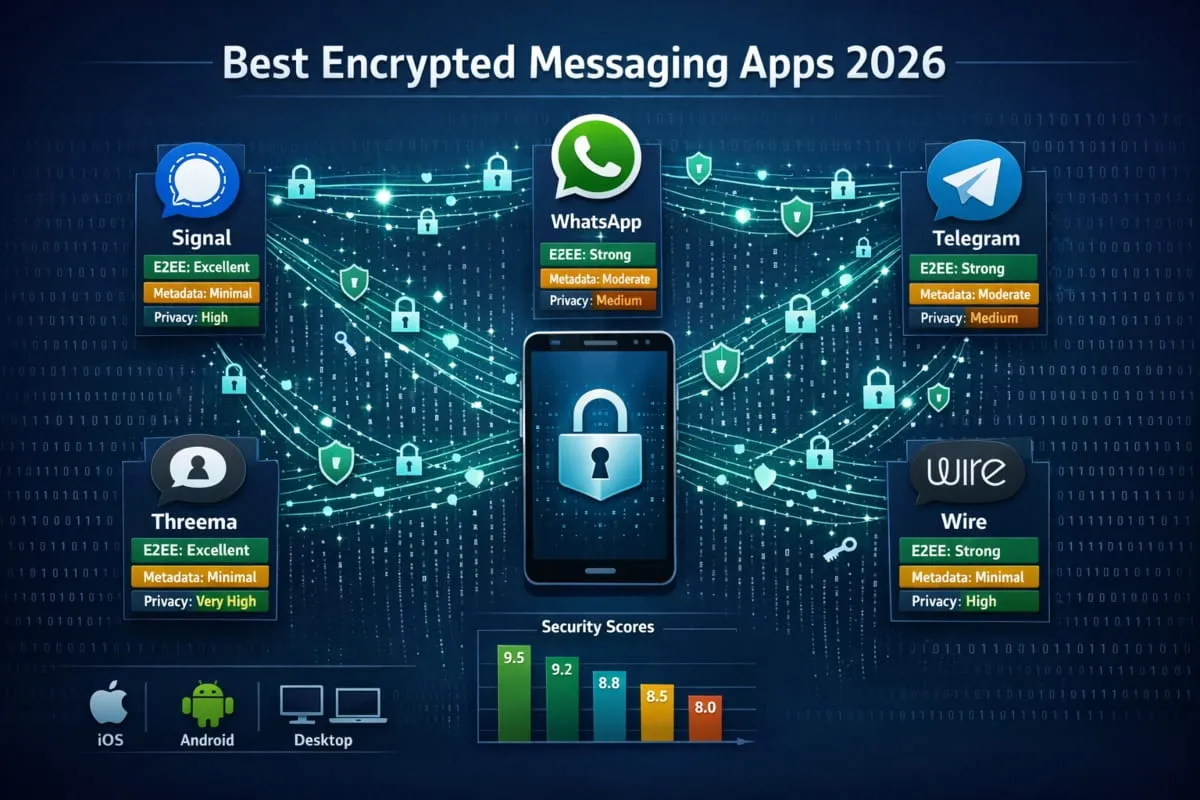
The Best Encrypted Messaging Apps Ranked (2026)
Not every app that calls itself “secure” deserves that label. Some encrypt by default. Some only do it when you dig through settings. Some collect so much metadata that even without reading your messages, they know everything about your communication habits.

The apps below were evaluated on what actually matters: encryption standards, data collection practices, whether a phone number is required, and how they hold up in real-world use. Here’s where each one stands.
Signal, Best Overall Encrypted Messenger
Signal is the benchmark against which everything else is measured, and for good reason.
It uses the Signal Protocol, an open-source encryption standard so respected that WhatsApp, Google Messages, and several other platforms have built their own encryption on top of it. Every message, call, and file sent through Signal is end-to-end encrypted by default. There are no exceptions, no settings to toggle, no tiers where some conversations get more protection than others.
What makes Signal stand out beyond its encryption is what it doesn’t do. It collects almost no user data, only the phone number used to register and the date of last connection: no message content, no contact lists, no metadata trails. Even if Signal’s servers were seized tomorrow, there would be very little to find.
The trade-off is small: Signal requires a phone number to sign up. For most users, that’s a reasonable ask. For the highest level of anonymity, there are alternatives. Still, in terms of the combination of security, usability, and trust, Signal remains the most secure messaging app available to the general public.
Telegram, Best for Groups and Channels
Telegram is one of the most popular messaging apps in the world, and its speed, file sharing, and group management tools are genuinely excellent. But it carries an important caveat that too many users overlook.
Standard Telegram chats are not end-to-end encrypted. They are encrypted in transit and stored on Telegram’s cloud servers, meaning Telegram can technically access them. For users who want true E2EE, Telegram offers “Secret Chats,” a separate mode that enables end-to-end encryption with self-destructing messages. The problem is that Secret Chats have to be manually activated, aren’t available in group conversations, and don’t sync across devices.
As an encrypted messaging alternative to Messenger or other Meta-owned platforms, Telegram is a meaningful upgrade. As a fully private messaging app, it requires users to understand its limitations and use it accordingly. For communities, channels, and large groups where speed and scale matter more than strict privacy, it’s hard to beat. Just go in with open eyes.
WhatsApp, Most Popular Encrypted App
WhatsApp is the most widely used encrypted messaging app on the planet, and its encryption credentials are legitimate. It runs on the Signal Protocol, meaning every one-to-one conversation and group chat is end-to-end encrypted by default. The content of your messages is genuinely protected.
The concern with WhatsApp has never really been the messages themselves. It’s everything around them. Meta owns WhatsApp and collects substantial metadata: who you message, how often, when, your location data if enabled, your device information, and your contact list. That information is used across Meta’s advertising ecosystem. The messages stay private; your communication patterns do not.
For users already in the WhatsApp ecosystem who want encrypted conversations without switching platforms, it remains a solid choice. For users who want a privacy-focused end-to-end messaging app that protects content and metadata, there are stronger options on this list.
Wire, Best for Anonymous Sign-Up
Wire is the rare messaging app that lets you create an account with nothing but a username. No phone number. No email address if you prefer not to use one. That alone sets it apart from almost every other option in this space.
The encryption is robust, end-to-end by default across messages, voice calls, video, and file sharing. Wire also supports multiple accounts on a single device, making it practical for users who want to keep personal and professional communication cleanly separated.
It was originally built with businesses and enterprise teams in mind, as evidenced by its interface and feature set. But its no-phone-number sign-up makes it equally appealing to privacy-conscious individuals who want encrypted messaging without leaving an identity trail from the moment they register. For users who’ve felt uneasy handing over a phone number just to get started, Wire solves that from the first screen.
Wickr, Best for Disappearing Messages
Wickr was built from the ground up with the assumption that some messages should cease to exist after they’re read. Every message sent through Wickr has a configurable expiry timer, from seconds to days, and when time runs out, the message is gone from both devices and Wickr’s servers with no recoverable trace.
The encryption is end-to-end, the app collects minimal metadata, and it supports encrypted voice and video. Wickr was acquired by AWS in 2021, bringing enterprise-grade infrastructure to its security stack and making it a credible option for professional environments with serious compliance requirements.
For individuals, Wickr is most compelling when the use case specifically calls for messages that don’t linger. It’s not the most intuitive app for everyday conversations, but for what it’s designed to do, send information that genuinely disappears, it does it better than anyone.
Threema, Best Without a Phone Number
Threema takes the most principled stance on identity among mainstream encrypted messaging apps. When you sign up, you don’t enter a phone number or an email address. You’re assigned a random eight-character Threema ID, and that’s all you need. Your contacts can find you with that ID, a QR code, or not at all, entirely your choice.
All messages, contacts, and group data are stored locally on your device rather than on Threema’s servers. The app is based in Switzerland, subject to Swiss privacy laws, and has consistently resisted pressure to weaken its encryption or data practices. It is also a paid app, a one-time purchase, which is a meaningful part of its model. When you’re not the product, you pay a small amount upfront instead.
For users who want a private messaging app without a phone number and without compromise, Threema is the most complete answer available.
iMessage, Best Built-In Option for iPhone
For iPhone users, iMessage is already there, no download, no account, no setup. And when you’re messaging another Apple device, it is end-to-end encrypted by default. The blue bubble versus green bubble distinction is actually meaningful: blue means iMessage and encryption; green means SMS and no encryption.
Apple’s privacy reputation is generally solid. The company has publicly resisted law enforcement requests for message content, and iMessage’s E2EE is genuine. The limitations are platform lock-in, iMessage only works between Apple devices, and iCloud backups, which, unless Advanced Data Protection is enabled, store message history in a form Apple can access.
As a secure messaging app for iPhone users who want privacy without changing their habits, iMessage covers most situations well. For conversations with Android users, or for anyone who wants stronger metadata privacy and cross-platform consistency, one of the dedicated apps above will serve better.
Across all of these options, the right choice comes down to what you’re actually protecting and who you’re talking to. Signal covers the most ground for the most people. The others each solve a specific version of the privacy problem better than anyone else. The worst choice, by far, is staying on an unencrypted platform and assuming your conversations are private when they aren’t.
Best Encrypted Messaging Apps by Platform
The best encrypted messaging app in the world is only useful if it works on your device. Privacy shouldn’t depend on which phone you carry. The good news is that strong encryption is available across every major platform; you just need to know which app fits where.

Best Encrypted Messaging App for Android
Android is the most open mobile platform in the world, which is both its strength and its vulnerability. Because Android allows third-party apps with deeper system access than iOS does, choosing a well-audited, reputable, encrypted messaging app matters more here than anywhere else.
Signal is the clear first choice for Android users. It functions as a complete replacement for your default SMS app, handling both encrypted Signal messages and standard texts from one interface. When the person you’re messaging also uses Signal, the conversation is automatically end-to-end encrypted. When they don’t, Signal sends a standard SMS and labels it clearly so you always know which type of conversation you’re in.
For users who want encryption without any phone number requirement, Threema and Session are the strongest Android alternatives. Session, in particular, takes a decentralized approach: messages route through a network of independent nodes rather than a central server, which means there’s no single point of vulnerability and no company holding your data.
One thing Android users should pay close attention to: Google Messages now supports end-to-end encryption for RCS conversations between two Android users on the same platform. This is a meaningful improvement over standard SMS, but it only applies within that specific pairing. The moment you’re texting an iPhone, an older Android, or anyone not on RCS, that protection disappears. For consistent encryption regardless of who you’re messaging, a dedicated encrypted messaging app for Android remains the more reliable choice.
Best Secure Messaging App for iPhone
iPhone users have a built-in advantage: iMessage provides genuine end-to-end encryption for Apple-to-Apple conversations out of the box, with no setup required. For many users, that’s enough for everyday communication within their existing contacts.
But iMessage has two gaps worth understanding. First, it only encrypts conversations between Apple devices; any message sent to an Android user falls back to unencrypted SMS, again marked by that green bubble. Second, if you back up your messages to iCloud without enabling Advanced Data Protection, those backed-up messages are accessible to Apple and potentially to law enforcement. The encryption on the message in transit doesn’t extend to the copy sitting in your cloud backup.
For iPhone users who want privacy that closes both of those gaps, Signal is the natural upgrade. It works identically on iOS and Android, so your conversations stay encrypted regardless of the device the other person uses. Setup takes under two minutes, and the interface is clean enough that the switch rarely feels like a compromise.
Threema is the best choice for iPhone users who want a secure messaging app with no phone number attached to the account at all, a level of identity separation that iMessage doesn’t offer and Signal doesn’t provide by default.
For users deeply embedded in the Apple ecosystem who want to keep using iMessage, the single most impactful change they can make is enabling Advanced Data Protection in iCloud settings. It takes one minute and meaningfully strengthens the weakest point in Apple’s privacy chain.
Best Web-Based Encrypted Messaging Apps
Most encrypted messaging apps are built primarily for mobile, with desktop or browser access added later. For users who spend the majority of their day at a computer, that order of priority matters when choosing a platform.
Signal Desktop is the most trusted web-adjacent option, though it technically runs as a standalone app rather than a browser tab. It links to your mobile Signal account and maintains full end-to-end encryption across both. The desktop experience is clean, reliable, and doesn’t sacrifice any of the security properties that make Signal worth using in the first place.
Wire is arguably the strongest choice for users who prioritize a polished desktop and browser experience. It runs directly in the browser without requiring a separate app download, supports encrypted messaging and calls from the web interface, and doesn’t require a phone number to sign up, making it one of the most complete web-based encrypted messaging apps available.
Element, built on the open Matrix protocol, also runs entirely in the browser and adds something the others don’t: the ability to choose which server stores your data, or to host your own. For technically proficient users or organizations who want complete control over their communication infrastructure, that flexibility is difficult to match elsewhere.
What all three share is genuine E2EE that doesn’t weaken when you move from mobile to desktop. That consistency is what separates them from platforms that quietly drop encryption features in the browser to make the interface simpler.
Best Offline and Decentralized Messaging Apps
Every app discussed so far assumes you have an internet connection and that some company’s server is involved in delivering your messages. For most people, that’s fine. In some situations or for some users, neither assumption should hold.
Briar is the most interesting solution in this space. It’s designed to work without an internet connection, syncing messages directly between devices over Bluetooth or Wi-Fi when a network connection isn’t available. When the internet is available, it routes traffic through Tor for an additional layer of anonymity. It’s not built for convenience; the interface is functional rather than polished, but as a genuinely offline-capable encrypted messaging app, nothing else comes close.
Session sits at the other end of the decentralization spectrum. It does require internet, but it routes messages through a distributed network of community-operated nodes, similar in concept to Tor, so there is no central server to subpoena, breach, or shut down. Combined with its no-phone-number, no-email sign-up, Session is one of the most complete decentralized messaging apps available to everyday users without requiring any technical background.
Element on Matrix deserves mention here, too. Because the Matrix protocol is federated, your messages don’t depend on any single company’s infrastructure. If one server goes down, the network continues to function. If you want to run your own server entirely, you can. For organizations or individuals who want communication that doesn’t depend on any third-party remaining operational, trustworthy, or even in business, the federated model offers a kind of resilience that centralized apps simply cannot.
The common thread across all three is that decentralization isn’t just a privacy feature, it’s a structural one. When there’s no central point of control, there’s no central point of failure, and no single entity that can be pressured into compromising the system on someone else’s behalf.
Best Private Messaging Apps Without a Phone Number
When you hand an app your phone number to sign up, you’ve already given something away. Your number is tied to your identity, your carrier account, your billing address, and in most countries, a government-issued ID used to activate your SIM. For an app built around privacy, that’s a strange starting point.

The good news is that several of the best encrypted messaging apps have recognized this contradiction and built around it entirely.
Why Some Apps Require Your Phone Number
Phone numbers are convenient for app developers, not for users.
They serve as a ready-made identity verification system, unique, tied to a real person, and almost impossible to fake at scale. For a messaging app trying to reduce spam, bot accounts, and abuse, requiring a phone number solves those problems quickly and cheaply. It also makes contact discovery effortless: the app scans your address book, matches numbers to existing users, and instantly populates your social graph. From a product standpoint, it works beautifully.
From a privacy standpoint, it creates a permanent link between your real-world identity and your account. If the app is ever breached, subpoenaed, or sold, that link follows your data wherever it goes. Even apps with strong encryption, including Signal, carry this trade-off. The message content may be unreadable, but the fact that your phone number has an account and when it was last active is information in itself.
This is why a growing number of users specifically seek out a private messaging app that does not require a phone number as a baseline rather than a bonus feature.
Top Apps That Work Without a Phone Number
Threema is the gold standard here. Sign up with nothing, no phone number, no email address, no personal information of any kind. The app generates a random eight-character ID that serves as your identity on the platform. Your contacts find you through that ID or a scannable QR code. Your real identity never enters the equation. For users who want a private chat app without a phone number that still feels polished and reliable in everyday use, Threema is the most complete answer available.
Session goes even further on the anonymity front. Not only does it require no phone number, but it also requires no account in the traditional sense. You’re assigned a cryptographic Session ID generated entirely on your device. Combine that with its decentralized message routing, and you have one of the most genuinely anonymous messaging apps available, without requiring any technical knowledge.
Wire allows sign-up with just a username, making it a strong option for users who want encrypted messaging and calls without linking a phone number to the account. It’s particularly well-suited for users who want to keep a professional communication identity completely separate from their personal number.
Element, built on the Matrix protocol, lets you create an account on any Matrix-compatible server, including community-run servers that require nothing beyond a chosen username. For users comfortable with a slightly more technical setup, it opens the door to fully anonymous, encrypted messaging with no identifying information required at any point in the process.
For users who need something even more lightweight, closer to anonymous text apps for one-off or short-term communication, tools like Briar and SimpleX are worth considering. SimpleX in particular takes an unusual approach: it has no user accounts at all. You don’t sign up. You don’t create a profile. You simply install the app and share a link or QR code to start a conversation. There is no identifier tied to you at any level, which makes it one of the most structurally private options in the entire space.
What these apps share isn’t just a missing phone number field; it’s a fundamentally different philosophy about what information a messaging service actually needs to function. The answer, it turns out, is very little. A conversation requires two people and an encrypted channel between them. Your name, number, and identity are optional extras that serve the platform’s convenience far more than they serve your privacy.
If anonymity or identity separation is a priority for you, start with Threema or Session. Both are mature, actively maintained, and designed from the ground up with the understanding that discreet messaging shouldn’t require you to introduce yourself first.
Private & Secret Messaging Apps: What’s the Difference?
The words “private” and “secret” get used interchangeably in the messaging app world, but they describe two genuinely different things. Mixing them up leads many people to use the wrong tool for the situation they’re actually trying to solve.

Private messaging is about encryption, protecting the content of your conversations from anyone outside them. Secret messaging is about concealment, hiding the fact that certain conversations even exist. One is a technical guarantee. The other is a practical layer on top of it. Both matter, but they solve different problems.
Encrypted vs. Secret Messaging Apps Explained
An encrypted messaging app protects what you say. The conversation happens openly, your contacts know you use Signal, your phone shows the app on the home screen, your notification bar lights up with incoming messages, but the content of those messages is mathematically locked to everyone except the people in the conversation.
A secret chat app protects the fact that you’re having a conversation at all. It might look like a calculator, a notes app, or a utility tool on your home screen. Open it with a specific code, and it reveals a fully functional private messaging app underneath. No visible notifications. No app preview in your recent apps list. Nothing indicates a conversation is happening.
These two layers of protection aren’t mutually exclusive; the best options combine them. But it’s worth being clear about which problem you’re solving, because an encrypted app won’t hide your conversation history from someone who picks up your unlocked phone. A disguised app won’t protect your messages if the underlying platform has weak encryption.
Best Apps With Hidden and Secret Chat Mode
Several well-known messaging apps include built-in features that offer a version of this concealment, often called secret chats, private mode, or disappearing messages.
Telegram’s Secret Chats are the most widely used example. Unlike standard Telegram conversations, Secret Chats are end-to-end encrypted, stored only on the devices involved, and can be set to self-destruct after a chosen time. They don’t sync to the cloud, don’t appear in Telegram’s servers, and leave no recoverable trace once deleted. For users already on Telegram who want a discreet channel within a familiar app, it’s a practical option. However, it requires knowing how to activate it, and the feature isn’t on by default.
Signal’s Note to Self and disappearing messages serve a similar function. You can set any Signal conversation to automatically delete messages after a set interval, from thirty seconds to four weeks. Combined with Signal’s locked app screen and the ability to hide message previews from notifications entirely, it gives users meaningful concealment within an app that already leads in encryption.
Wickr embeds disappearing messages into the core of how the app works rather than treating them as an optional setting. Every message has an expiration timer. Once it runs out, the message is gone from both devices and from Wickr’s servers, with no way to recover it. For users whose primary concern is that conversations don’t leave a permanent record anywhere, Wickr’s approach is the most thorough.
For users who want a secret chat app that goes further, disguised as something else entirely, dedicated apps like Calculator+ and CoverMe present as ordinary utilities while housing a fully functional private messaging environment behind a PIN. They aren’t as widely audited for encryption quality as Signal or Wickr, so they’re better suited for social concealment than for high-stakes security. The right use case is hiding messages from a nosy family member, not protecting sensitive communications from a sophisticated threat.
Best Apps to Hide Messages on Your Phone
Hiding messages on your phone is a different challenge from encrypting them, and it’s one of the major platforms that handles them with varying degrees of thought.
The most reliable approach across any platform is notification management. Every serious private text messaging app, Signal, Telegram, WhatsApp, Wickr, allows you to turn off message previews in notifications entirely, so incoming messages show as a generic alert with no content visible on your lock screen. This is the minimum any privacy-conscious user should configure, regardless of which app they use.
Beyond notifications, Signal offers an app lock that uses your device’s biometrics or a PIN, and an option to remove it from your recent apps screen entirely, so even cycling through open apps reveals nothing. Combined with hidden notifications, it’s the most complete set of concealment features available in a mainstream encrypted messaging app.
For users who want to go further, hidden messaging apps that disguise themselves as other tools offer the deepest level of concealment. The trade-off is that these apps vary widely in encryption quality, update frequency, and trustworthiness. If you choose this route, look for apps that clearly specify their encryption protocol and have a documented privacy policy. Vague claims about “military-grade encryption” with no specifics are a red flag worth taking seriously.
The honest answer is that the best way to hide messages on your phone is a combination of layers: a properly encrypted app with strong concealment settings configured, notification previews disabled, and an app lock enabled. That combination, available right now in Signal at no cost, handles the vast majority of real-world situations where someone wants their conversations to stay genuinely private.
How to Choose the Safest Messaging App for Your Needs
There is no single answer to which messaging app is safest, because safety is relative to what you’re protecting, who you’re protecting it from, and what trade-offs you’re willing to make in daily use. A journalist protecting a source has different requirements than a parent wanting privacy from data brokers. A business handling sensitive client conversations has different needs than someone simply tired of Meta reading their messages.

What follows isn’t a ranking. It’s a framework for the questions worth asking before you commit to any platform and for what the answers actually mean for your privacy in practice.
Key Security Features to Look For
Not all security features are equal, and the ones that get marketed most loudly are often not the ones that matter most. Here’s what actually deserves your attention when comparing any secure messaging app.
End-to-end encryption by default is the non-negotiable starting point. The Word “default” carries real weight here. An app that offers E2EE as an optional mode, something you have to activate per conversation, is making a quiet admission that most of its users aren’t actually protected. If encryption isn’t on automatically for every conversation, it effectively isn’t on for most conversations.
Forward secrecy is the feature that protects your past conversations even if your encryption keys are compromised in the future. Apps that implement forward secrecy generate new encryption keys for each Session, so exposing one key doesn’t unlock everything you’ve ever sent. Signal does this. Many apps don’t, and very few advertise the fact.
Independent security audits matter more than any claim a company makes about itself. A genuinely trustworthy messaging platform invites outside cryptographers and security researchers to examine its code and publishes the results, including the findings that aren’t flattering. If an app has never been independently audited or can’t point you to its audit results, that’s a meaningful credibility gap, regardless of how confident its marketing sounds.
Minimal data collection rounds out the essentials. An app can have perfect encryption and still undermine your privacy through the data it collects around your conversations, who you message, when, how often, and from where. Encryption protects the content. Data collection policies determine everything else.
Open-Source vs. Closed-Source: Why It Matters
This distinction matters more in messaging app security than in almost any other software category, and the reason is straightforward. With closed-source code, you are taking the company’s Word for it.
When an app is open-source, its underlying code is publicly available for anyone to examine. Independent security researchers, people with no financial relationship with the company, can verify that the encryption works as claimed, that there are no hidden backdoors, and that the app behaves consistently with what it advertises. This isn’t theoretical. Vulnerabilities have been found and disclosed in open-source messaging apps by independent researchers who had no obligation to remain silent. That process of public scrutiny makes the final product more trustworthy, not less.
Closed-source apps ask you to trust their security claims without the ability to verify them. That trust might be warranted; Apple’s iMessage, for example, has a strong privacy track record despite being closed-source. But trust without verification is a different thing from trust that has been tested. In the context of trusted messaging, the distinction is worth understanding before you decide how much it matters to you personally.
Signal, Session, Briar, and Element are all fully open-source. Their encryption protocols have been reviewed, challenged, and validated by independent experts. Public accountability is a significant factor in why they consistently appear at the top of credible secure messaging comparisons.
Metadata Privacy: What Apps Collect About You
This is the area where even well-intentioned users tend to develop a false sense of security, and it’s worth being direct about why.
Metadata is everything except the content of your message. It’s the record of who you communicated with, when the conversation happened, how long it lasted, how frequently you talk to that person, what device you used, and where you were located when you sent it. In many ways, metadata tells a more complete story about your life than your actual messages do, because patterns of behavior reveal things that individual conversations don’t.
WhatsApp is the clearest illustration of this gap. Its messages are end-to-end encrypted using a strong protocol. The content is genuinely protected. But WhatsApp collects and shares extensive metadata with Meta, which uses it across its advertising and analytics infrastructure. You can’t read what was said, but you can build a detailed behavioral profile from everything around what was said. For many threat models, that’s the more sensitive exposure.
Signal sits at the opposite end of the spectrum. In response to a government subpoena, Signal has demonstrated that it can provide only an account’s registration date and the date it last connected; nothing else exists to hand over. That’s not a policy commitment. It’s an architectural one. The data isn’t collected, so it can’t be produced.
When evaluating any private messaging app, the question to ask isn’t just “are my messages encrypted?” It’s “what does this company know about the fact that I’m having conversations at all?” The answer varies more dramatically across apps than most users realize.
Self-Destructing Messages and Disappearing Chats
Encryption protects your messages in transit. Disappearing messages protect them at rest, specifically, from the risk that someone accesses your device, your recipient’s device, or a server backup long after the conversation happened.
The concept is simple: set a timer for a conversation, and once it expires, the messages are automatically deleted from both sides with no manual action required. What separates the implementations is how thoroughly they follow through on that promise.
Wickr builds message expiration into its core design; every message has a timer, and deletion is the default state rather than an optional feature. Signal allows disappearing messages to be configured per conversation, with timers ranging from thirty seconds to four weeks, and recently made it possible to set a default disappearing message timer for all new conversations. Telegram’s Secret Chats support self-destruction at the message level, though this applies only to Secret Chat mode, not standard conversations.
A few things worth understanding about this feature before relying on it: disappearing messages protect you from future access to a device; they don’t prevent someone from taking a screenshot during the conversation. Most apps note when a screenshot is taken and notify the other party, but notifications are not a prevention. For conversations where the information itself is highly sensitive, disappearing messages are one layer of a larger approach, not a complete solution on their own.
Used correctly and with realistic expectations, disappearing chats are one of the most practical messaging app security features available, particularly for sensitive conversations that have no reason to exist permanently once they’ve served their purpose. The question isn’t whether to use them, but whether the app you choose treats them as a genuine privacy commitment or a marketing checkbox.
Encrypted Messaging App Comparison Chart
Choosing between apps gets easier when the right information is in one place. The table below cuts through the marketing claims and puts the features that actually matter side by side, so you can see exactly what each app offers, what it costs in terms of privacy, and where it falls short.
One note before reading: “encrypted” means different things across different platforms. The E2EE column indicates whether end-to-end encryption is enabled by default for all conversations, not whether it’s available as an option in settings.
| App | E2EE by Default | Metadata Collection | Phone Number Required | Open Source | Available On |
|---|---|---|---|---|---|
| Signal | Yes — All chats | Minimal (Reg date + Last seen) | Yes | Yes | iOS, Android, Desktop |
| Threema | Yes — All chats | Very Low (Anonymous ID) | No | Yes | iOS, Android, Desktop |
| Session | Yes — All chats | None (No identifiers) | No | Yes | iOS, Android, Desktop |
| SimpleX | Yes — All chats | None (No accounts) | No | Yes | iOS, Android, Desktop |
| Element (Matrix) | Yes — Encrypted rooms | Low (Depends on server) | No | Yes | iOS, Android, Web |
| Yes — All chats | High (Meta behavioral data) | Yes | No | iOS, Android, Web | |
| Telegram | Secret Chats Only | Moderate (Cloud storage) | Yes | Partial | iOS, Android, Web |
| Briar | Yes — All chats | None (P2P/Tor/Bluetooth) | No | Yes | Android Only |
| Wire | Yes — All chats | Low (Username/Email) | No | Yes | iOS, Android, Web |
| Wickr | Yes — All chats | Very Low | No | Partial | iOS, Android, Desktop |
What the Chart Is Really Telling You
A few patterns emerge from this comparison that are worth naming directly.
The phone number column and the metadata column tend to move together. Apps that require your phone number to register, such as Signal, WhatsApp, Telegram, iMessage, and Google Messages, are connecting your account to a real-world identity from the moment you sign up. That doesn’t automatically make them unsafe, but it means the privacy they offer is bounded by that initial link. Apps that don’t require a number, Threema, Session, Wire, Element, SimpleX, are making a structural choice to know less about you from the start.
Open source and trustworthiness are closely related but not identical. Every app on this list with independently verified encryption is open source. That’s not a coincidence. WhatsApp uses the Signal Protocol, a publicly audited encryption standard, inside a closed-source application. The encryption itself is sound; what you can’t independently verify is everything else the app does around it.
Telegram deserves a closer look than its reputation suggests. It is one of the most widely recommended apps in conversations about encrypted messaging, yet it’s the only major platform on this list where end-to-end encryption is not the default. Standard Telegram chats are cloud-encrypted, not E2EE, meaning Telegram can access them. For users who choose Telegram specifically for privacy, Secret Chats are not optional; they’re the only mode that actually delivers on that expectation.
The platform column matters more than people think. If you need encrypted messaging that works seamlessly across iOS, Android, and desktop without friction, Signal and Wire are the most consistent performers. iMessage locks you inside the Apple ecosystem entirely. Briar is Android-only. Element works everywhere but requires more setup than most. Matching the app to your actual device situation is part of choosing correctly, not an afterthought.
No single app in this table is perfect for every person. But for the majority of users who want strong encryption, low metadata exposure, and a platform that works across devices, Signal, Threema, and Session cover nearly every realistic need, and between the three of them, at least one will fit how you actually communicate.
How to Encrypt Your Text Messages (Step-by-Step)
Switching to encrypted messaging is one of those things that sounds more complicated than it actually is. There’s no technical background required, no settings buried five menus deep, and no meaningful disruption to how you already communicate. The process for most people takes under 10 minutes, and once it’s done, every conversation you have going forward is automatically protected.

Here’s exactly how to do it, depending on your device and your starting point.
How to Enable Encrypted Messaging on Android
Android users have two realistic paths to encrypted texting, and which one makes sense depends on who you’re messaging.
Path one: Enable RCS in Google Messages. If you and the people you message regularly are all on Android, Google Messages with RCS enabled provides end-to-end encryption without downloading anything new.
Open Google Messages, tap your profile icon in the top right, go to Messages settings, then select RCS chats and turn it on. That’s it. When you message another Android user with RCS enabled, the conversation is automatically encrypted, and a small lock icon appears in the chat: no extra steps, no new accounts.
The limitation is real: the moment you message someone on an iPhone, an older Android, or anyone whose carrier doesn’t support RCS, the conversation drops back to unencrypted SMS. The lock icon disappears. RCS encryption only works within a specific pairing, not universally.
Path two: Switch to Signal. For encryption that works regardless of the device the other person uses, Signal is the more reliable option. Download it from the Google Play Store, open the app, enter your phone number, verify it with the code sent to you, and you’re set up. Signal will offer to become your default messaging app; accepting this means it handles all your texts from one place and clearly distinguishes encrypted Signal conversations from standard SMS ones.
Every conversation with another Signal user is automatically end-to-end encrypted, no activation per chat, no settings to configure, nothing to remember.
How to Enable Encrypted Messaging on iPhone
iPhone users are in a slightly more comfortable position by default; iMessage already provides end-to-end encryption for conversations between Apple devices, and it activates automatically when both parties are on Apple hardware.
To confirm iMessage is active: Open Settings, tap Apps, select Messages, and make sure iMessage is toggled on. When messaging another iPhone, iPad, or Mac user, your conversation bubbles will appear blue; that’s the visual confirmation that E2EE is active. Green bubbles indicate the conversation has reverted to SMS and is not encrypted.
The iCloud backup gap, and how to close it. Here’s the step most iPhone users skip: if your messages back up to iCloud and Advanced Data Protection is not enabled, those backed-up messages are accessible to Apple and potentially to law enforcement, even though the messages themselves were encrypted in transit. The encryption on delivery doesn’t extend to the copy sitting in your cloud backup.
To fix this, go to Settings, tap your name, select iCloud, then Advanced Data Protection, and turn it on. This extends end-to-end encryption to your iCloud backups, including messages, meaning even Apple cannot access them. It takes two minutes, and it’s the single most impactful privacy improvement an iPhone user can make without downloading anything.
For cross-platform encrypted texting on iPhone: If you regularly message Android users and want those conversations encrypted too, Signal is the answer here as well. Download it from the App Store, register with your phone number, and your conversations with other Signal users, on any device, will be end-to-end encrypted from that point forward.
How to Switch From Regular SMS to an Encrypted App
The most common reason people delay switching is social friction, not technical issues. Getting the people you talk to most onto the same platform feels like the actual hurdle. In practice, it’s easier to manage than it looks.
Start with your most frequent contacts, not everyone at once. Identify the five to ten people you message most regularly. Send them a simple message explaining that you’re switching to Signal (or whichever app you’ve chosen) for privacy reasons, and share your username or ask them to download the app. Most people, when asked directly by someone they trust, are willing to make a five-minute change. You don’t need to convert your entire contact list; you need to reach the conversations that actually matter most to you.
Run both apps in parallel during the transition. There’s no requirement to delete your old messaging app the moment you install a new one. Keep both running for as long as you need. Signal, in particular, is designed to work alongside standard SMS; it handles both from the same interface and clearly labels each conversation. You’ll see instantly which conversations are encrypted and which aren’t, which makes the transition gradual rather than abrupt.
Update your notification settings immediately. Before your first encrypted conversation even happens, go into your new app’s settings and turn off message preview in notifications. This ensures that incoming messages show a generic alert on your lock screen rather than displaying content that anyone nearby can read. In Signal: Settings → Notifications → turn off Show → and disable content in notifications. On WhatsApp and Telegram, the equivalent setting is in Notifications under the app’s settings. This takes thirty seconds and closes one of the most common real-world privacy gaps immediately.
Once you’re set up, the switch is permanent. Encrypted texting doesn’t require ongoing effort; it runs in the background, exactly like SMS, except your conversations are protected. There’s no daily maintenance, no tokens to manage, and no technical knowledge needed to keep it working. The only difference after the first week is that your messages are no longer readable by anyone except the person you’re sending them to.
That’s how communication should have worked from the beginning.
Conclusion
Privacy isn’t a feature reserved for people with something to hide. It’s reasonable to expect that anyone who sends a message assumes only the recipient reads it.
The apps covered in this guide make that expectation a technical reality rather than a hopeful assumption. Signal covers the most ground for most people. Threema and Session go further for those who want no identity attached to their account at all. Wire and Element serve users who need flexibility across teams and devices. Each solves a specific version of the same problem.
The hardest part isn’t the technology, it’s making the switch. Pick one app, move your most important conversations to it, and configure your notification settings. That’s genuinely all it takes.
Your messages should be yours and the person you’re sending them to’s. Nothing else is an acceptable default.
Frequently Asked Questions (FAQ’s)
What is the safest messaging app in 2025?
Signal is widely considered the safest messaging app in 2025. It uses end-to-end encryption by default for every conversation, collects almost no user data, and has fully open-source code, meaning researchers with no stake in the outcome have independently verified its security claims.
Are regular text messages (SMS) encrypted?
No. Standard SMS messages are not encrypted. They travel through your mobile carrier’s network in plain text, meaning your carrier can read them, law enforcement can request them, and they can be intercepted on unsecured networks. For private communication, a dedicated encrypted messaging app is necessary.
Is Signal really the most secure messaging app?
For most people and most threat models, yes. Signal uses the Signal Protocol, the gold standard for end-to-end encryption; collects virtually no metadata; is fully open-source; and has been independently audited multiple times. Users requiring complete anonymity may prefer Signal combined with additional tools, but as a standalone app, it leads the field.
Can I use encrypted messaging without a phone number?
Yes. Several encrypted messaging apps require no phone number to sign up. Threema assigns you a random anonymous ID. Session requires no account information whatsoever. Wire allows registration with just a username. SimpleX goes furthest; it has no accounts at all, making it one of the most identity-free encrypted messaging options currently available.
Is WhatsApp encrypted end-to-end?
Yes, the content of WhatsApp messages is end-to-end encrypted using the Signal Protocol, meaning the messages themselves are genuinely protected. However, WhatsApp collects significant metadata, including who you contact, how often, and behavioral patterns, which is shared across Meta’s platforms. The messages are private; the activity surrounding them is not.
What is the best private messaging app for iPhone?
For iPhone users who want maximum privacy, Signal is the strongest choice. It provides end-to-end encryption across both iOS and Android, minimal metadata collection, and full open-source transparency. iMessage is a solid default for Apple-to-Apple conversations, but requires Advanced Data Protection to be enabled in iCloud settings to close its backup vulnerability fully.
Which messaging apps don’t use Meta?
Signal, Telegram, Threema, Wire, Session, Element, Wickr, SimpleX, and Briar are all completely independent of Meta. None of them shares data with Facebook or Instagram’s infrastructure. For users specifically seeking encrypted messaging alternatives to Meta-owned platforms, WhatsApp and Messenger, any of these apps provides a clean break from that ecosystem entirely.