If you’ve seen a headline warning about a Google Gmail data breach and you’re not sure what to believe, you’re not alone. Millions of Gmail users have searched for answers after receiving security alerts, spotting alarming news stories, or hearing from friends that their accounts might be at risk.
The problem is that the information out there is a mess. Some sources are calling it a catastrophic breach affecting billions of accounts. Others say Google has denied everything. A few are somewhere in between.
Here’s the truth: there is no single “Gmail data breach”, but that doesn’t mean your account is automatically safe. What’s actually happening is more complicated and more important to understand.
This guide breaks down exactly what the Google Gmail data breach warnings are referring to, what Google has and hasn’t confirmed, whether your email was exposed, and what you should do right now if you’re concerned.
What Is the Google Gmail Data Breach Warning?
Starting in 2025, a wave of security alerts and news headlines began circulating with an alarming message: Gmail users were at risk following a massive data breach. The warnings spread quickly across news outlets, Reddit threads, and social media, leaving hundreds of millions of users wondering whether their accounts had been compromised and whether Google was hiding something.
Before assuming the worst, it’s worth understanding where this warning actually came from, what it means, and what Google has said about it.
Where Did the Warning Come From?
The alarm was largely triggered by cybersecurity researchers and threat intelligence reports identifying a massive dataset of stolen credentials circulating on dark web forums. The dataset was reported to contain email addresses and passwords linked to Gmail accounts, not because Google’s own systems were hacked, but because the data had been harvested from dozens of third-party breaches over several years and compiled into a single searchable database.
Security publications picked up the story and ran with headlines suggesting Google had issued a worldwide Gmail data breach warning. That framing, while attention-grabbing, wasn’t entirely accurate, and it’s a big reason why so much confusion followed.
Is the Gmail Data Breach Real or a Hoax?
Neither, entirely. The breach itself, in the sense of someone breaking into Google’s servers and stealing Gmail data directly, does not appear to have happened. But the threat to Gmail users is real.
What circulated was a credential dump: a large collection of usernames and passwords exposed through breaches on other platforms, many of which Gmail users had also used their Google credentials to sign in to. When those third-party services were breached, the stolen login data posed a direct threat to Gmail accounts, particularly for anyone who reused passwords across multiple sites.
So while it would be inaccurate to call this a “Gmail hack,” it would be equally wrong to dismiss the warnings entirely. The risk is real. The source is just different from what most headlines implied.
What Google Has Officially Confirmed (and Denied)
Google moved quickly to address the headlines. In October 2025, Google denied that a direct Gmail data breach had occurred, clarifying that its own infrastructure had not been compromised. The company confirmed that Gmail accounts themselves were not the source of the leaked data.
At the same time, Google acknowledged the broader threat posed by credential stuffing, in which attackers use stolen username and password combinations from other breaches and automated tools to try them against Gmail accounts at scale. Google confirmed it had security systems in place to detect and block these attempts, but stopped short of saying all users were fully protected.
Google confirmed its systems weren’t breached, but it didn’t deny that Gmail users faced a real exposure risk, and that distinction matters for what you do next.
Why Losing Gmail Access Means Losing Everything
Most people think of their Gmail account as an email address. Attackers think of it as something else entirely: a skeleton key. Understanding the difference is what separates people who recover quickly from a breach from people who spend weeks trying to regain control of their entire digital life.

Every connection in that diagram represents a “forgot password” link on another platform, one that sends a reset email directly to your Gmail inbox. An attacker with access to your Gmail doesn’t need to know any of your other passwords. They just need to click “forgot password” on whichever accounts they want, wait for the reset emails to arrive, and set new credentials you’ll never see.
This is the cascade effect, and it’s why the scale of damage from a single Gmail compromise so frequently shocks victims. It isn’t one account that’s lost. It’s every account that trusts Gmail as its recovery address, which, for most people, is almost everything.
The accounts that tend to cause the most serious downstream harm are those at the intersection of financial access and personal identity: banking apps with stored payment methods, PayPal and peer-to-peer payment platforms, crypto wallets, and government service portals. Tax filing services in particular are a high-value target; a successful reset gives an attacker everything they need to file a fraudulent return in your name before you do.
Work accounts present a different category of risk. A compromised Slack, GitHub, or HR portal doesn’t just affect you personally; it can expose colleagues, clients, and internal systems. In some industries, this creates legal and compliance obligations that extend well beyond recovering your own access.
The practical implication is that when your Gmail is compromised, your response plan can’t stop at “change my Gmail password.” Every account on that diagram needs to be audited: check for unauthorized logins, review recent activity, and change passwords on anything that used Gmail as a recovery address. The cascade runs fast; an attacker can work through the highest-value targets in under an hour.
Knowing whether your Gmail is already in a breach database is the earliest possible intervention point in this chain. A dark web scan at DeXpose tells you before an attacker has a chance to start the cascade.
The 2.5 Billion Gmail Users at Risk, Breaking Down the Claim
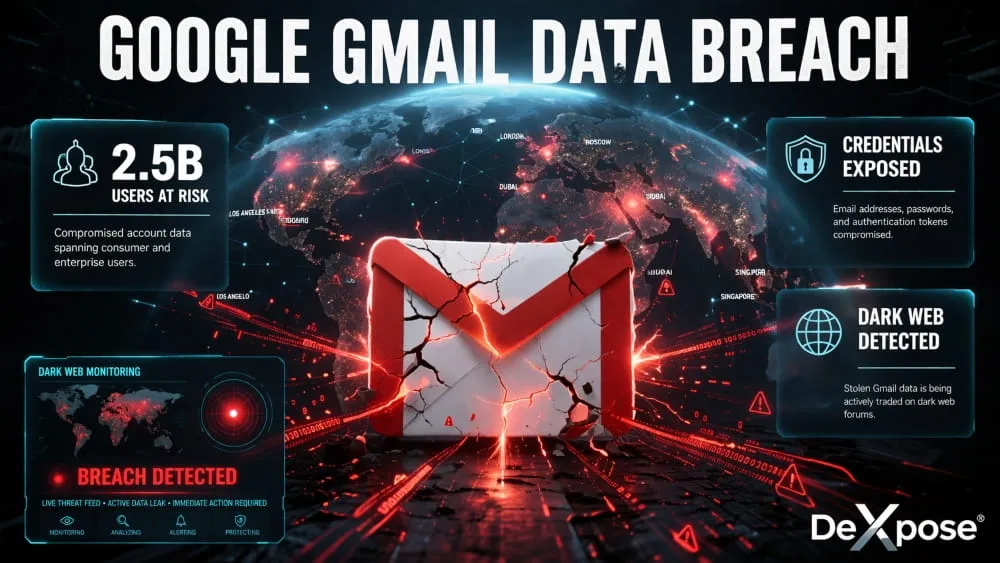
The headline that caught most people’s attention read something like this: 2.5 billion Gmail users at risk after a Google data breach. It spread fast, and for good reason: 2.5 billion is nearly a third of the world’s population. If accurate, it would be the largest data breach in history by a significant margin.

But the number, while technically sourced from real data, tells a misleading story. Here’s what was actually behind it.
What Data Was Allegedly Exposed
The dataset at the center of this story contained email addresses, passwords, and in some cases additional personal identifiers tied to Gmail accounts. Researchers who analyzed the data found that it wasn’t freshly stolen; it was an aggregation of credentials collected over years of unrelated breaches of third-party platforms, apps, and services.
The exposed data primarily included Gmail addresses used as login identifiers on other sites, along with the passwords associated with those accounts. In many cases, those passwords were the same ones users had set for their Google accounts, which is exactly what made the threat serious enough to trigger a Gmail security alert across the cybersecurity community.
What was not exposed, at least not through this particular dataset, was the contents of Gmail inboxes, payment information stored in Google accounts, or any data pulled directly from Google’s own servers.
Was This a Google Breach or a Third-Party Breach?
This is the most important distinction to understand, and the one most headlines got wrong.
This was not a Google security breach. Google’s infrastructure was not compromised. No attacker broke into Gmail’s servers, bypassed Google’s internal Security, or extracted data from Google’s systems.
What happened instead is a pattern the security industry calls a credential stuffing dataset, a compiled collection of email and password combinations leaked from breaches at hundreds of other companies over time. Because many people use their Gmail addresses as their universal login across the internet, and because a significant portion of those people reuse the same password, their Gmail accounts became collateral damage indamage in breaches that had nothing to do with Google.
In other words, your Gmail password may have been exposed in a non-Google data breach, through a service you signed up for years ago and may have forgotten about entirely. That’s the threat. Not a Google hack, a years-long accumulation of credential leaks pointing back at your inbox.
Timeline of Events, 2025 Updates
The story developed quickly and went through several phases throughout 2025.

Early in the year, cybersecurity researchers flagged the large-scale credential dataset and began notifying the public that Gmail addresses appeared in significant numbers. Security publications ran early coverage framing it as a potential Google Gmail security breach, which drove the initial wave of user panic and search traffic.
By mid-2025, threat intelligence firms had analyzed the dataset more thoroughly and began clarifying that the data was aggregated rather than freshly stolen from Google. The framing shifted, but by then, the alarming headlines had already reached hundreds of millions of users.
In October 2025, Google issued its most direct response, formally denying that a Gmail data breach originating in its own systems had occurred. Google’s statement acknowledged the credential-stuffing threat but maintained that its security infrastructure had not been compromised.
Following Google’s denial, coverage continued across security forums and Reddit, with users debating the severity of the risk and sharing personal experiences of receiving Gmail security alerts and unexpected login notifications. The conversation and search traffic have remained elevated since then.
Gmail Data Breach History: 2014 to 2026
The Gmail breach story isn’t a single event; it’s a recurring pattern that has played out across more than a decade. Understanding the full history matters because it changes how you think about risk. This isn’t about one hack. It’s about a slow accumulation of exposed credentials that grows larger with every year.
Here’s what actually happened, in order.
First major Gmail dump surfaces on Russian forum
Nearly 5 million Gmail addresses and plaintext passwords were posted to a Bitcoin security forum. Google confirmed its own servers were not breached, the credentials were harvested over years via phishing and third-party site compromises. The first signal that Gmail addresses were a primary target.
Collection #1, credential stuffing lists go mainstream
Collection #1, followed by Collections #2 through #5, packaged billions of email and password pairs from older breaches into easy-to-deploy credential stuffing lists. Gmail addresses appeared throughout. This was the moment credential stuffing became industrialized.
COMB leak, the Compilation of Many Breaches
A searchable database containing 3.2 billion email and password pairs from hundreds of prior breaches was leaked online. Gmail addresses were heavily represented. COMB became one of the most referenced credential resources in subsequent attack campaigns.
MOAB, the Mother of All Breaches
Cybersecurity researchers discovered a 26-billion-record database aggregating thousands of prior leaks, including data from LinkedIn, Twitter, Adobe, and dozens of others. Gmail credentials featured heavily across the dataset, which was described as the largest aggregated breach compilation ever found.
Two major infostealer dumps, Gmail credentials surge
Researchers reported approximately 16 billion exposed login records tied to infostealers and older breach material, with Google and Gmail credentials forming a significant share. Months later, a separate dataset of 183 million unique email addresses surfaced, a large percentage were active Gmail accounts compromised by RedLine and Vidar malware. This triggered the “2.5 billion users at risk” headlines that dominated news coverage through late 2025.
January 2026, 96GB unsecured database discovered
Security researcher Jeremiah Fowler found a publicly accessible, unprotected 96-gigabyte database containing 149 million sets of login credentials, including approximately 48 million Gmail accounts. Data was highly structured by victim and source, with plaintext passwords and login URLs included. Google again denied any breach of its own infrastructure. The data was attributed to infostealer malware pipeline
The pattern across every entry in this timeline is consistent: Google’s infrastructure was not directly compromised in any confirmed incident. What keeps growing is the volume of Gmail credentials stolen through third-party breaches, phishing campaigns, and infostealer malware, then aggregated, resold, and redeployed against Gmail accounts through credential stuffing.
That distinction is important, but it’s also limited comfort. By 2026, the number of Gmail credentials circulating on dark web forums will run into the tens of millions, at a minimum. If you’ve been using the same Gmail password since 2019 or reused it anywhere else, it’s likely been in at least one of these datasets.
The threat isn’t theoretical. It compounds with every new dump.
How to Check If Your Gmail Was Affected
Knowing a threat exists is one thing. Knowing whether you are personally affected is what most people actually need to figure out, and it’s the question driving most searches, Reddit threads, and forum discussions about this story.
The good news is that checking your exposure doesn’t require any technical knowledge. The bad news is that most people skip this step entirely, assuming they’d somehow just know if something was wrong. That assumption is exactly what attackers count on.
Signs Your Gmail Account Has Been Compromised
Google does send security alerts when it detects suspicious activity on your account, and those notifications are worth taking seriously. But not every compromised account triggers an obvious alert, especially if an attacker is being careful.
Some signs to watch for: login notifications from devices or locations you don’t recognize, emails in your sent folder that you didn’t write, contacts telling you they’ve received strange messages from your address, unexpected password reset emails arriving for accounts you haven’t touched, or being locked out of your Google account without explanation.
If any of these sound familiar, your account may already be compromised, and checking whether your email appeared in a data breach should be your immediate next step, not an afterthought.
How to Check If Your Email Appeared in a Data Breach
The most direct way to find out whether your Gmail address was part of the credential dataset circulating on the dark web is to run a breach lookup against your email address.
Google’s own Password Checkup tool, available in your Google Account settings, will flag any saved passwords that appear in known breach databases. It’s a useful first check, but it’s limited to passwords you’ve saved directly in Chrome or your Google account; it won’t surface exposure from accounts where you didn’t save credentials through Google.
For broader coverage, dedicated breach-checking tools scan a much wider range of leaked databases, including dark web sources that Google’s tool doesn’t monitor. This matters because much of the credential data circulating right now originated from breaches that aren’t yet indexed in mainstream databases.
Using Dark Web Monitoring Tools to Check Gmail Exposure
This is where most standard advice stops, but it’s also where the real gap is.
Running a one-time email check tells you whether your address appeared in known, indexed breach data. Dark web monitoring goes further, continuously scanning dark web forums, paste sites, and private breach marketplaces for your email address and flagging new exposures as they appear.
DeXpose offers a free dark web scan that checks your Gmail address against active dark web sources, not just the publicly known breach databases most tools rely on. If your credentials are circulating in places where credential stuffing attacks are sourced, a dark web scan is the most direct way to find out before an attacker uses that data against you.
Given that this entire story stems from credentials being aggregated and traded outside Google’s visibility, checking the dark web is the only way to get a complete picture of your actual exposure.

What to Do If Your Gmail Was Exposed in a Data Breach
The sequence above is why security researchers consistently describe Gmail as “the master key to your digital life.” It’s not hyperbole. Every account you’ve ever signed up for using your Gmail address is only as secure as your Gmail login, because every one of them has a “forgot password” link that sends a reset email directly to your inbox.
The most insidious part of this attack chain is stage two. By the time most people realize something is wrong, the forwarding rule has been running silently for days or weeks. Changing your password after the fact doesn’t remove it. You have to go into Gmail Settings and manually check, and most people never do, because they don’t know to look.
If you want to check right now, open Gmail, go to Settings → See all settings → Filters and Blocked Addresses, then Forwarding and POP/IMAP. If anything is there that you didn’t set up yourself, remove it immediately and treat your account as compromised.
What Attackers Actually Do When They Access Your Gmail
Entry
Credential test login confirmed
The attacker runs your email and password through an automated tool against Gmail’s login endpoint. If the combination works often because it was reused from a breached third-party site, access is confirmed within seconds. No hacking required. They simply log in as you.
Automated, seconds
Silent setup
Forwarding rules and filters installed
Before doing anything visible, the attacker creates hidden forwarding rules, silently copying every incoming email to an external address they control. They also set filters to auto-delete security alerts from Google so you never see them. Your inbox looks normal. The tap is already running.
Invisible to the account owner
Reconnaissance
Inbox scan map every linked account
The attacker searches your inbox for keywords: “welcome to,” “your account,” “receipt,” “invoice,” “bank,” “password reset.” Within minutes they have a complete map of every service you’ve ever signed up for using this Gmail address banking apps, shopping accounts, crypto wallets, HR platforms, everything.
Minutes to complete
Cascade attack
Password resets triggered on high-value accounts
Armed with the account map, the attacker triggers “forgot password” resets on the highest-value targets, banking apps, PayPal, crypto exchanges, work accounts. The reset links arrive in your Gmail. They click them. Each account falls in sequence. Your Gmail isn’t just your email, it’s the master key to everything else.
The most destructive stage
Monetization
Access sold, funds withdrawn, identity exploited
Depending on what they found, the attacker either acts directly, withdrawing funds, making purchases, filing fraudulent tax returns using your details, or sells verified account access on dark web marketplaces. A confirmed Gmail account with linked financial services can sell for anywhere from a few dollars to hundreds, depending on the balance and account age.
Access actively sold on dark web
Cover
Tracks cleared damage persists
The attacker deletes sent emails, clears activity logs where possible, and removes obvious traces. The forwarding rule may remain active for weeks, continuing to copy your emails long after the initial attack. Many victims don’t discover the breach until a financial institution flags suspicious activity or a password reset email arrives for an account they didn’t request.
Often discovered weeks later
The sequence above is why security researchers consistently describe Gmail as “the master key to your digital life.” It’s not hyperbole. Every account you’ve ever signed up for using your Gmail address is only as secure as your Gmail login, because every one of them has a “forgot password” link that sends a reset email directly to your inbox.
The most insidious part of this attack chain is stage two. By the time most people realize something is wrong, the forwarding rule has been running silently for days or weeks. Changing your password after the fact doesn’t remove it. You have to go into Gmail Settings and manually check, and most people never do, because they don’t know to look.
If you want to check right now: open Gmail, go to Settings → See all settings → Filters and Blocked Addresses, then Forwarding and POP/IMAP. If anything is there that you didn’t set up yourself, remove it immediately and treat your account as compromised.
Running a dark web scan with DeXpose tells you whether your credentials have already surfaced in a breach dump, which is the earliest possible warning that this sequence may have already started against your account.
Finding out that your Gmail address was part of a data breach is unsettling, but it’s not the end of the story. What you do in the next few hours matters more than the exposure itself. Most account takeovers don’t happen the moment credentials are stolen. They happen because the window between exposure and action stays open too long.
Here’s exactly what to do, in order.
Step 1: Change Your Gmail Password Immediately
This is non-negotiable, and it needs to happen first. Go directly to your Google Account settings and set a new password, one that is long, unique, and not used anywhere else. If you’ve been reusing the same password across multiple platforms, every one of those accounts is now a liability until you change them too.
Don’t try to be clever with minor variations of your old password. Attackers running credential-stuffing operations use tools that automatically test common password patterns and their slight variations. A genuinely new, unrelated password is the only thing that closes the door.
If keeping track of unique passwords across every account sounds unmanageable, a reputable password manager solves that problem entirely and is worth setting up today if you haven’t already.
Step 2: Enable Two-Factor Authentication
A strong password alone is no longer enough. Two-factor authentication (2FA) means that even if an attacker has your correct Gmail password, they still can’t get in without a second verification step, typically a code sent to your phone or generated by an authenticator app.
Google offers several 2FA options through your account security settings. An authenticator app like Google Authenticator or Authy is more secure than SMS-based verification, which can be intercepted in some attack scenarios. Either option is significantly better than having no second layer at all.
If 2FA feels like friction, consider the alternative: a single stolen password standing between an attacker and your entire inbox, your connected accounts, and anything tied to your Google identity.
Step 3: Check Connected Apps and Revoke Suspicious Access
Your Gmail account almost certainly has a list of third-party apps and services that have been granted access to it over the years, some of which you’ve probably forgotten about entirely. Each one of those connections is a potential entry point.
Go to your Google Account, navigate to Security, and review the section for third-party apps with account access. Revoke access for anything you don’t recognize, anything you no longer use, and anything that seems to have broader permissions than it should. This is a step most people skip, and attackers specifically look for it as a persistent backdoor even after a password change.
Step 4: Monitor Your Accounts for Unusual Activity
After taking the immediate steps above, shift into monitoring mode. Check your Gmail sent folder, your login activity log, and your Google Account’s recent security events for anything that looks out of place. Set up Google’s account activity alerts if you haven’t already, so that any new suspicious sign-ins trigger a notification.
Extend this vigilance beyond Google. If your Gmail address was part of a credential dump, it’s likely been cross-referenced against other platforms as well. Keep an eye on financial accounts, social media, and any service where you’ve used the same email address, particularly if you’ve ever reused passwords across them.
Step 5: Run a Free Dark Web Scan
Changing your password and enabling 2FA will help secure your account in the future. But it doesn’t tell you how widely your credentials have already spread, or whether your email address is still actively circulating in dark web marketplaces where future attacks are sourced.
That’s what a dark web scan is for DeXpose lets you run a free scan of your Gmail address against active dark web sources, showing you exactly what’s been exposed and where. It takes less than a minute, and it gives you a clearer picture of your real risk level than any single password change can.
If your data is out there, you’re better off knowing now than finding out after the damage is done
Gmail Password Exposed, But Not by Google?
One of the most confusing parts of this entire story is the idea that your Gmail password could be exposed in a breach unrelated to Google. It sounds contradictory, but it’s actually one of the most common ways Gmail accounts get compromised, and it’s been happening quietly for years before this story broke.

What Non-Google Data Breaches Mean for Gmail Users
Every time you sign up for a new app, online store, forum, or subscription service using your Gmail address, that platform stores your credentials in its own database. Google has no visibility into how that platform protects your data, how seriously it takes Security, or whether it ever gets breached.
When that third-party service suffers a data breach, and thousands of companies do every year, your Gmail address and whatever password you used on that platform get swept up in the stolen data. If that password happens to be the same one you use for Gmail, or even a close variation of it, your Google account is now at risk from a breach you never would have connected to Google at all.
This is what researchers mean when they say a Gmail password was exposed in a non-Google data breach. Google’s systems were never touched. But the exposure is just as real.
How Credential Stuffing Works
Once stolen credentials from third-party breaches are compiled into large datasets, they don’t just sit unused. They are traded and sold on dark web forums, then fed into automated tools designed to test username and password combinations against high-value targets, Gmail being one of the most targeted targets of all.
This attack method is called credential stuffing. It works at scale: automated bots can attempt thousands of logins per minute, cycling through breach data until they find combinations that work. Google’s security systems catch a significant portion of these attempts, flagging unusual login patterns and triggering security alerts. But no automated defense catches everything, and accounts with weak or reused passwords are the most vulnerable.
The scale of the 2025 warnings traces directly back to this. The dataset that triggered headlines wasn’t a recent Google hack; it was years of accumulated third-party breach data, organized and weaponized specifically for credential-stuffing attacks against Gmail users.
Why Your Gmail Password Shows Up in Third-Party Breach Dumps
If you’ve ever run a breach check on your Gmail address and been surprised to see it appear in breach data from a company you barely remember, this is why.
Your Gmail address functions as a universal identifier across the internet. It’s the login for your streaming services, e-commerce accounts, old forum registrations, and newsletter subscriptions. Every one of those platforms is a potential source of exposure. When any of them is breached, your Gmail address travels with the stolen data, and if the password matches or closely resembles your Google account password, the chain of exposure leads straight to your inbox.
This is also why a one-time password change isn’t a complete solution. If your Gmail address continues to surface in new third-party breach dumps, which it will, as long as you’re using it across the internet, the risk resets every time. Ongoing dark web monitoring is the only way to know when your credentials resurface, so you can act before an attacker does.
How Infostealer Malware Steals Gmail Credentials Without Hacking Google
Most people think of account security as a password problem. Change the password, problem solved. Infostealer malware breaks that assumption entirely, and it’s the mechanism behind the majority of real-world Gmail credential exposures, including the major dumps of 2025 and 2026.
Here’s what actually happens.
Malware lands on your device
RedLine, Vidar, and similar infostealers arrive through cracked software downloads, malicious browser extensions, phishing email attachments, or booby-trapped web pages exploiting browser vulnerabilities. The installation is silent, no visible prompt, no obvious sign anything happened. The malware runs in the background immediately.
Common vectors: pirated software, fake extensions
Browser data extracted in seconds
The malware immediately targets your browser’s stored data, Chrome, Firefox, Edge, Brave. It pulls saved passwords, autofill entries, and browsing history. Crucially, it also extracts session cookies: the small authentication tokens your browser holds so you stay logged in to sites without re-entering your password every visit.
Targets: Chrome, Firefox, Edge, Brave
Stolen data packaged and sent
Within minutes of infection, the harvested credentials and cookies are compressed into a structured “log” file and transmitted to an attacker-controlled server. The entire process from malware execution to data leaving your machine, typically completes in under five minutes. Many users never notice any performance change or network activity.
Time from infection to exfil: under 5 minutes
Critical, password changes don’t fix this
A stolen session cookie lets an attacker access your Gmail account without knowing your password, because the cookie proves to Google’s servers that you already authenticated. Changing your password revokes future logins, but a valid session cookie from before the change may still work. The only fix is to sign out all active sessions from your Google account security page, which invalidates all existing cookies.
Logs sold, aggregated, and dumped
Infostealer logs are sold on dark web marketplaces, sometimes within hours of collection. Buyers sort them by target (Gmail, banking, crypto) and use them directly for account takeover or resell verified access. Over time, unsold logs get aggregated into the large credential dumps that surface publicly, like the 96GB database of 149 million credentials found in January 2026.
Jan 2026: 48M Gmail credentials from infostealer logs
The session cookie issue is the part of security advice that most security advice misses entirely, and it’s the reason people get hacked again shortly after changing their password. When you change your Gmail password, Google invalidates logins, but a session cookie stolen before that change may still authenticate successfully, because from Google’s server perspective, it represents a login that already happened. The attacker doesn’t need to log in again. They’re already in.
The fix requires one additional step that most people never take. After changing your password, go to myaccount.google.com/security, scroll to “Your devices” and “Where you’re signed in,” and click “Sign out of all other sessions.” This revokes every active session, including any that may have been hijacked. Do this every time you suspect a compromise, not just when you change a password.
The malware families most responsible for the 2025 and 2026 Gmail credential dumps, RedLine and Vidar, are commodity tools, meaning they are sold cheaply on dark web forums and require minimal technical skill to deploy. This is not sophisticated nation-state hacking. It is industrialized, automated theft running at scale across millions of devices simultaneously.
If you’ve ever installed cracked software, clicked a suspicious email attachment, or added a browser extension from an unverified source, running a dark web scan at DeXpose will tell you whether your credentials have already surfaced, before an attacker acts on them.
How to Contact Google About a Security Breach
If you suspect your Gmail account has been compromised, one of your first instincts is to contact Google directly. It’s a reasonable reaction, but understanding how Google’s support actually works and what it can realistically do for individual users will save you a lot of frustration and wasted time.

Official Google Security Reporting Channels
Google does have dedicated channels for reporting security issues and recovering compromised accounts, though they’re not always easy to find amid the noise of generic support pages.
If you’ve lost access to your account entirely, the Google Account Recovery page is your starting point. It walks you through identity verification steps to regain access using backup email addresses, phone numbers, or recovery codes you set up previously, which is why setting those up in advance matters so much.
For active accounts where you’ve noticed suspicious activity but haven’t been locked out, Google’s Security Checkup tool (available directly through your Google Account under the Security tab) is the most practical first step. It surfaces recent security events, active sessions, and any alerts Google has already flagged on your account.
To report a broader security vulnerability or a suspected breach of Google’s infrastructure, Google operates a dedicated Vulnerability Reward Program that allows researchers and users to submit reports. For most individual users, however, account recovery and the Security Checkup will be the relevant path rather than a direct security report.
What Google Support Can and Cannot Do
This is where expectations need to be clearly calibrated, because much of the user frustration around this topic stems from misunderstanding what Google’s support team is equipped to handle.
Google can help you recover access to a locked or compromised account, walk you through security settings, and provide information about recent activity on your account. Its automated systems are genuinely sophisticated; the Gmail security alert infrastructure, suspicious login detection, and password breach warnings built into Chrome and Google Account are all real, active defenses.
What Google cannot do is personally investigate every user’s breach concern, provide individualized human support at scale across 2.5 billion accounts, or tell you definitively whether your specific credentials are circulating on dark web forums. Google’s visibility ends at its own systems. What happens to your Gmail address and password once it leaves a third-party platform that was breached is largely outside Google’s line of sight.
This is a critical limitation to understand. Google can secure the front door of your account. It cannot tell you how many copies of your key are floating around elsewhere.
Alternatives If Google Doesn’t Respond
For most users, Google’s automated tools will be the extent of the direct support available. If you’re not getting the resolution you need through Google’s standard channels, there are more effective alternatives worth pursuing.
Running a dedicated dark web scan with a tool like DeXpose will show you whether your Gmail credentials are actively circulating on breach marketplaces, information that Google’s own tools aren’t designed to surface. This gives you actionable intelligence about your actual exposure level rather than waiting for a support response.
Beyond that, if your Google account has been used to access financial services, contact your bank’s fraud department and relevant consumer protection agencies if you have evidence of financial harm resulting from unauthorized account access. Google’s support infrastructure is built for account recovery, not downstream financial or legal remediation, and knowing that boundary upfront helps you direct your efforts to the right place.
Conclusion
The Google Gmail data breach warnings circulating in 2025 are not a hoax, but they’re also not what most headlines made them out to be. Google’s systems weren’t compromised. What’s real is the threat to individual Gmail users whose credentials have been exposed through years of third-party breaches and are now being weaponized in credential-stuffing attacks.
The difference between an account that gets taken over and one that doesn’t usually comes down to how quickly the user acts.
Change your password. Enable two-factor authentication. And find out whether your Gmail address is already circulating on the dark web before an attacker uses that information against you.
Run a free dark web scan on DeXpose; it takes under a minute and tells you exactly where your exposure stands right now.
Frequently Asked Questions (FAQ’s)
Did Google Confirm a Gmail Data Breach in 2026?
Google has not confirmed a direct breach of its own systems. The company officially denied that Gmail’s infrastructure was compromised. However, it acknowledged that Gmail users face a real risk from credential-stuffing attacks fueled by third-party breach data circulating on the dark web.
How Do I Know If My Gmail Was Hacked?
Watch for warning signs like unrecognized login activity, emails you didn’t send, unexpected password reset notifications, or being locked out of your account. You can also check your Google Account’s Security tab for recent suspicious activity and run a dark web scan to see if your credentials have been exposed.
Is There a Gmail Data Breach Settlement I Can Claim?
There is currently no verified Gmail-specific data breach settlement available to users. Any claims circulating online should be treated with caution; always verify through official legal sources or Google’s own announcements before submitting personal information to any settlement portal.
What’s the Difference Between a Gmail Breach and a Google Account Breach?
A Gmail breach refers specifically to unauthorized access to your email inbox and messages. A Google account breach is broader; it can affect everything connected to your Google identity, including Google Drive, Photos, YouTube, and any third-party apps linked to your account. One compromised entry point can expose all of them.
How Do I Protect My Gmail From Future Breaches?
Use a unique, strong password for your Google account and enable two-factor authentication immediately. Avoid reusing passwords across other platforms, regularly review your connected apps, and set up ongoing dark web monitoring through a tool like DeXpose to get alerted the moment your credentials surface in new breach data.