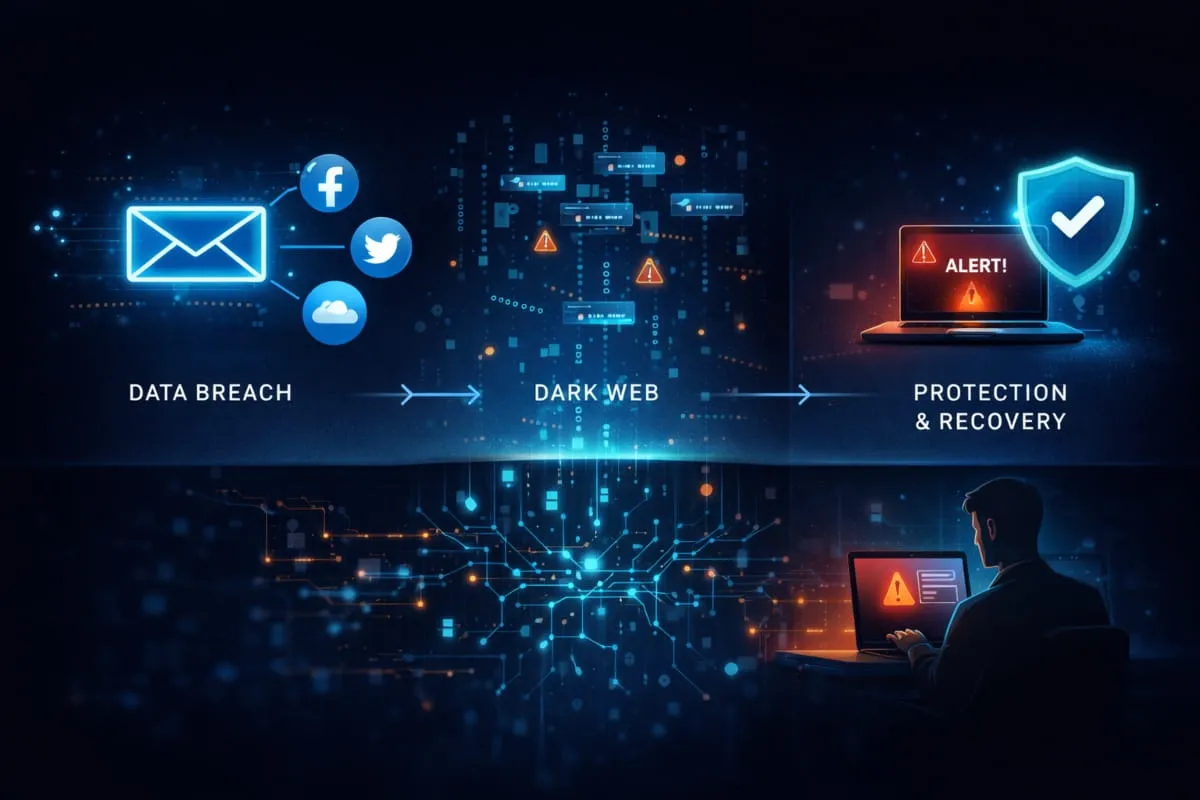
You opened an alert from Google, your bank, McAfee, or a credit bureau. It said your email address was found on the dark web. Your stomach dropped.
Before you panic, take a breath. This is more common than you think, and it is not a death sentence for your digital life. But it is a warning you should not ignore.
When your email is found on the dark web, it usually means your information was exposed in a data breach somewhere, a website, an app, or a service you signed up for at some point. Your email address and possibly your Password ended up in the hands of people who trade stolen data in the hidden corners of the internet.
What you do in the next few hours matters.
This guide will walk you through exactly what it means when your email address shows up on the dark web, how serious the risk actually is, and the precise steps you need to take right now to protect yourself and stay protected in the future.
What Does Email Found on the Dark Web Actually Mean?
The phrase sounds alarming, and it should get your attention, but understanding what it actually means will help you respond smartly instead of reactively.
When a service tells you your email address was found on the dark web, it means your email showed up in a dataset of stolen credentials that is being circulated or sold in places most people never see. These datasets are byproducts of data breaches, large-scale security incidents in which hackers break into a company’s servers and steal user records in bulk. Once that data is out, it gets passed around, sold, and compiled into massive lists that other criminals can purchase and exploit.
Your email address itself is the entry point. It’s your digital identity across hundreds of accounts, which is exactly why it’s valuable.
What Is a Dark Web Alert?
A dark web alert is a notification sent to you by an identity monitoring service, Google, your bank, Experian, McAfee, CreditWise, LifeLock, or others, informing you that your email address has been detected in a known breach dataset.

These services run continuous scans of dark web marketplaces, hacker forums, and leaked credential dumps. When they find your email address in one of those datasets, they flag it and send you a dark web email alert so you can act before someone else does. If you want to run an immediate check, DeXpose offers a free email breach scan that searches known dark web data sources for your email address in seconds.
Think of it as an early warning system. The alert itself doesn’t mean your accounts have been hacked. It means your information is out there, and the clock has started.
What Information Gets Exposed Alongside Your Email Address?
This is where the real risk lives. Your email address alone has limited value to a criminal. But data breaches rarely stop there.
Depending on which breach your email was caught in, the exposed information could include your Password, your full name, phone number, physical address, date of birth, or even payment details. The most dangerous combination, and the most common, is your email address paired with a password. If you reuse that Password across multiple accounts, every one of those accounts is now at risk.
That is why a dark web alert about a compromised email address is never just about the email.
Is This Notification Real or a Scam?
This is a fair and important question, because scammers do impersonate identity monitoring services to create exactly this kind of panic.
Here’s how to tell the difference. Legitimate dark web alerts from services like Google, DeXpose, McAfee, or your bank will never ask you to click a link to “verify your identity” or enter payment details to “unlock your results.” They inform you of the finding and direct you to your existing account dashboard to review it.
If you received an email claiming your email address was found on the dark web and something feels off, an unfamiliar sender, urgent language pushing you to click a link, or a request for personal information, do not click anything. Go directly to the service’s official website, type it into your browser, and log in from there.
When in doubt, treat the alert as real, but verify it independently.
How Did My Email End Up on the Dark Web?
This is usually the first question people ask after receiving an alert, and the honest answer is: it probably wasn’t your fault. Most people find their email on the dark web not because they did something careless, but because a company they trusted failed to protect their data.

Here’s how it typically happens.
Data Breaches, The #1 Cause
The overwhelming majority of exposed email addresses can be traced back to data breaches. A retailer, a streaming service, a healthcare provider, a social media platform, any company that stores your email address is a potential target. When hackers successfully breach their systems, they extract user databases containing thousands or millions of records at once.
You never even know it happened until weeks or months later, when the stolen data surfaces on dark web marketplaces and a monitoring service picks it up. Major breaches at companies like Yahoo, LinkedIn, Adobe, and countless others have collectively exposed billions of email addresses. There is a very real chance your email has been sitting in one of these datasets for longer than you realize.
Phishing Attacks and Credential Theft
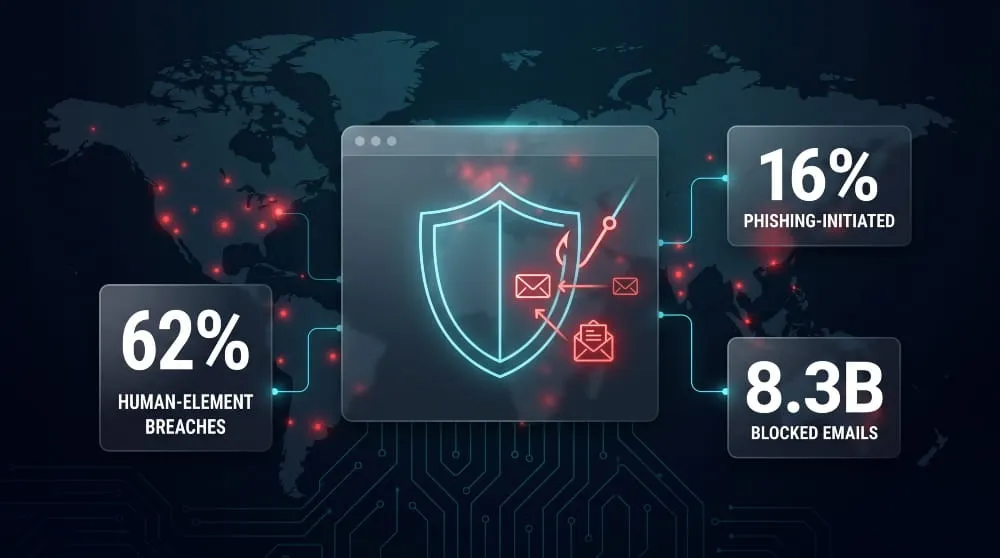
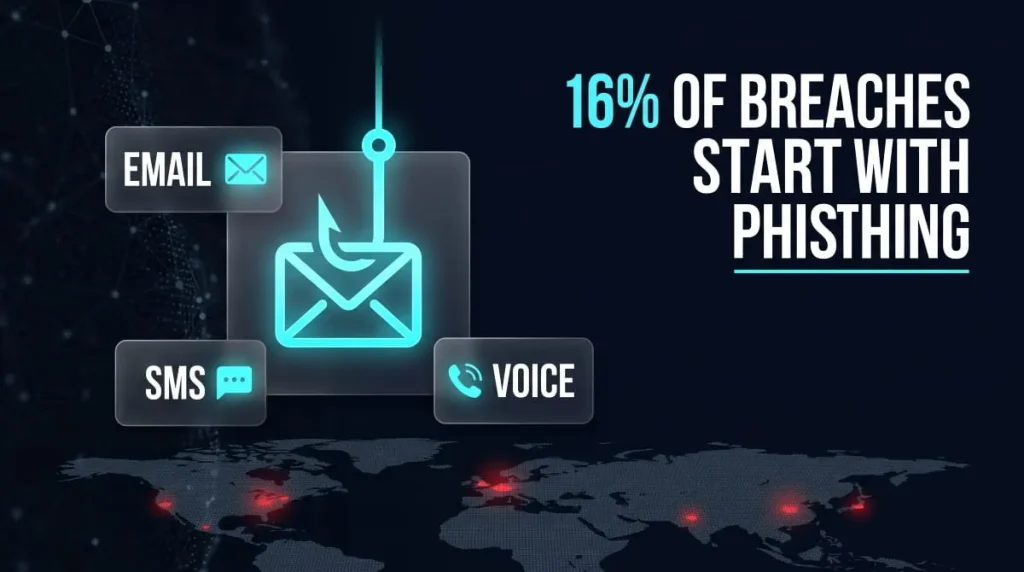
Not every exposure comes from a large-scale breach. Sometimes your email and Password are stolen directly, through a phishing email that tricks you into entering your credentials on a fake login page, or through malware installed on your device that captures what you type.
These targeted methods are more precise than bulk breaches, which makes them particularly dangerous. The attacker isn’t sifting through millions of records in the hope of finding something useful. They captured your specific credentials, and they know exactly what they have.
Third-Party Leaks You Didn’t Know About
Here is one that catches most people off guard. You may have never directly shared your email address with a service that got breached, but a third party did it for you.
Apps that request access to your contacts, newsletter aggregators, loyalty programs, browser extensions, and marketing platforms all collect and store email addresses, often with far weaker security than the primary services you trust. When those third-party systems get compromised, your email goes with them, even though you never signed up for anything on that platform directly.
How Long Has Your Email Been Exposed?
Longer than you’d probably like to know. Dark web datasets are rarely fresh. Stolen data is often held privately for months before being sold, and then continues circulating for years after its initial release. It is entirely common to run a dark web email scan today and discover that your email address was part of a breach that happened two, three, or even five years ago.
This doesn’t mean the threat has passed. Older credentials are still being used in automated attacks, particularly against people who haven’t changed their passwords since the breach. If your email has been on the dark web for any length of time, the steps you take today still matter.
What Happens If Your Email Address Is on the Dark Web?
Knowing your email is out there is one thing. Understanding what someone can actually do with it is another, and that’s what determines how seriously you need to respond.

The risk isn’t uniform. It depends heavily on what was exposed alongside your email address, and whether you’ve been reusing passwords across accounts.
What Can Hackers Actually Do With Your Email?
An email address on its own gives a criminal a starting point, not a master key. But that starting point opens several doors.
First, your email address is your username on most platforms, banking, shopping, social media, and cloud storage. Anyone who has it knows exactly where to try logging in. Second, it makes you a highly targeted phishing victim. Instead of sending generic scam emails to random addresses, attackers can craft messages that reference real services you use, making the deception far more convincing. Third, your email address can be used to attempt account recovery on platforms that use it as a backup contact, potentially locking you out of your own accounts while someone else takes control.
None of this requires sophisticated hacking. It just requires your email address and a little patience.
Email + Password Combos: The Real Danger
If your email was found on the dark web alongside a password, the threat level rises significantly. This combination is what criminals are actually paying for in dark web marketplaces.
The attack that follows is called credential stuffing, automated tools test your email and password combination across hundreds of websites simultaneously. If you’ve reused that Password anywhere, those accounts are vulnerable right now. Banking portals, email inboxes, PayPal, Amazon, Netflix, anything where that same Password was used becomes an open door.
This is why a compromised email address paired with a password is treated as a serious incident, not a minor inconvenience. The damage isn’t limited to one account. It can cascade across your entire digital life within hours.
How Criminals Use Exposed Emails to Target You
Beyond automated attacks, exposed email addresses fuel a more human form of exploitation. Criminals use leaked data to build detailed profiles, cross-referencing your email with other breached datasets to piece together your name, phone number, location, and account history.
With that information, they can impersonate you to customer support teams, attempt SIM-swapping attacks on your phone number, or craft spear-phishing messages so specific and convincing that even cautious people fall for them. Your email address is also frequently sold to spam networks, which is why many people notice a spike in suspicious emails after a breach.
The dark web doesn’t just store your data. It puts it to work.
Is Everyone’s Email on the Dark Web?
Bluntly, a significant portion of active email addresses are already in at least one leaked dataset. Billions of records have been exposed through breaches over the past decade, and the pace hasn’t slowed.
This doesn’t mean you should feel helpless. It means you should stop asking whether your email is out there and start focusing on whether your passwords, accounts, and identity are properly protected. The presence of your email on the dark web is a condition to manage, not a crisis to survive, provided you take the right steps.
How to Check If Your Email Is on the Dark Web (Free Methods)
If you haven’t received an alert yet but want to know whether your email address has been exposed, you don’t need to pay for anything to find out. Several legitimate tools let you scan the dark web for your email address at no cost, and they’re straightforward to use.
Here’s what’s available, what each one covers, and where each one falls short.

How to Use Google’s Dark Web Report
Google offers a built-in dark web monitoring feature through Google One, and for many users, it’s the most accessible starting point. If you have a Google account, you can access the dark web report directly from your account dashboard or through the Google One app.
It scans your Gmail address and any additional emails you add against known breach datasets and alerts you when it finds a match. Google will also show you what type of information was exposed and suggest steps to secure your account. It’s a solid first check, particularly if Gmail is your primary email address.
Using Have I Been Pwned to Scan Your Email
Have I Been Pwned (HIBP) is one of the most trusted free dark web email checkers available. Built by security researcher Troy Hunt, it maintains a database of billions of credentials from known data breaches and lets you search your email address instantly.
Go to haveibeenpwned.com, enter your email, and within seconds you’ll see a full list of breaches your email address has appeared in, including what data was exposed in each one. You can also sign up for free alerts so you’re notified the moment your email appears in a new breach. For a quick, reliable dark web email lookup, this is the most transparent tool available.
Credit Bureau Dark Web Scans (Experian, TransUnion, CreditWise)
All three major credit bureaus offer some form of dark web monitoring as part of their identity protection products. Experian’s dark web email scan checks your email address against breach databases and is available through their free membership tier. TransUnion surfaces dark web alerts through their CreditWise tool, which is also free to use regardless of whether you’re a TransUnion customer.
These services are useful because they’re persistent, they continue monitoring in the background and alert you when new findings emerge, rather than giving you a one-time snapshot. The trade-off is that their breach coverage is narrower than that of dedicated security tools, and they’re primarily designed to flag financial identity threats rather than comprehensive credential exposure.
Identity Protection Services That Monitor Your Email (LifeLock, McAfee, IDNotify)
Services like LifeLock, McAfee Total Protection, and IDNotify go further than a one-time scan. They run continuous dark web monitoring across a broader range of sources, including hacker forums, paste sites, and underground marketplaces, and alert you in real time when your email address or associated data appears.
These are particularly valuable if you’ve already had your email found on the dark web and want ongoing visibility rather than periodic checks. Most offer free trials, though full monitoring typically requires a paid subscription.
For a faster, no-friction alternative, DeXpose lets you run a free dark web email scan immediately, no account setup required, and shows you whether your email address appears in known breach datasets. It’s a practical first step before committing to a full monitoring service.
What These Scans Actually Show, and What They Miss
This is important to understand before you over-rely on any single tool. Every dark web email checker, including the ones listed above, can only scan breach data that has already been discovered and indexed. They work from known datasets, not live dark web surveillance.
That means if your email was exposed in a breach that hasn’t been publicly identified yet, no scanner will surface it. Fresh breaches often circulate privately for months before they’re detected. A clean result today doesn’t guarantee your data isn’t already out there; it means it hasn’t been found in known sources yet.
Use these tools as a baseline, not a guarantee. Combine them with strong password hygiene and ongoing monitoring for the most complete protection.
What to Do Immediately If Your Email Was Found on the Dark Web
Receiving the alert is the easy part. What you do next determines whether this stays a minor exposure or becomes a serious problem.
The steps below are ordered deliberately. Work through them in sequence, don’t skip ahead to the ones that feel more urgent, because each one builds on the last.

Step 1: Change Your Passwords Right Now
This is the single most important action you can take, and it needs to happen before anything else.
Start with your email account itself. If someone gains access to your inbox, they can trigger password resets on every other account you own, which makes your email the master key to your entire digital life. Change that Password first, make it strong, and make it unique, meaning it should not be used anywhere else.
Then work outward. Change the passwords on your financial accounts, then on social media, and then on any platform where sensitive personal information is stored. If you were reusing the exposed Password anywhere, treat every account as compromised until the Password is changed.
A password manager makes this process significantly faster and ensures you’re generating genuinely strong, unique passwords rather than variations of the same one.
Step 2: Enable Two-Factor Authentication on Every Account
Once your passwords are updated, two-factor authentication (2FA) is your next line of defense. With 2FA enabled, even if someone has your correct email and Password, they cannot access your account without a second verification, typically a code sent to your phone or generated by an authenticator app.
Enable it on your email account first, then on your bank account, and then on every other account that supports it. Authenticator apps like Google Authenticator or Authy are more secure than SMS-based codes, but SMS 2FA is still significantly better than no 2FA at all. Don’t let perfect be the enemy of good here; turn it on everywhere, using whatever method is available.
Step 3: Check for Unauthorized Account Access
After securing your accounts, review what may have already happened. Most major platforms, Google, Apple, Facebook, and your bank maintain a log of recent login activity that shows the device, location, and time of each access.
Review these logs carefully. Look for logins from unfamiliar locations, devices you don’t recognize, or access at times you weren’t using the account. If you find anything suspicious, log out all active sessions immediately and report it to the platform. Also, check your email’s sent folder, filters, and forwarding settings. Attackers who briefly access an inbox often set up silent forwarding rules to continue receiving your emails even after you change your Password.
Step 4: Alert Your Bank if Financial Info Was Exposed
If the breach that exposed your email also included financial information, account numbers, card details, or your Social Security number, contact your bank and card issuers directly. Don’t wait for them to reach out to you.
Ask them to flag your account for suspicious activity, and request a new card number if payment details were part of the exposure. Most banks have dedicated fraud lines that can act quickly. The sooner they know, the sooner they can add an extra layer of monitoring on your account. If you received a dark web alert from your bank or credit card provider, specifically, this step is not optional; call them the same day.
Step 5: Place a Fraud Alert or Credit Freeze if Needed
If the exposure included sensitive personal information beyond just your email, your Social Security number, date of birth, or financial account details, consider taking protective action at the credit bureau level.
A fraud alert is free and requires lenders to take additional steps to verify your identity before opening new credit in your name. A credit freeze goes further: it completely locks your credit file so no new accounts can be opened, even by you, until you lift it. Both are free under U.S. law and can be set up directly through Experian, TransUnion, and Equifax.
If your email and Password were the only things exposed, a fraud alert is likely sufficient. If broader personal data were compromised, a credit freeze would be worth the minor inconvenience.
Can You Remove Your Email from the Dark Web?
This is one of the most frequently asked questions after receiving a dark web alert. Unfortunately, the answer most people don’t want to hear is: But understanding the reality will save you from wasting time on false solutions and help you focus on what actually works.
The Honest Answer: What Removal Really Means
You cannot remove your email address from the dark web. No service, tool, or process can reach into dark web marketplaces, hacker forums, and private data dumps to delete your information from them.
The dark web is not a single database with an administrator you can contact. It is a decentralized collection of hidden networks, private servers, and encrypted forums operating outside the reach of conventional takedown requests. Once your email address has been copied, shared, and sold across those networks, which happens quickly after a breach, it exists in too many places simultaneously for any form of removal to be meaningful.
Any service that claims it can remove your email address from the dark web is either overstating what it can do or misleading you outright. What these services actually do, the legitimate ones, is monitor for new appearances of your data and help you respond faster. That’s valuable, but it is not removal.
What You Can Actually Control
Here’s the more useful framing: the goal isn’t to erase your email from the dark web. The goal is to make that data worthless to anyone who has it.
Your email address paired with an old, reused password is dangerous. Your email address, paired with a unique, strong password that no longer exists anywhere and protected by two-factor authentication, is essentially useless to a criminal. They have the key, but you’ve already changed the lock.
This is what you can control. You cannot control whether your email address circulates in breached datasets. You can absolutely control whether those datasets give anyone meaningful access to your accounts, your finances, or your identity.
That shift in mindset, from “how do I get my email off the dark web” to “how do I make this exposure irrelevant”, is where your energy belongs.
How to Limit Future Exposure
While you can’t undo past exposure, you can meaningfully reduce how much of your information ends up in future breaches.
Use a unique email alias for lower-trust signups, newsletters, free trials, loyalty programs, and any service you don’t fully trust with your primary address. Tools like Apple’s Hide My Email or services like SimpleLogin let you create disposable aliases that forward to your real inbox, keeping your primary email address out of third-party databases that are frequent breach targets.
Be selective about where you hand out your email address. Every signup is a potential future breach. The fewer places your real email address lives, the smaller your exposure surface becomes over time.
Pair this with continuous dark web monitoring, so that if your email does appear in a new breach, you find out immediately rather than months later when the damage is already done.
How to Protect Your Email from Future Dark Web Exposure
Dealing with a current exposure is reactive. What you do after that determines whether you’re back in this situation six months from now, or whether you’ve genuinely closed the door on future risk.
Protection isn’t complicated, but it does require consistency. These are the habits that actually move the needle.

Use Unique Passwords for Every Account (Password Managers)
The single most effective thing you can do to protect your email and connected accounts is to stop reusing passwords. One unique Password per account means that when a breach happens, and it will happen somewhere, the damage is contained to that one platform. There’s nothing to credential-stuff, nothing to cascade.
The only realistic way to maintain unique passwords across dozens of accounts is a password manager. Tools like Bitwarden, 1Password, or Dashlane generate and store strong, randomized passwords for every account you own, so you only need to remember one master password. It takes an afternoon to set up and eliminates one of the biggest vulnerabilities most people carry without realizing it.
If you’re wondering whether you should change your email address entirely after a dark web exposure, the answer in most cases is no. Changing your passwords and enabling two-factor authentication accomplishes far more than abandoning an email address that’s already woven into dozens of accounts.
Monitor Your Email Continuously, Don’t Wait for Alerts
Most people find out their email was compromised because a bank, credit bureau, or identity service happened to catch it and send a notification. That’s a passive approach to a problem that moves quickly.
Continuous dark web monitoring flips that dynamic. Instead of waiting for an alert to find you, you’re actively watching for the moment your data appears and responding on your terms, not in a panic.
DeXpose offers ongoing dark web monitoring built specifically for this. It scans breach databases and dark web sources for your email address and alerts you the moment a new exposure is detected, giving you the earliest possible window to act before the damage spreads. Run a free scan now to see where your email currently stands, then set up monitoring so you never have to wonder again.
Recognize Phishing Emails Before They Compromise You
Not every exposure starts with a corporate data breach. A significant number of compromised credentials are stolen directly through phishing, emails designed to look like legitimate communications from services you trust, with the sole purpose of getting you to hand over your login details.
The tell-tale signs are consistent: unexpected urgency, a sender address that doesn’t quite match the official domain, links that lead to login pages with slightly off URLs, and requests for information that a real company would never ask for by email. When in doubt, never click a link in an unsolicited email. Go directly to the service’s website by typing the address into your browser and logging in from there.
Phishing awareness isn’t about being paranoid; it’s about slowing down for two seconds before you click. That pause is often the entire difference between a safe inbox and a compromised account.
What Ongoing Dark Web Monitoring Looks Like
Dark web monitoring isn’t a one-time scan. It’s a continuous process of watching the places where stolen data gets traded, forums, marketplaces, paste sites, and private channels, and matching that data against your email address and associated information.
When done properly, it gives you a real-time view of your exposure rather than a periodic snapshot. You learn about new breaches as they’re detected, not months later, when the data is already widely circulated. You get context on what was exposed, which helps you prioritize your response. And you build a baseline understanding of your digital footprint, what’s out there, where it came from, and what it puts at risk.
For most people, combining a password manager, two-factor authentication, and active dark web monitoring covers the vast majority of their risk surface. It doesn’t require technical expertise. It just requires deciding to stop leaving your protection to chance.
Ready to see if your email is already exposed? Run a free dark web scan with DeXpose and get a clear picture of where your data stands, in seconds, no signup required.
Understanding the Alerts You’re Receiving
Different services Word these notifications differently, which creates real confusion. One company says compromised email address, another says dark web activity detected, another says your info was found on the dark web. They’re all describing the same underlying event, your email address appearing in a breached dataset, but the framing varies enough that people often aren’t sure if they’re looking at a serious threat, a routine scan result, or a scam.
Here’s what each major alert actually means and what you should do when you receive one.
CreditWise Dark Web Alert: What It Means
CreditWise is Capital One’s free credit monitoring tool, and it’s genuinely free and open to anyone; you don’t need a Capital One account or card to use it. This surprises a lot of people, which is part of why CreditWise dark web alert legit is such a common search: the alert arrives from a company you may have no relationship with, and it looks unexpected.
It’s legitimate. When CreditWise sends a dark web alert about a compromised email address, its monitoring system has matched your email against a dataset of known breaches sourced from the dark web. The email notification is intentionally brief; log in to your CreditWise dashboard directly (not through a link in the email) to see which breach was detected, what type of data was exposed, and when it happened.
If you’re seeing a new dark web alert from CreditWise repeat a second or third time, that typically means a different breach surfaced, not that the same one is being re-flagged. Each alert should list a distinct source. From there, follow the response steps outlined earlier: change the password on the exposed account first, then work through 2FA and account-access checks.
Capital One Dark Web Alert vs. CreditWise: What’s the Difference?
If you’re an actual Capital One customer and see dark web activity detected language tied to your Capital One account specifically, rather than a general CreditWise notification, this comes through Capital One’s own fraud and account-monitoring systems, a separate layer from CreditWise’s credit-monitoring alerts, even though both are Capital One products and often reference the same underlying breach data.
Both are legitimate channels. The distinction matters mainly for where you go to verify: CreditWise alerts point you to your CreditWise dashboard; Capital One account alerts point you to your Capital One app or online banking, where you should also glance at recent transactions while you’re there. If a Capital One dark web alert email pushes you toward a login link rather than telling you to open the app you already have installed, treat that as a red flag and go to the app directly instead.
McAfee: Your Info Was Found on the Dark Web Email
McAfee sends dark web alerts through its Total Protection and identity-monitoring products, and the subject lines are fairly consistent: Your info was found on the dark web, We found your personal info on the dark web, or Your email address was found on the dark web. If you’re an active McAfee subscriber, these are legitimate. McAfee dark web monitoring runs continuously in the background and emails you when it finds a new match, which is also the answer to ” Does McAfee send emails about the dark web: yes, that’s the product working as intended, not a one-off warning.
The distinguishing line between a real McAfee alert and a phishing attempt that looks like one: McAfee will never ask you to click a link to verify your identity or enter payment or card details in response to a dark web alert. If the email is pushing you to do either, don’t click anything; go to mcafee.com directly and log in to check your monitoring results there. A McAfee dark web warning that arrives out of nowhere and you don’t recognize a McAfee subscription at all is worth treating with extra suspicion; check your bank or card statements for a McAfee charge before assuming the email itself is fraudulent.
Experian Dark Web Email Scan Results Explained
Experian runs one of the more comprehensive dark web monitoring services among the credit bureaus. When their scan surfaces your email address, they’ll notify you through their app or via email and show you a breakdown of what was found, which breach, what data type, and how recently it was detected.
Experian dark web scan results are generally reliable and worth taking seriously. If you haven’t set up Experian monitoring yet and want to run an immediate check, their free membership tier includes a one-time dark web email scan. For broader, more continuous coverage, DeXpose runs a free scan across multiple breach sources and delivers results instantly, a useful complement to what Experian provides.
LifeLock / Norton Dark Web Activity Detected
LifeLock, now operating under the Norton brand, sends dark web activity alerts when its monitoring detects your email or personal information on the dark web. These alerts can reference your email address, phone number, Social Security number, or financial account details, depending on what information you’ve enrolled in their system.
When you receive a LifeLock or Norton dark web email alert, log in to your member portal to see the full details of what was detected. The alert email itself is intentionally brief; the complete information lives in your account dashboard. If you’re not currently a LifeLock subscriber and received one of these emails unexpectedly, verify through Norton’s official website before taking any action.
Google: You Have New Dark Web Results, What to Do
Google’s dark web report is integrated into Google One and available to all Google account holders in supported regions. When Google sends a notification saying you have new dark web results, its system has found your Gmail address, or another email you’ve added to monitoring, in a newly identified breach dataset.
Click through to your Google Account dashboard and review the results there rather than acting directly from the notification email. Google will show you exactly what was found and provide tailored recommendations. Because your Google account is likely connected to a wide range of other services, treat a Google dark web alert with particular urgency; your Gmail inbox is a high-value target.
Chase and Other Bank Dark Web Alert Emails
An increasing number of banks now offer dark web monitoring as part of their customer benefits. Chase surfaces these through its own fraud and identity-protection features, similar in spirit to Capital One’s approach but run through Chase’s own systems.
When your bank tells you your email was found on the dark web, the alert carries extra weight, not because the technical finding is any different from other monitoring services, but because your bank is directly positioned to spot suspicious financial activity that may follow. If you receive a dark web alert from Chase or any other financial institution, log into your banking app directly and review both the alert details and your recent transaction history at the same time. If the alert indicates financial account information, not just your email, was part of the exposure, contact their fraud department immediately rather than waiting to see if anything happens.
Regardless of which service sent your alert, the response framework is the same: verify the notification is legitimate, review the full details in your account dashboard, and work through the action steps outlined earlier in this guide. The sender changes; the threat and the solution don’t.
For a second opinion on what’s been exposed, DeXpose lets you run a free dark web email scan across breach databases independently, useful for cross-checking what your monitoring service found, or for getting a clear picture if you haven’t set up monitoring yet.
How DeXpose Compares to Other Dark Web Email Monitoring Services
Not all dark web monitoring tools offer the same depth, speed, or transparency. Here’s how the most commonly used services stack up.
| Feature | Google One | DeXpose | HIBP | Experian | McAfee | LifeLock |
|---|---|---|---|---|---|---|
| Free Scan Available | Yes | Yes | Yes | Limited | Paid | Paid |
| No Signup Required | No | Yes | Yes | No | No | No |
| Continuous Monitoring | Yes | Yes | Alerts Only | Yes | Yes | Yes |
| Dark Web Breach Data | Partial | Yes | Yes | Partial | Yes | Yes |
| Password Exposure Check | No | Yes | Yes | No | Partial | No |
| Breach Source Details | Limited | Yes | Yes | Limited | Limited | Limited |
| Instant Results | Yes | Yes | Yes | Varies | Varies | Varies |
| Focused on Email Security | No | Yes | Yes | No | No | No |
| Credit Monitoring Included | No | No | No | Yes | Paid | Yes |
There’s no shortage of tools that claim to monitor the dark web for your email address. The difference is in what they actually scan, how quickly they surface results, and whether you need to hand over an account and payment details just to find out if you’re exposed.
Most identity protection services bundle dark web monitoring as a secondary feature within a broader credit or identity product. DeXpose is built specifically for email breach detection, with no signup friction, no credit card required, and results in seconds.
If you want credit monitoring alongside your dark web scan, Experian or LifeLock are worth considering. If you want the fastest, most focused check on your email exposure specifically, DeXpose and Have I Been Pwned are your clearest starting points, with DeXpose offering the added advantage of continuous monitoring after your initial scan.
Is Your Dark Web Alert Legit? Brand-by-Brand
If you’ve searched “is [company] dark web alert legit” before doing anything else, that instinct is the right one, these alerts genuinely do get spoofed by phishing emails. Here’s a straight answer for each major sender.
Is CreditWise’s Dark Web Alert Legit?
Yes. CreditWise is a real, free Capital One product, and its dark web alerts are legitimate if they match what you see when you log in directly at creditwise.com, not through a link in the email. CreditWise will never ask for your password, SSN, or card number inside an alert email; if one does, it’s a spoof, not a real CreditWise notification.
Is Capital One’s Dark Web Alert Legit?
Yes, if you’re an actual Capital One customer and the alert directs you to check your account through the official Capital One app or website. Capital One does not ask you to “verify your identity” by clicking a link and entering credentials, that pattern is the single biggest tell of a phishing email impersonating Capital One, not a real dark web alert.
Is McAfee’s Dark Web Alert Legit?
Yes, if you have an active McAfee subscription. McAfee’s real alerts point you to log in at mcafee.com to view details; they never ask you to click a link to “confirm your identity” or enter payment information. If you don’t recognize having a McAfee subscription at all, check your bank statement for a McAfee charge before assuming the email is a scam.
Is Experian’s Dark Web Alert Legit?
Yes. Experian’s dark web scan results are a standard feature of both their free and paid membership tiers, and a legitimate alert will always be viewable by logging into your Experian account directly, with the same breach details shown in the email.
Is LifeLock’s / Norton’s Dark Web Alert Legit?
Yes, if you’re a LifeLock or Norton subscriber, these alerts are intentionally brief by design, with full details available only in your member portal. If you receive one and have no LifeLock or Norton account, verify through Norton’s official site before assuming it’s real.
Is Google’s Dark Web Report Alert Legit?
Yes. Google’s dark web alerts come from Google One and will only ever direct you to your own Google Account dashboard, never to a third-party login page. Any “Google dark web alert” asking you to sign in somewhere other than accounts.google.com is not from Google.
Is a Chase or Bank Dark Web Alert Legit?
Generally yes, if it’s surfaced inside your banking app or matches an alert visible when you log into your account directly, banks don’t typically send standalone dark web alert emails with login links. Treat any emailed “dark web alert” asking you to click through and re-enter banking credentials as phishing, and go to your bank’s app instead to confirm.
The pattern across every brand: a real dark web alert tells you to log in to an account you already have, through a site or app you already trust, it never asks you to click a link and hand over credentials, payment details, or your SSN to “verify” anything. If an email does that, it’s impersonating the brand, not reporting on the dark web.
Conclusion
Finding out your email address is on the dark web is unsettling, but it’s also one of the most actionable security warnings you can receive. Unlike many digital threats that operate invisibly, a dark web alert gives you a window to respond before real damage occurs.
The key takeaway from everything covered in this guide is this: the exposure itself is rarely the disaster. What turns a manageable warning into a serious problem is inaction, leaving old passwords in place, ignoring the alert, and assuming it will sort itself out.
You now know what the alert means, how your email ended up there, what criminals can do with it, and exactly what steps to take. That knowledge puts you ahead of the vast majority of people who receive the same notification and do nothing.
Start with the basics. Change your passwords. Enable two-factor authentication. Check your accounts for anything suspicious. Then build toward something more durable: unique passwords across every account, ongoing monitoring, and the habit of treating your digital credentials with the same care you’d give your physical wallet.
If you haven’t checked your current exposure yet, now is the right moment. Run a free dark web scan with DeXpose to see exactly where your email stands, which breaches it’s appeared in, what was exposed, and what needs your attention first. It takes seconds and requires no signup.
Your email address is out there. What you do about it is entirely up to you, and now you know exactly what to do.