
Breached credentials monitoring
Find stolen logins before they are used.
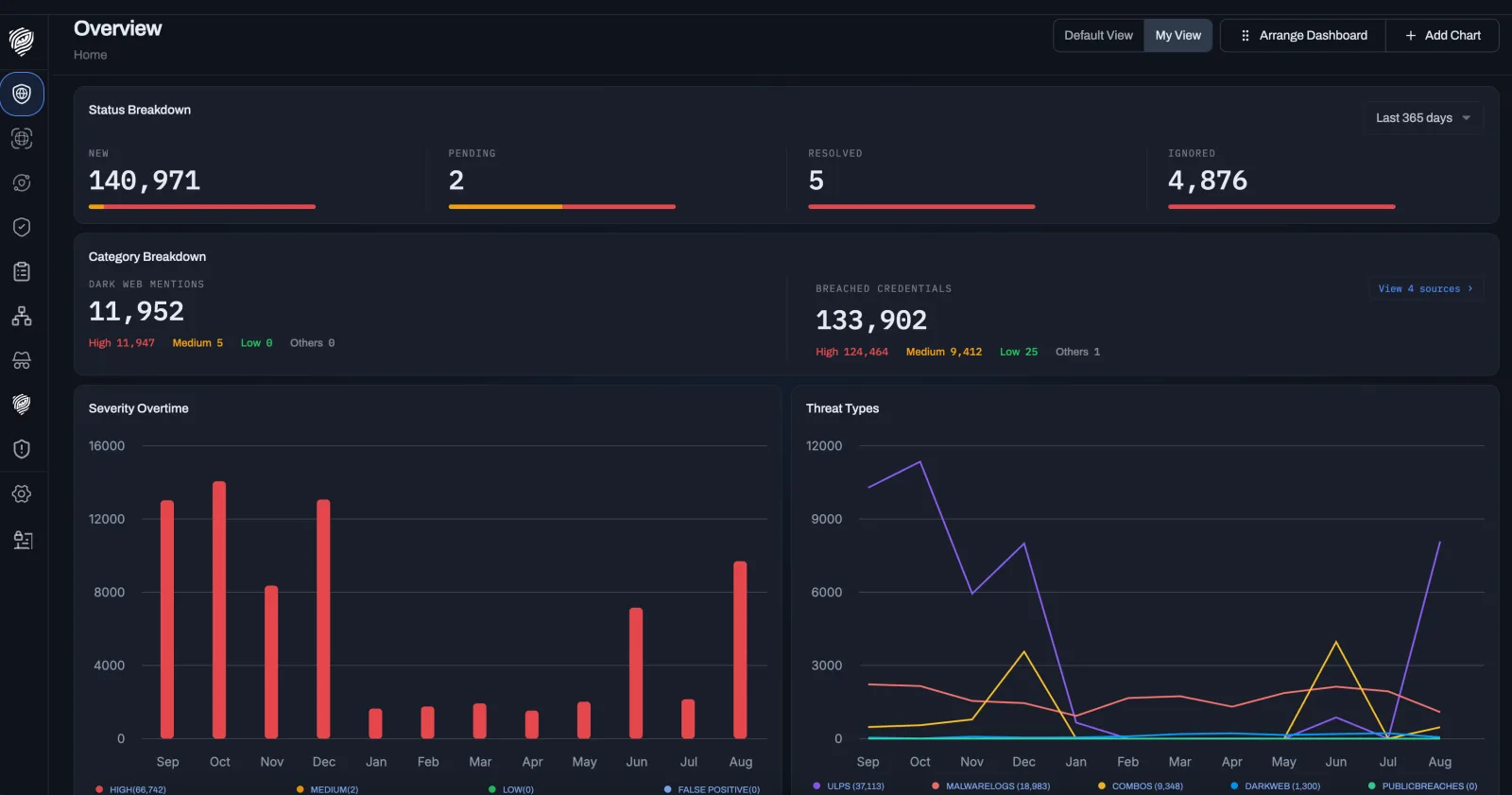
Most account takeovers start with a valid password, not a guessed one. DeXpose watches public breaches, infostealer logs, ULP dumps, combo lists and dark web sources around the clock, and alerts you the moment a login tied to your domains, applications or people appears.
Understanding Breached Credentials:
A breached credential is any username and password pair that has left your control: copied by an infostealer from an employee’s laptop, dumped from a third-party site where a customer reused their work email, or packaged into a combo list sold for credential stuffing. DeXpose finds those records where attackers trade them and tells you which of your accounts they unlock.
Why Should Your
Organization Care?
Attackers do not need to break in when they can log in. A single valid credential to your VPN, email or admin panel bypasses the perimeter you paid for. Stolen logins are traded within hours of being taken, so the window between the leak and your response decides whether it becomes an incident. Monitoring closes that window and lets you reset exactly the accounts that are exposed.
From a leaked record to a resolved alert
Three stages, one queue. Each one is visible in the dashboard, so you can see how much is coming in, how it was rated, and what is left to close.
-
Stage one
Data Collection
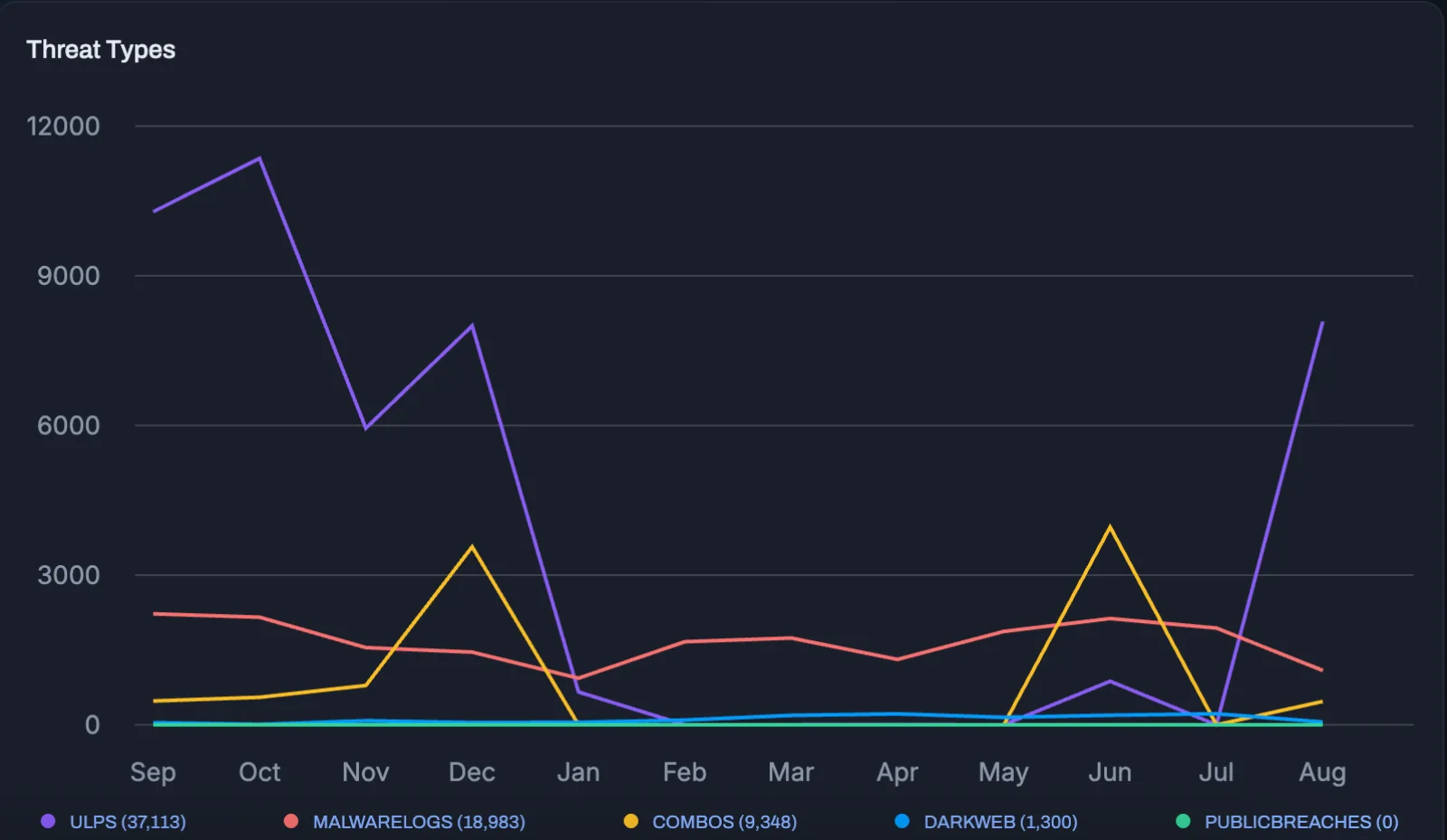
Fresh infostealer logs, ULP dumps, combo lists and public breach data are collected continuously, alongside dark web forums, marketplaces and Telegram or Discord channels. Every record is matched against your domains, applications, brands and VIP addresses, including historical data going back years.
- Infostealer logs
- ULP dumps
- Combo lists
- Public breaches
- Dark web mentions
- Exposed PII
-
Stage two
Severity Rating
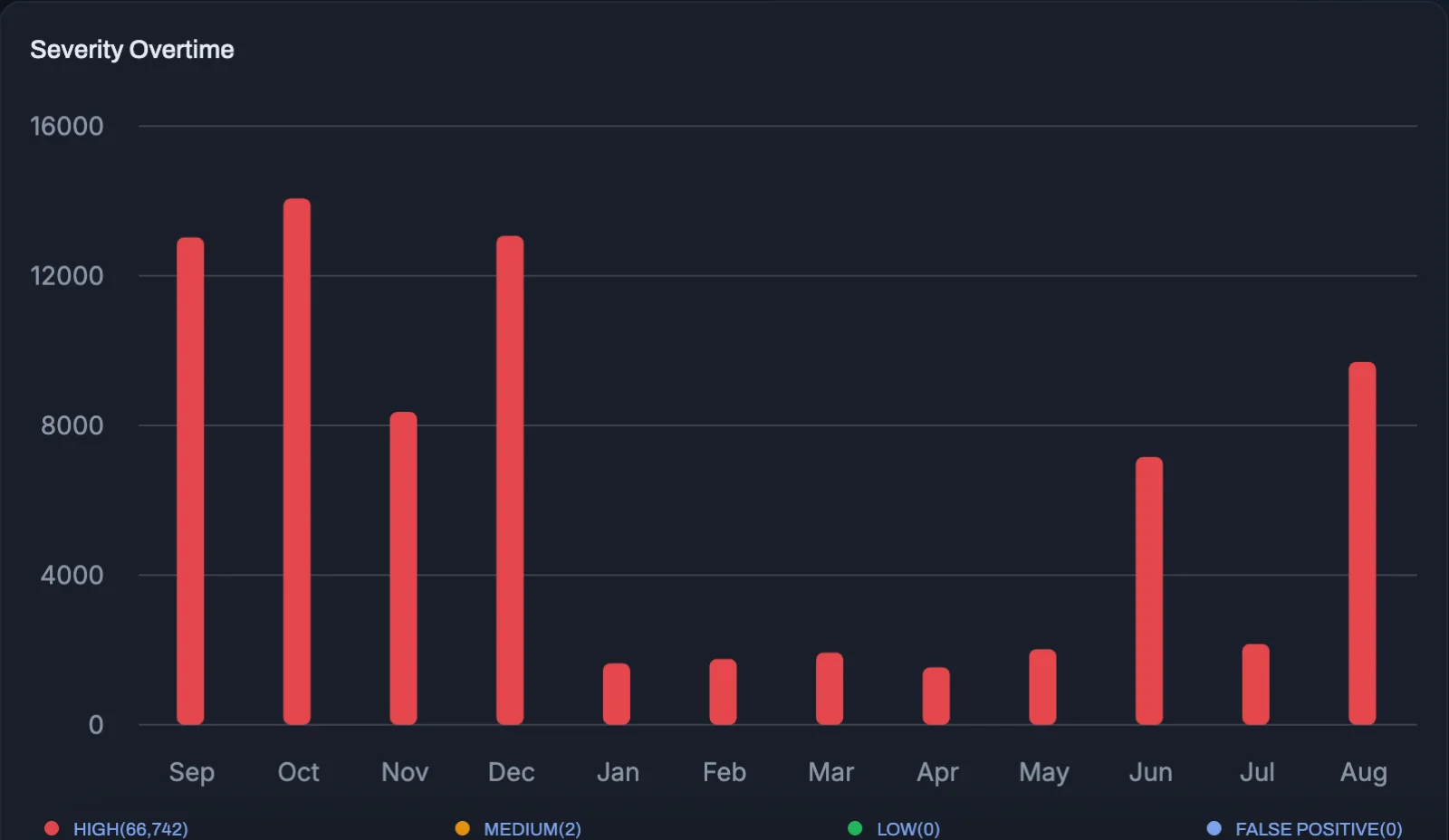
Raw breach data is noisy. Each match is reviewed and rated high, medium or low based on what leaked, how fresh it is and whether the password is in the clear. Duplicates and dead credentials are filtered out, so your team fixes what is dangerous first and can see when exposure spiked and whether the fixes are holding.
- Password in plain text
- Active session cookie
- Credential reused
- Privileged account
-
Stage three
Alert Generation
When a breached credential is detected, an alert is generated with the affected identity, the service it unlocks, what leaked, the source and date, device details for infostealer logs, and a recommended action. It reaches your dashboard, inbox, Slack, Microsoft Teams, Jira, ServiceNow, SIEM or the REST API, and stays in the queue until it is resolved.


Every Place A Stolen Login Shows Up
Covered From One Dashboard
Each match is classified by where it came from, because the source changes what you should do about it. A password from an old breach means a reset. A fresh infostealer log with a live session cookie means a reset, a session revoke and a device investigation.
Infostealer Logs
Passwords, cookies and active sessions copied from infected devices, often a personal laptop or a contractor machine outside your endpoint protection. The most dangerous source because the data is fresh and includes the device fingerprint.
ULP Dumps
URL, login and password records that show exactly which of your applications, portals or SaaS tools the credential belongs to, so the right owner can act on it immediately.
Combo Lists
Aggregated email and password pairs used in automated credential stuffing attacks. Knowing which of your users are in those lists lets you force a reset or step-up authentication for exactly those accounts.
Public Breaches
Third-party data breaches where your employees or customers reused a work email and password. Matched the day the breach surfaces, not months later when it reaches the news.
Dark Web Mentions
Forum posts, marketplace listings and Telegram or Discord channels that name your company, domains or people, counted separately from credentials so you can see intent as well as exposure.
Exposed PII
Names, phone numbers, addresses and document details that enable phishing, fraud and identity theft against your staff, executives and customers.
Breached credentials monitoring turns a stream of leaks into a prioritized queue. Security teams reset only the accounts that are actually exposed and prove the fix in the same dashboard. MSSPs monitor every client from one console with separate instances and per-client routing. Fraud teams see which customer accounts are in combo lists before the credential stuffing wave hits. Leadership gets one number for exposure and one trend line for progress.

Fewer Account Takeovers
Exposed logins are reset before they are used, not after the incident report.

Audit-Ready Evidence
Every finding carries a source, a date, a severity and a resolution history for compliance, insurers and incident reports.


Alerts arrive with the user, the system and the recommended action already identified, so response takes minutes instead of days.

Visibility Beyond The Perimeter
Personal devices, contractors and third-party sites are covered because the data comes from the attacker side.
No agents to install and no changes to your infrastructure. Add the domains, brands, applications and VIP addresses to protect, verify ownership, and breached credentials monitoring starts the same day, with historical matches included in the first report.
Common Questions
What is breached credentials monitoring?
A service that watches known data breaches, infostealer logs, ULP dumps, combo lists and dark web sources for logins that belong to your organization. When one appears, you get an alert with enough detail to reset the account before it is abused.
Why is a password policy not enough?
A strong policy does not help when the password is stolen from a user's device or a third-party site. Most account takeovers start with a valid credential, not a guessed one. Monitoring tells you which credentials are already in the wrong hands.
What is an infostealer log?
Infostealers are malware that copy saved passwords, cookies and active sessions from an infected computer. The output, called a log, is sold or shared online within hours. The alert shows which user, which services and whether a session cookie was taken.
What are ULPs and combo lists?
ULP stands for URL, login and password: a record that shows exactly where a credential is used. Combo lists are large email and password collections used in credential stuffing attacks. Both are matched against your domains, applications and customer portals.
How fast will I know about a new leak?
New sources are collected continuously. Once a match is found and rated, an alert reaches you in minutes through the dashboard, email, or your ticketing and chat tools.
What do I do when I receive an alert?
Each alert includes a recommended action: reset the password, revoke active sessions, enforce MFA, or investigate the device. Most teams handle high severity alerts the same day and batch low severity ones into a weekly review.
Do you store our passwords?
We store what is needed to prove a match and help you respond. Passwords are masked in the interface, and each client runs in a dedicated instance that no other client can access.
Can I monitor customers, not only employees?
Yes. Many teams monitor their customer login portals so they can force a reset or step-up authentication before an attacker uses the stolen credential.