
Infostealer Malware | What It Is, How It Works, and How to Protect Yourself
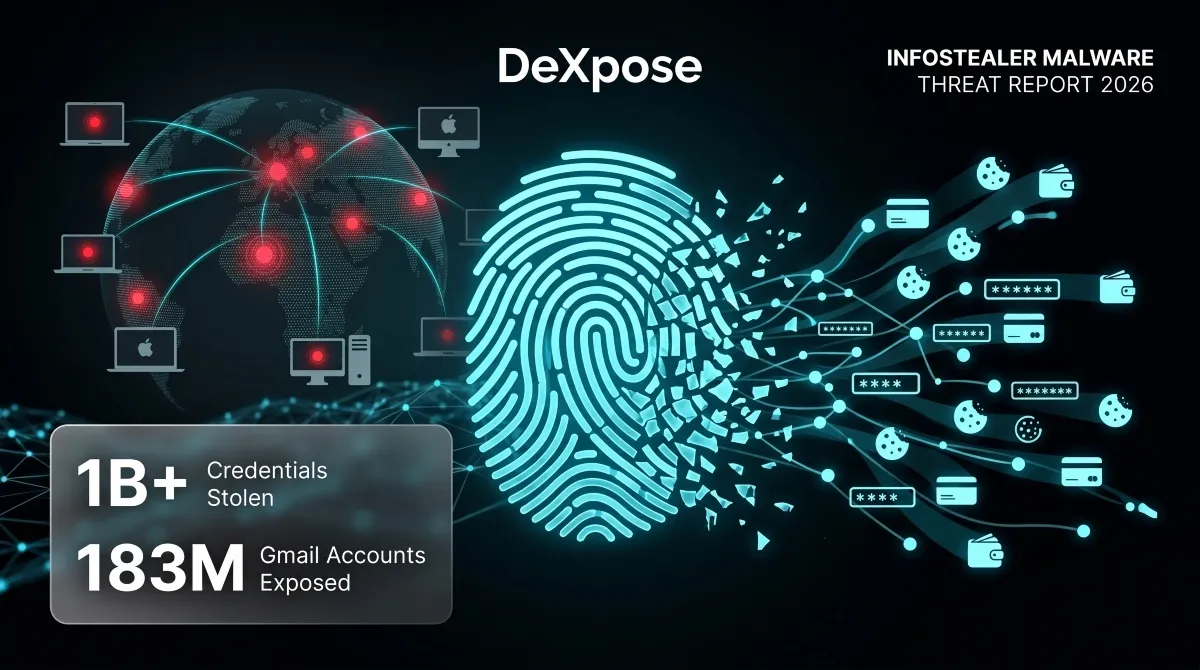
Every day, millions of stolen passwords, session cookies, and credit card numbers quietly change hands on dark web markets, not because users fell for obvious scams, but because a silent category of malware most people have never heard of was running in the background of their device.
That malware is called an infostealer.
Infostealer malware is designed with one purpose: to extract as much sensitive data from an infected device as possible and send it to an attacker, fast, silently, and without triggering any obvious warning signs. No ransom note. No locked files. No dramatic system crash. Just your credentials, browser sessions, crypto wallets, and autofill data are harvested and packaged into a “log” that’s sold on the dark web within hours of infection.
What makes infostealers so dangerous isn’t just what they steal, it’s how invisible the infection feels. Victims often have no idea their accounts are compromised until they’re locked out, fraudulent charges appear, or their data surfaces in a breach database months later.
This guide covers everything you need to know: what infostealers are, how they work, which malware families are responsible for the most damage, how to detect an infection, and, critically, what you can do right now to find out whether your credentials have already been exposed.
Think your email or passwords may already be in an infostealer log? Run a free check with DeXpose’s Email Data Breach Scan, no account required.
What Is Infostealer Malware?
Infostealer malware is a category of malicious software designed to locate, collect, and exfiltrate sensitive information from infected devices. Unlike ransomware, which announces itself, or a worm that spreads chaos across networks, an infostealer operates as quietly as possible. Its entire value to an attacker depends on you not knowing it’s there.
Once installed, it moves fast, scanning browsers for saved passwords, harvesting session cookies, pulling stored credit card numbers, capturing cryptocurrency wallet credentials, and packaging everything into a structured file known as a “log.” That log gets transmitted to a remote server controlled by the attacker, often within minutes of infection. From there, it’s sold, traded, or weaponized to take over accounts.
Infostealer Definition and Meaning
At its core, an infostealer is exactly what the name suggests: malware that steals information. The formal definition covers any malicious program whose primary function is to steal credentials and exfiltrate data from a compromised endpoint.
In practice, modern infostealers are far more sophisticated than early keyloggers. They don’t just record what you type; they target browser storage databases directly, extract authentication tokens that let attackers bypass passwords entirely, and, in many cases, grab screenshots, system fingerprints, and clipboard contents in a single pass. The result is a complete profile of the victim’s digital life, ready for exploitation.
The term is sometimes used interchangeably with “credential stealer” or “data stealer.” Still, Infostealer has become the standard classification used by threat intelligence teams, security vendors, and dark web researchers alike.
How Infostealers Differ from Spyware and Trojans
The distinction matters because understanding what an infostealer actually is helps explain why conventional security advice often falls short against it.
An infostealer is technically a type of trojan; it almost always disguises itself as something legitimate to get onto your device. In that sense, the classification “infostealer trojan” is accurate. However, calling it just a Trojan undersells what it actually does after installation. Trojans are defined by their delivery method; infostealers are defined by their mission.
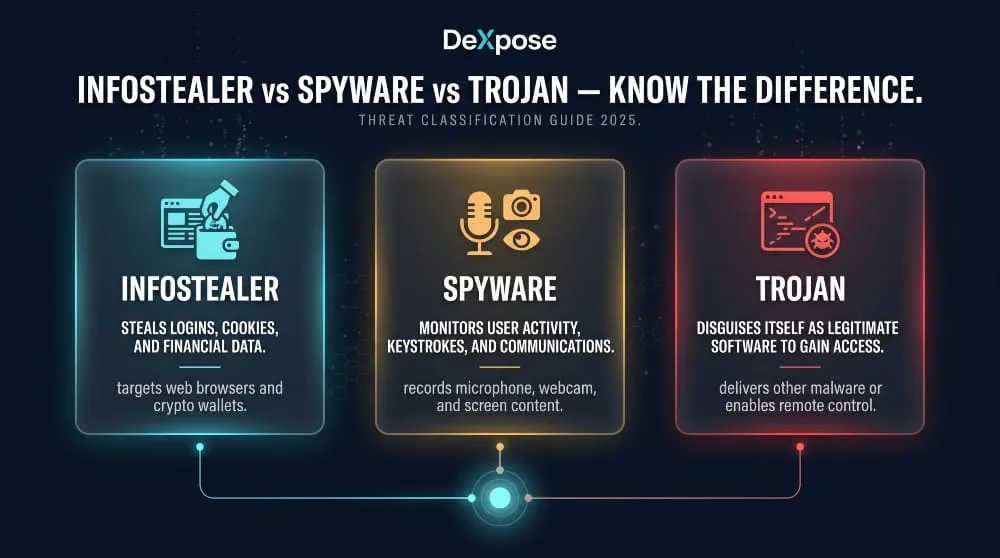
The relationship with spyware is equally nuanced. Spyware is broadly any software that monitors user activity without consent, which technically makes an infostealer a form of spyware. But traditional spyware tends to be persistent and long-term, think stalkerware that silently monitors a device over weeks or months. Infostealers are typically smarter and faster: hit the device, grab everything of value in one sweep, exfiltrate it, and sometimes delete themselves to avoid detection. The attack window can be measured in minutes.
The practical takeaway is this: an infostealer combines the deceptive entry of a trojan with the surveillance capabilities of spyware, but operates at a speed and efficiency that make it uniquely difficult to catch in the act.
Why Infostealers Are the Fastest-Growing Credential Threat
Infostealers have become the dominant source of stolen credentials on the dark web, and the numbers behind that claim are staggering. Researchers have documented billions of credentials exposed in infostealer data leaks over the past few years, with datasets like Naz.API containing hundreds of millions of compromised logins sourced almost entirely from infostealer logs.
Several factors have driven this growth. First, the barrier to entry for deploying infostealers has collapsed. Malware families like Lumma, RedLine, and Raccoon operate on a Malware-as-a-Service model, meaning any low-skill attacker can rent access to a fully functional infostealer for as little as a few hundred dollars a month. Second, the payoff is immediate and liquid; logs sell quickly on dark web markets and Telegram channels, making infostealers far more financially attractive than more complex attack types. Third, they scale effortlessly: a single malware campaign targeting thousands of victims produces thousands of logs, each one a standalone product that can be monetized independently.
The threat isn’t theoretical or distant. In 2024 and 2025, high-profile breaches at organizations, including Snowflake, were traced directly to infostealer-compromised employee credentials, not to sophisticated zero-day exploits, but to stolen logins harvested from personal devices. Gmail account breach investigations have surfaced infostealer logs containing verified credentials for hundreds of millions of accounts.
For individuals and businesses alike, infostealers represent a credential threat that no longer requires a targeted attack to be devastating. You don’t need to be the target. You just need to be infected.
How Infostealers Work
Understanding how infostealers operate from first contact to final sale is one of the most effective ways to appreciate why they’re so difficult to stop, and why traditional security tools so often miss them.
The Infection-to-Exfiltration Kill Chain
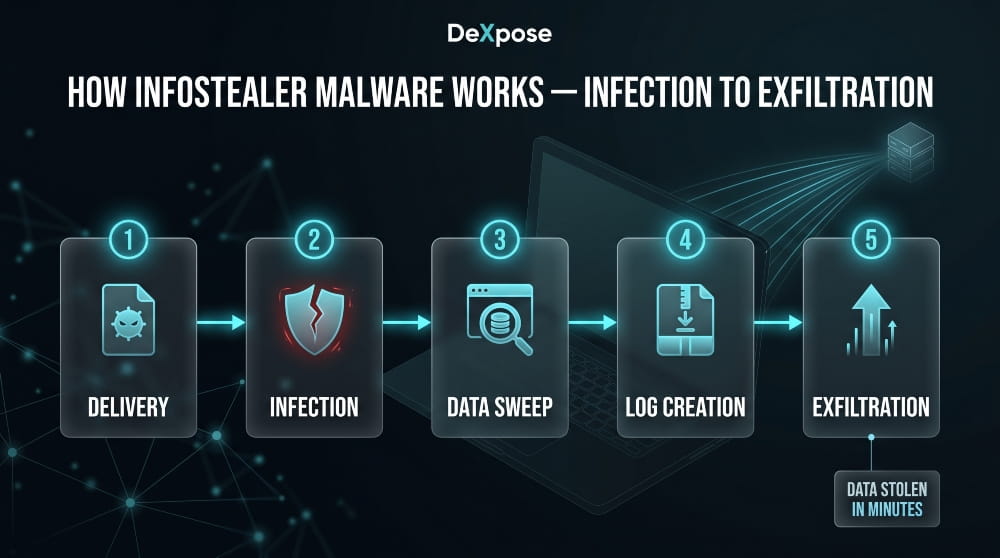
The process begins with delivery. An infostealer needs to reach your device disguised as something you’d willingly run, a cracked software installer, a fake browser update, a malicious PDF, or a legitimate-looking email attachment. The moment the file is executed, the malware silently unpacks and begins its work.
What happens next takes seconds, not hours. The infostealer scans the system for high-value targets: browser profile folders, password manager databases, cryptocurrency wallet files, VPN credentials, email clients, and FTP configurations. It doesn’t waste time; it knows exactly where these assets are stored on Windows, macOS, and increasingly Linux systems, because the storage paths are consistent and predictable across machines.
Once the sweep is complete, the collected data is compressed into a structured package, the log, and transmitted to a command-and-control server operated by the attacker. Some variants then delete themselves to erase evidence of the infection. Others remain dormant, waiting for updated instructions. Either way, by the time the exfiltration is complete, the damage is already done.
How Infostealer Logs Are Created and Sold
The “log” is the core product of any infostealer operation, and understanding its structure explains why this threat has industrialized so effectively.
A single infostealer log is a compressed archive containing everything harvested from one infected device: saved browser credentials organized by domain, autofill data, active session cookies, system information including IP address and hardware fingerprint, and screenshots taken at the moment of infection. Each log is effectively a complete snapshot of a victim’s digital identity at the time of compromise.
These logs are sold through dark web markets and increasingly through private Telegram channels, where vendors advertise “fresh logs” sorted by country, browser type, or the presence of specific high-value accounts, banking logins, corporate VPN access, and cryptocurrency exchanges. Prices vary based on quality, but a single log containing active banking sessions or corporate credentials can sell for anywhere from a few dollars to significantly more, depending on what’s inside.
The scale of this market is what makes Infostealer data so pervasive, as seen in large datasets like the Naz.API collection, which contained hundreds of millions of credential pairs, was assembled almost entirely from aggregated infostealer logs harvested across thousands of individual infections over time.
What Data Infostealers Steal
The scope of what a modern infostealer targets goes well beyond simple username-and-password pairs. The full picture is considerably more alarming.
Saved browser passwords are the obvious target, but session cookies are often more valuable. A session cookie lets an attacker access an already-authenticated account without ever needing the password, bypassing two-factor authentication entirely, because as far as the platform is concerned, it’s the same browser session you already verified. This is how high-profile account takeovers happen even when the victim had MFA enabled.
Beyond credentials, infostealers routinely target cryptocurrency wallet files and seed phrases, which represent irreversible financial loss when stolen. Credit card data stored in browsers, autofill profiles containing home addresses and phone numbers, email account access, VPN credentials granting entry into corporate networks, and gaming account tokens are all standard collection targets. Some variants go further, capturing clipboard contents, critical for anyone who copies and pastes seed phrases or passwords, and taking periodic screenshots to capture anything not stored in predictable file locations.
Combolists and Credential Marketplaces: Where Your Data Ends Up
Once logs are purchased, attackers process them into what the underground economy calls combolists, large, formatted text files pairing email addresses or usernames with their corresponding passwords, ready to be fed into automated credential-stuffing tools.
These combolists circulate widely. A credential stolen from your device today may appear in a combolist sold next week, used in an automated attack against your bank the week after, and eventually surface in a public breach database months down the line. The chain from infection to account takeover to broader exposure can be long, which is precisely why so many people discover the compromise far too late.
Credential marketplaces on the dark web, and an increasingly active trade on Telegram, have made this ecosystem faster and more liquid than ever. The result is a self-sustaining market where infostealer operators, log vendors, and credential-stuffing attackers each play a distinct role in a supply chain built entirely around your stolen data.
Wondering if your credentials are already circulating in infostealer logs or combolists? DeXpose’s Free Darkweb Report scans dark web markets, breach databases, and malware log sources to show you exactly what’s exposed.
Major Infostealer Malware Families
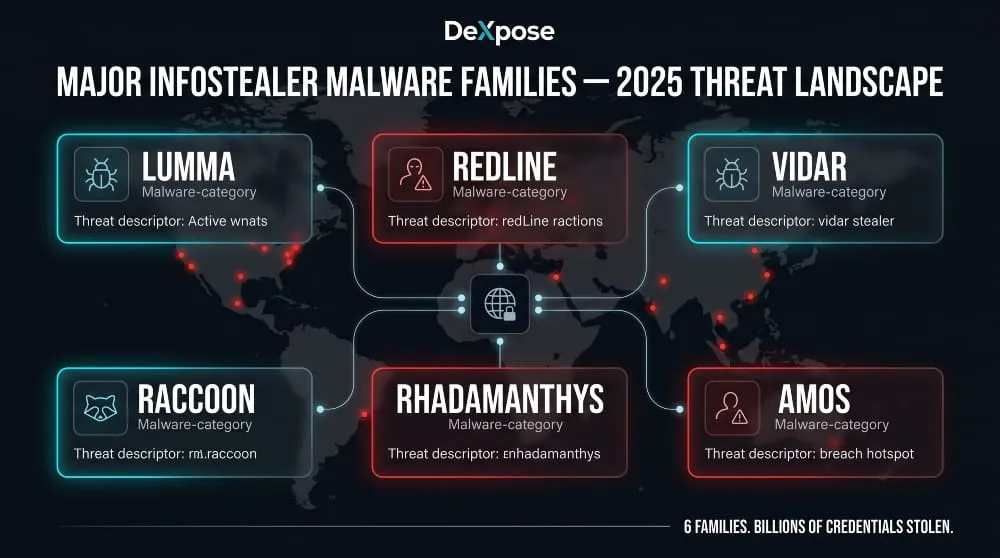
Not all infostealers are built the same. Over the past several years, a core set of malware families has emerged to dominate the credential theft landscape, each with distinct capabilities, distribution methods, and target profiles. Understanding who built these tools and what they’re capable of provides important context for just how professionalized this threat has become.
Lumma Infostealer
Lumma, also tracked as LummaC2, became one of the most widely deployed infostealers in 2024 and into 2025, operating as a fully commercialized Malware-as-a-Service platform sold through private Telegram channels. Its rapid adoption was driven by an aggressive feature set: deep browser credential extraction, cryptocurrency wallet targeting, and a particularly effective technique for restoring expired Google authentication cookies, a capability that made it exceptionally dangerous for account takeovers even after a victim had changed their password.
Lumma’s infrastructure was disrupted in a significant law enforcement action in mid-2025, with Microsoft and the DOJ coordinating to seize domains and dismantle its command-and-control network. However, as with most takedowns of this nature, the underlying code and operator network don’t disappear overnight. Variants and successor operations continued to surface in the months that followed, keeping Lumma’s IOCs and behavioral signatures relevant for detection.
RedLine Infostealer
RedLine was, for several years, the single most prevalent infostealer in circulation, and its fingerprints appear in an enormous proportion of credential breaches documented between 2020 and 2024. It targeted saved passwords, credit cards, and autofill data across all major browsers, as well as cryptocurrency wallets, VPN credentials, and FTP clients, all harvested in a single pass and transmitted to a C2 panel accessible to the attacker in near real-time.
What cemented RedLine’s dominance was its accessibility. Available cheaply on cybercrime forums, it required minimal technical skill to operate, which flooded the market with operators running independent campaigns. Law enforcement operations in late 2024 significantly disrupted its infrastructure, but RedLine’s legacy lives on in the vast volume of credential logs still circulating from earlier campaigns.
Vidar Infostealer
Vidar is a more targeted, technically sophisticated variant derived from the older Arkei stealer codebase. It distinguishes itself through modular configuration, operators can specify exactly which data categories to collect, making it more adaptable across different campaign objectives. Vidar has been observed targeting browser data, cryptocurrency wallets, two-factor authentication application databases, and email client credentials.
It has also been consistently deployed through more sophisticated delivery mechanisms than many of its peers, such as fake software sites, malvertising, and SEO-poisoned download pages, which means its victims skew toward users who believe they’re downloading legitimate software and are therefore less likely to suspect an infection.
Raccoon Infostealer
Raccoon made its name as a highly polished, user-friendly MaaS platform that significantly lowered the barrier to entry for infostealer operations. Its backend panel was considered among the most intuitive available, which drove widespread adoption among lower-skilled threat actors who would otherwise lack the capability to operate more complex malware.
Raccoon was disrupted by law enforcement in 2022 following the arrest of its alleged developer, but a rebuilt version, Raccoon Stealer v2, returned to operation relatively quickly. Its continued presence in threat intelligence reports through 2024 is a reminder that takedowns, while meaningful, rarely represent a permanent end to an established malware brand.
Rhadamanthys, StealC, Aurora, Atomic, and Emerging Variants
The infostealer ecosystem has never been static, and since 2023, a wave of new families has filled gaps left by disrupted operations or offered capabilities the established players lacked.
Rhadamanthys emerged as a particularly capable successor-generation stealer, offering modular plugin support and advanced evasion techniques that made it harder for endpoint security tools to flag. Its disruption was targeted in a joint operation in late 2024, though its codebase had already proliferated widely enough to sustain derivative activity.
StealC established itself as a lightweight, highly configurable option popular among operators running high-volume, low-dwell-time campaigns. Aurora and Atomic both carved out significant shares in the macOS-targeting space, a market that exploded as attackers recognized that macOS users were systematically underprotected compared to their Windows counterparts.
The Tusk campaign, documented in 2024, demonstrated how multiple infostealer families can be bundled and deployed together within a single operation, using social engineering lures across multiple platforms to maximize infection volume. This kind of multi-payload approach has become increasingly common and represents the current direction of the threat.
AMOS and macOS-Targeting Infostealers
For years, macOS users operated under the reasonable assumption that their platform was a lower-priority target. That assumption no longer holds.
AMOS, the Atomic macOS Stealer, became the defining example of the shift toward macOS-specific infostealer development. Sold as a subscription service, AMOS was purpose-built for Apple’s ecosystem, capable of extracting Keychain passwords, browser credentials from Safari and Chrome, cryptocurrency wallet data, and files from the desktop and documents folders, all packaged and exfiltrated in the same way its Windows counterparts operate.
The Shamos infostealer, documented more recently, demonstrated that macOS-targeting development is accelerating rather than plateauing. Distribution methods have adapted accordingly: fake system alerts prompting users to enter their administrator password, fraudulent “Fix My Mac” guides, and trojanized productivity apps distributed outside the App Store have all been used to deliver macOS infostealers to victims who believe they’re solving a problem rather than creating one.
The broader lesson from the macOS infostealer trend is that platform preference offers no meaningful protection. The credential theft economy follows where valuable data lives, and today, that includes every major operating system.
How Infostealers Are Delivered
An infostealer can only do damage if it reaches your device first. Attackers know this, which is why delivery has become just as sophisticated as the malware itself. The methods used today don’t rely on brute force or technical exploitation; they rely on convincing you to take an action that feels completely normal.
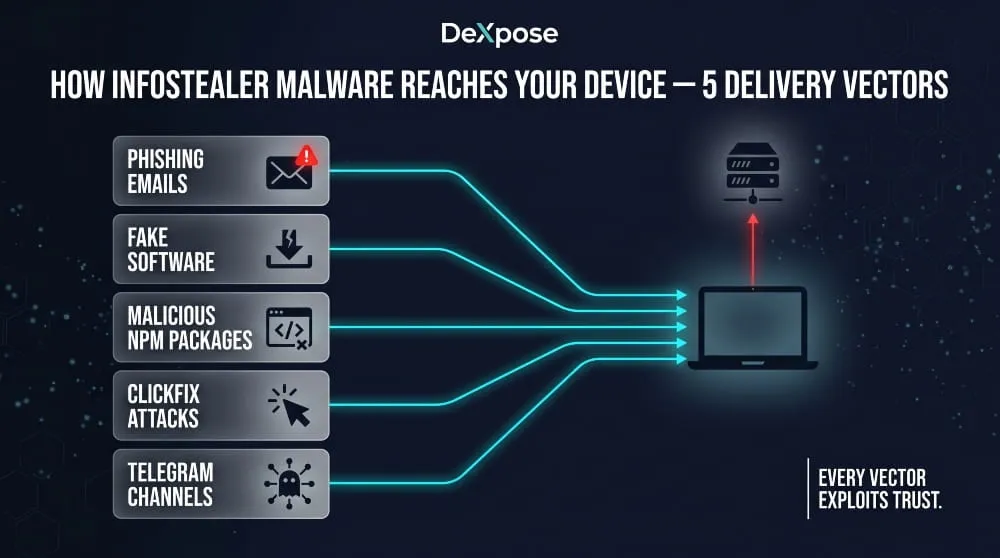
Phishing Emails and Malicious PDFs
Email remains one of the most reliable delivery vectors for infostealer malware, not because users are careless, but because modern phishing campaigns are genuinely difficult to distinguish from legitimate correspondence. A well-crafted phishing email impersonating a courier service, HR department, or software vendor can carry a malicious attachment that installs an infostealer the moment it’s opened.
The PDF format has become a particularly favored delivery mechanism. Attackers distribute fake invoices, contract documents, and shipping notifications as PDF files, either embedding malicious macros that execute on open, or using the PDF as a lure that redirects the victim to a drive-by download page. The trusted, professional connotation of a PDF is precisely what makes it effective. Users who would hesitate to run an unknown executable are rarely hesitant to open a document.
Fake Software Downloads and Cracked Tools
One of the highest-volume infostealer delivery methods involves fake or trojanized software. Attackers build convincing download pages, sometimes surfaced through SEO poisoning that places them above legitimate results, offering popular tools, cracked software, game cheats, or productivity apps that bundle an infostealer inside an otherwise functional installer.
The victim gets what appears to be working software. The infostealer runs silently in the background during installation and completes its exfiltration before the user has finished setting up whatever they thought they were downloading. This method is particularly effective because it creates no immediate red flags, the software works, nothing crashes, and there’s no reason to suspect anything went wrong.
Cracked and pirated software has always carried malware risk, but the modern infostealer threat has made it categorically more dangerous. Campaigns distributing Vidar, Lumma, and Atomic through fake download sites have been consistently documented, and the infrastructure behind these sites is rebuilt quickly after takedowns.
Malicious npm Packages and Developer Targeting
Developers represent a high-value infostealer target for an obvious reason: their machines hold far more than personal credentials. Access tokens for cloud infrastructure, API keys, deployment pipelines, SSH credentials, and code repositories can all be harvested from a single infected developer workstation, making one successful infection worth significantly more than a typical consumer compromise.
The npm ecosystem has emerged as a meaningful attack surface. Malicious packages published to the npm registry, sometimes mimicking popular libraries with typosquatted names, sometimes hiding malicious code inside otherwise functional packages, have been documented delivering infostealer payloads directly into developer environments during routine package installation. The attack requires no social engineering beyond the implicit trust developers place in public package repositories.
This vector underscores why infostealer risk isn’t limited to consumer-facing phishing campaigns. Supply chain targeting through developer tooling is a deliberate strategy, and one that security teams at software companies need to explicitly account for.
ClickFix Attacks via TikTok and Social Media
ClickFix is one of the more psychologically sophisticated delivery techniques to gain widespread use in recent years. The attack presents the victim with a fake error message or system prompt, typically mimicking a browser notification, CAPTCHA verification, or software configuration step, and instructs them to copy and paste a command into their terminal or run dialog to “fix” the issue.
The command, of course, executes a script that downloads and installs the infostealer. The genius of ClickFix is that the victim performs every step of the installation themselves, which bypasses many endpoint security controls that would otherwise flag an unsolicited executable. The attack has been distributed via compromised websites, fake browser update prompts, and, increasingly, social media platforms.
TikTok campaigns spreading infostealer malware have been documented specifically using this approach, videos instructing viewers to run commands to unlock premium software features, access restricted content, or apply aesthetic modifications to popular games. The format is effective because it exploits platform trust and the tutorial-video format that younger users, in particular, are conditioned to follow without scrutiny.
Telegram-Based Distribution Networks
Telegram has become an infrastructure for the infostealer economy in two distinct ways: as a sales and distribution channel for malware operators, and increasingly as a delivery mechanism targeting end users directly.
On the operator side, Telegram channels and private groups serve as storefronts where infostealer MaaS subscriptions are sold, logs are auctioned, and combolists change hands. The platform’s combination of pseudonymity, encryption, and large group functionality has made it the preferred communication layer for cybercriminal operations that previously relied on dark web forums.
On the victim side, malicious Telegram bots and channels have been used to distribute infostealer-laced files disguised as software cracks, exclusive content, or “private” tools. Users invited into channels promising early access to games, trading bots, or premium subscriptions have been targeted with payloads that install quietly in the background while the promised content either partially works or fails in ways that seem unremarkable.
The dual role Telegram plays, both as a criminal marketplace and as a delivery vector, makes it one of the more important platforms to understand in the context of how infostealers reach victims today.
Infostealer Infections by Platform
One of the most persistent misconceptions about infostealer malware is that it’s a Windows problem. It isn’t, not anymore. While Windows remains the highest-volume target by sheer market share, every major platform now has active infostealer campaigns tailored to its architecture, storage conventions, and user behavior patterns.
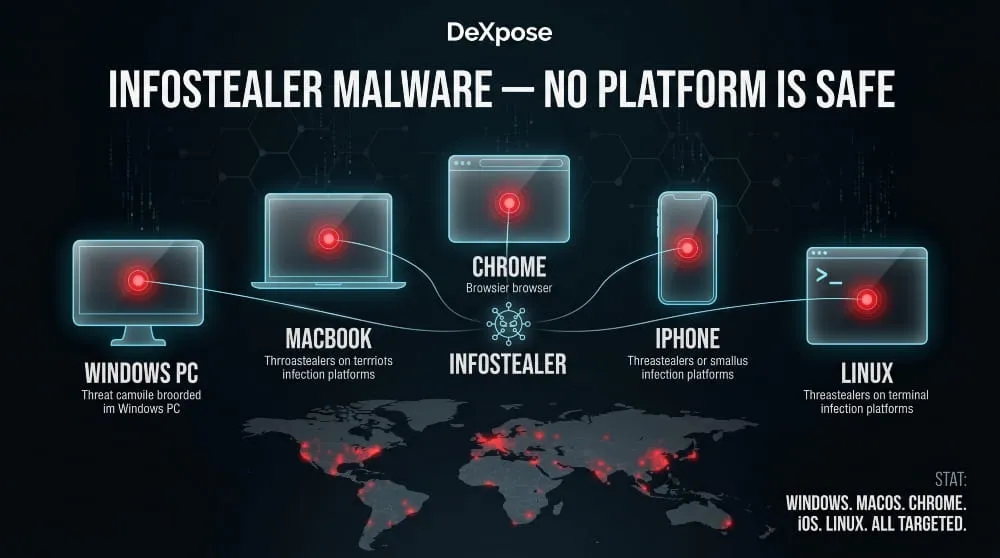
Windows Infostealers
Windows is where the infostealer ecosystem was built, and it remains the platform with the broadest and most mature threat landscape. The reason is structural: Windows stores browser credentials, saved passwords, and session data in predictable local file paths that infostealer malware can target with precision. Chromium-based browsers on Windows store login data in SQLite databases inside the user profile folder, a location every major infostealer family knows by default.
Families like RedLine, Lumma, Vidar, Raccoon, and Rhadamanthys were all developed with Windows as their primary target environment. The Windows infostealer market is also the most competitive, driving rapid feature development, improved evasion, faster exfiltration, and a broader data-collection scope as MaaS operators compete for subscribers.
For Windows users, the threat surface is wide. Any device used for both personal browsing and work applications represents a particularly high-value target, since a single infection can yield both consumer credentials and corporate access in the same log.
macOS Infostealers (AMOS, Atomic, Shamos)
The macOS infostealer market didn’t exist at a meaningful scale five years ago. Today, it’s one of the fastest-growing segments of the credential theft ecosystem, driven by the recognition that Apple’s platform hosts an increasingly affluent, credential-rich user base that has historically been underprotected.
AMOS, the Atomic macOS Stealer, established the template. Purpose-built for macOS, it extracts Keychain data (Apple’s native password storage system), browser credentials from Safari and Chrome, cryptocurrency wallet files, and desktop documents in a single sweep. Its subscription-based distribution model made it accessible to a wide range of operators who previously lacked macOS-specific capabilities.
The Shamos infostealer, documented more recently, demonstrated that macOS-targeting development is continuing to mature. Distribution methods have adapted to the platform’s conventions: fake system alerts designed to mimic macOS’s visual language, fraudulent update prompts, and trojanized applications distributed outside the App Store are the primary delivery vectors. Because macOS users are less conditioned to expect malware, the social engineering required to trigger an infection is often simpler, not more complex.
The practical implication is straightforward: owning a Mac is not a security posture.
Chrome Browser as a Primary Target
Across all operating systems, Google Chrome and Chromium-based browsers are the single highest-priority targets for infostealer malware. This isn’t incidental. Chrome’s market dominance means that targeting its credential storage yields the highest return per infected device, and its local database architecture has historically made extraction relatively straightforward.
Chrome stores saved passwords in an encrypted SQLite database. Still, infostealers running under the user’s own account can access and decrypt this data using the same system APIs Chrome itself uses. Google has worked to harden this with App-Bound Encryption and other protections. Still, threat actors have consistently developed bypasses, with multiple infostealer families documented specifically advertising their ability to circumvent Chrome’s evolving security protections as a selling point to MaaS subscribers.
Session cookies stored by Chrome are, in many ways, a more valuable target than passwords. An active session cookie for a banking platform, corporate SSO portal, or email account gives an attacker authenticated access without credentials and without triggering any password-based security alerts.
iOS and iPhone: Are Mobile Users at Risk?
The honest answer is: less so than desktop platforms, but not risk-free, and the landscape is shifting.
iOS’s sandboxed application architecture makes the kind of cross-app credential harvesting that defines desktop infostealers significantly harder to execute. By default, apps on iPhone cannot access each other’s data storage, which removes the straightforward database-extraction attack path that makes Windows and macOS infections so effective.
That said, infostealer-adjacent threats on iOS are real and growing. Malicious apps distributed through the App Store and, more commonly, via enterprise certificate abuse or TestFlight campaigns have been documented as capturing credentials via phishing overlays, keylogging within their own webviews, and intercepting clipboard content. The threat to iPhone users is less about traditional infostealer malware and more about app-layer deception that achieves similar ends through different means.
The more significant mobile risk for most users isn’t device infection, it’s credential exposure on other platforms. If your passwords were harvested from a desktop infostealer infection, every account you access on your iPhone is potentially compromised, regardless of whether your phone itself was ever targeted.
Linux Infostealer Threats
Linux has traditionally occupied the lowest-priority position in the infostealer threat landscape, primarily because desktop Linux usage accounts for only a small share of the overall market. But that framing misses where the real risk sits.
The Linux infostealer threat is concentrated almost entirely in server and developer environments. Cloud infrastructure, web servers, CI/CD pipelines, and developer workstations running Linux hold credentials that are orders of magnitude more valuable than typical consumer logins, AWS access keys, database connection strings, SSH private keys, and deployment tokens that can open entire organizational environments to an attacker.
Infostealer campaigns targeting Linux environments have been documented through malicious PyPI and npm packages, trojanized developer tools, and compromised container images. The Sysdig threat research team and others have documented Linux-targeting stealers specifically built to harvest cloud credentials and SSH keys from compromised servers.
For individual desktop Linux users, the risk profile remains comparatively low. For any organization running Linux-based infrastructure, which is to say, nearly every organization, the credential theft risk on Linux is serious, distinct from the consumer infostealer problem, and warrants dedicated attention in any security posture review.
High-Profile Infostealer Breaches and Data Leaks
The scale of the infostealer problem becomes most tangible when you look at the breaches it has produced. These aren’t hypothetical risks or edge-case scenarios; they are documented incidents that exposed hundreds of millions of real credentials and, in several cases, compromised some of the world’s largest organizations through nothing more sophisticated than a stolen password.
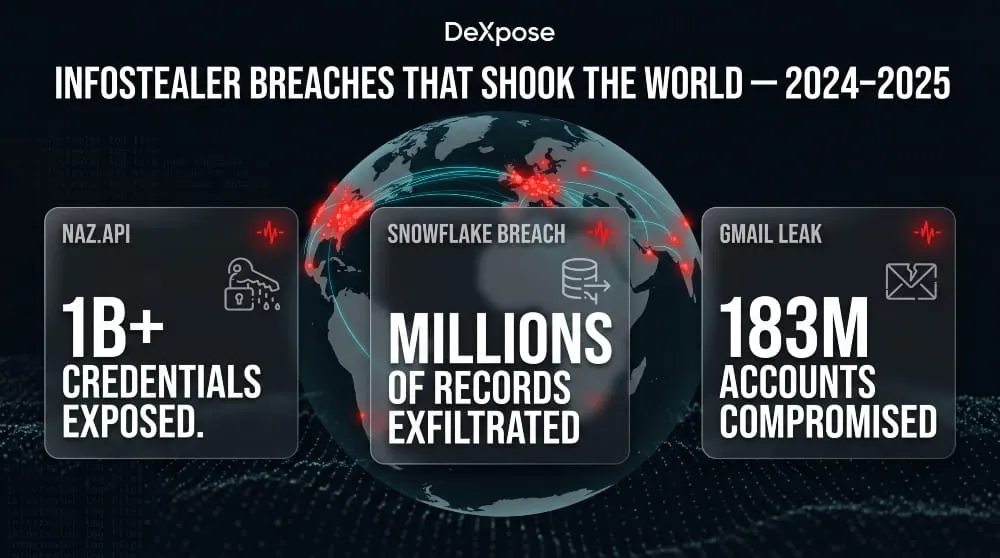
The Naz.API Dataset and What It Exposed
Naz.API became one of the most significant credential leak datasets ever documented when it surfaced in late 2023 and drew widespread attention into 2024. The dataset contained approximately one billion credential records, email addresses, usernames, and plaintext passwords, sourced almost entirely from infostealer logs accumulated over multiple years of malware campaigns.
What distinguished Naz?API from typical breach databases was its origin. Rather than representing a single compromised organization, it was an aggregated collection of infostealer output, logs from thousands of individual device infections, compiled and packaged into a dataset that covered an enormous range of services and platforms. Security researchers who analyzed it found credentials for email accounts, banking portals, social media platforms, and corporate services spanning virtually every industry.
The dataset’s discovery reinforced a point that threat intelligence professionals had been making for years: the dark web credential economy isn’t built primarily on database breaches anymore. It’s built on infostealer logs, and the volume of data those logs produce dwarfs what any single organizational breach can generate.
The Snowflake Breach and Infostealer Logs
The 2024 Snowflake incident became a defining case study in how infostealer-compromised credentials translate into organizational catastrophe. Snowflake itself was not breached in the traditional sense; no vulnerability in its platform was exploited. Instead, attackers used credentials harvested from infostealer infections on the personal devices of employees and contractors who had access to Snowflake customer environments.
Because many of those accounts lacked multi-factor authentication, the stolen credentials were sufficient for direct access. The downstream impact was severe: dozens of Snowflake customers had their cloud data environments accessed and exfiltrated, with several high-profile organizations, including major consumer brands and telecommunications companies, subsequently confirming significant data theft affecting hundreds of millions of their own customers.
The Snowflake breach illustrated something security teams had long understood in theory but that business leaders needed a concrete example to absorb fully: the weakest point in an organization’s security posture is often not its own infrastructure, but the personal devices of people with privileged access to it. An infostealer infection on a contractor’s home laptop can open a Fortune 500 company’s data environment just as effectively as a sophisticated zero-day exploit.
Gmail’s 183 Million Infostealer-Linked Account Leak
In 2024, researchers confirmed the existence of an infostealer-linked dataset containing verified credentials for approximately 183 million Gmail accounts, one of the largest single collections of email account credentials ever documented. The data was sourced from Infostealer logs, not from any breach of Google’s own systems. This distinction matters technically but offers cold comfort to the account holders whose credentials were exposed.
What made this particular dataset alarming beyond its size was the verification angle. Unlike raw combolists, where credential validity is unknown, portions of the data had been processed and confirmed against live accounts, meaning the credentials represented active, working access to real Gmail inboxes at the time of compilation. Gmail accounts are high-value targets not just for the email access they provide, but also because they serve as recovery accounts for dozens of other services. Compromising a Gmail account is frequently a pivot point for broader account takeover across a victim’s entire digital life.
Infostealer Trends in 2024–2025
The trajectory of the infostealer threat across 2024 and into 2025 points in one consistent direction: broader reach, faster operations, and increasingly sophisticated evasion.
Law enforcement activity intensified during this period, with coordinated takedowns targeting Lumma’s infrastructure, RedLine’s backend operations, and Rhadamanthys distribution networks. These actions disrupted specific operations and resulted in arrests. Still, the overall volume of infostealer activity did not meaningfully decline, a pattern that reflects the resilience of the MaaS model, where takedowns of individual operators rarely eliminate the underlying codebase or the market demand for it.
macOS targeting accelerated significantly, with new families and updated variants specifically engineered for Apple’s ecosystem emerging on a cadence that matched Windows-focused development for the first time. AI-assisted malware development also entered the conversation: documented cases of researchers demonstrating that large language models could be manipulated into generating infostealer components raised new questions about the future speed of malware iteration.
Perhaps most significantly, the line between consumer and enterprise infostealer risk continued to blur. Personal device infections that result in corporate credential exposure, as demonstrated so clearly by the Snowflake incident, have made individual infostealer hygiene a business security concern, not just a personal one. That shift in the threat model is the defining infostealer story of 2024 and 2025, and it shows no signs of reversing.
If your organization’s credentials or employee data may have appeared in infostealer logs or breach datasets, DeXpose’s dark web monitoring provides continuous visibility into exposed assets before attackers act on them.
How to Detect Infostealer Malware
Detection is where most people encounter their first real problem with infostealers: by the time there’s something obvious to notice, the exfiltration has already happened. That’s by design. But there are signals worth knowing, and concrete steps you can take, both on your device and beyond, to understand your exposure.
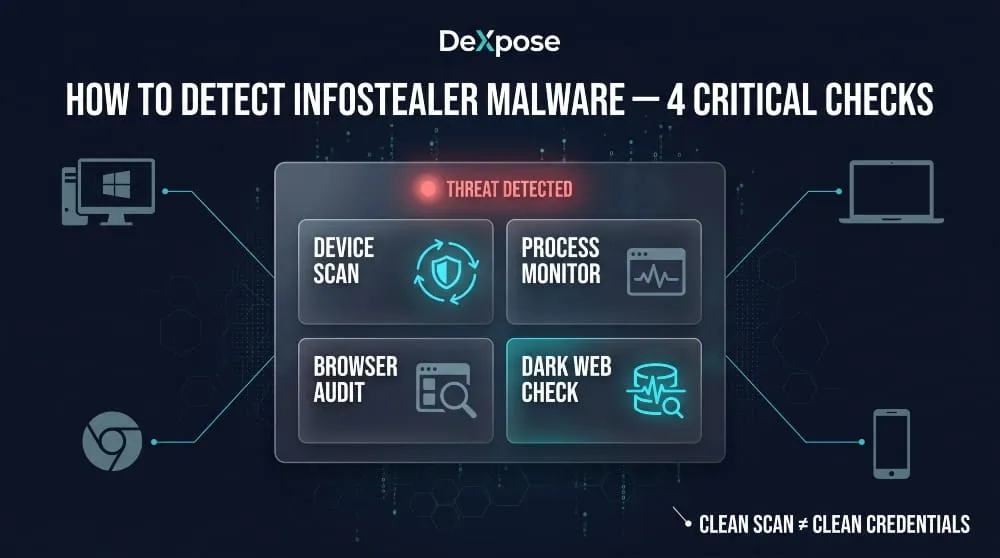
Signs Your Device May Be Infected
Infostealers are built to be quiet, but no malware is perfectly invisible. The challenge is that the signals they leave are easy to dismiss individually; it’s the pattern that matters.
Unexpected account lockouts or password reset emails you didn’t request are one of the clearest downstream indicators. If someone is working through credentials harvested from your device, the account takeover attempts often begin within hours or days of infection. Similarly, unfamiliar login activity in your email or banking alerts, logins from unrecognized locations or devices, can indicate that credentials extracted by an infostealer are being actively tested or used.
On the device itself, watch for antivirus alerts that appear and then resolve without explanation, browser extensions you don’t remember installing, or subtle changes to browser settings, such as a new default search engine or homepage. Some infostealer variants also generate unusual network activity during exfiltration. If you notice unexpected data usage or outbound connections in your network monitor, it warrants investigation.
None of these signals is definitive on its own. But if two or three appear in close succession, treat it as a serious indicator rather than a coincidence.
How to Check for Infostealers on Windows
Windows offers several built-in and third-party methods for infostealer detection, and the most effective approach combines multiple methods.
Start with Windows Security’s built-in scanner. Open Windows Security, navigate to Virus & threat protection, and run a full scan rather than a quick scan. Quick scans often skip many locations where infostealer components commonly reside. If anything is flagged, do not simply quarantine and move on; review what was found and where it was located before clearing it.
From there, open Task Manager and review running processes for anything unfamiliar, particularly processes consuming network activity with names that don’t correspond to software you recognize. Infostealers often use generic or misleading process names, so anything ambiguous is worth researching. The Startup tab in Task Manager is also worth reviewing. Persistence mechanisms that allow malware to survive a reboot are common.
Check your recently installed programs through Settings → Apps, sorted by installation date. Any application installed around the time suspicious activity began that you don’t recognize is a red flag worth investigating. Browser extension lists in Chrome, Edge, and Firefox should also be audited; malicious extensions are a frequent component of credential-theft operations.
How to Check for Infostealers on macOS
macOS provides fewer built-in security tools for active malware scanning than Windows, which makes third-party detection tools more important on Apple’s platform.
Begin with Login Items and Background Items, accessible through System Settings → General → Login Items & Extensions. Any entry you don’t recognize that loads at startup warrants investigation, as persistence through login items is a technique used by macOS-targeting infostealers, including AMOS variants.
Activity Monitor is the macOS equivalent of Task Manager. Review processes under the Network tab, in particular, watching for anything that establishes outbound connections to unfamiliar addresses. The CPU tab can also surface suspicious activity; infostealers running an active sweep will occasionally spike processor usage during their collection phase.
For a more thorough check, review the LaunchAgents and LaunchDaemons folders, which are common locations for malware persistence on macOS. These are found at ~/Library/LaunchAgents and ~/Library/LaunchDaemons, respectively. Any plist files you don’t recognize, particularly those pointing to executables in temporary or obscure directories, should be treated with suspicion.
Infostealer Scan Tools: Malwarebytes, Bitdefender, Norton
Dedicated security tools offer detection capabilities that manual inspection cannot replicate, particularly for variants that actively hide their presence from casual review.
Malwarebytes has built a strong reputation specifically for detecting credential-stealing malware and is frequently recommended for both initial infection checks and ongoing protection. Its free version performs on-demand scans that can identify a wide range of infostealer families; the premium tier adds real-time protection. For anyone who suspects an active infection, running a Malwarebytes scan is a reasonable first step, regardless of what other security software is already installed.
Bitdefender’s threat detection engine consistently ranks among the highest in independent lab testing for malware detection rates, including against infostealer-specific threats. Its behavioral detection capabilities, which flag suspicious activity patterns rather than relying solely on known signatures, make it particularly relevant against newer infostealer variants that haven’t yet been widely catalogued.
Norton’s infostealer detection, including its identification of variants like Snifula. B has been documented in its threat database for years. Norton’s full-system scan remains a viable option for users who already have it installed. However, its detection rates for the most recent infostealer families lag slightly behind Malwarebytes and Bitdefender in comparative testing.
The important caveat with all scan tools is timing: if an infostealer completed its run, exfiltrated its data, and deleted itself before you ran the scan, the tool may return clean results even though the damage is done. A clean scan tells you the malware isn’t present now, but it doesn’t tell you it was never there.
How to Check If Your Credentials Appeared in Infostealer Logs
This is the detection step that most guides overlook, and it’s arguably the most important one.
Because infostealers exfiltrate data silently and sell it through dark web channels, your credentials can be actively circulating in logs and combolists while your device scans completely clean. The malware ran, finished, and left, potentially weeks or months ago. The standard device-level detection methods described above won’t reveal that exposure, because there’s nothing left on your device to find.
The only way to know whether your email address, passwords, or account credentials have appeared in infostealer logs is to check the sources where that data surfaces: dark web markets, breach databases, and credential datasets compiled from harvested logs.
DeXpose’s Email Data Breach Scan checks your email address against breach databases and dark web sources, including infostealer-linked datasets, to identify what’s been exposed and where. If you want a broader view of your organization’s exposure across markets, malware logs, and breach sources, the Free Darkweb Report covers all three in a single check—no account required for any of them.
Device scanning tells you whether malware is present. Dark web monitoring tells you whether the damage has already been done. You need both.
How to Remove an Infostealer
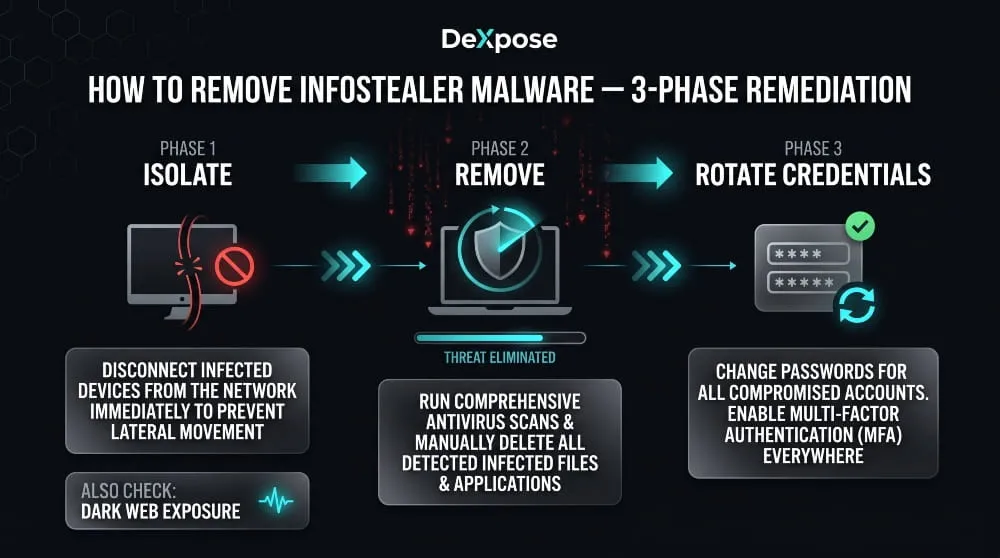
Removing an infostealer isn’t just a technical exercise; it’s a two-part problem. The first step is to remove the malware from your device. The second, and often more consequential part, is addressing what the malware has already taken before you found it. Both require attention, and the order in which you do things matters.
Immediate Steps If You Suspect Infection
The moment you suspect an infostealer infection, the priority is containment, limiting any further data exposure while you work toward full removal.
Disconnect the device from the internet first. This prevents any active malware from continuing to communicate with a command-and-control server or completing an exfiltration that may still be in progress. If you’re on Wi-Fi, turn it off. If wired, unplug the cable. Do this before running scans, changing passwords, or doing anything else on the affected machine.
Do not change your passwords from the infected device. This is a mistake many people make instinctively. The impulse to secure accounts immediately is correct, but executing that from a compromised machine means your new credentials may be captured in the same way your old ones were. Use a separate, trusted device for all account security actions until the infected machine has been fully cleaned and verified.
From your clean device, begin securing your most critical accounts immediately: email first, then banking and financial services, then any accounts that use the same password as your email. Enable multi-factor authentication on every account that supports it if you haven’t already. This won’t undo the theft of existing credentials. Still, it significantly raises the barrier for attackers attempting to use them.
Removing Snifula. B and Other Persistent Variants
Once the device is isolated, the removal process can begin. The approach is consistent across most infostealer families, including persistent variants such as Snifula. B, which are specifically designed to survive basic cleanup attempts.
Run a full system scan using a reputable security tool. Malwarebytes is a strong first choice for its specific capability against credential-stealing malware. Ensure the tool’s definitions are fully updated before scanning, even if that requires a brief reconnect to download updates on a controlled basis. Select the deepest scan option available, not a quick scan, as infostealers commonly reside in locations that quick scans skip.
For Snifula. B specifically, which Norton and other vendors have documented as a browser-targeting stealer with persistence mechanisms, removal through your security software should be followed by a manual review of browser extensions across every installed browser and an audit of startup programs. Snifula. B and similar variants sometimes leave components behind that survive malware removal when only the primary executable is quarantined.
If your security software detects the threat but reports difficulty removing it, boot into Safe Mode before running the scan again. Safe Mode prevents most startup programs, including many malware persistence mechanisms, from loading, making removal significantly more effective for variants that actively resist deletion in a normal environment.
After the scan returns clean, reset every browser on the device entirely: clear all saved passwords, cookies, cached data, and session storage. This step is non-negotiable. Even if the malware is gone, any saved credentials or active session tokens in the browser may still be compromised and should be treated as such.
For severe infections, particularly on devices that hold corporate credentials or sensitive organizational access, a full operating system reinstall is the only approach that guarantees complete remediation. It is more disruptive, but it eliminates any possibility of persistent components surviving a software-level cleanup.
Post-Removal Credential Rotation Checklist
Cleaning the device closes the infection. Rotating credentials closes the exposure window. These are separate problems that require separate action, and skipping the second step leaves you vulnerable regardless of how thorough your malware removal was.
Work through credential rotation systematically rather than reactively. Start with your primary email account; it’s the recovery point for everything else and the highest-value target. Change the password to something unique and strong, verify that no forwarding rules or recovery contact changes were made without your knowledge, and confirm that MFA is active on the account itself.
From there, work through every account whose credentials were saved in the browser on the infected device, beginning with financial accounts and working outward. Treat every saved password on that device as compromised, not just the ones for accounts you notice activity on, because attackers often hold credentials and use them weeks later when victim vigilance has decreased.
Revoke active sessions on your most sensitive accounts. Most major platforms, Google, Microsoft, banking apps, and social networks offer a “sign out of all devices” or “active sessions” page where you can terminate all existing authenticated sessions. Doing this forces every device, including any session an attacker may have hijacked, to re-authenticate from scratch.
Finally, check whether your credentials have surfaced in dark web sources since the infection. DeXpose’s Email Data Breach Scan will show you whether your email and associated credentials appear in breach databases or infostealer-linked datasets, giving you a concrete picture of what was exposed and whether any accounts you may have missed in your rotation are already in circulation.
Removal ends the infection. Credential rotation, session revocation, and dark web verification end the exposure.
How to Protect Against Infostealers
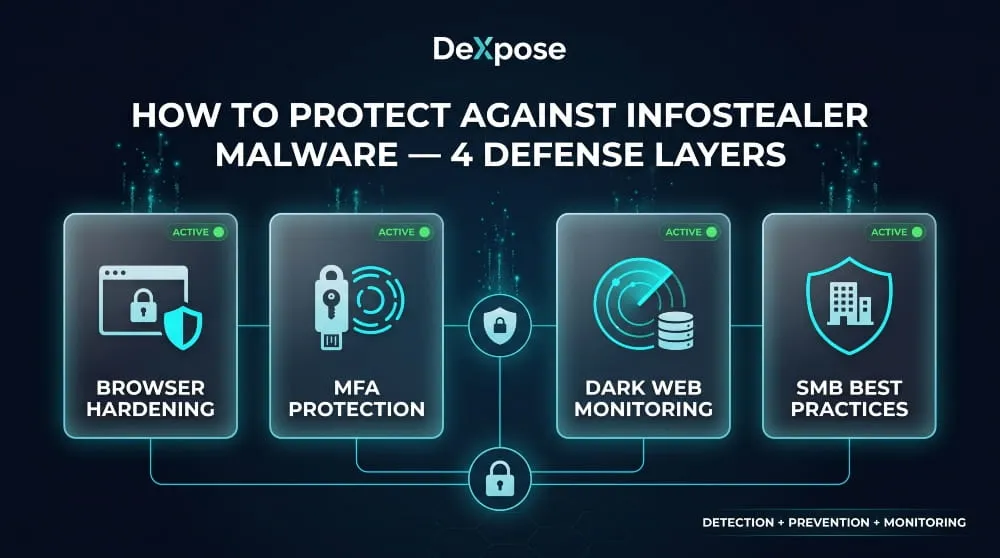
Protection against infostealer malware isn’t a single action; it’s a layered posture. No individual measure eliminates the risk, but the right combination makes you a significantly harder target and, critically, ensures that if something does get through, you find out about it before the damage compounds.
Browser Hardening and Cookie Security
Your browser is the primary target of most infostealer operations, which makes it the most important place to start hardening.
Begin by auditing what your browser is actually storing. Most people have years of saved passwords, autofill profiles, and persistent session cookies accumulated across dozens of sites, a comprehensive harvest waiting to happen. Consider migrating saved passwords out of your browser entirely and into a dedicated password manager that stores credentials in an encrypted vault that infostealers cannot access using the same database-extraction techniques used against browser storage.
Review installed extensions regularly and remove anything you don’t actively use or don’t recognize. Malicious extensions are a well-documented vector for credential theft, and the browser extension ecosystem has historically had weaker vetting than traditional software distribution channels. Fewer extensions mean a smaller attack surface.
On the cookie side, configure your browser to clear cookies and site data on close for any sites that don’t require persistent sessions. For high-value accounts, banking, email, and corporate tools, log out fully rather than relying on persistent sessions. A nonexistent session cookie cannot be stolen. For Chrome users specifically, keeping the browser updated is non-negotiable given the documented pattern of infostealer families advertising Chrome security bypasses as active development priorities.
MFA and Session Token Protection
Multi-factor authentication is one of the most effective defenses against credential theft, but it’s important to understand exactly what it protects against, and where its limits are.
MFA prevents an attacker from accessing your account using a stolen password alone. For the large majority of credential-stuffing attacks that follow an infostealer infection, this is sufficient protection; the attacker has your password but not your second factor, and the account takeover fails. This is why enabling MFA on every account that supports it remains one of the highest-value individual security actions available.
Where MFA falls short is against session token theft. If an infostealer harvests an active, authenticated session cookie from your browser, the attacker can replay that session without ever triggering a login prompt, which means no password is required and no MFA challenge is presented. The platform treats a session continuation as an existing authentication, not a new login.
The defense against session token theft is behavioral rather than technical: log out of sensitive accounts when you’re finished using them, periodically revoke all active sessions through your account security settings, and treat any alert about a new device login as a genuine signal worth investigating rather than a notification to dismiss. Hardware security keys are the strongest available MFA option for accounts that support them, as they are resistant to phishing and to session-hijacking techniques that defeat SMS and authenticator app codes.
Dark Web Monitoring as an Early Warning System
Every protection measure discussed so far assumes you’re preventing an infection or limiting its immediate impact. Dark web monitoring operates on a different principle: it assumes that some exposure will occur despite your best efforts. It focuses on making sure you find out about it as quickly as possible.
The value of this is time. Infostealer logs are sold and put into use quickly, often within days of an infection. An attacker working from a fresh log has a window of maximum effectiveness before the victim notices something is wrong, changes their passwords, and revokes sessions. Dark web monitoring compresses that window by alerting you the moment your credentials appear in a breach source, a dark web market, or an infostealer-linked dataset, allowing you to rotate credentials and revoke sessions before they’re successfully exploited.
For individuals, this means the difference between catching a credential exposure early and discovering it after an account takeover. For businesses, it means visibility into employee credential exposure that would otherwise be invisible until it surfaced as an incident.
DeXpose’s Free Darkweb Report scans dark web markets, malware logs, and breach databases to show you what’s already exposed, no account required. For ongoing monitoring that alerts you to new exposures as they appear, DeXpose’s dark web monitoring service provides continuous coverage across the sources where infostealer data first surfaces.
Employee and SMB Protection Best Practices
For small and mid-sized businesses, the infostealer threat sits at an uncomfortable intersection: the risk profile is closer to enterprise than consumer, but the security resources available are typically far closer to consumer. That gap is exactly what attackers exploit.
The most important shift for SMBs is recognizing that personal device security is a business security issue. The Snowflake breach demonstrated at scale what threat intelligence teams had long understood: a single infostealer infection on an employee’s personal laptop can yield credentials that open corporate systems, cloud environments, and customer data. Acceptable use policies and security awareness training need to explicitly address infostealer risks and the specific behaviors that create them, such as downloading cracked software, running unverified scripts, and ignoring browser extension audits.
Privileged access should be treated as a distinct security category. Employees with access to cloud infrastructure, financial systems, or customer data represent high-value targets, and their credentials warrant dedicated monitoring and stricter access controls. Where possible, privileged access should require hardware MFA and be scoped to specific IP ranges or managed devices, removing the personal device attack surface from the equation entirely.
For MSPs serving SMB clients, credential exposure monitoring across client environments is increasingly a baseline expectation rather than a premium service. DeXpose’s MSP partnership program provides the dark web monitoring infrastructure to deliver that coverage at scale, with visibility into the breach sources and infostealer datasets where client credential exposure surfaces first.
The businesses most resistant to infostealer-driven breaches aren’t necessarily those with the largest security budgets. They’re the ones that treat credential hygiene, device security, and dark web visibility as connected problems requiring a connected response, rather than separate line items addressed in isolation.
Conclusion
Infostealer malware doesn’t announce itself, and it doesn’t wait. It runs, takes what it came for, and disappears, leaving you exposed in ways that may not become visible for weeks or months.
Understanding how infostealers work, which families are active, and how credentials move from an infected device to a dark web market is the foundation of defending against them. But knowledge alone isn’t protection. The combination that actually works is hardened devices, disciplined credential hygiene, and continuous visibility into what’s already been exposed.
That last piece is where most people have a blind spot.
Run DeXpose’s Free Darkweb Report to find out what’s already out there with your name on it, before someone else acts on it first.
Frequently Asked Questions (FAQ’s)
Can an infostealer infect an iPhone or iOS device?
Traditional infostealer malware is far less effective on iOS due to Apple’s sandboxed app architecture, which prevents apps from accessing each other’s data. However, malicious apps distributed through enterprise certificates or fake profiles can still capture credentials through phishing overlays and clipboard interception. The greater risk for iPhone users is that credentials stolen from an infected desktop device can compromise every account they access on their mobile devices.
Is an infostealer the same as spyware?
An infostealer shares characteristics with spyware, but isn’t identical to it. Spyware typically monitors a device persistently over time, while an infostealer is built for speed; it sweeps the device for credentials and sensitive data in a single pass and exfiltrates everything immediately. Technically, an infostealer can be classified as both a Trojan and a form of spyware, but its defining purpose is credential theft rather than long-term surveillance.
What is an infostealer log, and how do hackers use it?
An infostealer log is a compressed file containing everything harvested from a single infected device, including saved passwords, session cookies, credit card data, system information, and screenshots. Attackers sell these logs on dark web markets and Telegram channels, where buyers use the credentials for account takeovers, corporate network access, or to build combolists for large-scale credential-stuffing attacks.
How do I know if an infostealer stole my passwords?
Device-level scans often return clean results even after an infostealer has already run and exfiltrated your data, since many variants delete themselves after completion. The most reliable way to check is to scan your email address against dark web breach sources and infostealer-linked datasets. DeXpose’s Email Data Breach Scan does exactly that, showing you whether your credentials have surfaced in known logs or breach databases.
What is the Naz?API infostealer dataset?
Naz.API is one of the largest credential datasets ever documented, containing approximately one billion records sourced almost entirely from aggregated infostealer logs, unlike a traditional data breach tied to a single organization, Naz. The API was compiled from thousands of individual device infections over multiple years, covering credentials across email platforms, banking services, social media, and corporate tools worldwide.
What is Lumma infostealer, and has it been taken down?
Lumma, also known as LummaC2, was one of the most widely deployed infostealer families of 2024, sold as a Malware-as-a-Service platform through Telegram with advanced credential theft and Google session cookie restoration capabilities. A coordinated law enforcement action involving Microsoft and the DOJ disrupted its infrastructure in mid-2025. Still, successor variants and residual operator activity continued to surface afterward, making it an ongoing rather than fully resolved threat.
How do infostealers bypass Chrome’s security protections?
Chrome encrypts saved credentials using the operating system’s built-in encryption APIs, but infostealers running under the user’s account can invoke those same APIs to decrypt the data without a vulnerability. As Google has introduced additional protections like App-Bound Encryption, infostealer developers have responded by updating their malware specifically to circumvent each new layer, with several MaaS platforms actively advertising Chrome bypass capabilities as a featured selling point to their subscribers.
What Is a Keylogger? Definition, Types, Detection and Removal (Complete 2026 Guide)
A keylogger is software or hardware that records every keystroke typed on a device, usually without the user knowing. Attackers use keyloggers to steal passwords, card…
Read more
CVE 2026 | The Complete Guide to New, Critical & Actively Exploited Vulnerabilities (Updated Weekly)
CVE 2026 covers every publicly disclosed software flaw assigned a CVE-2026-NNNNN identifier this year, and it is already the largest annual list on record. This guide…
Read more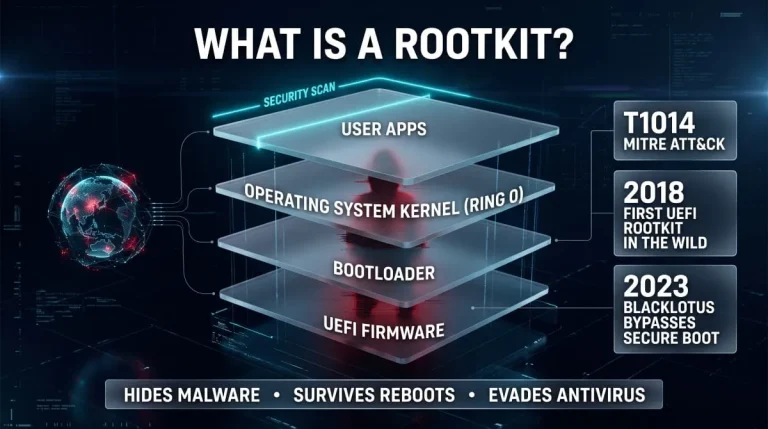
What Is a Rootkit? Definition, Types, Examples, Detection and Removal (Complete Guide)
A rootkit is malicious software that hides itself and the malware it protects by running with the highest privileges and tampering with what the operating system…
Read more