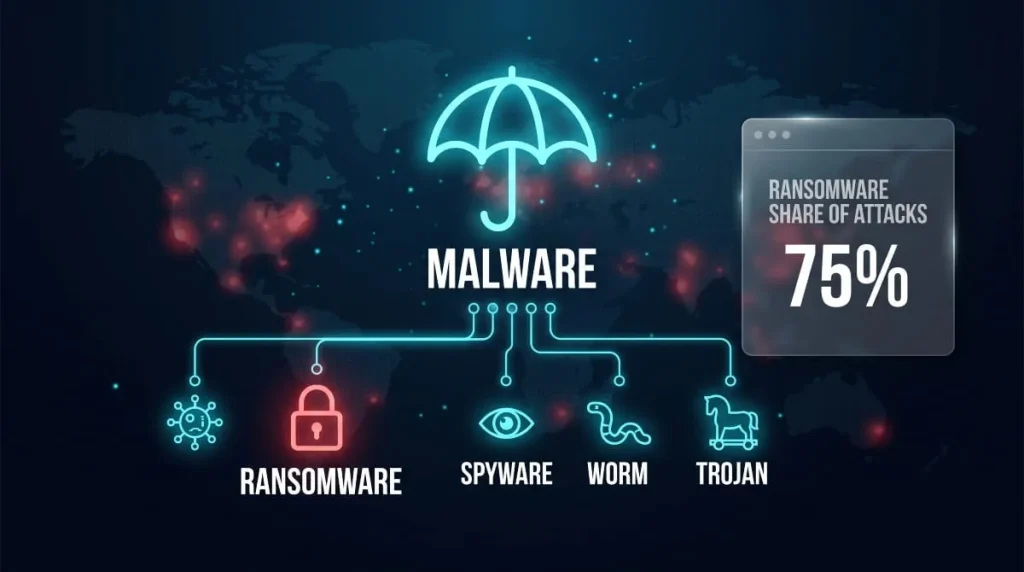
Ransomware detection is the process of identifying malicious encryption activity, precursor behavior, or attacker reconnaissance on a network before, or as, a ransomware payload begins locking files. It relies on a mix of signature-based scanning, behavioral analytics, and machine learning to flag suspicious activity fast enough for a security team to intervene before damage spreads.
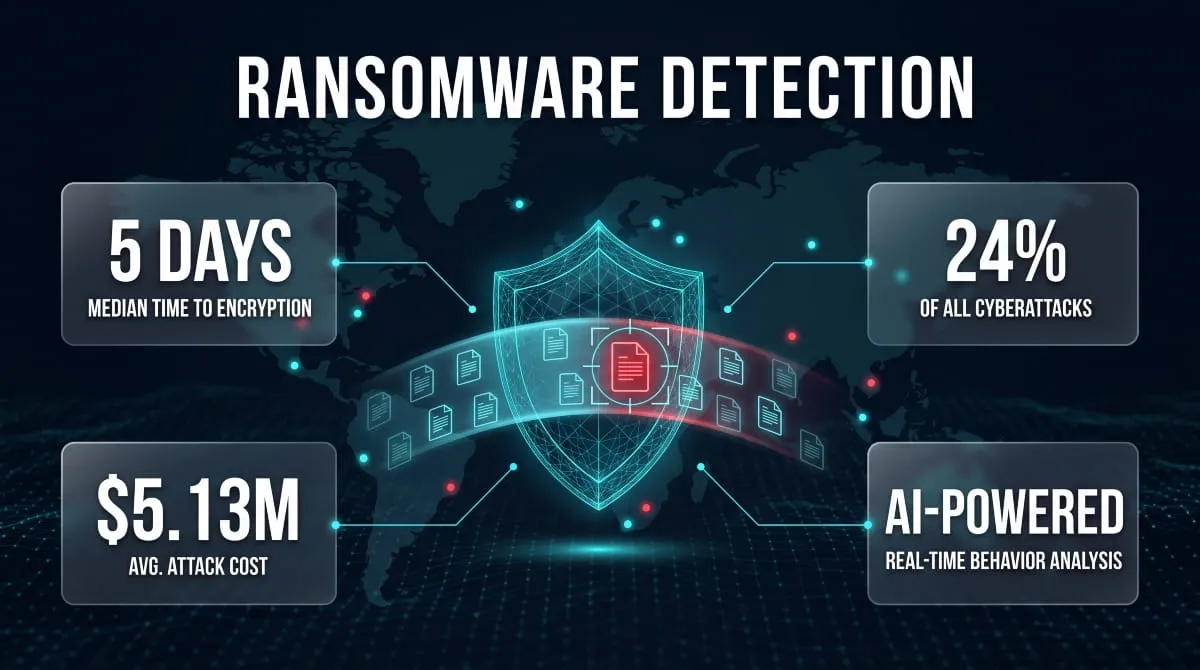
Speed is the entire game. The median time from initial network access to full ransomware execution has dropped to roughly 5 days, down from 9 days previously and a sharp contrast to the 70-plus-day dwell times seen as recently as 2022–2024; some operators now complete full-domain encryption in under four hours. That compression means a detection strategy built around catching attackers during a slow, multi-week dwell period is no longer good enough. Modern ransomware detection has to work in hours, not weeks.
This guide breaks down exactly how ransomware detection works: the core techniques (signature, behavioral, and anomaly-based), the role AI and machine learning now play in spotting attacks earlier, how detection differs across endpoints, networks, and cloud environments, which platforms and vendors offer built-in detection, and how to tell whether your current antivirus or EDR is actually catching ransomware, or just reacting after the damage is done.
What Is Ransomware Detection?
Ransomware detection is the practice of identifying ransomware, or the behaviors that precede it, through monitoring tools, security software, and analyst review, so a business can act before files are encrypted or the attack spreads further. It covers everything from an antivirus engine flagging a known malicious file signature to a SIEM platform noticing that a user account is suddenly encrypting thousands of files at 2 a.m.
At its core, detection answers one question: is this ransomware, and how far has it gotten? That can happen at multiple points in an attack, during initial access, while an attacker is moving laterally through a network, or in the seconds before mass file encryption begins. The earlier in that chain detection occurs, the more options a security team has to contain the threat.
How Ransomware Detection Differs From Prevention
Detection and prevention are related but distinct disciplines, and confusing the two is one of the most common gaps in a security strategy. Prevention is about stopping ransomware from executing in the first place; firewalls, email filtering, patch management, and endpoint hardening all fall under prevention. Detection, by contrast, assumes something has already gotten past those defenses and focuses on spotting it quickly.
A useful way to think about it: prevention tries to keep the door locked, while detection is the alarm system that goes off if someone gets in anyway. No prevention strategy is airtight, which is why detection functions as the safety net; it’s the layer that catches zero-day variants, novel attack techniques, and human error that slip past preventive controls.
Why Ransomware Detection Matters for Businesses
The stakes of slow or missing detection are existential, not just operational. A 2025 Mastercard survey of more than 5,000 small and midsize business owners found that almost one in five who experienced a cyberattack went bankrupt or shut down entirely, and 80% spent significant time afterward rebuilding trust with customers and partners. Detection speed is often the deciding factor between a contained incident and a company-ending event.
Beyond survival, detection directly shapes recovery cost and downtime. Businesses that catch ransomware early, before encryption completes or backups are compromised, have dramatically more options: isolating affected systems, restoring from clean backups, and avoiding ransom negotiations altogether. Businesses that detect an attack only after the ransom note appears are no longer in detection mode at all; they’re in damage assessment, with far higher costs and far fewer choices left on the table.
How Is Ransomware Detected? Core Detection Methods
Ransomware is detected through a layered combination of techniques: signature matching, behavioral analysis, anomaly detection, deception technology, and precursor monitoring, each catching different stages and variants of an attack. No single method catches everything, which is why mature security stacks run several of these in parallel rather than relying on one tool alone.

Signature-Based Detection
Signature-based detection identifies ransomware by comparing files against a database of known malicious code patterns, hashes, or identifiers. When antivirus software flags a file as “WannaCry” or “Locky,” it’s typically matching that file against a signature already cataloged from a previous attack.
This method is fast, low on false positives, and effective against known ransomware families, but it has an obvious blind spot: it can only catch what it already recognizes. A brand-new variant, or a known family that’s been slightly modified to evade fingerprinting, can slip through undetected. That’s why signature detection is treated as a baseline layer rather than a complete solution, and it’s almost always paired with behavioral methods to catch what signatures miss.
Behavior-Based / Heuristic Detection
Behavior-based detection watches what a program actually does rather than what it looks like, flagging activity patterns associated with ransomware, such as rapidly opening, modifying, and re-saving large volumes of files, attempting to delete shadow copies, or trying to turn off backup services. Because this method doesn’t depend on recognizing a specific file, it can catch previously unseen or heavily obfuscated ransomware.
Heuristic engines assign a risk score to suspicious behavior chains and trigger an alert or automatic block once that score crosses a threshold. This is the same principle behind tools like Sophos CryptoGuard, which watches for the specific behavioral fingerprint of mass file encryption in progress and can roll back changes the moment it’s detected. The tradeoff is a higher rate of false positives, since some legitimate software (backup tools, encryption utilities, bulk file editors) can superficially resemble ransomware behavior.
Anomaly & File-Activity Monitoring
Anomaly and file-activity monitoring establishes a baseline of “normal” behavior for users, endpoints, and file systems, then flags deviations from that baseline as potential ransomware activity. If an employee account that normally touches a few dozen files a day suddenly starts modifying thousands of files across multiple network shares, that spike is a strong ransomware indicator even before any file is confirmed malicious.
This approach depends heavily on User and Entity Behavior Analytics (UEBA) and centralized logging, since the signal only becomes visible when activity is compared against historical patterns rather than judged in isolation. It’s particularly effective at catching insider-driven or credential-based attacks, where the attacker is using legitimate, stolen credentials and would otherwise look like an ordinary user to signature-based tools.
Canary Tokens and Deception Techniques
Canary tokens are decoy files, folders, or credentials planted across a network specifically to trigger an alert the moment they’re accessed, modified, or encrypted, since no legitimate user or process has any reason to touch them. If ransomware sweeps through a file share encrypting everything in its path, it will inevitably hit these planted tripwires, generating one of the earliest and most reliable detection signals available.
This is a form of deception technology, and its main advantage is a near-zero false-positive rate: an alert on a canary token is rarely a legitimate business action. Because canary files are cheap to deploy and require no behavioral modeling, they’re one of the simplest additions a security team can make to an existing detection stack.
Detecting Ransomware Precursors and Living-off-the-Land (LOTL) Activity
The most valuable ransomware detection happens before encryption ever starts, by catching the reconnaissance, credential theft, and lateral movement that typically precede a payload by days. This is especially difficult when attackers rely on Living-off-the-Land (LOTL) techniques, using legitimate system tools like PowerShell, PsExec, or Windows Management Instrumentation to move through a network without dropping any obviously malicious files.
Because LOTL activity uses trusted, built-in tools, it blends into normal administrative traffic and evades both signature and simple heuristic detection. Catching it requires correlating multiple weak signals over time, an unusual login time, an unfamiliar admin tool usage pattern, a spike in failed authentication attempts, rather than waiting for a single clear-cut alert. The payoff for getting this right is substantial: the median time from initial access to ransomware execution is now around 5 days, down from 9 previously, meaning teams that can detect precursor activity within that window have a real chance of stopping an attack before a single file is encrypted.
Early & Proactive Ransomware Detection
Early ransomware detection means identifying an attack during its reconnaissance or lateral-movement phase, before encryption begins, rather than after files are already locked and a ransom note appears. The earlier that identification happens, the more containment options a security team still has, which is why “early” and “proactive” have become the defining goals of modern detection strategy, not just a nice-to-have.

Why Early Detection Minimizes Downtime and Damage
The financial and operational case for early detection comes down to one relationship: the longer ransomware goes undetected, the more it spreads, and the longer recovery takes. The average ransomware incident results in roughly 24 days of downtime, and organizations with intact, uncompromised backups recover within a week 46% of the time, compared to just 26% for those whose backups were also hit. That gap exists largely because attackers who go undetected longer have more time to locate and turn off backup systems before triggering encryption.
Early detection also changes the financial equation directly. Catching an attack during reconnaissance or lateral movement, before mass encryption, avoids the choice between paying a ransom and rebuilding from scratch, and sidesteps the cascading costs of extended downtime: lost revenue, regulatory exposure, and customer trust that takes months to repair. In practice, the difference between “detected in hours” and “detected in days” is often the difference between an incident report and a business-ending event.
Building a Proactive Detection Strategy
A proactive detection strategy shifts the focus from waiting for alerts to actively hunting for the early signals that precede an attack, unusual authentication patterns, unfamiliar administrative tool usage, and small spikes in file access that don’t yet look like full-blown encryption. This typically combines continuous log monitoring, User and Entity Behavior Analytics (UEBA), and threat intelligence feeds that flag indicators associated with active ransomware campaigns before those indicators reach a business’s own network.
Proactive strategies also depend on reducing detection blind spots ahead of time, not just reacting faster once an alert fires. That means centralizing logs across endpoints, network devices, and cloud services so behavior can be correlated in one place, deploying canary tokens as low-cost tripwires, and running regular tabletop exercises. Hence, the team already knows how to respond the moment a genuine signal appears, rather than figuring it out for the first time mid-incident.
Real-Time Detection for Business Continuity
Real-time detection is what makes early detection operationally useful: it’s the difference between a security team learning about an attack in a weekly report and stopping it while it’s still in progress. Real-time systems continuously analyze endpoint and network activity as it happens, triggering automated isolation or rollback the moment ransomware-like behavior crosses a risk threshold, often before a human analyst is even in the loop.
This speed has become non-negotiable as attacker timelines compress. With the median time from initial access to full encryption now down to roughly 5 days, and some attackers completing full-domain encryption in under four hours, a detection process that depends on manual review or batch log analysis simply isn’t fast enough anymore. Business continuity increasingly depends on automated, real-time detection paired with pre-authorized response actions, so containment can begin in minutes rather than waiting for the next scheduled security review.
The Role of AI and Machine Learning in Ransomware Detection
AI and machine learning have become central to modern ransomware detection because they can spot malicious patterns and behavioral anomalies that static, rule-based tools miss entirely, especially from novel or heavily obfuscated ransomware variants. Instead of relying on a known signature, these models learn what normal and malicious activity look like across millions of data points, then flag deviations in real time.

How Machine Learning Models Classify Ransomware
Machine learning ransomware detection works by training classification models on large datasets of both benign and malicious file behavior, teaching the system to recognize the statistical fingerprint of an attack rather than a single known file. Features like file entropy changes, API call sequences, process injection patterns, and the speed and scope of file modifications all feed into a model that outputs a probability score for whether an event is ransomware.
This classification approach is what allows machine learning to catch zero-day and polymorphic ransomware, variants that change their code on every infection specifically to dodge signature matching. Because the model is scoring behavior rather than matching a fingerprint, a ransomware strain that’s never been seen before can still trigger a high-confidence detection if its underlying actions resemble the malicious patterns the model was trained on.
AI Agents and Behavioral Detection
AI-driven security agents extend machine learning classification into continuous, autonomous monitoring, watching endpoint and network behavior around the clock and acting on suspicious activity without waiting for a human analyst to review an alert queue. These agents correlate signals across multiple systems simultaneously: a login anomaly on one server, an unusual PowerShell command on another, and a spike in file writes on a third can be tied together into a single incident far faster than manual log review would allow.
The practical impact of this shift shows up directly in breach timelines. IBM’s research found that organizations using AI and automation tools contain breaches 108 days faster than those without them, and separate industry analysis shows automated detection tools cutting response timelines by more than half compared to manual processes. That speed advantage matters most in ransomware specifically, where the gap between initial access and encryption is now measured in days rather than weeks.
Open-Source & GitHub Detection Projects
A growing ecosystem of open-source ransomware detection projects on GitHub gives security teams and researchers access to pre-built machine learning models, behavioral detection scripts, and labeled datasets without starting from scratch. These repositories typically include classifiers trained on public ransomware samples, honeypot-style file monitors that watch for mass encryption behavior, and datasets used to benchmark detection accuracy across different algorithms.
Open-source tools are especially valuable for smaller security teams and researchers who want to experiment with or fine-tune detection models without the cost of a commercial platform. The tradeoff is that these projects generally require more in-house expertise to deploy, tune, and maintain than a packaged commercial solution; they’re a strong foundation for building custom detection capability, but rarely a plug-and-play production tool on their own.
Leading AI-Powered Detection Companies
Several security vendors have built their core detection capability specifically around AI and machine learning rather than treating it as an add-on to legacy signature scanning. These companies typically differentiate on how their models are trained, how much behavioral context they analyze, and how quickly they can act autonomously once ransomware activity is detected, spanning endpoint protection platforms, cloud-native security tools, and specialized ransomware-recovery vendors that layer AI detection on top of backup and storage systems.
Evaluating these vendors comes down to a few consistent questions: how the vendor’s model performs against independent tests like MITRE ATT&CK evaluations, whether detection includes automated rollback or isolation rather than alerting alone, and how much visibility the platform has across endpoints, cloud infrastructure, and network traffic simultaneously. The strongest AI-powered detection is rarely a single feature; it’s the combination of broad visibility, fast model-driven scoring, and an automated response that closes the gap between detection and containment.
Network and Endpoint Ransomware Detection
Ransomware can be detected at two distinct layers: the network, where lateral movement and mass file access reveal an attack in progress, and the individual endpoint, where the ransomware process actually executes. Effective detection typically monitors both layers simultaneously, since an attack that slips past one is often caught by the other.

Detecting Ransomware on a Network
Detecting ransomware on a network means monitoring traffic patterns, authentication logs, and file-share activity across multiple systems to spot the coordinated behavior of an attack spreading between machines. Key signals include a single account suddenly accessing far more file shares than usual, unusual volumes of SMB traffic between endpoints, communication attempts with known command-and-control domains, and a spike in failed login attempts as an attacker tries to escalate privileges.
Network-level detection is particularly important because it can catch an attack during the lateral-movement phase, before ransomware has reached every machine it’s going to encrypt. Tools built for this layer, like network detection and response (NDR) platforms and SIEMs, correlate activity across dozens or hundreds of devices at once, which is exactly the kind of coordinated, multi-system pattern that a single endpoint agent watching one machine would never see on its own.
Detecting Ransomware on a PC or Endpoint
Detecting ransomware on an individual PC or endpoint relies on monitoring what’s happening directly on that device, file system activity, running processes, and memory behavior, to catch the moment encryption begins. Warning signs at this level include a sudden burst of file renames or extension changes, a process attempting to delete Volume Shadow Copies (a common step ransomware takes to block easy recovery), and unusually high CPU or disk activity tied to a single unfamiliar process.
Endpoint detection tools, including built-in options like Windows Defender and dedicated EDR agents, watch for these behaviors directly on the device and can often kill the offending process or isolate the machine from the network within seconds of detection. Because encryption on a single endpoint can spread to network shares within minutes, catching it at this stage, before it jumps to shared drives or other connected systems, is one of the highest-leverage points in the entire detection chain.
EDR Test Results: MITRE ATT&CK, AV-Comparatives, SE Labs, AV-Test
Independent testing organizations, MITRE ATT&CK Evaluations, AV-Comparatives, SE Labs, and AV-Test, regularly benchmark how well different EDR and antivirus products actually detect ransomware under simulated real-world attack conditions, rather than relying on vendor marketing claims. These tests typically measure detection rate, how early in the attack chain a product flags malicious activity, and the rate of false positives generated along the way.
These independent results matter because ransomware detection performance varies significantly between vendors, and a product’s real-world effectiveness often looks quite different from its feature list. When evaluating an EDR or antivirus platform, checking its most recent MITRE ATT&CK or AV-Comparatives scores is one of the few ways to compare detection capability on a level playing field, rather than taking any single vendor’s own performance claims at face value.
Ransomware Detection in Cloud Environments
Detecting ransomware in the cloud requires a different approach than traditional endpoint detection, since attacks often spread through file-sync services, storage buckets, and virtual machines rather than a single local hard drive. Every major cloud provider- AWS, Azure, and Google Cloud- now builds native detection directly into its platform, alongside consumer-facing tools like Google Drive and OneDrive that watch for ransomware at the file-sync level.

Best Practices for Logging & Monitoring in the Cloud
Effective cloud ransomware detection starts with centralized logging, since attacks that touch storage, compute, and identity services simultaneously are invisible if each service is monitored in isolation. That means aggregating activity logs, network flow logs, and DNS query data into a single monitoring pipeline so unusual patterns, like a spike in object deletions across multiple storage buckets, or an identity suddenly accessing resources it’s never touched before, can be correlated rather than missed.
Best practice also means treating backups as a monitored asset in their own right, not just a recovery mechanism. Cloud ransomware increasingly targets backup snapshots directly, so scanning backup recovery points for malware before they’re needed, rather than discovering they’re compromised during an actual incident, has become a standard part of cloud-native detection strategy across every major provider.
AWS Ransomware Detection Features
Amazon GuardDuty is AWS’s core ransomware detection service, continuously analyzing CloudTrail logs, VPC flow logs, and DNS query data across billions of events from sources including S3 data events and EKS, EC2, and ECS runtime activity to flag malicious or anomalous behavior. Its Malware Protection for Backup feature specifically scans AWS Backup–protected resources like EBS snapshots, EC2 AMIs, and S3 recovery points, helping verify that a backup is clean before it’s used for recovery, a critical check in ransomware scenarios where finding the last known good restore point is the whole game.
GuardDuty also extends detection to storage directly: when a new object or object version is uploaded to a monitored S3 bucket, GuardDuty automatically starts a malware scan, with on-demand scanning also available for existing objects. Combined with its S3 protection layer, which watches object-level API activity for anomalous access patterns, this gives AWS environments detection coverage across compute, storage, and backup simultaneously, rather than relying on a single point of visibility.
Azure / Microsoft Defender for Cloud Ransomware Detection
Microsoft Defender for Cloud serves as Azure’s native threat detection layer, providing extended detection and response (XDR) capabilities that spare security teams from building custom alerts out of raw activity logs. One of its more targeted capabilities is threat detection for Azure Backup: using security signals from Defender for Servers, Azure Backup can detect compromise indicators like disruption patterns, behavioral anomalies, and ransomware signatures, then evaluate the health of backup restore points before they’re used for recovery.
This backup-focused detection directly targets recovery speed. By automatically identifying compromised restore points across all VM backups in a vault, it helps organizations find a clean restore point faster, reducing overall recovery time. Azure also layers in broader protections across the environment, including Microsoft Sentinel as a cloud-native SIEM/SOAR platform with built-in ransomware detection analytics and automated response, and immutable storage options that prevent backup data from being modified or deleted once written.
Google Cloud & Google Drive Ransomware Detection
On the consumer and Workspace side, Google Drive now runs AI-powered ransomware detection directly on the desktop sync client. When ransomware detection is active, files are scanned as they sync from a desktop to Drive, and if encrypted files are identified, desktop sync is automatically paused, stopping the infection from spreading into shared folders or across an organization. The system’s latest AI model can identify roughly 14 times more ransomware-related behavior than earlier versions, and once triggered, it pauses syncing across connected devices while alerting both the affected user and IT admins.
Detection here isn’t a one-time scan against a fixed rule set; Google’s detection adapts to new ransomware strains using threat intelligence from VirusTotal alongside continuous analysis of file changes. Beyond flagging the attack, the feature is paired directly with recovery: confirmed infections let users revert affected documents to a previous clean version stored in Drive’s version history, reducing reliance on external backups.
OneDrive Signs of Ransomware and Detection Features
Microsoft 365 runs a similar model on the OneDrive side, watching for the file-level signs of an active attack. The system monitors accounts for unusual file modifications, encryption actions, and other indicators of malicious intent, then alerts users on their device and via email the moment ransomware activity is detected. When Microsoft 365 flags an attack, users are taken to a dedicated “Signs of ransomware detected” screen on the OneDrive website, which walks them through confirming their files are infected, cleaning all connected devices, and restoring OneDrive to a clean state.
Recovery here is time-boxed, which makes early detection especially valuable: OneDrive allows files to be restored to a previous state from up to 30 days in the past, but sophisticated ransomware that lies dormant for weeks before activating can push the actual infection point outside that recovery window. That limitation is exactly why cloud-native detection is treated as a complement to, not a replacement for, a broader detection strategy across endpoints and network layers, rather than a standalone safety net.
Ransomware Detection Software & Enterprise Platforms
The ransomware detection software market spans several distinct categories: backup and storage platforms that scan data at rest, MSP-focused monitoring tools, endpoint security agents, and specialized data-integrity verification tools. Most enterprises run at least one product from each layer rather than relying on a single platform to catch everything.

Backup & Storage Vendor Detection Features (Veeam, Rubrik, Cohesity, Commvault, NetApp, Zerto, Dell PowerProtect/PowerStore, Hitachi, Unitrends, Synology, VAST)
Backup and storage vendors have built ransomware detection directly into their platforms, largely because backup data itself has become a primary attack target. Rubrik’s Anomaly Detection monitors for encryption, unusual access patterns, and other ransomware indicators inside backup data, using algorithms trained on a broad dataset of known ransomware behaviors that analyze encryption methods, registry changes, network traffic, and file modification patterns to identify the specific strain in play. Its Turbo Threat Hunting feature can scan roughly 75,000 backups in under 60 seconds using pre-computed hashes to flag malware signatures. However, this detection happens on backup data after the fact rather than monitoring live production activity for reconnaissance or lateral movement in real time.
Veeam takes a different architectural approach, scanning for threats during the backup write itself using real-time indicator-of-compromise scanning, entropy analysis, and signature-based malware detection, then scanning again at restore time with a built-in Threat Hunter to prevent reinfection. Cohesity, meanwhile, frames the stakes plainly: ransomware is expected to cost businesses globally $265 billion annually by 2031, which is why anomaly detection, automated alerting, and near-real-time tracking of normal system behavior have become standard features across leading data security platforms. Commvault, NetApp, Zerto, Dell PowerProtect and PowerStore, Hitachi, Unitrends, Synology, and VAST all offer some version of this same core capability: anomaly detection on stored data paired with validated, malware-free recovery points. However, the depth of real-time monitoring versus after-the-fact scanning varies significantly between them.
MSP & RMM Platforms (Datto, Datto RMM, Kaseya, Pulseway, Huntress)
Managed service providers rely on a different category of tool entirely: RMM (remote monitoring and management) platforms that watch client endpoints across many small and midsize businesses at once. Datto RMM’s Ransomware Detection feature automatically notifies technicians the moment files start being encrypted, rather than waiting for a user to report the problem, a meaningful difference given that 70% of MSPs report ransomware as the most common malware threat facing their SMB clients.
The financial argument for this category is stark: while the average ransom demand is relatively small at around $5,600, total downtime costs can run 50 times higher than the ransom itself, and 91% of MSPs report that clients with a business continuity and disaster recovery plan in place recover significantly faster. Kaseya (which acquired Datto in 2022) and Pulseway both build similar detection capability into their RMM stacks for MSP-managed endpoints, while Huntress positions itself as a specialized managed detection and response layer that MSPs add on top of their existing RMM tooling for deeper behavioral threat hunting.
Endpoint Security Platforms (Sophos CryptoGuard, Acronis AI/ML Detection, ESET)
At the endpoint layer, detection increasingly means catching encryption in progress and reversing it automatically, not just flagging a file as suspicious. Sophos CryptoGuard continuously monitors data writes for suspicious encryption patterns and, if a process starts encrypting documents abnormally, blocks it and automatically restores the affected files without needing external backups, a behavioral approach that works against zero-day variants a signature database has never seen. CryptoGuard specifically stops both local and remote encryption, which matters because remote ransomware, encrypting files on a server from an already-compromised device elsewhere on the network, has become an increasingly common attacker technique.
Acronis takes a comparable approach on the backup side, combining AI/ML-driven behavioral detection with active scanning of backup integrity to verify that recovery points remain uninfected. ESET rounds out this category with its own signature and heuristic detection engine, commonly evaluated alongside Sophos and other endpoint vendors in independent testing rounds like MITRE ATT&CK Evaluations and SE Labs.
Data Integrity Platforms (Cybersense)
A newer category of tool focuses specifically on verifying data integrity rather than watching endpoint behavior or scanning for known malware signatures. Cybersense-style platforms analyze the actual content and structure of stored data over time, using statistical and machine learning models to detect the subtle signs of corruption that ransomware encryption leaves behind, even when the encryption itself is sophisticated enough to evade behavioral or signature-based detection entirely.
This approach is particularly valuable as a last line of defense for validating backup recovery points: rather than assuming a backup is clean because no alert fired during capture, data integrity platforms directly examine the data itself for corruption patterns before it’s relied upon for recovery. That distinction matters most in the exact scenario every other detection layer is trying to prevent: discovering, only at restore time, that the “clean” backup was already compromised.
How to Choose a Ransomware Detection Platform
Choosing between these platforms comes down to matching the tool to where an organization’s actual blind spots are, not chasing the vendor with the longest feature list. A business with strong endpoint protection but weak backup validation needs a platform like Rubrik or Cohesity layered on top; an MSP managing dozens of SMB clients needs the always-on monitoring an RMM platform like Datto or Huntress provides; a large enterprise with real-time production monitoring gaps needs the behavioral, in-line detection that Sophos or Acronis-style endpoint tools deliver.
A few questions cut through most of the vendor noise regardless of category: does the platform detect activity in real time or only after the fact during a scheduled scan; does it validate that recovery points are actually clean before they’re needed; and how has it performed in independent testing rather than in its own marketing materials? The strongest ransomware detection strategy is rarely a single platform; it’s a deliberate combination of endpoint, backup, and monitoring layers chosen to cover each other’s gaps.
Can Antivirus Detect Ransomware? Antivirus & EDR Reliability
Yes, modern antivirus and EDR software can detect ransomware. Still, detection rates vary significantly depending on whether the tool relies on signature matching alone or combines it with behavioral analysis, and even strong antivirus protection isn’t a complete ransomware defense on its own.

Can Windows Defender Detect Ransomware?
Windows Defender can detect and block many ransomware attacks, particularly through its dedicated Controlled Folder Access feature. Controlled Folder Access protects data by checking apps against a list of known, trusted apps, blocking any untrusted application from modifying files in protected folders, which specifically targets the file-encryption behavior that defines a ransomware attack, rather than relying solely on recognizing a malicious file signature.
The catch is that this protection isn’t automatic. Controlled Folder Access is available on Windows 10 (version 1709 or later) and all versions of Windows 11, but it is not enabled by default, meaning a large share of Windows users are running without this layer active unless they or their IT team turn it on manually. Combined with real-time threat detection, behavioral analysis, and cloud-based updates, Windows Defender offers strong built-in protection for most individual users and small businesses. However, organizations with sensitive data or complex environments often supplement it with additional dedicated security tools.
Can Malwarebytes Detect Ransomware?
Malwarebytes detects ransomware through a combination of signature-based scanning and its dedicated Ransomware Protection module, which monitors for the behavioral patterns associated with file encryption rather than only matching known malware signatures. This behavioral layer allows it to catch newer or modified ransomware variants that signature detection alone might miss, since it watches what a process does to files rather than only checking what the file itself looks like.
Like most consumer antivirus tools, its effectiveness depends on real-time protection being active and the ransomware module specifically enabled; a scan-only or on-demand configuration won’t catch an active encryption attempt in progress the way real-time behavioral monitoring will.
Does McAfee Detect Ransomware?
McAfee’s endpoint and antivirus products include ransomware-specific detection, using both signature matching for known variants and behavioral monitoring to flag suspicious encryption activity as it happens. Its consumer and business tiers layer in additional protections like real-time file monitoring and cloud-based threat intelligence, which helps catch ransomware variants that have appeared too recently to be in a signature database yet.
As with other mainstream antivirus platforms, McAfee’s ransomware detection performs well against known and moderately sophisticated threats but, like any single-vendor antivirus tool, benefits from being paired with independent backup and monitoring layers for full protection against advanced, human-operated attacks.
Why Antivirus Alone Isn’t Enough
Antivirus software remains a necessary layer of ransomware defense, but relying on it exclusively leaves significant gaps that modern, human-operated ransomware attacks are specifically designed to exploit. Living-off-the-land techniques, credential theft, and manual lateral movement by an actual attacker often look nothing like a “malicious file” to a scanner, because no traditionally malicious file is involved until the final encryption stage.
The numbers back this up directly: only 54% of organizations that experienced a ransomware attack in 2025 were able to use backups to recover their data, a figure that has declined for the third straight year, despite widespread antivirus adoption. That gap is exactly why a layered strategy- endpoint protection and EDR/XDR paired with zero-trust network segmentation, multi-factor authentication, and consistent patching- has become the standard recommendation rather than antivirus as a standalone control. Antivirus stops what it recognizes; everything else depends on the layers built around it.
Detecting Specific Ransomware Families and Variants
Different ransomware families leave different fingerprints, from the network worm behavior of WannaCry to the double-extortion tactics of Black Basta, which means detection strategy has to account for how each variant specifically spreads, encrypts, and evades defenses rather than treating all ransomware as one uniform threat.

WannaCry Detection
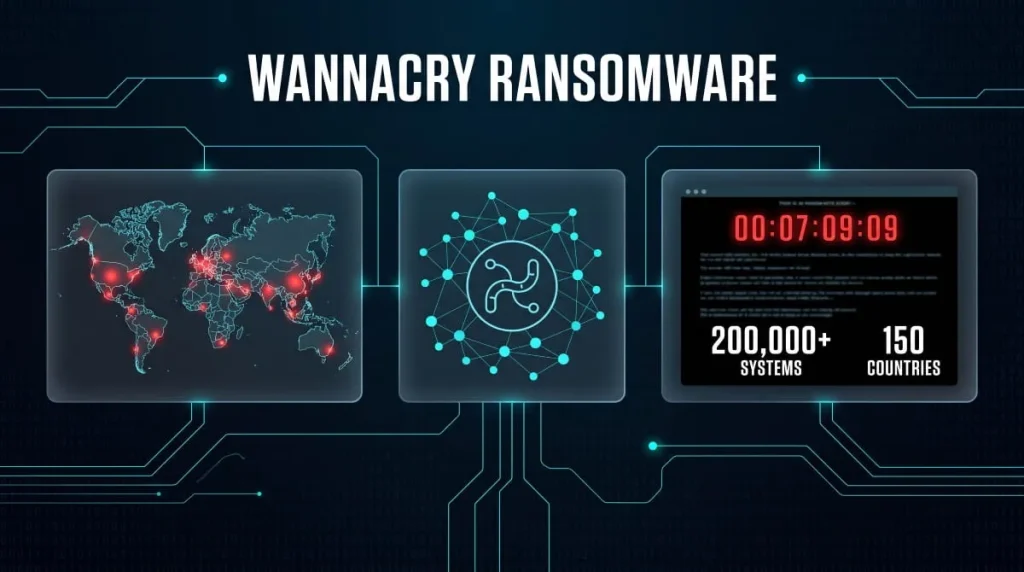
WannaCry is detected primarily through its distinctive network-worm behavior: it exploits the SMB (Server Message Block) protocol vulnerability known as EternalBlue to spread automatically between unpatched Windows machines without any user interaction. Security tools flag WannaCry through signature-based detection of its executable, network monitoring for anomalous SMB traffic between endpoints, and behavioral detection of its rapid, widespread file encryption pattern once it lands on a device.
Because WannaCry self-propagates across a network rather than requiring repeated human-driven distribution, network-level detection is especially critical here; catching one infected machine attempting unusual SMB connections to dozens of others is often the earliest and clearest warning sign, well before every device on the network shows encrypted files.
Petya Detection (Pre-Reboot Signs)
Petya is unusual among ransomware families because its most dangerous stage happens before a full reboot: rather than just encrypting individual files, it encrypts the Master File Table (MFT) after triggering a system crash and forced restart, disguised as a fake CHKDSK disk-repair screen. Detecting Petya in this pre-reboot window means catching the initial process that modifies the boot sector or triggers the crash, since once the fake CHKDSK screen appears and the MFT encryption completes, recovery options narrow dramatically.
Endpoint tools that monitor for boot record and master boot record (MBR) modifications are specifically tuned to catch this pre-reboot behavior, since a legitimate application has virtually no reason to rewrite the boot sector during normal operation. Catching Petya at this stage, before the reboot completes, is one of the few opportunities to stop the attack before the more destructive MFT-level encryption locks the entire Drive.
Locky Detection
Locky spreads primarily through phishing emails carrying malicious macro-enabled Office documents or JavaScript attachments, which makes email security and macro-execution monitoring a first line of detection alongside file-based signature scanning. Once executed, Locky renames encrypted files with a distinctive .locky extension and drops a ransom note in every affected folder, a pattern behavioral detection tools are specifically trained to recognize as an active encryption event in progress.
Detection strategy for Locky benefits heavily from stopping it before execution, given how consistently it relies on user-triggered macros as the entry point; email attachment scanning and disabling macros by default in Office documents from external sources catch a meaningful share of Locky infections before any file-level detection is even needed.
Cerber Detection
Cerber is notable for its heavy use of obfuscation and anti-analysis techniques designed specifically to evade signature-based detection, which pushes most reliable Cerber detection toward behavioral and heuristic methods instead. Security tools watch for its characteristic rapid file renaming to a random extension, its attempt to turn off security software processes before encryption begins, and its distinctive network communication pattern with command-and-control infrastructure.
Because Cerber was historically distributed as ransomware-as-a-service with frequently updated variants, relying on a static signature database to catch it consistently falls short; behavioral detection tuned to its encryption speed and process-termination attempts tends to catch new Cerber builds that a purely signature-based tool would miss.
Detecting Ryuk
Ryuk typically appears as the final payload in a multi-stage attack chain, often following an initial Trickbot or Emotet infection and a period of manual, hands-on-keyboard reconnaissance by the attacker before encryption is triggered. This means the most effective Ryuk detection happens well before the ransomware itself executes: flagging the earlier-stage malware, unusual lateral movement, and privilege escalation activity that consistently precedes a Ryuk deployment.
Once Ryuk does execute, it’s detected through its selective targeting of high-value systems and its attempt to terminate backup and security-related processes before encrypting files, a targeted, deliberate pattern that differs from the indiscriminate, self-propagating spread of a worm-style ransomware like WannaCry, and one that behavioral monitoring specifically watches for.
SamSam Variant Detection
SamSam distinguishes itself by spreading through manual network intrusion, typically via brute-forced RDP (Remote Desktop Protocol) credentials or exploited server vulnerabilities, rather than mass phishing campaigns, meaning detection has to focus heavily on the network access layer rather than email or endpoint file scanning alone. Security teams watch for repeated failed RDP login attempts, unusual successful logins from unfamiliar locations, and the manual deployment of encryption tools across multiple servers in a single session.
Because SamSam attackers manually select and encrypt specific high-value servers rather than encrypting indiscriminately, its detection pattern looks more like a targeted intrusion than an automated malware outbreak, which is why RDP monitoring and network access controls remain some of the most effective detection points specifically for this variant.
Black Basta Detection
Black Basta is a ransomware-as-a-service operation, first identified in April 2022, that uses double-extortion tactics, encrypting data while also exfiltrating it to pressure victims into paying. Effective detection requires moving beyond simple signature-based methods, since the group frequently uses legitimate administrative tools to mask its presence, and security teams are advised to watch specifically for attempts to tamper with or turn off antivirus and EDR processes, since Black Basta uses a specialized tool to blind defensive systems before deploying its payload.
Additional detection signals include suspicious SMB traffic patterns targeting administrative shares, connections to known Tor entry and exit nodes, and large outbound data transfers to cloud storage providers like Mega, all indicators that data exfiltration is underway alongside the encryption itself. By late 2024, the group had compromised approximately 500 organizations globally, with heavy targeting of healthcare, manufacturing, and financial sectors, making early detection of its credential-access and lateral-movement phase especially valuable given how consistently it precedes encryption.
Anubis Detection
Anubis is a ransomware-as-a-service group active since December 2024, notable for including an optional “wipe mode” that permanently erases file contents in addition to standard encryption, meaning a failure to pay doesn’t just leave files locked; it can leave them irrecoverably destroyed. Recent Anubis intrusions have involved valid VPN credential abuse and exploitation of specific vulnerabilities like CitrixBleed 2, alongside heavy use of legitimate remote access and administration tools, including ScreenConnect, Zoho Assist, MeshAgent, and UltraVNC, to blend attacker activity in with normal IT operations.
Because Anubis affiliates rely so heavily on legitimate RMM tooling rather than obviously malicious software, detection depends on monitoring for unexpected or unauthorized use of these normally trusted admin tools rather than waiting for a recognizable malicious file to appear. The group has maintained a consistent operational tempo, with the United States accounting for over half of its confirmed compromises, underscoring why catching its credential-based, tool-abuse entry pattern early is a higher-value detection target than waiting to catch the ransomware payload itself.
Now I have solid grounding for the whole section.
Ransomware Detection With Threat Intelligence and SIEM
Yes, a SIEM (Security Information and Event Management) platform can help detect both ransomware and insider threats by correlating log data across endpoints, networks, and identity systems to surface coordinated, multi-source activity that no single security tool would catch on its own.

Can a SIEM Help Detect Ransomware and Insider Threats?
A SIEM works by centralizing logs from firewalls, endpoints, servers, and identity systems, then applying correlation rules and analytics to flag patterns that indicate malicious activity, whether that activity originates from an external ransomware attacker or an insider misusing legitimate access. Ransomware progresses through several distinct phases, and a SIEM can spot both known and unknown variants across each one, with early detection in the earlier phases helping prevent the damage that accumulates once encryption actually begins.
This same correlation capability is what makes SIEMs effective against insider threats specifically: an insider’s activity often looks legitimate in isolation- a valid login, an authorized file access- but becomes suspicious only when compared against that person’s normal behavior pattern or correlated with other unusual signals happening at the same time. The stakes for getting this detection right are significant: ransomware now accounts for roughly 24% of all cyberattacks, and the average cost of a ransomware attack has reached $5.13 million.
QRadar and Splunk Ransomware Detection
IBM QRadar SIEM approaches ransomware detection through phase-based analytics, using content extensions with hundreds of pre-built use cases to generate alerts as an attack progresses from initial access through to encryption. With attackers moving faster than ever, QRadar is built around a proactive, threat-driven approach rather than one that waits for encryption to complete before flagging an issue.
Splunk takes a comparable but more extensible approach, drawing on its broader app ecosystem to support ransomware-specific detection. Splunk Security Essentials for Ransomware is available directly through the Splunkbase app store, and following Splunk’s integration with Cisco Talos threat intelligence, the platform now ships with over 1,800 out-of-the-box detections mapped to the MITRE ATT&CK framework, giving analysts pre-built correlation logic rather than requiring custom rules built from scratch. The practical difference between the two platforms often comes down to flexibility versus structure: QRadar follows a more opinionated approach that enforces best practices through tighter configuration options, while Splunk offers deeper customization at the cost of requiring more hands-on tuning.
IBM Sentinel and Threat Detection
IBM Storage Sentinel (formerly Spectrum Sentinel) takes a fundamentally different approach from QRadar; rather than monitoring live network and endpoint activity, it analyzes storage snapshots directly for signs of ransomware corruption. Powered by IndexEngines, it detects, diagnoses, and identifies the sources of ransomware attacks across workloads like Oracle, SAP HANA, Linux, VMware, and the Epic healthcare system, then provides automated recovery orchestration once an attack is confirmed.
Its detection method goes deeper than typical signature scanning. Rather than only analyzing metadata or checking for known ransomware signatures, it examines actual file content using over 200 content-based analytics and machine learning techniques, pinpointing the last clean snapshot so recovery doesn’t rely on blind restoration. This makes it a complement to network-facing SIEM tools rather than a replacement; recent versions have expanded beyond ransomware detection alone to include broader malware detection, database corruption analysis, and custom threshold alerting across immutable snapshots.
Comparing Threat Intelligence (TI) Platforms for APT/Ransomware Detection
Threat intelligence platforms feed SIEM and detection tools with indicators tied to known advanced persistent threat (APT) groups and ransomware operations, malicious IP addresses, known command-and-control domains, file hashes, and tactics, techniques, and procedures (TTPs) specific to active threat actors. Pre-built use cases like Ransomware Hunter automatically calculate risk scoring using Windows logs, antivirus logs, vulnerability management data, and network device logs, incorporating Tor and ransomware-specific IP, URL, and domain feeds to prioritize which alerts actually warrant investigation.
When comparing platforms for APT and ransomware-specific detection, the key differentiators come down to integration breadth and detection depth rather than any single “best” option: some platforms offer thousands of third-party integrations for pulling threat intelligence from a wide ecosystem of tools, while others prioritize a more tightly controlled, security-optimized experience with less configuration overhead. The right choice generally depends on whether an organization’s security team wants maximum customization and integration flexibility, or a more prescriptive platform that enforces detection best practices out of the box.
Now I have solid grounding for all three subsections. Here’s the article:
Business Case: ROI, Compliance & User Behavior Analytics
Investing in ransomware detection pays for itself many times over, not because a breach is guaranteed, but because the cost gap between catching an attack early and discovering it late is measured in millions of dollars, regulatory penalties, and permanently lost data.
ROI of Investing in Ransomware Detection
The financial case for ransomware detection comes down to a straightforward comparison: what does prevention cost versus what does a slow, undetected attack cost? Sophos data shows organizations with intact, uncompromised backups face median recovery costs of $375,000, compared to $3,000,000 for those whose backups were also compromised, a $2.625 million difference driven largely by how early the attack was caught.
Run that gap against a typical detection and backup investment, and the return becomes dramatic. A mid-market organization typically spends $25,000–$75,000 annually on a properly implemented immutable backup and detection setup; against a $2.625 million expected cost differential, that works out to roughly a 52:1 return on investment, assuming an incident occurs, and even at a conservative 10% annual probability of an attack, the expected annual ROI still lands around 5:1. Few other single security investments produce a comparable financial case specifically against ransomware.
Ransomware Detection for Regulatory Compliance
Ransomware detection isn’t just a security best practice; for many organizations, it’s a direct compliance requirement with real financial and legal consequences for getting it wrong. Under HIPAA, the Security Rule requires covered entities and business associates to conduct a documented risk analysis and maintain an incident response procedure specifically covering ransomware; the absence of a Security Rule–compliant risk analysis before an attack is one of the most frequently cited findings in federal enforcement actions, with penalties reaching up to roughly $1.9 million annually per violation category.
Public companies face a parallel obligation under SEC rules: material cybersecurity incidents, including ransomware attacks, must be disclosed on Form 8-K within four business days of a company determining the incident is material, a deadline measured from the materiality determination, not from when the attack occurred or was discovered. That compressed timeline effectively makes detection speed a compliance requirement in its own right: an organization that can’t detect, contain, and characterize a ransomware incident quickly can’t realistically meet the four-day disclosure clock once materiality is established, regardless of how well-intentioned its legal and communications teams are.
The Role of User Behavior Analytics (UBA) in Detection
User and Entity Behavior Analytics (UBA/UEBA) plays a distinct role in ransomware detection by focusing specifically on how people and accounts behave, rather than scanning files or network traffic for known malicious signatures. It works by building a behavioral baseline- typical login times, typical file-access volume, typical locations and devices- for every user and entity in an organization, then flagging any activity that deviates meaningfully from that baseline as a potential threat.
This behavioral approach is what makes UBA particularly effective against the exact attack pattern most ransomware relies on: a compromised but legitimate account being used to move laterally and access far more files than that user normally would. Because UBA compares current activity against an individual’s own established pattern rather than a fixed rule, it can catch this kind of anomaly even when the attacker is using valid, stolen credentials that would look completely unremarkable to a signature-based tool, closing a detection gap that traditional security tools were never designed to cover in the first place.
Frequently Asked Questions
How Do You Detect Ransomware?
Ransomware is detected through a combination of signature matching, behavioral analysis, and anomaly detection that flags suspicious file encryption, unusual account activity, or known malicious code. Most effective setups combine endpoint monitoring, network traffic analysis, and cloud or backup scanning rather than relying on one single method.
Can Ransomware Be Detected Before Encryption Starts?
Yes, the most valuable detection happens during the reconnaissance and lateral-movement phase, before any files are encrypted. The median time from initial access to full ransomware execution is now around 5 days, giving security teams a real window to catch precursor activity like unusual logins or credential misuse.
What’s the Best Ransomware Detection Software?
There’s no single “best” platform; the right choice depends on whether the gap is at the endpoint, backup, or network layer. Strong options include behavior-based endpoint tools like Sophos CryptoGuard, backup-focused platforms like Rubrik or Cohesity, and SIEM tools like Splunk or QRadar for broader monitoring.
How Is Ransomware Detected on a Network vs. a Single PC?
Network detection looks for coordinated signals across many devices, unusual file-share access, spikes in SMB traffic, or lateral movement between machines. Single-PC detection instead watches local signs like mass file renaming, shadow copy deletion, or a spike in disk activity tied to one unfamiliar process.