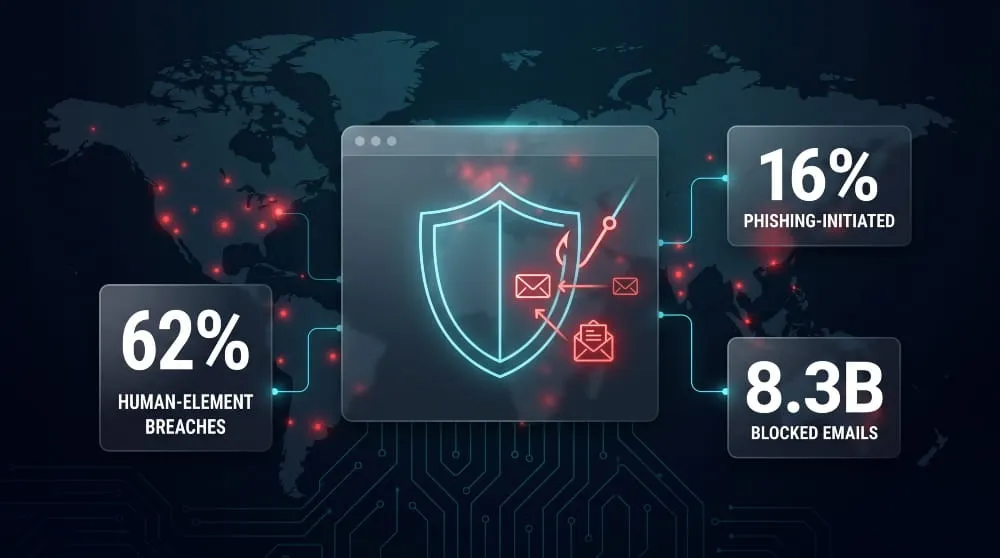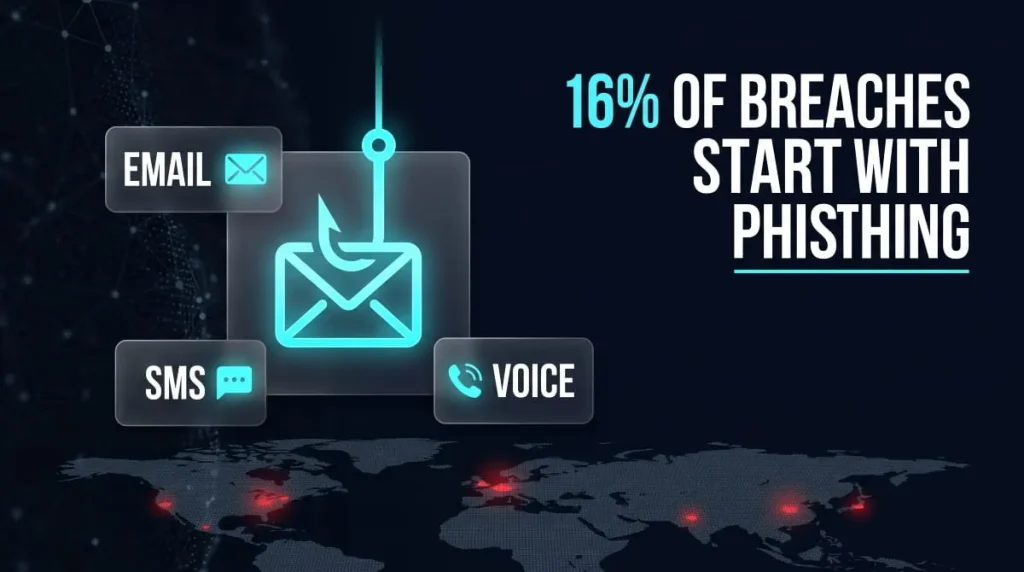
A phishing text message is a fraudulent SMS sent by scammers who impersonate a trusted brand, bank, or government agency to trick you into clicking a malicious link, revealing personal information, or sending money. Also known as “smishing” (SMS + phishing), it’s one of the fastest-growing scam tactics precisely because people tend to trust text messages more than email, and attackers know it.
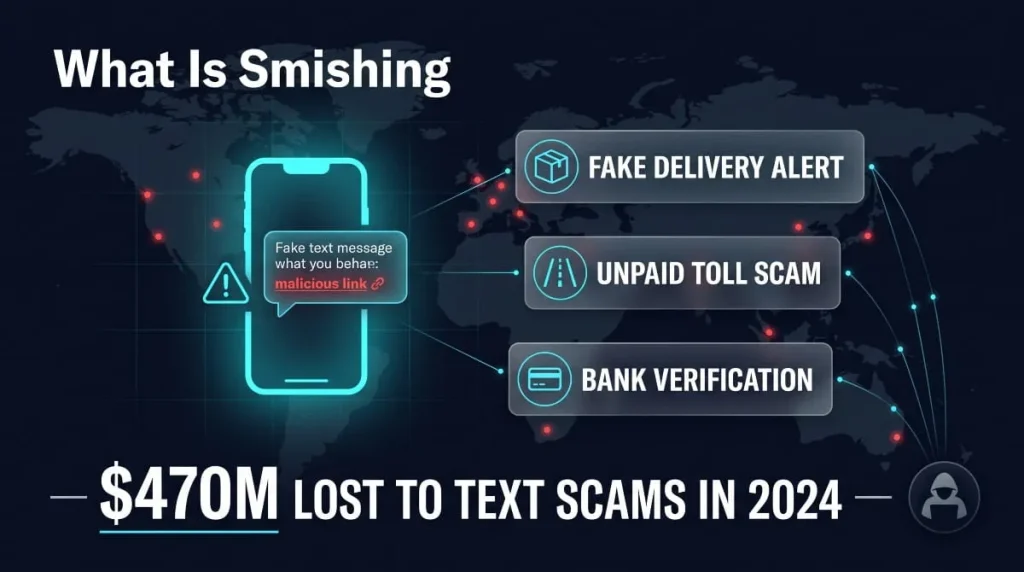
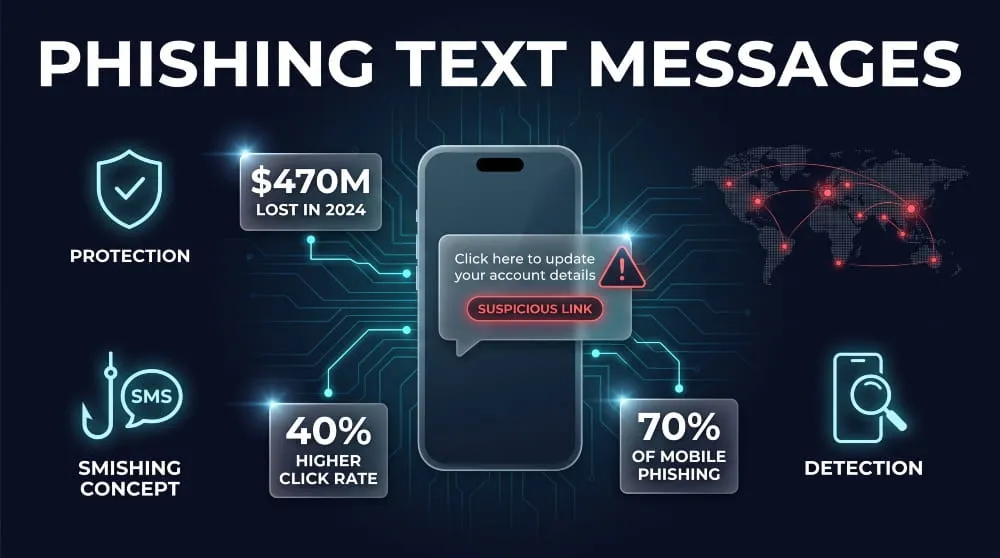
The scale of the problem is no longer minor: according to FTC data, U.S. consumers reported $470 million in losses to scams that started with text messages in 2024, more than five times the 2020 level, with fake package-delivery alerts, bogus bank fraud warnings, toll-road notices, and “wrong number” texts topping the list of most-reported scams. If you’ve ever gotten a text claiming to be from USPS, your bank, Apple, or the DMV asking you to “verify” something urgently, you’ve likely seen one firsthand.
This guide breaks down exactly what phishing text messages look like, why you’re suddenly getting so many of them, what to do if you’ve already clicked or replied, and how to block and report them for good so that you can tell a real alert from a scam in seconds, not minutes.
What Is a Phishing Text Message?
A phishing text message is a fraudulent SMS that appears to be from a real company, bank, or government agency, designed to get you to click a malicious link, hand over personal details, or make a payment under pretenses. Instead of arriving in your inbox, the scam lands directly on your phone, often disguised as a delivery update, a fraud alert, or an account warning, demanding an immediate response.
Phishing Text vs. Smishing: Is It the Same Thing?
Yes, “smishing” is simply the technical name for phishing carried out through SMS, combining “SMS” and “phishing” into one term. Security researchers and cybersecurity reports tend to use “smishing,” while most everyday users search for and describe the same scam as a “phishing text” or “phishing text message.” The mechanics, red flags, and risks are identical regardless of which term is used; it’s the same attack, just two different names for it.
How Do Phishing Texts Actually Work?
Phishing texts work by impersonating a source you already trust and creating a sense of urgency to act quickly. A scammer typically spoofs a sender name or number to resemble a bank, delivery carrier, or well-known brand, then pairs it with an urgent message, a suspended account, an unpaid toll, or a package that couldn’t be delivered, designed to short-circuit careful thinking. Tapping the included link usually leads to a fake login page built to steal your credentials, or triggers a malware download in the background. Some versions skip the link entirely and simply ask you to reply with a one-time passcode or personal information, which the scammer then uses to break into a real account.
Can You Really Get Phished Just From a Text?
Yes, and it’s more effective than most people assume. Text messages carry an unusual level of built-in trust compared to email, which is part of why the tactic works so well: Verizon’s 2026 Data Breach Investigations Report found that mobile-centric phishing vectors, including SMS, produced median click rates roughly 40% higher than email in simulated attacks. Simply opening a phishing text is generally not dangerous on its own; the real risk comes from tapping the link, downloading an attachment, or replying with sensitive information, all of which are just as easy to do via text as via email.
What Does a Phishing Text Look Like? (Real Examples)
A phishing text usually looks like a short, official-sounding alert from a bank, delivery service, or well-known brand, something like “Your USPS package couldn’t be delivered, update your address here” or “Wells Fargo: unusual activity detected, verify your account now.” The message is typically brief, includes a shortened or slightly altered link, and pushes you to act within minutes rather than giving you time to think it through.

Common Red Flags in Every Phishing Text
Most phishing texts share the same handful of tells, no matter which brand they’re impersonating. The sender is usually an unfamiliar number, short code, or email-style address rather than the company’s real contact line, and the link is often shortened (bit.ly-style) or uses a domain that’s close to, but not exactly, the real company’s website. The message also tends to lean on urgency and slightly off phrasing; a real bank rarely texts “Kindly verify your acc immediately to avoid suspension.” Common example categories reported by users include fake delivery notices from USPS, FedEx, and UPS; fraud alerts spoofing banks like Chase or Wells Fargo; toll and E-ZPass payment demands; and Apple ID or iCloud “security” warnings, all built around the same core template with the brand name swapped out.
CEO & Executive Impersonation Text Scams
Not every phishing text targets consumers directly; a growing share targets employees, using a message that appears to come from their CEO or another executive. These messages typically ask the recipient to urgently purchase gift cards, wire funds, or share sensitive company information, relying on the employee’s instinct to respond quickly to a boss rather than question the source. Because the message comes through a personal-feeling channel like SMS rather than email, and mimics an internal, informal tone, it often bypasses the skepticism a more formal phishing email would trigger.
Urgency, Threats & “Verify Now” Language
Nearly every phishing text is built around manufactured urgency because it is what stops people from pausing to check whether a message is real. Phrases like “verify now,” “your account will be suspended,” “final notice,” or “unauthorized login detected” are designed to trigger an immediate reaction instead of a careful one. This tactic is effective for a simple reason: smishing now accounts for approximately 70% of all mobile phishing attacks, largely because urgency-driven SMS messages consistently outperform slower-moving scam formats in getting people to click before they think.
Phishing Texts by Category, Who Scammers Impersonate
Phishing texts almost always impersonate a brand you already have a relationship with, since a familiar name lowers your guard faster than an unknown sender ever could. The specific brand changes, but scammers tend to cluster around a handful of categories: banking, delivery, government, tech, and crypto, because these are the accounts people check most anxiously and react to fastest.

Banking & Payment App Phishing Texts (Chase, Wells Fargo, PayPal, Venmo, Zelle, Cash App)
Financial phishing texts are the most common category, since a suspected fraud alert is one of the few messages almost everyone will open immediately. These texts typically claim that your Chase, Wells Fargo, PayPal, Venmo, Zelle, or Cash App account has been locked, flagged for suspicious activity, or used for an unauthorized transfer, and then link to a fake login page designed to steal your credentials in real time. Because banks and payment apps do send legitimate security texts, these scams work by mimicking that exact format; the giveaway is usually a link that doesn’t match the bank’s actual domain, or a request to “confirm” your PIN or full card number, which no legitimate bank ever asks for by text.
Delivery & Shipping Phishing Texts (USPS, FedEx, UPS, DHL, Amazon)
Delivery-related phishing texts exploit the fact that almost everyone is expecting a package at any given time, making a “delivery issue” message feel plausible by default. These scams impersonate USPS, FedEx, UPS, DHL, or Amazon by claiming a missed delivery, an unpaid customs fee, or an incorrect address, and ask you to click a link to “reschedule” or “confirm” shipping details. This is consistently one of the most-reported smishing categories: the FTC found that fake package-delivery messages were the most common type of text scam reported by U.S. consumers in 2024.
Government, DMV & Toll Phishing Texts (DMV, IRS, E-ZPass, FasTrak, SunPass)
Government and toll-agency impersonation texts work by combining official-sounding language with the threat of a fine, license suspension, or legal action. Common versions claim to be from the DMV about a vehicle registration issue, the IRS about unpaid taxes, or toll systems like E-ZPass, FasTrak, or SunPass demanding immediate payment for an “outstanding balance.” These agencies overwhelmingly communicate by mail, not text, so any SMS claiming to be a toll or tax notice with a payment link is a strong signal of a scam rather than a real government message.
Tech & Telecom Phishing Texts (Apple, Google, Verizon, AT&T, T-Mobile)
Tech and telecom phishing texts usually center on account security, since a warning about your Apple ID, Google account, or carrier plan feels urgent enough to override caution. These messages often claim that your Apple ID has been locked, that your Google account shows suspicious sign-in activity, or that your Verizon, AT&T, or T-Mobile bill is overdue, and service is about to be suspended, all linking to convincing fake login pages. Because these accounts are tied to email, cloud storage, and two-factor authentication, they’re a particularly high-value target; compromising one can give a scammer a foothold into several other accounts at once.
Crypto & Investment Phishing Texts (Coinbase, Binance)
Crypto phishing texts are especially costly because cryptocurrency transactions can’t be reversed once completed. Scammers impersonating Coinbase or Binance typically claim that your account has been compromised, that your withdrawal is on hold, or that unusual login activity has been detected, pushing you to a fake exchange login page or directly asking for your recovery phrase. No legitimate crypto exchange will ever ask for your seed phrase or private keys by text, which makes this one of the clearest red flags across the entire category.
Retail, Social Media & Delivery App Phishing Texts
The remaining category covers everyday platforms, retailers like Walmart or Costco, social apps like Instagram, Facebook, and Snapchat, and services like Uber or Indeed, impersonated with fake prize notifications, account lockouts, or job offers. These scams tend to rely more on excitement or opportunity than fear, dangling a gift card, a refund, or a job interview to get the click. The underlying mechanics are the same as every other category: a spoofed sender, a suspicious link, and a message engineered to get a reaction before you’ve had a chance to verify it.
Why Am I Getting So Many Phishing Texts?
You’re getting so many phishing texts because your phone number has likely been exposed through a data breach, sold by a data broker, or harvested from a source you’ve unknowingly shared it with, and scammers are now blasting that number as part of mass campaigns. It’s rarely personal; most people flooded with smishing attempts are just one of thousands of numbers on the same leaked or purchased list.

How Scammers Get Your Phone Number
Scammers get phone numbers from a mix of large-scale sources rather than targeting individuals one by one. Numbers are commonly pulled from breached company databases, scraped from social media profiles and public directories, purchased in bulk from data brokers, or randomly generated and tested in batches to see which ones are active. Once a number is confirmed to be real, often because you replied to an earlier text, even just with “STOP”, it tends to get reused across multiple scam campaigns and sometimes resold to other scammers entirely.
The “Wrong Number” Text Scam Explained
The “wrong number” text is a specific tactic where a scammer sends a casual, seemingly misdirected message, like “Hey, are we still on for lunch tomorrow?”, to a random number, hoping you’ll reply and correct them. That reply confirms your number is active and monitored by a real person, which makes it more valuable for future scams. The same conversation often escalates into a longer con, such as a romance or investment scam, once trust is established. The safest response to any unexpected “wrong number” text is no response at all.
Data Breaches and the Dark Web Connection
A large share of the phone numbers used in smishing campaigns originate from data breaches, where leaked customer records are later posted, traded, or sold on dark web marketplaces and forums. Once your number appears in one of these leaked datasets, it can circulate for years and get pulled into unrelated scam campaigns long after the original breach happened, which is why phishing texts often start suddenly, sometimes years after you signed up for a service that was later breached. Monitoring tools like DeXpose scan dark web sources for your exposed personal data, so you can find out if your number, email, or other details are already circulating before they show up in the next wave of scam texts.
I Clicked or Replied to a Phishing Text, What Now?
If you clicked a link or replied to a phishing text, the situation is serious but very manageable if you act quickly: disconnect from Wi-Fi, avoid entering any information if a page loaded, and change your passwords starting with your email and banking accounts. Most damage from a phishing text happens only after you’ve handed over credentials or payment details, not from the click itself, so speed matters more than panic.

I Clicked the Link: Immediate Steps to Take
If you tapped the link but didn’t enter any information, close the browser tab immediately and avoid interacting with the page further. Put your phone in airplane mode or turn off Wi-Fi and cellular data to prevent any background connections the page may attempt, then run a mobile security scan to check for malware. If you entered a password, username, or payment details on the page, change that password immediately from a different, trusted device, and change it again on any other account that uses the same password.
I Replied to the Text: Am I at Risk?
Replying to a phishing text, even with something as simple as “STOP” or “who is this”, confirms your number is active and monitored, which increases the volume of scam texts you’ll receive going forward. Still, it doesn’t hand over any sensitive data on its own. The real risk comes from what you included in that reply: if you sent a one-time passcode, account number, PIN, or personal details, treat that account as compromised and change the associated password and any linked recovery information right away. A reply with no personal information attached is a nuisance, not a breach.
What Happens If You Just Open the Text on iPhone?
Simply opening or reading a phishing text on an iPhone does not compromise your device or data; modern iOS messaging doesn’t execute malicious code just from a message being displayed. The risk begins only when you tap the embedded link, download an attachment, or reply with information, which is why iPhone users are generally safe to open and inspect a suspicious text as long as they stop there. If a preview image or link renders automatically and looks off, closing the Messages app and deleting the text without tapping anything is enough to stay protected.
Signs Your Device or Accounts Were Compromised
A handful of warning signs suggest a phishing text actually led to a compromise rather than a near-miss: unexpected password reset emails, login alerts from unfamiliar locations, new devices listed on an account you didn’t add, unauthorized charges, or contacts receiving strange messages from your number or email. Given that FTC data show U.S. consumers reported $470 million in text-scam losses in 2024, more than five times the amount reported in 2020, the financial stakes of a missed compromise continue to grow. If you’re seeing any of these signs, or your information has already appeared in a prior data breach, running a dark web exposure check with a service like DeXpose can confirm whether your credentials are circulating and need to be changed immediately.
How to Stop and Block Phishing Texts
The most effective way to stop phishing texts is to block the sender immediately without replying, then report the message as junk through your phone’s built-in tools rather than engaging with it at all. Replying, even to unsubscribe, tends to increase future phishing texts rather than reduce them, since it confirms your number is active.

Blocking Phishing Texts on iPhone
On an iPhone, open the suspicious text in Messages, tap the sender’s number at the top, and select “Block this Caller” to prevent future messages from that number. Before blocking, tap “Report Junk” at the bottom of the message thread, which sends the text directly to Apple for analysis without requiring you to reply. iPhones also let you filter messages from unknown senders by default under Settings > Messages > Filter Unknown Senders, which moves texts from numbers not in your contacts into a separate tab so they don’t trigger notifications.
Blocking Phishing Texts on Android
On Android, open the phishing text in your default Messages app, tap the three-dot menu or long-press the conversation, and select “Block” or “Block & Report Spam,” which flags the number for Google’s spam filtering while blocking it on your device. Most Android phones also have spam protection enabled by default under Messages > Settings > Spam Protection, which can be turned on if it’s currently disabled to flag likely phishing texts before you even open them automatically. Blocking a number stops future texts from that specific sender, but scammers frequently rotate numbers, so blocking works best alongside carrier-level filtering.
Carrier and Third-Party Filtering Tools
Every major U.S. carrier- Verizon, AT&T, and T-Mobile- offers free or paid spam-filtering services that catch a significant share of phishing texts before they reach your phone, and enabling these is one of the highest-impact steps you can take. You can also forward any phishing text to 7726 (SPAM), a free reporting short code supported by most carriers that helps identify and block scam numbers network-wide. For an added layer of protection, third-party apps and dark web monitoring tools like DeXpose can alert you if your phone number has already been exposed in a breach, which is often the root cause of a sudden spike in phishing texts.
How to Report and Forward Phishing Texts
The fastest way to report a phishing text is to forward it to 7726 (SPAM), a free short code supported by every major U.S. carrier, which flags the sender’s number for network-wide blocking. From there, reporting to the FTC, FCC, or the specific brand being impersonated helps track broader scam campaigns, even though it won’t stop texts from that individual number immediately.

Forwarding Spam Texts to 7726 (SPAM)
Forwarding a suspicious text to 7726 takes just a few seconds and works across Verizon, AT&T, T-Mobile, and most other U.S. carriers: simply copy the message and send it as a new text to that number. Your carrier uses these reports to identify patterns across large volumes of scam texts and block or flag the originating numbers before they reach other customers. This step doesn’t require deleting the original message first, so it’s safe to do before or after blocking the sender.
Reporting to the FTC, FCC, and FBI IC3
Beyond forwarding to 7726, phishing texts can be reported directly to federal agencies that track scam trends and, in serious cases, pursue enforcement. The FTC accepts reports at ReportFraud.ftc.gov, the FCC handles complaints about unwanted or fraudulent texts at fcc.gov/complaints, and the FBI’s Internet Crime Complaint Center (IC3.gov) is the right channel if the text led to financial loss or identity theft. These reports matter at scale; the FTC has previously logged hundreds of thousands of complaints tied to unwanted and fraudulent text messages in a single year, using that data to identify and shut down large-scale scam operations.
Reporting Brand-Specific Phishing (Apple, Amazon, Your Bank)
Most major companies that get impersonated in phishing texts have a dedicated channel for reporting fake messages sent in their name. Apple accepts phishing reports at reportphishing@apple.com; Amazon has a “report scam” option in its app and on its website under Account > Customer Service; and most banks list a fraud-reporting email or phone number on their official websites or on the back of your card. Reporting to the actual brand helps them warn other customers and, in some cases, get fraudulent domains taken down faster than a government report alone.
Your Number and Email Are Probably Already Out There, Find Out Before Scammers Do
Every phishing text you get is proof that your information is circulating somewhere; the question is how much of it, and where. Most phone numbers and email addresses used in smishing campaigns trace back to a data breach that occurred months or years earlier, with data quietly leaked, sold, or posted on dark web marketplaces long before the scam texts started.
DeXpose scans dark web markets, breach dumps, and malware logs to show you exactly what’s exposed, before that data turns into the next phishing text, account takeover, or fraud attempt.
Run a free Dark Web Report to see if your details are already circulating, or run a free Email Data Breach Scan to check whether a specific email has surfaced in a known breach. For ongoing protection, DeXpose’s Dark Web Monitoring and Brand Protection services provide continuous alerts the moment your data, or your company’s, shows up somewhere it shouldn’t be, so you can act before scammers do.
👉 Get Your Free Dark Web Report
👉 Run a Free Email Data Breach Scan
Frequently Asked Questions (FAQ’s)
Can Phishing Be Done Entirely by Text?
Yes, phishing can be carried out entirely through text messages without any email involved at all; this is specifically what’s known as smishing. A scammer only needs a phone number and a spoofed sender identity to send a fraudulent link or request for information, and the entire attack, from first contact to stolen credentials or a fraudulent payment, can happen inside a single SMS conversation.
What’s the FBI Warning About Text Phishing Campaigns?
The FBI has repeatedly issued public warnings about large-scale smishing campaigns, most notably around fake toll-payment and package-delivery texts that impersonate services like E-ZPass, USPS, and FedEx to steal payment card details. These warnings typically note that the messages come from unfamiliar numbers or email-style addresses, use urgent “pay now” language, and link to convincing fake payment pages. The FBI advises recipients to delete the text without clicking and report it, rather than engage with the sender directly.
How Is Text Phishing Different From Email Phishing?
Text phishing and email phishing share the same underlying goal, stealing credentials, payment details, or personal information, but differ in format and effectiveness. Text messages are shorter, harder to preview before clicking a link, and carry a higher default level of trust than email, which is part of why Verizon’s 2026 DBIR found mobile-centric phishing vectors produced median click rates roughly 40% higher than email in simulated attacks. Email phishing also benefits from more mature spam-filtering technology, while SMS filtering is comparatively newer and less consistent across carriers, giving text-based scams a temporary edge.
Should I Just Delete Phishing Texts or Report Them?
Reporting is more useful than simply deleting, though deleting after reporting is a reasonable final step. Forwarding the text to 7726 (SPAM) takes only a few seconds and helps carriers identify and block the number network-wide, thereby protecting others from the same scam. Deleting a phishing text without reporting it removes the immediate nuisance but does nothing to stop the same number or campaign from reaching the next person on the scammer’s list.