
What Is Phishing? The Complete Guide to Types, Examples & Prevention (2026)
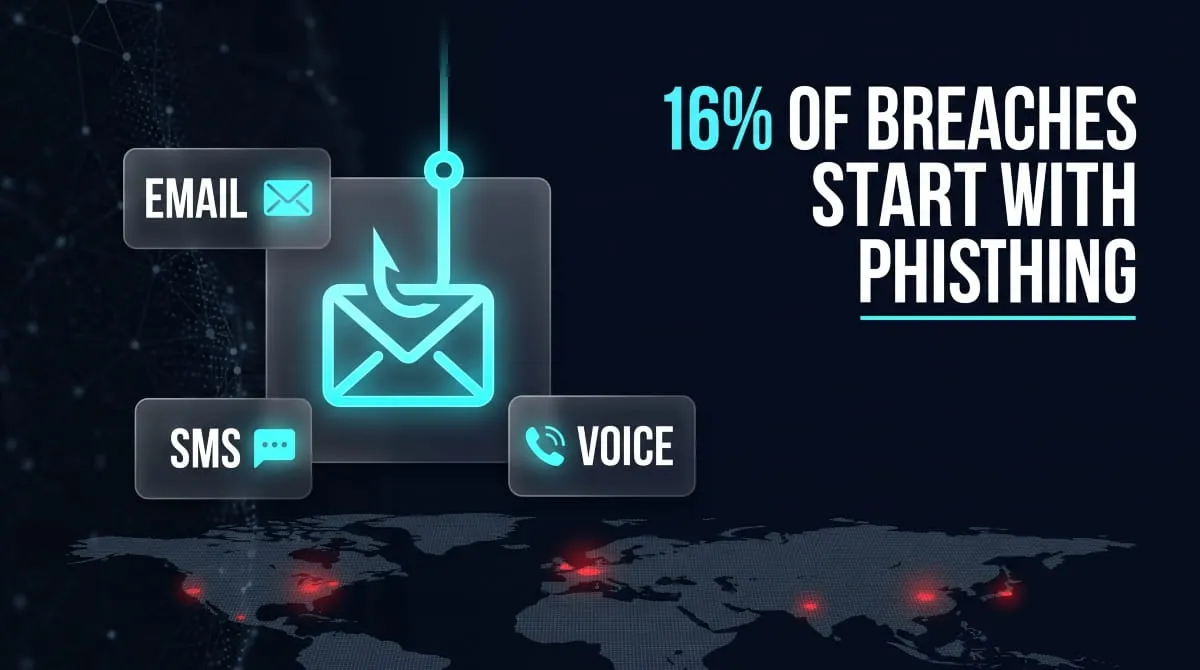
Phishing is a cyberattack where someone impersonates a trusted source a bank, a coworker, a well-known brand to trick you into handing over passwords, financial details, or other sensitive information, usually through a fake email, text message, or website. It’s less a piece of malicious code than a piece of social engineering: the attack works by manipulating trust, not by breaking through a firewall.
It’s also the industry’s single biggest point of failure. According to Verizon’s 2026 Data Breach Investigations Report, phishing accounts for 16% of confirmed breaches as the initial point of entry, and it’s one of several vectors folded into the 62% of all breaches that involve some human element someone clicking a link, entering credentials into a fake page, or approving a request that looked legitimate. Once those credentials are stolen, they rarely stay contained: they’re typically sold, traded, or leaked on the dark web within days, which is often how a single phishing email turns into a company-wide breach.
This guide covers what phishing actually looks like in 2026, the different forms it takes from email and SMS to voice calls and QR codes and the specific steps that stop it before it costs you anything.
What Is Phishing?
Phishing is a type of cyberattack that uses deception rather than code: a fake email, text, phone call, or website designed to look like it’s from someone you trust to get you to hand over credentials, financial details, or account access. The message usually asks for something urgent: verify your account, confirm a payment, reset a password. Once you click the link or enter your information, the attacker now has it.
Phishing vs Spam vs Spoofing, What’s the Difference
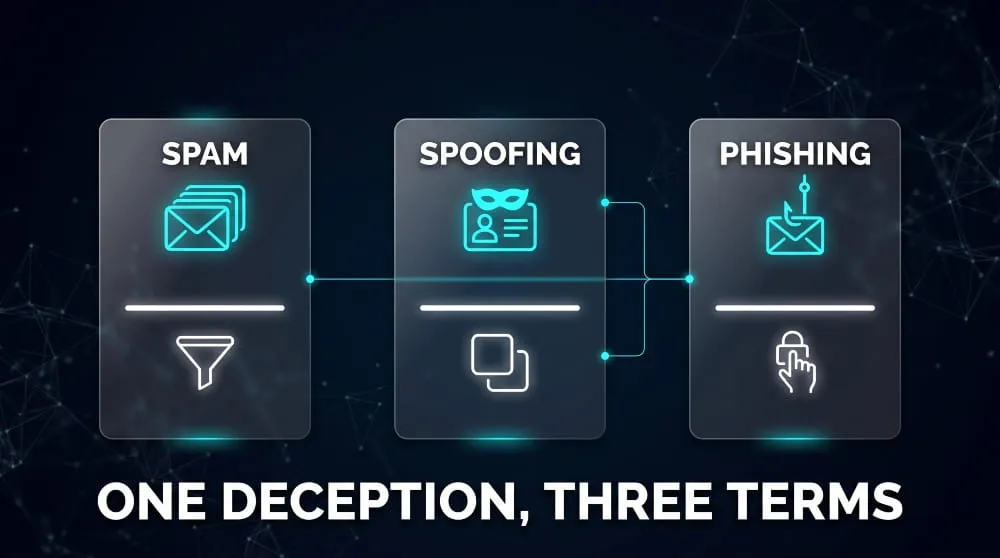
These three terms get used interchangeably, but they describe different things. Spam is unsolicited bulk messaging, annoying, but not necessarily malicious; most spam is trying to sell you something, not steal from you. Spoofing is a technique, not an attack on its own: it’s the act of faking a sender’s email address, phone number, or website domain so it looks legitimate. Phishing is the attack itself, and it often uses spoofing as one of its tools. A phishing email might spoof a real company’s domain to look convincing, then use spam-style mass distribution to reach as many targets as possible. In short: spoofing is how the message is disguised, spam is how it’s delivered at scale, and phishing is the deception that makes you act on it.
Common Indicators of a Phishing Attempt
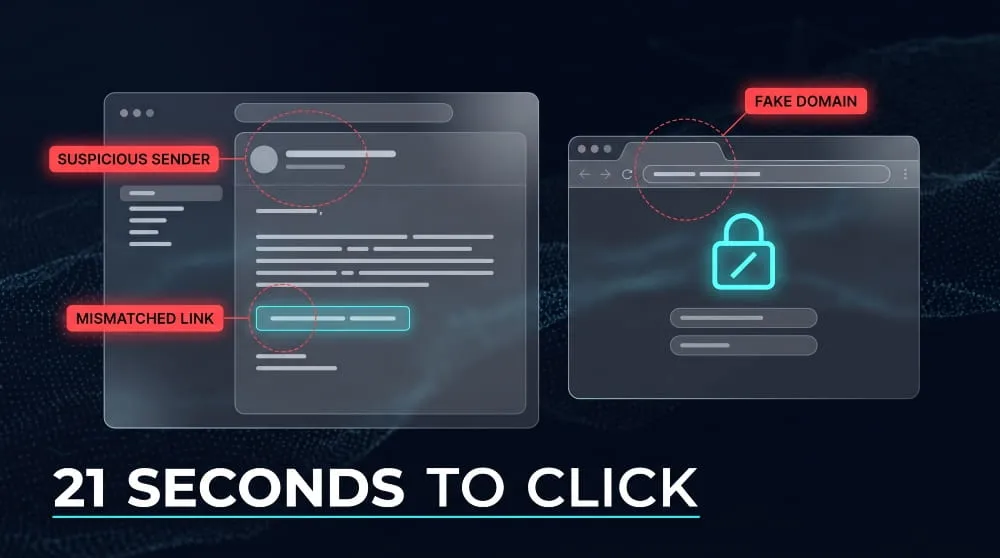
Most phishing attempts share a handful of tells, even when the disguise is convincing. A mismatched sender address, a domain that’s almost right but not quite (“micros0ft-support.com”), is one of the most reliable signs. Others include generic greetings instead of your actual name, links that don’t match the text describing them when you hover over them, unexpected attachments, and requests for sensitive information that a legitimate company would never ask for by email. The common thread across nearly all of them is manufactured urgency: attackers want you to act before you think. That pressure works; Verizon’s Data Breach Investigations Report has found the median time for someone to click a phishing link after opening the message is about 21 seconds, faster than most people would take to spot a fake domain if they slowed down.
How Does Phishing Work?
Phishing works by exploiting trust rather than technical vulnerabilities. An attacker crafts a message that looks like it’s from someone you’d normally respond to without hesitation, then uses that credibility to get you to hand over information or access you’d never give a stranger. The technology behind it (email spoofing, cloned login pages, malicious links) is just the delivery mechanism; the actual attack is psychological.
The Anatomy of a Phishing Attack
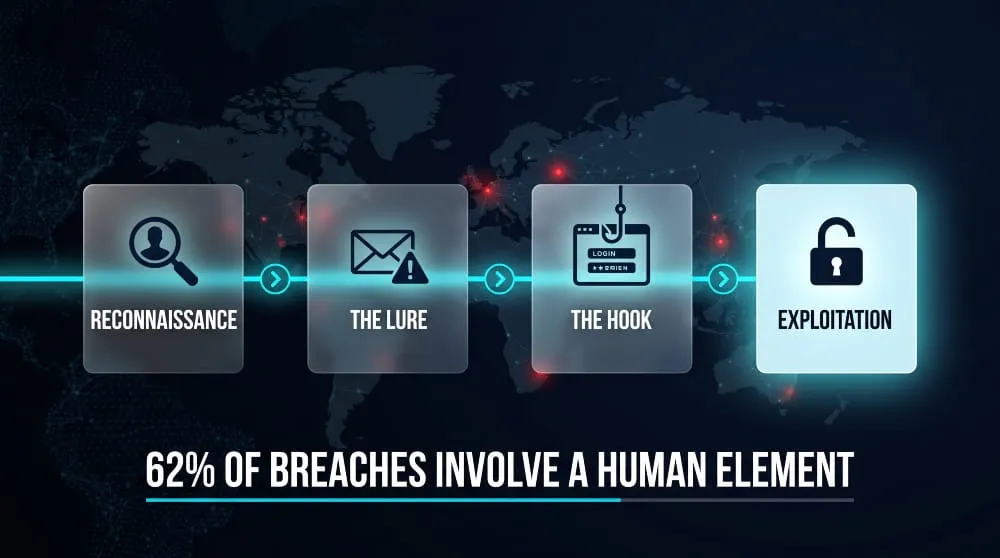
Most phishing attacks follow a similar sequence, regardless of the channel. First comes reconnaissance: the attacker identifies a target, an individual, a company, a specific role like someone in finance or HR, and gathers enough detail (a name, a job title, a recent transaction) to make the message believable. Next comes the lure: an email, text, or call built around a plausible, urgent scenario, a failed delivery, a locked account, an unpaid invoice. The message includes a hook, usually a link to a spoofed login page or an attachment carrying malware. When the target clicks and enters their credentials, or opens the file, the attacker captures that data or gains a foothold on the device. The final stage is exploitation: the stolen credentials get used immediately to access accounts, or they’re sold on to someone else who will.
Why Phishing Leads to Data Breaches and Dark Web Exposure
A single successful phishing attempt rarely stays contained to one account. Once an attacker has a working set of credentials, the standard next move is credential stuffing, testing that same email-and-password combination against banking sites, work accounts, and other services, since most people reuse passwords across multiple logins. Stolen credentials also have resale value: they’re routinely packaged and sold on dark web marketplaces within days of being harvested, where other criminals buy them for further attacks. This is why phishing shows up so consistently at the root of larger breaches; Verizon’s Data Breach Investigations Report attributes 62% of all breaches to a human element like phishing or stolen-credential use, not a technical exploit. It’s also why monitoring whether your own credentials have surfaced on the dark web matters: by the time a breach is publicly disclosed, the underlying phishing attack that caused it may have happened months earlier.
12 Types of Phishing Attacks
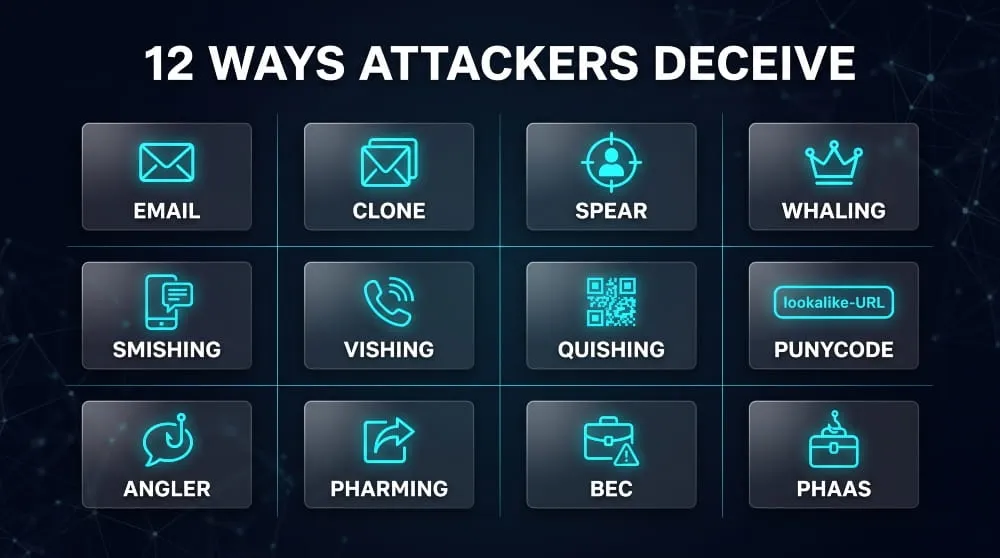
Phishing isn’t one attack; it’s a category of at least a dozen distinct techniques, each exploiting a different channel or level of targeting. What they share is the same core deception (impersonating someone trustworthy to extract information). Still, the delivery method, the target, and the sophistication vary widely, from mass-blasted emails to attacks built around a single named executive.
Email Phishing & Clone Phishing
Email phishing is the original and still most common form: a mass-distributed message impersonating a bank, retailer, or service provider, sent to as many addresses as possible in the hope that a small percentage click through. Clone phishing is a more deliberate variant: the attacker copies a real, previously sent email (often one the target has already received and trusted) almost exactly, but swaps the legitimate link or attachment for a malicious one. Because the format and sender look familiar, clone phishing bypasses the scepticism a first-contact email would normally trigger.
Spear Phishing & Whaling
Spear phishing narrows the net to a specific individual or organisation, using researched details, a real project name, a colleague’s name, or a recent event to make the message far more convincing than a generic blast. Whaling is spear phishing aimed specifically at senior executives or other high-value targets, usually framed around something only a CEO or CFO would plausibly need to act on, like a wire transfer request or a legal notice. Both rely on preparation rather than volume, which is why they succeed at higher rates than untargeted phishing despite reaching far fewer people.
Smishing (SMS Phishing) & Vishing (Voice Phishing)
Smishing delivers the same deception over text message: a fake delivery notification, a bank alert, or a “verify your account” link sent to a phone instead of an inbox. It’s become one of the fastest-growing phishing channels because most people apply far less scrutiny to a text than an email, and mobile devices typically lack the spam filtering that email providers have built up over decades. Vishing is the voice equivalent: a phone call, often spoofing a real company’s caller ID, where the attacker talks the target through handing over information directly, sometimes using AI-generated voice cloning to impersonate a specific person the target knows.
Quishing (QR Code Phishing) & Punycode Phishing
Quishing hides a malicious link inside a QR code instead of a clickable URL, betting that a target will scan it on a parking meter, a restaurant menu, or a “scan to reset your password” email, without being able to preview where it leads first. It’s grown quickly because QR codes routinely bypass the URL-scanning tools that email security systems use to catch phishing links. Punycode phishing is a more technical trick: attackers register domains using characters from other alphabets that render as near-identical lookalikes of real brand names (a Cyrillic “а” in place of a Latin “a,” for example), producing a URL that looks correct at a glance even under close inspection.
Angler Phishing, Pharming & Business Email Compromise (BEC)
Angler phishing operates on social media, where attackers pose as a company’s customer support account and reply to public complaints with a “helpful” link to a fake support page. Pharming skips the lure message entirely and instead redirects a target’s traffic at the network or DNS level, so even typing a legitimate URL correctly can land them on a spoofed site. Business Email Compromise is among the costliest variants: attackers compromise or convincingly impersonate a real executive or vendor’s email account, then use that trusted position to request a wire transfer or change payment details, no malware or fake login page required, just a well-timed, well-written request.
Phishing-as-a-Service (PhaaS)
Phishing-as-a-Service refers to ready-made phishing kits sold or rented on dark web forums, packaging everything from cloned login pages to email templates and hosting infrastructure into a product a non-technical criminal can deploy in minutes. This has meaningfully lowered the skill barrier for running a phishing campaign, which is part of why volume keeps climbing: SentinelOne’s 2026 research found that SMS-based phishing alone now accounts for roughly 35% of all phishing attacks, up sharply as PhaaS kits made SMS campaigns as easy to launch as email ones.
Real Phishing Examples (What a Phishing Message Looks Like)
Seeing a phishing attempt broken down piece by piece makes the pattern far easier to spot in the moment than any abstract list of warning signs. Most phishing messages follow a recognisable formula: a trusted brand, a manufactured problem, and a link that solves it, and once you’ve picked apart one example, the same structure shows up almost everywhere.
Sample Phishing Email Breakdown
A typical phishing email might arrive with the subject line “Unusual sign-in activity detected” and a sender name reading “Microsoft Account Team.” The body opens with a generic “Dear Customer” rather than your actual name, warns that your account will be suspended within 24 hours unless you verify your identity, and includes a blue “Verify Account” button. Hovering over that button, without clicking, reveals the real destination isn’t microsoft.com at all, but a lookalike domain like “microsoft-secure-verify.com” or a string of random characters. The sender’s actual email address, visible if you check the full header instead of just the display name, often doesn’t match the organisation it claims to represent either. Every element is designed to be skimmed, not read closely; the urgency in the subject line exists specifically to stop you from checking the details that would give it away.
Sample Phishing Website Red Flags
The page that the link leads to is usually built to be a near-exact visual copy of a real login screen, right down to the logo and colour scheme, which is why appearance alone isn’t a reliable way to judge it. The browser’s address bar is more trustworthy: a missing padlock icon, “http” instead of “https,” or a domain that’s subtly misspelt or contains extra words (“login-paypal-secure.com” instead of paypal.com) are all signs the page isn’t what it claims to be. Legitimate login pages also typically don’t ask for information beyond a username and password on the first screen; a site requesting your full Social Security number, card PIN, or security question answers immediately alongside a basic login is a strong indicator it’s built to harvest data rather than authenticate you. Zimperium’s 2024 research found that 83% of phishing websites are now specifically designed to render convincingly on mobile browsers, where smaller screens make address bars easier to miss and red flags easier to overlook.
How to Identify a Phishing Attempt
Identifying a phishing attempt comes down to checking a small set of details before you act: the sender’s actual address, where a link really points, and whether the request makes sense, rather than judging a message by how polished or official it looks. Most phishing has gotten too well-designed to catch on appearance alone, which is why the identification process has shifted from “does this look real” to “does this check out.”
Warning Signs & Indicators
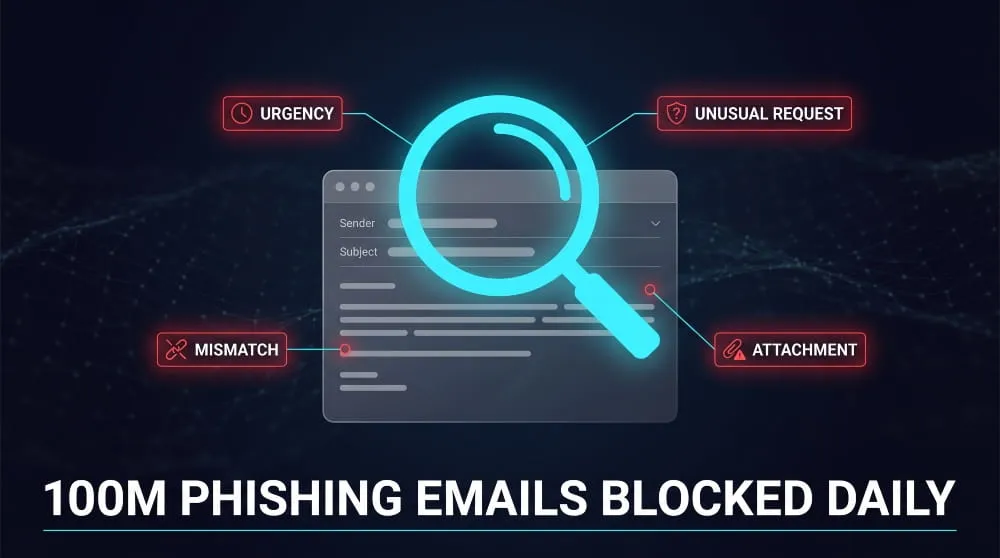
A few indicators show up across nearly every phishing attempt, regardless of channel. Urgency is the most consistent one: a message pushing you to act immediately, before an account locks, a payment is missed, or a limited-time offer expires, is designed to short-circuit the scrutiny you’d normally apply. Mismatches are the next tell: a sender name that doesn’t match the actual email address, a link’s display text that doesn’t match its real destination, or a company logo paired with a domain that the company doesn’t own. Unusual requests matter too; a legitimate bank or employer will rarely ask you to confirm a password, PIN, or full account number by email or text, since those aren’t things they need from you to do their job. And unexpected attachments or links, especially ones you didn’t request and weren’t expecting, are worth treating as suspicious by default rather than opening on the assumption they’re probably fine.
Phishing Checkers and Detection Tools
Beyond manual review, a range of free tools can verify whether a specific link or site is a known phishing threat before you interact with it. Google Safe Browsing, VirusTotal, and browser-built-in warnings (Chrome, Edge, and Firefox all flag known phishing domains automatically) will catch a large share of attempts that use previously reported infrastructure. These tools work by checking a URL against continuously updated blocklists of confirmed malicious sites, so they’re strongest against recycled infrastructure and weaker against a domain registered minutes ago for a single campaign, which is increasingly common. That gap matters: Google alone blocks roughly 100 million phishing emails a day, and about 68% of them belong to campaigns its systems had never seen before, meaning automated detection is necessary but not sufficient on its own; it works best paired with the manual checks above, not as a replacement for them.
How to Prevent and Report Phishing
Preventing phishing relies on a mix of habits and safeguards rather than any single fix, verifying requests independently, using tools that catch what people miss, and reporting attempts so the underlying infrastructure gets taken down. No individual measure stops every attack, but layering a few consistently closes off most of the ways phishing succeeds.
Prevention Best Practices for Individuals
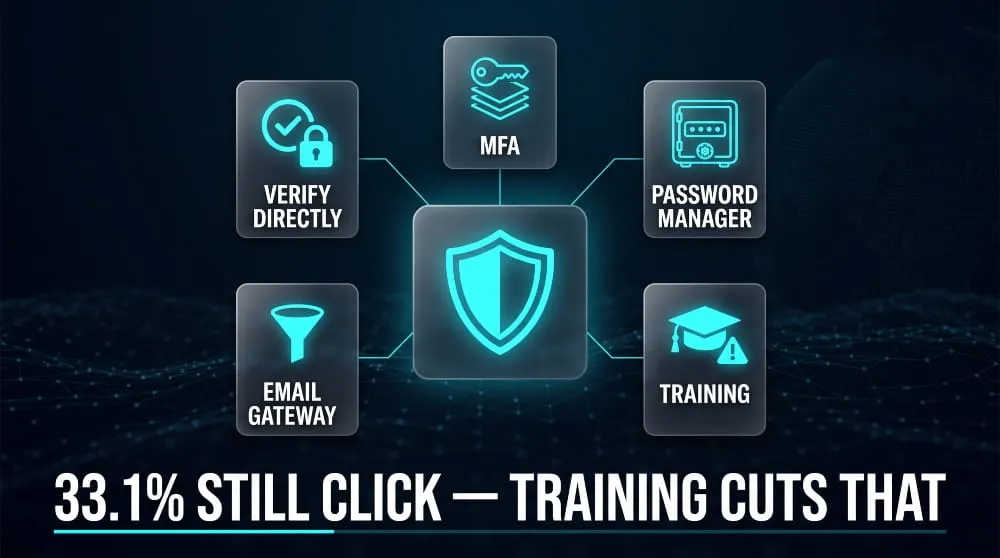
The single most effective habit is verifying independently: if an email or text claims to be from your bank or employer, don’t click the link in the message, go directly to the site by typing the address yourself, or call using a number you already have on file, not one provided in the message. Enabling multi-factor authentication on email, banking, and other important accounts means that even a successfully phished password isn’t enough on its own to get an attacker in. A password manager helps too, in a way that’s easy to overlook: it won’t autofill credentials on a lookalike domain the way it will on the real one, which makes a spoofed login page noticeably harder to fall for. And when a message does turn out to be phishing, reporting it- most email providers have a built-in “Report Phishing” option- helps get the sender and domain blocked faster for everyone else.
Prevention Best Practices for Businesses
For organisations, the priority shifts from individual vigilance to reducing how much any one person’s mistake can cost. Email security gateways that filter suspicious messages before they reach an inbox catch a meaningful share of attempts before anyone has to make a judgment call. Enforcing multi-factor authentication company-wide limits the damage a single set of stolen credentials can do, and network segmentation limits how far an attacker can move if one account or device is compromised. Because phishing so often precedes a larger breach, monitoring the dark web for employee credentials or company data that shouldn’t be there gives businesses a chance to respond before stolen access gets used, rather than finding out only after the damage is done.
Phishing Awareness Training
Technical controls only go so far when the attack is designed to bypass judgment, not code, which is why ongoing training remains one of the more effective layers. Simulated phishing campaigns, sending realistic but harmless test emails to employees and tracking who clicks, give organisations a concrete measure of risk rather than a guess, and they make the warning signs concrete in a way that a slideshow can’t. KnowBe4’s 2025 industry benchmark puts the average “phish-prone percentage”, the share of untrained employees who click a simulated phishing link, at 33.1%, with high-risk industries like healthcare climbing above 40%. That figure typically drops significantly within a year of regular simulation and training, which is the clearest evidence that awareness training changes real behaviour rather than just checking a compliance box.
Phishing Statistics & Trends (2026)
Phishing remains the most common cyberattack businesses and individuals face in 2026, and the numbers behind it have kept climbing rather than levelling off. What’s changed most isn’t the core tactic- impersonation, urgency, a malicious link- but the scale and sophistication AI has added to it, making attacks faster to produce and harder to distinguish from legitimate messages.
How Common Is Phishing
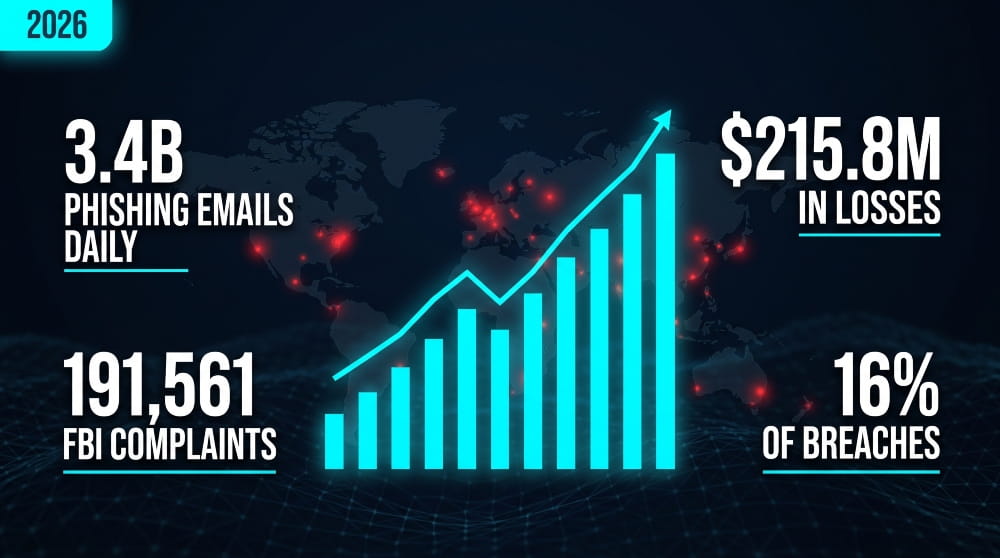
Phishing was the most reported form of cybercrime in 2025, with 191,561 complaints filed to the FBI’s Internet Crime Complaint Centre, more than any other category, including ransomware and identity theft. Attackers now send an estimated 3.4 billion phishing emails daily worldwide. A growing share of that volume is machine-generated: recent research puts the AI-generated share of phishing emails at over 80%, up sharply from just a few years ago, as tools that once took a skilled attacker hours to draft a convincing message now do it in minutes. Verizon’s 2026 Data Breach Investigations Report attributes 16% of confirmed breaches directly to phishing as the initial point of entry, with a broader 62% tied to human-element failures that phishing is part of.
Cost and Impact of Phishing Attacks
The financial toll of phishing has risen alongside its volume. The FBI’s IC3 reported $215.8 million in losses from phishing and spoofing complaints in 2025, roughly three times the $70 million reported the year before, even though the number of complaints stayed relatively flat, suggesting individual incidents are getting more costly, not just more frequent. Business Email Compromise, one of phishing’s most damaging variants, carries a median loss of around $50,000 per incident according to the same 2025 Verizon report, and healthcare, the industry with the highest phish-prone rate, also faces the highest average breach cost of any sector, at roughly $7.4 million. The pattern across nearly every dataset is consistent: phishing isn’t losing relevance as security tools improve; it’s adapting faster than most defences can keep pace with.
Frequently Asked Questions (FAQ’s)
Is Phishing a Form of Social Engineering?
Yes, phishing is the most common form of social engineering, the broader category of attacks that manipulate human trust and behaviour rather than exploiting technical vulnerabilities. Social engineering also covers tactics like pretexting or baiting, but phishing specifically uses deceptive messages, usually email, text, or fake websites, to extract information.
Is Phishing Responsible for Most Data Breaches?
Phishing is a leading cause but not the majority cause; Verizon’s 2026 DBIR attributes 16% of confirmed breaches directly to phishing as the initial entry point. It’s part of a larger 62% tied to human-element failures overall, alongside stolen credentials and other social engineering tactics.
What’s the Difference Between Vishing and Smishing?
Vishing is phishing conducted over a phone call, often using spoofed caller ID or AI voice cloning to impersonate someone trusted. Smishing is the same deception delivered via text message instead; both rely on urgency and impersonation, just through different channels.
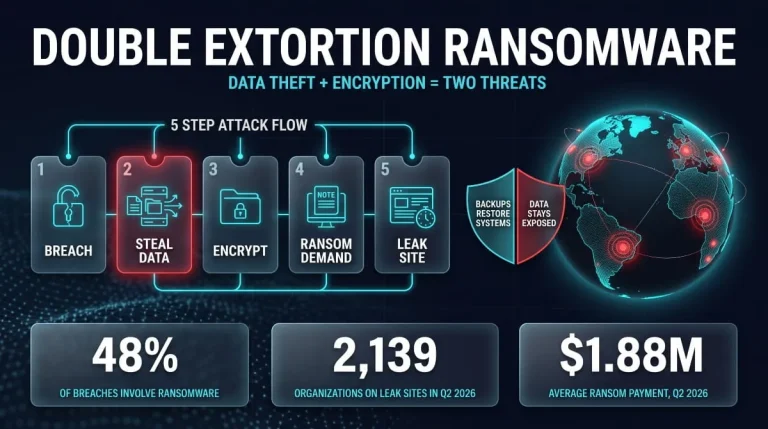
Double Extortion Ransomware | What It Is, How It Works, and How to Defend Against It (2026 Guide)
Double extortion ransomware is an attack in which criminals steal your data, encrypt your systems, and then demand payment twice: once for the decryption key and…
Read more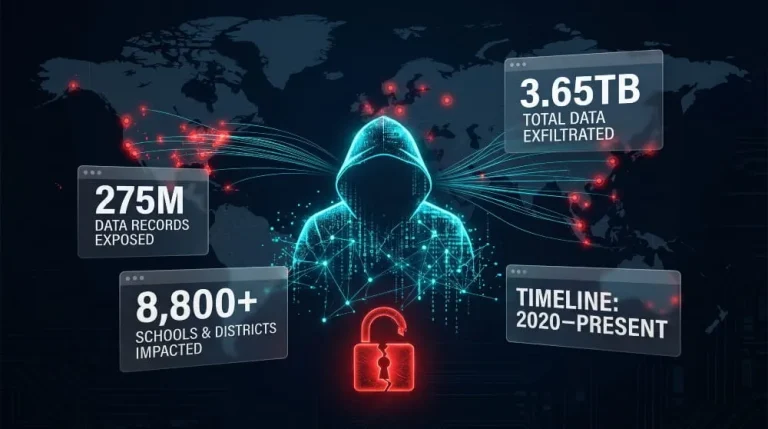
ShinyHunters | Who They Are, the Canvas Breach, and Every Company They’ve Hacked (Updated 2026)
ShinyHunters is a financially motivated hacking and extortion group that has spent the past several years breaching companies, universities, and cloud platforms, stealing data, and threatening…
Read more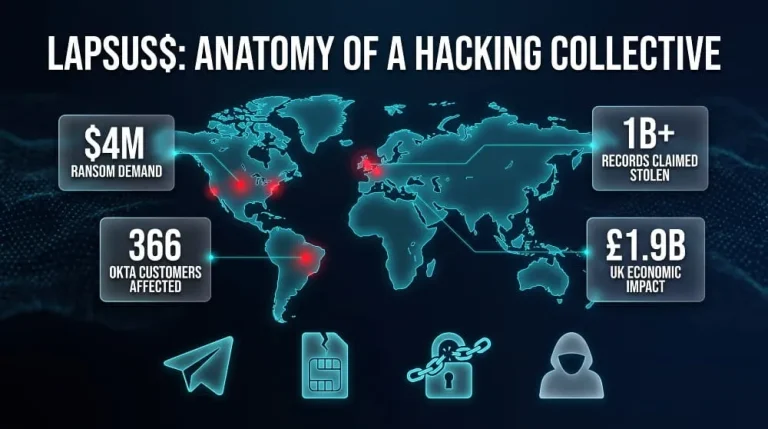
Lapsus$ Explained | The Hacking Group Behind Okta, Uber, Nvidia and Its Return
Lapsus$ is a hacking and extortion group first known for breaching Okta, Microsoft, Nvidia, Samsung, and Uber in 2021 and 2022 using social engineering rather than…
Read more