
Phishing Scams | Guide to Recognizing, Avoiding, and Reporting Them
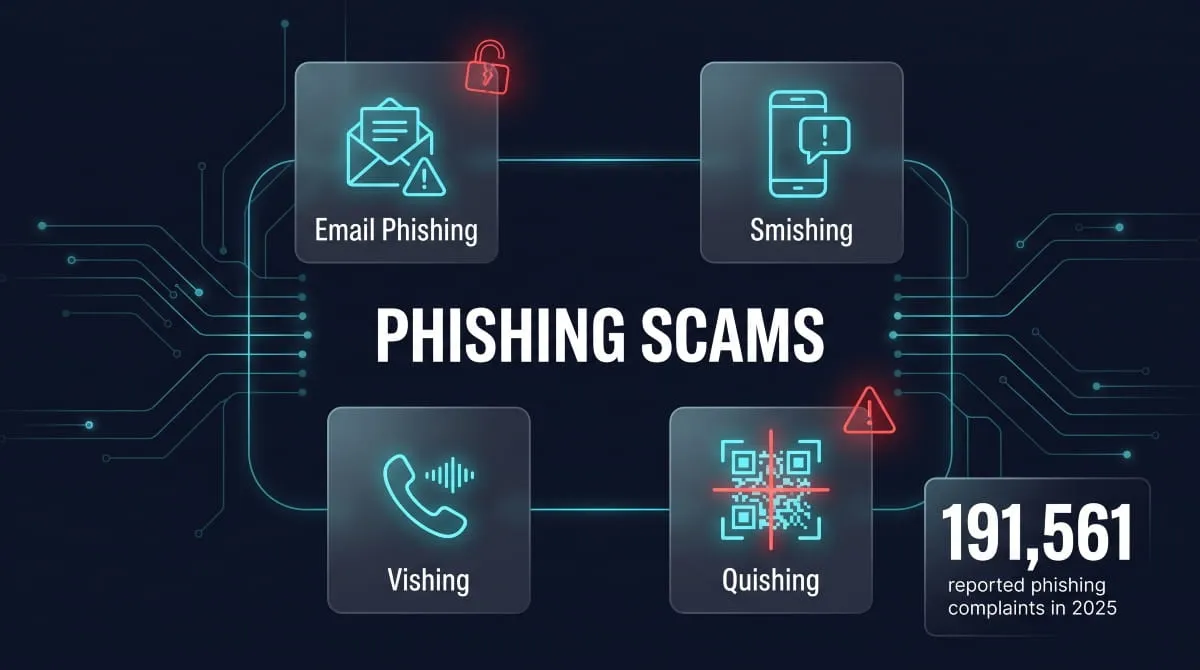
A phishing scam is a fraud attempt where someone impersonates a trusted company, government agency, or person, usually by email, text, or phone, to trick you into handing over passwords, financial details, or money. It’s the most reported cybercrime in the United States: the FBI’s Internet Crime Complaint Center logged Phishing and spoofing as the most frequently reported complaint category in 2025, out of over one million total complaints received that year. Phishing scams show up everywhere: a fake Amazon delivery alert, a “suspicious activity” text from your bank, a spoofed IRS notice, a QR code taped to a parking meter, and they’re getting harder to catch as scammers use AI to make messages sound more convincing and personal. This guide walks through what a phishing scam actually is, the different forms it takes, real examples from the platforms people use every day, and exactly how to spot one, avoid one, and report one if it lands in your inbox.
What Is a Phishing Scam?
A phishing scam is a fraud attempt in which a criminal poses as a trustworthy source, a bank, a delivery company, a coworker, or a government agency to trick someone into revealing sensitive information or taking a harmful action, like clicking a malicious link or wiring money. The term comes from “fishing”: the scammer casts out a message, often to thousands of people at once, and waits to see who bites. Unlike a break-in or a hack that exploits a technical flaw, Phishing exploits trust and urgency. A convincing subject line (“Your account has been locked”) or a familiar logo is often all it takes to get someone to type a password into a fake login page or approve a payment they shouldn’t.
Phishing vs. Scam vs. Spam, What’s the Difference?
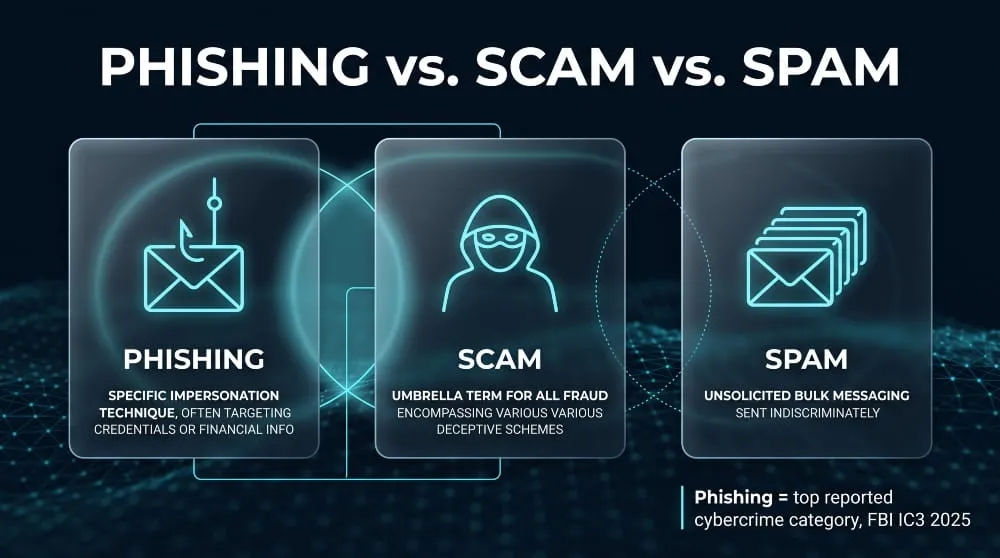
Scam is the umbrella term: any deliberate deception designed to cause financial or personal harm, from a fake lottery win to a rigged online marketplace listing. Phishing is a specific technique used to run a scam, one built on impersonation, usually with a link or attachment as the delivery mechanism. Spam is different from both; it’s simply unsolicited bulk messaging, and most spam is just unwanted advertising rather than an attempt at fraud. The overlap is real, though: a phishing email is almost always a scam, and it’s often sent the way spam is, in bulk, hoping a small percentage of recipients respond. The distinction that matters practically is this: not every scam is phishing, but every phishing attempt is a scam that uses false identity as its weapon.
Is Phishing Always a Scam? (Legal & Technical Distinction)
In everyday use, yes, Phishing is treated as synonymous with scamming, since its entire purpose is deception for gain. But there’s a narrower technical distinction worth knowing: security researchers and red teams sometimes run simulated phishing campaigns, with an organization’s knowledge and consent, to test how employees respond to suspicious emails. That’s phishing technique without scam intent, since no one is actually being defrauded. Outside of that authorized-testing context, Phishing is fraud in the eyes of the law. The FBI’s Internet Crime Complaint Center classifies Phishing and spoofing as a criminal complaint category. It was the single most reported type of cybercrime in the U.S. in 2025, a scale that reflects just how central deception is to how Phishing operates.
How Phishing Scams Actually Work
The Anatomy of a Phishing Attack, Step by Step
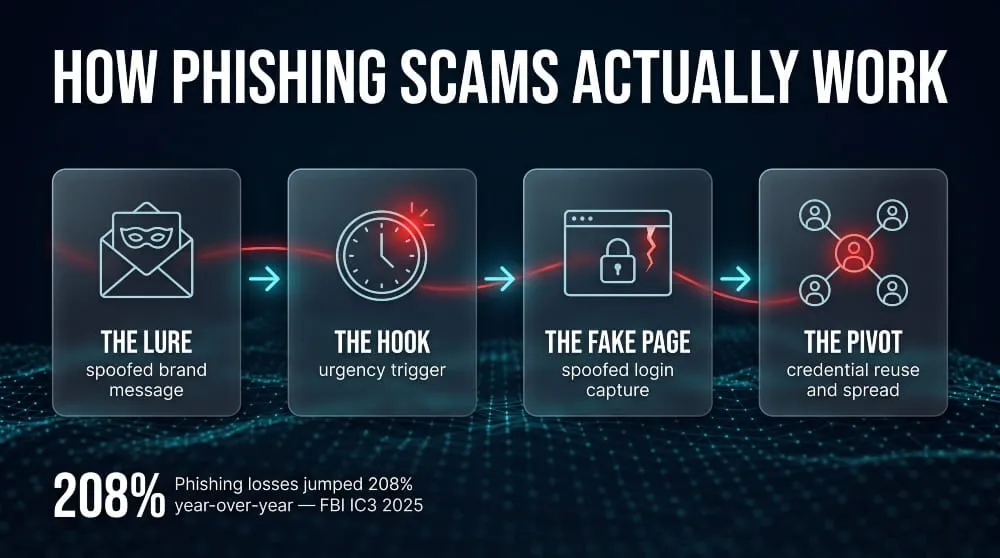
Most phishing scams follow a predictable sequence, even when the disguise changes. First comes the lure: an email, text, or call that mimics a real brand or institution closely enough to pass a glance, the right logo, a plausible sender name, familiar wording. Next comes the hook, a reason to act immediately: a flagged account, a failed delivery, an unauthorized charge. That urgency pushes the target toward a link or attachment before they’ve had time to scrutinize it. The link leads to a spoofed page built to look identical to the real login screen, and whatever the target types there- a password, a card number, a one-time code- goes straight to the attacker. From that single entry point, scammers often pivot fast, using stolen credentials to access other accounts, drain funds, or launch further attacks on the victim’s contacts.
Why Phishing Scams Keep Working (Psychology & Urgency Tactics)
Phishing scams succeed because they’re engineered around how people actually make decisions under pressure, not around technical exploits. Scarcity and urgency short-circuit careful thinking; a countdown timer or a threat of account suspension is far more effective than a calm, unhurried request. Authority does the rest of the work: people are conditioned to comply quickly with messages that appear to come from a bank, an employer, or a government agency, and that instinct is exactly what a phishing scam borrows. Attackers also lean on context, timing messages around tax season, holiday shipping, or a company’s actual internal events so the request feels expected rather than suspicious. None of this requires sophisticated hacking; it requires knowing which emotional triggers reliably override a person’s usual caution.
The Goals Behind a Phishing Scam (Credentials, Money, Data)
Every phishing scam is built around one of a few underlying objectives, even when the messaging varies widely. Credential theft is the most common: getting a username and password that unlocks email, banking, or corporate systems, often as a stepping stone to something bigger. Direct financial theft is the second goal, whether that’s a fraudulent wire transfer, a gift card purchase, or a fake invoice paid to the wrong account. The third is data harvesting, collecting personal details like Social Security numbers or dates of birth that get resold or used for identity theft later. These aren’t mutually exclusive; a single successful phishing attempt can hand over login credentials that then enable both financial theft and further downstream data exposure. That compounding effect is part of why the FBI’s Internet Crime Complaint Center reported phishing losses climbing sharply in 2025 even as complaint volume held roughly flat; each successful attack is doing more damage than it used to.
Types of Phishing Scams
Email Phishing
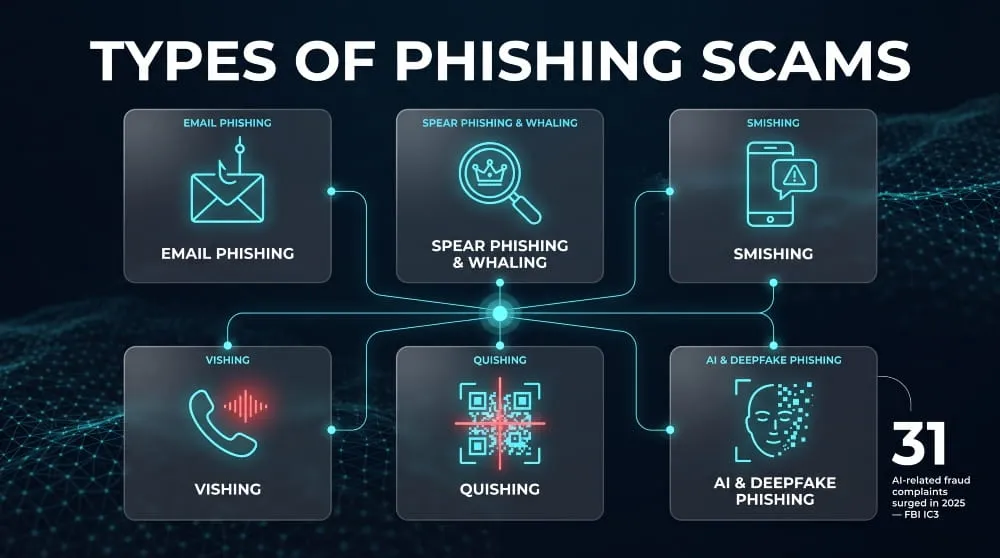
Email phishing is the original and still most common form of phishing scam: a mass-sent message disguised as a legitimate company or contact, designed to get the recipient to click a malicious link or open an infected attachment. These emails typically spoof recognizable brands, such as shipping notices, password reset requests, and invoices, and rely on volume, since even a tiny response rate across thousands of recipients makes the attack profitable. Email phishing remains the biggest single category by complaint volume; the FBI’s Internet Crime Complaint Center logged Phishing and spoofing as the most reported cybercrime type in the U.S. in 2025, with the vast majority of those attempts arriving by email.
Spear Phishing & Whaling (CEO Fraud)
Spear phishing is a targeted version of the same scam, aimed at one specific person or a small group rather than a mass audience. The attacker researches the target beforehand: their job title, coworkers, and recent projects, so the message feels personally relevant instead of generic. Whaling is spear phishing aimed at senior executives, often impersonating a CEO or CFO to pressure an employee in finance or HR into an urgent wire transfer or a request for sensitive payroll data. Because these attacks are tailored and low-volume, they’re harder for spam filters to catch, and the financial stakes are usually much higher than a typical mass email phishing scam.
Smishing (Text Message Phishing)
Smishing is Phishing delivered by SMS text message rather than email, and it’s grown fast alongside the rise in mobile banking and delivery notifications. A typical smishing scam impersonates a bank, a toll agency, or a shipping carrier, warning of a failed payment or a package held for delivery, with a link to a fake site built to harvest login details or card numbers. Smishing tends to work especially well because people are conditioned to trust texts more than email, and phone screens make it harder to spot the small inconsistencies- a slightly wrong domain, awkward phrasing- that might raise suspicion in a full-sized email client.
Vishing (Voice/Phone Phishing)
Vishing is Phishing carried out over a phone call, where a scammer impersonates a bank representative, tech support agent, or government official to extract information or push a victim toward an urgent payment. These calls often use spoofed caller ID to display a legitimate-looking number, and they lean heavily on real-time pressure; a live voice pushing for an immediate decision is harder to hang up on than an email is to delete. Vishing scams frequently pair with other tactics, such as a text message that tells the target to expect a call, making the follow-up phone call feel pre-verified and trustworthy.
QR Code Phishing (“Quishing”)
Quishing is a phishing scam delivered through a QR code instead of a clickable link, often placed on parking meters, printed into fake invoices, or embedded in an email as an image to slip past text-based spam filters. Scanning the code redirects the victim to a spoofed payment or login page. Because QR codes give no visual preview of the destination URL, they remove one of the simplest ways people normally catch a phishing attempt. Quishing has spread quickly in physical, public settings precisely because it exploits a channel- a printed sticker, a poster- that most people don’t yet associate with online fraud.
AI-Generated & Deepfake Phishing Scams
AI-generated phishing scams use large language models to write flawless, personalized messages at scale, eliminating the awkward grammar and generic phrasing that used to be reliable warning signs. Deepfake Phishing goes a step further, using cloned voices or synthetic video to impersonate a real person in a phone call or video message, a tactic increasingly used in whaling-style scams targeting company executives. Regulators have flagged this shift directly: the FBI’s 2025 Internet Crime Report noted a sharp rise in AI-related fraud complaints, citing voice cloning and deepfake video among the tools now used to make phishing attempts more convincing and harder to detect than in previous years.
Real-World Examples: Phishing Scams by Platform
Amazon, PayPal & Online Retail Phishing Scams
An Amazon or PayPal phishing scam almost always centers on a problem with an order or payment: a suspended account, an unauthorized purchase, or a delivery that needs “confirmation” before it ships. The email or text mimics the retailer’s branding closely and links to a fake login page designed to capture the victim’s username, password, and often stored payment details in one step. These scams are effective because online shopping notifications are routine; most people get several a week from real retailers, so a fraudulent one blends into an already-crowded inbox instead of standing out.
Bank & Financial Institution Phishing Scams (Chase, Wells Fargo, Bank of America)
Bank phishing scams impersonating institutions like Chase, Wells Fargo, or Bank of America typically warn of suspicious account activity, a frozen card, or a required identity verification, pushing the recipient to “confirm” login credentials on a spoofed banking site. Some versions skip email entirely and arrive as a text claiming to be a fraud alert, followed by a phone call from someone posing as bank security. This combination makes the scam feel independently verified. Because banking fraud carries direct financial stakes, these scams are among the most reported to the FBI’s Internet Crime Complaint Center each year, and they’re a major driver behind the sharp rise in phishing-related dollar losses reported in 2025.
Social Media Phishing Scams (Facebook, Instagram, LinkedIn, Discord)
Phishing scams on Facebook, Instagram, LinkedIn, and Discord usually take one of two forms: a fake “your account will be disabled” notice, or a message from a compromised friend’s account asking for help or money. On LinkedIn, scammers often pose as recruiters offering a job opportunity that requires clicking a link or filling out a form loaded with personal details. On Discord, phishing frequently spreads through direct messages or fake giveaway links shared inside otherwise legitimate servers, exploiting the platform’s community trust to reach victims who’d be more skeptical of a random email.
Government & Toll Agency Phishing Scams (IRS, USPS, DMV, E‑ZPass)
Government-impersonation phishing scams, posing as the IRS, USPS, DMV, or a toll agency like E‑ZPass, rely on the automatic authority those names carry, threatening unpaid tolls, a rejected tax refund, or a held package pending a small fee. These scams frequently arrive by text rather than email, since a short “pay now to avoid penalty” message fits naturally into SMS. This category has grown fast: the FBI’s 2025 Internet Crime Report noted that complaints involving government impersonation nearly doubled year over year, making it one of the fastest-growing phishing categories tracked.
Crypto & Fintech Phishing Scams (Coinbase, Venmo, Zelle)
Phishing scams targeting Coinbase, Venmo, and Zelle exploit the fact that transactions on these platforms are usually instant and irreversible; once a victim approves a transfer or hands over a wallet’s recovery phrase, there’s often no way to get funds back. A typical version warns of a login attempt or a locked account, directing the victim to a fake site that captures credentials or, in crypto’s case, a seed phrase that gives the attacker direct access to a wallet. This irreversibility is precisely why crypto and fintech platforms have become such frequent targets: the payoff per successful phishing attempt tends to be higher, and the window to reverse the damage is nearly zero.
How to Spot a Phishing Scam, Warning Signs
Red Flags in the Message Itself
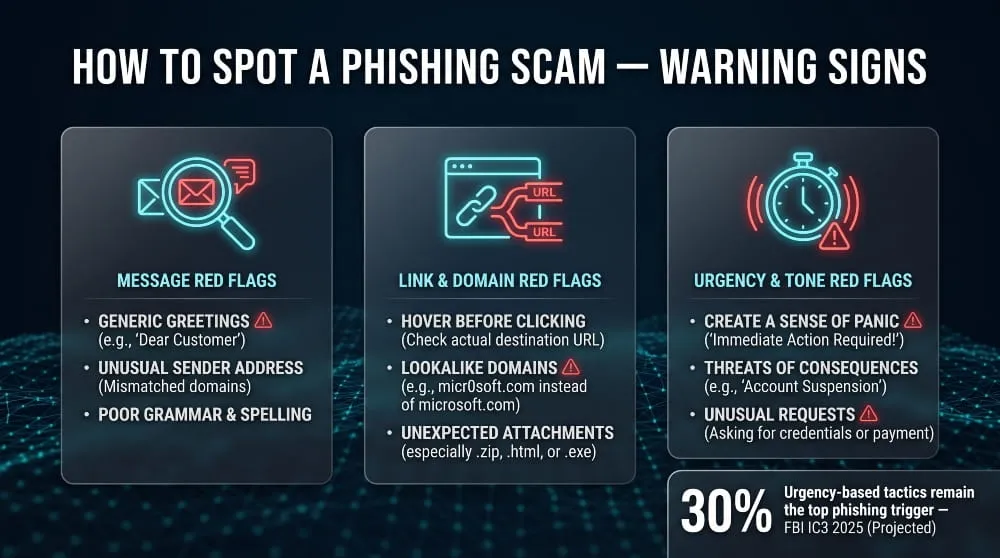
The first sign of a phishing scam is often a small mismatch between what the message claims and how it’s actually written: a greeting like “Dear Customer” instead of your name, a sender display name that doesn’t match the actual email address, or logos and formatting that look slightly off from the real brand. Spelling and grammar errors used to be the most reliable tell, and while AI-written phishing messages have made that signal less consistent, inconsistencies still show up: an Amazon email that never mentions an order number, or a bank message that references an account type you don’t hold. The core pattern to watch for is a message that sounds plausible in isolation but doesn’t quite line up with your actual relationship to that company.
Red Flags in Links, Domains & Attachments
The most reliable way to catch a phishing scam is to check where a link actually leads before clicking it, since the visible text rarely matches the underlying URL. Hovering over a link on desktop, or long-pressing it on mobile, reveals the real destination, and a phishing link typically uses a domain that’s close to the real one but not identical, such as an extra Word, a different extension, or a misspelling. Unexpected attachments are just as risky, especially file types like .zip, .exe, or macro-enabled Word documents arriving from a sender who wouldn’t normally send you a file. QR codes deserve the same scrutiny, since scanning one skips the usual step of seeing a URL at all before you’re redirected.
Red Flags in Tone & Urgency
Phishing scams rely on urgency because urgency short-circuits the pause where someone would normally verify a request, so a message demanding immediate action, “your account will be suspended in 24 hours,” “confirm now or lose access”, is one of the clearest warning signs available. Threats paired with a narrow window to respond are a deliberate design choice, not an accident of writing style; legitimate companies rarely give customers a same-day ultimatum over routine account activity. This pressure tactic is common enough that consumer protection guidance consistently lists it as a top indicator, and it lines up with FBI data showing scammers increasingly rely on speed and emotional pressure rather than technical sophistication to get a phishing attempt to succeed.
How to Prevent and Protect Yourself From Phishing Scams
Best Practices for Individuals
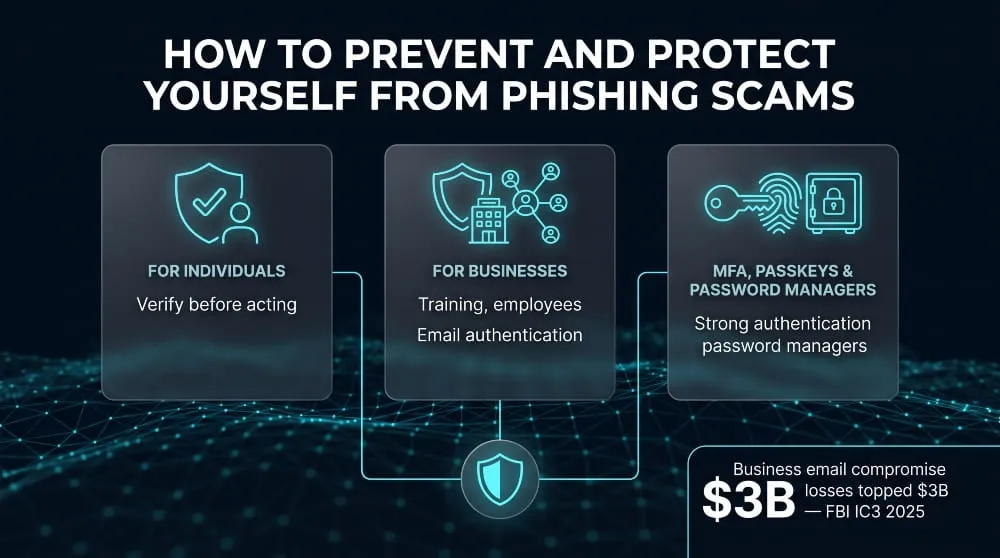
The single most effective habit against a phishing scam is verifying a request through a separate, trusted channel before acting on it, calling your bank using the number on your card, not the one in the suspicious message, or logging into an account directly through the official app rather than clicking a link. Slowing down matters just as much as any technical step: phishing scams are built to be acted on in the moment, so pausing even briefly to check a sender’s actual email address or a link’s real destination stops most attempts cold. It’s also worth treating unexpected messages as suspicious by default, even ones that reference real personal details, since scammers increasingly pull names, employers, and partial account information from data breaches to make a phishing scam look personalized.
Best Practices for Businesses & Employees
For organizations, the most effective defense against phishing scams is a combination of technical controls and employee awareness, since a single successful click can compromise an entire network. Regular, realistic phishing simulation training helps employees recognize live tactics rather than outdated examples, and a clear, low-friction process for reporting suspicious emails to IT means real threats get flagged and blocked before they spread. Email authentication protocols like DMARC, SPF, and DKIM are equally important on the technical side, since they make it much harder for attackers to spoof a company’s own domain convincingly. This combined approach matters because business email compromise and phishing losses climbed sharply in the FBI’s 2025 Internet Crime Report, even as overall complaint volume held roughly steady, a sign that successful attacks are doing more damage per incident than they used to.
The Role of MFA, Passkeys & Password Managers
Multi-factor authentication significantly limits the damage of a phishing scam even when it succeeds, since a stolen password alone usually isn’t enough to access an account protected by a second verification step. Passkeys go further by removing the shared secret entirely: they’re tied cryptographically to the legitimate website, so even a perfectly convincing fake login page can’t capture something that works elsewhere. Password managers add another layer of protection almost by accident, because they autofill credentials only on the exact, verified domain a password was saved for; they simply won’t fill in login details on a spoofed phishing site, giving users a quiet but reliable signal that something is wrong before they’ve typed anything at all.
What to Do If You Fall for a Phishing Scam
Immediate Steps to Take
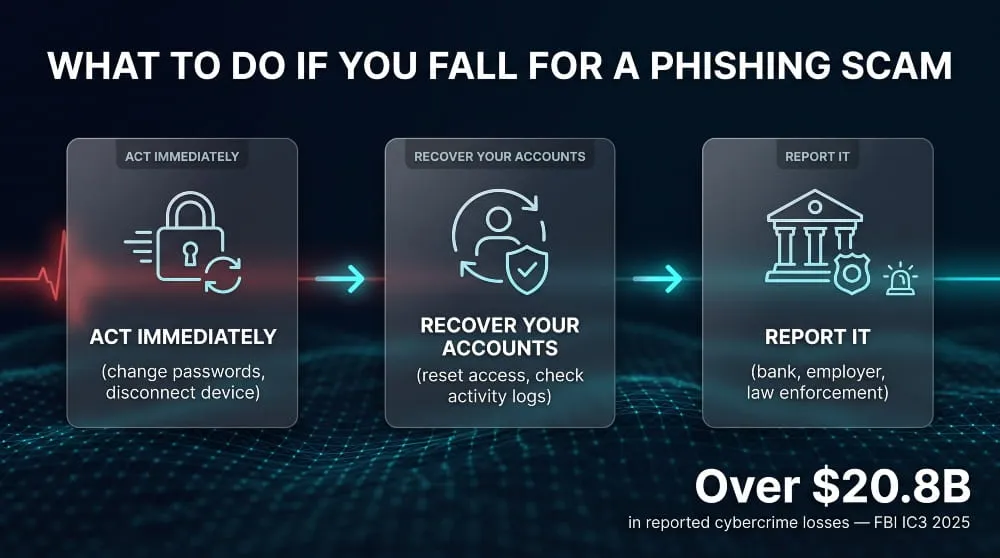
If you’ve fallen for a phishing scam, the first move is to change the password on the affected account immediately, and on any other account where you reuse that same password, since attackers often test stolen credentials across multiple sites within minutes. Disconnect the device you used from the internet if you downloaded an attachment or entered credentials on a page that also installed something, which limits any malware’s ability to communicate with the attacker or spread further. Take a screenshot or save the original phishing message before deleting it, since you’ll want that evidence on hand when reporting the incident or disputing any resulting charges.
How to Recover Compromised Accounts
Recovering from a phishing scam usually starts with the account the scam directly targeted: use the platform’s official password reset and account recovery process, not any link from the phishing message itself, and check for account recovery options like backup email or phone number that the attacker may have changed. Review recent activity logs where available, login history, connected devices, and forwarding rules added to email, since attackers often set up quiet persistence, like an email forwarding rule, to keep monitoring an account even after the password changes. Enable multi-factor authentication at this point if it wasn’t already on, since it closes the door on the same credentials being reused a second time successfully.
When to Involve Your Bank, Employer, or Law Enforcement
Contact your bank immediately if a phishing scam exposed financial account details or card numbers, since early reporting significantly improves the odds of reversing a fraudulent transaction and triggers fraud monitoring on the account. If the scam happened on a work device, through a work email, or exposed employer systems, notify IT or security right away rather than trying to resolve it quietly, since a single compromised login can be an entry point into a much larger network. For scams involving financial loss or identity theft, filing a report with the FBI’s Internet Crime Complaint Center is worth doing even for smaller losses, since IC3 aggregates reports to track patterns across cases, a factor that contributed to the agency logging over one million complaints and $20.8 billion in reported losses in 2025.
How to Report a Phishing Scam
Reporting to the FBI (IC3), FTC & Your Bank
To report a phishing scam at the federal level, file a complaint with the FBI’s Internet Crime Complaint Center (IC3.gov), which collects details on the message, sender, and any financial loss to track patterns across cases nationwide. The FTC also accepts phishing reports through ReportFraud.ftc.gov, and forwarding a suspicious email directly to reportphishing@apwg.org helps the Anti-Phishing Working Group track and take down active scam campaigns. If the phishing scam involved your bank or financial accounts, report it to your bank’s fraud department immediately in addition to these agencies, since banks have their own internal fraud teams that can flag or reverse transactions faster than any external report. Reporting matters even for scams that don’t cause direct loss: IC3 logged Phishing and spoofing as the most reported cybercrime category in the U.S. in 2025, and that scale of reporting is part of what allows the FBI to track emerging phishing tactics and issue public warnings.
Reporting to Apple, Google, Amazon, PayPal & Other Platforms
Most major platforms have a dedicated channel for reporting a phishing scam that impersonates their brand, and using it helps get fraudulent domains and accounts shut down faster than a generic complaint would. Apple accepts phishing reports at reportphishing@apple.com, Google lets users report phishing directly within Gmail using the “Report phishing” option in the message menu, and Amazon has a dedicated stop-spoofing@amazon.com address for scam emails claiming to be from them. PayPal similarly asks users to forward suspicious emails to phishing@paypal.com rather than clicking anything inside them. Reporting directly to the impersonated company matters because these platforms use that data to identify and take down the fake domains and accounts behind the scam, which helps prevent the same phishing scam from reaching the next batch of targets.
Phishing Scam Statistics & Trends
How Common Are Phishing Scams? (Latest Data)
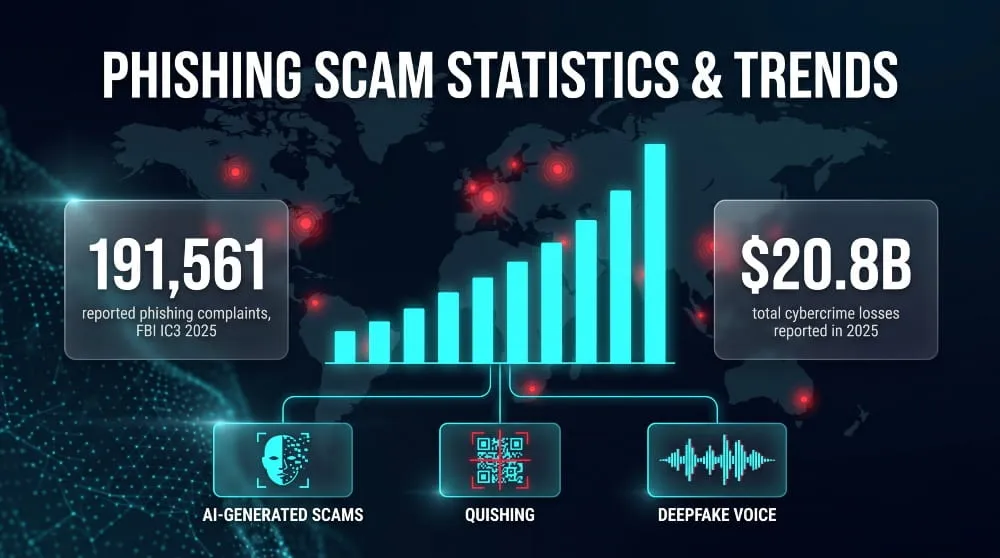
Phishing scams are the most reported form of cybercrime in the United States, and the scale is significant: the FBI’s Internet Crime Complaint Center logged Phishing and spoofing as the top complaint category among more than one million total reports filed in 2025, with total reported losses across all cybercrime types surpassing $20.8 billion for the year. What stands out in the latest data isn’t a jump in volume; complaint numbers actually held roughly steady year over year, but a sharp rise in the financial damage per incident, with reported phishing losses climbing from around $70 million to over $215 million in a single year. That shift suggests attackers are getting better at converting a successful phish into real financial loss, even without sending out more attempts than before.
Emerging Trends: AI, QR Codes & Deepfakes
The biggest shift in phishing scams right now is the use of generative AI to eliminate the awkward phrasing and obvious errors that used to make fraudulent messages easier to spot, producing emails and texts that read as naturally as a message from a real coworker or company. Deepfake audio and video have moved from novelty to active threat, with fraudsters cloning voices to impersonate executives or family members in high-pressure, real-time scams. QR code phishing has also spread quickly into physical spaces, parking meters, printed flyers, and fake invoices, precisely because scanning a code skips the step where a person would normally see a suspicious URL before clicking. Regulators are tracking this shift directly: the FBI’s 2025 Internet Crime Report flagged a sharp increase in AI-related fraud complaints, citing voice cloning and deepfakes among the tools now making phishing scams harder to distinguish from legitimate communication.
Frequently Asked Questions
Is Phishing Illegal?
Yes, Phishing is illegal in the United States and most other countries, since it involves fraud, identity theft, and unauthorized access to computer systems and accounts. It’s typically prosecuted under wire fraud, computer fraud, and identity theft statutes, and the FBI treats phishing scams as a federal crime category tracked through its Internet Crime Complaint Center. The one narrow exception is authorized security testing, where an organization hires a firm to send simulated phishing scam emails to its own employees with explicit consent, since no actual deception or harm is intended; that’s a legitimate security practice rather than a crime.
Who Is Most at Risk?
A phishing scam can target anyone with an email address, phone number, or online account, but certain groups face disproportionately higher risk. Older adults are frequently targeted because scammers assume less familiarity with common phishing tactics, and FBI data has shown complaints involving people aged 60 and older rising sharply, with reported losses in that age group increasing by double digits year over year. Employees in finance, HR, and executive assistant roles are also high-value targets for spear phishing and whaling scams, since they typically have the authority to approve payments or access sensitive company data. In short, risk tracks less with technical skill and more with who holds financial authority or is less likely to verify an urgent request independently.
Can Phishing Happen on iPhone/Android?
Phishing scams work identically on iPhone and Android, since the attack targets human judgment rather than any weakness specific to a phone’s operating system. A phishing text, email, or malicious link functions the same way regardless of device, and mobile screens can actually make phishing scams harder to catch; smaller screens make it more difficult to inspect a full sender address or hover over a link to preview its real destination before tapping. Both platforms include built-in reporting tools, such as Apple’s “Report Junk” option in Messages and Google’s spam-reporting feature in Gmail and Android Messages. Still, neither operating system offers immunity from a well-crafted phishing scam.
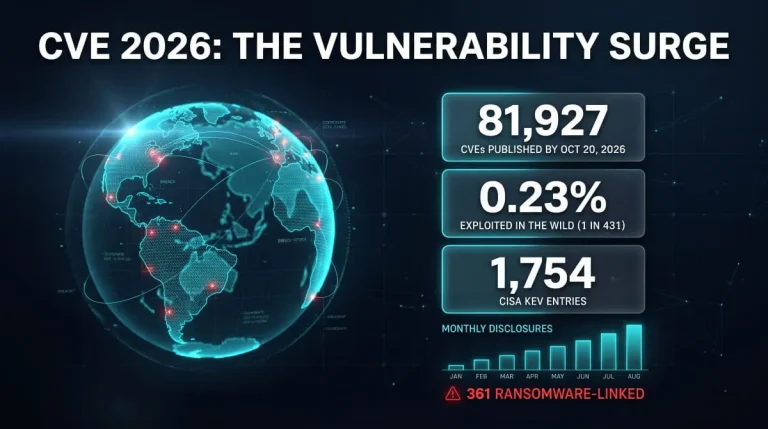
CVE 2026 | The Complete Guide to New, Critical & Actively Exploited Vulnerabilities (Updated Weekly)
CVE 2026 covers every publicly disclosed software flaw assigned a CVE-2026-NNNNN identifier this year, and it is already the largest annual list on record. This guide…
Read more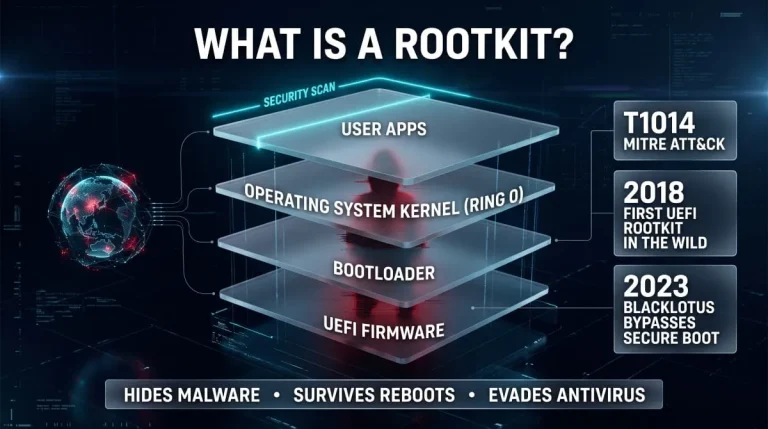
What Is a Rootkit? Definition, Types, Examples, Detection and Removal (Complete Guide)
A rootkit is malicious software that hides itself and the malware it protects by running with the highest privileges and tampering with what the operating system…
Read more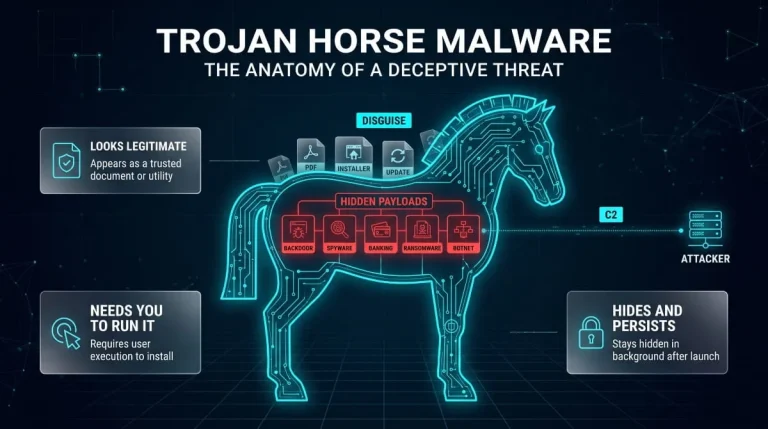
Trojan Horse Malware (Computer Trojan) | What It Is, How It Works, Types, and How to Remove It
A computer trojan is malware that disguises itself as legitimate software to trick you into running it, then quietly steals data, opens a backdoor, or installs…
Read more