Ransomware protection is the combination of tools, backup practices, and security controls that stop ransomware from encrypting your data and give you a way to recover if it still gets through. It’s not a single product you install once; it’s a layered strategy that covers prevention (blocking the attack before it starts), detection (catching it while it’s happening), and recovery (getting your systems back without paying a ransom).
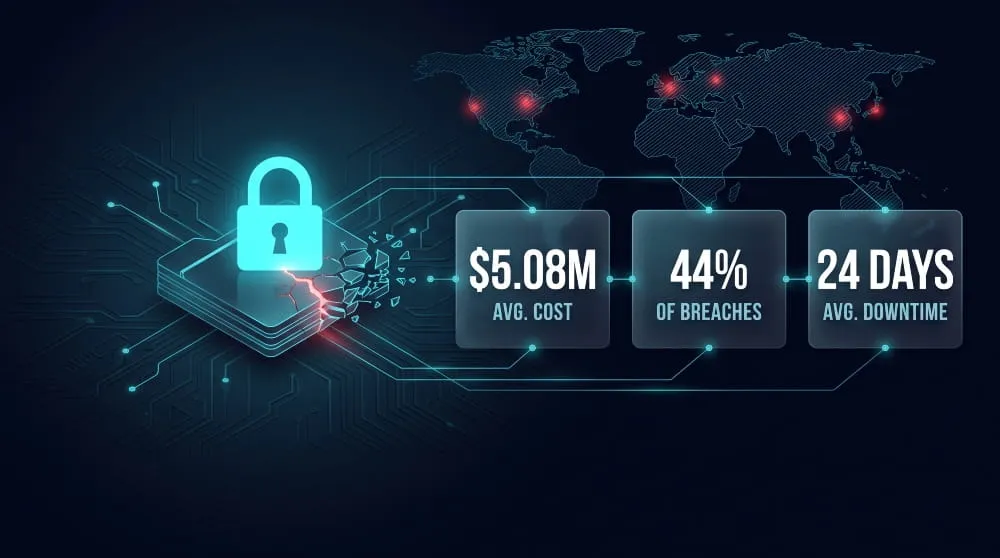
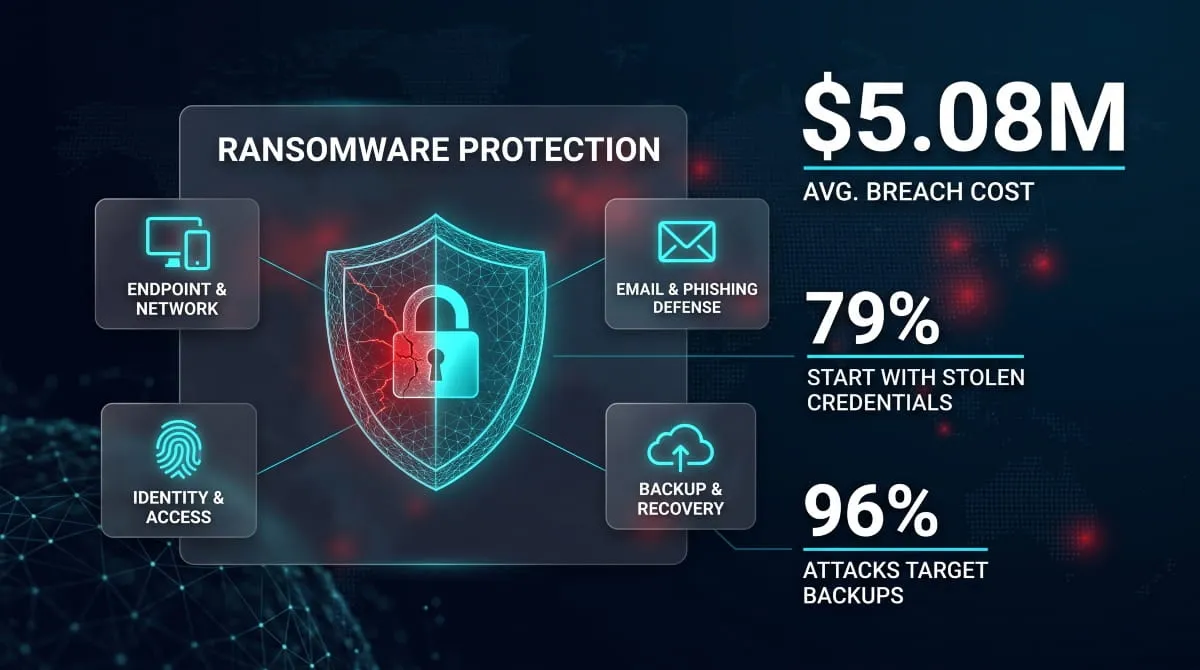
The stakes for getting this right keep climbing. The average ransomware breach now costs organizations $5.08 million in total damages, including downtime, recovery, legal exposure, and lost business, according to IBM’s Cost of a Data Breach Report. And because most modern ransomware groups steal your data before they encrypt it, even a clean backup restore doesn’t undo the breach; the leak has already happened.
That’s why effective ransomware protection today goes beyond backups and antivirus. This guide breaks down exactly what it takes to prevent an attack, contain one in progress, and recover fully, whether you’re securing a small business, a hospital network, or an enterprise environment.
What Is Ransomware Protection?
Ransomware protection is a layered defense that stops attackers from encrypting your files in the first place and, if they get close, stops them before real damage is done. It combines technical safeguards (endpoint monitoring, network segmentation, backup systems) with the processes and training that keep attackers from finding a way in. On its own, no single tool qualifies; protection only exists as a system that covers prevention, detection, and recovery together.
How Ransomware Attacks Actually Work
A ransomware attack rarely starts with encryption; that’s the final step, not the first. Attackers typically get in through a phishing email, a stolen credential, or an unpatched, internet-facing system, then spend time quietly moving through the network, escalating their access, and locating the data worth stealing before they ever trigger the encryption payload. That’s also why speed matters so much on the defense side: the median time from initial intrusion to full ransomware execution has dropped to roughly five days, down from nine days just a year or two earlier, meaning security teams have a shrinking window to catch an intrusion before it becomes a full-blown attack. Many modern groups exfiltrate data during that quiet phase, too, so even a successful block of the encryption step doesn’t guarantee the breach did no damage.

Why Antivirus Alone Isn’t Ransomware Protection
Traditional antivirus works by matching files against a database of known malware signatures, which means it’s only effective against threats someone has already seen and cataloged. Ransomware groups know this, and they routinely tweak their code just enough to slip past it; signature-based antivirus alone misses an estimated 76% of polymorphic malware, the kind that mutates its own signature with every new infection. Attackers compound the problem with fileless techniques that run malicious code straight from memory, phishing payloads that never touch a scannable file, and legitimate system tools repurposed for malicious ends, none of which trip a signature match. Real ransomware protection layers behavioral detection, network monitoring, and tested backups on top of antivirus, rather than treating it as the whole strategy.
Why Ransomware Protection Matters
Ransomware protection matters because the cost of an attack has grown so far beyond the ransom demand itself that most organizations can’t absorb it without dedicated defenses in place. A single successful attack can shut down operations for weeks, and the financial damage extends well past whatever the attackers ask for, which is exactly why prevention has become a board-level priority rather than an IT line item.
The Real Cost of a Ransomware Attack
The ransom payment is usually the smallest part of what a ransomware attack costs. The average total cost of a ransomware breach, factoring in downtime, recovery, legal exposure, and lost business, now runs to $5.08 million, according to IBM’s Cost of a Data Breach Report, with operational downtime alone averaging around three weeks per incident. Recovery costs stack on top of that: rebuilding systems, forensic investigation, regulatory notification, and customer or patient communication all continue long after the ransom question is settled. And because most modern ransomware groups steal data before they encrypt it, paying the ransom or restoring from backup doesn’t undo the exposure; the reputational damage from a data leak persists whether or not a company pays.
Ransomware Protection vs. Cyber Insurance
Cyber insurance and ransomware protection aren’t substitutes for each other; insurance pays for the fallout, protection is what prevents (or contains) the incident in the first place, and increasingly, insurers won’t sell you a policy without it. Carriers have tightened underwriting so far that controls like multi-factor authentication, endpoint detection and response, and tested immutable backups now act as hard eligibility gates rather than optional checkboxes on an application. Just as important, insurers investigate claims after the fact. If a forensic review shows the controls you attested to weren’t actually running when the attack hit, a carrier can reduce or deny the payout entirely. In practice, strong ransomware protection is what makes a cyber insurance policy worth having; it’s the difference between a policy that pays out and one that gets contested.
The Core Components of a Ransomware Protection Strategy
No single tool delivers ransomware protection on its own; it’s built from four connected layers that each close a different door an attacker could use: the endpoint, the inbox, the identity, and the exposure you can’t see happening on the dark web until it’s too late. Skipping any one of them leaves a gap that the others can’t cover.

Endpoint and Network Protection
Endpoint and network protection is the layer that watches what’s actually happening on your devices and across your network, rather than just matching files against a list of known threats. This means endpoint detection and response (EDR) tools that flag unusual behavior like mass file encryption in progress, paired with network segmentation that keeps an attacker who lands on one device from moving freely to everything else. Hard numbers back the need for this layered approach: even with modern defenses in place, 56% of ransomware attacks still succeeded in encrypting data last year, up from 50% the year before, which means prevention alone isn’t holding the line; organizations need detection and containment that assume some attacks will get through.
Email and Phishing Defense
Email remains the single most common way ransomware gets a foothold, so defending it is non-negotiable rather than optional. Malicious email and phishing campaigns together account for roughly half of all ransomware incidents, according to Sophos’s latest State of Ransomware research, making advanced email filtering, sender authentication (SPF, DKIM, DMARC), and attachment sandboxing some of the highest-return investments an organization can make. Technical controls only go so far, though; regular, realistic phishing simulations and user training close the gap that filtering alone can’t, since attackers only need one employee to click.
Identity and Access Controls (Active Directory, Least Privilege)
Identity has overtaken software vulnerabilities as the way most ransomware attacks begin, which makes access controls one of the most important components of a protection strategy. Compromised credentials now initiate 79% of ransomware attacks, according to Sophos’s 2026 research, nearly double phishing and malicious email combined, meaning an attacker with a valid login often doesn’t need to exploit anything at all. Locking down Active Directory with least-privilege access, removing standing administrative rights, requiring multi-factor authentication everywhere, and monitoring privileged accounts for unusual activity all shrink what an attacker can do with a stolen password, even before that password is detected as compromised.
Dark Web Monitoring as an Early-Warning Layer
Dark web monitoring adds a layer the other three can’t: visibility into whether your credentials, employee data, or network access are already for sale before an attacker uses them. Ransomware groups increasingly buy their way in rather than breaching networks themselves; a criminal ecosystem of initial access brokers now compromises credentials and resells that access directly to ransomware operators, and the number of victims listed on ransomware leak sites jumped 213% year-over-year in early 2025. Monitoring dark web forums, marketplaces, and leak sites for your organization’s leaked credentials or data gives security teams a chance to rotate exposed passwords and lock down access before that access gets sold and used, turning a threat you’d otherwise discover during an active attack into one you can act on in advance.
Backup and Recovery: Your Last Line of Defense
Backup and recovery is what determines whether a ransomware attack becomes a temporary inconvenience or a multi-week shutdown. Even with strong endpoint, email, and identity defenses in place, no protection strategy stops every attack, which is why the ability to restore clean data quickly is treated as the final, non-negotiable layer rather than an afterthought.

The 3-2-1-1-0 Backup Rule Explained.
The 3-2-1-1-0 rule is the modern standard for ransomware-resilient backups: keep three copies of your data, stored on two different types of media, with one copy off-site, one copy offline or immutable, and zero errors confirmed through regular recovery testing. Each part closes a specific gap; the offline copy protects against an attacker who’s already inside your network, and the “zero errors” requirement exists because a backup nobody has verified is really just an assumption. That verification step matters more than it sounds: 96% of ransomware attacks now specifically target backup repositories, according to Veeam’s Data Protection Trends research, which means a backup strategy that isn’t built to withstand direct attack isn’t really a strategy at all.
Immutable and Air-Gapped Backups
Immutable backups are copies of your data that can’t be altered, deleted, or encrypted by anyone, including an attacker with full administrative access to your systems. In contrast, air-gapped backups take that a step further by keeping a copy physically or logically disconnected from the network entirely. The distinction matters because attackers who target backup repositories usually succeed: of the ransomware attacks that go after backups specifically, 76% manage to compromise them, often by deleting snapshots or encrypting backup files alongside production data. Immutability and air-gapping are what stand between “we have backups” and “we have backups an attacker can’t touch,” which is increasingly the difference that determines whether an organization recovers without paying a ransom at all.
Testing Your Recovery Plan Before You Need It
A backup you haven’t tested is a recovery plan you’re hoping works, not one you know works, and that gap tends to surface at the worst possible moment. Organizations that discover their backups were compromised or incomplete during an actual attack face recovery costs roughly 8 times higher than those with verified, intact backups, according to Sophos’s backup impact research, with a median cost difference of $3 million versus $375,000. Regular restore drills, documented recovery time objectives, and a clear runbook for who does what during an incident are what turn that gap into a real advantage: organizations with tested recovery processes are increasingly able to fully restore operations within a week, rather than the months-long rebuilds that still happen when recovery is untested until the day it’s needed.
How to Protect Against Ransomware, Step by Step
Protecting against ransomware looks different depending on whether you’re securing a single laptop, a growing business, or a regulated enterprise, but the underlying steps scale rather than change: reduce what an attacker can access, catch what gets through early, and make sure you can recover without paying. What changes at each level is the tooling, the budget, and how formal the process needs to be.

For Individuals and Remote Workers
For individuals and remote workers, ransomware protection starts with the basics most people skip: unique passwords managed through a password manager, multi-factor authentication on email and financial accounts, and a habit of pausing before clicking links or attachments in unexpected messages. Keeping your operating system and software patched closes the vulnerabilities attackers rely on, and a backup of your important files stored somewhere ransomware can’t reach- an external drive that’s disconnected when not in use, or a cloud backup with version history- means an infected device doesn’t have to mean lost data. The stakes for remote workers specifically are higher than they used to be: roughly 80% of employers now allow staff to access company systems from personal, unmanaged devices, which means a single unprotected laptop at home can become the entry point into an entire organization’s network.
For Small Businesses
For small businesses, ransomware protection means treating it as a when-not-if risk rather than a large-enterprise problem: 88% of confirmed breaches at small and mid-sized businesses now involve ransomware, a notably higher rate than at large enterprises, according to Verizon’s Data Breach Investigations Report. Practically, that means prioritizing the controls with the best return for limited budgets: MFA across every account, a managed EDR tool instead of consumer antivirus, immutable backups tested on a regular schedule, and a written incident response plan, even a simple one, so the business isn’t improvising decisions during an actual attack. Many of these controls have become table stakes for another reason too: cyber insurers increasingly require them just to issue a policy, so building them out protects the business twice over.
For Enterprises and Regulated Organizations
For enterprises and regulated organizations, ransomware protection has to satisfy both the attacker and the auditor: strong technical controls (network segmentation, privileged access management, 24/7 monitoring) paired with the documentation and testing that compliance frameworks and regulators now expect. The cost of getting this wrong is steepest in exactly these environments; healthcare breaches now average $11.2 million in total cost, the highest of any sector, driven by regulatory fines, patient-safety exposure, and the sheer complexity of recovering clinical systems. At this scale, protection also means governing third parties: vendor risk assessments, segmented access for contractors and managed service providers, and tested incident response plans that specify who has authority to make decisions, including whether to pay a ransom, before an attack forces that decision to be made under pressure.
Building Your Ransomware Protection Plan
A ransomware protection plan is what turns individual controls, backups, MFA, EDR, and email filtering into a coordinated defense rather than a scattered list of tools. It starts with understanding where you’re actually exposed, and it’s only complete once you know exactly what happens and who does what the moment an attack begins.

Assessing Your Current Risk
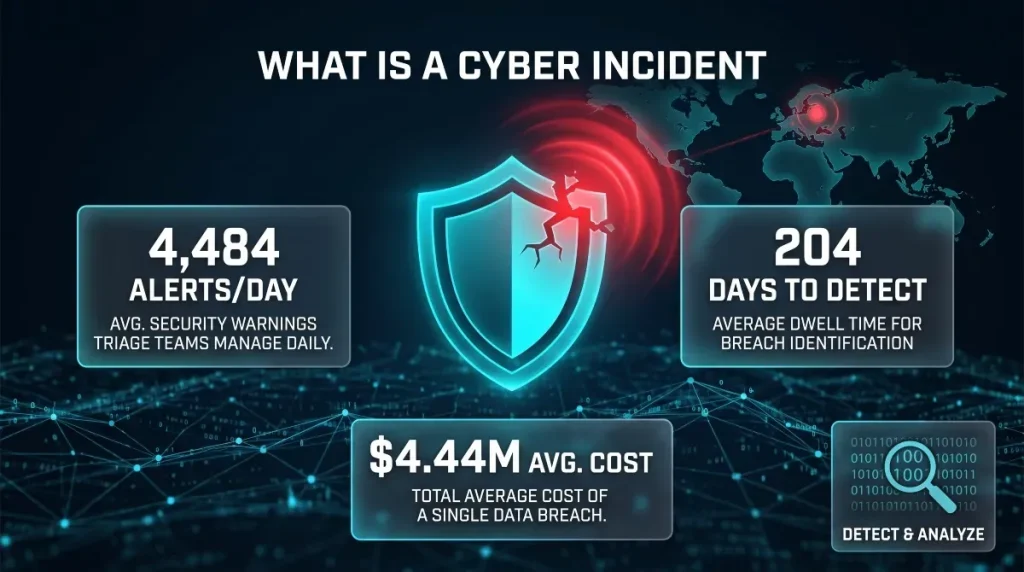
Assessing your risk means finding the gaps an attacker would find anyway, before they do: which systems hold sensitive data, which accounts have more access than they need, which software hasn’t been patched, and whether your backups would actually survive an attack if tested today. This matters because most organizations still take far too long to spot a problem once it exists; the average breach lifecycle currently runs 241 days, split between roughly 181 days to detect an intrusion and 60 more to contain it, which means a real assessment has to look for the quiet signs of compromise, not just obvious vulnerabilities. A useful risk assessment also extends beyond your own network to include what’s already exposed outside it, leaked credentials, dark web chatter naming your organization, or previously breached data still in circulation, since that exposure often exists long before an attacker acts on it.
Incident Response and Containment Checklist
An incident response plan is what replaces panic with a sequence of decisions your team has already made in advance: who has the authority to isolate infected systems, which stakeholders and legal counsel get notified and in what order, when backups get activated, and whether, and under what conditions, the organization would ever consider paying a ransom. The financial case for having this ready is one of the clearest in cybersecurity: organizations with a tested incident response plan save an average of $2.66 million per breach compared to those without one, according to IBM’s Cost of a Data Breach Report, largely because a rehearsed team contains an incident faster than one improvising in real time. The plan only holds up under pressure if it’s actually rehearsed; a documented runbook that’s never been tested in a tabletop exercise tends to reveal its gaps for the first time during a real attack, which is exactly when they’re most expensive to discover.
Frequently Asked Questions (FAQ’s)
Does antivirus protect against ransomware?
Antivirus offers partial protection at best, since it relies on matching known malware signatures and misses an estimated 76% of polymorphic threats that constantly change their code. It’s a useful baseline layer, not a complete ransomware protection strategy on its own. Pair it with behavioral detection (EDR) and tested backups for real coverage.
Do backups protect against ransomware?
Backups protect your ability to recover, but not from the attack itself, and attackers know it: 96% of ransomware attacks specifically target backup repositories, with 76% of those attempts succeeding. Only immutable or air-gapped backups reliably survive an attack. Untested or network-connected backups often get encrypted right along with everything else.
What’s the difference between ransomware protection and endpoint security?
Endpoint security is one component of ransomware protection, focused specifically on securing individual devices from malware and unauthorized access. Ransomware protection is the broader strategy: endpoints, email, identity, backups, and incident response combined. You need endpoint security; you can’t rely on it alone.
What does ransomware protection cost, and is free protection enough?
Free antivirus tools offer minimal signature-based coverage and no backup, monitoring, or response capability, leaving significant gaps for both individuals and businesses. Paid protection scales from basic endpoint tools to enterprise-grade EDR and managed services. Given that a single ransomware breach now averages $5.08 million in total cost, even a modest investment in layered protection is inexpensive by comparison.