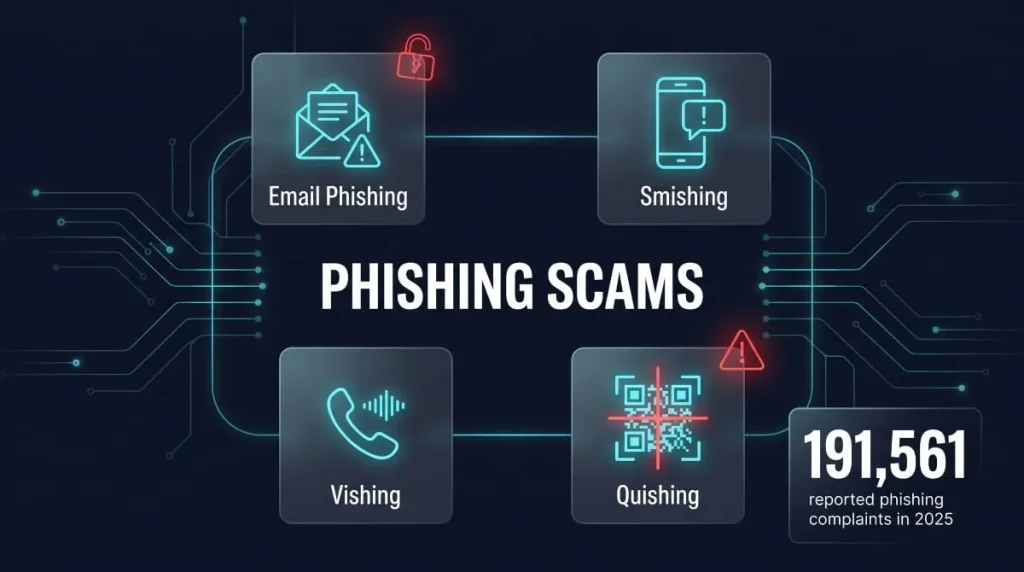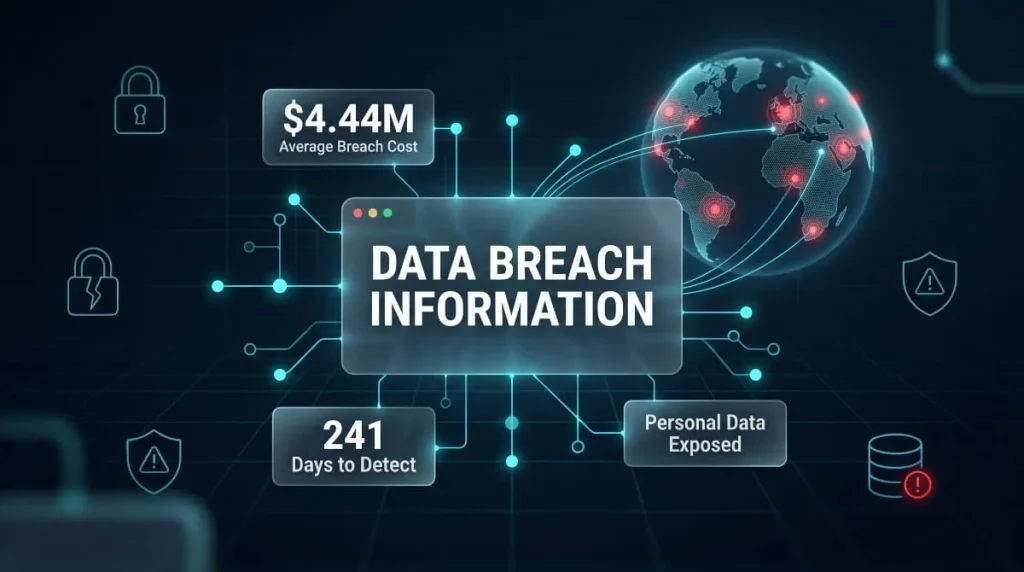
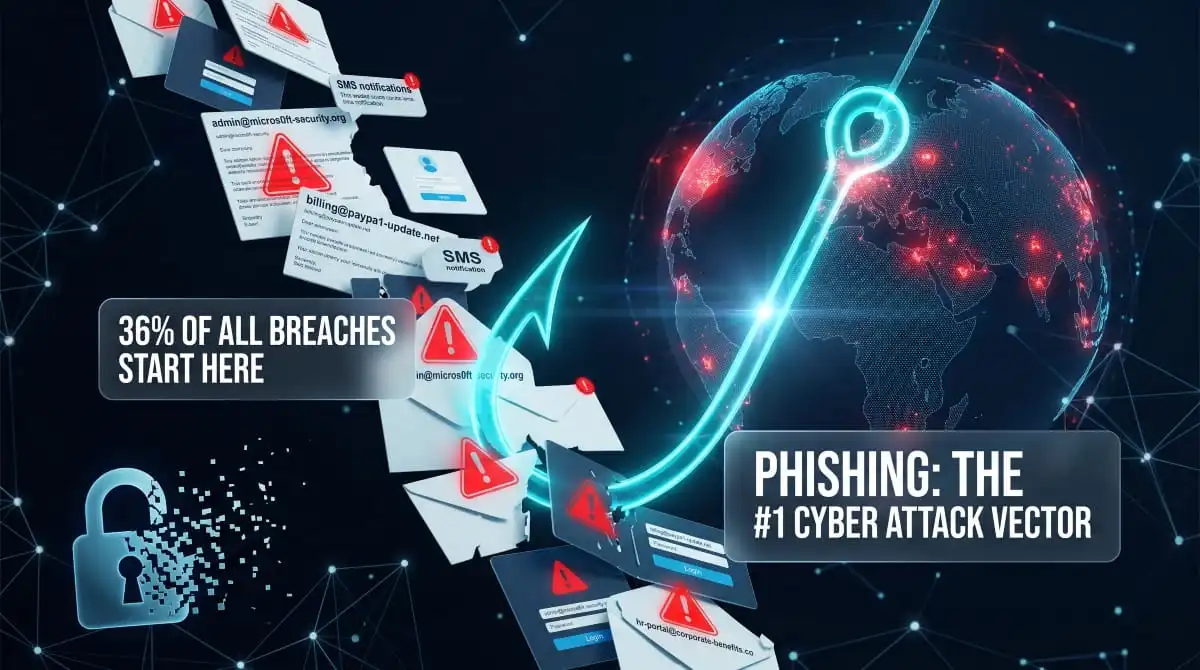
Phishing attacks are fraudulent attempts by cybercriminals to trick people into revealing sensitive information, such as passwords, financial credentials, and personal data, by impersonating a trusted source. They are, by a wide margin, the most common entry point for every category of cybercrime: data breaches, ransomware deployments, corporate fraud, and identity theft all typically begin with a single deceptive message that someone clicked.
The scale is difficult to overstate. According to the FBI’s Internet Crime Report, phishing remains the most reported cybercrime category for the fifth consecutive year, and the Verizon Data Breach Investigations Report consistently attributes over 36% of all breaches to phishing as the initial access vector. What has changed in 2025 and into 2026 is the threat’s sophistication. Generative AI has removed the two most reliable warning signs people were trained to recognize: poor grammar and generic messaging, making modern phishing emails nearly indistinguishable from legitimate communications, even to experienced professionals.
This guide covers everything: how phishing attacks work mechanically, every major variant from spear phishing to AI-powered deepfake voice calls, real-world examples that reshaped corporate Security, how to detect an attack before it succeeds, how to prevent one at the organizational and individual level, and what to do in the critical hours after a phishing incident. Whether you are an individual protecting your accounts or a security leader hardening an enterprise, the principles here apply directly.
What Is a Phishing Attack?
A phishing attack is a type of cyber attack in which an adversary impersonates a legitimate entity- a bank, a colleague, a government agency, a trusted platform- to manipulate the target into handing over sensitive information or taking an action that benefits the attacker. The deception is the weapon. No malware needs to execute, no firewall needs to be bypassed; the attacker simply needs one person to believe a lie.
Phishing Attack Definition
At its core, a phishing attack is a confidence trick delivered digitally. The attacker constructs a convincing illusion, a realistic email, a cloned login page, a spoofed phone number, and uses that illusion to extract something of value: a password, a credit card number, a wire transfer authorization, or access to a corporate system.
The term “phishing” encompasses a broad family of deceptions, but the common thread across all variants is social engineering. The attacker is not exploiting a software vulnerability; they are exploiting a vulnerability in human judgment, urgency, trust, fear, curiosity, or authority. That is precisely what makes phishing so persistently effective and so difficult to eliminate through technical controls alone.
How Phishing Got Its Name: A Brief History
The Word “phishing” is a deliberate misspelling of “fishing,” coined in the mid-1990s by hackers who were literally fishing for AOL account credentials. The substitution of “ph” for “f” follows a long tradition in hacker culture, a phonetic convention borrowed from the earlier “phreaking” community, which referred to the art of manipulating telephone systems.
The first documented phishing attacks emerged around 1995, when attackers used automated tools to impersonate AOL staff, contacting users directly through AOL’s messaging system and requesting their passwords to “verify” their accounts. These early attacks were crude by modern standards, but the underlying logic- impersonate a trusted authority, create a sense of urgency, request credentials- has never changed. What has changed is the delivery infrastructure, the targeting precision, and, most recently, the role of artificial intelligence in making every element of that deception more convincing.
What Makes Phishing Different from Other Cyber Attacks
Most cyber attacks target systems. Phishing targets people, and that distinction matters enormously for how organizations defend against it.
A SQL injection attack exploits a flaw in a database. A ransomware payload exploits a vulnerability in software or an unpatched operating system. Both can, in principle, be stopped by technical defenses, firewalls, patch management, and endpoint detection. Phishing bypasses all of that by going around the technology entirely and addressing the human directly.
This is why phishing is so frequently used as the first stage of larger, more destructive attacks. Threat actors do not use phishing because it is elegant; they use it because it works faster and more reliably than almost any technical exploit. Once an attacker has valid credentials obtained through phishing, they are often indistinguishable from a legitimate user within the network, making detection exponentially harder.
Is Phishing a Social Engineering Attack?
Yes, phishing is, by definition, a form of social engineering. Social engineering is the broader category: it refers to any manipulation technique that exploits human psychology rather than technical vulnerabilities to gain unauthorized access or information. Phishing is the most common and most scalable expression of that category.
Other social engineering techniques include pretexting (fabricating a scenario to extract information), baiting (leaving infected USB drives in parking lots), and tailgating (physically following someone through a secured door). What distinguishes phishing within this family is its digital delivery and its capacity for mass scale. A single threat actor can send millions of phishing emails in hours, or deploy a precisely targeted spear-phishing campaign against one individual, with days of personalized research behind it. The psychology is the same as every other social engineering method; the reach and the tooling are categorically different.
How Phishing Attacks Work: Step-by-Step Anatomy
A phishing attack is not a random event; it is a structured process with distinct stages, each designed to move the target closer to a moment of compromise. Understanding how that process unfolds is the first step toward disrupting it.

Stage 1, Target Selection and Reconnaissance
Every phishing attack begins with a decision about who to target and how much to invest in targeting them. At the broad end of the spectrum, opportunistic campaigns cast the widest possible net, sending millions of emails to harvested address lists with no personalization whatsoever. The return on investment is purely statistical: even a 0.1% click rate across ten million messages yields ten thousand compromised accounts.
At the other end sits targeted reconnaissance, the kind that precedes spear phishing and whaling campaigns. Here the attacker profiles a specific individual or organization before sending a single message. They mine LinkedIn for org chart details, job titles, and reporting structures. They comb through press releases, company blogs, and public filings for context. They may monitor social media to identify travel schedules, recent projects, or trusted vendor relationships. The resulting message is not generic; it references real names, real projects, and real internal dynamics, which is precisely what makes it so dangerous. According to Proofpoint’s State of the Phish report, targeted spear phishing attacks account for less than 0.1% of all phishing volume but are responsible for the majority of significant corporate breaches.
Stage 2, Crafting the Lure (Email, SMS, Voice, QR)
With a target identified, the attacker constructs the deception. The lure must accomplish one thing above all else: appear entirely legitimate to someone who has no particular reason to be suspicious at that moment.
For email-based attacks, this means registering lookalike domains (micros0ft-support.com rather than microsoft.com), cloning the visual design of real communications down to the correct logo dimensions and footer text, and engineering a pretext that creates urgency without triggering alarm. Common pretexts include account security alerts, invoice approvals, shared document notifications, and IT policy compliance requests, scenarios that feel both routine and time-sensitive at once.
For smishing campaigns delivered by SMS, the lure is typically shorter and blunter: a package delivery failure, a bank fraud alert, or a one-time passcode confirmation. Voice phishing (vishing) lures are scripted phone calls that impersonate bank fraud departments, government agencies, or IT helpdesks. QR code phishing, a rapidly growing variant, embeds a malicious URL in a QR code to bypass email link-scanning tools that cannot parse image-embedded destinations. In every case, the craft of the lure is the attacker’s primary investment, because a poorly constructed lure fails immediately regardless of what follows.
Stage 3, Delivery and Initial Contact
Delivery is the moment the lure reaches the target. In email phishing, attackers have several infrastructure options, depending on their level of sophistication. Mass campaigns typically route through compromised email servers or bulletproof hosting providers that rotate domains fast enough to stay ahead of blocklists. More sophisticated actors send from legitimate accounts that have themselves been compromised, a technique called lateral phishing, because email originating from a real organizational domain passes authentication checks and carries the implicit trust of the sender’s identity.
Timing is a deliberate variable. Attackers send phishing emails on Tuesday and Wednesday mornings, when corporate email volumes peak and cognitive load is highest. They craft subject lines that compete for attention in a crowded inbox by mimicking the exact language of real internal communications. The delivery stage is complete the moment the target opens the message; from that point forward, the attack depends entirely on whether the lure is compelling enough to drive action.
Stage 4, The Hook: Credential Theft, Malware Drop, or Redirect
The hook is the mechanism through which the attacker achieves their immediate objective, and it takes one of three primary forms.
In credential harvesting, the most common outcome is that the target clicks a link that redirects them to a cloned login page. The page is visually identical to a legitimate service: Microsoft 365, a banking portal, a VPN gateway. The target enters their username and password, which are captured in real time by the attacker’s infrastructure. In contrast, the target is silently redirected to the real website to avoid raising suspicion. Attacker-in-the-Middle (AiTM) phishing kits go further still, proxying the real authentication session in real time to steal session cookies alongside credentials, effectively bypassing multi-factor authentication.
In malware delivery, the hook is an attachment, a PDF, a Word document with macros, a ZIP file, or a drive-by download triggered by visiting the attacker’s page. The payload may be an infostealer, ransomware, a remote access trojan, or a loader that pulls down additional tools after establishing a foothold. In business email compromise scenarios, no malware is required at all: the hook is a single instruction: reply to this email, approve this wire transfer, update this bank account, and the damage is purely financial.
Stage 5, Exploitation and Post-Attack Damage
Once the hook succeeds, the attacker’s activity shifts from deception to exploitation. With stolen credentials in hand, the timeline from initial access to significant damage is measured in hours. An attacker who obtains valid corporate login credentials will typically attempt lateral movement within the network, escalate privileges, identify valuable data repositories, and establish persistence through backdoors or additional compromised accounts.
Stolen credentials that cannot be immediately monetized are packaged and sold on dark web markets or compiled into stealer logs, where they may sit dormant for months before another threat actor purchases and deploys them. Personal credentials, email passwords, banking logins, and social media accounts are used directly for financial fraud, account takeover, and identity theft, or leveraged to launch secondary phishing attacks against the victim’s contacts. The downstream damage from a single successful phishing attack regularly extends far beyond the individual who clicked, a reality that makes the average total cost of a phishing-related breach $4.88 million, according to IBM’s 2024 Cost of a Data Breach Report.
What Is the Primary Goal of a Phishing Attack?
The primary goal of a phishing attack is access, and access can mean different things depending on the attacker’s ultimate objective. In most cases, that access takes the form of credentials: usernames and passwords that open doors to email accounts, financial platforms, corporate systems, or cloud infrastructure. From there, the specific objective varies: financial theft, data exfiltration, ransomware deployment, corporate espionage, or the establishment of a persistent foothold for a longer-term intrusion.
What phishing attackers are never doing is acting without purpose. Even the most opportunistic mass phishing campaign is oriented toward monetization, credential sales, fraud, or enabling follow-on attacks. Understanding that phishing is always stage one of something larger is critical context for anyone building a defense against it.
Types of Phishing Attacks: Every Variant Explained
Phishing is not a single technique; it is a family of deception-based attacks that share the same psychological logic but differ significantly in their delivery methods, target profiles, and technical execution. Knowing the distinctions between variants is not academic; each variant requires a different defensive response, and attackers deliberately choose their method based on what they are trying to achieve.

Spear Phishing, Targeted, Personalized, and Dangerous
Spear phishing is a highly targeted form of phishing in which the attacker crafts a message specifically for one individual or a small, defined group, rather than blasting generic lures at scale. The name reflects the precision: where standard phishing drags a wide net, spear phishing aims at a single fish.
What makes spear phishing so effective is the investment of research that precedes it. The attacker already knows the target’s name, job title, direct manager, recent projects, and possibly their communication style before writing a single Word. The resulting message references real context, a vendor the company actually uses, a project the target is genuinely working on, a colleague’s actual name in the signature, which dismantles the standard heuristics most people rely on to identify suspicious communications. CISA notes that spear phishing is the most common technique used in advanced persistent threat (APT) campaigns, precisely because its success rate against even security-aware targets is substantially higher than generic phishing.
Whaling, When the Target Is the C-Suite
Whaling is spear-phishing with the targeting criteria set to the maximum organizational authority. The targets are exclusively senior executives, CEOs, CFOs, general counsels, board members, chosen because their access to financial systems, strategic data, and organizational authority makes a successful compromise disproportionately valuable.
Whaling attacks are rarely detected solely through technical indicators. The emails are meticulously researched, legally and linguistically precise, and frequently impersonate regulators, auditors, legal counsel, or other executives at peer organizations. The most common whaling outcomes are fraudulent wire transfers authorized under the belief that the CFO is complying with a board-level instruction, and the theft of W-2 or tax data that enables downstream identity fraud. The reputational and financial damage from a single successful whaling attack routinely runs into the millions; the 2016 FACC case, in which a spoofed CEO email triggered a €50 million wire transfer, remains a defining case study in whaling’s destructive ceiling.
Vishing (Voice Phishing), Attacks Over Phone and Voicemail
Vishing is phishing conducted over voice channels, live phone calls, voicemail drops, or increasingly, AI-generated voice clones that impersonate known individuals with alarming fidelity. The attacker typically poses as a bank fraud department, an IT helpdesk technician, an IRS agent, or a senior executive, relying on the authority of the role and the real-time pressure of a live conversation to override the target’s skepticism.
What distinguishes vishing from other phishing variants is the immediacy of the interaction. A phishing email gives the recipient time to pause, inspect, and verify. A phone call creates real-time social pressure; the target is expected to respond now, without the opportunity to cross-check the caller’s identity through a separate channel. AI voice cloning has significantly elevated this threat: in 2024, a finance employee at a multinational firm was deceived into transferring $25 million after attending a deepfake video call in which every other participant, including the CFO, was an AI-generated impersonation.
Smishing (SMS Phishing), Text-Based Credential Theft
Smishing is phishing delivered via SMS, and it exploits a simple behavioral reality: people open text messages at a rate that dwarfs email open rates, and they do so with less scrutiny. The abbreviated format of SMS strips away many of the visual cues, domain names, formatting inconsistencies, and suspicious headers that trained users use to identify phishing emails.
Smishing lures tend to be blunt and urgent: a package that cannot be delivered, a bank account that has been locked, a government benefit that requires immediate confirmation. Each scenario prompts a single action: clicking a link that either routes the target to a credential-harvesting page or initiates a malware download. Mobile operating systems further complicate detection because browsers on smartphones typically collapse full URLs, making it difficult to inspect a link’s actual destination before tapping it.
Clone Phishing, Weaponizing Legitimate Emails
Clone phishing takes a real, previously delivered email from a legitimate sender and creates a near-perfect replica of it, with one modification. The links or attachments in the original are replaced with malicious equivalents, and the cloned message is sent from a spoofed or compromised address with a plausible explanation such as “resending with the corrected attachment.”
The technique is particularly effective because the target has already received and likely trusted the original communication. The visual and contextual familiarity of the cloned message bypasses skepticism that a cold phishing email might trigger. Clone phishing is frequently used in lateral phishing campaigns, where an attacker who has already compromised one account within an organization uses that account’s sent mail history to craft believable clones directed at colleagues, clients, or vendors.
Business Email Compromise (BEC) vs. Phishing: Key Differences
Business Email Compromise is related to phishing but operationally distinct. Where phishing typically aims to steal credentials or deliver malware through deceptive links or attachments, BEC attacks manipulate human behavior directly, specifically, the behavior of people who have financial or data-transfer authority within an organization, without necessarily deploying any malicious payload at all.
A BEC attack might involve an attacker impersonating the CEO to instruct the CFO to process an urgent wire transfer to a new vendor. There is no link to click and no attachment to open, just a request that appears to come from a trusted authority, sent from a convincingly spoofed or genuinely compromised email address. The FBI’s Internet Crime Complaint Center reported adjusted losses of over $2.9 billion from BEC in 2023 alone, making it consistently the highest-loss cybercrime category despite receiving less public attention than ransomware. BEC is best understood as the financial fraud layer that sits atop phishing infrastructure.
Callback Phishing (TOAD), A Hybrid Attack Vector
Callback phishing, also known as Telephone-Oriented Attack Delivery (TOAD), is a hybrid technique that combines email and voice channels in a deliberate sequence. The target receives an email containing no malicious links or attachments: only a phone number to call, typically embedded in a fake invoice, a subscription renewal notice, or a security alert.
Because the email itself contains nothing technically suspicious, it passes through email security filters cleanly. When the target calls the number, they reach an attacker posing as a customer service representative who walks them through steps that result in the installation of remote access software on their device, the verbal disclosure of credentials, or the authorization of a fraudulent payment. The absence of a malicious payload in the initial email is not an oversight; it is the entire point. Callback phishing specifically engineers around technical defenses by moving the attack surface to a channel those defenses do not cover.
QR Code Phishing (Quishing)
Quishing embeds a malicious URL inside a QR code and delivers it through email, printed materials, or physical environments such as parking meters, restaurant menus, and conference materials. The technique emerged as a direct response to the widespread adoption of URL-scanning tools in enterprise email security, which can parse and evaluate hyperlinks in email bodies but cannot read the destination encoded inside an image.
When a target scans a phishing QR code with their personal smartphone, they are routed to a credential-harvesting page outside the corporate network, on a personal device that bypasses corporate endpoint detection entirely. This double evasion, defeating email scanning and routing the attack to an unmanaged device, is what has driven quishing’s rapid growth as an attack vector, particularly in campaigns targeting Microsoft 365 and other cloud authentication portals.
Browser-in-the-Browser (BitB) Attacks
A Browser-in-the-Browser attack creates a simulated browser pop-up window rendered entirely within a webpage, mimicking the appearance of a legitimate OAuth or single sign-on authentication window. When a target visits a malicious site and clicks “Sign in with Google” or “Sign in with Microsoft,” instead of a genuine browser-level authentication window opening, a meticulously crafted HTML/CSS simulation appears, indistinguishable from the real thing to the naked eye.
The target enters their credentials into what appears to be a trusted authentication flow, while the attacker captures them in real time. Because the fake window appears to have the correct URL, padlock icon, and visual design of a genuine browser window, it defeats the standard advice to “check the URL before entering your password.” BitB attacks are particularly effective against technically aware users who believe that verifying a URL is sufficient protection.
Angler Phishing, Social Media as the Attack Surface
Angler phishing targets users on social media platforms by impersonating the official support accounts of banks, airlines, retail brands, or technology companies. The attacker monitors public complaints directed at a brand, a frustrated customer tweeting at their bank about a failed transaction, for instance, and responds from a fake support handle before the real support team can, directing the user to a phishing page under the pretext of resolving their issue.
The attack exploits two compounding factors: the target is already in a frustrated, solution-seeking state of mind, and the interaction originates on a platform they associate with authentic brand communication. Angler phishing requires no email infrastructure and no domain spoofing, only a convincing social media profile and the patience to monitor brand mentions in real time.
Evil Twin Phishing, Rogue WiFi Access Points
An evil twin attack creates a rogue wireless access point that mimics the name and sometimes the signal strength of a legitimate WiFi network in a public location, such as a coffee shop, an airport, a hotel lobby, or a conference venue. When a target connects to the rogue network, the attacker can intercept unencrypted traffic, inject malicious content into web sessions, or redirect the target to credential harvesting pages that mimic login portals for corporate VPNs, email systems, or financial services.
Evil twin attacks are particularly effective in environments where users routinely connect to networks with generic names, “Airport Free WiFi,” “Starbucks Guest”, without verifying the network’s legitimacy. The attack requires minimal technical sophistication to execute but can yield high-value corporate credentials when deployed at industry conferences or business travel hubs where security professionals and executives congregate.
AiTM (Attacker-in-the-Middle) Phishing
Attacker-in-the-Middle phishing is a technically advanced variant that uses a reverse proxy to sit between the target and a legitimate authentication server in real time. Unlike traditional phishing, which harvests credentials for later use, AiTM intercepts the entire authentication session as it happens, capturing not just the username and password but the authenticated session cookie issued after successful login.
The significance of session cookie theft is that it renders multi-factor authentication irrelevant. The target completes their MFA challenge legitimately, the real server issues the session cookie, and the attacker captures it before it reaches the target’s browser. With a valid session cookie, the attacker can access the target’s account directly without ever needing their password or MFA token. AiTM phishing kits are now widely available on dark web markets, bringing this capability within reach of threat actors with limited technical expertise.
OAuth and Device Code Phishing
OAuth phishing and device code phishing both abuse legitimate authentication flows rather than creating fake ones. In OAuth phishing, the attacker registers a malicious application that requests broad permissions through a real OAuth consent screen, the kind users encounter routinely when granting third-party apps access to their email or calendar. Because the consent screen is genuine and hosted on a legitimate platform like Microsoft or Google, there is no spoofed domain to detect. The target is simply granting permissions to a malicious application rather than a legitimate one.
Device code phishing exploits the device authorization flow designed for input-limited devices, such as smart TVs. The attacker generates a real device code from a legitimate identity provider and social engineers the target into entering it at a legitimate verification URL, after which the attacker’s device gains persistent, authenticated access to the target’s account. Both techniques are particularly effective against organizations that have deployed strong MFA, because neither attack requires intercepting or bypassing an MFA challenge; they abuse flows that are already authenticated by design.
Ice Phishing, Targeting Web3 and Crypto Users
Ice phishing is a phishing variant specific to blockchain environments. Rather than stealing private keys or seed phrases directly, an ice phishing attack tricks a target into signing a malicious transaction that grants the attacker approval rights over their cryptocurrency tokens. The transaction itself is real and executed on the legitimate blockchain; the deception lies entirely in misrepresenting what the target is signing.
Ice phishing campaigns typically operate through fake decentralized application (dApp) interfaces, fraudulent NFT minting pages, or malicious smart contract interactions distributed through compromised social media accounts in crypto communities. Once the approval transaction is signed and confirmed, the attacker can drain the victim’s wallet at any time without further interaction, making ice phishing one of the few attack types in which the damage is mathematically irreversible.
Watering Hole and Homograph Phishing Attacks
Watering hole phishing compromises a legitimate website that the target population is known to visit regularly- an industry news site, a professional association portal, a regulatory body’s resource page- and injects malicious code that executes when targeted visitors load the page. Rather than bringing the phishing lure to the target, the attacker contaminates a destination the target will naturally reach, eliminating the need to overcome email security entirely.
Homograph attacks exploit the visual similarity between characters in different Unicode scripts to register domains that appear identical to legitimate ones. The domain “apple.com” written with a Cyrillic “а” is visually indistinguishable from the Latin version in most fonts and browser displays, yet it resolves to a completely different server. Homograph phishing is particularly insidious because even the “check the URL” defense fails; the URL appears correct because the human eye cannot distinguish between Unicode lookalikes at normal reading size.
What Type of Phishing Attack Happens Through SMS?
The phishing attack that happens through SMS is called smishing, a portmanteau of “SMS” and “phishing.” Smishing messages impersonate delivery services, financial institutions, government agencies, and mobile carriers, and direct recipients to malicious links or instruct them to call fraudulent numbers. Because SMS lacks the authentication infrastructure of email, there is no equivalent of SPF, DKIM, or DMARC for text messages; spoofing a sender ID or blending into a legitimate message thread is technically straightforward for an attacker with basic tooling. Smishing is the delivery method behind the majority of mobile-targeted credential theft campaigns and continues to grow as smartphone usage increases and desktop email usage among younger demographics declines.
AI-Powered Phishing Attacks: The New Threat Landscape (2026)
AI-powered phishing attacks are phishing campaigns that use generative artificial intelligence to automate, personalize, and scale deception to a level previously operationally impossible before 2023. The result is a threat that has not changed in its fundamental logic: to impersonate, deceive, and extract, but has changed dramatically in its quality, volume, and resistance to the defenses that previously worked.
How Generative AI Has Changed Phishing Forever
For decades, phishing had a tell. Grammatical errors, awkward phrasing, generic salutations, and culturally mismatched idioms were reliable signals that a message had been composed by a non-native speaker working from a template. Security awareness training was built substantially around these signals. They are now almost entirely obsolete.
Large language models produce fluent, contextually appropriate, tonally calibrated prose on demand, in any language, at zero marginal cost per message. An attacker who previously needed native-language copywriting skills or had to pay for them can now generate thousands of individually coherent phishing emails in minutes, each grammatically flawless and stylistically consistent with the platform it impersonates. This is not a marginal improvement in phishing quality. It is the removal of the single most detectable characteristic that distinguished phishing from legitimate communication.
Beyond language quality, generative AI has collapsed the expertise barrier for the entire phishing production pipeline. Crafting convincing pretexts, building lookalike HTML email templates, researching target profiles, and generating contextually relevant lures used to require distinct skills. LLM-based tooling consolidates all of it. Researchers at ETH Zurich demonstrated in 2024 that AI-generated spear-phishing emails achieved click rates nearly identical to those written by experienced human social engineers, at roughly one-hundredth the time investment.
Deepfake Voice and Video in Phishing Campaigns
Deepfake technology has extended AI-powered phishing beyond text into voice and video, creating attack surfaces that no existing technical control is designed to address. Voice cloning tools can now replicate a target individual’s voice from as little as a few seconds of audio, enough to synthesize a convincing phone call impersonating a colleague, an executive, or a family member in apparent distress.
The implications for vishing campaigns are severe. Where a traditional vishing attack required an attacker to perform a convincing impersonation in real time personally, AI voice synthesis removes both the skill requirement and the human bandwidth constraint. Automated voice phishing calls can be deployed at scale against employee directories, with the synthetic voice of a known executive issuing instructions that recipients have no reliable mechanism to verify in real time.
Deepfake video has pushed this further still. In the case that has become the defining example of this threat, a finance employee at a multinational firm based in Hong Kong was deceived into transferring $25 million in early 2024 after attending a video conference call in which every other visible participant, including the company’s CFO, was a real-time AI-generated deepfake. The employee had initial doubts about the original email request but was reassured by what appeared to be a normal multi-person video meeting. No technical vulnerability was exploited. The attack succeeded entirely because the visual and audio evidence the target used to verify the request was fabricated.
AI-Generated Spear Phishing at Scale
The traditional constraint on spear phishing was the labor cost of personalization. Building a convincing targeted lure required hours of open-source intelligence gathering, profile construction, and message crafting, which limited how many high-quality targeted attacks any given threat actor could execute simultaneously. Generative AI has effectively dissolved that constraint.
Modern AI-assisted phishing pipelines can ingest publicly available data about a target- LinkedIn profile, company website, press releases, social media activity, professional publications- and generate a fully personalized, contextually grounded phishing email in seconds. The same pipeline can process hundreds of targets simultaneously, producing individualized lures for each one without any human writing involved after the initial prompt engineering.
This means the volume-versus-quality trade-off that previously defined the phishing landscape no longer applies in the same way. Attackers no longer have to choose between sending millions of generic emails or spending days on a single targeted one. They can now send thousands of high-quality, individually personalized messages in the time it once took to craft one. IBM’s X-Force threat intelligence team reported in 2024 that AI-assisted phishing emails were nearly 5 times more likely to be opened than non-AI-generated phishing emails in controlled testing environments.
Real-World Examples: GenAI Phishing Attacks in 2024–2025
The $25 million deepfake video call fraud in Hong Kong in early 2024 established the upper bound of what AI-assisted phishing could achieve in a single incident, but it was far from isolated. Across 2024 and into 2025, a consistent pattern of AI-enabled phishing campaigns emerged across multiple sectors.
Several major technology companies reported credential phishing campaigns targeting their employees through AI-generated emails that accurately referenced internal project names, team structures, and tooling, details assembled from public GitHub repositories, conference talks, and LinkedIn activity without any internal access. Security researchers at Checkpoint and Cofense both documented phishing kits in 2024 that incorporated LLM APIs directly into their infrastructure, dynamically generating personalized lure content at the moment of delivery rather than using static templates.
Google’s security teams confirmed a sophisticated AI-driven phishing campaign in 2025 targeting Gmail users, using AI-generated voice calls impersonating Google support, combined with spoofed, official-looking emails, in a coordinated multi-channel attack designed to convince targets that their accounts had been compromised and that they needed to surrender recovery credentials. The campaign was notable both for its technical polish and for targeting users who were themselves security-aware, a signal that AI-powered phishing is deliberately calibrated to defeat informed skepticism, not just casual inattention.
How to Stop AI-Generated Phishing Attacks
Stopping AI-generated phishing attacks requires accepting that content-based detection- reading a message to assess whether it looks suspicious- is no longer a reliable primary defense. When AI can produce a grammatically perfect, contextually plausible, tonally appropriate phishing email indistinguishable from a legitimate one, the message itself cannot be the detection surface. The defense has to shift.
The most effective organizational countermeasures against AI-powered phishing operate at the process and infrastructure level rather than the content level. Strict out-of-band verification protocols for any financial transfer, credential change, or sensitive data request- meaning the verification happens through a completely separate communication channel, not a reply to the original message- remove the attack surface that AI-generated lures are designed to exploit. If wire transfers over a certain threshold require a confirmed phone call to a known number, not a response to an emailed instruction, the quality of the phishing email becomes irrelevant.
At the technical layer, behavioral detection tools that flag anomalous access patterns after authentication, unusual login times, atypical data access sequences, and unexpected geographic locations provide a second line of defense that operates independently of how convincing the initial lure was. Email authentication infrastructure (SPF, DKIM, DMARC) remains essential and should be enforced at the reject policy level, not merely monitored.
For individuals, the most durable protection is a single behavioral rule: any message that creates urgency around credentials, payments, or access should be verified through a channel entirely independent of the message itself, regardless of how legitimate it appears. AI has made phishing look real. It has not yet found a way also to control the phone call you make to the number you already have saved.
Phishing Attack Statistics: Scale, Cost, and Frequency
The numbers behind phishing attacks tell a story that policy documents and security awareness posters rarely capture with full honesty: phishing is not a niche threat or an edge case in the cybercrime landscape; it is the dominant attack vector across virtually every industry, geography, and organization size, and its frequency and financial impact have increased every year for the past decade.
How Common Are Phishing Attacks in 2025?
Phishing attacks are the most frequently reported cybercrime category worldwide, by a substantial margin. The FBI’s Internet Crime Complaint Center (IC3) received over 298,000 phishing complaints in 2023, more than any other cybercrime category. Threat intelligence firms tracking actual attack volume, rather than reported incidents, consistently estimate that the true number of phishing attempts runs into the billions annually when automated campaigns are included.
Slashnet and APWG (Anti-Phishing Working Group) data from 2024 indicates that the number of unique phishing sites detected per month has remained consistently above one million since mid-2023, with a sharp acceleration in the second half of 2024 coinciding with the broader availability of AI-assisted phishing toolkits. The volume of phishing emails in circulation at any given moment is effectively incalculable; Symantec’s telemetry has historically estimated that phishing and socially engineered malicious emails account for roughly 1 in 4,200 messages sent globally, across a daily email volume exceeding 300 billion. Even at that fraction, the absolute scale is staggering.
What the volume statistics obscure is the acceleration. Phishing is not holding steady; it is growing, and the growth rate has steepened since generative AI tools became widely accessible in 2023. The barrier to launching a phishing campaign has never been lower, and the quality ceiling has never been higher, which is a combination that produces exactly the trajectory the data reflects.
What Percentage of Cyber Attacks Start with Phishing?
Phishing is the initial access vector in the majority of significant cyber attacks. Verizon’s 2024 Data Breach Investigations Report found that phishing was involved in 36% of all data breaches analyzed, making it the single most common breach pathway for the third consecutive year. When the analysis is narrowed to targeted attacks against enterprises, the figure is considerably higher, as phishing is the preferred initial access method for the majority of advanced persistent threat groups tracked by major threat intelligence organizations.
The relationship between phishing and ransomware is particularly direct. Coveware’s ransomware incident data consistently shows that phishing emails, specifically those delivering malicious attachments or links that install loader malware, account for approximately 40% of ransomware intrusions. The other major ransomware entry point, exploitation of remote desktop protocols, is itself frequently enabled by credentials initially stolen through phishing. In practice, the role of phishing as a precursor to ransomware, business email compromise, and data exfiltration attacks means that its actual contribution to total cybercrime losses is significantly larger than any single statistic captures.
Average Cost of a Phishing Attack on a Business
The average total cost of a data breach in which phishing was the initial attack vector reached $4.88 million in 2024, according to IBM’s Cost of a Data Breach Report, slightly above the overall average breach cost of $4.45 million, reflecting the fact that phishing-initiated breaches tend to involve credential compromise and lateral movement that extends the attacker’s dwell time and the resulting blast radius.
That figure encompasses direct costs, incident response, forensic investigation, regulatory notification, legal fees, and remediation, alongside indirect costs including customer churn, reputational damage, and the operational disruption of a compromised environment. For smaller organizations without enterprise-grade security operations, the proportional impact is often far more severe: a $4.88 million incident that a Fortune 500 company absorbs as a line item can be existential for a mid-market business with limited cyber insurance coverage and no dedicated security team.
Business email compromise, the financial fraud layer that sits on top of phishing infrastructure, adds a separate cost dimension. The FBI reported adjusted losses of $2.9 billion attributed specifically to BEC in its 2023 IC3 report, losses that are largely unrecoverable once wire transfers have cleared to attacker-controlled accounts. When BEC losses, breach costs, and ransomware payments stemming from phishing intrusions are combined, the total annual economic damage attributable to phishing as a root cause is conservatively estimated at tens of billions of dollars globally.
Phishing Success Rates: Why So Many Attacks Work
The success rate of phishing attacks is uncomfortably high even among organizations that have invested in security awareness training. Verizon’s DBIR data indicates that approximately 2.5% of employees who receive a phishing email will click the malicious link. This figure sounds modest until it is applied to a company of 1,000 employees receiving a targeted campaign, where it translates to 25 people who represent potential entry points into the same network.
The psychological mechanisms behind phishing success are well-documented and have remained consistent despite decades of awareness campaigns. Urgency is the most reliably effective trigger: messages that frame inaction as immediately costly, an account suspension, a failed delivery, or a compliance deadline compress the decision window in which a target might otherwise pause to verify. Authority compounds urgency, because a request framed as coming from a senior executive, a regulator, or a trusted service provider activates deference rather than skepticism. Fear, curiosity, and the appearance of familiarity- a recognized brand, a known colleague’s name, a reference to a real project- each reduce the cognitive friction that would otherwise cause a target to stop and question what they are looking at.
The success rate of targeted spear phishing is considerably higher than the aggregate figure. Campaigns with meaningful personalization consistently achieve click rates of 30% or higher in controlled simulations, and real-world spear-phishing operations targeting specific individuals with carefully researched pretexts routinely succeed on the first attempt. The human factors that drive these rates are not a function of ignorance; they are a function of cognitive load, time pressure, and the fundamental difficulty of maintaining adversarial skepticism throughout an ordinary working day.
Industries Most Targeted: Healthcare, Finance, Government, and More
Phishing attacks do not distribute evenly across industries. Attackers concentrate their efforts where the combination of data value, operational pressure, and consequence asymmetry is highest, which consistently produces the same short list of heavily targeted sectors.
Healthcare is the most targeted industry for data breaches overall, and phishing is the leading initial access vector within that sector. Healthcare organizations hold extraordinarily valuable data; medical records command significantly higher prices on dark web markets than financial credentials because they contain immutable personal identifiers that cannot be cancelled like a credit card number. They operate under intense time pressure that makes deliberate, unhurried verification of communications culturally difficult. The 2024 Change Healthcare breach, which disrupted billing and claims processing across a substantial portion of the U.S. healthcare system, originated from compromised credentials obtained through a phishing-adjacent attack.
Financial services, government agencies, and technology companies complete the top tier of targeted industries. Financial institutions are targeted for the directness of the monetization pathway. Government agencies are targeted by state-sponsored threat actors seeking intelligence and strategic access, as well as by financially motivated criminals pursuing tax fraud and benefits fraud at scale. Technology companies are targeted both for their own intellectual property and because a compromised technology vendor can provide a potential supply-chain entry point into the vendor’s entire customer base. This threat model has driven several of the most consequential breaches of the past five years.
Phishing Attacks on Mobile Devices: A Growing Blind Spot
Mobile devices have become one of the most significant and least defended phishing attack surfaces in the enterprise environment. The combination of smaller screens that truncate URLs, persistent notification-driven interaction habits, the blending of personal and professional accounts on a single device, and the absence of the email security tooling that organizations deploy in desktop environments creates conditions that measurably favor attackers.
Lookout’s 2024 Mobile Threat Report found that mobile phishing exposure increased by 17% year over year, with employees on mobile devices being three times more likely to submit credentials to a phishing site than desktop users. The disparity reflects both the limitations of mobile browsers and the context in which mobile messages are read: commuting, multitasking, and responding to notifications in brief windows of attention rather than in a seated, focused work session.
Smishing and mobile-delivered phishing are also largely invisible to corporate security operations that monitor email gateways and endpoint detection tools but have limited visibility into SMS traffic, messaging app activity, or personal email accounts accessed on a corporate device. The organizational blind spot is not theoretical; it is a documented gap that sophisticated threat actors have begun deliberately targeting by routing phishing campaigns to mobile channels specifically because they know those channels are less monitored.
Real-World Phishing Attack Examples
The most instructive way to understand phishing attacks is not through abstract definitions but through documented cases: incidents in which real organizations lost real money, real data, and real operational continuity because a single deceptive message succeeded. These examples are not cautionary tales from a less sophisticated era. Several of them happened last year, inside organizations with mature security programs and trained security teams.
Famous Phishing Attacks That Changed Cybersecurity
A small number of phishing attacks have functioned as inflection points, incidents whose consequences were severe enough to reshape how the security industry thought about the threat and how organizations invested in defending against it.
The 2011 RSA SecurID breach demonstrated that even a security company was not immune to a well-constructed spear phish, and that the downstream consequences of a single compromised endpoint could extend to the customers of that company’s security products. The 2014 Sony Pictures breach, initiated through phishing, resulted in the public release of unreleased films, confidential executive communications, and employee personal data, underscoring that reputational and operational damage from phishing can exceed direct financial losses. The 2016 Democratic National Committee breach, carried out through a spear-phishing email that a staffer clicked after receiving ambiguous guidance from the IT team, demonstrated phishing’s role as a geopolitical instrument, not merely a financial crime tool.
Each of these cases shared a common feature: the phishing lure itself was not technically extraordinary. None required zero-day exploits or advanced malware at the point of entry. In every case, the attack succeeded because a person made a reasonable judgment call under conditions of incomplete information and time pressure, only to be wrong.
The Google and Facebook Phishing Scam ($100M Lost)
Between 2013 and 2015, a Lithuanian national named Evaldas Rimasauskas conducted one of the most audacious and financially damaging phishing attacks ever documented, defrauding Google and Facebook of a combined $121 million through a scheme of almost architectural simplicity.
Rimasauskas registered a company in Latvia using the name of Quanta Computer, a real Taiwanese electronics manufacturer that both Google and Facebook used as a legitimate vendor. He then sent fraudulent invoices to employees at both companies, impersonating Quanta, and directed payments to bank accounts he controlled. The invoices were supported by forged contracts, letters of credit, and corporate stamps that appeared to authenticate the requests. Because both companies had genuine vendor relationships with the real Quanta Computer, the invoices did not provoke the skepticism that might have arisen from an unknown vendor.
The case is instructive precisely because it involved no malware, no credential harvesting, and no technical exploitation of any kind. The entire $121 million was transferred by authorized employees responding to what appeared to be legitimate business correspondence. Rimasauskas was arrested in 2017 and sentenced to five years in federal prison in 2019. Google and Facebook both recovered the majority of the funds through legal proceedings, but the case permanently altered how enterprises approach vendor payment verification and invoice authentication.
The RSA SecurID Breach, Anatomy of a Spear Phish
In March 2011, an employee at RSA Security, a company whose core business was the provision of authentication tokens used by government agencies and defense contractors worldwide, opened a phishing email with the subject line “2011 Recruitment Plan.” The email contained an Excel attachment. The attachment exploited a zero-day vulnerability in Adobe Flash to install a remote-access Trojan, giving the attackers a persistent foothold within RSA’s network.
What followed was a targeted exfiltration of data related to RSA’s SecurID two-factor authentication products, specifically, information that would allow an attacker to reduce the effectiveness of SecurID tokens as an authentication mechanism. Several months later, that stolen information was used in attempted intrusions against U.S. defense contractors including Lockheed Martin, which detected and blocked the attack. RSA ultimately replaced SecurID tokens for customers at risk, at an estimated cost to parent company EMC of $66 million in a single quarter.
The RSA breach is studied not because the initial phishing email was sophisticated- it was not- but because it illustrates the cascading potential of a single successful phish against a high-value target. The attackers did not compromise RSA because RSA was their ultimate objective. They compromised RSA because RSA’s products protected the targets they actually wanted to reach.
Microsoft 365 and Office 365 Phishing Campaigns
Microsoft 365 credentials are among the most consistently targeted assets in enterprise phishing campaigns, for straightforward reasons: a valid Microsoft 365 login provides access to email, SharePoint, Teams, OneDrive, and, in many organizations, the identity layer that controls access to every other cloud application. A single compromised M365 account is rarely the end of an intrusion; it is the beginning.
The volume of phishing campaigns specifically engineered to harvest Microsoft 365 credentials is extraordinary. Threat intelligence firm Cofense has tracked Microsoft branding as the most impersonated sender in phishing campaigns for multiple consecutive years, and the infrastructure supporting M365 credential phishing, including adversary-in-the-middle proxy kits that bypass MFA by capturing session cookies in real time, is commercially available on dark web markets with customer support and regular updates.
A particularly consequential campaign documented in 2024 targeted law firms and professional services organizations through a combination of compromised SharePoint links, routing targets through a legitimate Microsoft domain to a credential harvesting page, and subsequent lateral phishing from the compromised accounts to clients and partners. The use of genuine Microsoft infrastructure in the delivery chain meant that email authentication checks passed cleanly, and the familiarity of SharePoint notifications as a routine part of professional workflows suppressed the skepticism that a cold phishing email might have triggered.
AI-Powered Gmail Phishing: What Really Happened
In early 2025, Google confirmed a sophisticated phishing campaign targeting Gmail users that combined AI-generated voice calls, spoofed Google support communications, and highly convincing account recovery pretexts in a coordinated multi-channel attack. The campaign came to broad public attention after a developer named Zach Latta published a detailed account of receiving a call from what appeared to be an official Google phone number, from a caller who spoke in fluent, natural English, referenced real account activity, and walked him through steps designed to surrender account recovery credentials.
The attack worked in sequence. Targets first received an email that appeared to come from a legitimate Google domain, warning of suspicious account activity and a pending account recovery request. A follow-up phone call from a spoofed number that appeared in Google’s own official support listings reinforced the urgency and provided what sounded like authoritative technical guidance. The voice on the call was AI-generated, indistinguishable in fluency and naturalness from a real support agent.
Google’s official response confirmed the attack vector and reiterated that Google will never initiate an unsolicited call asking users to confirm account credentials or recovery information. The campaign is significant beyond its immediate targets because it demonstrated, operationally rather than theoretically, that AI voice synthesis combined with email spoofing and social engineering produces a multi-channel phishing attack that defeats the verification instincts most people have been trained to apply. Checking whether a phone number looks official is no longer a reliable indicator when the number is real, but the voice is machine-generated.
Recent Phishing Attacks Targeting Businesses (2024–2025)
The most consequential phishing-initiated incidents of 2024 and early 2025 share a pattern that reflects the current state of the threat: technically straightforward initial access, high-value targets, and damage that extends far beyond the organization that was directly compromised.
The Change Healthcare breach in February 2024, the largest healthcare data breach in U.S. history at the time of disclosure, was initiated through compromised credentials on a Citrix remote access portal that lacked multi-factor authentication. The credentials were obtained through phishing. The resulting ransomware deployment by the ALPHV/BlackCat group disrupted pharmacy operations, insurance claims processing, and clinical workflows across a significant portion of the U.S. healthcare system for weeks, with estimated total costs exceeding $870 million to the parent company, UnitedHealth Group, in the first half of 2024 alone.
The Scattered Spider group, responsible for the 2023 MGM Resorts and Caesars Entertainment breaches, continued operating through 2024 using a combination of smishing, vishing, and SIM swapping to compromise identity provider credentials and bypass MFA. Their technique of calling IT helpdesks while impersonating employees to trigger password resets demonstrated that the most sophisticated element of a modern phishing attack is often not the technology but the social engineering script, and that helpdesk authentication procedures are as much a part of the phishing attack surface as email inboxes.
Across 2024 and into 2025, ClickFix phishing campaigns emerged as a notable new delivery technique, presenting targets with fake error messages on malicious web pages and instructing them to paste PowerShell commands into their own terminals to “fix” the problem, effectively socially engineering the target into executing the malware themselves, bypassing endpoint detection tools that would have flagged a conventional drive-by download. The technique’s success rate in red-team simulations prompted multiple security vendors to flag it as one of the fastest-growing phishing-delivery innovations of the period.
How to Detect Phishing Attacks: Warning Signs and Indicators
Detecting phishing attacks before they succeed requires shifting from passive reading to active verification, the ability to recognize that something is wrong even when everything appears normal. The indicators exist in almost every phishing attempt; the challenge is knowing precisely what to look for and where.
The Most Common Indicators of a Phishing Email
The most reliable indicators of a phishing email operate across four dimensions: sender identity, message content, embedded links, and the requested action. No single indicator is conclusive in isolation, but the presence of two or more in the same message is a strong signal that warrants verification before any action is taken.
The sender’s display name and the actual sending address are the first things to examine, and they are rarely the same in a phishing email. A message that displays as “Microsoft Support” but originates from a domain like microsofft-helpdesk.net is a straightforward forgery. More sophisticated attacks register lookalike domains, micros0ft.com, paypa1.com, that pass a quick visual scan but fail on close inspection. The domain extension matters too: a message from “support@microsoft.com.helpdesk.xyz” is routing from helpdesk.xyz, not microsoft.com, regardless of how the address is formatted.
Urgency and consequence framing are the content signals most consistently associated with phishing. Messages that demand immediate action to prevent account suspension, a financial penalty, data loss, or a security breach are engineered to narrow the decision window and suppress the instinct to verify independently. Legitimate organizations rarely communicate genuine urgency through unsolicited email, and they never make account access contingent on clicking a link in that same message. Generic salutations, “Dear Customer,” “Dear Account Holder”, in a message that claims to come from a service the target uses are a secondary but useful signal, since real service providers typically address users by name.
Attachments in unsolicited emails warrant automatic suspicion regardless of their apparent file type. Phishing campaigns have weaponized PDFs, Word documents, Excel spreadsheets, ZIP archives, HTML files, and OneNote notebooks; the file format itself is not a reliable indicator of safety. The question to ask is not “what type of file is this?” but “was I expecting this file from this person?”
Warning Signs in SMS and Voice Phishing Attempts
Smishing messages rely on the same urgency triggers as email phishing but operate in a more compressed format that strips away many of the visual cues available in email. The most consistent warning signs are unsolicited contact about a time-sensitive situation, a package that cannot be delivered, a bank account that has been flagged, a subscription charge that requires confirmation, combined with a shortened or obscured link that leads away from the official domain of the organization being impersonated.
Legitimate banks, delivery services, and government agencies do not request account credentials, payment card numbers, or personal identification through SMS links. They do not instruct recipients to “verify” information by clicking a link in a text message. Any SMS that combines urgency with a request to click a link or call a number should be treated as suspicious until confirmed by an independently sourced contact or the official number on the organization’s website, not the message itself.
Distinct signals identify voice phishing attempts. Calls that arrive unsolicited and immediately establish a high-stakes scenario- fraud detected on your account, legal action pending, a colleague in distress- use the same urgency architecture as email phishing, adapted for the real-time pressure of a live conversation. Callers who resist or discourage attempts to hang up and call back through an official number are a definitive warning sign: legitimate organizations and their representatives have no operational reason to prevent a customer from independently verifying the call’s authenticity. Requests for one-time passcodes, account PINs, or remote access to a device during an unsolicited call are unambiguous indicators of an active attack regardless of how convincing the caller sounds.
How to Spot a Spear Phishing Attack Before It’s Too Late
Spear phishing is specifically designed to defeat the standard indicators that security training teaches, which means spotting it requires a different detection posture, one oriented toward process anomalies rather than content red flags.
The most reliable signal in a spear-phishing attempt is a request that deviates from established operational processes, regardless of how legitimate the message appears. An email that looks exactly like it came from the CFO, requesting an urgent wire transfer to a new vendor, is suspicious not because of anything wrong with the email itself, but because wire transfers to new vendors have an established approval process that the request bypasses. A message from a known IT contact asking for credentials to “push an emergency update” is suspicious because that is not how legitimate IT operations work. The question is not “does this message look real?” but “does this request follow the process I would normally expect for this type of action?”
Spear-phishing emails frequently reference real context, actual project names, real colleague names, and genuine vendor relationships, obtained from publicly available sources. That contextual accuracy is the attack’s primary persuasion mechanism. Recognizing it as a warning sign rather than a trust signal requires understanding that the presence of accurate detail in an unexpected or anomalous request is not evidence of legitimacy; rather, it indicates that the sender has done research.
Subtle Signs of Advanced Phishing (That Most People Miss)
Advanced phishing campaigns, particularly those targeting specific individuals in high-value organizations, are constructed to pass every standard check that security training emphasizes. The tells that remain are subtle, behavioral, and easy to rationalize away under normal working conditions.
Slight tonal inconsistency is one of the most reliably present but least recognized signals. When a message impersonates a known individual, the attacker is working from limited data- emails, social media posts, professional publications- to approximate that person’s communication style. The resulting message is usually close but not exact: a slight formality where the real person is casual, a different vocabulary pattern, an unusual sign-off. People who frequently communicate with the impersonated individual sometimes register this as a vague sense that something is “off,” without being able to articulate why. That instinct deserves investigation, not dismissal.
Replies that subtly redirect the conversation toward a new channel, “use this link rather than the usual portal,” “call this number instead of the main line,” “respond to this address rather than the ticket system”, are a structural indicator of an attack in progress. The redirection is necessary because the attacker needs to move the target away from infrastructure they do not control. Legitimate requests rarely require abandoning established communication channels.
Timing is a subtle but meaningful signal in targeted attacks. Phishing messages that arrive immediately after a relevant public event, a company announcement, a reported breach, or a regulatory development are often exploiting that event as a pretext. The speed and relevance can create an impression of legitimacy precisely because the timing feels meaningful. Sophisticated attackers monitor news and organizational announcements to identify pretext windows, and the timing’s relevance should be read as a warning rather than a reassurance.
How to Identify Phishing URLs and Fake Login Pages
URL inspection remains a fundamental detection skill, but it requires more precision than the common advice to “check for the padlock” or “look at the URL before you click.” Both checks are necessary, but neither is sufficient on its own.
The HTTPS padlock indicates that the connection between the browser and the server is encrypted; it says nothing about whether the server itself is legitimate or malicious. Phishing sites routinely use HTTPS and display the padlock because obtaining a TLS certificate costs nothing and takes minutes. The padlock is not a trust signal; it is a transmission security indicator, and conflating the two is one of the most persistently harmful misconceptions in public security guidance.
URL inspection should focus on the actual domain, specifically, the section immediately to the left of the top-level domain (.com, .org, .net). In the URL “account-security.microsoft.com.verify-login.net,” the actual domain is verify-login.net, not microsoft.com. Microsoft.com is a subdomain label being used to create the appearance of legitimacy. Reading a URL correctly, from the top-level domain leftward to find the actual registrable domain, is a skill that takes minutes to learn and defeats a significant proportion of phishing URL construction techniques.
Fake login pages are most reliably identified by arriving at them through a suspicious link rather than by navigating directly. Any login page reached by clicking a link in an unsolicited message, regardless of how authentic it appears, should be avoided; the target should navigate directly to the real service via a separately typed URL or a verified bookmark. The visual authenticity of the login page is not a reliable detection mechanism, because modern phishing kits clone real login pages down to the pixel and update them in real time as the originals change.
Tools for Detecting Phishing Attacks Automatically
No single tool provides complete protection against phishing, but several categories of technical controls, when deployed in combination, meaningfully reduce the attack surface.
Email authentication protocols, SPF, DKIM, and DMARC, work together to verify that incoming messages originate from servers authorized to send on behalf of the claimed domain. That message content has not been tampered with in transit. DMARC set to a reject policy is the most impactful single technical control against email-based phishing because it blocks messages that fail authentication from reaching inboxes entirely, rather than flagging them for user judgment. Google’s own data indicates that domains with DMARC enforcement see dramatically lower rates of successful impersonation-based attacks.
Browser-based phishing protection, including Google Safe Browsing and Microsoft SmartScreen, maintains continuously updated lists of known phishing domains and warns users before they load a flagged page. These tools catch a meaningful proportion of known campaigns but are inherently reactive; a newly registered phishing domain that has not yet been flagged will pass through cleanly, which is why they function as a safety net rather than a primary defense.
Enterprise email security platforms from vendors such as Proofpoint, Mimecast, and Abnormal Security apply machine learning to message content, sender behavior, and communication patterns to detect anomalies that rule-based filters miss. Abnormal Security’s behavioral AI approach, which models each user’s normal communication patterns and flags deviations, is particularly effective against targeted spear-phishing and compromised-account scenarios where the sending domain is legitimate. According to Abnormal’s 2024 threat data, their behavioral detection identified a 55% increase in vendor email compromise attacks. This category passes traditional authentication checks because the sending account is genuinely compromised rather than spoofed.
Password managers serve an underappreciated detection function beyond their primary credential management role: they will not autofill credentials for domains they do not recognize. A user who navigates to a convincing Microsoft login clone and finds that their password manager offers no autofill suggestion has a concrete, immediate signal that the page is not what it appears to be. This detection mechanism operates independently of how visually authentic the fake page looks.
How to Prevent Phishing Attacks: Best Practices for 2026
Preventing phishing attacks is not a problem that technology alone solves; it requires a layered strategy that combines technical controls, organizational processes, and human behavior working in concert. No single measure eliminates the risk, but the right combination reduces it to a level where successful attacks become rare, contained, and recoverable rather than frequent, catastrophic, and undetected.
Security Awareness Training, The First Line of Defense
Security awareness training is the foundation of any phishing prevention program, not because it makes people impervious to deception- it does not- but because it raises the baseline of recognition across the entire organization and reduces the probability that a phishing attempt goes unquestioned and unreported.
Effective training is distinguished from ineffective training by one criterion above all others: whether it changes behavior under realistic conditions, not whether it improves scores on a knowledge assessment. The majority of corporate security awareness programs fail on this criterion because they treat phishing education as a compliance exercise, an annual module to be completed, a certificate to be issued, rather than an ongoing behavioral intervention. Organizations that run simulated phishing campaigns on a continuous, randomized schedule, with immediate contextual feedback at the moment of failure rather than in a deferred training module, consistently achieve lower click rates on real phishing attempts than those that rely on periodic classroom-style instruction.
The content of training matters as much as the cadence. Training built around the indicators of phishing emails from five years ago- typos, generic greetings, implausible pretexts- is actively counterproductive when deployed against a workforce facing AI-generated phishing that exhibits none of those characteristics. Effective 2026 training focuses on process-verification behaviors: what to do when a request feels anomalous, how to verify through independent channels, and how to report suspicions without fear of judgment. Proofpoint’s State of the Phish 2024 report found that organizations running monthly simulated phishing exercises reduced their susceptibility rates by up to 64% compared to those running annual training alone.
Multi-Factor Authentication (MFA): Why It Matters and Its Limits
Multi-factor authentication is one of the most impactful single controls an organization can deploy against phishing-based account compromise. By requiring a second verification factor beyond a password, a time-based one-time code, a hardware token, or a biometric confirmation, MFA ensures that a stolen password alone is insufficient to access an account. Microsoft’s own security data indicates that MFA blocks more than 99% of automated credential-stuffing attacks and the majority of password-spray attempts.
The limits of MFA are real, however, and understanding them is essential to not over-relying on it as a terminal defense. Attacker-in-the-Middle phishing kits, now widely available on dark web markets, proxy authentication sessions in real time and capture the session cookie issued after a successful MFA challenge, effectively inheriting an authenticated session without ever needing the MFA token itself. Real-time phishing of this type renders time-based OTP codes and push notification approvals insufficient against a motivated, technically capable attacker.
The MFA implementations that are resistant to phishing-based bypass are those that use cryptographic binding between the authentication credential and the specific legitimate domain, specifically, FIDO2 passkeys and hardware security keys that comply with the WebAuthn standard. Because these credentials are domain-bound, they will not authenticate on a phishing site even if the user attempts to do so, because the authentication protocol itself verifies that the domain requesting the credential is the domain the credential was registered for. Organizations with high-value accounts or elevated risk profiles should treat FIDO2 migration as a near-term priority rather than a long-term aspiration.
Does DMARC/DKIM/SPF Actually Prevent Phishing?
DMARC, DKIM, and SPF are email authentication protocols that, when correctly configured and enforced, prevent a significant category of phishing attacks, specifically, those that spoof the sending domain of a legitimate organization. Understanding precisely what they do and do not protect against is critical to calibrating expectations about their effectiveness.
SPF (Sender Policy Framework) specifies which mail servers are authorized to send email on behalf of a domain. DKIM (DomainKeys Identified Mail) attaches a cryptographic signature to outgoing messages that receiving servers can verify against a public key in the sender’s DNS record. DMARC (Domain-based Message Authentication, Reporting and Conformance) instructs receiving mail servers on what to do with messages that fail SPF or DKIM checks, quarantine them, reject them, or deliver them, and provides reporting back to the domain owner on authentication failures.
The critical variable is enforcement policy. A DMARC record set to “p=none” is a monitoring configuration that generates reports but takes no action on failing messages; it provides intelligence but no protection. A DMARC record set to “p=reject” instructs receiving servers to block messages that fail authentication entirely. The difference between these two configurations is the difference between knowing you are being impersonated and actually preventing impersonation emails from reaching their targets. Despite this, a substantial proportion of organizations that have deployed DMARC have left it at the monitoring policy level, giving a false sense that they have addressed the risk.
What DMARC does not prevent is phishing from lookalike domains; a message from micros0ft-secure.com is not impersonating microsoft.com in a way that DMARC can detect, because the attacking domain passes its own authentication checks cleanly. Domain monitoring and lookalike domain detection are complementary controls required to address this gap.
How a Password Manager Helps Prevent Phishing
A password manager is one of the most underutilized anti-phishing controls available to both individuals and organizations, and its protective function extends significantly beyond its primary role of generating and storing strong credentials.
The anti-phishing mechanism is domain-binding. When a password manager stores credentials for a service, it associates those credentials with the exact domain of that service. When a user arrives at a login page, whether via legitimate navigation or a phishing link, the password manager checks the current page’s domain against its stored entries. If the domain does not match, the manager will not offer to autofill credentials, regardless of how visually authentic the page appears. A user who lands on a pixel-perfect clone of their bank’s login page and notices that their password manager has offered nothing has received an unambiguous, automated signal that something is wrong. This detection mechanism operates entirely independently of the user’s own ability to read and evaluate the URL.
This passive detection function is particularly valuable against homograph attacks and lookalike domains that are visually indistinguishable from legitimate ones to the human eye. The password manager is comparing character-level domain strings, not visual appearances, which means it catches the difference between apple.com and аррlе.com, a Cyrillic lookalike, that a user reading quickly in a browser tab almost certainly would not.
Anti-Phishing Tools and Platform-Level Protections
Beyond email authentication infrastructure, several categories of technical tools provide meaningful phishing prevention coverage when deployed as part of a layered defense rather than as standalone solutions.
Secure email gateways from vendors including Proofpoint, Mimecast, and Cisco apply multi-layer filtering to inbound messages, combining reputation analysis, link sandboxing, attachment detonation, and machine learning classification to identify and quarantine phishing attempts before they reach users’ inboxes. Link rewriting and time-of-click URL analysis, where links in delivered emails are replaced with proxied versions that are re-evaluated at the moment of clicking rather than at the moment of delivery, are particularly valuable against phishing campaigns that use legitimate URLs that are only redirected to malicious destinations after initial delivery.
DNS filtering tools, which block resolution of known malicious domains at the network level, provide a catch for cases where a phishing link reaches a user and is clicked, preventing the browser from reaching the attacker’s infrastructure even after the link-level controls have been bypassed. This defense-in-depth approach ensures that a single failure in the email filtering layer does not automatically result in a successful credential harvest.
Endpoint detection and response platforms that monitor browser behavior and process execution provide a final technical layer capable of detecting and interrupting malware installation attempts that result from phishing links, even when the phishing delivery itself was not intercepted. The cumulative effect of these layered controls is a defense architecture where an attacker must defeat multiple independent systems simultaneously rather than bypassing a single gate.
How to Prevent Phishing Attacks in Your Organization
Organizational phishing prevention is fundamentally a governance and process problem as much as a technology problem. Technical controls reduce the volume of attacks that reach employees and the likelihood that a click results in a compromise. Still, they do not eliminate the possibility, which means the processes that govern high-risk actions must be designed to remain safe even when a phishing attempt deceives a person.
The most impactful organizational process control is out-of-band verification for consequential actions. Any request that involves financial transfer, credential change, access provisioning, or sensitive data sharing, regardless of how legitimate the originating message appears, should be verified through a communication channel entirely independent of the channel through which the request arrived. A wire transfer request received by email is verified by calling the requester at a known phone number, not by replying to the email or by calling a number provided in it. This single procedural requirement defeats the majority of BEC and whaling attacks at the point of execution, regardless of how convincingly the phishing message was constructed.
Incident-reporting culture is the second-highest-impact organizational variable. Organizations where employees feel psychologically safe reporting a suspicious message, or admitting that they clicked on something that may have been phishing, detect incidents faster, contain damage more effectively, and surface intelligence about active campaigns that benefits the entire organization. A culture that treats phishing clicks as individual failures to be punished creates an environment where employees conceal incidents rather than report them, which is the single most damaging outcome from a security operations perspective. The security team’s response to a reported phish should be gratitude and rapid investigation, not recrimination.
Preventing Phishing for Small Businesses and Schools
Small businesses and educational institutions face a specific version of the phishing prevention challenge: they are targeted at volumes comparable to larger organizations, with a fraction of the security budget, staff expertise, and technical infrastructure that enterprise defenses assume. The practical implication is that prevention strategy must prioritize high-impact controls that require minimal ongoing operational investment to maintain.
For small businesses, the highest-leverage actions in order of impact are: enforcing MFA on all email and cloud accounts, configuring DMARC to a reject policy on owned domains, deploying a DNS filtering service, and establishing a written policy that requires verbal confirmation for any payment instruction received electronically, particularly changes to supplier bank account details, which are the most common vector for BEC fraud targeting small businesses. These four measures together address the primary attack vectors without requiring a dedicated security team to operate them.
For schools and educational institutions, the specific risk profile includes a large, high-turnover population of users with varying levels of security awareness, students and faculty alike, alongside the administrative and financial systems that financially motivated attackers target. Mandatory MFA for all administrative and financial accounts, combined with security awareness content integrated into onboarding for new staff and regular students, addresses both the credential theft and the human factors risks simultaneously. Google Workspace and Microsoft 365 Education both include substantial built-in anti-phishing controls that many educational institutions have not fully activated, and a configuration audit of these platform defaults is often one of the highest-return security investments.
How to Prevent AI-Generated Phishing Attacks
Preventing AI-generated phishing attacks requires accepting a fundamental shift in the threat model: content quality is no longer a reliable signal of legitimacy, which means defenses built on evaluating content quality, checking for poor grammar, and assessing whether a message sounds authentic have been structurally undermined. The preventive posture must move upstream, to the processes and channels through which consequential actions are authorized, rather than downstream, to the content of the messages requesting those actions.
The most effective organizational control against AI-generated phishing is communication channel verification, establishing that certain categories of action can only be authorized through verified, pre-established channels, regardless of any message in any other channel. If the organizational policy is that executive payment instructions are only valid when confirmed through a specific internal ticketing system, an AI-generated email impersonating the CFO, however convincing, cannot trigger a payment, because the email channel is not a valid authorization channel for that action type.
Technical controls that assess behavioral anomalies rather than content characteristics are the appropriate complement to process controls in an AI-phishing environment. Email security tools that model normal communication patterns for specific sender-recipient pairs and flag deviations, messages sent at unusual times, from unusual locations, with unusual attachment patterns or link structures, are detecting based on behavior rather than content, which remains effective regardless of how much AI has improved content quality.
Employee training in 2026 specifically needs to address the AI threat directly and honestly: people need to understand that a convincing, grammatically perfect, contextually accurate message is no longer evidence of legitimacy, and that the correct response to any unexpected high-stakes request is process verification, not content assessment. That shift in mental model, from “does this look real?” to “does this follow the right process?”, is the most durable individual-level defense against AI-powered phishing currently available.
How to Protect the Accounting and Finance Department
The accounting and finance department is the highest-value target for phishing-based financial fraud in most organizations, and it requires a prevention posture calibrated specifically to that risk profile rather than generic organizational security guidance.
The primary attack surfaces are payment initiation, bank account change requests, and payroll redirect instructions, the three transaction types most commonly targeted by BEC and whaling campaigns because they move real money quickly to attacker-controlled accounts. Each of these transaction types should have a documented, enforced verification protocol that requires confirmation through a channel independent of the instruction source. A supplier requesting a change to their bank account details via email should be called back on a telephone number sourced from existing records, not the number provided in the change request, before the update is processed. This protocol should be documented, trained, and treated as non-negotiable regardless of the apparent urgency or seniority of the instruction source.
Finance staff should receive role-specific phishing awareness training that addresses the lures most relevant to their function: executive impersonation, supplier fraud, tax document requests, audit-related pretexts, and payroll system notifications. Generic security awareness training focused on consumer phishing scenarios does not adequately prepare finance professionals for the sophisticated, operationally researched BEC attempts specifically crafted around their workflows.
Least-privilege principles should govern privileged access to financial systems; individuals should have access only to the specific functions their role requires, not broad administrative access across the entire financial platform, and transaction monitoring should flag anomalous patterns for human review before execution. According to the Association of Certified Fraud Examiners, organizations with strong anti-fraud controls, including authorization controls and account reconciliation processes, reduce the median fraud loss by more than 50% compared to those without such controls, a return on investment that makes the operational overhead of these processes straightforwardly justifiable.
What to Do After a Phishing Attack: Incident Response Guide
When a phishing attack succeeds or is suspected of succeeding, the actions taken in the first 30 minutes determine whether the incident is contained or escalates into a cascading breach. Speed matters, but structured speed matters more: reacting without a clear sequence of actions wastes critical time. It can inadvertently destroy forensic evidence needed to understand the full scope of the compromise.
Immediate Steps: What to Do the Moment You Suspect an Attack
The first and most important immediate action is to stop interacting with the suspicious message or page entirely. Do not click any additional links, do not reply, do not call any number provided in the message, and do not close or delete anything. Preserving the original message in its current State is essential for the investigation that follows. If credentials were entered on a suspicious page, treat them as compromised from that moment forward, regardless of whether any visible consequence has occurred yet.
The second immediate action is disconnection, not shutdown. If malware delivery is suspected, a suspicious attachment was opened, a download was triggered, or a script was executed, the affected device should be disconnected from the network immediately by disabling Wi-Fi and unplugging any Ethernet connection, while remaining powered on. Shutting the device down destroys volatile memory that may contain forensic artifacts critical to understanding what executed and what it communicated with. Disconnection from the network prevents any malware already running from communicating with attacker-controlled infrastructure or moving laterally to other systems, while preserving the forensic State of the device for investigation.
Notify the security team or IT department immediately, even if the incident feels uncertain or embarrassing. The instinct to wait until the situation is clearer before involving others is one of the primary factors that can turn contained incidents into significant breaches. IBM’s Cost of a Data Breach Report found that breaches identified and contained within thirty days cost organizations an average of $1 million less than those that took longer to surface. This figure makes the discomfort of early reporting a straightforwardly rational choice.
How to Contain the Damage and Secure Compromised Accounts
Containment begins with the assumption that any credential that may have been exposed is fully compromised, and proceeds from there. Partial assumptions, “I only entered my username, not my password” or “the page looked wrong so I left quickly”, introduce dangerous uncertainty into the containment process. The cost of resetting a credential that turns out not to have been compromised is negligible. The cost of leaving a compromised credential active while awaiting confirmation can be catastrophic.
Every account associated with a credential entered on a suspicious page should have its password changed immediately, starting with email, because email account access enables password resets on every other service linked to that address, making it the highest-priority asset in any credential compromise. Password changes should be performed from a device and network that were not involved in the incident, on the assumption that the affected device may still be running attacker-controlled software.
MFA should be reviewed and re-enrolled on all affected accounts, with particular attention to whether any MFA methods, recovery phone numbers, authenticator app registrations, or backup codes were modified during the window between the suspected compromise and the containment action. Attackers who obtain account access frequently prioritize modifying recovery settings to prevent the legitimate account holder from regaining control after the compromise is detected. Active login sessions should be revoked across all devices through the account security settings of each affected service, invalidating any session tokens the attacker may have captured.
For organizational incidents, the containment perimeter should extend beyond the directly affected account to any systems to which the account had access. Lateral movement, the process by which attackers use one compromised account to access additional systems, typically begins within hours of initial access. Access logs for shared drives, internal systems, financial platforms, and administrative tools should be reviewed for anomalous activity originating from the compromised account in the period following the suspected phish.
Reporting a Phishing Attack (Internal + External)
Reporting a phishing attack is not optional, and it operates at multiple levels simultaneously: within the organization, on the platforms being impersonated, and, in certain circumstances, to regulatory and law enforcement bodies.
Internal reporting to the security team or designated incident response contact should happen as early as possible in the process, ideally within minutes of the suspected incident. The information to provide is specific: the original message preserved in full, the exact time and sequence of actions taken, the URL of any page visited, the device and account involved, and an honest account of what information may have been entered or disclosed. The security team’s ability to scope and contain the incident is directly proportional to the completeness and speed of this initial report. Organizations using Microsoft 365 or Google Workspace can report phishing messages directly through the platform’s built-in reporting mechanisms, which also contribute to platform-level threat intelligence.
External reporting serves both protective and investigative purposes. The Anti-Phishing Working Group (APWG) accepts phishing reports at reportphishing@apwg.org and uses submitted data to maintain blocklists that protect other users from the same infrastructure. Google Safe Browsing and Microsoft SmartScreen both accept phishing URL reports that, once validated, result in browser-level warnings for anyone who subsequently attempts to visit the reported page. In the United States, phishing incidents should be reported to the FBI’s Internet Crime Complaint Center (IC3) at ic3.gov, particularly when financial loss has occurred or is imminent. IC3 has time-sensitive recovery mechanisms for wire fraud that can be activated more quickly when reports are filed promptly.
Organizations subject to data protection regulations, including GDPR in the European Union, HIPAA in U.S. healthcare, and state breach notification laws across multiple U.S. jurisdictions, may have mandatory reporting obligations triggered by a phishing incident resulting in unauthorized access to personal data. Legal counsel should be engaged early in any incident that may have exposed customer, patient, or employee data, as notification timelines under these frameworks are strict and the penalties for missed deadlines are substantial.
How to Recover from a Phishing Attack
Recovery from a phishing attack operates across three parallel tracks: technical restoration, financial remediation (where applicable), and individual or organizational resilience. All three need to be addressed in parallel rather than sequentially.
Technical recovery begins once containment is confirmed. Affected devices should be forensically imaged before any remediation action is taken, preserving the evidentiary State for investigation and any subsequent legal proceedings. Devices where malware execution is confirmed or suspected should be fully reimaged from clean backups rather than cleaned in place; forensic cleaning processes are time-consuming, uncertainty-prone, and do not provide the same confidence as a verified clean restore. Accounts should be returned to service only after password resets, MFA re-enrollment, and session revocation have been completed and verified.
Financial recovery is most viable when initiated immediately. Wire transfers initiated as a result of BEC phishing can sometimes be reversed or recalled if the receiving bank is contacted within hours of the transaction, after which the funds are typically moved through a chain of intermediary accounts that makes recovery exponentially harder. The FBI’s Recovery Asset Team (RAT) has a documented track record of freezing fraudulent wire transfers when notified quickly through IC3, with a reported success rate of approximately 73% for cases reported within 72 hours of the fraudulent transfer. Every hour of delay substantially reduces the recovery probability.
Individual recovery from credential theft requires monitoring that extends beyond the immediate incident. Credentials stolen through phishing are frequently not used immediately; they are packaged, sold, and deployed weeks or months after the original compromise. Monitoring for dark web exposure of affected email addresses and credentials provides early warning of delayed exploitation, and credit monitoring is appropriate for any incident where financial account credentials or personal identifying information may have been disclosed.
Building a Phishing Incident Response Playbook
A phishing incident response playbook is a documented, pre-approved sequence of actions that removes decision-making friction from the response process when it is most needed. Organizations that respond to phishing incidents without a playbook spend the first critical minutes of an incident determining who is responsible for what, time that attackers are actively using to move laterally, exfiltrate data, or establish persistence.
An effective phishing playbook defines roles and responsibilities first. Who is the first point of contact for a reported phishing incident? Who has authority to isolate a device, revoke account access, or engage external forensic support? Who is responsible for regulatory notification if personal data exposure is confirmed? These decisions made in advance, with no time pressure, produce better outcomes than the same decisions made reactively under incident conditions.
The playbook should contain specific response procedures for the most likely phishing scenarios rather than generic guidance. A credential-harvesting incident, a malware-delivery incident, and a BEC-related fraudulent payment each have materially different containment, investigation, and recovery steps. A playbook that treats all phishing incidents identically will be too generic to drive effective action in any specific case. Scenario-specific decision trees that walk responders through the relevant steps based on what actually occurred are significantly more useful than principles-based guidance during an active incident.
Testing the playbook through tabletop exercises and structured walkthroughs of simulated phishing scenarios that require participants to make real decisions under realistic time pressure reveals gaps in the plan, ambiguities in role assignments, and missing escalation paths before they are encountered during a live incident. CISA recommends conducting tabletop exercises at least annually for organizations of any size, with more frequent exercises for organizations in high-risk sectors or those that have recently experienced a real incident. The investment in a tested, role-specific phishing incident response playbook is one of the highest-return preparedness measures available, because phishing incidents are not a question of if but when, and the quality of the response is entirely within the organization’s control to determine in advance.
Phishing, Dark Web Exposure, and Credential Theft
The damage from a phishing attack rarely ends at the moment of compromise. What most victims never see is what happens next: the journey their stolen credentials take through underground markets and criminal infrastructure, and the months or years of downstream fraud that a single successful phish can enable long after the original incident has been forgotten.
What Happens to Stolen Credentials After a Phishing Attack?
When a phishing attack successfully captures credentials, those credentials enter a criminal supply chain that is considerably more structured and efficient than most people imagine. The attacker who ran the phishing campaign is often not the same actor who ultimately exploits the stolen data; credential theft and exploitation are often separate business functions in the dark web economy, carried out by different threat actors with distinct specializations.
In the hours immediately following a successful credential harvest, the attacker typically validates the captured logins against the target service to confirm they are active and assess their access level. High-value credentials, those providing access to corporate systems, financial accounts, cryptocurrency wallets, or email addresses with broad account recovery authority, are separated from commodity credentials and priced accordingly. Corporate email credentials with confirmed access to Microsoft 365 or Google Workspace environments can command hundreds of dollars per account on dark web markets, because they carry the implicit trust of a legitimate organizational domain and the potential for BEC fraud far beyond the original account holder.
Credentials that are not immediately exploited are packaged into collections, often called combo lists, and sold in bulk to other threat actors who deploy them in credential-stuffing attacks against hundreds of services simultaneously, exploiting the widespread habit of password reuse. A single set of credentials captured through a phishing attack on one platform may ultimately be used to compromise accounts on a dozen unrelated services, each of which the victim never connected to the original incident. According to SpyCloud’s 2024 Identity Exposure Report, the average time between a credential being stolen and appearing for sale on dark web markets is approximately 343 days, indicating that downstream exploitation of a phishing compromise often occurs nearly a year after the original attack.
How Phishing Feeds Dark Web Marketplaces and Stealer Logs
Dark web marketplaces and credential shops are the primary distribution infrastructure for data stolen through phishing campaigns, and the volume of material flowing through them reflects the industrial scale of phishing operations worldwide. These are not informal exchanges; established dark web credential markets operate with product listings, customer reviews, bulk pricing, and freshness guarantees that mirror the structure of legitimate e-commerce platforms.
Phishing feeds these markets through two primary channels. The first is direct credential harvesting: login pages cloned from legitimate services capture usernames and passwords, which are packaged and sold, typically organized by service type, geographic region, and account value. The second channel is infostealer malware, a category of malicious software frequently delivered as the payload in phishing campaigns, that extracts a far broader range of data from infected devices than a simple credential harvest. Infostealers systematically collect saved browser passwords, active session cookies, autofill data, cryptocurrency wallet files, and documents from compromised machines, packaging everything into structured log files that are sold or distributed through dedicated stealer log channels on Telegram and dark web forums.
Stealer logs are particularly damaging because they often contain not just credentials but authenticated session tokens, which provide immediate access to accounts without requiring the password or triggering MFA, the same mechanism exploited by AiTM phishing kits, now available in pre-packaged log form. DeXpose’s dark web monitoring intelligence consistently identifies fresh stealer log uploads containing credentials from phishing campaigns conducted days or weeks earlier, with material from corporate environments, financial services, and healthcare organizations appearing in regular volume. The pipeline from phishing campaign to dark web log listing to active exploitation runs on a timeline measured in days to weeks, not months, which means the window for detection and response before downstream fraud begins is narrow.
How to Check if Your Data Was Compromised in a Phishing Campaign
Checking whether your credentials were exposed in a phishing campaign requires looking in the places where that data surfaces after it leaves the attacker’s collection infrastructure, which means looking beyond the original incident and into the dark web marketplaces, stealer log repositories, and breach databases where stolen credentials are traded.
The most accessible starting point for individuals is breach notification services that index publicly available compilations of data breaches. These services compare a submitted email address against known breach datasets and return information about which services were compromised and approximately when. While these services cover data that has been made publicly available or shared with researchers, they do not cover credentials currently circulating in private dark web markets or in stealer log channels that have not yet been indexed, a significant gap given the 343-day average lag between theft and public exposure.
For more comprehensive coverage, dark web monitoring services provide continuous surveillance of underground markets, stealer log repositories, and closed criminal forums for the specific email addresses, domains, and credential patterns associated with an individual or organization. Unlike breach notification databases that rely on historical data, active dark web monitoring detects exposure in near real time as new material is listed or leaked, providing the early warning window necessary to act before compromised credentials are exploited.
Organizations concerned about phishing-related exposure can run an immediate check through DeXpose’s Free Dark Web Report at dexpose.io/free-darkweb-report/, which scans across dark web markets, malware logs, and public breach sources to surface credential exposure associated with a specific domain. For email-specific exposure, the Email Data Breach Scan at dexpose.io/email-data-breach-scan/ checks whether an address appears in breach databases and analyzes organizational exposure across dark web sources, providing a concrete starting point for understanding what a phishing compromise may have already set in motion.
Continuous Monitoring as a Defense Against Credential Exposure
The core limitation of point-in-time breach checks is embedded in the name: they reflect the State of exposure at a single moment, against a dataset that represents only the fraction of stolen credentials that have been publicly disclosed. Phishing campaigns run continuously, stealer logs are uploaded daily, and dark web markets list new credential batches around the clock. A clean result today provides no assurance about tomorrow, next week, or the credential batch stolen three months ago, which is currently listed for sale.
Continuous dark web monitoring addresses this limitation by replacing periodic checks with persistent surveillance, automated systems that monitor dark web sources, stealer log channels, criminal forums, and paste sites on an ongoing basis, generating alerts when monitored identifiers appear in new material. For organizations, this means knowing about credential exposure from phishing campaigns affecting their employees, customers, or vendors as it emerges, rather than months later, when exploitation is already underway.
The operational value of continuous monitoring is measured in response time. An organization that learns a finance employee’s credentials appeared in a stealer log today can force a password reset, review that account’s recent access activity, and investigate for lateral movement before those credentials are purchased and used. An organization that discovers the same exposure through an annual breach audit learns about it after the exploitation has already occurred. The gap between those two outcomes, early warning versus retrospective discovery, is where the practical value of monitoring converts directly into prevented breaches and avoided costs.
For individuals, continuous monitoring of personal email addresses and associated credentials provides the same early-warning function at a personal scale: notification that an address appears in new dark web material prompts immediate password changes and account security reviews on affected services before the credential is used in account takeover attempts. Given that the average person reuses passwords across multiple accounts and that credential-stuffing attacks automatically test stolen credentials against dozens of services, the window between a credential appearing in a dark web listing and its first exploitation attempt is often measured in hours rather than days.
Frequently Asked Questions (FAQ’s)
Why Are Phishing Attacks So Successful?
Phishing attacks are successful because they exploit human psychology rather than technical vulnerabilities, specifically the instincts of trust, urgency, and deference to authority that are features of normal social behavior, not flaws in individual judgment. No firewall or antivirus can prevent a person from trusting a message that appears to come from their bank, their boss, or a government agency. The 2024 Verizon DBIR confirmed that the human element remains a contributing factor in over 68% of all breaches, which is the precise attack surface phishing is engineered to exploit.
Is Phishing the Most Common Cyber Attack?
Yes, phishing is consistently the most reported cybercrime category globally and the most common initial access vector in data breaches, ransomware deployments, and financial fraud. The FBI’s IC3 has ranked phishing as the top reported cybercrime for five consecutive years, and Verizon’s breach data attributes more intrusions to phishing as a starting point than to any other single technique. No other attack type combines phishing’s accessibility to low-skill attackers, its scalability across millions of simultaneous targets, and its effectiveness against organizations of every size and security maturity level.
What Is the Difference Between Phishing and Spear Phishing?
Phishing is a broad, indiscriminate attack sent to large numbers of recipients with generic lures. In contrast, spear phishing is a precisely targeted attack crafted for a specific individual using personalized research. A standard phishing email impersonates a widely used service and relies on statistical probability; enough recipients will recognize the brand and respond. A spear-phishing email references the target’s real name, role, colleagues, and current projects, making it convincing not through brand familiarity but through the appearance of genuine insider knowledge.
What Is the Difference Between Phishing and Pharming?
Phishing deceives a target into voluntarily navigating to a malicious site by clicking a fraudulent link. At the same time, pharming corrupts the DNS resolution process, redirecting a target to a malicious site even when they type a legitimate URL directly into their browser. Phishing requires the target to act on a deceptive message; pharming compromises the infrastructure that translates domain names into IP addresses, meaning the target can do everything correctly, typing the right address, seeing no suspicious email, and still land on an attacker-controlled page. Both ultimately aim to steal credentials via fake login pages, but pharming eliminates the need for social engineering.
How Do Spear Phishing Attacks Differ from Standard Phishing Attacks?
Spear phishing differs from standard phishing in targeting precision, research investment, and success rate, rather than in the technical delivery mechanism. Standard phishing optimizes for volume, sending identical or near-identical lures to millions of addresses and accepting a low success rate as operationally sufficient. Spear phishing invests hours or days of open-source reconnaissance into a single target or small group, producing a message so contextually accurate that it elicits less skepticism than generic phishing would. The practical consequence is that spear phishing campaigns achieve click rates of 30% or higher in real-world conditions, compared to the 2–3% typical of mass phishing campaigns.
What Are the Legal Consequences of a Phishing Attack?
Phishing is a serious criminal offense in virtually every jurisdiction, prosecuted under computer fraud, wire fraud, and identity theft statutes that carry substantial custodial sentences. In the United States, federal prosecution under the Computer Fraud and Abuse Act and wire fraud statutes can result in sentences of up to 20 years per count, and cases involving financial institutions or healthcare data carry additional mandatory penalties. Beyond criminal liability, perpetrators face civil suits from victims seeking recovery of financial losses, and organizations that failed to implement reasonable security measures to prevent phishing-facilitated breaches of customer data face regulatory fines under GDPR, HIPAA, and state breach notification frameworks.
Are Phishing Attacks Becoming More Sophisticated in 2025?
Yes, and the sophistication increase in 2025 is not incremental; it is structural, driven by the integration of generative AI into phishing campaign production at every stage from target research to lure generation to multi-channel delivery. The grammatical errors and generic messaging that served as the most reliable detection signals for a decade have been largely eliminated by LLM-generated content. At the same time, AI voice cloning and deepfake videos have extended phishing beyond text into channels that human verification instincts were not designed to interrogate. Checkpoint Research reported a 58% increase in AI-enhanced phishing attacks in the first half of 2024 compared to the same period in 2023, a trajectory that continued through 2025.
What Percentage of Phishing Attacks Are Successful?
Approximately 2.5% of employees who receive a phishing email will click the malicious link, according to Verizon’s DBIR aggregate data, a figure that scales alarmingly when applied to large organizations receiving thousands of phishing attempts annually. For targeted spear-phishing campaigns with meaningful personalization, success rates reach 30% or higher in documented real-world and simulation conditions. The more operationally relevant statistic is that 36% of all data breaches involve phishing as the initial access vector, meaning that even modest per-email success rates produce an enormous volume of successful intrusions at scale.
Can Firewalls Prevent Phishing Attacks?
Firewalls cannot prevent phishing attacks in any meaningful sense, because phishing operates through legitimate communication channels- email, SMS, phone calls, and standard web browsing- that firewalls are not designed to block. A network firewall monitors and controls traffic based on IP addresses, ports, and protocols; it has no mechanism to evaluate whether an email message is deceptive or a web page is a credential-harvesting clone. DNS filtering, email authentication protocols, secure email gateways, and endpoint protection tools address the phishing attack surface that firewalls cannot reach, which is why phishing prevention requires a layered defense architecture rather than reliance on any single perimeter control.
What Should You Do If You Clicked a Phishing Link?
If you clicked a phishing link, disconnect the device from the network immediately if the link triggered any download or prompted you to run anything, and change the password for any account whose credentials you entered on the resulting page, starting with your email account. Report the incident to your IT or security team without delay, preserve the original message rather than deleting it, and monitor the affected accounts closely for unauthorized access or changes to recovery settings in the days that follow. If financial credentials were involved, contact your financial institution directly using a number from their official website, not from the suspicious message, and file a report with the FBI’s IC3 at ic3.gov if financial loss occurred or appears imminent.