
Dark Web Protection | Guide to Keeping Your Identity and Data Safe
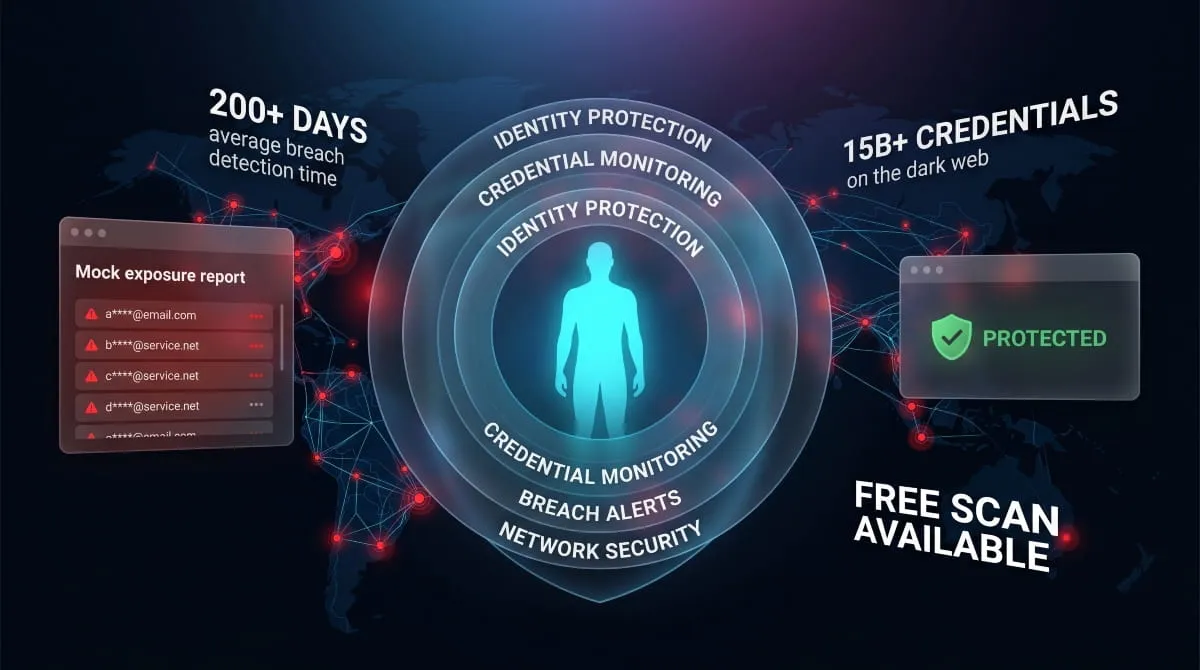
If you’ve ever received an alert saying your email or password was found on the dark web, your first instinct was probably confusion, followed quickly by panic. You’re not alone. Millions of people get those notifications every year and have no idea what to do next, or whether what they’re already doing is enough to keep them safe.
This guide exists to answer those questions directly. Not to sell you something immediately, but to help you understand what dark web protection actually means, what it covers, and what genuinely effective protection looks like in practice, for individuals and businesses alike.
What Is Dark Web Protection (And Why Most People Need It)
The dark web is a part of the internet that isn’t indexed by standard search engines and requires special software to access. It’s not inherently criminal, but it has become the primary marketplace for stolen data. Leaked email addresses, cracked passwords, Social Security numbers, credit card details, medical records, all of it gets bought and sold there, often within hours of a breach occurring.
Dark web protection is the umbrella term for any combination of monitoring, alerting, and response capabilities that help you detect and respond to such exposure before serious damage is done.
The critical distinction most people miss: monitoring and protection are not the same thing. Monitoring tells you when your data appears somewhere it shouldn’t. Protection is the broader strategy, including monitoring, as well as the steps you take before, during, and after exposure to limit harm.
Most people need both. Most people have neither set up properly.
How the Dark Web Puts Your Personal Data at Risk
You don’t have to do anything wrong to end up on the dark web. Data breaches happen at companies you’ve trusted with your information, retailers, healthcare providers, financial institutions, and social platforms. When those organizations get breached, your data goes with them. It gets aggregated, packaged, and listed for sale. Cybercriminals buy these lists to run credential stuffing attacks, open fraudulent accounts, file false tax returns, or sell your identity further down the chain.
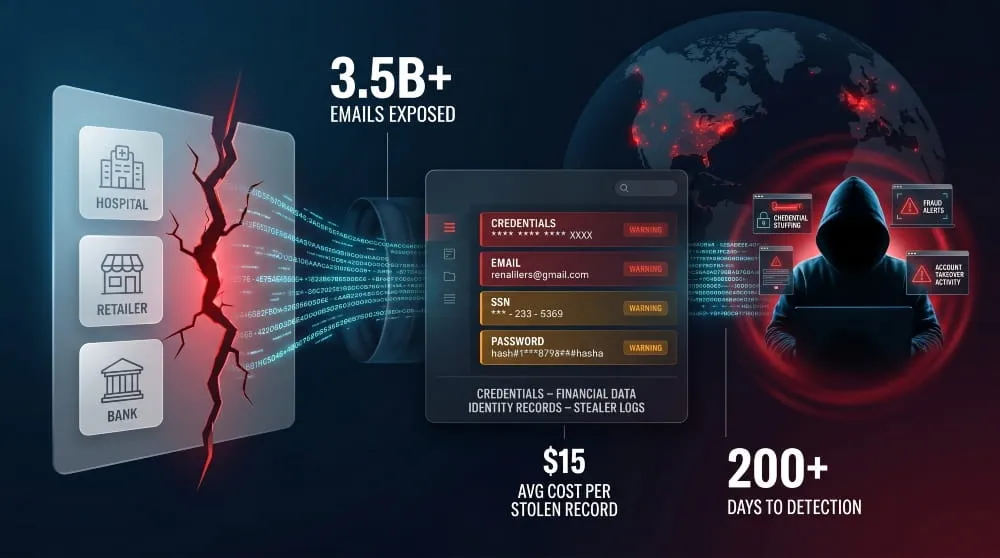
The average time between a breach occurring and a victim discovering it is over 200 days. By then, the damage is frequently already done.
What Dark Web Exposure Actually Means for You
When someone says your data has been found on the dark web, it doesn’t automatically mean your accounts have been compromised. It means your information is in circulation among people who intend to misuse it. Think of it as a warning window, a period where fast action can significantly reduce the likelihood that the exposure becomes a real-world loss.
What gets exposed most often: email addresses and passwords (especially reused ones), phone numbers, home addresses, date of birth, partial or full card numbers, and, in more serious breaches, Social Security numbers and passport data.
The Difference Between Dark Web Monitoring and Dark Web Protection
Dark web monitoring is reactive; it scans known dark web sources, paste sites, hacker forums, and breach databases for your data and alerts you when something surfaces.
Dark web protection is a comprehensive strategy: knowing your exposure status, securing your accounts proactively, having incident response steps ready, and using tools that continuously monitor for new threats. Monitoring is a component of protection, not a substitute for it.
What Does Dark Web Protection Actually Cover?
A strong dark web protection setup covers more than just your email address. Here’s what a comprehensive approach addresses:
Identity Theft Protection
Your identity is the sum of your personal identifiers, name, address, date of birth, SSN, and government ID numbers. When these appear on dark web markets, the risk is fraudulent credit applications, fake accounts, and full identity takeover. Dark web identity protection specifically monitors for these identifiers and alerts you before someone opens a line of credit in your name.
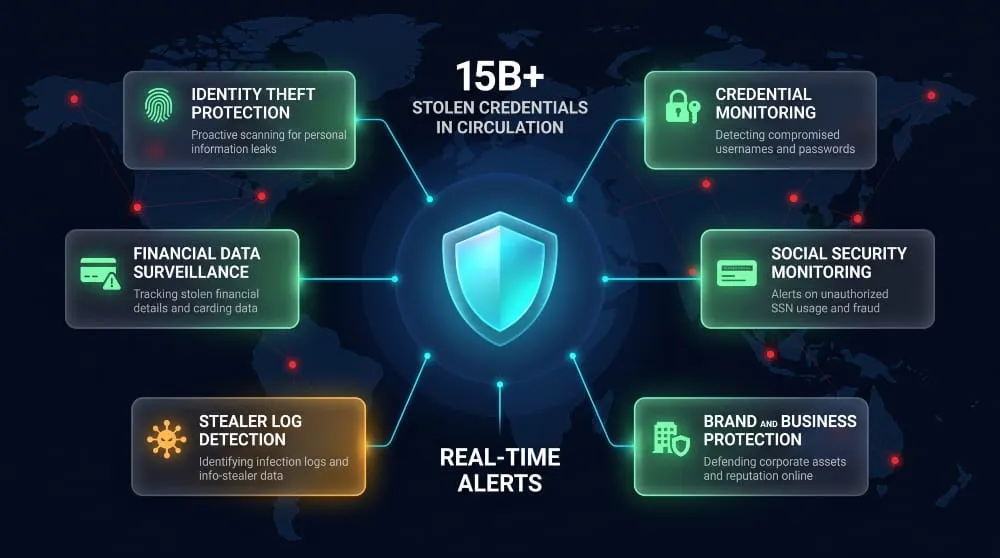
Credential and Password Exposure
Email and password combinations are the most commonly traded data type on the dark web. Even if you’ve changed a password after a breach, if you reused it elsewhere, every other account using it is potentially compromised. Good protection tools check not just whether your email was involved in a breach, but whether the specific credential pair has been used in combination, which is far more dangerous.
Financial Data and Credit Card Fraud
Card numbers, CVVs, and billing addresses are widely circulated on dark web carding forums. Dark web protection that covers financial data monitoring can give you a head start on freezing or replacing cards before unauthorized charges accumulate.
Social Security Number Monitoring
SSN exposure is one of the most serious forms of dark web exposure because the damage compounds over the years, including tax fraud, medical identity theft, and loan applications. Many consumer-level tools claim to monitor for SSN exposure but rely on surface-level breach databases. Proper monitoring scans deeper sources, including dark web markets and stealer logs.
Business and Brand Protection on the Dark Web
Organizations face a different set of dark web threats. Employee credentials appearing in stealer malware logs, proprietary data posted on ransomware leak sites, and customers targeted by phishing pages impersonating your brand are all dark web threat vectors that require enterprise-level visibility to address.
How to Protect Yourself From the Dark Web, Step by Step
Understanding the threat is only the starting point. Here is the practical sequence for building real dark web protection.
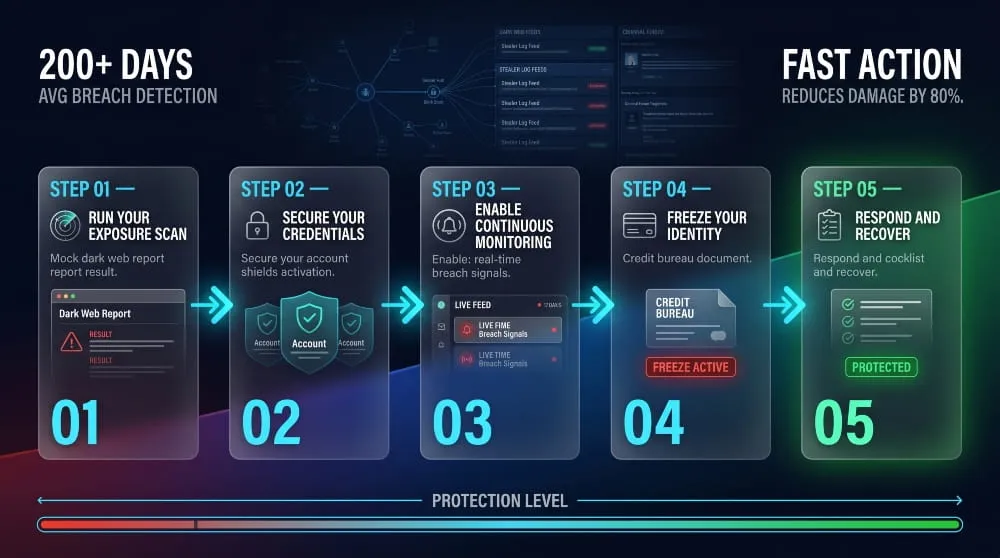
Step 1: Find Out If Your Data Is Already Exposed
Before you can protect yourself, you need a baseline. Run a dark web scan using a tool that checks breach databases, pastebin sites, and other dark web sources, not just publicly known breach lists. DeXpose’s Free Dark Web Report gives you an instant snapshot of your exposure across dark web markets, malware logs, and known data breaches. Use it as your starting point.
Step 2: Secure Your Accounts Against Credential Stuffing
If any of your passwords have been exposed, treat every account that ever used that password as compromised, not just the one that was breached. Change passwords, starting with email (the master key to everything else), banking, and any account with stored payment methods. Use a password manager to generate unique credentials for each account in the future. Enable two-factor authentication everywhere it’s available, prioritizing hardware keys or authenticator apps over SMS.
Step 3: Set Up Ongoing Dark Web Monitoring
One-time scans are better than nothing, but insufficient on their own. New breach data gets posted to the dark web every single day. You need continuous monitoring that alerts you in near real time whenever new exposure occurs. Look for a solution that monitors beyond breach aggregators, including dark web forums, stealer logs, and criminal marketplaces where fresh data gets traded first.
Step 4: Protect Your Identity at the Source
Consider placing a credit freeze with all three major bureaus if you’ve had significant identity data exposed. This prevents new credit from being opened in your name without your explicit authorization. A freeze is free, doesn’t affect your credit score, and can be temporarily lifted when you need to apply for credit.
Step 5: What to Do If Your Data Appears on the Dark Web
Act immediately and systematically. Change affected credentials. Alert your bank or card issuer. Place fraud alerts with credit bureaus. Document everything. File an identity theft report with the FTC (identitytheft.gov in the US) if financial or government ID data was involved. The window for minimizing damage is narrow; response speed matters enormously.
How to Protect Your Business From Dark Web Threats
Individual protection strategies don’t scale directly to organizations. Businesses face a broader and more persistent attack surface on the dark web.
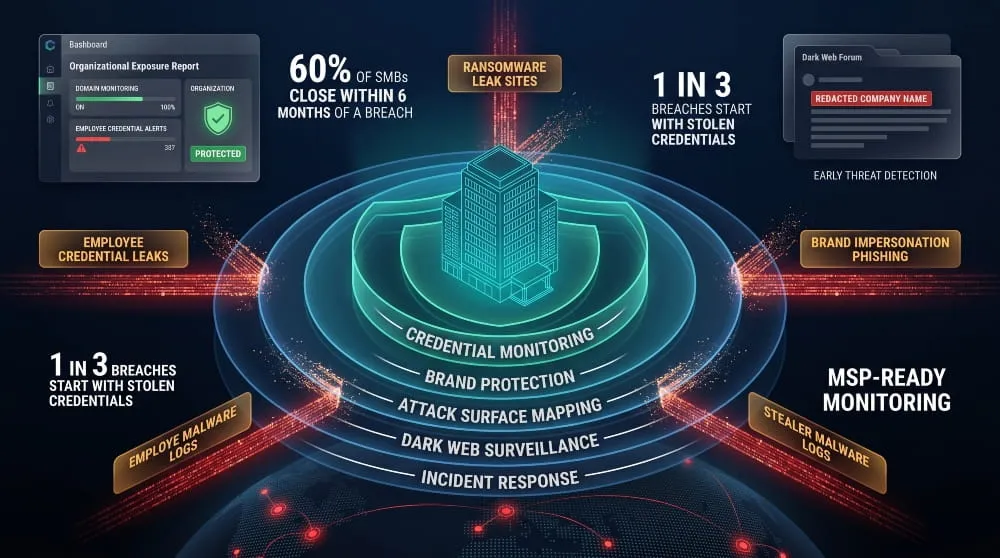
Why SMBs Are High-Value Targets on Dark Web Markets
Small and medium businesses are disproportionately targeted because they hold valuable data, customer PII, payment records, employee credentials, while typically operating with leaner security infrastructure than enterprises. A successful credential-stuffing attack on an SMB’s email system or VPN can give threat actors persistent access for months before detection.
How to Protect Employee Credentials and Company Data
The most common initial access vector for SMB breaches is compromised employee credentials, often sourced directly from dark web stealer logs, which capture usernames, passwords, and session cookies from infected machines. Dark web protection for businesses needs to monitor for your domain’s email addresses appearing in these logs, not just in breach databases.
Actionable steps include enforcing unique passwords via SSO and password managers, training employees to recognize phishing attempts, monitoring for your domain in dark web credential dumps, and running attack surface assessments to understand what’s externally visible.
Brand Protection, Detecting Impersonation and Phishing
Brand impersonation on the dark web takes multiple forms: phishing kits built around your domain, look-alike domains registered to target your customers, and your brand identity being used in social engineering campaigns. Effective brand protection monitors for unauthorized use of your domain, logo, and brand assets in dark web forums and phishing infrastructure.
Dark Web Protection for MSPs and Enterprise Teams
Managed Service Providers handling multiple client environments need dark web monitoring that scales across accounts, integrates with existing security workflows, and delivers actionable intelligence rather than raw data dumps. DeXpose offers a dedicated MSP Partnership program designed for exactly this use case.
Best Dark Web Protection Services: What to Look For
Not all dark web protection tools are created equal. Here is how to evaluate what you’re actually getting.
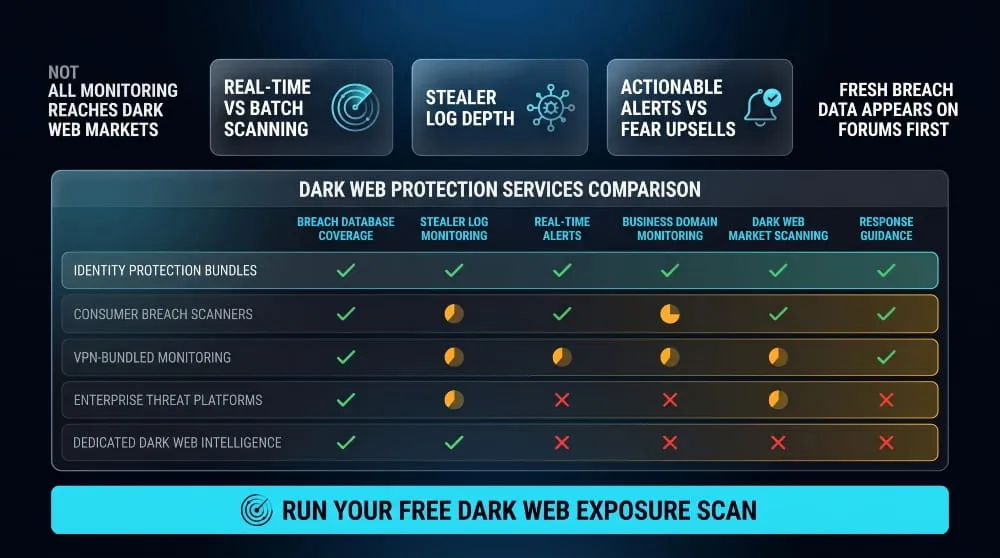
Key Features of a Strong Dark Web Protection Service
The baseline minimum for any dark web protection service worth using: real-time monitoring across breach databases and dark web sources, alerts that specify what was found and where, credential pair checking (not just email address matching), coverage of stealer logs and malware-sourced data, and clear guidance on what to do after an alert.
Better services add continuous monitoring rather than periodic batch scans, business-level domain monitoring, API access for integration into security workflows, and human-readable threat intelligence rather than raw data.
Free vs. Paid Dark Web Protection: What’s Actually Different
Free dark web scans are genuinely useful for understanding your baseline exposure. Where they fall short is in continuity and depth. Most free tools check against known public breach databases, miss stealer log data entirely, and don’t provide ongoing alerts as new exposures occur.
Paid services extend coverage to include continuous monitoring, deeper access to dark web sources, and response support. The right approach for most people: start with a free scan to understand your current exposure, then evaluate whether your risk level warrants ongoing monitoring.
DeXpose’s Email Data Breach Scan is free and checks your email against both breach databases and dark web sources, a good way to see exactly how exposed you already are before deciding on next steps.
Does Google’s Dark Web Protection Go Far Enough?
Google offers dark web monitoring for Gmail addresses as part of Google One. It checks whether your email appears in known data breaches. For many users, this will catch major incidents. What it doesn’t cover: stealer log data, dark web marketplace listings, criminal forums, or any information beyond your Google account’s associated email. If you have any significant online footprint or handle sensitive data professionally, Google’s built-in monitoring is a starting point, not a complete solution.
Norton, McAfee, Experian, How Major Providers Compare
Major consumer security brands have all added dark web monitoring features in recent years. Norton LifeLock, McAfee+, and Experian’s IdentityWorks all offer varying levels of SSN and credential monitoring bundled into broader identity protection subscriptions. These products are suitable for mainstream consumer use. Still, they are primarily breach-database-driven, meaning they lag behind threat actors who trade fresh data on markets and forums before it surfaces in public breach repositories.
For users who need earlier detection, especially businesses, security professionals, or anyone who has already experienced identity theft, tools built around real-time dark web intelligence, rather than batch breach data, deliver meaningfully faster alerting.
Does a VPN Protect You on the Dark Web?
This is one of the most common misconceptions in consumer cybersecurity, and it’s worth addressing clearly.
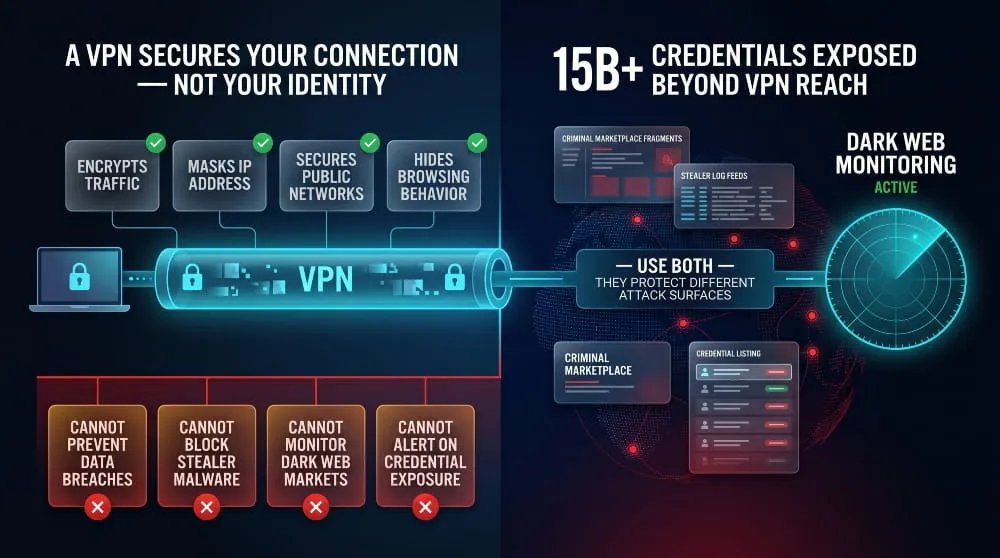
What a VPN Does (and Doesn’t Do) for Dark Web Safety
A VPN encrypts your internet traffic and masks your IP address. It protects your data in transit, preventing your ISP or a coffee shop network from seeing what you’re doing, and stops websites from easily identifying your location. What a VPN does not do: prevent your credentials from being stolen in a data breach, stop your information from appearing in stealer logs if your device is infected with malware, or alert you if your data is circulating on dark web markets.
A VPN is a privacy tool. Dark web monitoring is a threat intelligence tool. They address completely different attack surfaces and are not substitutes for each other.
VPN + Dark Web Monitoring: Why You Need Both
Used together, they cover complementary gaps. A VPN reduces your exposure while browsing, making it harder for attackers to intercept traffic or track your behavior. Dark web monitoring handles downstream risk, alerting you when stolen data from breaches or malware infections ends up in criminal hands. For comprehensive personal security, you want both running simultaneously.
Common Dark Web Protection Myths Debunked
“If I don’t go on the dark web, I’m safe.” Your data reaches the dark web through breaches at organizations that hold it. Your behavior online is largely irrelevant.
“I have nothing worth stealing.” Email addresses alone are worth money for spam and phishing campaigns. The full package of name, address, and date of birth is worth more. Criminals work at scale; everyone is a target.
“I’d know if my identity was stolen.” Most victims discover identity theft only after damage has accumulated, such as a rejected loan application, unexpected collection activity, or a tax return that’s already been filed.
Dark Web Protection for Specific Threats
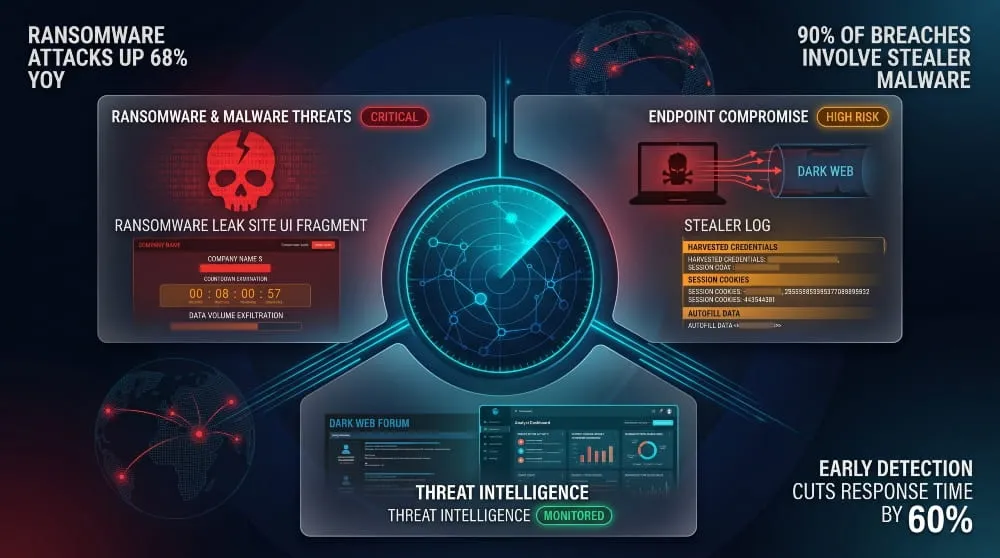
Malware and Ransomware Originating From Dark Web Sources
The dark web isn’t just a marketplace for stolen data; it’s also where ransomware-as-a-service operates, where malware toolkits are sold and updated, and where initial access brokers sell footholds into already-compromised networks. For organizations, monitoring dark web sources for mentions of your company name, domain, or executive names can provide early warning of impending attacks.
Protecting Your Computer From Dark Web-Linked Attacks
Stealer malware, software that silently harvests credentials, session cookies, and autofill data from infected machines, is one of the primary pipelines feeding fresh data onto dark web markets. Defense starts at the endpoint: keep operating systems and software fully patched, use endpoint protection with behavioral detection capabilities, and treat suspicious downloads and email attachments as high-risk regardless of apparent source.
Network Security and Dark Web Threat Intelligence
For security teams, dark web threat intelligence goes beyond monitoring for your own data. It includes tracking threat actor activity in criminal forums, monitoring ransomware group leak sites for your sector, and using dark web intelligence to anticipate attack campaigns before they hit your infrastructure. This is the professional tier of dark web protection, and it’s increasingly accessible to organizations without dedicated threat intelligence teams through managed monitoring services.
Start With Your Exposure Report
The single most useful thing you can do right now, before anything else in this guide, is find out what’s already out there about you. Everything else follows from that.
Run a free scan at Free Dark Web Report, which checks your exposure across dark web markets, malware-sourced stealer logs, and known data breaches in under a minute, no credit card.
If you want to know specifically whether your email address has appeared in a data breach, the Email Data Breach Scan gives you that directly.
Knowledge is the first layer of protection. Start there.
Frequently Asked Questions (FAQ’s)
Do I actually need dark web protection?
If you’ve ever created an online account, the answer is almost certainly yes. Data breaches have affected billions of accounts over the past decade. The question is not whether your data has ever been exposed; statistically, some version of it probably has been, but whether you have visibility into that exposure and a response plan in place.
How do I know if my information is already on the dark web?
Run a scan. DeXpose’s Free Dark Web Report checks your exposure across dark web markets, malware logs, and known breaches in minutes, no commitment required.
What’s the strongest dark web identity protection with the least spam?
Look for services that deliver specific, actionable alerts rather than constant upsells and fear-based notifications. The best tools tell you exactly what was found, where, and what to do, not just that you’re “at risk” in vague terms designed to drive upgrades. Read independent reviews focusing on alert quality, not just feature lists.
Is free dark web protection worth it?
Yes, as a baseline. Free scans provide real data on your current exposure. The limitation is that they’re point-in-time, not continuous. If the scan reveals significant exposure or if you handle sensitive data professionally, moving to continuous monitoring is worth the investment.
How do businesses protect digital assets from the dark web?
A layered approach: continuous monitoring of your domain in credential dumps and stealer logs, brand protection monitoring for impersonation, employee security training, and integrating dark web intelligence into your broader threat response workflow. DeXpose’s Dark Web Monitoring is built specifically for this level of organizational visibility.
What happens if my data is found on the dark web?
Don’t panic, act. Change the affected credentials immediately. If financial data was involved, contact your bank and consider a credit freeze. Document what was found. If it’s business data, involve your security team and assess whether it constitutes a reportable breach. The key is moving quickly; exposure on the dark web is a warning, and warnings only help if you act on them.
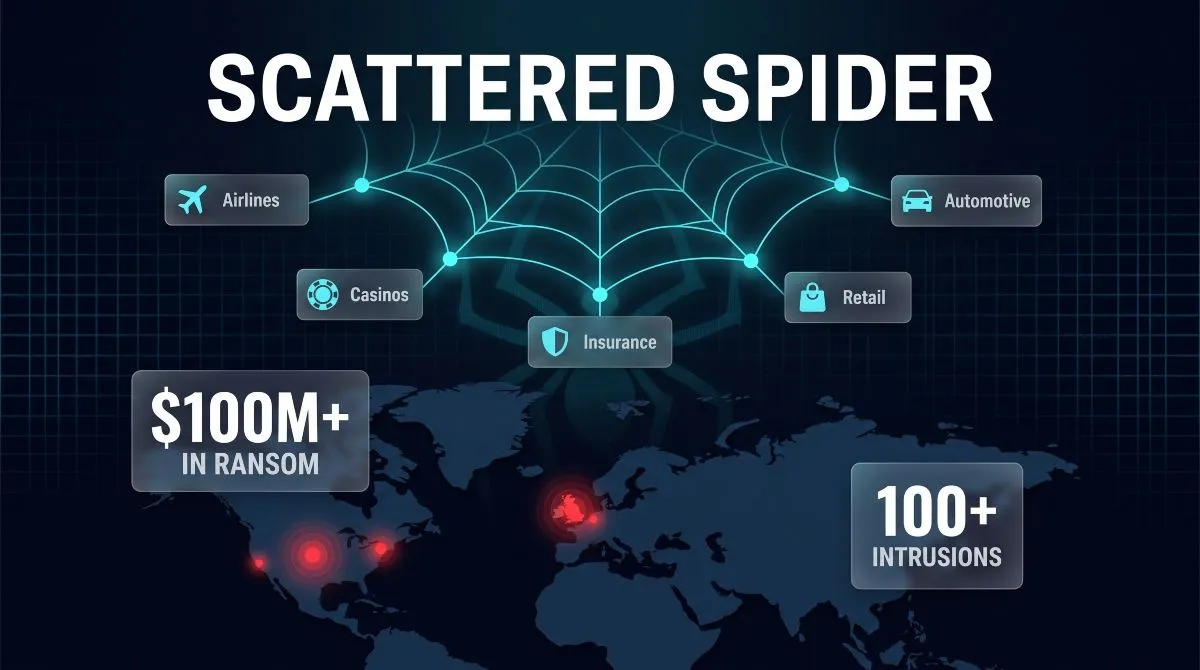
Scattered Spider | Who They Are, How They Attack, and How to Stop Them
Scattered Spider is a loosely organized cybercrime collective known for breaking into major companies through social engineering rather than malware, tricking help desks and employees into…
Read more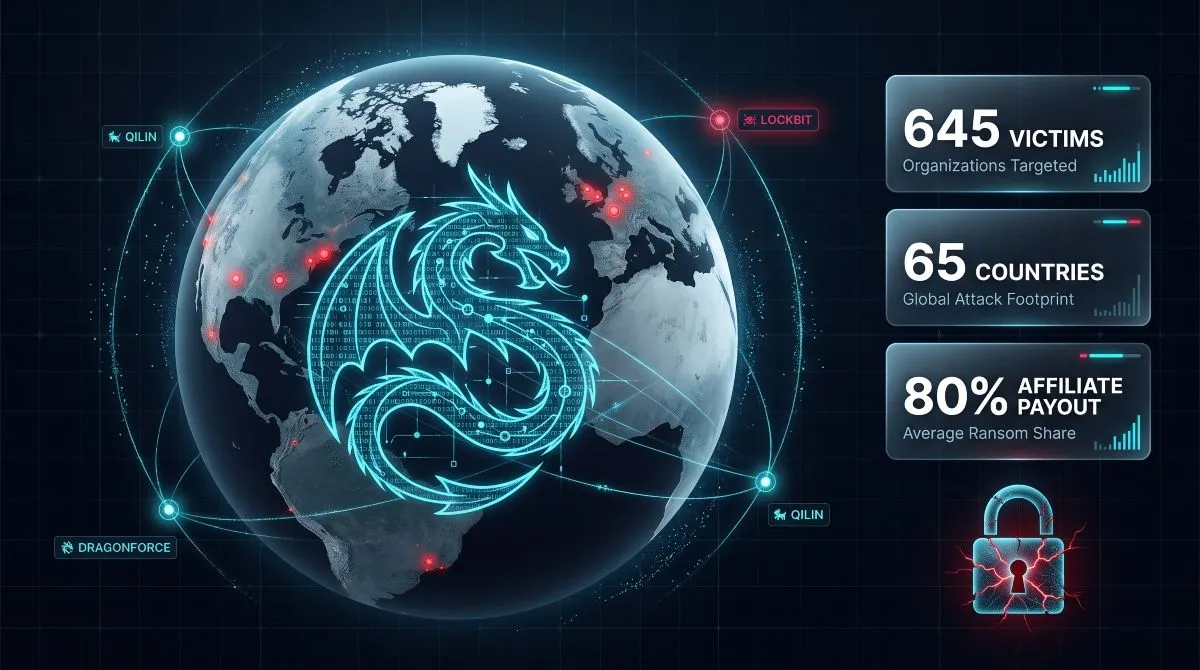
DragonForce Ransomware | Group Profile, Cartel Alliance & Attack Analysis (2026)
DragonForce ransomware is a ransomware-as-a-service (RaaS) operation that began as a pro-Palestine hacktivist collective based in Malaysia before pivoting to ransomware, and has since grown into…
Read more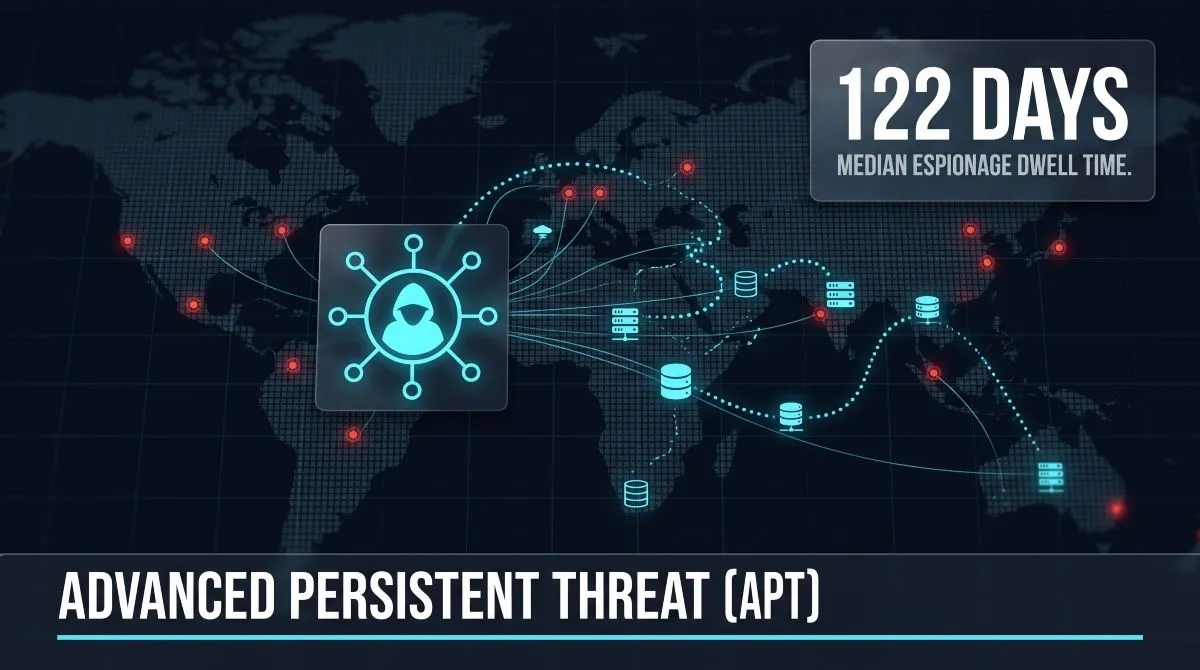
What Is an Advanced Persistent Threat (APT)? Guide to APT Groups, Attacks & Nation-State Actors
An advanced persistent threat (APT) is a prolonged, targeted cyberattack in which an intruder, usually a nation-state or state-sponsored group, gains unauthorized access to a network…
Read more