
Ransomware Recovery | Guide to Restoring Data, Systems, and Operations After an Attack (2026)
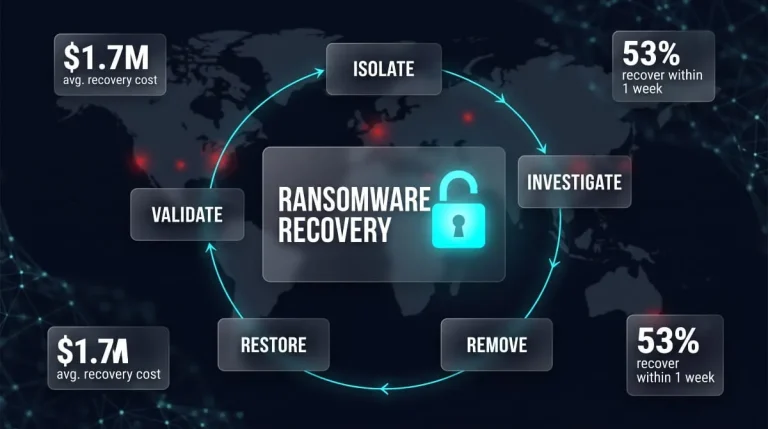
Ransomware recovery is the process of containing an attack, removing the intruder’s access, and restoring data and systems from clean backups (or verified decryption) before returning to normal operations. The order matters: restoring before fully evicting the attacker is the most common way organizations get hit twice. Recovery is also expensive. The average cost of recovering from an incident climbed 11 percent year over year to $1.7 million, excluding any ransom paid. Successful data encryption also rose to 56 per cent of attacks, up from 50 per cent the year before.
This guide walks through the full path back, from the first 72 hours of containment through backup restoration, environment-specific recovery for servers, cloud, and virtual infrastructure, and how recovery differs by ransomware strain. It also covers realistic timelines and costs, whether paying the ransom guarantees recovery, and how to build a recovery plan that works before you need it. Each section stands on its own, so you can jump straight to the stage you’re in, whether you’re in the middle of an incident or preparing for one.
What Is Ransomware Recovery?
Ransomware recovery is the process of restoring an organization’s data, systems, and operations to a trusted working state after a ransomware attack. It starts once the attack is contained and ends only when the attacker’s access is gone, restored systems are verified clean, and the business is operating normally again. It is broader than getting files back, and the distinctions below explain why so many recoveries fall short.
Recovery vs Removal vs Incident Response
Removal, incident response, and recovery are three different jobs that overlap during an attack. Removal is the technical act of eliminating the ransomware and the attacker’s footholds, such as malicious binaries, persistence mechanisms, and compromised accounts. Incident response is the wider coordinated effort to detect, contain, investigate, and communicate about the attack, including legal, regulatory, and stakeholder obligations. Recovery is the rebuilding phase: restoring data, applications, and services. Recovery is not the same as removal, because deleting the malware does nothing for encrypted files, and restoring data before the intruder is fully evicted invites reinfection. In practice, recovery runs in parallel with the later stages of response, and the two teams need to share what they find.
What “Complete Recovery” Actually Means
Complete recovery means every affected system and dataset is restored, verified as clean, and back in production, with the root cause closed so the same attack path cannot be reused. That is a higher bar than “systems are back up,” and many organizations miss it. According to Veeam’s 2026 Data Trust Report, 90% of organizations say they are confident they can recover within their recovery time objectives, yet only 28% of ransomware victims fully restored all affected data. The gap usually comes from incomplete, compromised, or untested backups, and from restored systems that were never validated before going live. A complete recovery therefore includes four checks: data integrity, system cleanliness, identity and access reset (credentials, keys, and admin accounts), and confirmation that the initial entry point is closed.
Ransomware Recovery in Disaster Recovery and BCDR
In business continuity and disaster recovery (BCDR), ransomware recovery is a specialized scenario that standard disaster recovery plans often handle poorly. A conventional plan assumes the infrastructure failed, so you fail over to a replica and carry on. Ransomware breaks that assumption because the attacker may still be inside, replicated data may already be encrypted, and backups and identity systems are frequently targeted. Recovery therefore needs its own runbook alongside the general disaster recovery plan, with isolated clean-room restores, immutable or offline backup copies, and a defined order for bringing systems back. It should also be measured against the same targets as any other disaster: a recovery time objective (how long the business can be down) and a recovery point objective (how much data it can afford to lose), tested against a ransomware scenario rather than a hardware failure.
Ransomware Recovery Steps: What to Do in the First 72 Hours
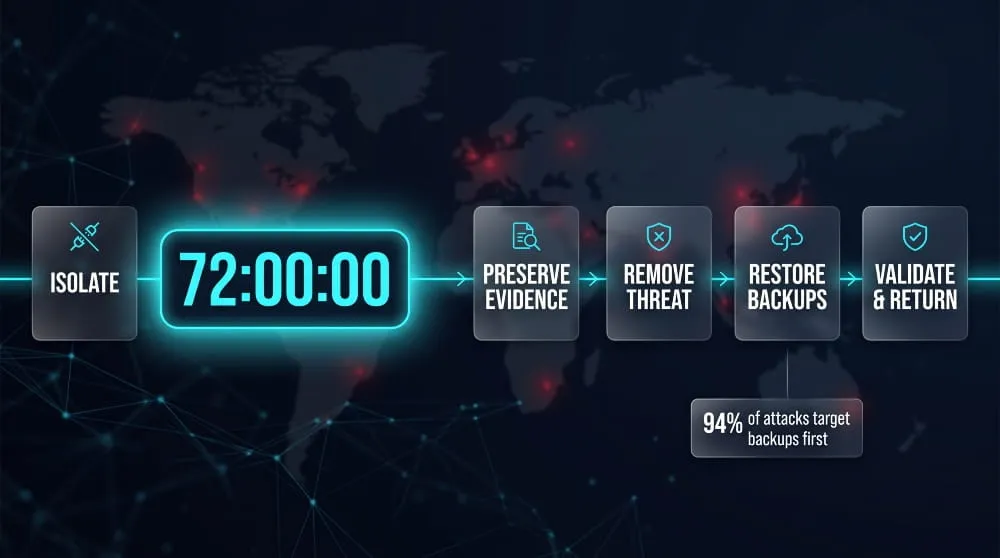
The core ransomware recovery steps run in a fixed order: isolate infected systems, preserve evidence, remove the attacker’s access, restore from clean backups, then validate before returning to production. Skipping ahead, especially restoring before the intruder is gone, is what turns one incident into two. Treat the 72-hour window as a working sequence rather than a hard deadline, since large environments will take longer to finish the later steps.
Contain and Isolate Infected Systems
Containment means disconnecting affected devices from the network so ransomware cannot spread or reach backups. Disconnect them by unplugging network cables, disabling Wi-Fi, and blocking the affected network segments at the switch or firewall. If you cannot isolate a machine, powering it down is a last resort, because it stops encryption but discards volatile evidence held in memory. Isolate shared resources too, including file servers, backup repositories, and remote access paths, and coordinate over an out-of-band channel such as phones or a separate messaging account, since email and chat may be compromised.
Preserve Evidence and Assess the Damage
Before wiping anything, capture what you need to understand the attack and support insurance, legal, and law enforcement work. Keep the ransom note, a few sample encrypted files, relevant logs, and memory or disk images of representative systems. Then establish scope: which systems are encrypted, which are merely exposed, and whether data was copied out before encryption. Notify your cyber insurer and legal counsel early, since policies often require prompt notice and may dictate which responders you can use, and consider reporting the incident to law enforcement such as the FBI or CISA.
Removing the Ransomware Before Restoring
Removal means eliminating the malware and every route the attacker used to get in, and it has to finish before restoration begins. Identify the entry point, whether that was a phished account, an exposed remote access service, or an unpatched system, and close it. Reset credentials broadly, prioritizing administrator accounts, service accounts, and directory infrastructure, because stolen credentials are how attackers return. For compromised servers, rebuilding from a known-good image is safer than cleaning in place, since you cannot easily prove every persistence mechanism is gone.
Restoring from Clean Backups
Restoring from clean backups means recovering data from a copy that predates the intrusion and has been confirmed malware-free. That confirmation matters because attackers know backups are the victim’s best alternative to paying. According to Sophos research, cybercriminals attempted to compromise backups in 94% of ransomware attacks. Choose a restore point from before the attacker first gained access, which may be days or weeks before encryption, and restore into an isolated environment where it can be scanned first. Bring systems back in order of dependency, starting with identity services, then core infrastructure, then business-critical applications.
Validating and Returning to Operations
Validation confirms restored systems are complete, uncompromised, and safe to reconnect. Check data integrity against known-good records, scan restored systems for remaining malware, and confirm that the credentials and access paths you reset are actually in force. Reconnect in stages rather than all at once, and keep heightened monitoring in place for signs of the attacker returning, such as unusual logins, new accounts, and outbound traffic to unfamiliar destinations. Once operations are stable, run a post-incident review to document the root cause, what slowed recovery, and what to change before the next attack.
How Long Does Ransomware Recovery Take?
Ransomware recovery typically takes a few days to several weeks, and in severe cases, months, depending on how much was encrypted and whether clean backups exist. Most variation comes from preparation rather than the attack itself: organizations with tested, protected backups restore in days, while those without can spend weeks rebuilding.
Typical and Average Recovery Time
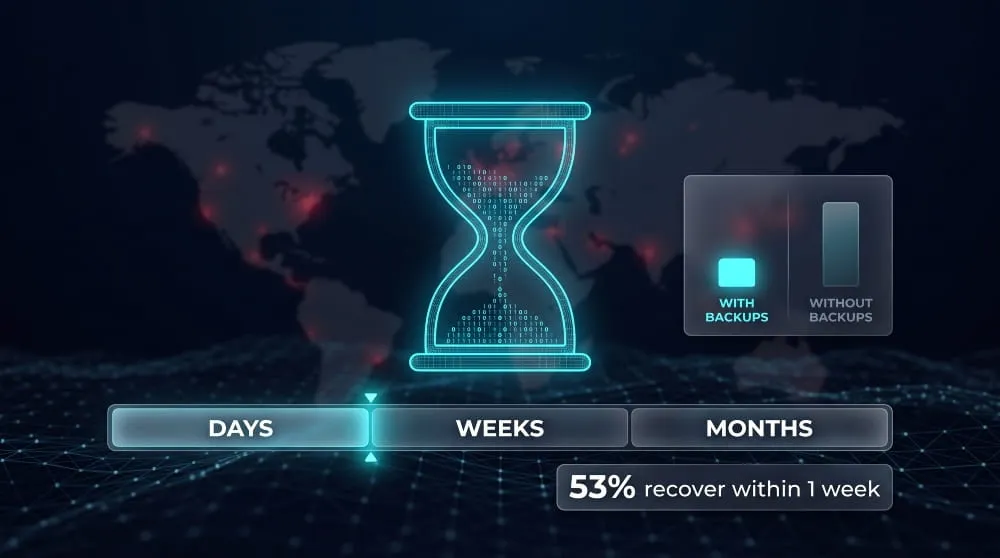
For most victims, full ransomware recovery takes days to weeks. In Sophos’s 2025 State of Ransomware survey, 53% of organizations fully recovered within one week, up from 35% in 2024 and 22% in 2023. That leaves roughly half taking longer, and large or heavily encrypted environments can run well past a month. Published averages also depend on what “recovered” means. Restoring critical services is usually much faster than fully restoring every system and dataset, so compare figures only when they define recovery the same way.
Recovery Time With vs. Without Backups
Intact, uncompromised backups are the single biggest factor in how fast recovery goes. Sophos found that only 26% of organizations with compromised backups fully recovered within a week, compared with 46% of those with untouched backups. Without usable backups, the options are slower and less certain: rebuilding systems and re-creating data from other sources, using a public decryptor if one exists for your ransomware strain, or negotiating for a decryption key. Even when you obtain a key, decrypting large volumes of data is often slow, and it does not guarantee every file comes back intact.
What Slows Recovery Down
Three things stretch recovery timelines more than any others: rebuilding systems from scratch, data volume, and dependencies between systems. A bare-metal restore rebuilds a server from nothing by reinstalling the operating system, drivers, applications, and configuration before restoring any data, adding hours or days per machine. Data volume compounds this, since restoring many terabytes is limited by storage and network bandwidth. Dependencies dictate the order of everything: identity services, DNS, and databases must come back before the applications that rely on them so that a missing dependency can stall an otherwise ready recovery. Verification also takes time, because each restored system has to be scanned and confirmed clean before it reconnects.
How to Speed Up Recovery
The most effective way to shorten recovery is to prepare before an attack: keep at least one immutable or offline backup copy, test restores regularly, and document the order in which systems must return. Maintaining ready-to-deploy system images reduces bare-metal rebuild time, and a clean recovery environment lets you restore and scan in parallel rather than one system at a time. Set a recovery time objective for each system so the most critical services come back first. Finally, decide in advance who runs the recovery and who has authority to make tradeoffs, whether that is an internal team or an incident response partner already on retainer, because hours lost to confusion in the first day are hard to win back.
How Much Does Ransomware Recovery Cost?
Ransomware recovery costs an average of about $1.7 million per incident, excluding any ransom paid, according to Sophos’s 2026 State of Ransomware report. That figure covers the work of getting back to normal, not the ransom itself, and individual costs range from tens of thousands of dollars for a contained incident at a small business to many millions for a large enterprise.
Average Recovery Cost and Statistics
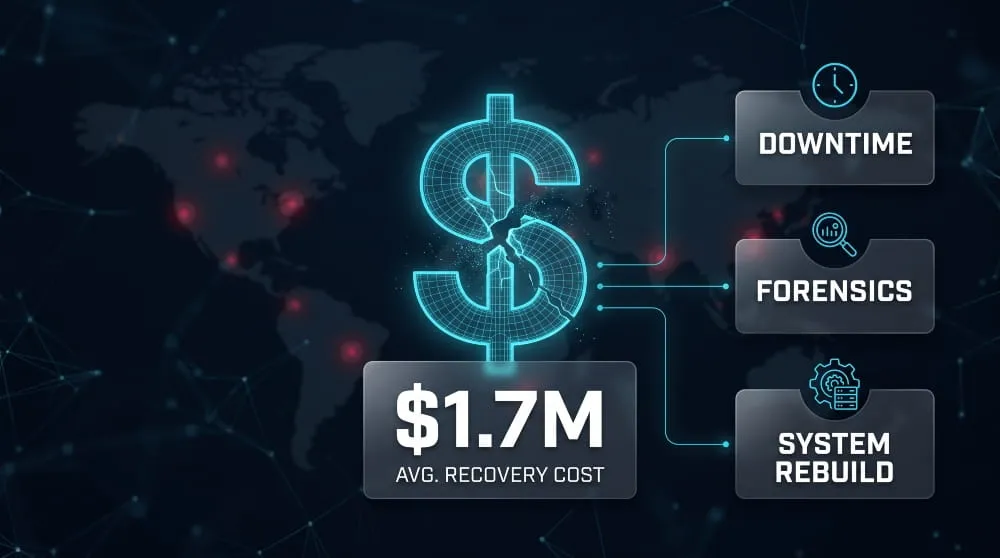
The average cost to recover from a ransomware attack is $1,700,200, excluding any ransom paid. That is an 11 percent increase over the prior year. The trend is not a steady climb. Sophos figures show recovery costs fell from $2.73 million in 2024 to $1.53 million in 2025 before rising to $1.7 million in 2026, which analysts link to wider adoption of tested backup and incident response practices. Recovery cost is also only one layer of the total bill. IBM’s 2025 Cost of a Data Breach research puts the total average ransomware incident cost, including the ransom and indirect costs, at $5.08 million. When a ransom is paid, it sits on top of the recovery bill rather than replacing it.
Cost Drivers: Downtime, Data Volume, Forensics, Rebuild
Recovery cost is driven by four factors: how long systems are down, how much data must be restored, how much investigation is needed, and how much infrastructure must be rebuilt. Sophos’s methodology counts downtime, people time, device replacement, network costs, and lost opportunity. Downtime is often the largest item because every day of lost revenue and idle staff adds up alongside the technical work. Data volume and the number of affected systems determine how much restoration labor and time is required. Forensics adds the cost of external investigators to establish how the attackers got in and what they took, and rebuild costs cover replacing hardware, reimaging servers, and re-provisioning cloud environments. Backup condition amplifies all four. Median recovery costs were about $3 million for organizations with compromised backups, compared with $375,000 for those with unaffected backups.
Recovery Cost for SMBs vs. Enterprises
Larger organizations pay more in absolute terms, but smaller ones often feel the impact more sharply relative to their size. In Sophos’s 2025 survey, companies with 100 to 250 employees reported an average recovery cost of $638,536, while those with 1,000 to 5,000 employees reported $1.83 million. Enterprises face more systems, more dependencies, and more downtime exposure, which drives the higher totals. SMBs typically have leaner IT teams, fewer redundant systems, and less financial cushion, so a six-figure recovery can threaten the business even though it looks modest beside an enterprise figure. Cost planning should reflect that difference: enterprises tend to need retainers and formal recovery infrastructure, while SMBs benefit most from protected backups and cyber insurance, which cap the recovery bill before an attack happens.
Ransomware Data and File Recovery Methods
Ransomware data recovery works through five main routes, in rough order of reliability: restoring from clean backups, restoring from immutable or air-gapped copies, recovering shadow copies and snapshots, using a free decryptor or a legitimate recovery key, and, as a last resort, salvaging what you can from encrypted files without backups. What’s available depends almost entirely on what the attacker could reach before encrypting, so check them in this order.
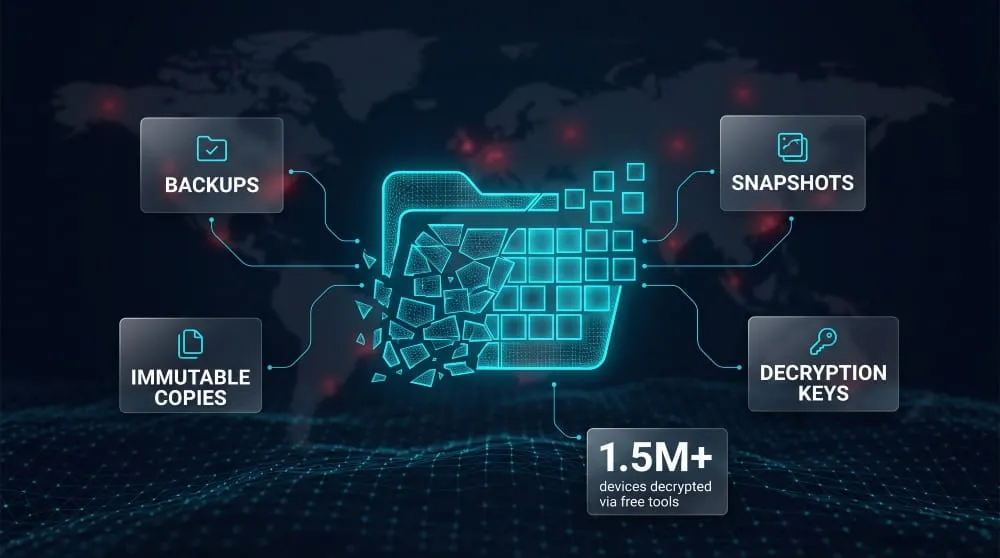
Restoring From Backups
Restoring from backups is the most dependable way to recover ransomware-encrypted files, because it does not rely on the attacker at all. It works only if the backup is complete, recent enough to meet your recovery point objective, and free of malware. Before restoring, confirm the backup was taken before the intrusion began and test-restore a sample into an isolated environment. Restoring into a system that still has the attacker’s access will encrypt the data again.
Immutable and Air-Gapped Backups
Immutable and air-gapped backups are copies attackers cannot alter or delete, making them the most trustworthy source of recovery data. An immutable backup is locked by write-once settings for a defined retention period, so even an administrator account cannot change it. An air-gapped backup is physically or logically disconnected from the production network, such as offline tape or a vaulted copy with separate credentials. Because attackers routinely try to destroy backups first, keeping at least one copy in this state is what separates a fast restore from a long rebuild.
Shadow Copies and Snapshots
Shadow copies and snapshots are point-in-time versions of files stored on the same system or storage platform, and they can sometimes restore encrypted files quickly. On Windows, the Volume Shadow Copy Service creates these versions, and storage arrays and virtual machine platforms offer their own snapshots. Many ransomware families deliberately delete shadow copies, so treat them as an opportunistic option rather than a plan. If they survive, restore them before doing anything that could overwrite them, and never rely on them as your only backup because they sit on the same infrastructure the attacker already controls.
Free Decryptors and Recovery Keys
Free decryptors exist for some ransomware strains, and they are worth checking before any other decryption route. The No More Ransom project, backed by law enforcement and security vendors, had contributed 136 decryption tools by 2022, covering 165 ransomware families, and helped more than 1.5 million people decrypt their devices. First identify the strain from the ransom note or an encrypted file, then check whether a decryptor is listed for that exact variant, since tools are strain- and version-specific. A recovery key from the attacker is a different matter: paying does not guarantee working decryption, so treat it as a separate decision, covered later in this guide.
Recovering Encrypted Files Without Backups
Without backups, recovery is slower and less certain, but not always hopeless. Keep a copy of the encrypted files and the ransom note, because a decryptor may be released later. Look for other copies of the data, such as cloud sync version history, email attachments, other devices, and vendor-held records. Some ransomware deletes original files rather than overwriting them, so file-recovery tools may retrieve fragments, though only if you stop using the affected drive right away. For critical systems, a forensic specialist can tell you what is realistically recoverable, which is more useful than any tool that promises a guaranteed result.
Ransomware File Recovery on Windows 10
On Windows 10, recovery options depend on which built-in protections were switched on before the attack. Check Previous Versions on the affected folders, File History if it was enabled, and OneDrive’s version history and Files Restore feature if the files were synced. System Restore can roll back system files, but it doesn’t restore personal documents, so it is not a substitute for the options above. Disconnect the device and clean it before restoring anything, and note that Windows 10 reached end of support in October 2025, so machines without extended security updates are more exposed to reinfection.
Should You Pay the Ransom? Does Paying Guarantee Recovery?
No, paying a ransom does not guarantee recovery, and law enforcement agencies generally advise against it. Even when attackers supply a decryption key, it may be slow, buggy, or incomplete, and paying does not undo the damage or close the way in. Whether to pay is ultimately a legal and business decision, so treat this section as background for that decision, not a recommendation to pay.
What the Data Says About Decryption After Payment
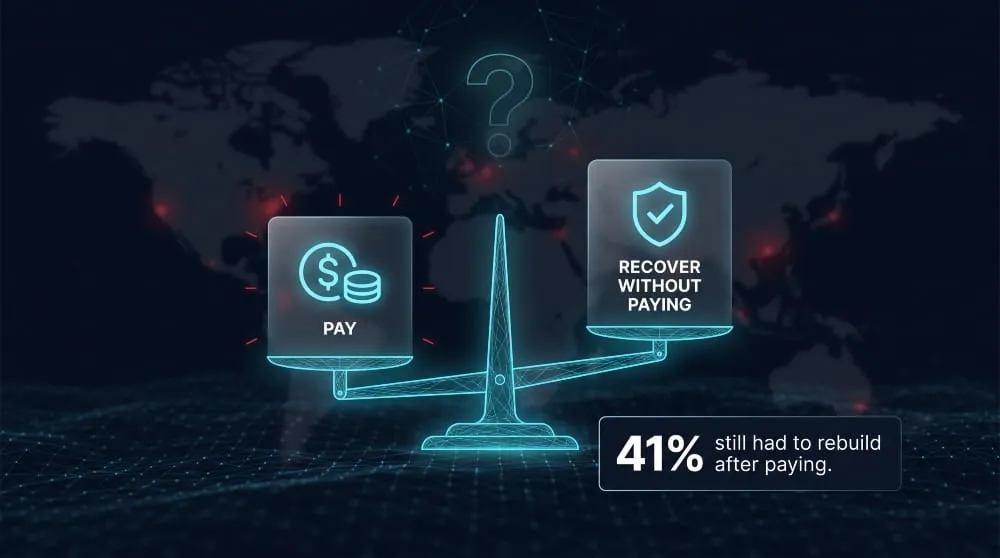
Payment often fails to deliver a full recovery. In Hiscox’s Cyber Readiness Report 2025, 60% of organizations that paid recovered some or all of their data, but 41% were given a recovery key and still had to rebuild their systems. The same research found that for 31% of paying victims, attackers demanded more money. The reasons are practical: attacker-supplied decryptors can be unreliable, keys can be partial, and files can be corrupted during encryption or decryption. Paying also does nothing to remove the attacker’s access, so a paid-for key does not replace the removal and validation work described earlier in this guide.
Legal and Sanctions Considerations
In the United States, paying a ransom is not automatically illegal, but it carries real legal risk. The Treasury’s Office of Foreign Assets Control (OFAC) warns that ransomware payments may risk violating sanctions, and that civil penalties can apply on a strict-liability basis, meaning a victim can be liable even without knowing the recipient was sanctioned. That risk extends to third parties who facilitate payments, such as insurers and incident response firms. OFAC has also said that a timely and complete report to law enforcement is a significant mitigating factor if a payment later turns out to have a sanctions link. Rules differ by country and sector, and some jurisdictions now require reporting ransom payments, so involve legal counsel before deciding to pay. This is general information, not legal advice.
Alternatives to Paying
The best alternative to paying is recovering without the attacker’s help. Clean, protected backups are the strongest option, because they remove the attacker’s leverage entirely. If backups are damaged or missing, check whether a free decryptor exists for your specific ransomware strain, since law enforcement and security vendors have released working tools for many families. Rebuilding affected systems and re-creating data from other sources is slower but keeps you in control of the outcome. Whatever you choose, report the incident to law enforcement and engage your cyber insurer and legal counsel early, since they can affect both your options and your legal exposure. Decide on an approach before an attack, not during one, because pressure and downtime push organizations toward payment.
Ransomware Recovery by Environment
Ransomware recovery differs by environment because each platform stores data, keeps recovery points, and exposes attack surface differently. The right method depends on where the encrypted data lives, whether that means rebuilding servers, restoring virtual machines from protected backups, or rolling back cloud storage to a point before encryption began.
Servers, NAS, and SAN (Synology, QNAP)
For servers, the safest recovery is to rebuild from a known-good image and restore data separately, rather than trying to clean an infected operating system. Bring back identity infrastructure such as domain controllers first, then the servers that depend on them. NAS devices from vendors like Synology and QNAP need extra care because they are often internet-exposed and hold the only copy of shared files. Take the device offline, check whether snapshots survived (attackers with admin access can delete them), and look up vendor advisories and public decryptors for your strain before wiping anything. On a SAN, recovery usually means restoring LUNs from array snapshots or replicas, so first confirm the attacker did not gain management access and delete them.
VMware and Virtualized Environments
In virtualized environments, recovery starts with the hypervisor, because a compromised host can put every virtual machine on it at risk. Attackers have noticed: according to Huntress, hypervisors’ role in ransomware encryption jumped from 3% in the first half of 2025 to 25% in the second half, driven largely by the Akira group. Rebuild ESXi hosts from clean installs, rotate host and vCenter credentials, and confirm management interfaces are not internet-facing before restoring anything. Then restore VMs from backups that were stored outside the affected datastores, since encrypted virtual disk files cannot be repaired in place. VM-level backups and immutable storage snapshots are the most reliable sources, and treat any VM snapshots on the affected host as untrusted until verified.
Databases and SQL Servers
Database recovery depends on the backup chain, not just the most recent backup. For SQL Server, restore the last full backup, then differential and transaction log backups, to reach a point in time just before the attack. Check first that the backup files themselves were not encrypted, since they are often stored on the same server or a reachable share. Restore into a clean instance, then run consistency checks such as DBCC CHECKDB before reconnecting applications. Rotate database and service account credentials as well, because attackers frequently harvest them. If live database files were encrypted with no usable backup, recovery is rarely possible, and a forensic specialist can assess whether any pages are salvageable.
Microsoft 365, OneDrive, Google Drive, and Dropbox
Cloud storage often has built-in rollback, but it has time limits and a sync problem. Ransomware on an endpoint can sync encrypted files to the cloud, so disconnect the device and pause sync first. In OneDrive, Microsoft says subscribers can restore their entire OneDrive to any point in the last 30 days, and work or school accounts can recover deleted items from the recycle bin for up to 93 days unless an administrator changes the setting. Google Drive and Dropbox offer comparable version history and restore tools, with retention that varies by plan and admin settings, so check your window right away. Because these windows are finite and attackers may be present for weeks before encrypting, a separate third-party backup of SaaS data is a sound safeguard.
AWS and Azure Site Recovery
Cloud recovery has its own trap: disaster recovery replication is not the same as backup. Azure Site Recovery continuously replicates workloads to a secondary region, so if encryption spreads to the source, it can replicate encrypted data too. Recovery then depends on older recovery points or on separate backups, and the number of usable points is limited by the retention you configured. On both Azure and AWS, use backup services with immutable or locked vaults, versioned object storage, and snapshots in a separate account so a compromised admin credential cannot delete them. After restoring, rotate access keys and review audit logs (such as CloudTrail on AWS) to find how the attacker got in.
Recovering From Specific Ransomware Strains
Recovery depends on identifying the exact ransomware strain, because each family differs in whether a free decryptor exists, how it spreads, and what it targets. For some strains, law enforcement or researchers have released working decryptors; for others, clean backups are the only reliable route. Always confirm the strain and version before you try any decryption tool, since a mismatched tool can damage files.
Akira, LockBit 3.0, and ALPHV/BlackCat
These three are the most active modern families and the least likely to have a general free decryptor, so backups usually decide the outcome. The clearest proof that law enforcement action can help is ALPHV/BlackCat: the FBI obtained decryption keys that helped 500 victims recover their files for free, saving approximately $68 million in ransom demands. That tool covered victims from a specific window, so check with the FBI or No More Ransom before assuming it applies to you. LockBit 3.0 has a similar story: after the 2024 takedown, the FBI secured 7,000 LockBit decryption keys and invited victims to come forward. LockBit’s builder also leaked in 2022, so many different actors use its code, which makes the ransom note and infrastructure more reliable identifiers than the name alone. Akira matters especially for virtualized environments, since Huntress found it was the primary actor driving a surge in hypervisor ransomware. As far as I know, no universal free decryptor exists for current Akira builds, so recovery relies on protected backups.
Conti, Ryuk, and Maze (Legacy Families)
Conti, Ryuk, and Maze are largely historical, but their code and operators live on in newer groups, so encounters still happen. Conti’s group broke apart in 2022, and its members and tooling spread into successor operations, which means an attack using Conti-style code may come from a different crew today. Ryuk, long tied to large “big game hunting” attacks, has no widely available free decryptor that I know of. Maze shut down in 2020, and decryption help for some legacy variants may exist through public repositories. For all three, upload a sample to a strain-identification service and check No More Ransom for your exact variant, rather than relying on the family name.
Dharma, Phobos, and GlobeImposter
Dharma, Phobos, and GlobeImposter commonly target small and mid-sized organizations, often through exposed remote desktop services. Phobos has the strongest recovery story: Japan’s National Police Agency published a free decryptor and English guide for Phobos and 8Base victims, backed by the FBI and Europol. It works on files with extensions like .phobos, .8base, .elbie, .faust, and LIZARD, and may support others; victims should remove any active malware first to avoid re-encryption. Older Dharma and GlobeImposter versions have had public decryptors, while newer builds generally have not, so version matters.
Older Threats: WannaCry, Sodinokibi/REvil, DarkSide
Older threats often have published fixes, but only for specific versions and conditions. WannaCry recovery tools have worked on some unpatched Windows systems that were not rebooted after infection, because they depend on encryption material still being in memory, so do not restart affected machines until you have tried. A universal decryptor was released for Sodinokibi/REvil victims from before the group’s 2021 shutdown, and a DarkSide decryptor was released for early versions of that strain. Neither covers later variants, so match the tool to the date and version of your attack.
Using Dark Web and Threat Intelligence to Identify Your Variant
Threat intelligence turns “we’ve been hit” into “we know who hit us and what they do.” Start with what’s in front of you: the ransom note wording, the encrypted file extension, the contact or Tor negotiation portal, and a sample encrypted file, then check them against identification services and the No More Ransom repository. Dark web monitoring adds a second signal. Most modern groups run leak sites, so a listing there can confirm which group claimed you, whether data was stolen, and whether it is being published, which shapes your legal and notification duties. Renamed groups and shared builders mean no single indicator is conclusive, so combine several. Avoid browsing leak sites from production networks, and use a monitoring service or a dedicated analyst environment for lookups.
Building a Ransomware Recovery Plan
A ransomware recovery plan is a documented, tested set of decisions and procedures that defines who does what, in what order, to restore systems after an attack. It differs from a standard disaster recovery plan because it assumes the attacker may still be inside, that backups and identity systems may be compromised, and that your normal communication channels may be down.
Recovery Plan and Disaster Recovery Plan Components
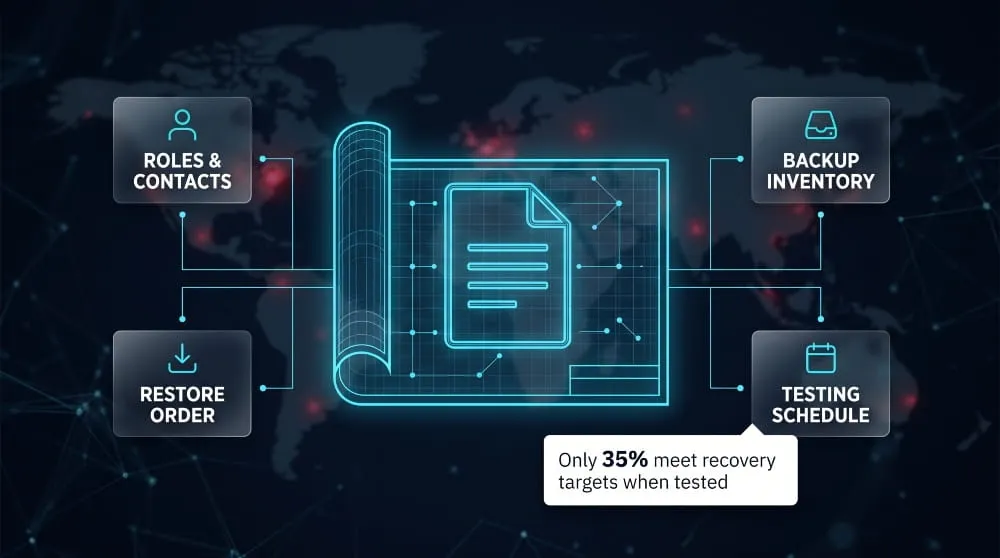
A workable plan has a small number of components, each answering a question you cannot afford to debate mid-incident. It should define scope and activation criteria (what counts as a ransomware event and who declares it), a recovery time objective and recovery point objective for each system, and a tiered restore order that starts with identity services and works outward to business applications. It should also inventory every backup and where it lives, including at least one immutable or offline copy, and name a clean environment where you can scan restores before reconnecting. Finally, it needs decision authority for high-stakes calls such as contacting law enforcement, notifying regulators, and whether to consider a ransom payment, plus contacts for your insurer, legal counsel, and response partners. Testing is what makes a plan real. In Arcserve’s 2026 survey, 65.1% of respondents were confident they could recover from ransomware within 48 hours, yet only 35.4% met their RPO and RTO targets in their most recent full-recovery test, and 24.1% had never run one. This is a vendor-sponsored survey of about 200 IT professionals, but the gap between confidence and proof matches what most practitioners see.
Recovery Playbook and Roles
The plan sets strategy; the playbook is the step-by-step runbook people follow under pressure, with one section per scenario such as server encryption, hypervisor compromise, or cloud tenant takeover. Its most important job is assigning named owners before an incident. At minimum, define an incident commander who makes decisions, a technical recovery lead who runs the restores, a security or forensics lead who confirms the attacker is out, a communications lead for staff, customers, and regulators, and legal counsel. Name a backup for every role, since people are unavailable in a crisis. Store the contact list and playbook somewhere that survives an outage, such as a printed copy or an offline device, and set up an out-of-band channel for coordination because email and chat may be compromised.
Ransomware Recovery Checklist
A ransomware recovery checklist should cover readiness before an attack, recovery actions, and follow-up afterward. Use it to confirm you don’t skip anything critical, not to replace the playbook.
- Before an attack: at least one immutable or offline backup, current system inventory with restore priorities, tested restores, and an offline contact list.
- During recovery: systems isolated, evidence preserved, entry point identified and closed, credentials reset, and restores made from a verified clean point in a scanned environment.
- Before reconnecting: check data integrity, scan systems, and heighten monitoring.
- Afterward: complete legal and regulatory notifications, document the root cause, and update the plan with what slowed you down.
Template Download or Copy-Paste Framework
You can build a usable plan from a short framework, then fill in the specifics for your environment. Copy the structure below into a shared document and complete each section.
- 1. Purpose and scope: systems, sites, and data covered
- 2. Activation criteria: what triggers this plan; who declares it
- 3. Roles and contacts: primary and backup for each role (store offline)
- 4. Decision authority: law enforcement, regulators, payment decisions
- 5. System tiers: RTO and RPO per system; restore order
- 6. Backup inventory: location, type, retention, immutable copy, owner
- 7. Clean recovery environment: where restores are scanned and validated
- 8. Recovery procedures: link to playbook runbooks by scenario
- 9. Validation and return to service: checks required before reconnecting
- 10. Communications: internal, customer, regulator, and media messages
- 11. Vendors and insurance: response partner, insurer, legal, hotlines
- 12. Testing schedule: tabletop and restore tests; date of last test
- 13. Review log: changes after each test or incident
Ransomware Recovery Tools and Technologies
Ransomware recovery tools fall into four groups: backup and vaulting tools that hold clean copies of your data; forensic and detection tools that show what happened and how far it spread; automation that speeds up restoration; and the software that ties recovery together. No single product covers every stage, so the practical goal is a small set of tools that work together and have been tested against a real restore.
Backup, Vaulting, and Cyber Recovery Categories
Backup and recovery technology is the foundation, and it comes in a few distinct categories. Standard backup software captures files, servers, and virtual machines on a schedule, but it only helps in an attack if the copies cannot be altered; immutable storage (write-once retention or object lock) and offline or air-gapped copies are the categories that matter most. A cyber recovery vault goes further by isolating a protected copy behind separate credentials and a separate network path, often with a clean-room environment where restored data is scanned before it touches production. Replication and disaster recovery tools keep a live secondary copy for fast failover. Still, they can replicate encrypted data too, so treat them as a speed layer rather than a backup substitute. Two further categories are easy to overlook: SaaS backup, which protects cloud application data outside the vendor’s own retention limits, and identity recovery tools, which can restore a directory service such as Active Directory, the first system you need before anything else comes back.
Forensic and Detection Tools
Forensic and detection tools tell you what was hit, how the attacker got in, and whether they are still there, which determines what is safe to restore. Endpoint and extended detection tools can spot encryption behavior and quickly isolate a device, shrinking the scope of the attack before recovery starts. Forensic tooling covers disk and memory imaging, log analysis, and timeline reconstruction, and it is what lets you pick a restore point from before the intrusion instead of guessing. Strain identification services help match a ransom note or sample to a known family and check for a free decryptor. Dark web monitoring adds an external view, showing whether stolen data or credentials from your organization are being traded or posted on a leak site, which affects your notification duties and your risk of a repeat attack.
AI-Driven and Automated Recovery
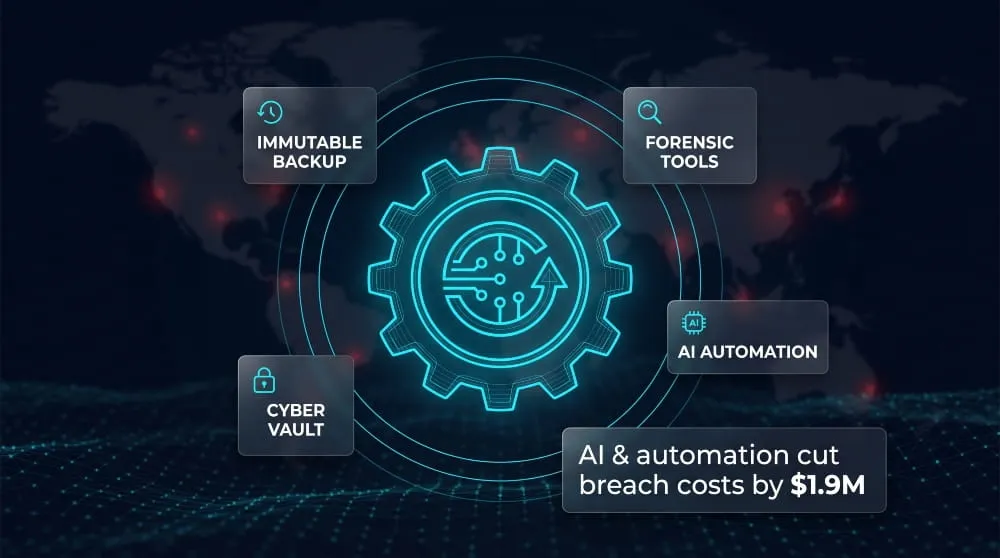
Automation shortens recovery by removing manual steps, and AI adds pattern recognition where volumes are too large for people to review. In practice, these features scan backups for signs of encryption or corruption to find the last clean restore point, orchestrate restores in the correct dependency order, and run scheduled recovery tests without staff intervention. The broader security evidence points the same way. In IBM’s 2025 Cost of a Data Breach Report, organizations using AI and automation extensively across security operations saved an average of $1.9 million per breach. They cut the breach lifecycle by 80 days. That figure covers breaches generally, not ransomware recovery specifically. Treat automated recommendations as inputs to verify, not final decisions, particularly when choosing a restore point or declaring a system clean.
What to Look for in Recovery Software
The best recovery software is judged by how it performs during an attack, not by its feature list. Start with immutability that an administrator account cannot override, because attackers who steal admin credentials will try to delete backups first. Confirm the backup environment uses separate credentials and multi-factor authentication from production. Ask for proof of restore speed at your data volume, since a tool that restores a test folder in minutes may take days for terabytes. Look for a way to identify clean restore points, an isolated environment for scanning before reconnecting, and coverage for the platforms you actually run, including hypervisors, databases, cloud workloads, and SaaS. Reporting and test logs matter for audits and insurance, and you should read any recovery guarantee or warranty carefully for its conditions. Above all, run a real restore before you buy or renew, because a tool you have never tested is a hypothesis.
Preventing the Next Attack: Resilience and Best Practices
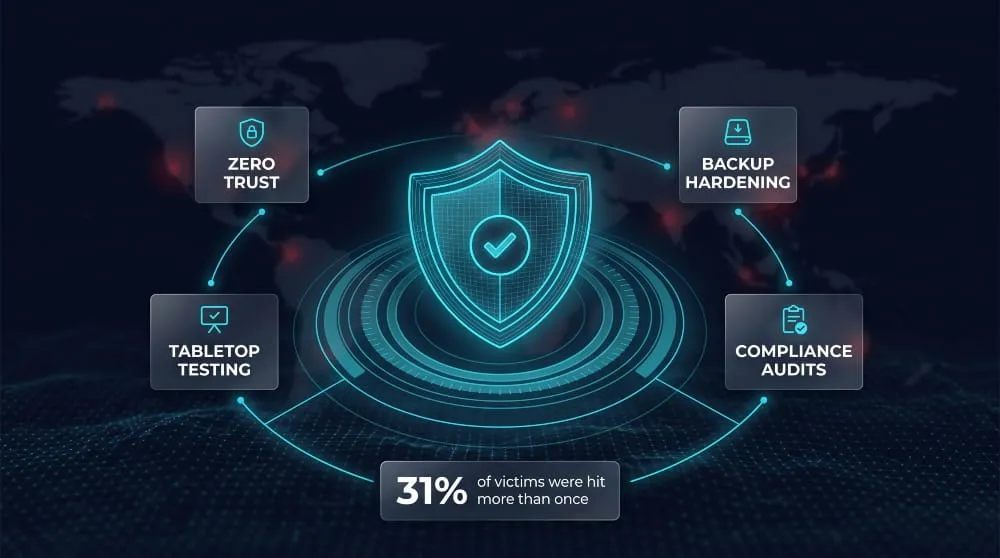
Preventing the next ransomware attack comes down to limiting what an attacker can reach, protecting the data you would recover from, and proving your recovery works before you need it. It matters because one attack is often not the last. In Barracuda’s 2025 research, 31% of ransomware victims were hit more than once in the previous 12 months, which is why lessons from an incident should feed straight into your defenses.
Zero Trust and Segmentation
Zero trust limits the damage of any single compromise by refusing to grant trust based on network location. In practice, that means verifying every user and device, enforcing multi-factor authentication (preferably phishing-resistant), and giving accounts only the access their role needs. Separate administrator accounts from daily-use accounts so a stolen everyday login cannot reach critical systems. Segmentation applies the same idea to the network: split it into zones, such as user devices, servers, backup infrastructure, and management interfaces, so ransomware that lands in one cannot freely spread to the rest. Identity deserves special attention, since Sophos’s 2026 report found that exploited vulnerabilities were no longer the leading root cause of ransomware attacks for the first time in four years, with attackers leaning more on email and compromised identities.
Backup Hardening and Vaulting Strategy
Backups are the recovery data attackers most want to destroy, so they need stronger protection than the systems they back up. A widely used baseline is the 3-2-1-1-0 pattern: three copies of data, on two types of media, with one copy offsite, one copy immutable or offline, and zero errors found in verification. Keep backup infrastructure off the production domain, protect it with its own credentials and multi-factor authentication, and alert on any deletion or retention change. Set retention long enough to outlast the time an attacker may spend inside your network before encrypting, since a restore point from after the intrusion is worthless. A vault, meaning an isolated copy with separate access, is the strongest option for your most critical data.
Testing Recovery Plans and Tabletop Exercises
A recovery plan is only proven when you exercise it, and two kinds of testing do different jobs. A tabletop exercise walks leadership, IT, legal, and communications through a realistic ransomware scenario to test decisions, roles, and communication, without touching live systems. A technical restore test actually recovers systems and data from backup and measures the time against your recovery time objective. Run both, and build in the awkward cases, such as compromised backups, an unavailable directory service, or email being down. Record what failed and fix it, because each test’s findings are what improve the plan. Restore tests should happen more often than annual tabletops, and any major infrastructure change is a reason to test again.
Audit and Compliance Requirements for Backups
Many regulations and standards expect documented, tested backup and recovery, and auditors will ask for evidence, not intentions. Examples include the contingency planning requirements of the HIPAA Security Rule for healthcare, the EU’s NIS2 directive, which lists backup management and disaster recovery among required security measures, and the EU’s DORA for financial entities, which requires tested backup and restoration procedures. ISO 27001 also includes an information backup control. Cyber insurers often ask for similar proof. In each case, the evidence that counts is concrete: backup policies, retention settings, immutability configuration, access reviews, and dated logs of successful restore tests. Requirements vary by industry and country, so confirm the specifics with your compliance team.
CISA Ransomware Recovery Guidance
CISA’s #StopRansomware Guide, developed with the FBI, NSA, and MS-ISAC, is the most practical public reference for building a ransomware program. It has two parts: prevention best practices and a response checklist. The prevention section recommends keeping offline, encrypted, and regularly tested backups, and creating an incident response plan, among other steps. The September 2023 update added recommendations on zero trust architecture and cloud backups, guidance on preventing common infection routes such as compromised credentials and advanced social engineering, and threat-hunting tips in the response checklist. Use it as a benchmark: map your own plan against the checklist to find gaps, and watch CISA’s advisories on specific ransomware groups, which describe how those groups operate.
Ransomware Recovery for Different Organizations
Ransomware recovery follows the same core steps everywhere, but what’s at stake, and what recovery has to prioritize, differs sharply by sector and size. A hospital, a law firm, a small business, and a global enterprise are all recovering from the same kind of attack under very different pressures.
Healthcare and Hospitals
In healthcare, recovery has to balance restoring systems with keeping patients safe while systems are down, because the two goals can pull in different directions. Downtime forces a return to paper charting, manual medication checks, and diverting ambulances to other facilities. Hence, recovery plans need documented manual procedures ready before an attack, not improvised during one. The stakes are not abstract. A Ponemon Institute study found that nearly one in four healthcare organizations hit by ransomware reported increased patient mortality rates afterward. Recovery priority should follow clinical risk: electronic health records, medication and lab systems, and imaging typically come back before administrative systems. Health data adds regulatory weight, since HIPAA breach notification obligations run alongside technical recovery, and many hospitals rely on regional or federal health-sector partners such as HHS and sector-specific information-sharing groups for support during an incident.
Law Firms and Professional Services
For law firms and other professional services, the core issue is confidentiality rather than uptime, since the data at risk is often privileged client information, deal terms, or case strategy. Recovery has to assume client data may have been copied out, not just encrypted, which raises notification duties to clients and courts alongside the technical restore. Engaging outside counsel and forensics under privilege matters more here than in most sectors, because the firm’s own communications about the incident may later be discoverable. Client-facing deadlines, such as filing dates and closing schedules, add pressure to restore quickly, so firms benefit from a recovery plan that identifies time-critical matters and restores those systems first. Firms should also expect client audits and questions about their security posture well after recovery is complete, since law firms are frequently targeted specifically because they hold sensitive information from many other organizations at once.
Small and Mid-Sized Businesses
Small and mid-sized businesses usually have simpler environments than enterprises but far less room for error, since a single ransomware incident can threaten the business itself. Fewer redundant systems and leaner IT teams mean recovery decisions often fall to one or two people who are also trying to keep the business running. The most effective preparation for SMBs is disproportionately about backups and insurance rather than elaborate tooling: at least one immutable or offline backup copy, cyber insurance that includes incident response support, and a short, realistic recovery plan that names who does what. Outside help matters more here, not less, because an SMB rarely has in-house forensics or negotiation experience, and a managed service provider or a retained incident response contact can substitute for a team the business doesn’t have.
Enterprises and Large Environments
In large environments, the challenge shifts from resource scarcity to coordination across many systems, teams, and sometimes business units or subsidiaries with different infrastructure. Recovery requires a detailed dependency map, since restoring hundreds of interconnected systems in the wrong order can stall the whole effort even when every individual restore works. Enterprises typically need tiered recovery time objectives across business units, a dedicated recovery command structure separate from day-to-day IT, and pre-negotiated retainers with incident response and forensics firms. As a result, response starts immediately rather than during a vendor search. Segmentation pays off most at this scale, since it can contain an attack to one business unit or region instead of the whole organization. The tradeoff is testing: enterprises have more to validate, so recovery plans need regular, large-scale restore tests, not just tabletop exercises, to catch the coordination failures that only show up at real scale.
Frequently Asked Questions (FAQ)
Can you recover from ransomware without paying?
Yes, and most organizations do. Recovery without paying relies on restoring from clean, uncompromised backups, using a free public decryptor if one exists for the specific ransomware strain, or recovering data through other means such as cloud version history or shadow copies. Backups are by far the most reliable route, which is why organizations with intact, tested backups recover fastest and without ever engaging the attacker.
Can encrypted files be recovered without backups?
Sometimes, though results are far less certain than restoring from backups, options include checking the No More Ransom project and vendor sites for a free decryptor matched to the exact strain, looking for other copies of the data in cloud sync history or on other devices, and, for some strains, using file-recovery tools to retrieve fragments of deleted originals. A forensic specialist can assess what’s realistically recoverable for critical systems. Without backups or a working decryptor, some data loss is common.
How long does it take to recover from a ransomware attack?
Full recovery typically takes a few days to several weeks, and severe cases can take months. The biggest factor is backup readiness: in Sophos’s research, 53% of organizations with clean, intact backups fully recovered within one week, while recovery drags on much longer for organizations without usable backups or with heavily encrypted, complex environments.
What should you do first after a ransomware attack?
Isolate affected systems immediately by disconnecting them from the network, then preserve evidence such as the ransom note and relevant logs before anything is wiped. Notify your cyber insurer and legal counsel early, since many policies require prompt reporting and govern which responders you can use. Only after you identify and remove the attacker’s access should you begin restoring from backups, since restoring too early risks re-encryption.
Is a ransomware recovery key legitimate?
A recovery key supplied by attackers after payment sometimes works, but it is not guaranteed to be complete or reliable. Attacker-supplied decryptors can be slow, partial, or buggy, and paying does not remove the attacker’s access to your systems, so you still need to remove and validate them afterward. A legitimate free recovery key, by contrast, is one released by law enforcement or security researchers for a specific ransomware strain, such as keys the FBI has obtained during takedowns of groups like ALPHV/BlackCat and LockBit; always verify it against the exact strain and version before use.
What is the difference between ransomware removal and recovery?
Removal eliminates the ransomware and the attacker’s footholds, such as malicious files, persistence mechanisms, and compromised accounts. Recovery is the separate process of restoring encrypted data and systems to a working state. The two are sequential, not interchangeable: removing the malware does nothing to bring back encrypted files, and restoring data before removal is complete risks the attacker re-encrypting everything.
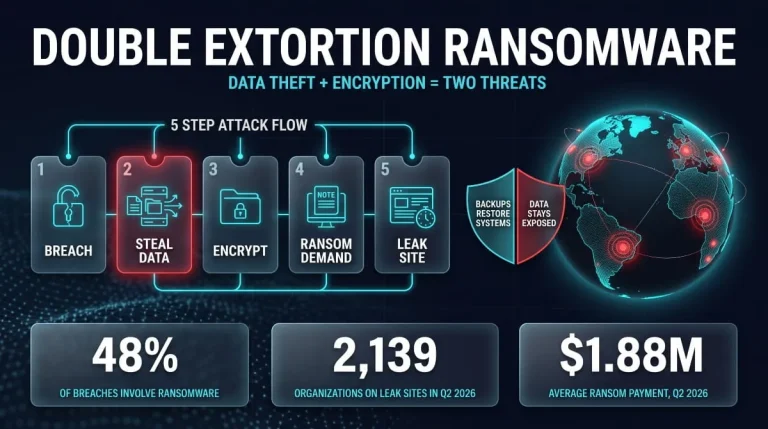
Double Extortion Ransomware | What It Is, How It Works, and How to Defend Against It (2026 Guide)
Double extortion ransomware is an attack in which criminals steal your data, encrypt your systems, and then demand payment twice: once for the decryption key and…
Read more
ShinyHunters | Who They Are, the Canvas Breach, and Every Company They’ve Hacked (Updated 2026)
ShinyHunters is a financially motivated hacking and extortion group that has spent the past several years breaching companies, universities, and cloud platforms, stealing data, and threatening…
Read more
Lapsus$ Explained | The Hacking Group Behind Okta, Uber, Nvidia and Its Return
Lapsus$ is a hacking and extortion group first known for breaching Okta, Microsoft, Nvidia, Samsung, and Uber in 2021 and 2022 using social engineering rather than…
Read more