
10 Best Dark & Deep Web Browsers for Staying Anonymous in 2026
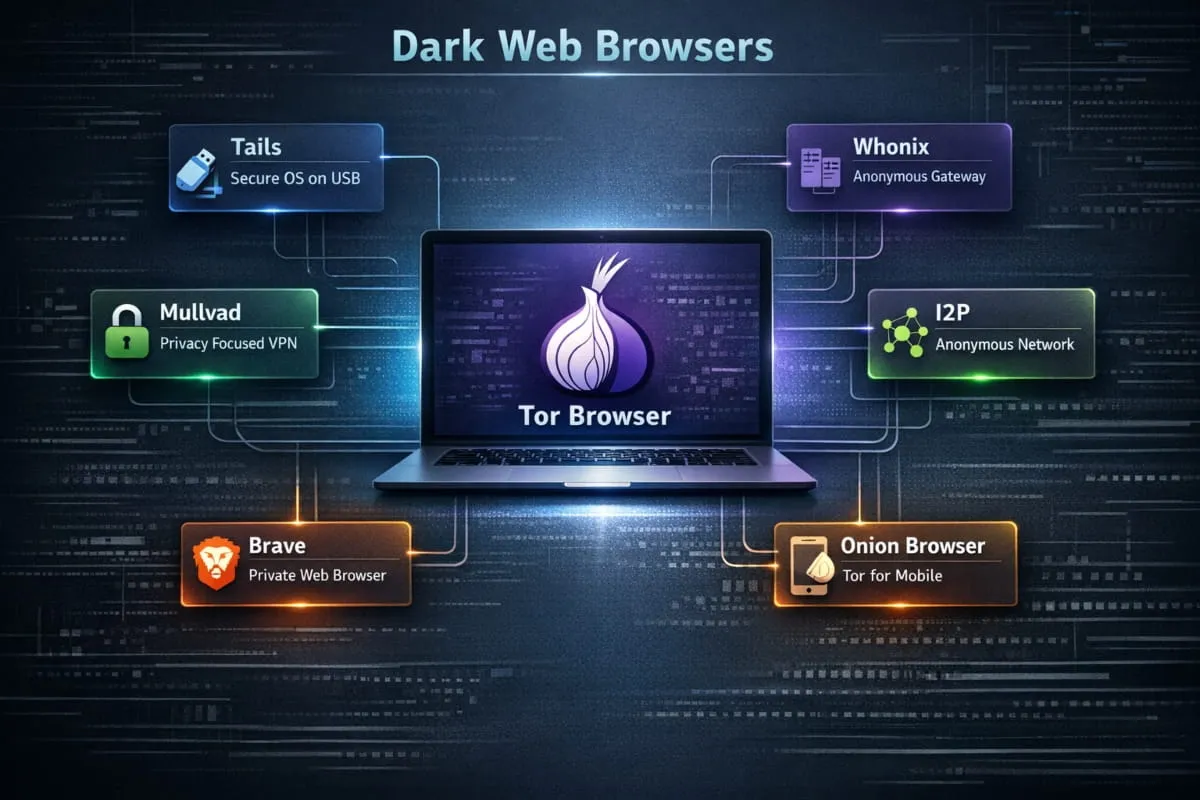
You’ve probably heard about the dark web, maybe in a news story, a documentary, or a late-night conversation. And if you’re here, you likely have one simple question: what’s the best dark web browser, and how do people actually get there safely?
The truth is, the dark web isn’t the mysterious, impenetrable place most people imagine. It’s a part of the internet that simply isn’t indexed by Google or any standard search engine. You can’t reach it with Chrome, Safari, or Firefox; you need a dedicated dark web browser built for it, and Tor Browser is the free, industry-standard choice.
But here’s what most guides won’t tell you upfront: the dark web itself is not illegal. Browsing is not a crime in most countries. What matters is what you do once you’re there. Millions of people use it every day: journalists protecting sources, activists in restrictive regimes, privacy-conscious users, and researchers. The technology was actually built with privacy and freedom in mind, not criminal activity.
This guide covers everything you need to know in one place. You’ll learn what the dark web actually is, which Browser is safest for the job and why, how to download a free dark web browser and set it up safely on any device, Windows, Mac, Android, or iPhone, and how to browse without putting yourself at risk.
Tor Browser leads the pack as the strongest all-around, free dark web browser for accessing the dark web in 2026, delivering reliable anonymity and straightforward .onion support without demanding technical expertise. It’s also the safest starting point for beginners on Android and iPhone, where lookalike and scam apps are common.
Key Points:
- Tor Browser is the most reliable, free starting point for anyone entering the dark or deep web in 2026, with built-in protection from the moment you open it.
- Advanced users handling sensitive work will find better isolation through Tails, Whonix, or Qubes OS, each offering layers of protection that go well beyond browser-level privacy.
- Choosing the wrong Browser opens the door to IP leaks, device fingerprinting, and script-based exploits, risks that are especially common across hidden services and fake mobile apps.
- No browser does the job alone. Consistent habits, updated software, strict identity boundaries, and careful navigation are what actually keep you safe.
How We Evaluated These Browsers
Each dark web browser was assessed on its engineering, how actively it receives updates, and how well it holds up against current privacy threats. That foundation made it possible to separate genuinely dependable, safe options from tools that have stalled or fallen behind.
Hands-on testing covered real browsing sessions on hidden services, with close attention to how each Tor browser and alternative handled scripts, tracking attempts, and fingerprinting probes. This practical approach revealed meaningful differences between what tools claim to do and what they actually deliver in real conditions, and between a browser marketed as safe and one that actually is.
Project histories, official documentation, and ongoing development activity were also reviewed to confirm that every Browser recommended here, whether free or paid, desktop or mobile, is still actively maintained and trustworthy as we enter 2026.
The 10 Best Dark & Deep Web Browsers in 2026
1. Tor Browser, Best Overall Dark Web Browser (Free)
Launched in 2008, Tor Browser emerged from a research initiative to make anonymous internet access available to everyday users. Over the years, it evolved from a niche privacy tool into the global standard free dark web browser.
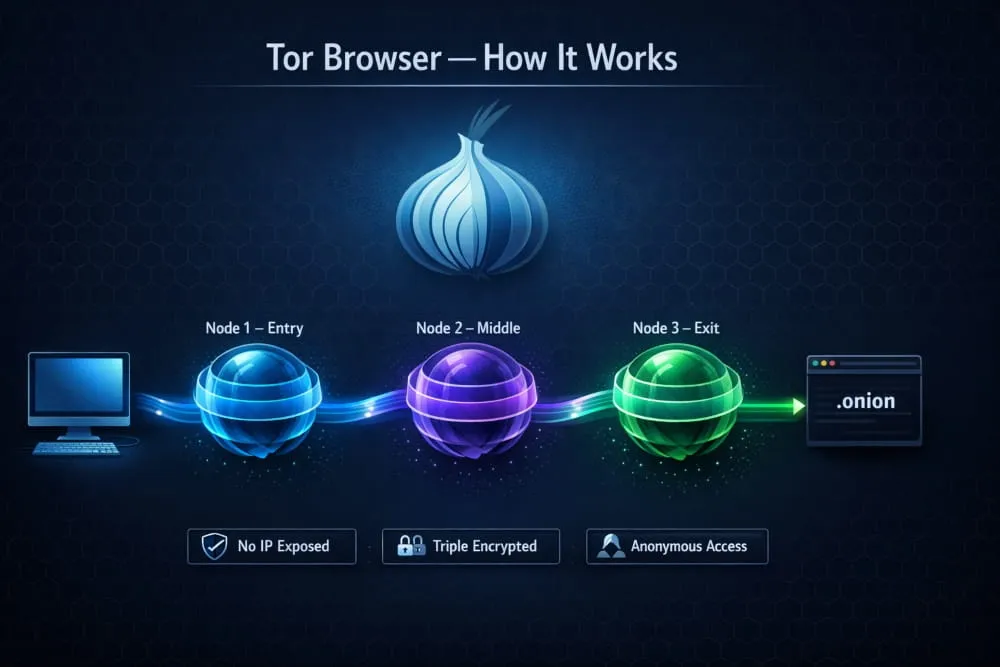
It’s the go-to choice for anyone who needs reliable anonymity without having to understand the technical plumbing. Its onion routing system routes your traffic through a chain of encrypted relays, making it extremely difficult to trace the origin of a request.
What keeps Tor Browser at the top is its combination of long-term reliability, consistent updates, and the large open-source community behind it. It’s completely free, works across Windows, Mac, Linux, Android, and iPhone, and remains the safest starting point for most users entering the dark web in 2026.
Practical tips:
- Set security level to Safest before visiting any .onion site
- Never resize the browser window; the default size helps mask your setup
- Disable scripts on sites you don’t recognize
- Avoid adding any browser extensions
- Rotate your identity before handling any sensitive information
- Skip file downloads from unknown hidden pages entirely
2. Mullvad Browser, Best Free Dark Web Browser for Fingerprint Resistance
Mullvad Browser launched in April 2023 and was developed in collaboration between Mullvad VPN and the Tor Project. Its purpose was to deliver strong fingerprint resistance for users who browse the open web rather than hidden services.
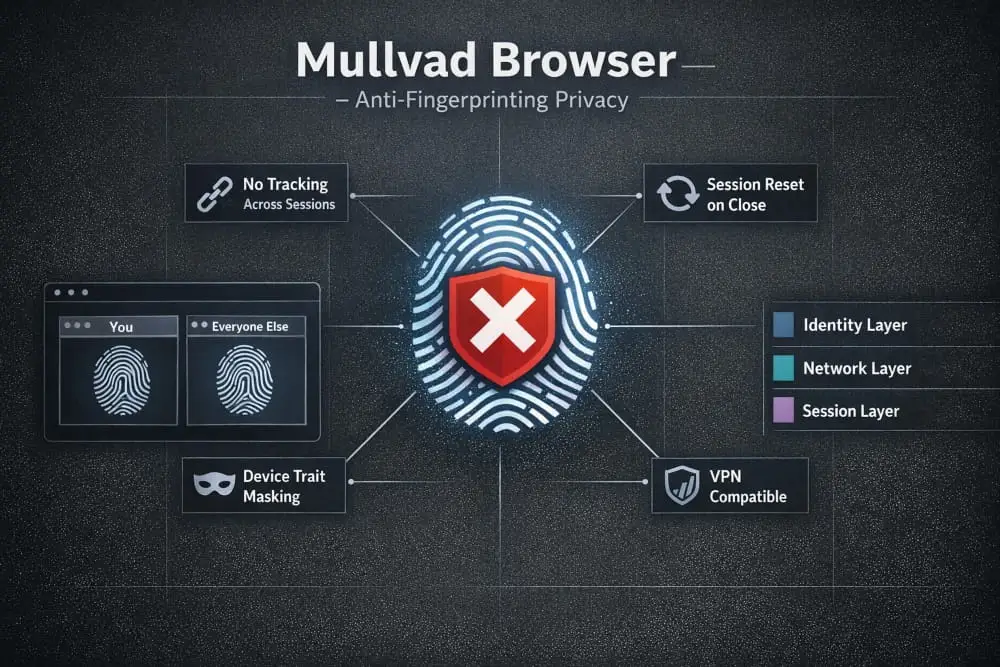
Where most dark web browsers unintentionally broadcast device characteristics, Mullvad Browser works to standardize them, making your setup blend in rather than stand out. It’s free to download and a strong fit for privacy-conscious everyday browsing when combined with a trusted VPN.
Each session starts fresh, wiping traces from the previous one. For people who want reliable privacy on the regular internet without the complexity of Tor routing, it delivers consistently.
Practical tips:
- End each session before starting a new one
- Never log into accounts linked to your real identity
- Leave fingerprint-related settings at their defaults
- Wipe all browsing data when you close the Browser
- Always pair it with a reputable no-logs VPN
3. I2P (Invisible Internet Project), Best for Private Decentralized Networks
I2P has operated since 2003 with a clear focus: building an anonymous, self-contained network that runs independently of the public internet. It was designed for users who want private communication within a closed, peer-driven ecosystem.
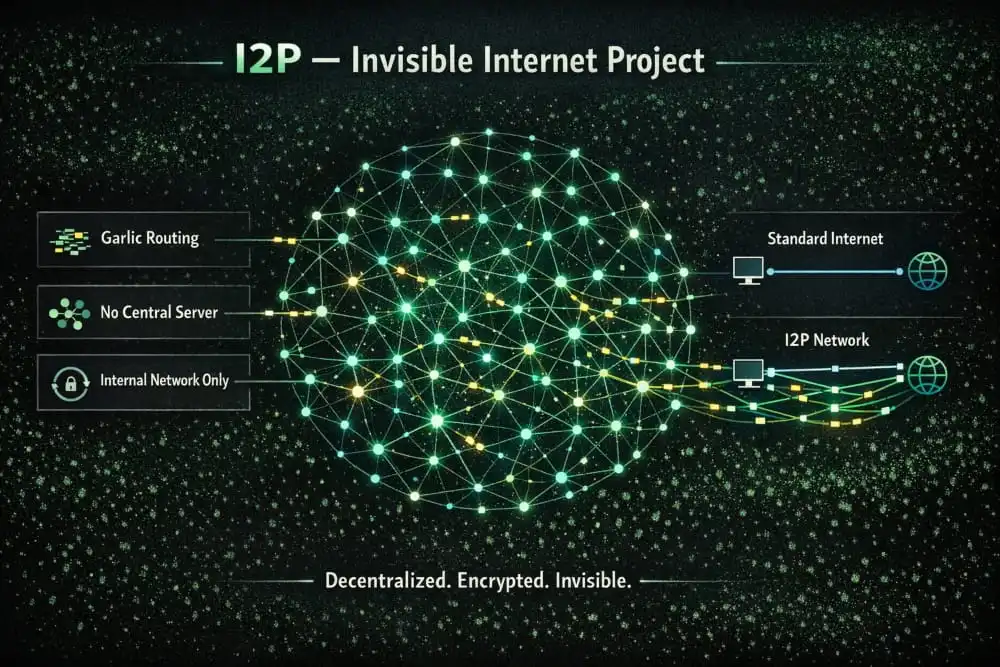
Rather than accessing the surface web anonymously, I2P connects users to internal forums, private email systems, and peer-to-peer platforms that exist only within its network. This makes it a fundamentally different tool from a typical Tor browser setup, suited to a different kind of user.
Its garlic routing method bundles encrypted messages across multiple paths simultaneously, creating a tracking environment that’s harder to penetrate than standard onion routing. For those who prioritize decentralized community access over conventional browsing, I2P is unmatched.
Practical tips:
- Stay within I2P’s internal network rather than routing outward
- Update the router console consistently
- Avoid bridging I2P traffic to the regular internet
- Keep a stable internet connection for smoother routing
- Turn off any plugins you aren’t actively using
4. Freenet, Best for Anonymous Publishing and Storage
Freenet has been active since 2000, originally developed as an academic project exploring censorship-resistant information sharing. It grew into a global network for hosting and distributing content anonymously.
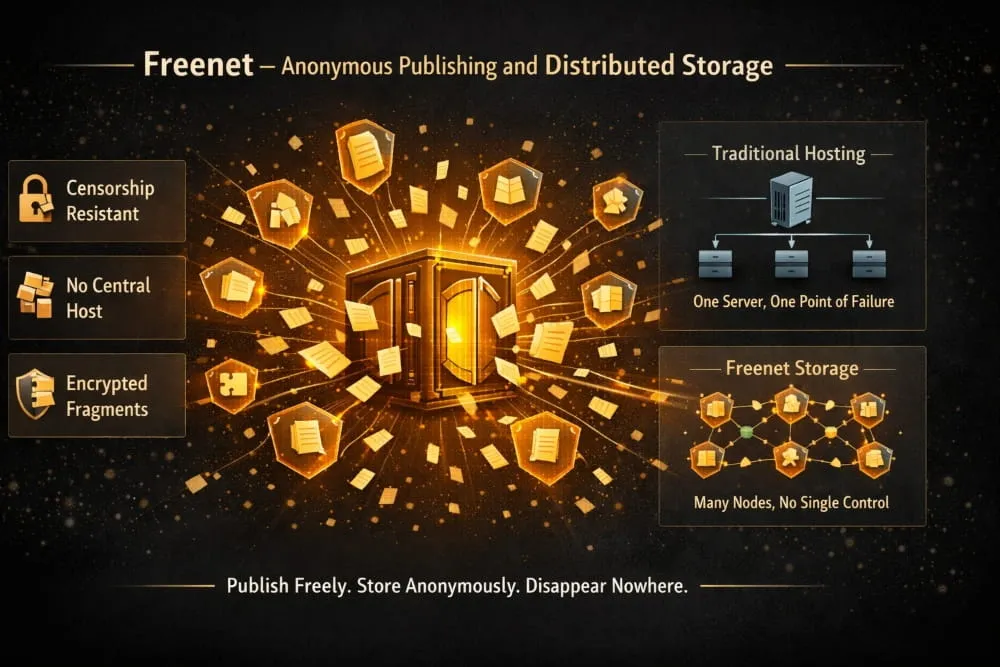
It’s the right tool when the goal is publishing or storing information rather than browsing. Documents, forums, and files shared through Freenet are broken into encrypted pieces and spread across volunteer nodes, making them nearly impossible to take down or trace back to an origin.
For anyone who needs long-term content persistence with full anonymity, Freenet offers infrastructure that a standard dark web browser simply wasn’t built to provide.
Practical tips:
- Use darknet mode for the strongest level of anonymity
- Share content only with people you’ve verified
- Keep the Freenet software updated regularly
- Avoid uploading files that are large or sensitive without a plan
- Keep bandwidth consistent to maintain reliable node participation
5. Tails, Best for Portable, Leave-No-Trace Sessions
Tails launched in June 2009 as a live operating system designed around one central idea: leave nothing behind. It runs entirely from a USB drive, ships free of charge, and erases all activity the moment it shuts down.
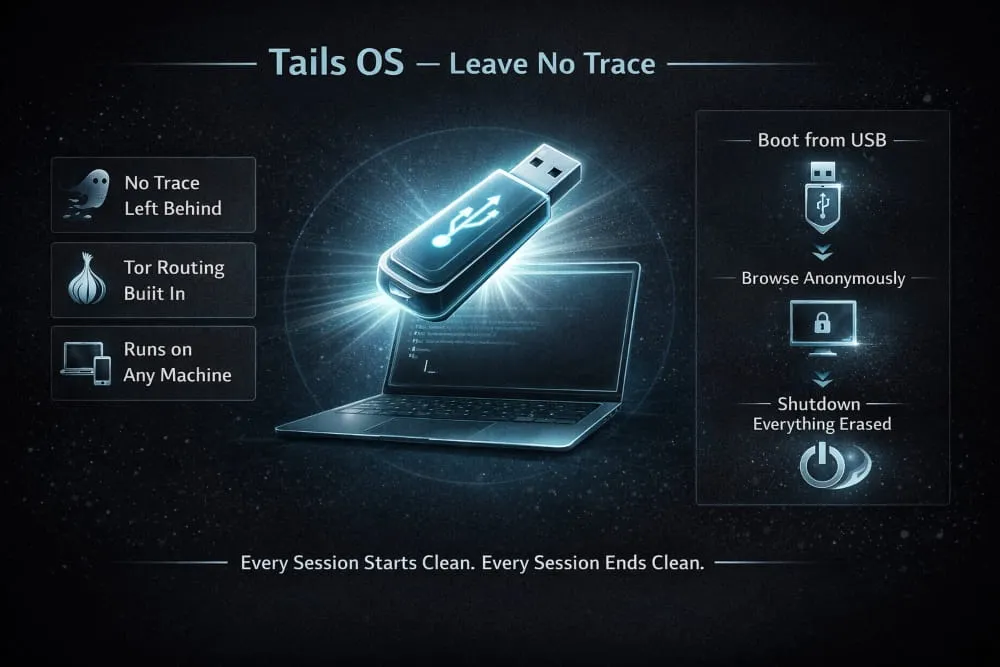
It’s the right choice for situations where the machine you’re using can’t be trusted, or where you need a clean, controlled environment every single time you sit down. Journalists working in the field, researchers using shared computers, and anyone who travels regularly with sensitive work find it invaluable.
Every session starts from scratch. Every session ends clean. That predictability is what makes Tails one of the safest, most trusted privacy tools available anywhere.
Practical tips:
- Always verify the Tails image against official checksums before installing
- Boot only from USB drives you personally control
- Don’t add software that wasn’t included in the original build
- Shut down completely, don’t just close the lid
- Update Tails through its built-in official update process only
6. Whonix, Best for VM-Based Identity Isolation
Whonix was introduced in 2012 to solve a specific problem: what happens if your browsing environment gets compromised? Its answer is structural separation, two virtual machines working together so that your network activity and your workspace never share the same space.
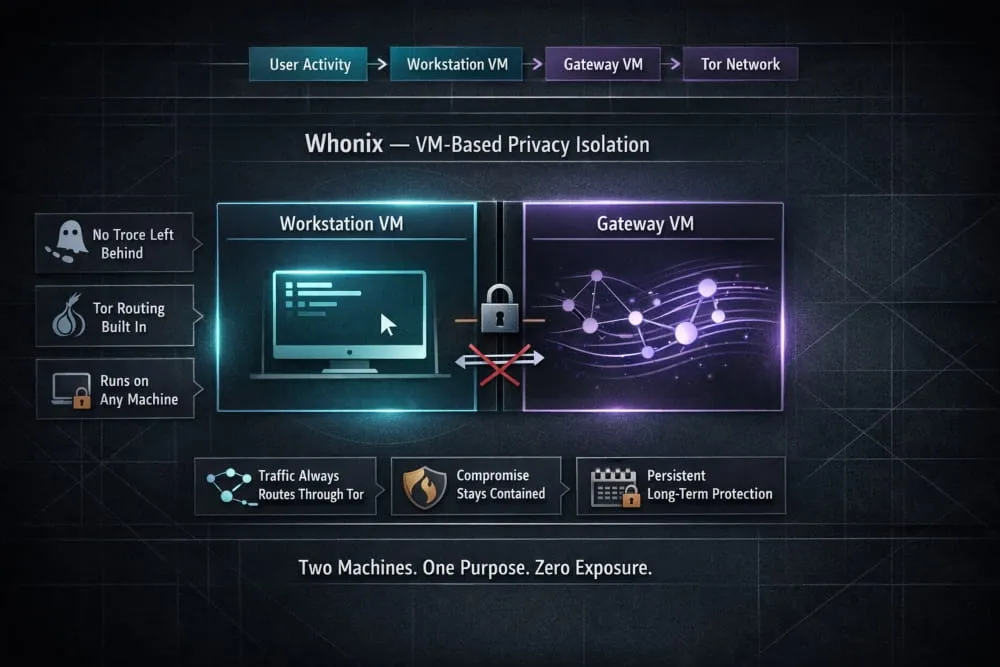
It’s aimed at users who need protection that holds even when something goes wrong inside their own system. Security professionals, researchers handling sensitive investigations, and high-risk activists frequently rely on it for long-term anonymous work.
By keeping network traffic and user activity in separate, isolated environments, Whonix ensures that a compromise in one layer doesn’t automatically unravel the other. It’s one of the most architecturally sound, safest privacy setups you can build.
Practical tips:
- Keep both virtual machines updated on the same schedule
- Never manually adjust the built-in routing configuration
- Use snapshots before testing unfamiliar software
- Keep additional installations to an absolute minimum
- Fully close both VMs at the end of every session
7. Qubes OS, Best for Compartmentalized Security
Qubes OS launched in 2012 around one foundational principle: security through strict separation. Instead of trusting a single environment to stay clean, it isolates every task, application, and browsing session into its own contained space.
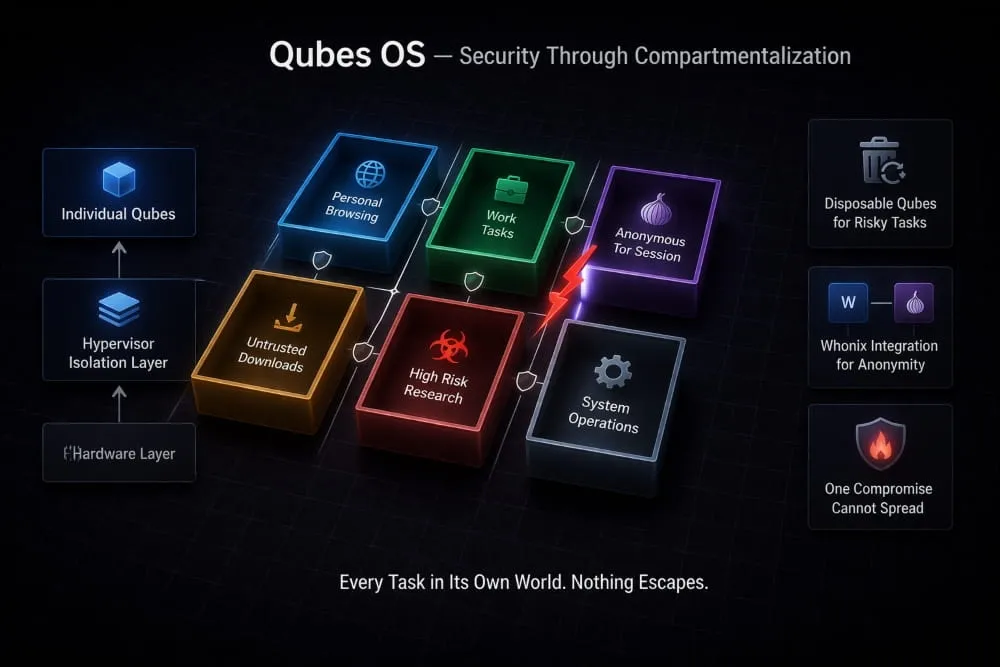
Users who handle diverse, high-risk workflows, security researchers, investigative journalists, and professionals working with confidential data find the compartmentalized design invaluable. A compromise in one compartment stays contained there. It doesn’t spread.
When combined with Whonix templates or Tor Browser running in disposable compartments, Qubes OS becomes one of the most robust long-term anonymity platforms available to individual users.
Practical tips:
- Run Tor Browser only inside disposable, single-use compartments
- Update all templates and core VMs regularly
- Assign high-risk activity to its own dedicated compartment
- Keep personal and anonymous tasks completely separate
- Use Whonix-based templates for anything requiring strong anonymity
8. Brave Browser (Tor Mode), Best Free Option for Occasional Tor Access
Brave introduced its Private Window with Tor to give users a straightforward, free way to reach hidden services without switching to a dedicated dark web browser. It was built for people who occasionally want anonymity without setting up a separate privacy setup.
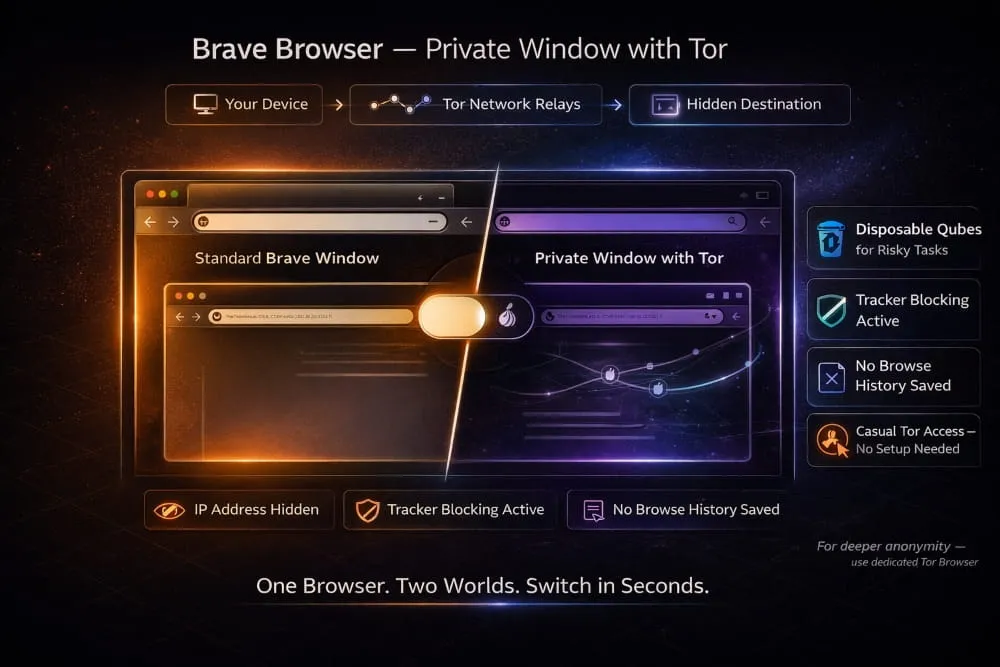
It works by routing traffic through Tor within a contained browser window, offering a reasonable level of identity protection for lighter use. For someone exploring the dark web out of curiosity rather than professional necessity, it significantly lowers the barrier to entry.
It won’t match the depth of Tor Browser’s protections, but it handles casual anonymous sessions competently while remaining familiar, free, and easy to use.
Practical tips:
- Reserve the Tor window specifically for .onion addresses
- Don’t sign into any personal accounts during Tor sessions
- Leave Brave’s built-in shields active at all times
- Skip browser extensions entirely during anonymous sessions
- Close the Tor window fully when you’re done; don’t leave it running in the background
9. Onion Browser (iOS), Best Dark Web Browser for iPhone
Onion Browser was built to bring Tor-powered privacy to iPhone and iPad at a time when Apple’s platform restrictions made a direct iOS port of Tor Browser impossible. It’s a free, mobile-native path to .onion sites for iPhone users who need privacy on the go.
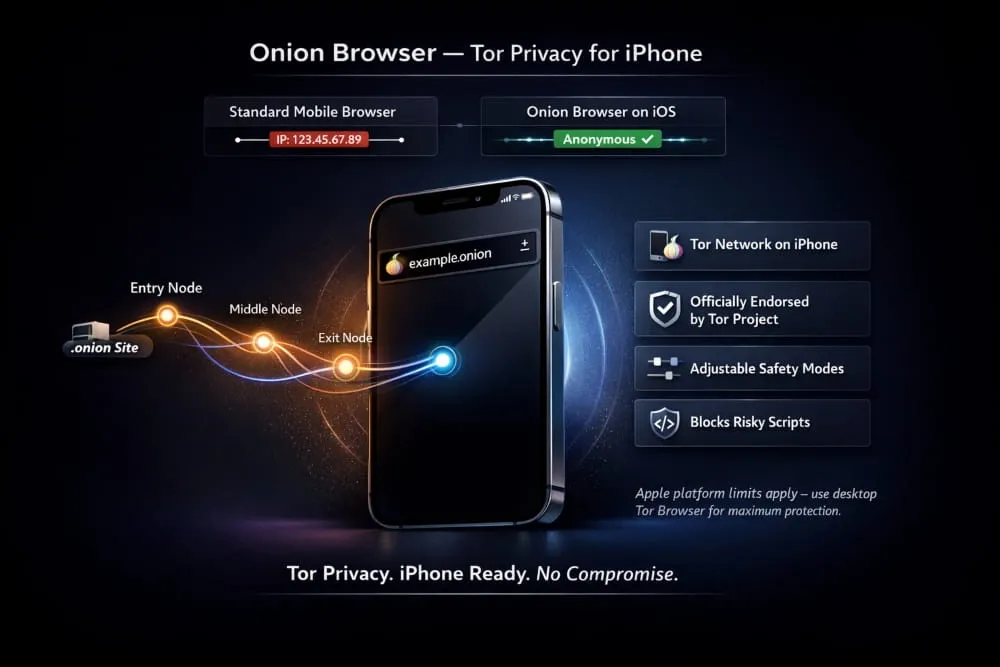
iOS users turn to it when they need occasional access to hidden sites on the go. It fits travelers, mobile researchers, and anyone using public or untrusted networks who still wants meaningful anonymity from an iPhone.
The app includes adjustable safety modes that restrict potentially dangerous scripts and reduce exposure on unfamiliar pages. For iPhone and iPad users specifically, Onion Browser remains the most credible and officially endorsed Tor-based dark web browser available.
Practical tips:
- Switch to a higher safety mode before visiting unknown .onion addresses
- Refresh your identity between different browsing sessions
- Keep the app updated through the App Store consistently
- Avoid downloading anything from hidden sites
- Don’t leave sensitive tabs open while switching between apps
10. Orbot + Tor Browser (Android), Best Free Dark Web Browser Setup for Android
Orbot has been part of the Android privacy landscape since 2008, designed as a system-level Tor proxy that routes traffic from apps and browsers alike. Combined with Tor Browser for Android, it becomes the most complete free anonymity setup available on any mobile platform.
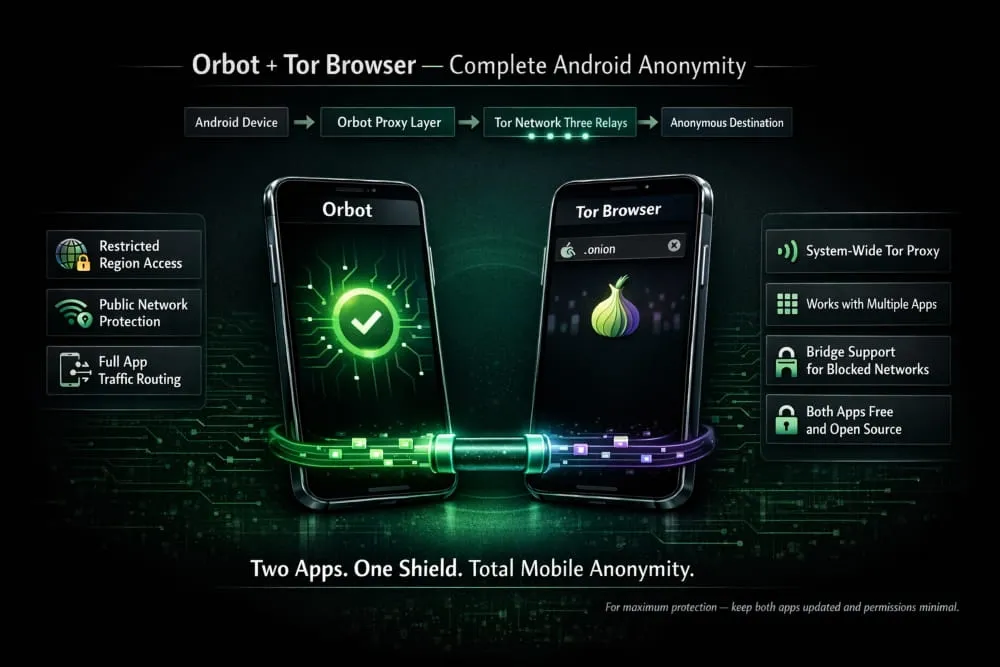
It serves users in restricted regions, anyone on monitored networks, and people who need genuine phone-level anonymity rather than just a private browsing mode on their Android dark web browser. The combination routes everything through Tor without exposing your identity at any point.
The flexibility to anonymize both browser sessions and other app traffic simultaneously sets this pairing apart from anything else on Android, and it costs nothing.
Practical tips:
- Activate bridge connections on networks that block or monitor Tor
- Keep Tor-related apps completely separate from your regular app usage
- Clear all session data after sensitive browsing
- Update both Orbot and Tor Browser on the same schedule
- Review and restrict Android app permissions that aren’t necessary
What Exactly Is a Dark Web Browser?
A dark web browser is purpose-built software that grants access to hidden websites operating on encrypted networks, most commonly the Tor network, which standard browsers like Chrome or Safari cannot reach.
It achieves anonymity by routing your traffic through a series of encrypted relays operated by volunteers worldwide. Each relay knows only the step before it and the step after, never the full picture. By the time your request reaches its destination, its origin is effectively untraceable.
Beyond just routing, a genuine dark web browser is engineered to resist fingerprinting, neutralize invasive scripts, and load .onion domains that exist entirely outside the reach of conventional search engines. The goal is a controlled browsing environment where your identity and device details stay genuinely private.
What Browser Do You Use for the Dark Web?
This is where many people get stuck, or, worse, get misled. There’s no shortage of apps claiming to give you “dark web access,” especially on mobile. Most of them are either useless, misleading, or outright dangerous. So before you download anything, here’s what you actually need to know.
Dark Web Browser vs. Dark Web “App”: Why the Difference Matters
A real dark web browser is dedicated software, such as Tor Browser or one of the alternatives covered above, built specifically to route traffic through encrypted relays and access .onion addresses. A “dark web app,” on the other hand, is almost always one of two things: a legitimate Tor-powered app like Onion Browser for iPhone, or a lookalike app with no real Tor routing at all, built purely to collect downloads or, worse, harvest data.
If you’re searching app stores for a “dark web app” or “illegal website app,” the safest move is to stop and use one of the actual browsers on this page instead. No shortcut app safely gets you onto the dark web; it has to be a real dark web browser with genuine Tor integration, not a generic app promising access.
Why Tor Is the Only Recommended Dark Web Browser
The Browser you need is called Tor Browser. It’s free, open-source, and built by the nonprofit Tor Project. It’s the only Browser specifically engineered to access .onion sites, the encrypted addresses that make up the dark web.
What makes Tor Browser different from every other Browser isn’t just that it can open .onion links. It’s how it handles your traffic. When you use Tor, your connection is routed through a series of volunteer-operated servers called nodes, typically three of them, each one stripping away a layer of identifying information before passing it along. By the time your request reaches its destination, your original IP address is completely hidden. This layered encryption is where the name comes from: Tor stands for The Onion Router.
No other mainstream browser does this. Chrome, Firefox, Edge, and Safari all expose your IP address and can be tracked. Even with a VPN, they weren’t built for the kind of anonymity the dark web demands. Tor was. That’s why it remains the only genuinely recommended free dark web browser for anyone serious about privacy and safe access.
Is Tor Browser the Dark Web Itself, or Just a Tool?
This is a surprisingly common point of confusion, so let’s be direct: Tor Browser is not the dark web. It’s the dark web browser you use to reach it.
Think of it like this: a car isn’t the road; it’s what gets you on it. Tor Browser is simply a modified version of Firefox that routes your traffic through the Tor network. The dark web, the collection of .onion websites, exists independently on that network. You need Tor to get there, but Tor itself is just software sitting on your device.
You can also use Tor Browser for completely ordinary, everyday browsing. Many people use it as their default browser purely for privacy, never visiting a single .onion site. The Browser and the dark web are separate things that happen to work together.
Can You Use Brave, DuckDuckGo, or Opera for the Dark Web?
These questions come up often, so they deserve honest answers.
Brave Browser has a built-in “Private Window with Tor” feature that routes traffic through the Tor network. However, Tor’s own documentation is clear that this offers weaker anonymity than using Tor Browser directly. It can work for basic privacy browsing, but it’s not a full dark web browser and cannot reliably access .onion sites the way Tor Browser can.
DuckDuckGo is a privacy-focused search engine, not a dark web browser. It has a .onion version of its search engine that you can access through Tor Browser, but DuckDuckGo itself cannot take you to the dark web on its own. It’s a search tool, not an access tool.
Opera offers a built-in VPN and some privacy features, but it lacks Tor integration and cannot access .onion addresses. Despite its privacy marketing, Opera is not a dark web browser in any meaningful sense.
The bottom line: for genuine dark web access, none of these replaces Tor Browser. They can complement your privacy setup, but they’re not substitutes.
What Is the Dark Web Browser Called? (Common Names Explained)
People searching for this topic use a lot of different terms: dark web browser, onion browser, Tor browser, darknet browser, black web browser, and deep web browser. It’s worth clarifying what each actually refers to.
Tor Browser is the official name of the primary software used to access the dark web on desktop and Android. The Tor Project develops it and makes it available at torproject.org.
Onion Browser is a separate, Tor-powered app built for iPhone and iPad. Since Apple restricts how browsers can operate on iOS, the Tor Project recommends Onion Browser as the closest equivalent for iOS users. It’s not made by the Tor Project directly, but they officially endorse it.
Darknet browser, deep web browser, and black web browser are informal terms people use interchangeably with Tor Browser. They don’t refer to a different product; they’re just different ways people search for the same thing.
So when someone asks, “What’s the dark web browser called?” the real answer is Tor Browser on desktop and Android, and Onion Browser on iOS. Everything else is either a variation of these terms or a marketing imitation worth avoiding.
Is It Actually Safe to Browse the Dark Web in 2026?
In 2026, browsing the dark or deep web safely is more achievable than ever, but only if you approach it with the right dark web browser and the right mindset.
The threat landscape has matured. Phishing attempts are more convincing, fake marketplaces are more polished, and tracking techniques are more sophisticated than in earlier years. This makes browser choice and browsing habits more consequential, not less.
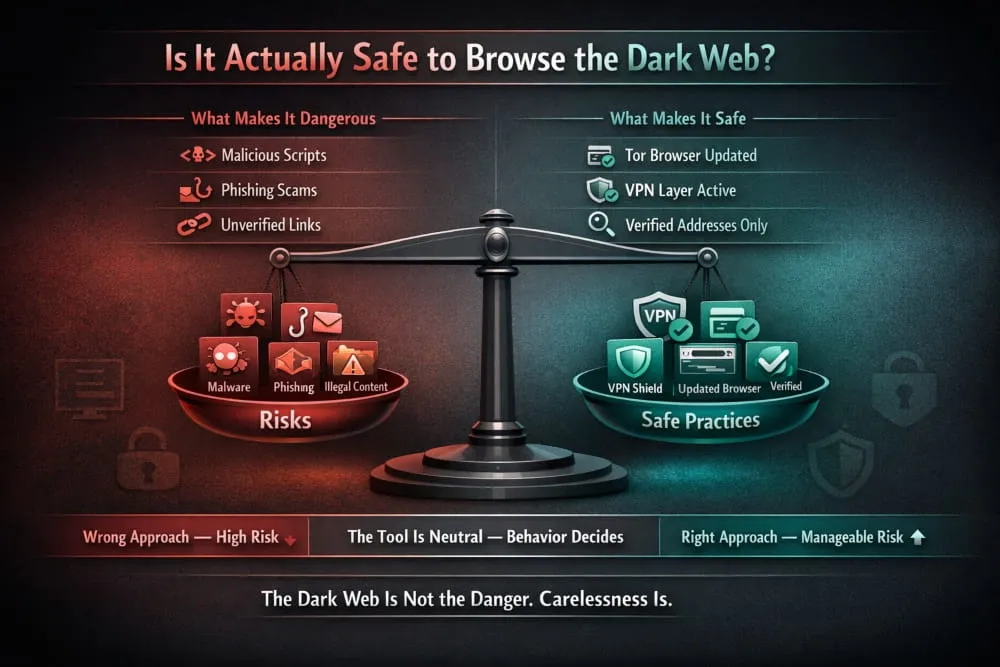
That said, the dark web still hosts legitimate resources: privacy-focused communities, academic research, censorship-resistant publishing platforms, and secure communication channels. Responsible navigation, verified addresses, no unnecessary downloads, and skepticism toward unknown pages are what separate a safe dark web browser experience from a dangerous one.
What to Look for When Choosing a Dark Web Browser
Selecting the right dark web browser means understanding which features actually matter for anonymity and which are marketing noise.
Privacy architecture is the starting point; the Browser should limit background requests and prevent passive data exposure by design, not just by setting. Script management matters because active scripts are among the most common vectors for exploitation on hidden networks. Session isolation prevents one tab or site from contaminating another with leaked data.
Fingerprint resistance is often overlooked but critical. Browsers that standardize device characteristics make it far harder for sites to build a persistent profile of you across sessions. Consistent updates signal that the project is alive and responding to new threats, a key marker of a genuinely safe dark web browser versus one that’s stalled. A clean, minimal interface reduces the risk of accidental navigation into unsafe territory, and a lightweight build means fewer components that could behave unexpectedly.
Which Browser Is the Safest for Onion Sites Right Now?
Tor Browser is the safest dark web browser for general-purpose .onion browsing. Its routing, isolation, and fingerprint protections work together automatically, requiring minimal configuration while delivering strong anonymity by default.
Tails is the safest choice for high-sensitivity, short-duration sessions. Its live OS design means nothing persists after shutdown, no cookies, no history, no trace on the host machine.
Whonix offers the most resilient long-term protection through its dual-virtual-machine architecture. Even if one layer is compromised, the separation between network activity and the user environment remains intact.
If you’re weighing which is the safest dark web browser for your specific situation: Tor Browser for everyday .onion access, Tails when the device itself can’t be trusted, and Whonix for sustained, high-risk work.
Is It Illegal to Browse the Dark Web?
This is the most common question, and the answer is straightforward: no, simply browsing the dark web is not illegal in most countries. The act of accessing it carries no legal consequence on its own, and no, it’s not an “illegal browser” or “illegal website app,” despite how that phrase gets searched.
Tor Browser, the tool used to access it, is free, open-source software that you can download from its official website without breaking any law. Millions of people use it legally every day.
What is illegal is engaging in illegal activity while on the dark web, buying or selling drugs, accessing illegal content, participating in fraud, and so on. The dark web doesn’t grant immunity from the law. It just provides anonymity. Those are two very different things.f
Is Browsing the Dark Web Legal in the US, UK, and Australia?
United States: Browsing the dark web is completely legal. Tor Browser is a legitimate tool used by journalists, privacy advocates, and cybersecurity professionals. No US law prohibits accessing .onion sites by itself.
United Kingdom: Legal. The UK has no law that criminalizes using Tor or visiting the dark web. Illegal activity conducted through it is prosecuted under existing cybercrime and criminal law, but browsing itself is permitted.
Australia: Also legal. Australian law does not prohibit accessing the dark web or using anonymizing browsers. As with other jurisdictions, criminal behavior on the dark web is prosecuted under standard criminal statutes.
The pattern is consistent across most democratic countries: the dark web browser itself is legal, and the behavior determines legality. Where you go and what you do matter, not the act of opening Tor.
Do You Need a VPN Alongside Tor in 2026?
A VPN adds value in specific situations, primarily when you need to hide the fact that you’re using Tor from your internet provider, or when you’re connecting from a network or country that actively monitors or blocks Tor traffic.
For most users in most situations, Tor Browser alone provides sufficient anonymity. The network’s multi-relay structure already obscures your origin without any additional tools.
The risk of adding a VPN carelessly is real. A provider that logs user data or handles traffic poorly can actually create a new vulnerability rather than closing one. If you do add a VPN to your dark web browser setup, choose one with a verified no-logs policy and a genuine track record, not just marketing language.
What Happens When You Use the Wrong Browser?
Your real IP address gets exposed. Weak browsers often leak connection details in the background, giving hidden sites a direct link back to your physical location without any warning.
Your device becomes uniquely identifiable. Browsers that don’t actively resist fingerprinting broadcast traits, screen size, fonts, timezone, and hardware that can be stitched together into a persistent profile that follows you across sessions.
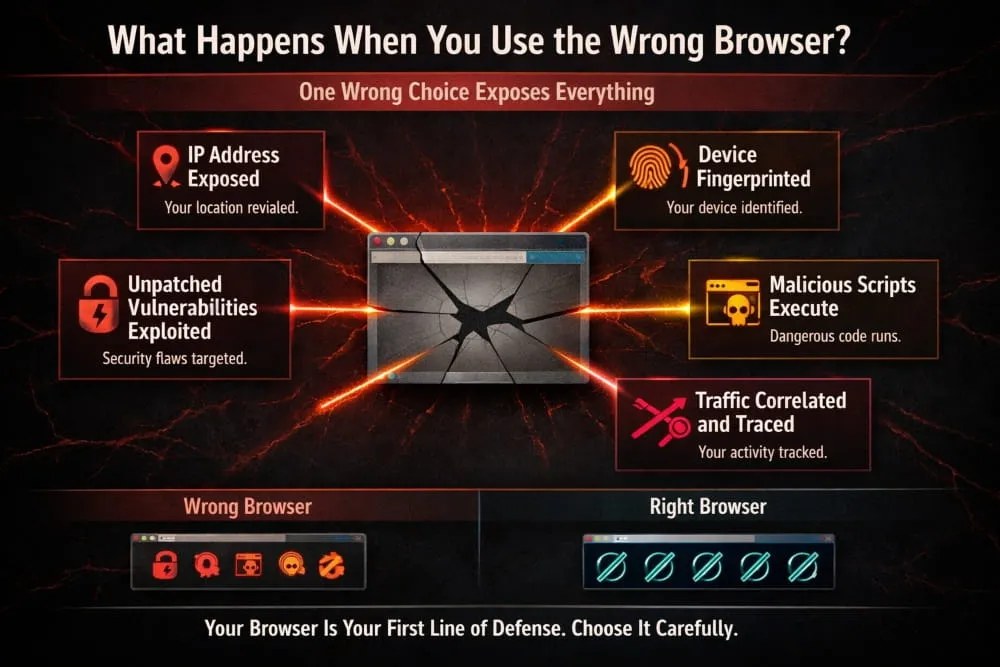
Malicious scripts run freely. Hidden services often host active scripts that probe for vulnerabilities. A dark web browser without script controls becomes an open door.
Your traffic patterns become traceable. Without proper session isolation, traffic from multiple activities can be correlated, turning what felt like anonymous browsing into something far more visible.
Known vulnerabilities go unpatched. Outdated browsers miss critical security fixes that dark web operators actively exploit. Staying current isn’t optional; it’s foundational to using a safe dark web browser.
Best Dark Web Browsers Compared
Not every Browser that claims dark web capability actually delivers it. Some are legitimate tools worth knowing about. Others are rebranded apps with no real Tor integration, designed to look credible while doing very little. This section cuts through the noise and tells you exactly which dark web browser to use, based on your device and your priorities.
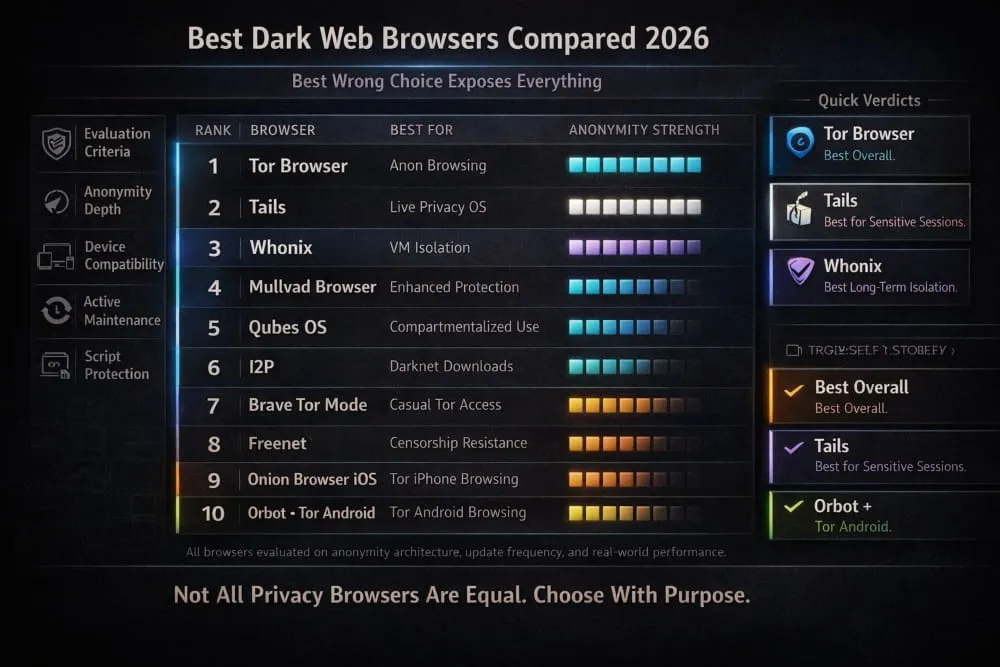
Best Overall Dark Web Browser (Desktop, Free)
For Windows, Mac, and Linux, the answer is unanimous: Tor Browser is the best free dark web browser, full stop. It consistently holds this position not because of marketing but because nothing else comes close technically.
It’s built on Firefox, hardened with privacy-first configurations, and pre-routed through the Tor network out of the box. You don’t need to configure anything to get strong anonymity; the defaults are already set for it. JavaScript is restricted, browser fingerprinting is actively resisted, and your traffic never touches your ISP’s logs in a readable form.
For Windows users, it installs like any standard application. On Mac, it runs just as smoothly, making it equally the best dark web browser for both platforms: no subscription, no account, no setup beyond downloading the official package from torproject.org.
If you’ve seen Reddit threads debating the best dark web browser, you’ll notice Tor Browser wins every serious discussion. Not because it’s perfect, but because it was purpose-built for exactly this use case.
Best Dark Web Browser for Android
On Android, Tor Browser is also available as an official app, and it’s the one to use. The Tor Project maintains it directly, which means it receives the same security updates and anonymity architecture as the desktop version. You can find it on the Google Play Store or download the APK directly from torproject.org if you prefer to avoid the Play Store entirely.
The Android experience is functional and reasonably smooth for a Tor connection. It won’t match Chrome’s speed, but for dark web browsing on Android, it’s the only option that genuinely works as intended.
A Word of caution: the Play Store and various APK sites are full of imitation “dark web browser” and “dark web app” listings for Android, many with names designed to sound official. Some are harmless but useless. Others contain adware or worse. The only safe way to download a free dark web browser for Android is from the Tor Project’s official website or its verified Play Store listing. If an app isn’t from the Tor Project, treat it with real skepticism.
Best Dark Web Browser for iPhone and iOS
iOS is a different situation. Apple’s App Store policies prevent third-party browsers from using their own rendering engines, which means a true port of Tor Browser for iPhone doesn’t exist in the same form as Android.
The Tor Project’s official recommendation for iPhone and iPad users is Onion Browser, a free, open-source app available on the App Store. It routes traffic through the Tor network and supports .onion addresses, making it the closest functional equivalent to Tor Browser on iOS.
It’s worth being honest: Onion Browser offers slightly weaker protections than the desktop Tor Browser due to Apple’s platform restrictions. But as the best dark web browser for iPhone, it’s the only trustworthy option, and the Tor Project endorses it directly. If you’re browsing the dark web on iOS, this is your tool.
Safest and Most Secure Dark Web Browser Options
If your primary concern is security and anonymity rather than just access, the conversation goes a layer deeper.
Tor Browser alone offers strong anonymity for most users. But those with higher security needs, journalists, activists, and researchers in sensitive environments, often pair it with additional measures. The recommended setup is to use Tor Browser over a VPN (connect to your VPN first, then open Tor). This hides the fact that you’re using Tor from your ISP, adding one more layer before your traffic enters the network.
For the most security-conscious users, Tails OS is worth knowing about. It’s a live operating system you run from a USB drive, built entirely around Tor, that leaves no trace on the computer you use it on. It’s not a browser itself, but it’s the environment that many privacy experts consider the gold standard for safe dark web browsing.
Among browsers, Tor Browser remains the safest dark web browser and the most secure option. No alternative comes close to this specific use case.
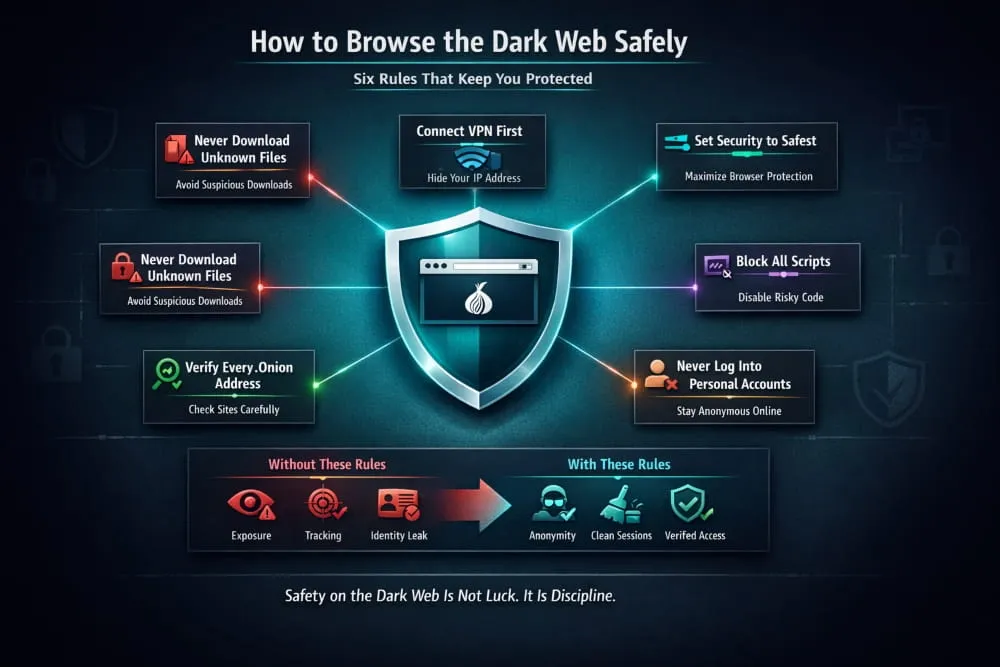
Top Security Rules Before You Browse
There are a handful of non-negotiable practices that separate safe dark web browsing from reckless dark web browsing. These aren’t optional extras; they’re the foundation of using any dark web browser responsibly.
- Use a VPN before opening Tor. Connect to a reputable VPN first, then launch Tor Browser. This prevents your ISP from seeing that you’re using Tor at all and adds a layer between your real IP address and the network.
- Never download files from .onion sites. PDFs, executables, images, and any file downloaded through Tor and opened on your device can expose your real IP address or deliver malware. If you must download something, open it only in an isolated environment.
- Keep JavaScript disabled or restricted. Tor Browser ships with a Security Level setting. Set it to “Safest” before you start. This disables JavaScript on all sites, which closes off one of the most common attack vectors used against dark web users.
- Don’t log into personal accounts. Never access your real email, social media, or any account tied to your identity while using Tor. The moment you log in, your anonymity collapses, regardless of the Browser.
- Don’t resize the browser window. This sounds minor, but window size is one data point used in browser fingerprinting. Keep Tor Browser at its default size.
- Stick to known, verified .onion addresses. Random links from forums or surface web articles carry significant risk. Use established directories and double-check every address before visiting.
Best VPNs for Browsing the Dark Web
A VPN isn’t strictly required to use Tor, but pairing the two is considered best practice for anyone serious about safe dark web browsing. The VPN encrypts your traffic before it even enters the Tor network, hiding your Tor usage from your internet provider.
What you need in a VPN for this purpose is specific: a strict no-logs policy (verified by an independent audit), no DNS leaks, a kill switch, and, ideally, a track record of resisting legal requests for user data.
The services most consistently recommended by the privacy and security community for this use case are Mullvad and ProtonVPN. Both have strong no-logs reputations, accept anonymous payment methods, and are built with privacy as a core principle rather than a marketing angle. Neither requires an email address to sign up.
Avoid free VPNs entirely when using Tor. Free VPN providers have to monetize somehow, and that often means logging and selling user data, which is precisely the opposite of what you need here.
Can You Get in Trouble for Browsing the Dark Web?
Browsing alone, no. Simply opening a dark web browser and visiting .onion sites is not a criminal act in the US, UK, Australia, or most other countries. No law makes browsing illegal, and no browser is an “illegal browser” on its own.
People get into trouble through their actions: purchasing illegal goods, accessing prohibited content, engaging in fraud, or communicating with criminal networks. Tor’s anonymity is also not absolute. Law enforcement agencies have successfully identified dark web users through operational security mistakes, not because Tor was broken, but because users made errors that exposed them.
The practical answer is this: if you’re browsing the dark web out of curiosity, for research, or for privacy, you’re in the same category as the journalists, security researchers, and privacy advocates who use it daily. If you’re engaging in illegal activity, the tool won’t protect you indefinitely.
How to Browse the Dark Web Safely on Android
Safe dark web browser Android use follows the same principles as desktop, with a few mobile-specific additions worth noting.
Start by downloading Tor Browser for Android exclusively from the official Tor Project website or their verified Google Play listing. Once installed, connect to a VPN before opening the app; the order matters. Inside the Browser, set the Security Level to “Safest” immediately, just as you would on a desktop.
Avoid using your phone’s regular apps while Tor is active. Notifications, background processes, and other apps running simultaneously can leak data or create associations between your anonymous session and your real identity. Treat your Tor browsing session as isolated, open it, use it, and close it completely when done.
One additional caution specific to Android: be skeptical of any “dark web browser” or “dark web app” listing that isn’t the official Tor Browser. The Play Store contains dozens of imitations. The official app is listed under The Tor Project as the developer; verify this before installing anything.
Safest Way to Browse the Dark Web on Any Device
If you want the maximum level of protection regardless of which device you’re on, desktop, Android, or iPhone, the answer goes beyond just choosing the right Browser.
The safest complete setup looks like this: a reputable no-logs VPN running at the system level, Tor Browser (or Onion Browser on iOS) with Security Level set to Safest, JavaScript disabled, no personal account logins, and verified .onion addresses only. On a desktop, installing Tails OS, a privacy-focused operating system that runs from a USB drive, elevates this to the highest practical level of protection available to a regular user.
For most people, the VPN and free Tor Browser combination, when used properly, is more than sufficient. The goal isn’t paranoia; it’s informed, deliberate browsing that keeps your identity, your device, and your data genuinely protected.
The safest dark web browser setup, ultimately, comes down to treating every session as if your security depends on the small decisions, because sometimes it does.
Dark Web Search Engines and Onion Links
One of the first things people realize after opening a dark web browser is that Google doesn’t work the same way here. You can still use Google through Tor, but it won’t return .onion results because Google doesn’t index them. If you want actually to navigate the dark web, you need search engines built specifically for it.
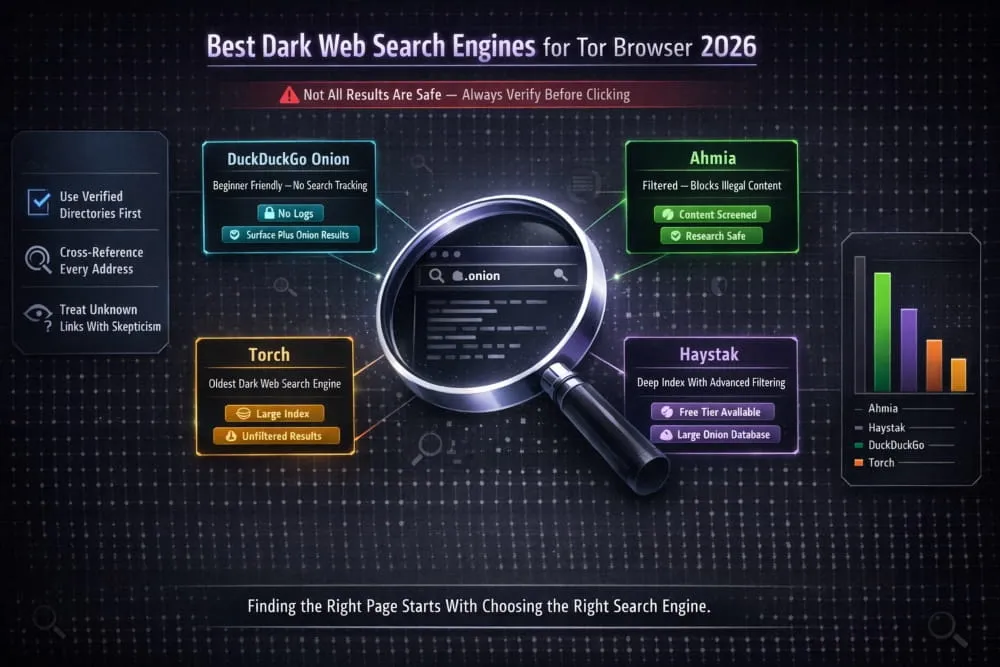
Best Dark Web Search Engines for Tor Browser
A handful of dark web search engines have earned consistent trust from the privacy and security community. None of them is perfect; the dark web is inherently harder to index than the surface web, but these are the ones worth knowing.
DuckDuckGo has an official .onion version and is the most beginner-friendly starting point. It doesn’t track your searches, returns a mix of surface web and some dark web results, and loads reliably through Tor Browser. For most users, it’s the first search engine to try.
Ahmia is one of the few dark web search engines that actively filters out illegal content, making it a cleaner, safer option for legitimate research. It indexes .onion sites and is accessible both via Tor and on the regular web, making it easy to preview before diving in.
Torch is one of the oldest dark web search engines still operating. It indexes a large number of .onion sites and returns broader, less filtered results than Ahmia. Experienced users often reference it, but it requires more caution since it doesn’t screen content the way Ahmia does.
Haystak is another established dark web search engine with a large index of .onion addresses. It offers a free tier and a paid version with more advanced filtering. For research purposes, it’s a solid tool.
None of these should be treated as perfectly safe portals just because you reached them through a legitimate dark web browser. Results may include links to dangerous, illegal, or both. Approach every unfamiliar link with skepticism, and never click through to something you can’t verify.
How to Find Legitimate.Onion Sites
Search engines alone won’t always surface what you’re looking for, and on the dark web, quality-verified links are more valuable than a long list of unknown addresses.
The most reliable method is using curated .onion directories. These are regularly maintained lists of verified, categorized .onion links; think of them as the dark web’s version of a bookmark library. The Hidden Wiki is the most well-known example, though its quality and safety vary depending on which version you find. Stick to links shared by established privacy communities rather than random forum posts.
Another reliable source is the official .onion addresses of organizations you already trust. Major institutions that operate on the dark web for legitimate reasons, including the BBC, The New York Times, Facebook, and the CIA, all maintain official .onion addresses. These are published on their regular surface websites, so you can verify the address before you use it, ideally through your dark web browser‘s built-in security settings.
When evaluating any .onion link, always check it against multiple sources before visiting. A single forum recommendation is not verification. If an address appears consistently across trusted privacy communities, security forums, and established directories, that’s a reasonable signal of legitimacy. If it appears only once from an unknown source, treat it with serious caution.
Dark Web Browser Search: What to Expect
First-time users are often surprised by the experience, and usually not in the way they expected.
Dark web browser search is slower, more limited, and less refined than anything you’re used to on the surface web. Results are inconsistent. Some sites go offline without notice and come back weeks later under a different address. Many .onion pages load slowly because Tor routes traffic through multiple nodes. The overall experience feels like using the internet in the early 2000s, functional, but raw.
Search results on dark web engines are also less curated. Unlike Google, which uses hundreds of ranking signals to surface relevant, high-quality pages, dark web search engines work with far less data and no accountability infrastructure. You’ll encounter dead links, outdated pages, and results that don’t match your query as often as ones that do.
Practically, this means patience and skepticism are your most useful tools. Don’t click the first result without thinking. Cross-reference addresses. If a site is asking for personal information, payment details, or account creation without a clear, verifiable reason, leave immediately.
The dark web rewards careful, deliberate navigation. It penalizes impulsive clicking. Once you understand that, the search experience in any safe dark web browser becomes manageable and, for legitimate purposes, genuinely useful.
Dark Web Safety Checklist
- Use purpose-built browsers only. General browsers don’t have the routing architecture, fingerprint controls, or isolation layers that hidden networks demand. Starting with the right dark web browser isn’t optional.
- Update before every session. Security patches close the specific gaps that attackers target on hidden networks. An outdated browser is an invitation.
- Block scripts by default. Scripts are one of the fastest paths to exposure. Turning them off by default eliminates one of the most reliable attack vectors before it can activate.
- Never download files from unknown sources. Files from unverified hidden pages frequently carry malware or hidden tracking payloads. If you can’t verify the source, don’t download it.
- Keep your real identity completely separate. Any login, username, or behavioral habit tied to your real identity instantly breaks anonymity. Keep the two worlds firmly apart.
- Use bridges when needed. Bridges allow you to connect to Tor through networks that restrict or monitor standard Tor entry points, adding an unobtrusive layer of protection where it matters most.
- Build strict identity separation habits. Consistent usernames, recognizable writing styles, and familiar browsing patterns all create associations. Maintaining a genuinely separate, anonymous identity requires deliberate, ongoing discipline.
Here’s the rewritten Conclusion and FAQ. The FAQ block is especially valuable real estate since these questions map almost one-to-one to your top clusters (safest, illegal, Android, iPhone), so I made sure each answer leads with the exact query phrasing for PAA/snippet capture:
Conclusion
The right dark or deep web browser in 2026 depends on what you actually need from it. Casual curiosity and light research call for different tools than investigative journalism or high-risk security work.
Tor Browser remains the best free starting point for the vast majority of users: practical, proven, and well-maintained. Tails and Whonix step in when the work demands more rigorous isolation. Mullvad Browser, I2P, and Qubes OS cover the gaps for privacy-conscious open-web browsing and compartmentalized workflows. Whether you’re on desktop, Android, or iPhone, there’s a genuinely safe, free option covered above.
Above all, no browser alone is a complete solution. Informed choices, disciplined habits, and a consistently updated dark web browser are what genuinely protect you on the dark web, not any single piece of software.
Frequently Asked Questions (FAQ’s)
What Is a Dark Web Browser?
A dark web browser is a tool that lets you access .onion websites, encrypted sites that aren’t indexed by standard search engines. Tor Browser is the primary example, routing your traffic through multiple servers to keep your identity anonymous. It’s free and available for desktop, Android, and iPhone.
Is Tor the Only Dark Web Browser?
Tor Browser is the only purpose-built, widely trusted dark web browser. Onion Browser serves as the recommended alternative for iPhone users, but on desktop and Android, Tor Browser has no genuine competitor.
Can You Browse the Dark Web on Your Phone?
Yes. Tor Browser is available as a free dark web browser for Android, and Onion Browser is the recommended dark web browser for iPhone and iPad. Both route traffic through the Tor network and support .onion addresses.
Is It Illegal to Browse the Dark Web?
No, simply browsing the dark web is legal in most countries, including the US, UK, and Australia. It’s not an “illegal browser” or an “illegal website app”; what you do while there determines legality, not the act of accessing it.
What’s the Safest Dark Web Browser?
Tor Browser is the safest dark web browser available, especially when paired with a no-logs VPN and its Security Level set to “Safest.” For iPhone users, Onion Browser is the closest trustworthy, safe equivalent.
Do You Need a Special Browser for the Deep Web?
Not always. Most of the deep web, think email inboxes and banking portals, is accessible through any standard browser. Only the dark web, a small portion of the deep web, requires a dedicated dark web browser like Tor.
Can You Browse the Dark Web on iPhone?
Yes, using Onion Browser, a free, Tor-powered app officially endorsed by the Tor Project and available on the App Store. It’s the best dark web browser for iPhone, supporting .onion sites with reasonable anonymity within Apple’s platform restrictions.
Is Browsing the Dark Web on Android Safe?
It can be, provided you use the official Tor Browser for Android, connect through a reputable VPN first, and keep the Security Level set to “Safest.” The risks come from unsafe habits and imitation apps, not the device itself.
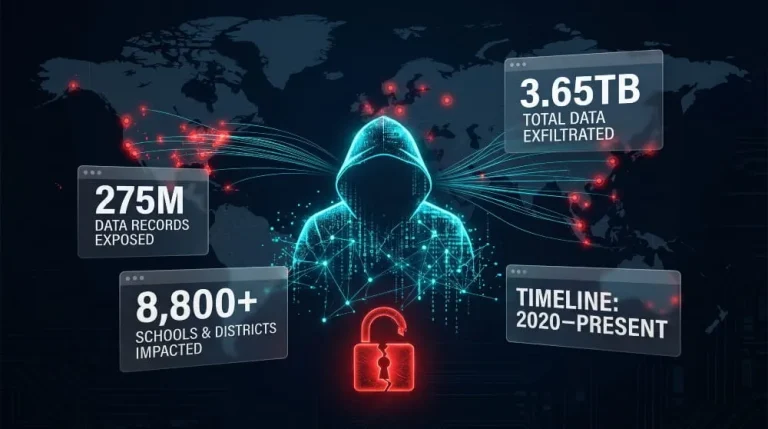
ShinyHunters | Who They Are, the Canvas Breach, and Every Company They’ve Hacked (Updated 2026)
ShinyHunters is a financially motivated hacking and extortion group that has spent the past several years breaching companies, universities, and cloud platforms, stealing data, and threatening…
Read more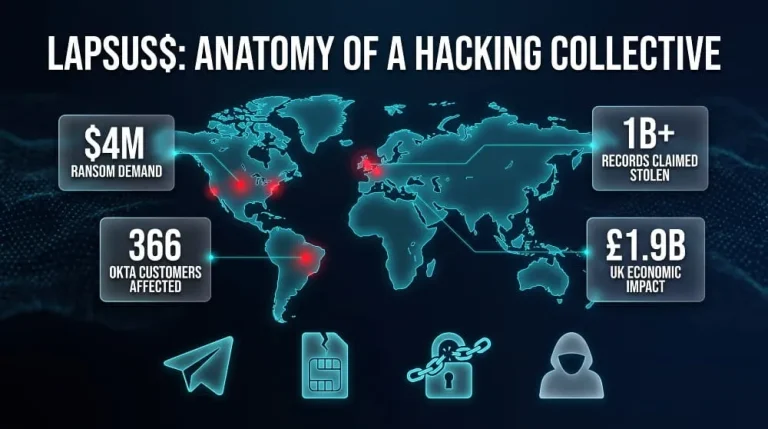
Lapsus$ Explained | The Hacking Group Behind Okta, Uber, Nvidia and Its Return
Lapsus$ is a hacking and extortion group first known for breaching Okta, Microsoft, Nvidia, Samsung, and Uber in 2021 and 2022 using social engineering rather than…
Read more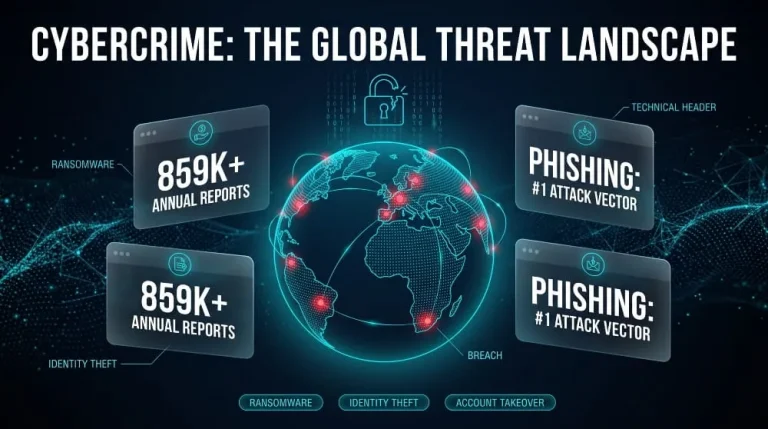
Cybercrime Explained | The Complete Guide to Types, Causes, Costs & Prevention
Cybercrime is any criminal activity that targets or uses a computer, network, or internet-connected device, from stealing financial data and holding systems for ransom to impersonating…
Read more