
Data Breach Checker | How to Check If Your Information Was Exposed
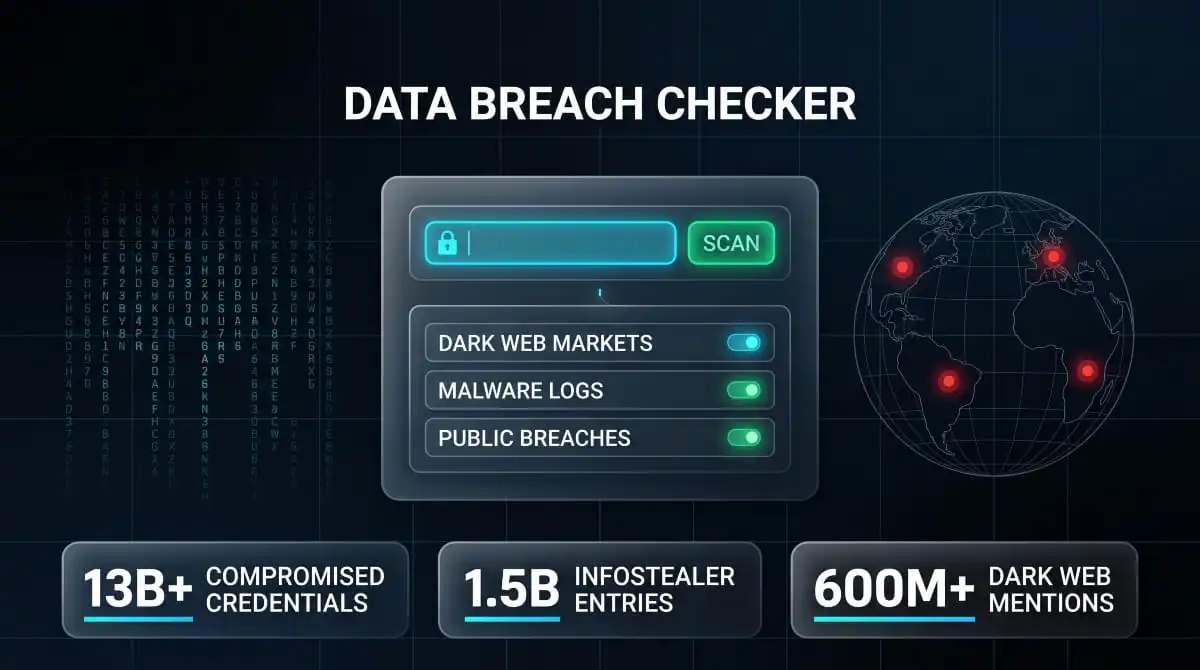
A data breach checker is a tool that scans breach databases, dark web sources, and malware logs to tell you whether your personal information, email address, password, phone number, or Social Security number has been exposed in a known data breach. Running a check takes under a minute and can reveal exposure events you were never notified about.
What Is a Data Breach Checker?
A data breach checker is a lookup tool that takes one or more personal identifiers, typically an email address, phone number, or username. It cross-references them against a database of known breach records to determine whether that identifier appeared in a breach dataset. When a match is found, the tool reports the breach it originated from, when it occurred, and the categories of data included alongside the identifier.
The concept became mainstream after the 2013 Adobe breach, when security researcher Troy Hunt launched Have I Been Pwned as a free service to help people check whether their email addresses appeared in that dataset. The category has expanded considerably since then. Modern breach checkers now monitor not just historical breach databases but live dark web markets, paste sites, criminal forums, and infostealer malware logs, sources that capture exposure events in real time, often before they are formally catalogued or publicly reported.
How Data Breach Checkers Work
Most breach checkers operate on a matching model. You provide an identifier; your email address is the most common input, and the tool hashes it, compares it against its database of known breach records, and returns any matches. The quality of the result depends entirely on the breadth of sources the tool monitors. A checker built on a single breach database will only surface exposures that appeared in that database. A checker that monitors multiple breach sources, dark web markets, paste sites, and malware logs simultaneously will surface significantly more.
The data behind breach checkers comes from several places. Some is sourced directly from publicly disclosed breaches and from large datasets that security researchers have indexed and made searchable. Some comes from dark web intelligence, where automated crawlers monitor criminal forums and marketplaces for newly posted breach data. Some comes from infostealer logs and from credential files harvested by malware from infected devices and uploaded to criminal networks. Each source type captures a different category of exposure, which is why the best checkers combine all three rather than relying on a single source.
What Data Breach Checkers Can and Cannot Find
A breach checker can find your email address, password, phone number, username, or other identifier in any breach dataset indexed by the tool’s data sources. It can tell you which breach the data came from, approximately when the breach occurred, and what other information was bundled with your identifier in that dataset.
What a breach checker cannot do is guarantee a clean result means you are unexposed. There is always a gap between when a breach occurs, when the stolen data surfaces on criminal markets, and when any monitoring service indexes that data. A result that shows no known exposure today may look different tomorrow if a new breach dataset is published. This is the core argument for continuous monitoring over one-time checks: a point-in-time scan reflects what is known at that moment, not what exists across the full dark web ecosystem.
Why You Should Check Even If You Haven’t Received an Alert
Breach notification letters are a lagging indicator. Under most US state laws, companies have 30 to 90 days to notify affected individuals after discovering a breach, and that clock starts from discovery, not from when the breach actually occurred. The average time between a breach and its discovery is measured in months. By the time a formal notification arrives in your inbox or mailbox, your data has typically been circulating in criminal markets for weeks or longer.
Many breaches are never formally disclosed. Data brokers, smaller companies, and organizations in jurisdictions with weak disclosure requirements often fail to notify affected individuals. The only way to know whether your data is in circulation is to check sources that monitor the markets where that data is traded, not to wait for a company to tell you.
How to Check If Your Data Has Been Breached
Checking whether your personal data has been breached is straightforward, but the thoroughness of your check depends on which identifiers you use and which sources you check against. Most people stop at a single email address lookup. A co
mplete check covers your email address, any secondary email addresses you use, your phone number, and, if you have reason to believe your SSN may be involved, specialized tools for that category.
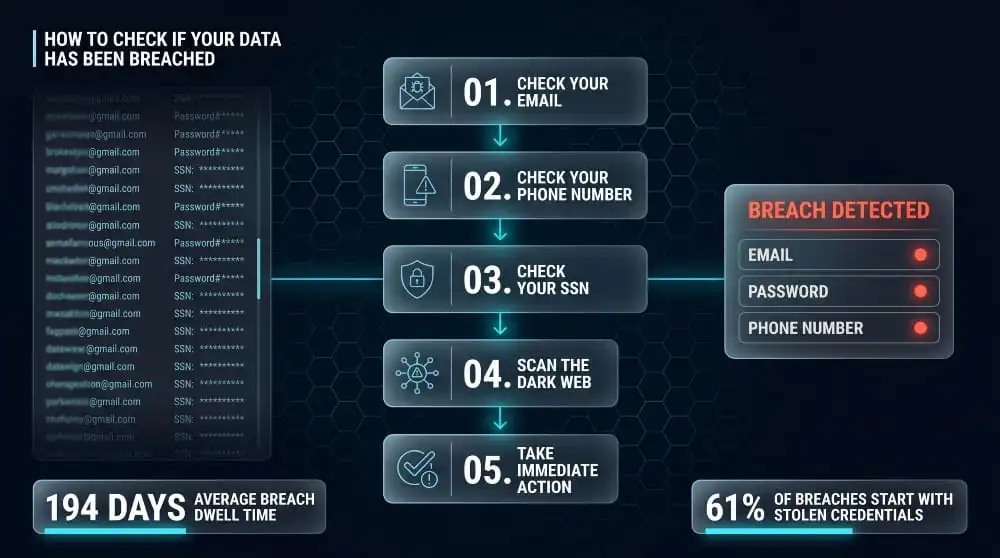
How to Check Using Your Email Address
Your email address is the most commonly exposed identifier in breach databases because it serves as the primary login credential for most online accounts. Checking it should be the first step in any breach check.
Go to DeXpose’s Email Data Breach Scan, enter your email address, and the tool will cross-reference it against breach databases, dark web sources, and infostealer logs. The result will show you any breaches where your email appeared, what data categories were included alongside it, and whether the exposure is recent or historical. If your email appears in a breach that also included your password, treat every account where you used that password, or any variation of it, as compromised until you have changed it.
For a broader organizational picture, if you want to see how many email addresses from your company’s domain have been exposed across all known breaches and dark web sources, DeXpose’s free dark web report extends that scan across your entire organization.
How to Check a Phone Number for Data Breaches
Phone number breach checking is harder than email checking because phone numbers are less consistently stored in breach databases. Still, they appear frequently in large aggregated datasets, particularly from telecom breaches, social media breaches, and data broker leaks. The 2021 Facebook breach, which exposed 533 million records, included phone numbers as a primary data field, and those records have since circulated widely in criminal networks.
Have I Been Pwned added phone number search functionality in 2021. You can enter your phone number in international format and check it against the datasets that include phone numbers as indexed fields. For more comprehensive coverage, including dark web market listings and infostealer logs where phone numbers appear, a dedicated dark web monitoring tool will surface exposure that standard breach databases do not capture.
How to Check If Your SSN Was in a Data Breach
Checking whether your Social Security number was exposed requires a different approach than checking an email address, because responsible breach checkers do not store full SSNs in searchable databases; doing so would create exactly the kind of exposure the tool is meant to detect. Instead, SSN breach checks work by referencing whether a breach dataset is known to have included SSNs as a data field, and then whether your other identifiers, name, date of birth, and address, appeared in that dataset.
Pentester’s National Public Data breach checker became widely referenced in 2024 following the NPD breach, which allegedly exposed up to 2.9 billion records including SSNs. That tool allows you to search by name, state, and date of birth to see whether your information appears in the NPD dataset. It is free to use and does not require you to submit your SSN to run the check.
For ongoing SSN protection, the most effective monitoring approach combines a credit freeze with all three bureaus, which prevents new accounts from being opened in your name regardless of who has your SSN, with enrollment in the IRS Identity Protection PIN program, which prevents fraudulent tax returns from being filed under your number.
How to Check on iPhone (Built-In Security Features)
iPhone users running iOS 14 or later have access to a built-in password monitoring feature called Security Recommendations, accessible through Settings → Passwords. This feature automatically checks your saved passwords against known breach databases and alerts you when a password is found in one. It also identifies reused and weak passwords.
For a more complete check, iOS 16 introduced an upgraded feature within Settings → Passwords that flags compromised passwords from a broader database. To run this check, go to Settings → Passwords → Security Recommendations. Any passwords flagged as compromised should be changed immediately on those accounts, along with any other accounts that use the same password.
The iPhone’s built-in feature checks passwords, not email addresses or phone numbers. For a full breach check that covers all your identifiers and includes dark web sources, you will need a dedicated breach checking service in addition to the built-in tool.
How to Check on the Dark Web
Checking the dark web for your personal information requires a monitoring service with actual access to dark web sources, not a conventional search engine. Standard search engines like Google do not index content on the dark web. What most people describe as “checking the dark web” is actually running their identifiers through a service that monitors dark web markets, forums, and databases on their behalf and reports back any matches.
DeXpose’s free dark web report covers dark web markets, malware logs, and public breach databases simultaneously. It returns results with source-level specificity, not just a confirmation that your data was found, but where it was found and what categories of information were involved. That context matters: credentials appearing in a fresh infostealer log require a different response priority than an email address appearing in a 2018 breach dataset.
Free Data Breach Checkers: What Each One Covers
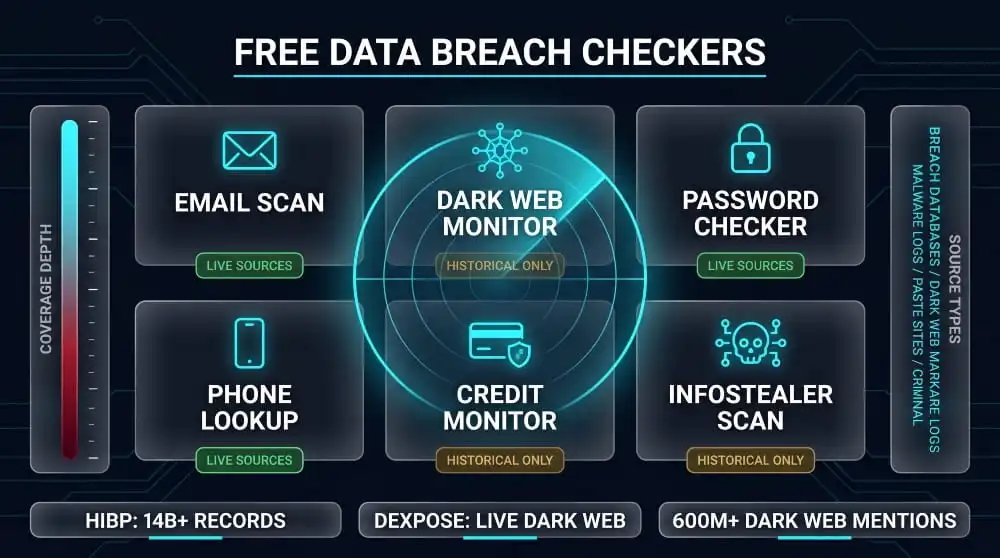
Several free tools exist for breach checking, and they differ significantly in what they monitor, how current their data is, and how much context they provide alongside a match. Using the right tool for the right check, rather than assuming any single tool gives a complete picture, produces a more accurate and actionable result.
DeXpose Email Data Breach Scan
DeXpose’s email data breach scan cross-references your email address against breach databases, infostealer malware logs, and dark web sources in a single query. Unlike tools built solely on historical breach records, it includes malware log data, credentials harvested from infected devices and uploaded to criminal networks, a category of exposure that older lookup tools were not designed to detect.
The result includes the breach sources where your email appeared, the data categories bundled with it, and whether the exposure includes password data that requires immediate action. For organizations, the same scan can be run against a company domain to assess how many employee credentials are currently in circulation.
Have I Been Pwned
Have I Been Pwned (HIBP), maintained by security researcher Troy Hunt and operated in partnership with the FBI, is the most widely referenced free breach-checker for email addresses. It maintains a database of billions of records from hundreds of disclosed breaches and allows anyone to check an email address for free. It also allows phone number checks as of 2021.
HIBP is an excellent reference for historical breach exposure; it is comprehensive, well-maintained, and trusted by security professionals. Its primary limitation is that it indexes breaches after they are publicly disclosed and catalogued, which can lag live dark web activity by weeks or months. For the most current exposure picture, HIBP is best used alongside a tool that monitors dark web sources in real time.
Firefox Monitor / Mozilla Monitor
Firefox Monitor, now rebranded as Mozilla Monitor, uses HIBP’s breach database as its underlying data source and layers a user account interface on top, allowing you to set up email alerts when new breaches containing your address are added to the database. The paid version, Mozilla Monitor Plus, adds identity protection features and the ability to submit removal requests to data brokers.
Because Mozilla Monitor uses HIBP’s data, the breach coverage is the same as running a direct HIBP check. The added value is the alert infrastructure: rather than manually running a check, Mozilla Monitor notifies you when a new breach containing your address is indexed. The limitation is the same: it covers publicly disclosed, catalogued breaches rather than live dark web activity.
Google One Dark Web Report
Google One’s dark web report, available to Google One subscribers in supported countries, monitors your email address and a set of other personal identifiers name, date of birth, phone number, physical address) against dark web sources and alerts you when any of them appear in a detected exposure. The feature is built into the Google account interface and accessible through the Google One app.
The coverage is meaningful for individuals already in the Google ecosystem, but the report is limited by the scope of Google’s monitoring sources. It does not provide the source-level specificity or malware log coverage that dedicated dark web monitoring tools offer, and the monitored identifiers are limited to those you have provided in your Google account profile.
Experian, Credit Karma, and Credit-Focused Tools
Experian’s free IdentityWorks tier and Credit Karma’s identity monitoring feature both offer breach alert functionality as part of their broader credit monitoring services. These tools primarily monitor your email address against breach databases and alert you when a match is found, with the breach alert positioned as a complement to their core credit monitoring product.
The limitation of credit-focused tools is exactly what their name suggests: they are optimized for credit-related monitoring, and their breach alert coverage reflects that focus. They do not monitor dark web sources comprehensively, and their breach data tends to come from the same publicly catalogued sources that HIBP covers. For email address breach checks, they provide adequate basic coverage. For a complete picture of dark web exposure, they are not designed for that purpose.
Dehashed, 1Password Watchtower, and Bitwarden
Dehashed is a paid breach search tool used primarily by security professionals and researchers. It allows searches by email, username, IP address, name, and password hash, and provides significantly more detailed results than consumer-facing tools, including raw password data in some records. It is useful for deep investigations but is not designed as a consumer breach check tool.
1Password’s Watchtower feature integrates HIBP’s breach database directly into the password manager, automatically flagging saved passwords that have appeared in known breaches and prompting you to change them. Bitwarden offers similar functionality through its Vault Health Reports feature. Both are excellent for maintaining ongoing password hygiene if you already use those password managers. Still, they check passwords against breach databases rather than monitoring your identifiers across live dark web sources.
How to Check Specific High-Profile Data Breaches
Several major breaches from recent years have generated sufficient public concern that specific check tools and guidance have been developed in response. If you were a customer of any of the companies below and have not yet confirmed whether your data was included, these are the specific steps for each.
AT&T Data Breach, How to Check If You’re Affected
AT&T disclosed two significant data breach events in 2024. The first, disclosed in March 2024, involved a dataset of approximately 73 million current and former AT&T customer records, including names, addresses, phone numbers, dates of birth, and Social Security numbers, that had been published online. The second, disclosed in July 2024, involved call and text records for nearly all AT&T wireless customers from mid-2022 through early 2023.
To check eligibility for AT&T’s settlement or to confirm whether your data was included, go to AT&T’s official data breach settlement page or check the settlement administrator’s site directly. AT&T sent direct notification emails to affected customers from the March breach. If you were an AT&T customer during 2022–2023, your call metadata was almost certainly included in the second breach regardless of whether you received a notification.
For both breaches, the immediate action is to change your AT&T account password and PIN, enable two-factor authentication on your AT&T account, and run an email or phone number check through a breach checker to confirm what additional data may have been bundled in the dataset.
National Public Data (NPD) Breach, Check Free
The National Public Data breach is one of the largest in recorded history by the number of records. The breach, which became publicly known in mid-2024, reportedly exposed nearly 2.9 billion records including names, addresses, dates of birth, phone numbers, and Social Security numbers aggregated from public records by the data broker National Public Data.
Pentester.com built a free NPD-specific checker at npd.pentester.com that allows you to search by first name, last name, state, and date of birth to see whether your information appears in the dataset. The check does not require you to submit your SSN. Results show what information from the breach matches your search query.
Because NPD aggregated data from public records, virtually any US adult with a public records footprint may appear in the dataset regardless of whether they were ever a customer of National Public Data. Running the Pentester check is the most direct way to confirm whether your specific record appears.
TransUnion Data Breach, How to Check Your Name
TransUnion has been the subject of multiple breach events affecting consumer data. The most significant recent incident involved the exposure of consumer credit records through third-party data broker aggregation. To check whether your information was involved, TransUnion provides a dedicated breach response page on its website where you can verify your status and enroll in complimentary credit monitoring if your data was confirmed to have been exposed.
Because TransUnion holds credit file data, an exposure event involving TransUnion records may include your credit account history, personal identifiers, and credit score information, a more sensitive dataset than a standard email/password breach. If you have reason to believe your TransUnion record was involved, placing a credit freeze directly with TransUnion (in addition to Equifax and Experian) is the most important immediate action.
Experian Data Breach, Eligibility and Status Check
Experian has experienced several breach events affecting its consumer and business data products. To check the current status of any Experian breach affecting your record, visit Experian’s dedicated breach response page or call Experian’s fraud line directly. Experian typically provides a dedicated eligibility verification tool for large-scale events, allowing affected individuals to check their status by name, address, and date of birth.
If you have been notified of Experian data exposure, Experian offers complimentary credit monitoring through its IdentityWorks product for affected individuals. Enrollment in that monitoring does not prevent new fraudulent accounts from being opened; only a credit freeze does that. Treat the monitoring as a supplement, not a substitute, for a credit freeze if SSN or financial data was involved.
Oracle Breach Check
Following the alleged Oracle Cloud breach that became public in early 2025, DeXpose built a dedicated Oracle breach checker that allows organizations to search their company name against the alleged breach dataset to determine whether their company was mentioned in the exposed data. The check is free and does not require an account.
The Oracle breach checker is particularly useful for security teams and IT administrators who need to quickly assess whether their organization’s cloud environment data may have been involved and prioritize investigation accordingly.
T-Mobile, Xfinity, Discord, Yahoo, and Other Named Breaches
T-Mobile: T-Mobile has experienced multiple breaches, including a 2021 incident affecting approximately 77 million records and a 2023 incident. T-Mobile provides a breach response portal where current and former customers can verify whether their accounts were affected and enroll in available remediation.
Xfinity / Comcast: The 2023 Xfinity breach, resulting from the CitrixBleed vulnerability, affected approximately 36 million customers. Xfinity notified affected customers by email and provided password reset guidance. If you are an Xfinity customer and did not receive a notification, check your registered email address through a breach checker, as Xfinity’s notification rate was not universal.
Discord: Discord has been involved in several breach events, most notably through third-party bot services that had access to Discord user data. Check your Discord-registered email address through HIBP or a dedicated checker to see whether it appeared in any Discord-associated breach dataset.
Yahoo: Yahoo’s two major breach events, the 2013 breach affecting 3 billion accounts and the 2014 breach affecting 500 million accounts, remain among the largest in history. If you have ever had a Yahoo account, assume your email address and the password associated with it at the time are in circulation. Any site where you used that Yahoo password or a variation of it should be treated as potentially compromised.
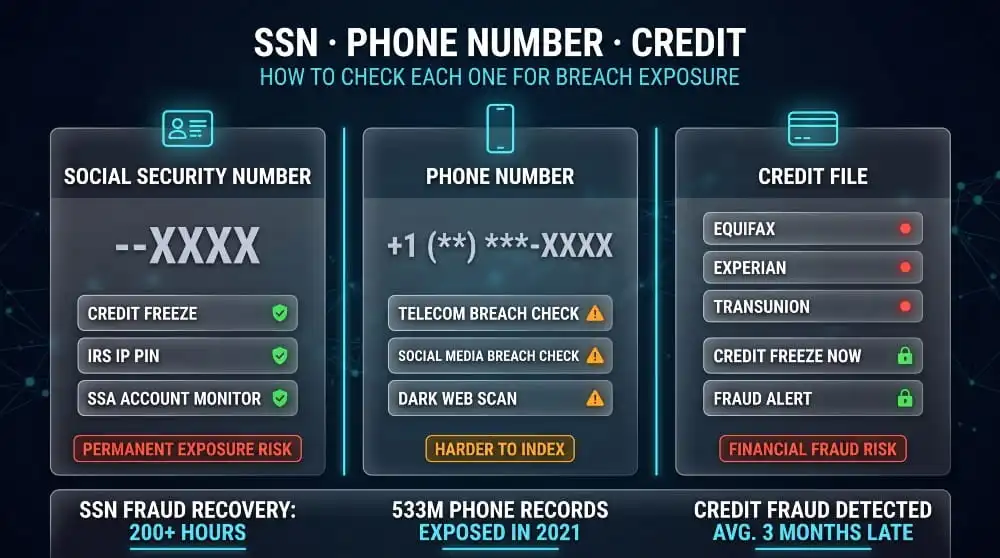
How to Check If Your SSN, Phone Number, or Credit Was Breached
These three categories require more targeted approaches than a standard email address check because they are not consistently indexed in the same breach databases, carry different fraud risks, and require different response actions when exposure is confirmed.
Social Security Number Breach Check (Free Methods)
No legitimate breach-checking service stores or accepts raw SSN input for direct lookups. The correct approach is to use indirect verification methods: check whether a breach dataset known to include SSNs also contains your other identifiers, monitor your credit reports for accounts you did not open, and review your Social Security Administration earnings record for employment activity you do not recognize.
The Pentester NPD breach checker is the most useful current tool for SSN-associated breach checking. It searches by name, state, and date of birth rather than SSN directly, and returns whether your personal record appears in the NPD dataset. For ongoing SSN protection, the IRS Identity Protection PIN and a permanent credit freeze are the two most effective controls available to individuals.
Phone Number Breach Check, Why It’s Harder to Find
Phone numbers are a less consistently indexed field in breach databases than email addresses. Many older breach datasets recorded phone numbers as secondary fields that were not reliably captured during indexing. The result is that a clean phone number check does not carry the same confidence as a clean email check.
The most comprehensive phone number breach-checking currently available combines HIBP’s phone number lookup, which covers datasets that explicitly include phone numbers as a primary field, with a dark web monitoring service that scans for phone numbers across the broader universe of criminal market data. The Facebook 2021 breach dataset is one of the largest single sources of phone number exposure and is indexed in HIBP. Telecom-specific breaches, including those involving AT&T and T-Mobile, are also indexed and searchable by phone number in HIBP.
Credit and Background Check Company Breaches
Several companies that hold sensitive consumer data for credit and background-checking purposes have experienced significant breaches. These include National Public Data (addressed above), LexisNexis, MC2 Data, and Sterling Background Check. Breaches at these companies are particularly consequential because the data they hold is exceptionally comprehensive, combining personal identifiers, financial history, address history, and in some cases criminal records and employment verification data.
If you have undergone a background check in recent years and are concerned about exposure through those sources, check the settlement records for each relevant company through their breach response pages. The NPD Pentester checker covers some of this aggregated data. For ongoing monitoring, a service that watches dark web markets for aggregated personal data profiles, not just email addresses, provides the most relevant coverage for this category of risk.
What Happens After You Find Your Data in a Breach?
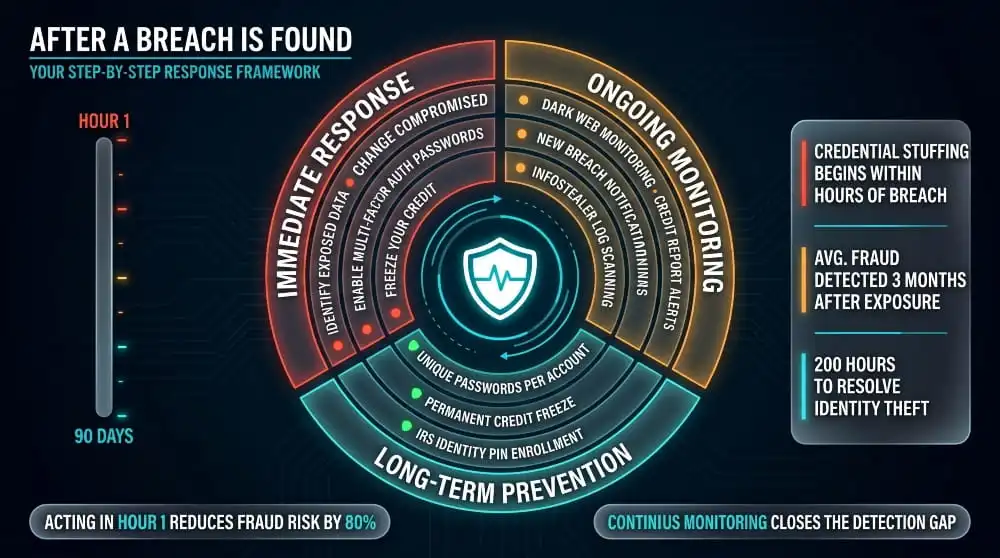
Finding your data in a breach check is not the end of the process. It is the beginning of a time-sensitive response window. The speed with which you act after discovery directly determines the extent of the damage the exposure can cause.
Immediate Steps to Take
The first action is to identify exactly what was exposed. Read the breach result carefully; which data categories were included alongside your email, or identifier matters enormously for prioritizing your response. A breach that exposed only your email address and a hashed password poses a different threat level than one that exposed your email, plaintext password, date of birth, and phone number.
Change the password on the breached account immediately. Then change it on every other account where you used the same password or a recognizable variation of it. If the thought of checking every account feels overwhelming, this is the moment to set up a password manager; it will handle tracking and generating unique passwords in the future, so this situation never scales the same way again.
Enable multi-factor authentication on the breached account and, if it is not already active, on your primary email account. Your email is the recovery path for almost every other account you own. Securing it is the single highest-leverage action you can take in the immediate aftermath of a breach discovery.
If financial data, your SSN, or any government-issued ID number was included in the breach, contact your bank and card issuers immediately, place a credit freeze with all three bureaus, and begin monitoring your credit reports for any accounts you do not recognize.
How to Monitor Ongoing Exposure
A one-time breach check tells you where you stood at the moment you ran it. It says nothing about what will be posted tomorrow, or in six months when the next major breach dataset surfaces. Setting up continuous monitoring is the difference between knowing about your exposure in time to act and discovering it after the damage has already been done.
DeXpose’s dark web monitoring runs continuously across dark web markets, criminal forums, paste sites, and breach databases, alerting you the moment your data surfaces in any new exposure event. For individuals, this means an alert within hours of a newly posted dataset containing your credentials, not a notification letter that arrives weeks later. For organizations, it means real-time visibility into employee credential exposure, customer data listings, and organizational data circulating in criminal networks.
The practical argument is straightforward. The value of breach intelligence is almost entirely a function of how quickly you receive it. An alert that reaches you the same day your credentials appear on a dark web market gives you a realistic window to change your password before an attacker uses it. An alert that reaches you three months later arrives after the window has closed.
How to Prevent Future Breaches from Becoming Identity Theft
Preventing a breach from escalating into identity theft requires closing the doors that stolen information can open, before an attacker walks through them. The most effective single action is a credit freeze. It is free, does not affect your credit score, and prevents anyone from opening new credit accounts in your name regardless of what information they have about you. Most people who run a breach check and take no action other than changing their password leave the most consequential exposure, new account fraud using their SSN and personal identifiers, completely unaddressed.
Password uniqueness is the second pillar. Credential stuffing, where attackers take credentials from one breach and test them systematically against other services, only works because most people reuse passwords. A unique password on every account means a breach at one service cannot be used to access any other service. A password manager makes this practical to maintain.
Multi-factor authentication on all accounts that support it, particularly email, financial, and government accounts, closes the most common follow-on attack vector. And continuous dark web monitoring ensures that if your data does surface somewhere new, you find out immediately rather than through a fraud alert six months from now.
Frequently Asked Questions (FAQ’s)
What is a data breach checker?
A data breach checker is a tool that scans breach databases and dark web sources to determine whether your personal information, email address, password, phone number, or SSN has been exposed in a known data breach. You provide an identifier, such as your email address, and the tool returns any breach records that include that identifier.
How do I check if my data has been breached?
The fastest method is to enter your email address into a breach checker such as DeXpose’s email data breach scan at dexpose.io/email-data-breach-scan. The tool scans breach databases, dark web sources, and infostealer logs and returns any known exposures within seconds. For a broader organizational check, DeXpose’s free dark web report scans your entire domain footprint.
Is the NPD breach check safe and legit?
Pentester’s NPD breach checker is a legitimate, widely referenced tool built specifically to search the National Public Data breach dataset. It searches by name, state, and date of birth, not by SSN, and does not require you to submit sensitive identifiers to run the check. It is safe to use for verifying whether your record appears in the NPD dataset.
Can I check if my phone number is in a data breach for free?
Yes. Have I Been Pwned allows free phone number searches against datasets where phone numbers were a primary indexed field, including the 2021 Facebook breach. For broader coverage including dark web market listings where phone numbers appear, a dark web monitoring service provides more comprehensive results.
How do I check if my SSN was breached?
Use Pentester’s NPD breach checker to search by name, state, and date of birth, which tells you whether your record appears in the NPD dataset without requiring you to submit your SSN. Monitor your credit reports for unfamiliar accounts and check your Social Security Administration record for unrecognized earnings. Enroll in the IRS Identity Protection PIN program to prevent tax fraud using your SSN.
How do I check data breaches on the iPhone?
Go to Settings → Passwords → Security Recommendations. iOS will flag any saved passwords that have appeared in known breaches. This checks passwords against breach databases but does not check your email address, phone number, or other identifiers. For a complete breach check, use a dedicated tool such as DeXpose’s email data breach scan.
What is the most reliable free data breach checker?
For checking email addresses against historical breach records, Have I Been Pwned is the most comprehensive free option. For coverage that includes live dark web markets, malware logs, and infostealer data, DeXpose’s free tools provide broader source coverage than tools built solely on historical breach databases.
How do I check the dark web for my personal information?
Standard search engines cannot access content on the dark web. To check whether your information appears on the dark web, use a monitoring service that scans dark web sources on your behalf. DeXpose’s free dark web report scans dark web markets, malware logs, and public breach databases simultaneously. It returns source-specific results showing where your data was found and what categories of information were involved.
What is the difference between Firefox Monitor and Have I Been Pwned?
Mozilla Monitor (formerly Firefox Monitor) uses Have I Been Pwned’s breach database as its underlying data source, so the core breach coverage is the same. Mozilla Monitor adds an account interface for email alerts when new breaches containing your address are indexed. Neither tool monitors live dark web markets or malware logs; both cover publicly disclosed, catalogued breaches.
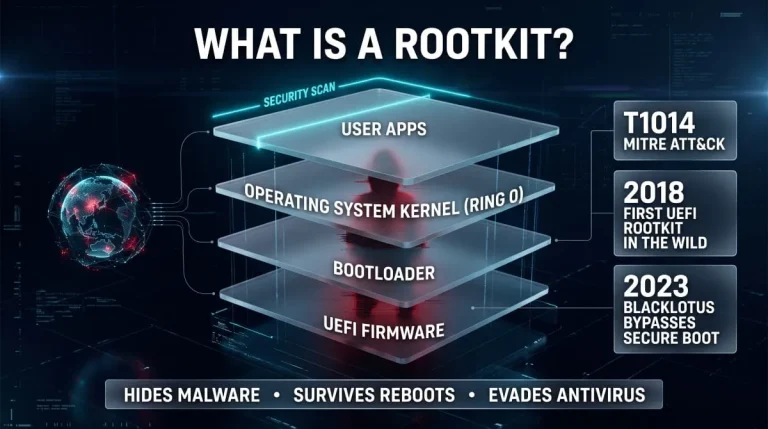
What Is a Rootkit? Definition, Types, Examples, Detection and Removal (Complete Guide)
A rootkit is malicious software that hides itself and the malware it protects by running with the highest privileges and tampering with what the operating system…
Read more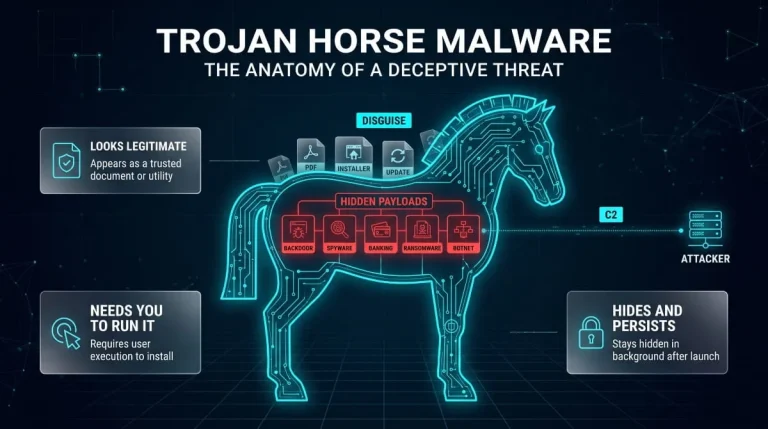
Trojan Horse Malware (Computer Trojan) | What It Is, How It Works, Types, and How to Remove It
A computer trojan is malware that disguises itself as legitimate software to trick you into running it, then quietly steals data, opens a backdoor, or installs…
Read more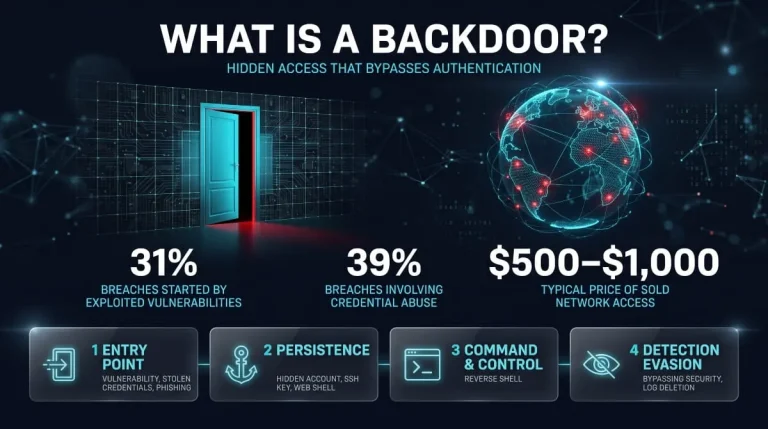
What Is a Backdoor? Meaning, Types, Real Examples, Detection & Removal (2026 Guide)
What Is a Backdoor in Cybersecurity? A backdoor in cybersecurity is a hidden method that bypasses normal authentication or security controls to access a system, network,…
Read more