
Google Malware Scanner & Built-In Malware Checks on Microsoft, Apple and GitHub: What They Catch and What They Miss
Do Google, Microsoft, Apple and GitHub Scan for Malware? (Quick Answer)
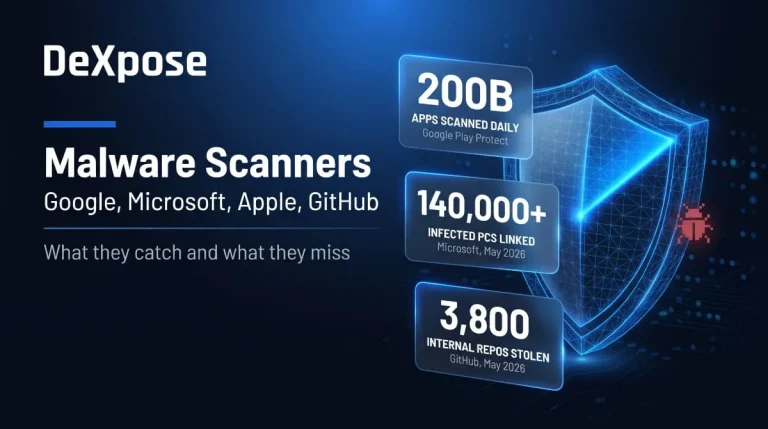
Yes. Each one runs its own built-in defense: a Google malware scanner in Play Protect and Safe Browsing, Microsoft Defender on Windows, XProtect and Gatekeeper on Apple devices, and Dependabot malware alerts on GitHub. Each covers only its own ecosystem, and mostly threats it already knows about. Google Play Protect alone scans 200 billion Android apps every day, yet none of these tools stops an attack that depends on a person cooperating, such as a fake support call, a cracked installer, or a stolen password.
Side-by-side comparison table
| Platform | Built-in Scanner | What It Covers | What It Misses |
|---|---|---|---|
| Play Protect, Safe Browsing (Chrome), Gmail scanning | Android apps, dangerous sites and downloads, email attachments | Malware already running on a Windows PC, apps you sideload and approve, account theft after a password leak | |
| Microsoft | Defender Antivirus, SmartScreen, Safety Scanner, MSRT | Files, downloads and websites on Windows; email in business plans | Social engineering such as fake IT calls, cracked software that disables Defender |
| Apple | XProtect, Gatekeeper, notarization | Mac apps and downloads; iOS apps via App Store review and sandboxing | Apps you override warnings for, spyware and phishing aimed at accounts |
| GitHub | Dependabot malware alerts, secret scanning, takedowns | Known malicious packages, leaked secrets, reported malicious repos | New malicious repos before takedown, anything not in a reviewed advisory |
Does Google have malware, and is Google itself malware?
No. Google’s own products are not malware, but malware can appear on Google platforms and target Google accounts. Searches for “Google malware” usually mean one of three things: a warning on a device, a malicious app, ad, or extension found through Google, or an attack on a Google account. Genuine Chrome, Play, and Gmail are legitimate software. The problems start with fake lookalikes and malicious third-party listings that borrow their names.
Can Apple devices and Microsoft Edge or OneDrive get malware?
Apple devices can get malware, and Macs are targeted far more often than iPhones. Microsoft Edge and OneDrive are legitimate Microsoft software. Still, both can be abused: Edge by browser hijackers and fake pop-ups, OneDrive by malicious files shared through it or by phishing links that imitate it. The Apple, Edge, and OneDrive sections below explain how to tell the real thing from an imitation.
Google Malware Scanner: Play Protect, Safe Browsing and Chrome
Google’s malware protection is a stack, not one app. Play Protect handles Android, Safe Browsing guards Chrome, and Gmail scans mail. Play Protect checks every app on a device, regardless of where it was downloaded, so it is the closest thing to a built-in Google malware scanner for phones.
How to scan a Pixel, Android, or Chromebook for malware
On a Pixel or other Android phone, open the Play Store, tap your profile icon, choose Play Protect, and run a scan. In addition to the automatic daily scan, you can start a full-device scan at any time. Keep “Improve harmful app detection” on so unknown apps get checked. Chromebooks have no traditional scanner. ChromeOS relies on sandboxing and automatic updates, so install updates, remove unfamiliar extensions and Android apps, and reset the device if it keeps misbehaving.
Does Google DNS block malware?
Generally no. Google’s 8.8.8.8 resolver does no content filtering so that it won’t block a phishing or malware site on its own. If you want DNS-level blocking, Cloudflare’s 1.1.1.2 variant blocks known malware domains, and Quad9 does something similar. DNS filtering only acts on domain names, so it can’t inspect a file you download from an allowed site.
How to test Google’s malware protection (the Safe Browsing test page)
Google maintains test pages that trigger Safe Browsing warnings without any real malware. Google’s anti-malware team confirmed that malware.testing.google.test/testing/malware/ sits on the malware list, and testsafebrowsing.appspot.com is Google’s official page of Safe Browsing test links. Open one in Chrome with Safe Browsing turned on. If you see a red warning page, protection is working; if you don’t, check Settings > Privacy and security > Security.
Can Google check a website or link for malware?
Yes, for quick checks. Google’s Transparency Report has a Safe Browsing site-status tool where you paste a URL. A clean result only means Google hasn’t flagged the site yet, so for a suspicious link, also run it through a multi-engine checker such as VirusTotal and avoid downloading anything from it.
Google Workspace email security and malware in Docs or Drive
Gmail scans attachments and links before delivery, and Workspace admins can add stricter pre-delivery scanning and a security sandbox. Drive warns you when it can’t scan a file. Malware rarely lives in a Doc itself. It arrives through the links, shared files, and calendar invites around it, so treat unexpected shares from unknown senders as you would any attachment.
Microsoft Malware Scanner: Defender, Safety Scanner and MSRT
Microsoft’s malware protection is Microsoft Defender Antivirus, which comes with Windows, plus several on-demand tools for stubborn infections. Defender is the right first stop for almost everyone. Microsoft itself points users to Defender for real-time protection with automatic updates.
How to run a Microsoft Defender malware scan
Open Windows Security, go to Virus & threat protection, choose Scan options, select Full scan, and click scan now. Microsoft’s hacked-account guidance uses exactly this path. A Quick scan checks the common hiding places, while a Custom scan checks a folder you pick, such as Downloads.
Offline and online scans (Defender Offline, Safety Scanner)
Defender Offline restarts the PC and scans outside the normal Windows session, helping catch threats that return after cleaning. It targets rootkits and boot-level malware. Microsoft’s online option is the Safety Scanner, a manual second-opinion tool. It only scans when you start it and expires 10 days after download, so download a fresh copy each time. The Malicious Software Removal Tool (MSRT) is different again. It arrives through Windows Update on Patch Tuesday and removes prevalent malware.
Microsoft Security Essentials and legacy tools
Microsoft Security Essentials is a legacy antivirus from the Windows 7 era that Defender replaced. If it is still your main protection, your operating system is out of support. Upgrade Windows, then rely on Defender.
Edge malware warnings and “Is Edge malware?”
Microsoft Edge is not malware. It is Microsoft’s browser, and its warnings come from SmartScreen, which flags dangerous sites and downloads. Trouble comes from imitations: browser hijackers that change your search engine or homepage, malicious extensions, and fake pop-ups. If Edge behaves strangely, reset its settings, remove extensions you don’t recognize, and run a full Defender scan.
Microsoft 365 email and Teams malware protection
Business plans add email defenses such as Safe Attachments and Safe Links, but attackers increasingly go around email. In 2026, criminals used Teams voice calls posing as corporate IT support to get employees to install EtherRAT. Defenders are advised to restrict external Teams communication and verify support calls through a separate approved channel.
“Is OneDrive malware?” Why the search exists
No. OneDrive is Microsoft’s cloud storage client, built into Windows. The question comes up because it starts with the PC, runs constantly in the background, and can sync files you didn’t expect. Genuine OneDrive.exe runs from a Microsoft OneDrive folder. Be wary of “OneDrive” share links in unexpected emails, because attackers use them to deliver malicious files.
Apple Malware Scan: XProtect, Gatekeeper and What Apple Recommends
Apple’s defense has three layers: XProtect (malware signatures), Gatekeeper (launch checks), and notarization. Notarization is Apple’s malware scanning service for Mac apps distributed outside the App Store. All of this is automatic, and there is no “scan now” button for Macs.
Can Apple devices get malware?
Yes. Macs get malware regularly, and iPhones are infected rarely thanks to sandboxing and App Store review, though spyware, malicious configuration profiles, and phishing still happen. Your Apple account is a separate target, and our Apple data leak guide covers that exposure.
How to check a Mac or iPhone for malware
On a Mac, install macOS updates (XProtect improvements ship with them), then review Login Items, browser extensions and installed profiles, and run a reputable on-demand scanner for a second opinion. On an iPhone, no app can scan other apps because of sandboxing. Update iOS, delete apps you don’t recognize, and check Settings > General > VPN & Device Management for profiles you didn’t install. Apple doesn’t show pop-ups with a phone number to call, so any message that does is a scam.
What “Apple could not verify” and “malware blocked” mean, and how to override safely.
The wording depends on the cause. Gatekeeper checks for a valid signature, a notarization ticket, and a match against XProtect’s definitions. A missing ticket on an app from a small developer is common and not proof of infection. But if a revoked notarization or an XProtect match triggers the dialog, Apple says it indicates malware and isn’t a warning to bypass. Re-download the app from the developer’s official site. If a fresh copy fails verification too, treat it as compromised.
App Store and iOS malware
App Store review plus sandboxing makes iOS malware uncommon, not impossible. Fake clones, subscription-trap apps and apps that change behavior after approval do appear. Check the developer name, install only what you need, and remove apps you no longer use.
GitHub Malware Scanner: How to Scan a Repo and What GitHub Blocks
GitHub doesn’t scan your computer. It protects repositories and dependencies and removes malicious content that gets reported or detected. That makes it a hosting platform with some malware defenses, not an antivirus, and the gap is where attackers operate.
Does GitHub scan for malware?
Partly. Dependabot sends malware alerts when a package in your default branch is flagged as malicious. However, alerts are currently limited to npm, only GitHub-reviewed advisories trigger them, and new malware can take time to appear. Secret scanning and push protection stop leaked credentials, not malware. Takedown is the other layer: GitHub removed the fake exploit repositories behind a WebRAT campaign after Kaspersky reported them.
How to scan a GitHub repo for malware before you clone it
Don’t run anything first. Read the README for red flags: instructions to turn off antivirus, or a password-protected ZIP as the install method. The WebRAT repositories used a password-protected archive and a dropper that disabled Windows Defender. Check the owner’s account age, commit history, and star pattern; read install scripts (package.json, setup.py, workflow files); scan the download with Defender or VirusTotal; and test unfamiliar code in a virtual machine.
Dependabot, the advisory database and the acceptable use policy
Dependabot checks your dependencies against the GitHub Advisory Database, and you must enable Dependabot alerts first. GitHub’s acceptable use policy bans using the platform for active attacks, including delivering malware and running command-and-control, while still allowing security research. Policy decides what gets removed, not what is detected, so don’t treat a repo’s presence on GitHub as a safety signal.
Actions and npm supply-chain attacks (Shai-Hulud, token leaks)
Supply-chain worms target developer tokens. The second Shai-Hulud wave in November 2025 hit 621 npm packages and over 25,000 GitHub repositories, stealing GitHub, npm, and cloud credentials. The problem continued into 2026: a November 2026 campaign used hijacked GitHub accounts to run a secret stealer in at least 1,806 repositories. Rotate tokens after any suspected exposure and pin Actions to commit SHAs, but note that Dependabot only alerts on Actions that use semantic versioning, not SHA pinning.
Malware Warnings Explained: Real Alerts vs. Fake Pop-ups
A real warning comes from your operating system, browser, or security app. A fake one comes from a web page pretending to be one. That difference tells you how to respond.
Genuine Google, Microsoft and Apple alerts
Real alerts look like system UI: a Play Protect notification asking you to remove an app, Chrome’s full-page red warning, Windows Security or SmartScreen messages, and macOS dialogs from Gatekeeper. They name the file or app and offer to remove or block it. They never include a phone number or a countdown.
Fake Apple and Google warnings (scam pop-ups)
Scam pop-ups claim “Your device is infected,” play alarms, fill the screen, and push you to call a number or install a “cleaner.” They are web pages. Close the tab (force-quit the browser if it won’t close) and never call the number. The warning itself is the attack.
What to do the moment a warning appears
Stop, don’t click anything inside the message, and run a scan with the built-in tool. If you already called a number, installed something, or typed a password, change your passwords from a clean device and follow the steps in the account-compromise section below.
Where Malware Still Gets Through: App Stores, Malvertising, Redirects and Extensions
Built-in scanners miss threats that look legitimate when they’re checked. Malicious apps in official stores often hide their behavior or add it in a later update. NetNut-style proxy networks, for instance, were built by getting hidden code into apps or devices that shipped with malware already installed. Malvertising puts a fake download page into search ads. Search redirects come from hijackers that rewrite browser settings. Extensions run inside your browser with broad permissions, which is why GitHub’s own 2026 breach started with a malicious VS Code extension. Install fewer extensions, check the publisher and permissions, and remove anything you don’t use.
Pirated and Counterfeit Software: The Malware Risk Microsoft Warns About
Pirated and counterfeit software is one of the most reliable ways to end up with malware, and Microsoft has long warned about it. A Microsoft-commissioned IDC study put the odds of unexpected malware at one in three for consumers and three in ten for businesses. That study dates from 2013, so treat the exact figures as historical, but the mechanism hasn’t changed. Cracks and activators ask you to turn off your antivirus, and that is exactly what a dropper wants. Use genuine licenses or free alternatives; if you’ve already run a crack, scan with Defender, change passwords from a clean device, and consider reinstalling Windows.
2026 Malware Incidents Involving Big-Tech Platforms
These cases show where built-in scanners helped and where attackers worked around them.
The Google synced-passkey exploit
In August 2026, Unit 42 researchers described three attacks that let local Windows malware hijack Google-synced passkeys. All three need malware already running on the device. GitHub’s passkey checks blocked the basic attack, eBay initially failed to do so and fixed it after disclosure, and the researchers say passkeys remain far safer than passwords. The lesson is that passkeys don’t protect an infected computer.
WebRAT spreading through GitHub repositories
Kaspersky found 15 GitHub repositories posing as proof-of-concept exploits that delivered the WebRAT backdoor and infostealer, in a campaign running since September 2025. Later reporting says WebRAT also spreads through YouTube comments and pirated software sites.
GitHub internal repository access
On 20 May 2026, GitHub confirmed a breach. Attackers linked to TeamPCP accessed about 3,800 internal repositories after a malicious VS Code extension compromised a developer’s machine. GitHub said only internal repositories were affected, with no confirmed impact on public or customer repos.
Teams fake-IT-support lures (EtherRAT), XWorm and Lumma
The EtherRAT campaign is the Teams scheme described above. Victims are talked into installing legitimate remote tools such as AnyDesk and HopToDesk. XWorm is a similar story: Fortinet tracked a 2026 campaign delivering the XWorm remote access trojan through malicious Excel attachments. Lumma is an infostealer that loaders like Amadey deliver, covered next. For how these trojans work, see our remote access trojans guide.
Takedowns by Microsoft and its partners, and Google’s NetNut proxy action
In June 2026, Microsoft, Europol and partners hit Amadey and StealC. Microsoft targeted more than 200 command-and-control domains and IPs, and linked the two families to over 140,000 infected computers in the first two weeks of May. In July, Google, the FBI, and Lumen disrupted NetNut, a residential proxy network built on at least 2 million hijacked consumer devices. Takedowns reduce capacity but rarely end an operation, because operators rebuild infrastructure.
Account Compromised? Scan First, Then Change Your Password
If you suspect malware stole your login, the order matters. Resetting a password on an infected device can hand the new password straight back to the attacker.
Microsoft’s official order of steps
Microsoft’s hacked-account guidance says to run a full scan on your PC before you change your password. Scan, then change the password from a clean device, then review security info, forwarding rules, connected apps, and recent sign-in activity.
Google account and authenticator malware
For a Google account, scan the device first, then change the password from a clean one, sign out of all sessions, remove devices and third-party access you don’t recognize, and run Google’s Security Checkup. If malware had access to a Windows PC where you use synced passkeys, treat those as exposed too.
Why keyloggers and infostealers defeat a password reset
Keyloggers record what you type, and infostealers copy saved passwords and browser sessions. StealC collects passwords, cookies, and session tokens, so a stolen session can still work after you change the password. Cleaning the device and revoking sessions stop it. Our infostealer malware guide explains the families and how they spread.
What Built-In Scanners Can’t See: Stolen Credentials and Dark Web Exposure
Scanners look at your device. They can’t see what happened to your data after it was stolen, and that’s where it does the most damage. If your account was exposed, see our guides on the Google data breach and Google’s dark web report.
How infostealer logs end up on the dark web
Infostealers upload stolen logins, cookies, and tokens to the attacker, who sells or trades them. According to Microsoft’s complaint, credentials harvested through StealC are commonly sold on underground marketplaces and through initial-access brokers. You can clean the infected PC and still have working credentials circulating.
Check your exposure with DeXpose’s Free Darkweb Report and Email Data Breach Scan.
DeXpose’s Free Darkweb Report gives an instant exposure check across dark web markets, malware logs and public breaches, and the Email Data Breach Scan checks whether an email address appears in known breaches. Run them after any malware scare, and rotate whatever they show.
How to Report Malware to Google, Microsoft, Apple and GitHub
Reporting helps remove malicious content for everyone.
- Google: report a harmful Android app through the Android Security Malware Report form, or use Safe Browsing’s report-badware page for sites.
- Microsoft: submit suspicious files through Microsoft Security Intelligence’s file submission portal.
- Apple: forward phishing messages to reportphishing@apple.com.
- GitHub: use the “Report abuse” option on the repository or profile.
Frequently Asked Questions (FAQ)
Does Google have a malware scanner?
Yes. Play Protect scans Android apps, Safe Browsing guards Chrome, and Gmail scans attachments. Google has no single scanner for a Windows PC.
Is Google Play Protect enough on its own?
It is a strong baseline for apps, but it doesn’t stop phishing, account theft, or social engineering. Add updates, careful installs, and strong sign-in security.
Does Google DNS block malware?
No. The 8.8.8.8 resolver doesn’t filter content. Use a filtering DNS or rely on browser protection.
Will Microsoft Defender detect malware?
It detects known malware well and updates automatically, but it can miss new threats and can’t stop you from installing something yourself. Use Defender Offline for stubborn infections.
Is Microsoft Edge malware?
No. It is Microsoft’s browser. Hijackers and fake pop-ups imitate it, so reset settings and scan if it acts strangely.
Is OneDrive malware?
No. It is Microsoft’s cloud storage app. Be careful with unexpected OneDrive share links, which are a common phishing lure.
Does Apple have a malware scanner?
Macs have XProtect, Gatekeeper, and notarization running automatically. iPhones rely on sandboxing and App Store review, and no app can scan other apps.
Does Apple notify you of malware?
macOS shows a dialog when it blocks an app. Apple doesn’t send email or text alerts about infections, so messages claiming otherwise are scams.
Does GitHub scan for malware?
Only in part: Dependabot malware alerts for known malicious packages, plus takedowns of reported repos. It does not scan every repository you clone.
Is there malware on GitHub?
Yes. Attackers use fake exploit repos, hijacked accounts, and poisoned packages. Inspect code before running it and use a sandbox.
Can malware steal passkeys?
Not by breaking passkeys, but malware already on your device can abuse them, as the 2026 Google synced-passkey research showed.
How do I know if a malware warning is real?
Real warnings come from your OS or browser UI and never ask you to call a number. If a web page shows an alarm, close it.
How to Remove Malware from Chrome | Scan, Check & Clean Your Browser (Complete Guide)
If your browser is showing pop-ups, redirecting searches, or loading extensions you never installed, you may be dealing with Chrome malware. The good news is that…
Read more
How to Check for Malware on Mac, Windows and PC (Scan, Detect and Remove It)
How to Check Your Computer for Malware To check for malware, run a full scan with your operating system’s built-in security tool, then review the apps,…
Read more
Malware on Phone | How to Check, Scan and Remove It on iPhone and Android (2026 Guide)
You can check a phone for malware by reviewing installed apps, permissions, battery and data usage, and unknown profiles, then running Google Play Protect on Android.…
Read more