
Phishing Text Messages | The Complete Guide to Smishing Scams, Real Examples & How to Stay Safe
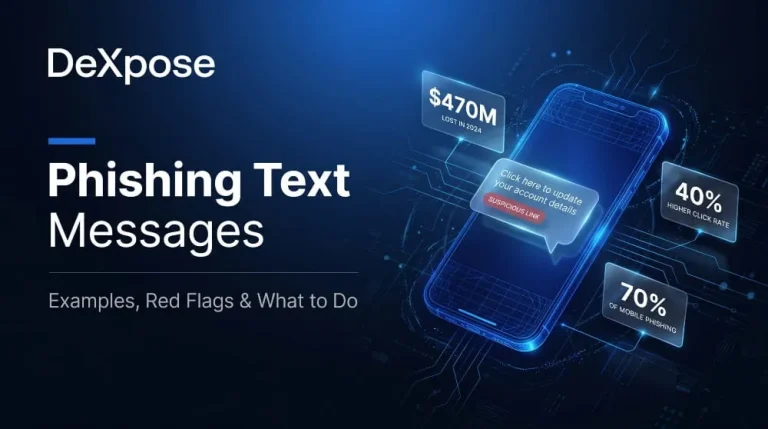
A phishing text message is a fraudulent SMS sent by scammers who impersonate a trusted brand, bank, or government agency to trick you into clicking a malicious link, revealing personal information, or sending money. Also known as “smishing” (SMS + phishing), it’s one of the fastest-growing scam tactics precisely because people tend to trust text messages more than email, and attackers know it.
The scale of the problem is no longer minor: according to FTC data, U.S. consumers reported $470 million in losses to scams that started with text messages in 2024, more than five times the 2020 level, and text messages were the most commonly reported way scammers made contact in the FTC’s 2025 fraud reports. Fake package-delivery alerts, bogus bank fraud warnings, toll-road notices, and “wrong number” texts top the list of most-reported text scams. If you’ve ever gotten a text claiming to be from USPS, your bank, Apple, or the DMV asking you to “verify” something urgently, you’ve likely seen one firsthand.
This guide breaks down exactly what phishing text messages look like, why you’re suddenly getting so many of them, what to do if you’ve already clicked or replied, and how to block and report them for good so that you can tell a real alert from a scam in seconds, not minutes.
What Is a Phishing Text Message?
A phishing text is a message sent by SMS, iMessage, or RCS that appears to come from a real company, bank, or government agency but is designed to get you to click a malicious link, hand over personal details, or make a payment under pretenses. Instead of arriving in your inbox, the scam lands directly on your phone, often disguised as a delivery update, fraud alert, or account warning, and demands an immediate response.
Phishing Text vs. Smishing: Is It the Same Thing?
Yes, “smishing” is the technical term for phishing carried out through SMS, combining “SMS” and “phishing” into one word. Security researchers and cybersecurity reports tend to use “smishing.” At the same time, most everyday users search for and describe the same scam as “text phishing,” “text message phishing,” or a “phishing text message.” The mechanics, red flags, and risks are identical regardless of the term used; it’s the same attack, just with different names. If the text pushes you to call a number instead of tapping a link, it blends smishing with voice phishing; see smishing vs. vishing vs. phishing for the differences.
How Do Phishing Texts Actually Work?
Phishing texts work by impersonating a source you already trust and creating urgency to act quickly. A scammer typically spoofs a sender name or number to resemble a bank, delivery carrier, or well-known brand, then pairs it with an urgent message, a suspended account, an unpaid toll, or a package that couldn’t be delivered, designed to short-circuit careful thinking. Tapping the included link usually takes you to a fake login page designed to steal your credentials, or triggers a malware download in the background. Some versions skip the link entirely and ask you to reply with a one-time passcode or personal information, which the scammer then uses to break into a real account.
Can You Really Get Phished Just From a Text?
Yes, and it’s more effective than most people assume. Text messages carry an unusual level of built-in trust compared to email, which is part of why the tactic works so well: Verizon’s 2026 Data Breach Investigations Report found that phone-centric phishing simulations, which include text messages, produced a median click rate of about 2% versus 1.4% for email, roughly 40% higher. Simply opening a phishing text is generally not dangerous on its own; the real risk comes from tapping the link, downloading an attachment, or replying with sensitive information, all of which are just as easy to do via text as via email.
What Does a Phishing Text Look Like? (Real Examples)
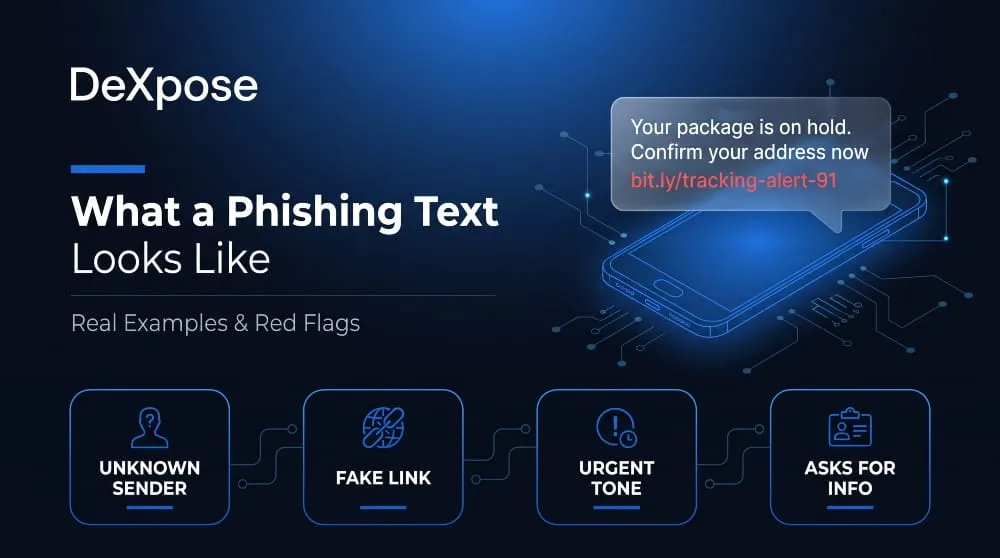
A phishing text usually looks like a short, official-sounding alert from a bank, delivery service, or well-known brand, something like “Your USPS package couldn’t be delivered, update your address here” or “Wells Fargo: unusual activity detected, verify your account now.” The message is typically brief, includes a shortened or slightly altered link, and pushes you to act within minutes rather than giving you time to think it through.
Common Red Flags in Every Phishing Text
Most phishing texts share the same handful of tells, no matter which brand they’re impersonating. The sender is usually an unfamiliar number, short code, or email-style address rather than the company’s real contact line, and the link is often shortened (bit.ly-style) or uses a domain that’s close to, but not exactly, the real company’s website. The message also tends to include slightly off phrasing; a real bank rarely texts “Kindly verify your account immediately to avoid suspension.” Common example categories reported by users include fake delivery notices from USPS, FedEx, and UPS; fraud alerts spoofing banks like Chase or Wells Fargo; toll and E-ZPass payment demands; and Apple ID or iCloud “security” warnings, all built around the same core template with the brand name swapped out.
Phishing Text Message Examples (Copy-and-Paste Samples by Scam Type) NEW
Seeing real wording is the fastest way to learn to spot a scam. The samples below represent the most-reported scam types; links are defanged with [.] so they can’t be clicked, and brand names are used only to show how scammers impersonate them. Compare any suspicious text against the pattern, not the exact words, because scammers change the wording constantly.
- Delivery (USPS): “USPS: Your package is on hold due to an incomplete address. Confirm your details within 12 hours to avoid return: usps-redelivery[.]example/track” Red flag: a made-up deadline and a link that is not usps.com.
- Bank fraud alert (Chase): “Chase Alert: A $849.00 payment was attempted on your card. If this wasn’t you, secure your account now: chase-secure[.]example/verify.” Red flag: a real bank will not ask you to log in through a texted link.
- Toll (E-ZPass): “E-ZPass: Final notice. Your toll balance of $6.99 is overdue. Pay now to avoid a $50 late fee: ezpass-pay[.]example” Red flag: a tiny amount, a threatened fine, and a payment link.
- Apple ID: “Apple ID: Your account has been locked due to suspicious sign-in activity. Verify your identity: apple-id-unlock[.]example. Red flag: urgency plus a lookalike domain.
- Credit bureau or data-breach settlement (Equifax-style): “Your personal data may have been exposed. Claim your settlement compensation before the deadline: equifax-claim[.]example.” Red flag: unsolicited “compensation” that needs your personal details.
- “Wrong number”: “Hi Sarah, are we still meeting at 6 tonight?” Red flag: no link at all; the goal is to get you to reply.
- Boss or executive impersonation: “Are you at your desk? I’m in a meeting and can’t call. I need a quick favor, reply here.” Red flag: an unusual request from an unknown number claiming to be a manager.
- One-time passcode request: “We noticed a login to your account. To cancel it, reply with the 6-digit code we just sent you.” Red flag: no legitimate company asks you to read a code back to them.
If you want to compare a message you received against these, check the sender, the link domain, and whether it pressures you to act within minutes.
What Does a Text From an Unknown Short Code Like 85708 or 74608 Mean? NEW
If you searched a five- or six-digit number such as 85708, 74608, or 51072 after receiving a text, you’re dealing with a “short code,” a number businesses use to send bulk SMS. Short codes can belong to legitimate services, such as appointment reminders, one-time passcodes, and retail alerts, but scammers also send phishing texts from them or from numbers made to look similar. We can’t tell you who owns a specific code from the number alone, so judge the message instead: don’t tap links, don’t reply, and if it claims to be from a company you use, open that company’s official app or website directly to check for an alert.
CEO & Executive Impersonation Text Scams
Not every phishing text targets consumers directly; a growing share targets employees, using a message that appears to come from their CEO or another executive. These messages typically ask the recipient to urgently purchase gift cards, wire funds, or share sensitive company information, relying on the employee’s instinct to respond quickly to a boss rather than question the source. Because the message comes through a personal-feeling channel like SMS rather than email, and mimics an internal, informal tone, it often bypasses the skepticism a more formal phishing email would trigger.
Urgency, Threats & “Verify Now” Language
Nearly every phishing text is built around manufactured urgency because it is what stops people from pausing to check whether a message is real. Phrases like “verify now,” “your account will be suspended,” “final notice,” or “unauthorized login detected” are designed to trigger an immediate reaction instead of a careful one. The tactic shows up at scale: smishing accounts for roughly 70% of all mobile phishing attacks according to Zimperium’s 2025 mobile threat telemetry, which fits with how consistently urgency-driven SMS messages outperform slower-moving scam formats.
Phishing Texts by Category: Who Scammers Impersonate
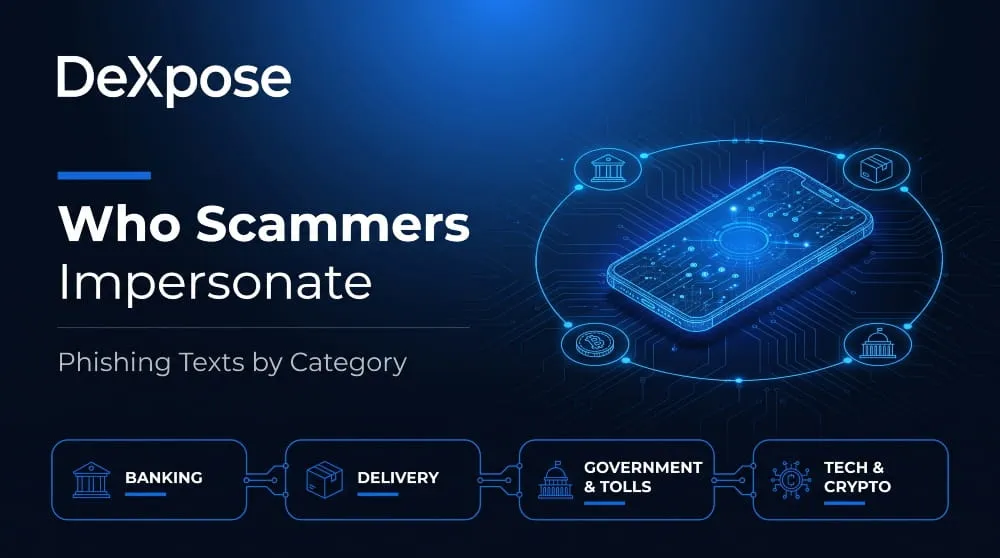
Phishing texts almost always impersonate a brand you already have a relationship with, since a familiar name lowers your guard faster than an unknown sender ever could. The specific brand changes, but scammers tend to cluster around a handful of categories: banking, delivery, government, tech, and crypto, because these are the accounts people check most anxiously and react to fastest.
Banking & Payment App Phishing Texts (Chase, Wells Fargo, PayPal, Venmo, Zelle, Cash App)
Financial phishing texts are the most common category, since a suspected fraud alert is one of the few messages almost everyone will open immediately. These texts typically claim that your Chase, Wells Fargo, PayPal, Venmo, Zelle, or Cash App account has been locked, flagged for suspicious activity, or used for an unauthorized transfer, and then link to a fake login page designed to steal your credentials in real time. Because banks and payment apps do send legitimate security texts, these scams work by mimicking that exact format; the giveaway is usually a link that doesn’t match the bank’s actual domain, or a request to “confirm” your PIN or full card number, which no legitimate bank ever asks for by text.
Delivery & Shipping Phishing Texts (USPS, FedEx, UPS, DHL, Amazon)
Delivery-related phishing texts exploit the fact that almost everyone expects a package at some point, making a “delivery issue” message feel plausible by default. These scams impersonate USPS, FedEx, UPS, DHL, or Amazon by claiming a missed delivery, an unpaid customs fee, or an incorrect address, and ask you to click a link to “reschedule” or “confirm” shipping details. This is consistently one of the most-reported smishing categories: the FTC found fake package-delivery messages to be the most commonly reported type of text scam in 2024.
Government, DMV & Toll Phishing Texts (DMV, IRS, E-ZPass, FasTrak, SunPass)
Government and toll-agency impersonation texts combine official-sounding language with threats of fines, license suspension, or legal action. Common versions claim to be from the DMV about a vehicle registration issue, the IRS about unpaid taxes, or toll systems like E-ZPass, FasTrak, or SunPass demanding immediate payment for an “outstanding balance.” These agencies overwhelmingly communicate by mail, not text, so any SMS claiming to be a toll or tax notice with a payment link is a strong signal of a scam rather than a real government message.
Tech & Telecom Phishing Texts (Apple, Google, Verizon, AT&T, T-Mobile)
Tech and telecom phishing texts usually focus on account security, since a warning about your Apple ID, Google account, or carrier plan can feel urgent enough to override caution. These messages often claim your Apple ID has been locked, your Google account shows suspicious sign-in activity, or your Verizon, AT&T, or T-Mobile bill is overdue. They claim service is about to be suspended and link to convincing fake login pages. Because these accounts are tied to email, cloud storage, and two-factor authentication, they’re a particularly high-value target; compromising one can give a scammer a foothold into several other accounts at once.
Crypto & Investment Phishing Texts (Coinbase, Binance)
Crypto phishing texts are especially costly because cryptocurrency transactions can’t be reversed once completed. Scammers impersonating Coinbase or Binance typically claim your account has been compromised, your withdrawal is on hold, or unusual login activity has been detected, then push you to a fake exchange login page or ask for your recovery phrase. No legitimate crypto exchange will ever ask for your seed phrase or private keys by text, making this one of the clearest red flags.
Retail, Social Media & Job Offer Phishing Texts
The remaining category covers everyday platforms, retailers like Walmart or Costco, social apps like Instagram, Facebook, and Snapchat, and services like Uber or Indeed, impersonated with fake prize notifications, account lockouts, or job offers. These scams tend to rely more on excitement or opportunity than fear, dangling a gift card, a refund, or a job interview to get the click. The underlying mechanics are the same as every other category: a spoofed sender, a suspicious link, and a message engineered to get a reaction before you’ve had a chance to verify it.
Why Am I Getting So Many Phishing Texts?
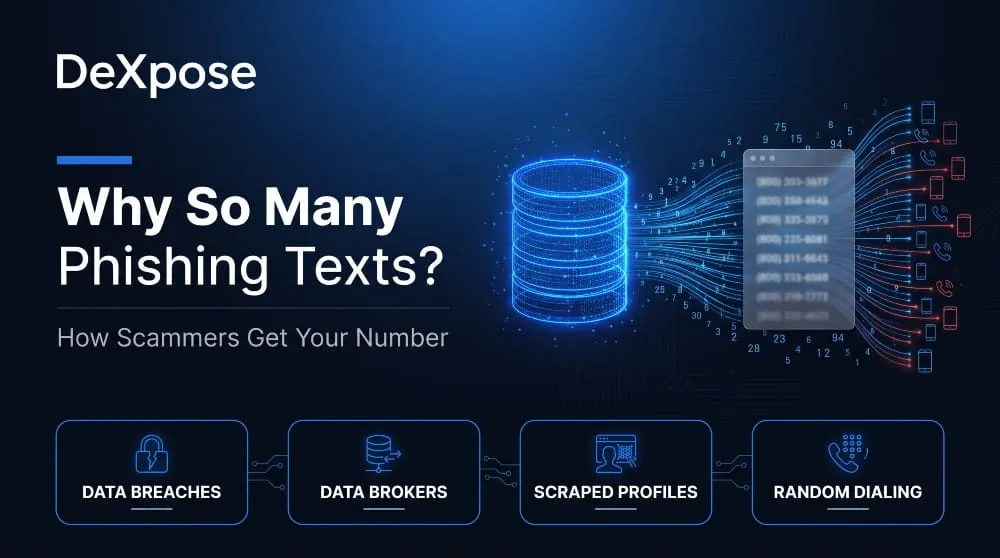
You’re getting so many phishing texts because your phone number has likely been exposed through a data breach, sold by a data broker, or harvested from a source you’ve unknowingly shared it with, and scammers are now blasting that number in mass campaigns. It’s rarely personal; most people flooded with smishing attempts are just one of thousands of numbers on the same leaked or purchased list.
How Scammers Get Your Phone Number
Scammers get phone numbers from a mix of large-scale sources rather than targeting individuals one by one. They commonly pull numbers from breached company databases, scrape them from social media profiles and public directories, buy them in bulk from data brokers, or generate and test them in batches to see which ones are active. Once a number is confirmed to be real, often because you replied to an earlier text, it tends to get reused across multiple scam campaigns and sometimes resold to other scammers entirely.
The “Wrong Number” Text Scam Explained
The “wrong number” text is a specific tactic where a scammer sends a casual, seemingly misdirected message, like “Hey, are we still on for lunch tomorrow?”, to a random number, hoping you’ll reply and correct them. That reply confirms your number is active and monitored by a real person, which makes it more valuable for future scams. The same conversation often escalates into a longer con, such as a romance or investment scam, once trust is established. The safest response to any unexpected “wrong number” text is no response at all.
Data Breaches and the Dark Web Connection
A large share of the phone numbers used in smishing campaigns originate from data breaches, where leaked customer records are later posted, traded, or sold on dark web marketplaces and forums. Once your number appears in one of these leaked datasets, it can circulate for years and get pulled into unrelated scam campaigns long after the original breach happened, which is why phishing texts often start suddenly, sometimes years after you signed up for a service that was later breached. Dark web monitoring tools like DeXpose scan dark web sources for your exposed personal data, so you can find out if your number, email, or other details are already circulating before they show up in the next wave of scam texts.
I Clicked or Replied to a Phishing Text, What Now?
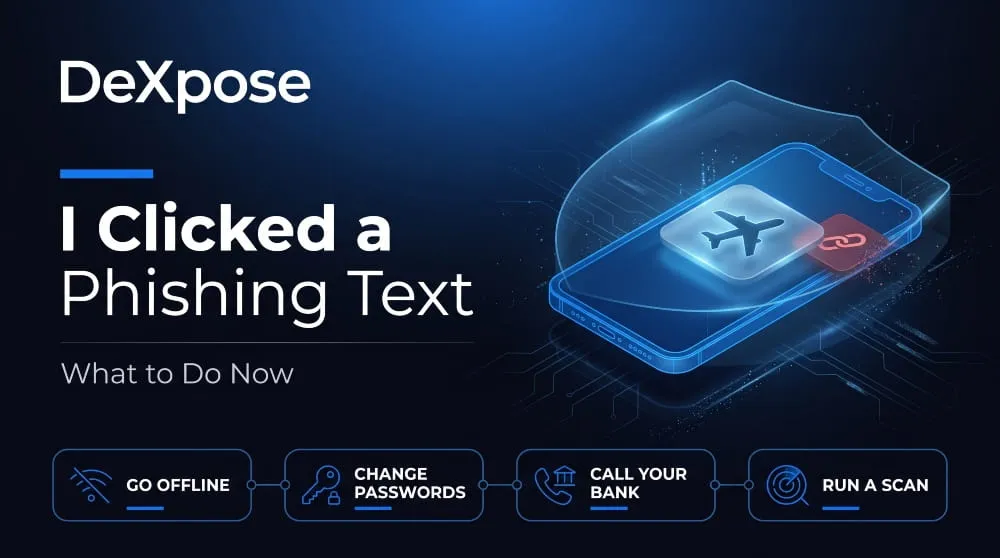
If you clicked a link or replied to a phishing text, the situation is serious but manageable if you act quickly: disconnect from Wi-Fi, avoid entering any information if a page loads, and change your passwords, starting with your email and banking accounts. Most damage from a phishing text happens only after you’ve handed over credentials or payment details, not from the click itself, so speed matters more than panic.
I Clicked the Link: Immediate Steps to Take
If you tapped the link but didn’t enter any information, close the browser tab immediately and avoid interacting with the page further. Put your phone in airplane mode or turn off Wi-Fi and cellular data to prevent any background connections the page may attempt, then run a mobile security scan to check for malware. If you entered a password or username on the page, change that password immediately from a different, trusted device, and change it again on any other account that uses the same password. If you entered card or bank details, call your bank using the number on the back of your card, report the card as compromised, and ask them to block or replace it.
I Replied to the Text: Am I at Risk?
Replying to a phishing text, even with something as simple as “STOP” or “who is this,” confirms your number is active and monitored, which can increase the volume of scam texts you receive. Still, it doesn’t hand over any sensitive data on its own. The real risk comes from what you included in that reply: if you sent a one-time passcode, account number, PIN, or personal details, treat that account as compromised and change the associated password and any linked recovery information right away. A reply with no personal information attached is a nuisance, not a breach.
What Happens If You Open the Text on iPhone?
Simply opening or reading a phishing text on an iPhone rarely compromises your device or data; most smishing attacks require you to take action, and modern iOS messaging doesn’t run a link or attachment just because it displays a message. The risk begins when you tap the embedded link, download an attachment, or reply with information, which is why iPhone users are generally safe opening and inspecting a suspicious text as long as they stop there. Rare “zero-click” exploits that need no tap have existed, mostly in targeted attacks, so keep iOS updated and, if a preview or link renders and looks off, close the Messages app and delete the text without tapping anything.
Signs Your Device or Accounts Were Compromised
A handful of warning signs suggest a phishing text actually led to a compromise rather than a near-miss: unexpected password reset emails, login alerts from unfamiliar locations, new devices listed on an account you didn’t add, unauthorized charges, or contacts receiving strange messages from your number or email. If you see any of these signs, or your information has already appeared in a prior data breach, a dark web exposure check with a service like DeXpose can confirm whether your credentials are circulating and need to be changed immediately.
How to Stop and Block Phishing Texts
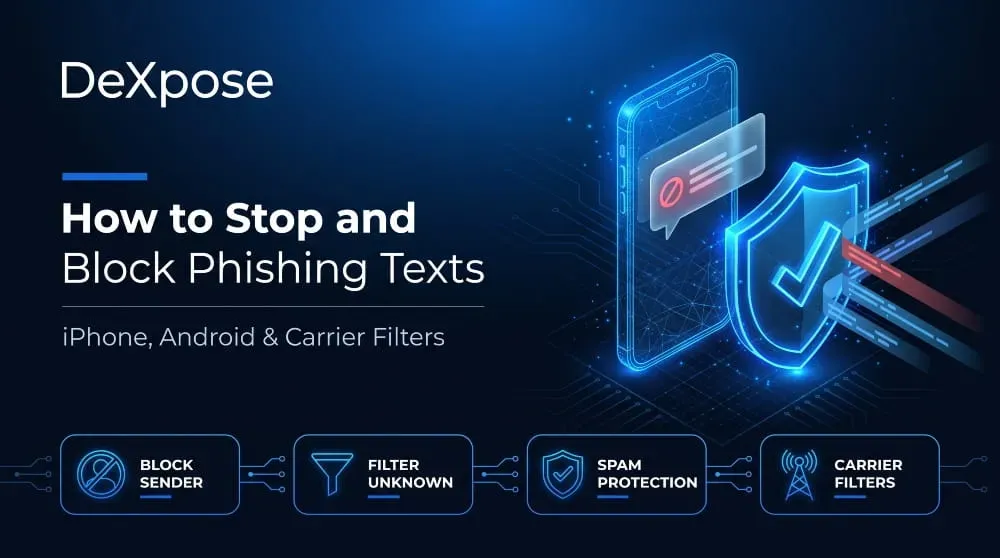
The most effective way to stop phishing texts is to block the sender immediately without replying, then report the message through your phone’s built-in tools or your carrier rather than engaging with it at all. Replying tends to increase future phishing texts rather than reduce them, since it confirms your number is active.
Blocking Phishing Texts on iPhone
On an iPhone, open the suspicious text in Messages, tap the sender’s number at the top, and select “Block this Caller” to prevent future messages from that number. If the message is an iMessage, tap “Report Junk” below it before blocking, which sends the text to Apple for analysis without requiring you to reply; regular SMS and MMS texts can’t be reported to Apple this way, so forward them to 7726 (SPAM) or report them to your carrier instead. iPhones also let you filter messages from unknown senders under Settings > Messages > Filter Unknown Senders (labeled Screen Unknown Senders on newer iOS versions), which moves texts from numbers not in your contacts into a separate tab so they don’t trigger notifications.
Blocking Phishing Texts on Android
On Android, open the phishing text in your default Messages app, tap the three-dot menu or long-press the conversation, and select “Block” or “Block & Report Spam,” which flags the number for Google’s spam filtering while blocking it on your device. Most Android phones also have spam protection enabled by default under Messages > Settings > Spam Protection; if it’s disabled, turn it on so likely phishing texts are flagged before you open them. Blocking a number stops future texts from that specific sender, but scammers frequently rotate numbers, so blocking works best alongside carrier-level filtering.
Carrier and Third-Party Filtering Tools
Every major U.S. carrier (Verizon, AT&T, and T-Mobile) offers free or paid spam-filtering services, such as Verizon Call Filter, AT&T ActiveArmor, and T-Mobile Scam Shield, that catch a significant share of phishing texts before they reach your phone, and enabling these is one of the highest-impact steps you can take. Forwarding scam texts to 7726 (SPAM) adds a network-wide layer; the steps are in the next section. For added protection, third-party apps can help filter spam, and a dark web exposure check can show whether your phone number has already been exposed in a breach, which is often the root cause of a sudden spike in phishing texts.
How to Report and Forward Phishing Texts
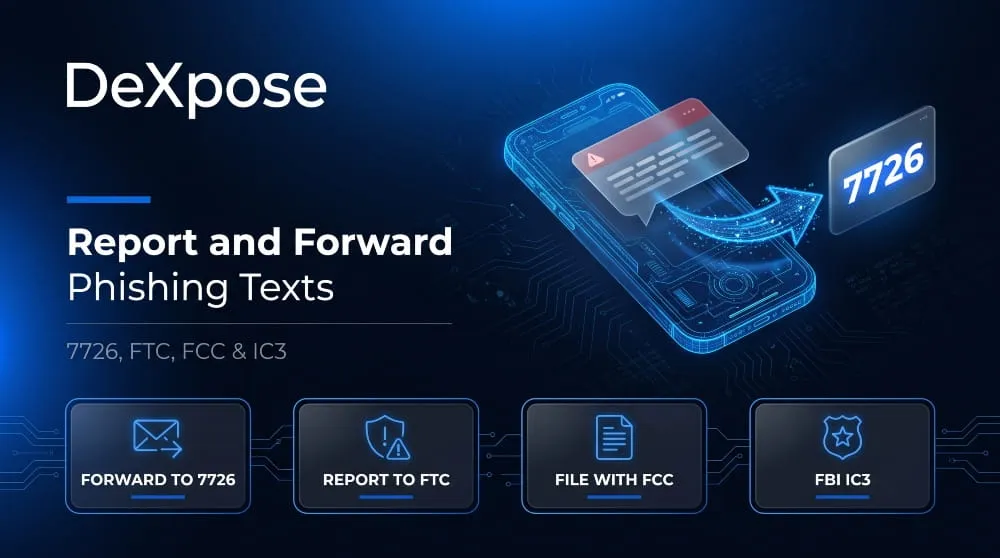
The fastest way to report a phishing text is to forward it to 7726 (SPAM), a free short code supported by every major U.S. carrier, which flags the sender’s number for network-wide blocking. From there, reporting to the FTC, FCC, or the specific brand being impersonated helps track broader scam campaigns, even though it won’t stop texts from that individual number immediately.
Forwarding Spam Texts to 7726 (SPAM)
Forwarding a suspicious text to 7726 takes just a few seconds and works across Verizon, AT&T, T-Mobile, and most other U.S. carriers: copy the message and send it as a new text to that number. Your carrier may reply asking for the sender’s phone number, so send that as a second text to complete the report. Carriers use these reports to identify patterns across large volumes of scam texts and block or flag the originating numbers before they reach other customers. This step doesn’t require deleting the original message first, so it’s safe to do before or after blocking the sender.
Reporting to the FTC, FCC, and FBI IC3
Beyond forwarding to 7726, you can report phishing texts directly to federal agencies that track scam trends and, in serious cases, pursue enforcement. The FTC accepts reports at ReportFraud.ftc.gov, the FCC handles complaints about unwanted or fraudulent texts at fcc.gov/complaints, and the FBI’s Internet Crime Complaint Center (IC3.gov) is the right channel if the text led to financial loss or identity theft. These reports matter at scale; the FTC uses the reports it receives, where text messages were the most common contact method in 2025, to identify scam trends and support action against large-scale scam operations.
Reporting Brand-Specific Phishing (Apple, Amazon, Your Bank)
Most major companies that get impersonated in phishing texts have a dedicated channel for reporting fake messages sent in their name. For Apple, use Report Junk on iMessage; Apple’s reportphishing@apple.com address is for phishing emails. Amazon has a “report scam” option in its app and on its website under account> Customer Service, and most banks list a fraud-reporting email or phone number on their official websites or on the back of your card. Reporting to the brand helps them warn other customers and, in some cases, take down fraudulent domains faster than a government report alone. For phishing that arrives by email or other channels, see our guide on how to report phishing.
Your Number and Email Are Probably Already Out There, Find Out Before Scammers Do
A phishing text suggests your information may be circulating somewhere; the question is how much and where. Many phone numbers and email addresses used in smishing campaigns trace back to data breaches from months or years earlier, with data quietly leaked, sold, or posted on dark web marketplaces long before the scam texts started.
DeXpose scans dark web markets, breach dumps, and malware logs to show you exactly what’s exposed, before that data turns into the next phishing text, account takeover, or fraud attempt.
Run a free Dark Web Report to see if your details are already circulating, or run a free Email Data Breach Scan to check whether a specific email has surfaced in a known breach. For ongoing protection, DeXpose’s Dark Web Monitoring and Brand Protection services provide continuous alerts the moment your data, or your company’s, shows up somewhere it shouldn’t be, so you can act before scammers do.
Run a Free Email Data Breach Scan
Frequently Asked Questions (FAQ’s)
Can Phishing Be Done Entirely by Text?
Yes, phishing can be carried out entirely through text messages without any email involved; this is known as smishing. A scammer only needs a phone number and a spoofed sender identity to send a fraudulent link or request for information, and the entire attack, from first contact to stolen credentials or a fraudulent payment, can happen inside a single SMS conversation.
What’s the FBI Warning About Text Phishing Campaigns?
The FBI has repeatedly warned about large-scale smishing campaigns, most notably fake toll-payment and package-delivery texts that impersonate services like E-ZPass, USPS, and FedEx to steal payment card details. These warnings typically note that the messages come from unfamiliar numbers or email-style addresses, use urgent “pay now” language, and link to convincing fake payment pages. The FBI advises recipients to delete the text without clicking and report it, rather than engage with the sender directly.
How Is Text Phishing Different From Email Phishing?
Text phishing and email phishing share the same underlying goal, stealing credentials, payment details, or personal information, but differ in format and effectiveness. Text messages are shorter, harder to preview before clicking a link, and carry a higher default level of trust than email, which is why click rates in the simulations described earlier ran higher for phone-centric lures. Email phishing also benefits from more mature spam-filtering technology, while SMS filtering is comparatively newer and less consistent across carriers, giving text-based scams a temporary edge.
Does Getting a Phishing Text Mean My Phone Was Hacked? NEW
No. Receiving a phishing text does not mean your phone has been hacked; it usually means your number is on a list or was randomly generated and tested. Your device is only at risk if you tapped a link, installed something, or replied with sensitive information. If you did any of those, follow the steps in the section above on what to do after you click or reply.
Can a Phishing Text Come From My Own Number or a Contact? NEW
Yes. Scammers can spoof a sender’s number, so a phishing text can appear to come from your own number or from someone in your contacts. A text from your own number is a spoofing trick, not proof that your phone or account was accessed. Don’t tap links; block and report it, and if a contact’s number sends something unusual, check with them through a different channel first.
Should I Delete Phishing Texts or Report Them?
Reporting is more useful than simply deleting, though deleting after reporting is a reasonable final step. Forwarding the text to 7726 (SPAM) takes only a few seconds and helps carriers identify and block the number network-wide, thereby protecting others from the same scam. Deleting a phishing text without reporting it removes the immediate nuisance but does nothing to stop the same number or campaign from reaching the next person on the scammer’s list.
npm Malware: Latest Supply-Chain Attacks, How They Work & How to Protect Your Projects
What Is npm Malware? npm malware is malicious code that is published to, or injected into, packages on the npm registry so that it runs on…
Read more
How to Remove Malware | Step-by-Step Guide to Delete, Uninstall & Clean an Infected Device (Complete Guide)
To remove malware, disconnect from the internet, restart in Safe Mode with Networking, and run a full security scan to delete what it finds. Next, uninstall…
Read more
How to Scan for Malware: Step-by-Step Ways to Check, Detect & Find Malware (Complete Guide)
How to Scan for Malware: The Quick Answer The 5-step answer in one paragraph To scan for malware, update your system, run a full scan with…
Read more