
Types of Malware | 15+ Examples, How Each Works & How to Tell Them Apart (Complete Guide)
The main types of malware are viruses, worms, trojans, ransomware, spyware, adware, keyloggers, rootkits, backdoors, botnets, infostealers, fileless malware, cryptojackers, wipers, and logic bombs. Each type is defined by how it spreads, what it does, or how it hides.
If you need the basics first, start with our guide to what malware is, then use this page to tell the types apart.
How many types of malware are there?
There is no official number of malware types, because researchers classify malware by different traits and the categories overlap. Some sources list three or four types, others list ten or fifteen, and security vendors track dozens of sub-types. This guide covers more than fifteen, grouped by what the malware does.
The 3 classic types: viruses, worms and trojans
The three classic types of malware are viruses, worms, and trojans, and most older textbooks start with them. A virus attaches itself to a legitimate file and spreads when that file is run. A worm copies itself across networks without any user action. A Trojan pretends to be useful software and relies on the victim to install it.
4, 10 and 15 types: why the number varies by source
The number of malware types changes by source because each author draws the lines differently. A four-type list usually adds ransomware or spyware to the classic three. A ten- or fifteen-type list splits out categories such as rootkits, botnets, keyloggers, and fileless malware. None of these lists is wrong; they group the same threats at different levels of detail.
How Malware Is Classified (Categories and Classification)
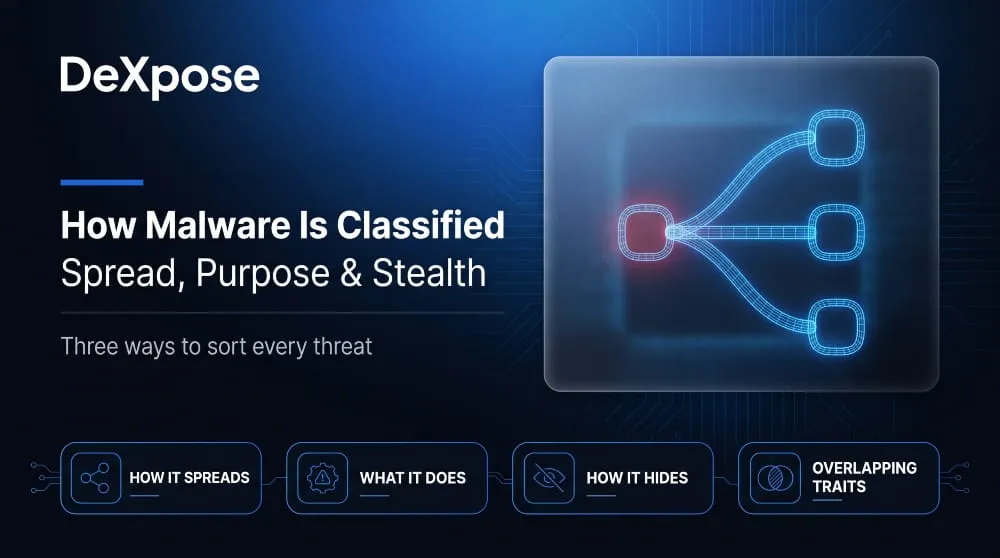
Malware is classified in three main ways: by how it spreads, by what it does, and by how it hides. Security teams use all three views together, because a single sample often fits more than one category.
By how it spreads (self-replicating vs user-triggered)
Some malware spreads by itself, and some needs a person to run it. Viruses and worms are self-replicating: they copy themselves to new files or machines. Trojans, ransomware droppers, and most spyware are user-triggered, meaning an attacker has to trick someone into opening an attachment, installing a fake app, or running a downloaded file.
By what it does (steals, extorts, spies, destroys, hijacks)
The most common way to group malware is by its goal. Infostealers and keyloggers steal data, ransomware extorts money, spyware and remote access trojans watch and control, wipers destroy, and botnets and cryptojackers hijack devices for someone else’s benefit.
By how it hides (stealth and persistence)
Some malware is defined mainly by how well it hides. Rootkits conceal themselves deep in the operating system, backdoors keep a hidden way in, and fileless malware runs in memory so that no malicious file ever sits on disk. These traits describe how the malware survives rather than what it ultimately does.
Why one malware sample can belong to several categories
One malware sample can belong to several categories because categories describe different traits. WannaCry, for example, was both ransomware and a worm. Emotet began as a banking trojan, worked as a loader for other malware, and ran as a botnet. When two sources label the same sample differently, they are usually emphasizing different traits.
Self-Replicating Malware: Viruses and Worms
What is a computer virus?
A computer virus is malware that attaches its code to a legitimate file or program and spreads when that host is run or shared. It cannot move on its own, so it depends on people copying infected files, opening documents, or running programs. Many modern threats are called viruses in everyday speech even when they are not, which is why the word is often misused.
What is a computer worm?
A computer worm is malware that copies itself across networks without needing a host file or any user action. It typically exploits a vulnerability in network services to jump from one machine to the next, allowing it to spread extremely fast. Because worms consume bandwidth and system resources as they spread, even a worm with no harmful payload can disrupt entire networks.
Virus vs worm: the key difference
The key difference between a virus and a worm is how they spread. A virus needs a host file and a person to run it, while a worm is standalone and spreads automatically over a network. Both replicate, but worms usually move much faster and cause wider disruption.
Polymorphic and metamorphic variants
Polymorphic malware changes its appearance each time it replicates, usually by re-encrypting its code with a new key, so signature-based antivirus cannot match it. Metamorphic malware goes further and rewrites its own code entirely with each copy. Both techniques exist to evade detection rather than to change what the malware does.
Examples (Elk Cloner, Morris worm, ILOVEYOU)
Elk Cloner (1982) was an early virus that spread between Apple II computers on floppy disks. The Morris worm (1988) was one of the first major internet worms and slowed or crashed a large share of the machines then online. ILOVEYOU (2000) spread by email as a “love letter” attachment and reached millions of Windows computers within days.
Trojans and Loaders: Malware in Disguise
What is a trojan?
A trojan is malware disguised as legitimate software, such as a cracked game, a fake installer, or a document that appears to be an invoice. The name comes from the Trojan horse of Greek myth. Unlike viruses and worms, trojans do not replicate on their own. They depend on the victim running them and then carry out whatever the attacker built them for. Our guide to the computer trojan goes deeper into how they work.
Banking trojans
Banking trojans are trojans built to steal online banking credentials and financial data. They typically watch for the victim visiting a bank site, then capture logins or inject fake form fields into the page. Zeus (2007) is the best-known example, and its leaked source code inspired many later variants.
Droppers and loaders
Droppers and loaders are trojans whose job is to deliver other malware. A dropper carries its payload inside itself, while a loader downloads the payload from a remote server. Emotet became one of the most notorious loaders before an international law-enforcement operation disrupted it in 2021, and operators often sell this kind of access to ransomware groups.
Remote access trojans
A remote access trojan (RAT) gives an attacker hidden remote control of an infected device, including the ability to browse files, capture the screen, and use the webcam and microphone. RATs are used for spying, fraud, and as a foothold for later attacks. Our remote access trojan guide covers detection and real-world examples.
Ransomware and Extortion Malware
The type of malware that encrypts files and demands payment
The type of malware that encrypts files and demands payment is ransomware. It locks the victim out of their data, usually with strong encryption, and then demands a ransom, often in cryptocurrency, in exchange for the decryption key. Many modern ransomware groups also steal the data first and threaten to publish it.
Crypto-ransomware vs locker ransomware
Crypto-ransomware encrypts individual files so they cannot be opened, while locker ransomware blocks access to the whole device or screen without necessarily encrypting the files. Crypto-ransomware, such as CryptoLocker (2013) and WannaCry (2017), is far more common and far harder to reverse because the data is actually scrambled.
Double and triple extortion
Double extortion means attackers both encrypt the victim’s data and threaten to leak what they stole, making payment tempting even when backups exist. Triple extortion adds a third pressure point, such as a denial-of-service attack or direct threats to the victim’s customers and partners.
How ransomware relates to other malware
Ransomware is one type within the larger malware family, and it often arrives through other malware such as loaders and infostealers. For the full relationship, read ransomware vs malware and our [guide to ransomware](LINK: ransomware page).
Spyware, Infostealers and Keyloggers
Spyware and stalkerware
Spyware is malware that secretly monitors a victim’s activity and sends the information to someone else. Stalkerware is spyware installed on a partner’s or family member’s phone to track location, messages, and calls. At the high end, commercial spyware such as Pegasus has been used to compromise phones, in some cases without any click from the target.
Infostealers
Infostealers are malware built to harvest saved passwords, browser cookies, autofill data, and crypto wallets from an infected device and send them to the attacker within seconds. Families such as Lumma, RedLine, and Vidar are sold as subscriptions to criminals. Our infostealer malware guide explains how they work and how stolen data is used.
Keyloggers
Keyloggers record what a victim types, which lets attackers capture passwords, messages, and card numbers as they are entered. They can be software running on the device or physical hardware attached to a keyboard. See our keylogger guide for detection and removal.
Spyware vs adware
Spyware secretly collects personal information for someone else, while adware displays unwanted ads and may track browsing to target them—the two overlap when adware tracks users without clear consent. For a side-by-side breakdown, see spyware vs malware vs virus vs adware.
Stealth Malware: Rootkits, Backdoors and Fileless Attacks
Rootkits and bootkits
A rootkit is malware that hides itself and other malicious software deep in the operating system, often with administrator or kernel-level access, so that it is invisible to normal tools. A bootkit is a rootkit that infects the boot process and loads before the operating system. A well-known early case was the 2005 Sony BMG copy-protection rootkit. Our rootkit guide covers detection.
Backdoors
A backdoor is a hidden access route that lets an attacker bypass normal authentication and return to a system at will. Backdoors can be installed by other malware or planted in software itself, as in the 2020 SolarWinds supply-chain compromise. Read more in our backdoor guide.
Fileless malware and living-off-the-land techniques
Fileless malware runs mostly in memory and leaves little or no malicious file on disk. It often abuses trusted built-in tools such as PowerShell or Windows Management Instrumentation, a method called living off the land. Because the tools are legitimate, security software that scans for bad files can miss the activity.
Why these types are hard to detect
Stealth malware is hard to detect because it avoids the signals that traditional antivirus looks for. It hides files and processes, runs in memory, borrows legitimate tools, and changes its code. Defenders therefore rely on behavior monitoring and on checking for unusual activity rather than known file signatures.
Resource-Hijacking Malware: Botnets and Cryptojackers
Botnets and zombie devices
A botnet is a network of infected devices, called bots or zombies, that an attacker controls remotely and uses together. The Mirai botnet (2016) built one from insecure internet-connected cameras and routers and used it to disrupt major websites. Our botnet guide explains how they are built and taken down.
Cryptojacking
Cryptojacking is malware that secretly uses a victim’s processor to mine cryptocurrency for the attacker. It rarely steals data, but it slows devices, raises power use, and can shorten hardware life. It often hides in infected downloads, compromised websites, and misconfigured cloud servers.
DDoS and spam use cases
Botnets are most commonly used for distributed denial-of-service (DDoS) attacks, which flood a target with traffic until it goes offline, and for sending spam and phishing email at scale. Attackers also rent out botnet capacity to other criminals.
Destructive and Deceptive Malware
Wipers
Wipers are malware designed to destroy data rather than steal or ransom it permanently. NotPetya (2017) looked like ransomware but was effectively a wiper, since the data could not be recovered even if victims paid. Shamoon (2012), which hit Saudi Aramco, and WhisperGate (2022) in Ukraine are other well-known cases.
Logic bombs
A logic bomb is malicious code that stays dormant until a specific condition is met, such as a date, a deleted user account, or a particular command. A well-known case is the 2006 attack on UBS PaineWebber by a disgruntled administrator. Insiders often plant logic bombs.
Adware, PUPs and malvertising
Adware shows unwanted ads, and potentially unwanted programs (PUPs) are bundled software that users never meant to install, such as browser toolbars and search hijackers. Malvertising goes further: it uses ordinary online ads to deliver malware. These threats sit in a gray area but can lead to real infections.
Scareware and rogue security software
Scareware uses fake alerts, such as a pop-up claiming the device is infected, to frighten users into installing harmful software or paying for a useless product. Rogue security software imitates real antivirus tools. Both depend on panic rather than technical exploits.
Malware Examples by Type
Comparison table
| Type | Famous Example | Year | What It Did |
|---|---|---|---|
| Virus | Elk Cloner | 1982 | Spread between Apple II computers on floppy disks |
| Worm | Morris worm | 1988 | Crashed or slowed a large share of the early internet |
| Banking trojan | Zeus | 2007 | Stole online banking credentials at scale |
| Ransomware | WannaCry | 2017 | Encrypted files on more than 200,000 computers in about 150 countries |
| Wiper | NotPetya | 2017 | Destroyed data on corporate systems worldwide |
| Botnet | Mirai | 2016 | Used hijacked cameras and routers for record-scale DDoS attacks |
| Rootkit | Sony BMG rootkit | 2005 | Hid itself on music CD buyers’ computers |
| Backdoor | SolarWinds Sunburst | 2020 | Gave attackers access through a trusted software update |
| Spyware | Pegasus | 2016 | Monitored phones, in some versions with no click required |
| Infostealer | Lumma Stealer | 2022 onward | Harvested browser credentials and crypto wallets |
Famous malware you should know.
The best-known malware cases show how the types differ in practice. ILOVEYOU showed how fast an email worm could spread, Stuxnet showed that malware could physically damage industrial equipment, WannaCry showed how a worm-powered ransomware attack could hit hospitals and businesses at once, and Lumma showed how infostealers have become a subscription service.
Malware families and how researchers name them
A malware family is a group of samples that share code and behavior, even if attackers keep modifying them. Researchers and vendors usually name families after strings in the code, the first sample they saw, or behavior, which is why the same family can have different names in different reports. Frameworks such as MITRE ATT&CK help by providing a common reference for each family.
Most Common Types of Malware Today
What the data shows
The most common type of malware depends on the report and how it measures, but trojans, infostealers, and ransomware dominate current reporting. Verizon’s 2026 Data Breach Investigations Report found ransomware in 48% of all breaches analyzed, up from 44% the year before. Infostealers feed that trend by supplying the stolen logins attackers use to get in.
Which malware is most dangerous?
The most dangerous type of malware depends on what you are protecting. Ransomware is the most disruptive for businesses because it halts operations; wipers are the most destructive because data cannot be recovered. Rootkits and backdoors are the most dangerous for long-term spying because they are so hard to find.
Why rankings change by report and year
Rankings of malware types change because each report measures something different, such as breaches, detections on devices, or incidents handled by one vendor. Attackers also switch tools quickly, so a type that dominates one year may fall back the next.
Types of Malware Attacks
How different types are used in attack chains
In real attacks, different types of malware are chained together. A typical sequence starts with a phishing email that delivers a loader, which installs an infostealer, which captures credentials that let attackers deploy a remote access trojan and finally ransomware. Each type plays a specific role at a specific stage.
Mapping malware type to attacker goal
Matching the malware type to the goal shows what an attacker wants. Infostealers and keyloggers point to credential theft, ransomware to extortion, RATs and spyware to surveillance, botnets to disruption or fraud, and wipers to sabotage.
Learn more about malware attacks.
For current campaigns and detailed breakdowns, see DeXpose’s coverage of malware attacks and news.
Which Type of Malware Is It? (Quick Identification Guide)
Encrypts files and demands payment → ransomware
Malware that encrypts files and demands payment is ransomware. The clearest sign is a ransom note or locked files that cannot be opened without paying for a key.
Records keystrokes → keylogger
Malware that records what you type is a keylogger. Its purpose is to capture passwords, messages, and card details as you enter them.
Spreads on its own across networks → worm
Malware that spreads by itself across networks without user action is a worm. It is identified by rapid, automatic propagation between machines.
Hides itself and other malware → rootkit
Malware that hides its own files, processes, and other malicious software from the system is a rootkit. It works deep within the operating system to avoid being detected.
Quick quiz: which type of malware is it?
Which type of malware locks files and demands payment? Ransomware.
Which type of malware prevents you from accessing your files? Ransomware, or in rarer cases, locker malware that blocks the whole device.
Which type of malware disguises itself as legitimate software? A Trojan.
Which type of malware turns many devices into a network controlled by one attacker? A botnet.
Types of Malware and the Dark Web
Which types feed dark web markets
Infostealers, remote access trojans, and loaders feed dark web markets the most. Infostealers produce logs of stolen credentials, RATs provide ongoing access to devices, and loaders deliver other malware. Their output is sold or traded on underground forums and messaging channels.
How stolen data from each type is sold and reused
Malware-stolen data is sold in different forms. Credential logs and session cookies are sold to fraudsters and access brokers, banking credentials are used directly for theft, and access to compromised networks is passed to ransomware groups. The same stolen login can be resold and reused many times.
Combolists and credential reuse
Credentials stolen by many types of malware are often merged into combolists, which are large email-and-password lists used for credential-stuffing attacks. Our guide to the combolist dark web ecosystem explains how they are assembled and traded.
Check Whether Malware Has Already Exposed Your Data
Every type of malware on this page can leave stolen data behind, and that data often reaches the dark web before anyone notices an infection. DeXpose’s Free Dark Web Report checks whether your email or credentials appear in leaked datasets and infostealer logs so that you can change passwords and secure accounts early. Security teams can go further with breached credentials monitoring, which watches continuously for exposed employee and customer credentials.
Frequently Asked Questions (FAQ)
What are the main types of malware?
The main types of malware are viruses, worms, trojans, ransomware, spyware, adware, keyloggers, rootkits, backdoors, botnets, infostealers, and fileless malware. They differ in how they spread, what they do, and how they hide.
How many types of malware are there?
There is no fixed number, because sources classify malware differently. Common lists name three, four, ten, or fifteen types, and the categories overlap.
What are the 3 types of malware?
The three classic types of malware are viruses, worms, and trojans. Modern lists usually add ransomware, spyware, and others.
What type of malware encrypts files and demands payment?
Ransomware encrypts files and demands payment, usually in cryptocurrency, in exchange for a decryption key.
What is the most common type of malware?
The answer varies by report and year. Trojans, including loaders and infostealers, are among the most widespread, while ransomware appeared in 48% of breaches in Verizon’s 2026 report.
What is the most dangerous type of malware?
It depends on the target. Ransomware is the most disruptive for businesses, wipers are the most destructive, and rootkits and backdoors are the hardest to detect.
What are some examples of malware?
Well-known examples include Elk Cloner and ILOVEYOU (early viruses and worms), Zeus (banking trojan), WannaCry (ransomware worm), Mirai (botnet), NotPetya (wiper), Pegasus (spyware), and Lumma (infostealer).
What is the difference between a virus and a worm?
A virus attaches to a host file and needs a user to run it, while a worm spreads across networks without user action.
Is ransomware a type of malware?
Yes. Ransomware is malware that encrypts or locks data and demands payment to restore access.
What Is Malware? Definition, Meaning, How It Works & Why It’s Dangerous (Complete Guide)
What Is Malware? (Definition and Meaning) Malware definition in one sentence Malware is any software designed to damage, disrupt, spy on, or gain unauthorized access to…
Read more
Google Malware Scanner & Built-In Malware Checks on Microsoft, Apple and GitHub: What They Catch and What They Miss
Do Google, Microsoft, Apple and GitHub Scan for Malware? (Quick Answer) Yes. Each one runs its own built-in defense: a Google malware scanner in Play Protect…
Read more
How to Remove Malware from Chrome | Scan, Check & Clean Your Browser (Complete Guide)
If your browser is showing pop-ups, redirecting searches, or loading extensions you never installed, you may be dealing with Chrome malware. The good news is that…
Read more