
What Is Malware? Definition, Meaning, How It Works & Why It’s Dangerous (Complete Guide)
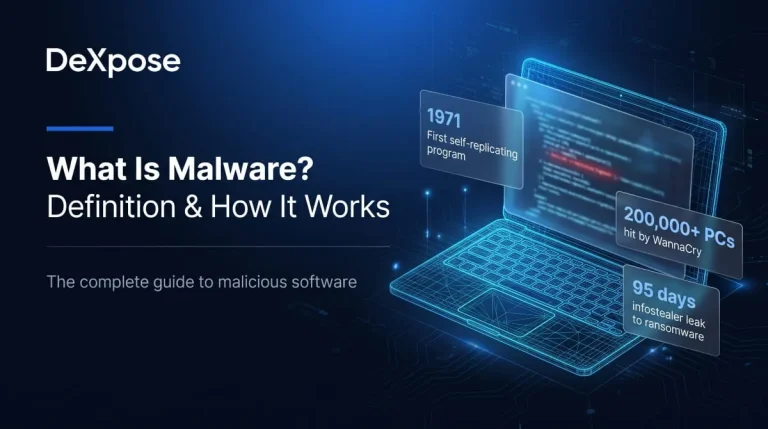
What Is Malware? (Definition and Meaning)
Malware definition in one sentence
Malware is any software designed to damage, disrupt, spy on, or gain unauthorized access to a device, network, or the data stored on it, without the owner’s informed consent. The term covers viruses, worms, trojans, ransomware, spyware, and infostealers, and it powers most cyberattacks, from stolen passwords to encrypted hospital systems.
Malware meaning in plain English
In plain English, malware means “bad software”: a program that does something its victim never agreed to and would not want. A legitimate app does what it claims to do. Malware hides its real purpose, whether that is copying your passwords, locking your files for ransom, or quietly using your computer to attack someone else. What separates malware from a buggy or annoying app is intent. Malware is written to harm or exploit, not to serve the person running it.
What does “malware” stand for?
Malware is a short form of “malicious software”, a blend of the words malicious and software. Strictly speaking, it is a portmanteau rather than an acronym. Security researcher Yisrael Radai is generally credited with popularizing the term in 1990, and it gradually replaced “computer virus” as the umbrella label once threats grew beyond viruses.
Malware vs “malwares”: singular, plural and pronunciation
“Malware” works as both a singular and a plural noun, much like “software”. Most security professionals write “malware” for the category and say “a piece of malware” or “malware families” when counting. “Malwares” appears in everyday searches and is understood, but it is less common in professional writing. The word is pronounced “MAL-wair”, with the first syllable like the start of “malfunction”.
Malware synonyms
The closest synonyms for malware are malicious software, malicious code, and malcode. Informal alternatives include harmful software and badware, while rogue software usually refers to fake security tools that scare users into paying. “Virus” is often used as a synonym, but it is only one type of malware, not the whole category.
A Short History of Malware
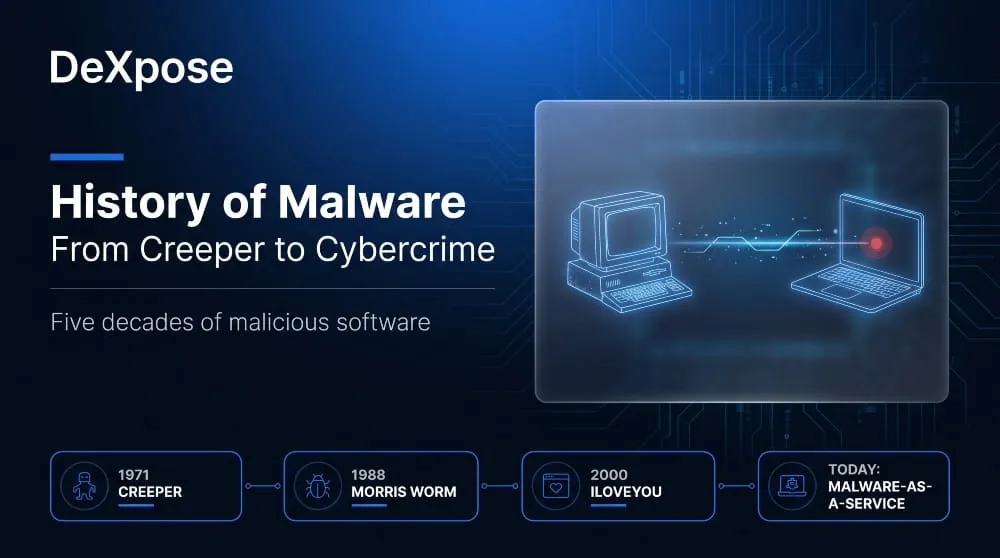
From Creeper and the Morris worm to ILOVEYOU
The history of malware runs from harmless experiments to global outbreaks. Creeper appeared on the ARPANET in 1971 and displayed a message as it moved between machines. Elk Cloner followed in 1982 on Apple II computers, and the Brain virus in 1986 became the first widely known PC virus. In 1988, the Morris worm spread across the early internet, crashed a significant share of the roughly 60,000 machines then connected, and led to the first conviction under the US Computer Fraud and Abuse Act. In May 2000, the ILOVEYOU worm arrived as a “love letter” email attachment and reached millions of Windows computers within days, overwriting files as it spread.
How malware shifted from pranks to organized cybercrime
Malware shifted from pranks to profit once criminals realized infected computers could be monetized. Early authors wrote code for curiosity or notoriety. By the mid-2000s, botnets sent spam and banking trojans such as Zeus drained accounts. In the 2010s, ransomware and state-sponsored sabotage tools like Stuxnet showed how much damage malware could do. Today the model is industrial: developers rent malware by subscription, access brokers sell stolen logins, and ransomware affiliates split ransom payments with the groups that built the tools.
What was the first malware?
The answer depends on how “malware” is defined. Creeper (1971) is usually cited as the first self-replicating program, but it was an experiment and caused no harm. Elk Cloner (1982) was the first virus to spread in the wild on personal computers, and Brain (1986) was the first PC virus. The Morris worm (1988) was the first to cause widespread damage across the internet.
What Does Malware Do? (Goals and Purpose)
Malware does whatever its operator needs it to do, and those goals fall into four broad groups: stealing data, making money, spying or sabotaging, and hijacking resources.
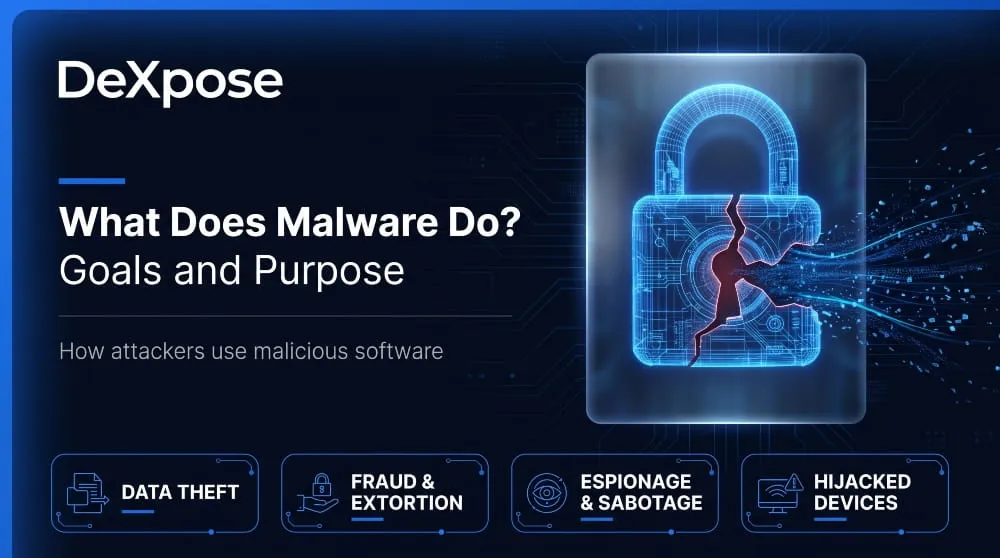
Data theft and credential theft
Malware steals passwords, browser cookies, autofill data, crypto wallets, and files. Infostealers are built specifically for this job. They collect everything useful on an infected device within seconds and send it to the attacker, who then uses it or sells it. Stolen logins are especially valuable because they let criminals sign in as the victim instead of breaking in. For a deeper look, see our guide to infostealer malware.
Financial fraud and extortion
Malware makes money through extortion and fraud. Ransomware encrypts files, and often steals them first, then demands payment for the key and for silence. Banking trojans intercept online banking sessions, and clipboard hijackers swap a copied crypto wallet address for the attacker’s own. Our explainer on ransomware vs malware shows how ransomware fits into the wider category.
Espionage and sabotage
Some malware exists to watch or break things rather than to earn money directly. Spyware, keyloggers, and remote access trojans let attackers monitor activity and control a device in secret, and state-backed groups use them for long-running espionage. Wiper malware and tools like Stuxnet go further, destroying data or physically damaging equipment.
Hijacking devices and resources
Malware can turn a device into a tool for someone else. Infected machines are linked into botnets that launch denial-of-service attacks, send spam, or route criminal traffic. Cryptojacking malware quietly uses the victim’s processor to mine cryptocurrency, slowing the device and raising electricity costs.
Why malware is dangerous
Malware is dangerous because it works silently, persists, and scales. A single infection can lead to stolen identities, drained bank accounts, days of downtime, or a regulatory breach, and the stolen data can be reused months later. The harm often goes beyond the first device, since credentials taken from one machine open doors to email, cloud accounts, and company systems.
How Does Malware Work? (The Malware Lifecycle)
Most malware follows the same lifecycle regardless of type: it is delivered, executed, made persistent, connected to its operator, and then used to carry out its purpose.
Delivery
Delivery is how malware first reaches a device. Common routes include phishing emails with malicious attachments or links, fake installers and cracked software, compromised websites and malicious ads, infected USB drives, exploits against unpatched software, and tampered packages in the software supply chain.
Execution and persistence
Execution is the moment malware starts running, either because the victim opens a file or because an exploit launches it automatically. Persistence then keeps it alive. Malware commonly adds startup entries, scheduled tasks, or services so that it survives a reboot, and it may try to gain higher privileges to reach more of the system.
Command and control
Command and control (C2) is the channel through which malware talks to its operator. The infected device reports in, receives instructions, and downloads additional tools. Attackers often disguise this traffic as ordinary web requests or route it through legitimate cloud services and messaging platforms so it blends in.
Payload and data exfiltration
The payload is the harmful action the malware was built for, such as encrypting files, recording keystrokes, mining crypto, or collecting credentials. Exfiltration is the step where stolen data leaves the victim’s network. With infostealers, this happens almost immediately: the collected “log” is packaged and uploaded to the attacker’s server.
Evasion at a glance
Evasion techniques help malware avoid detection. Authors pack or encrypt their code, check whether they are running in an analysis sandbox, run entirely in memory without writing files, abuse legitimate system tools, and change their code with each copy so signature-based antivirus cannot match it. Modern defenses therefore watch behavior as well as file signatures.
Malware in Cybersecurity: Where It Fits in the Threat Landscape
In cybersecurity, malware is the tooling attackers use rather than the goal itself. An attack is the operation, and malware is often the weapon that carries it out.
Who builds and uses malware
Criminal groups, ransomware affiliates, state-sponsored threat actors, hacktivists, and occasionally insiders build and use malware. A growing share comes through malware-as-a-service (MaaS), where developers rent ready-made malware, infrastructure, and support to buyers with little technical skill. This is why capable malware is no longer limited to capable attackers. You can read more about the groups behind it in our overview of threat actors.
Malware in numbers
The link between malware and later attacks is measurable. Verizon’s 2026 Data Breach Investigations Report, which analyzed more than 22,000 confirmed breaches, found that among ransomware victims with a prior credential or infostealer leak, half had that exposure within 95 days before the ransomware attack. In practice, stolen credentials from an early infection often become the entry point for a much bigger incident weeks later.
What kind of cyber threat looks like malware?
Several threats behave like malware without strictly being malware. Potentially unwanted programs (PUPs) and adware sit in a gray area: they are installed with the user’s partial consent but act against their interests. Scareware and fake tech-support pop-ups imitate malware warnings, and attackers sometimes abuse legitimate remote-administration tools so that their activity looks like normal IT work. Phishing, social engineering, and denial-of-service floods are attack methods, not malware, although they frequently deliver it.
What Is a Malware Attack?
A malware attack is any attempt to infect a device or network with malicious software to steal data, extort money, spy, or take control.
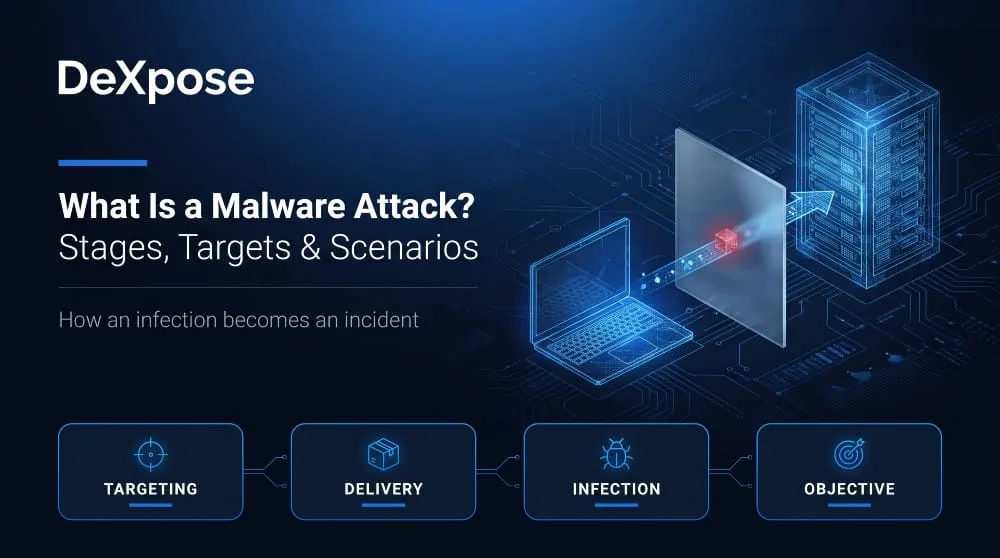
Malware attack meaning and stages
A malware attack usually unfolds in stages. The attacker selects a target and delivers the malware, which executes and establishes persistence. The attacker then explores the environment, escalates privileges, and moves to other systems if the goal is larger. The final stage is the objective itself: stealing data, encrypting files, or maintaining long-term access. Cleanup and monetization, such as selling the stolen data, follow.
Who gets targeted and why
Anyone can be targeted because attackers choose targets based on the value of the access they offer, not just size. Individuals are targeted for banking details and account logins. Small businesses are attractive because their defenses are lighter and they can serve as a route into larger partners. Healthcare, finance, and critical infrastructure face ransomware because downtime is costly, and governments and defense organizations face espionage-focused malware.
Simple attack scenarios
Consider an individual who downloads cracked software from a file-sharing site. The installer carries an infostealer, which copies saved browser passwords and session cookies and sends them to the attacker. Days later, the victim’s email and social accounts are taken over. Now consider a company employee who opens an invoice attachment that installs a loader. The loader brings in a remote access tool; the attackers move to the file server, copy sensitive data, encrypt the systems, and send a ransom demand.
Where to learn more
For current campaigns and detailed breakdowns, see DeXpose’s coverage of malware attacks and news.
Malware vs Virus: Is Malware a Virus?
No, malware is not the same as a virus. A virus is one type of malware, and malware is the broader category. Every virus is malware, but many kinds of malware, such as ransomware, spyware, and worms, are not viruses.
Comparison table
| Term | What It Is | How It Spreads | Example |
|---|---|---|---|
| Malware | Umbrella term for any malicious software | Varies by type | All of the below |
| Virus | Attaches itself to a host file or program and needs it to be run | Spreads when infected files are shared or opened | Elk Cloner (1982) |
| Worm | Self-replicating program that needs no host file | Spreads automatically across networks | Morris worm (1988), WannaCry (2017) |
| Spyware | Secretly monitors activity and collects information | Bundled with apps or delivered through exploits | Pegasus |
| Adware | Pushes unwanted ads and may track browsing | Bundled with free software | Fireball browser hijacker |
Why people confuse the two
People confuse the two because “virus” was the first malicious software term to reach the public in the 1980s and 1990s, and security products kept the name “antivirus” even after they began detecting every kind of malware. News coverage also uses “virus” as shorthand for any computer infection.
Go deeper
For a side-by-side breakdown, read spyware vs malware vs virus vs adware and ransomware vs malware.
Malware at a Glance: Main Categories
Malware is grouped by what it does, and each category has its own behavior and risk. The table below gives a one-line summary of the main ones, with links to detailed guides.
Compact table
| Category | One-line Summary | Deep Dive |
|---|---|---|
| Infostealer | Harvests passwords, cookies, and wallets from an infected device | Infostealer guide |
| Remote access trojan (RAT) | Gives an attacker remote control of a device | RAT guide |
| Rootkit | Hides malware and attacker activity deep in the system | Rootkit guide |
| Keylogger | Records what the victim types | Keylogger guide |
| Botnet | Network of infected devices controlled together | Botnet guide |
| Backdoor | Hidden access route that bypasses normal login | Backdoor guide |
Famous Malware Examples
WannaCry, Stuxnet, ILOVEYOU and Zeus
Four well-known cases show how varied malware can be.
| Malware | Year | What It Did |
|---|---|---|
| ILOVEYOU | 2000 | Email worm that spread as a “love letter” attachment and overwrote files on millions of computers |
| Zeus | 2007 | Banking trojan that stole online banking credentials; its leaked source code spawned many variants |
| Stuxnet | Discovered 2010 | Worm that sabotaged Iranian uranium-enrichment centrifuges, widely attributed to US and Israeli operations |
| WannaCry | 2017 | Ransomware worm that used the EternalBlue exploit to hit more than 200,000 computers in about 150 countries, including UK hospitals |
Modern stealers such as Lumma
Lumma Stealer is a modern infostealer sold as malware-as-a-service. It targets browser-saved credentials, cryptocurrency wallets, and authentication extensions, and Microsoft and law-enforcement partners disrupted its infrastructure in 2025. DeXpose’s in-depth technical analysis of Lumma Stealer covers how it operates.
Which of the following is not malware?
A quick check helps separate malware from security tools and attack methods.
Which of the following is not malware: ransomware, a keylogger, a firewall, a worm? A firewall is not malware. It is a security control that filters network traffic, while the other three are malicious programs.
Which of the following is not malware: spyware, a rootkit, a password manager, a trojan? A password manager is not malware. It is a legitimate tool, although attackers target it. A phishing email is similar: it is a delivery method for malware, not malware itself.
Malware and the Dark Web
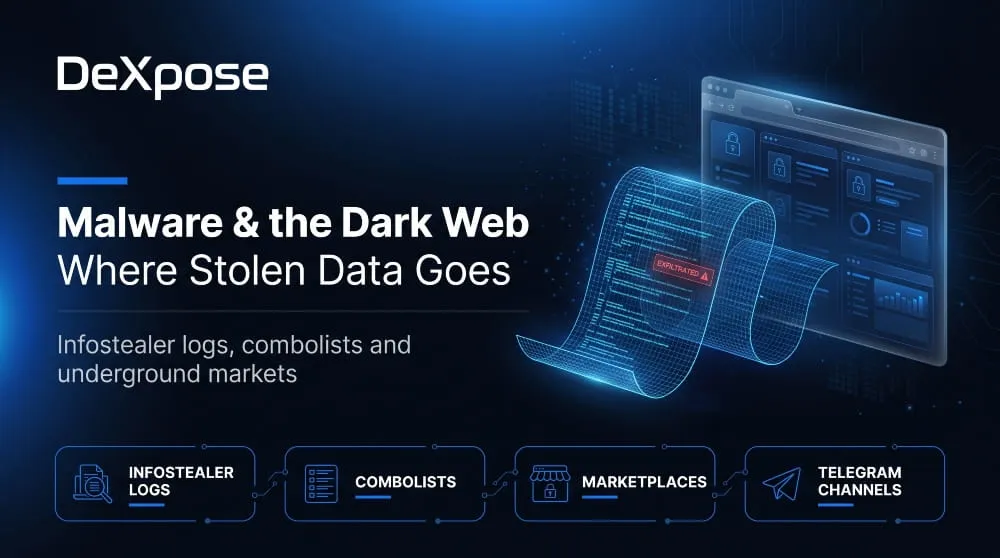
How stolen data from malware ends up on the dark web
Data stolen by malware usually reaches the dark web within days. The infostealer uploads victim data to the attacker’s control panel, and the attacker then sells it on dark web marketplaces, Telegram channels, or underground forums. Buyers include fraudsters, access brokers, and ransomware affiliates, who use the credentials to break into accounts and company networks.
Infostealer logs and combolists
An infostealer log is a bundle of everything taken from one infected device: saved passwords, session cookies, autofill entries, and wallet data. Criminals also merge credentials from many logs and older breaches into combolists, large email-and-password lists used for credential-stuffing attacks. Our guide to the combolist dark web ecosystem explains how they are built and traded.
Protecting Yourself from Malware
The best protection against malware is a layered approach that makes infection less likely and limits the damage if it happens.
- Keep your operating system, browser, and apps updated, because many infections begin with unpatched flaws.
- Download software only from official sources and avoid cracked programs and unknown browser extensions.
- Treat unexpected attachments, links, and QR codes with suspicion, even from known contacts.
- Use a password manager with unique passwords and multi-factor authentication, ideally passkeys or hardware keys.
- Run reputable endpoint protection and keep versioned or offline backups.
For a full walkthrough, see our guide to malware protection.
Check Whether Malware Has Already Exposed Your Data
Malware often steals data long before anyone notices, so the risk may exist even if your device looks clean. DeXpose’s Free Dark Web Report checks whether your email or credentials appear in leaked datasets and infostealer logs, so you can change passwords and secure accounts before they are abused. Security teams can go further with breached credentials monitoring, which continuously watches for exposed employee and customer credentials.
Frequently Asked Questions (FAQ)
What is malware in simple words?
Malware is harmful software that runs on a device without the owner’s permission. It can steal information, spy on activity, lock files, or damage the system.
What does malware mean in cybersecurity?
In cybersecurity, malware means any malicious code used to compromise the confidentiality, integrity, or availability of systems and data. It is the tool attackers use to carry out their goals.
Is malware a virus?
No. A virus is one type of malware that attaches to files and spreads when they are run. Malware is the broader category that also includes worms, trojans, ransomware, spyware, and more.
What does malware stand for?
Malware stands for “malicious software.” It combines the words malicious and software rather than being a true acronym.
What does malware do to a computer?
The effect depends on the type. Malware can steal files and passwords, record keystrokes, encrypt data for ransom, slow the system, open a backdoor for attackers, or add the device to a botnet. Many strains run silently, so the victim may not notice anything at first.
What is a malware attack?
A malware attack is an attempt to infect a device or network with malicious software to steal data, extort money, spy, or take control. It typically moves through delivery, infection, persistence, and then the attacker’s final objective.
What is the most common type of malware?
There is no single answer because rankings vary by report and year. Trojans, including loaders and infostealers, are among the most widespread in most vendor telemetry, while ransomware tends to be the most disruptive.
What is the first malware ever created?
Creeper, from 1971, is usually cited as the first self-replicating program, although it was an experiment and not harmful. Elk Cloner (1982) was the first virus in the wild on personal computers, and Brain (1986) was the first PC virus.
What kind of cyber threat looks like malware?
Potentially unwanted programs, adware, scareware, and abused legitimate remote-administration tools can look like malware. Phishing and denial-of-service attacks are attack methods rather than malware, although they often deliver it.
Types of Malware | 15+ Examples, How Each Works & How to Tell Them Apart (Complete Guide)
The main types of malware are viruses, worms, trojans, ransomware, spyware, adware, keyloggers, rootkits, backdoors, botnets, infostealers, fileless malware, cryptojackers, wipers, and logic bombs. Each type…
Read more
Google Malware Scanner & Built-In Malware Checks on Microsoft, Apple and GitHub: What They Catch and What They Miss
Do Google, Microsoft, Apple and GitHub Scan for Malware? (Quick Answer) Yes. Each one runs its own built-in defense: a Google malware scanner in Play Protect…
Read more
How to Remove Malware from Chrome | Scan, Check & Clean Your Browser (Complete Guide)
If your browser is showing pop-ups, redirecting searches, or loading extensions you never installed, you may be dealing with Chrome malware. The good news is that…
Read more